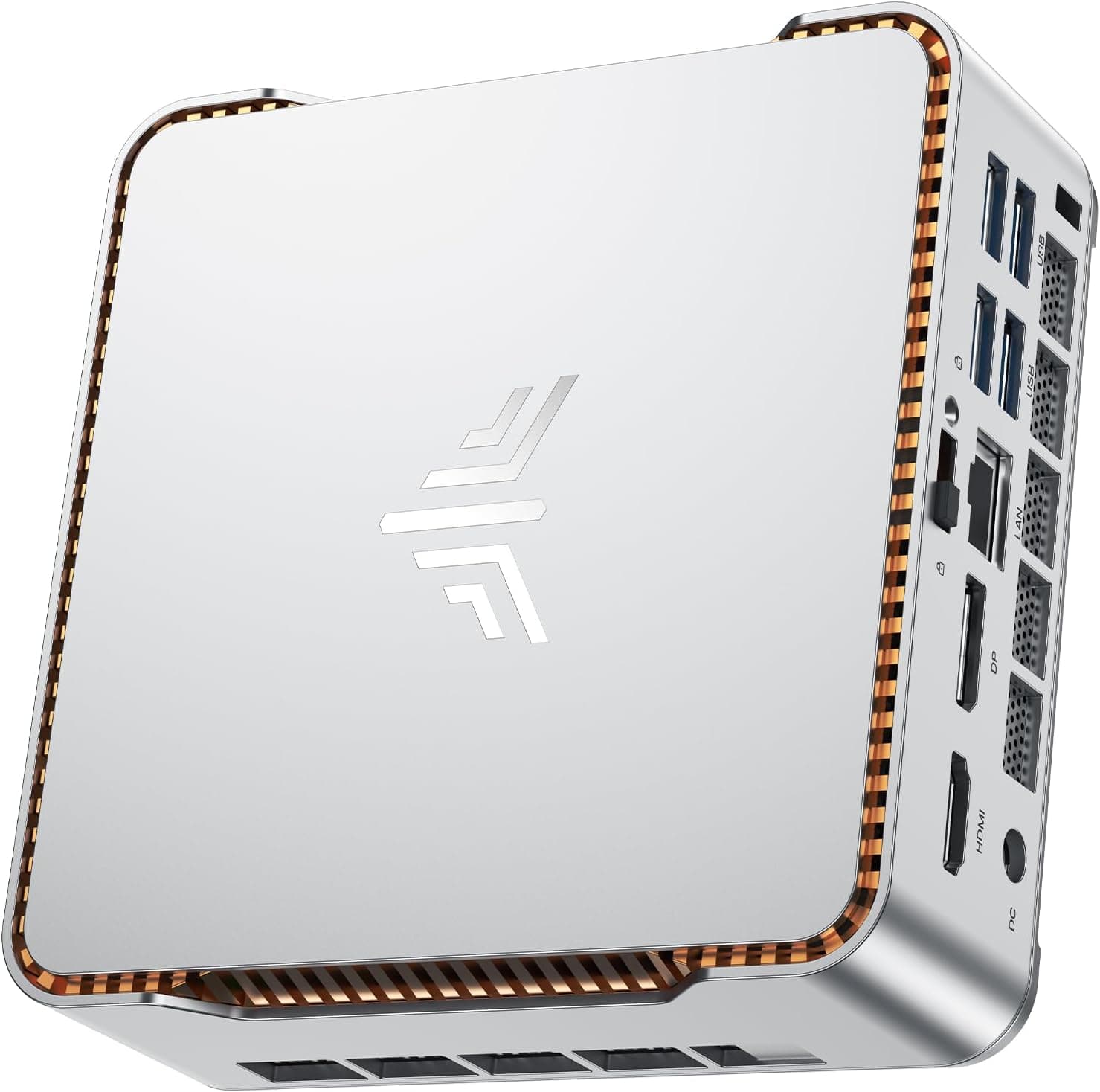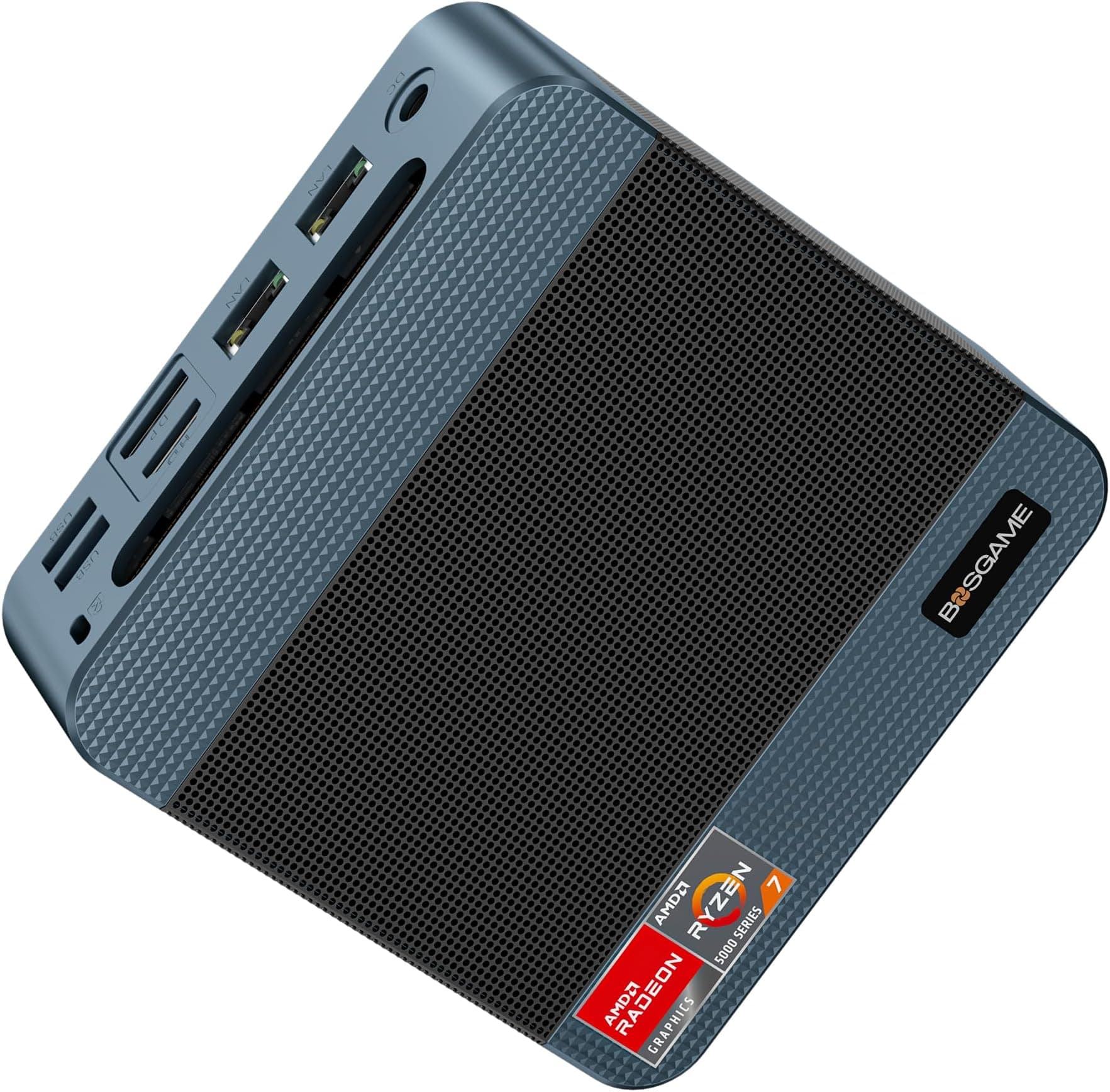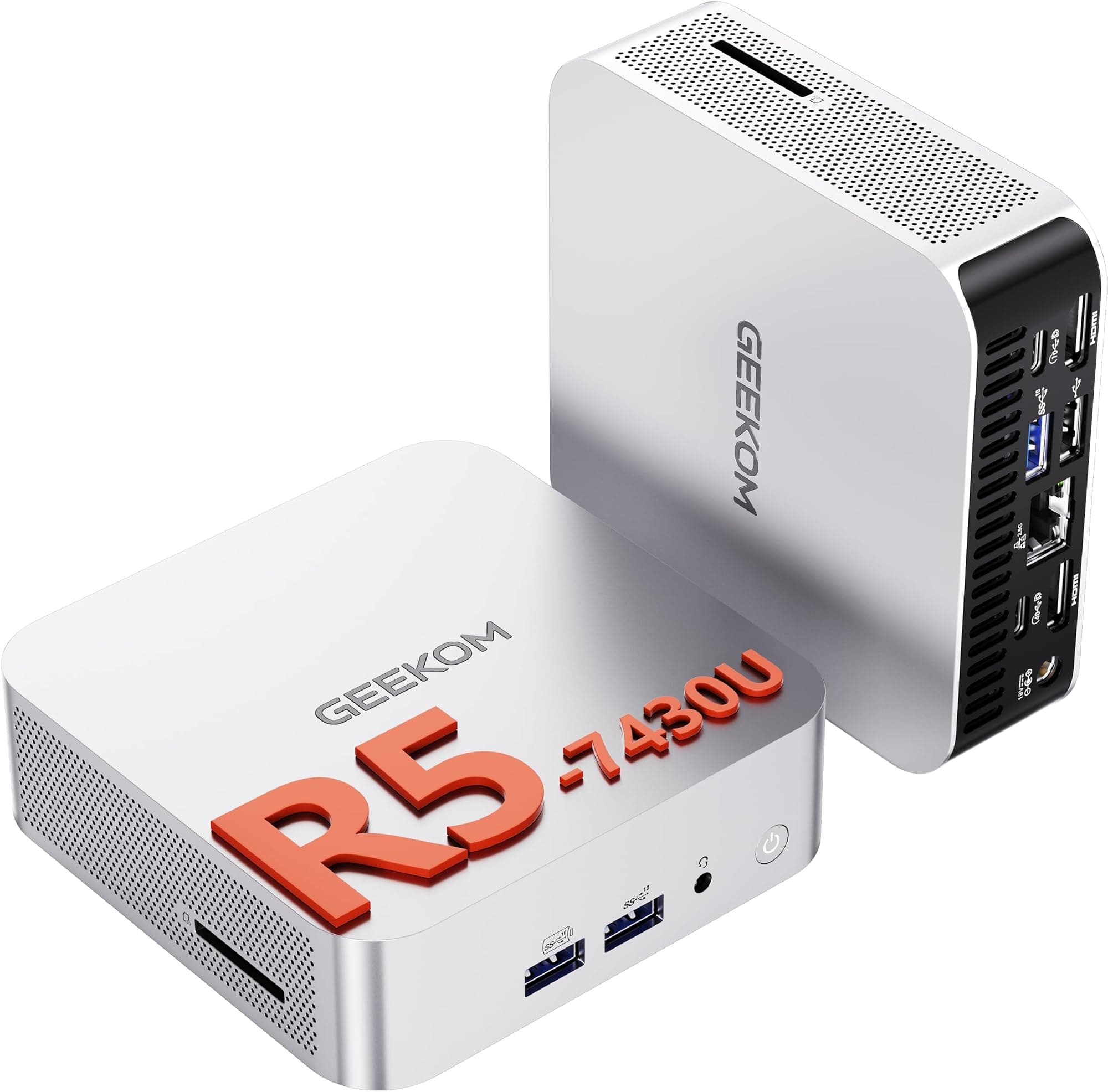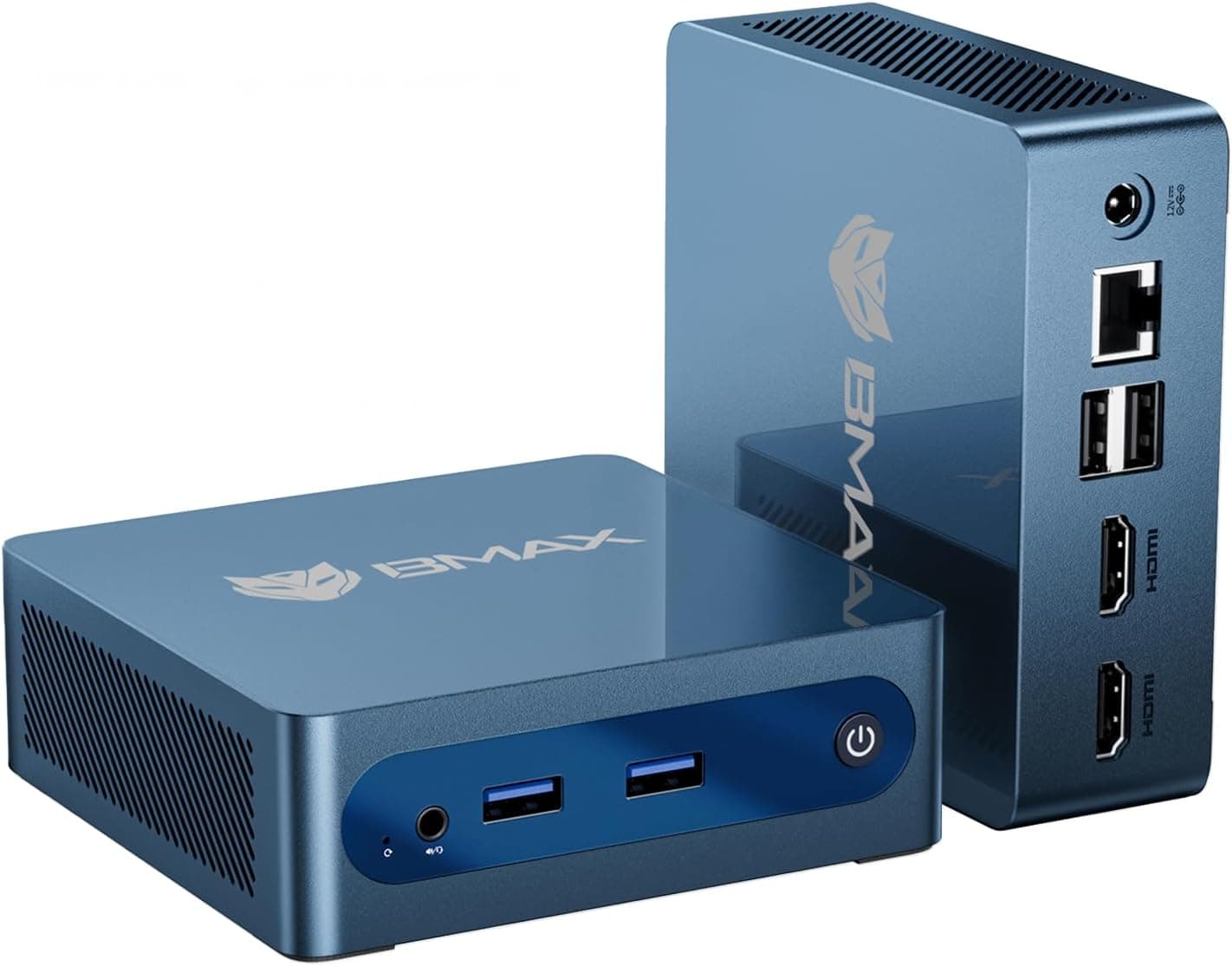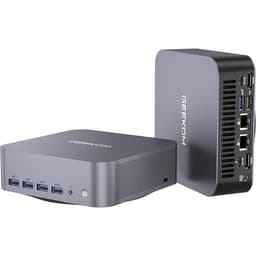
Right, let me be straight with you. I've put together well over two hundred custom builds in the past twelve years, everything from budget office rigs to water-cooled enthusiast monsters. And the honest truth is, for a lot of people, a prebuilt just makes more sense. Not because they're lazy or don't care about their hardware. But because the maths sometimes works out, the convenience is real, and not everyone wants to spend a weekend sourcing parts, waiting on deliveries, and then troubleshooting a POST failure at 11pm. The GEEKOM A5 Mini PC (Ryzen 7 5825U, 16GB, 512GB SSD) Review UK 2026 sits in that interesting space where the question isn't really "is this the fastest thing you can buy" but rather "does it do what it needs to do, at a price that makes sense, without falling apart in six months?"
GEEKOM has been quietly building a reputation in the mini PC space over the last few years. They're not a household name in the same way as some of the bigger prebuilt brands, but they've been consistent enough that I wanted to give the A5 a proper look. This particular configuration pairs AMD's Ryzen 7 5825U with 16GB of RAM and a 512GB SSD, all crammed into a chassis you could genuinely fit in a bag. Its remit covers productivity workloads, light creative tasks and, yes, some gaming. Here's what I found.
The budget tier for mini PCs is a crowded and often disappointing place. Lots of machines promise the world and deliver something that throttles the moment you push it. So the question going in was simple: does the GEEKOM A5 hold up under sustained load, or does it join the long list of compact PCs that look great on a spec sheet and then thermal-throttle their way into mediocrity?
Core Specifications
The GEEKOM A5 is built around AMD's Ryzen 7 5825U, which is a mobile-class processor. That's an important distinction and one I'll come back to throughout this review. It's not a desktop chip. It's designed for laptops, which means it's built for efficiency and thermal management in tight spaces rather than raw, sustained performance. That said, the 5825U is one of the better chips in the Zen 3 mobile lineup, with eight cores, sixteen threads, and a boost clock that reaches up to 4.5GHz. For a machine this size, that's genuinely decent.
Memory comes in at 16GB of DDR4, running in dual channel. The 512GB SSD is an NVMe unit, which is good to see at this price point. Some budget mini PCs still ship with SATA SSDs and try to hide it in the small print. Storage connectivity matters more than people realise in day-to-day use, so it's a positive that GEEKOM hasn't cut that particular corner here. The machine ships with Windows 11 Pro, which is another small but meaningful detail. Home is fine for most people, but Pro gives you more flexibility, especially if you're using this in a business or hybrid work context.
Display output is handled by the integrated Radeon graphics built into the 5825U. You get up to four display outputs depending on the port configuration, which is actually one of the more compelling use cases for a machine like this. Multi-monitor productivity setups are where mini PCs genuinely shine. The unit itself is compact, fanless-looking from the outside but definitely not fanless internally, and comes with a VESA mount bracket so you can stick it behind a monitor. That's a nice touch.
| Specification | Detail |
|---|---|
| Processor | AMD Ryzen 7 5825U (8 cores, 16 threads, up to 4.5GHz boost) |
| Graphics | AMD Radeon Graphics (integrated, Vega architecture) |
| RAM | 16GB DDR4 (dual channel, SO-DIMM) |
| Storage | 512GB NVMe SSD (M.2 slot) |
| Operating System | Windows 11 Pro |
| Display Outputs | HDMI 2.0, DisplayPort 1.4, USB-C (DP alt mode) |
| USB Ports | USB 3.2 Gen 2, USB-A, USB-C front and rear |
| Networking | 2.5GbE LAN, Wi-Fi 6 (802.11ax), Bluetooth 5.2 |
| Power | External 90W power brick |
| Dimensions | Approx. 112 x 112 x 40mm |
| Weight | Approx. 0.64kg (unit only) |
| Current Price | £469.00 |

CPU and Performance
The Ryzen 7 5825U is a solid mobile chip. Let's be clear about what that means in practice. In short burst workloads, it's genuinely quick. Opening applications, handling spreadsheets, running browser tabs, video calls, light photo editing, all of that feels snappy and responsive. The eight cores give it enough headroom to handle multitasking without grinding to a halt, which is more than you can say for some of the cheaper quad-core mini PCs floating around at similar price points.
Where things get more nuanced is sustained performance. Because this is a mobile chip in a small chassis, thermal headroom is limited. Running Cinebench R23 multi-core repeatedly, the chip starts strong and then settles into a slightly lower sustained performance level as thermals build up. It doesn't throttle dramatically, which is credit to GEEKOM's thermal design, but you will see some drop-off compared to the initial burst. For most productivity tasks this genuinely doesn't matter. You're not running Cinebench loops in real life. But if you're doing sustained video encoding or compiling large codebases for hours at a time, you'll notice it.
For the target use case, though, this is a capable machine. It handled 1080p video editing in DaVinci Resolve for lighter projects without too much complaint. Microsoft Office, web browsing with thirty-plus tabs, Zoom calls with screen sharing, all fine. The 5825U also has a reasonably capable integrated GPU (more on that in the next section), which helps with some accelerated tasks. Compared to older Intel-based mini PCs at similar prices, the AMD chip holds up well, particularly in multi-threaded workloads where Zen 3's architecture gives it a real advantage.
GPU and Gaming Performance
Right, this is where I need to be honest with you. The GEEKOM A5 uses integrated Radeon graphics from the Ryzen 7 5825U. There is no discrete GPU. None. So if you're buying this expecting to play modern AAA games at 1080p with decent settings, you're going to be disappointed. That's not a criticism of GEEKOM specifically, it's just the reality of what integrated graphics can do in 2026.
What the integrated Radeon can handle is older and less demanding titles. Games like Rocket League, CS2 at low settings, Minecraft, and older indie titles ran at playable framerates at 1080p. We're talking 30 to 60fps depending on the game and settings, which is fine for casual play. Anything more demanding, your modern open-world games, anything with ray tracing, anything at 1440p or above, forget it. The integrated GPU simply doesn't have the horsepower. It shares system memory rather than having dedicated VRAM, which is another limiting factor.
Where the graphics do shine is in productivity-adjacent tasks. Multi-monitor setups work well, hardware-accelerated video playback is smooth, and light creative work benefits from the GPU acceleration. If you're a casual gamer who plays older titles or less demanding games, the A5 can handle that. But this machine is not positioned as a gaming PC, and anyone buying it expecting gaming performance comparable to even a budget discrete GPU is going to be let down. Be honest with yourself about what you actually play before buying.
Memory and Storage
The 16GB of DDR4 running in dual channel is genuinely good for a machine at this price point. Dual channel matters more than people realise, particularly with integrated graphics, because the iGPU shares system memory bandwidth. Running in dual channel effectively doubles the memory bandwidth available to the graphics, which translates to noticeably better performance in GPU-accelerated tasks and even light gaming compared to a single-channel configuration. GEEKOM has done this right.
The SO-DIMM slots are accessible if you want to upgrade. The A5 supports up to 64GB of DDR4 across two slots, so there's genuine headroom there. Starting with 16GB is sensible for most users, but if you're planning to use this for more memory-intensive work, knowing you can expand is reassuring. 16GB was sufficient for typical productivity workloads with no paging issues, though heavy multitasking with memory-hungry applications did push usage into the 12-14GB range fairly regularly.
Storage is a 512GB NVMe SSD it performed well. Sequential read speeds were in the region of what you'd expect from a decent mid-range NVMe drive, making boot times and application loading feel quick. There's also a second M.2 slot available, which is a big deal. You can add a second SSD without replacing the existing one, which means expanding storage is straightforward and non-destructive. There's also a 2.5-inch SATA bay on some configurations, though you'll want to verify this for the specific unit you're buying. Either way, storage expandability is better than average for a mini PC at this size and price.
Cooling Solution
Thermal design is where a lot of mini PCs fall apart, and it's something I always pay close attention to. A machine that throttles under load is essentially lying about its performance on the spec sheet. The GEEKOM A5 uses an active cooling system with a small fan and heat pipe arrangement. It's not a sophisticated setup by any means, but it's more than adequate for the chip's TDP when configured sensibly.
The A5 managed thermals better than I expected. Under sustained CPU load, temperatures settled in the mid-to-high 80s Celsius, which is warm but within acceptable limits for a mobile chip in this form factor. The fan does spin up audibly under load, and in a quiet room you'll hear it. It's not loud, more of a consistent hum than a jet engine, but it's there. At idle and during light tasks, it's essentially silent, which is good for an office or living room environment.
One thing worth noting is that the A5 does benefit from having some airflow around it. Don't stuff it in a tight cabinet with no ventilation. GEEKOM includes a VESA mount bracket, and mounting it behind a monitor is actually the ideal scenario thermally, as it gets ambient airflow and doesn't sit on a desk surface trapping heat underneath. Of the two configurations, the mounted setup runs a few degrees cooler under sustained load. Small difference, but worth knowing.
Case and Build Quality
The GEEKOM A5 has a clean, understated look. No RGB, no aggressive styling, just a compact dark grey chassis that wouldn't look out of place in an office or on a living room shelf. The build quality feels solid for the price. There's no flex in the chassis panels, the lid comes off with a few screws for internal access, and the overall fit and finish is better than some of the cheaper mini PCs I've handled from less established brands.
Internally, there's not a lot of cable management to speak of because there aren't many cables. The power delivery comes in via the external brick, the storage and RAM are on the board, and the fan connects directly. It's a clean internal layout by necessity rather than design, but the result is a tidy interior that's easy to work in when you need to upgrade RAM or storage. The M.2 slots are accessible without too much fiddling, which I appreciate.
The external power brick is worth mentioning because it's a point of contention with mini PCs generally. You're trading an internal PSU for an external adapter, which keeps the chassis small but means another brick on your desk or behind your monitor. The 90W adapter is adequate for the chip's power envelope with headroom to spare, and it's a standard barrel connector rather than anything proprietary, which is good for long-term repairability. Overall, the build quality is appropriate for the price tier. It doesn't feel premium, but it doesn't feel cheap either. Proper mid-range construction.

Connectivity and Ports
For a machine this small, the port selection on the GEEKOM A5 is genuinely impressive. On the front you get USB-A and USB-C ports for easy access, which is something a lot of mini PCs get wrong by putting everything on the back. On the rear you have HDMI 2.0, a DisplayPort 1.4 output, additional USB-A ports, the 2.5GbE ethernet port, and the power input. The USB-C on the rear also supports DisplayPort alt mode, giving you a third display output option.
The 2.5GbE ethernet is a highlight. Most budget mini PCs ship with standard gigabit ethernet, so having 2.5GbE here is a meaningful upgrade for anyone on a faster home network or using this in a NAS-adjacent role. Wi-Fi 6 (802.11ax) is also included, which is current-generation wireless and noticeably better than the Wi-Fi 5 you'll find in older or cheaper units. Bluetooth 5.2 rounds out the wireless connectivity. There's also a 3.5mm audio jack for headphones or speakers.
The multi-monitor capability deserves a specific mention because it's one of the strongest arguments for this machine in a productivity context. Being able to drive three monitors from a unit the size of a paperback book is genuinely useful. A dual-monitor setup runs without any issues, and the display outputs handle 4K at 60Hz without complaint. If you're setting up a compact home office or a secondary workstation, the connectivity here covers most bases without needing a dock or hub.
Pre-installed Software and OS
Windows 11 Pro comes pre-installed and activated, which is a genuine selling point at this price tier. Windows 11 Home is fine for most consumer use, but Pro adds features like BitLocker encryption, Remote Desktop hosting, and more granular group policy controls that matter in business or power-user contexts. Getting Pro rather than Home without paying extra is a small but real bonus.
Bloatware is minimal, which I was pleased to find. There's a GEEKOM utility app pre-installed for things like fan control and system monitoring, which is actually useful rather than just marketing software. Beyond that, the install is fairly clean. No trials of antivirus software, no browser toolbars, no third-party junk that you have to spend twenty minutes uninstalling before the machine feels like yours. That's not always the case with budget prebuilts, so credit where it's due.
The GEEKOM utility itself is worth a look. It gives you some control over performance profiles, letting you choose between a quieter, more thermally conservative mode and a higher-performance mode that lets the chip run harder. The performance mode made a noticeable difference in sustained workloads, at the cost of more fan noise and higher temperatures. For most users the balanced default is probably the right call, but having the option is good. Driver support has been fine throughout the review period, with Windows Update handling most of what's needed without manual intervention.
Upgrade Potential
This is one of the areas where the GEEKOM A5 does better than you might expect from a mini PC. The two SO-DIMM slots mean RAM is upgradeable up to 64GB DDR4, which is more than most users will ever need but reassuring to know. Swapping RAM is straightforward once you've removed the bottom panel, and standard SO-DIMM modules are widely available and reasonably priced. If you buy this with 16GB and find yourself needing more down the line, you're not stuck.
Storage expansion is similarly accessible. The primary M.2 slot holds the included 512GB NVMe SSD, and there's a second M.2 slot available for adding more storage without replacing anything. This is a big deal for a machine at this size and price. You can add a second NVMe drive, or depending on the slot type, a SATA M.2 drive. Check the specifications for the exact slot configuration before buying a specific drive, but the expandability is there. Some configurations also include a 2.5-inch SATA bay, which gives you another option for adding a larger spinning disk or SATA SSD if you need bulk storage.
Where upgrade potential hits a hard wall is the CPU and GPU. The Ryzen 7 5825U is soldered to the board. You cannot swap it out. And there's no discrete GPU slot, no PCIe expansion, nothing of that sort. This is the fundamental trade-off of the mini PC form factor. What you get is what you get in terms of processing and graphics power. The machine is also powered by an external brick rather than a standard ATX PSU, so there's no upgrading the power delivery either. If you outgrow the CPU performance in a few years, you're looking at replacing the whole unit rather than just the processor. That's worth factoring into your buying decision.
How It Compares
The mini PC market has got genuinely competitive over the last couple of years, and the GEEKOM A5 sits in a crowded field. The two most obvious comparisons are the Beelink SER5 Max (also Ryzen 7 5800H based) and the Intel NUC 13 Pro (Core i7-1360P). Both sit in a similar price bracket and target similar use cases, so it's worth understanding where the A5 stands relative to them.
The Beelink SER5 Max uses the 5800H rather than the 5825U. The 5825U is essentially a business-focused variant with slightly different power management and a longer support lifecycle, but in raw performance terms they're very close. The Beelink tends to be slightly more aggressive on pricing and has a strong community following, but GEEKOM's build quality and software support have historically been a bit more polished. The Intel NUC 13 Pro brings Alder Lake architecture and Iris Xe graphics, which in some GPU-accelerated tasks can edge ahead of the Radeon integrated graphics in the AMD chips. But the NUC 13 Pro typically commands a premium that's hard to justify for most users.
| Feature | GEEKOM A5 | Beelink SER5 Max | Intel NUC 13 Pro |
|---|---|---|---|
| Processor | Ryzen 7 5825U | Ryzen 7 5800H | Core i7-1360P |
| Cores / Threads | 8C / 16T | 8C / 16T | 12C / 16T |
| Integrated GPU | Radeon Vega 8 | Radeon Vega 8 | Intel Iris Xe |
| RAM (base) | 16GB DDR4 | 16GB DDR4 | 16GB DDR4/5 |
| Storage (base) | 512GB NVMe | 500GB NVMe | 512GB NVMe |
| Wi-Fi | Wi-Fi 6 | Wi-Fi 6 | Wi-Fi 6E |
| Ethernet | 2.5GbE | 2.5GbE | 2.5GbE |
| OS | Windows 11 Pro | Windows 11 Pro | Windows 11 Pro |
| RAM Upgradeable | Yes (up to 64GB) | Yes (up to 64GB) | Yes (up to 64GB) |
| Second M.2 Slot | Yes | Yes | Yes |
| Price Tier | Budget | Budget | Mid-range |

Final Verdict
So where does the GEEKOM A5 Mini PC land after three weeks of real-world use? Honestly, better than I expected going in. Mini PCs at budget price points often disappoint in one of a few predictable ways: they throttle badly under load, the build quality is poor, the software is a mess, or the connectivity is so limited you end up needing a hub just to plug in a keyboard and mouse. The A5 avoids most of those pitfalls.
The Ryzen 7 5825U is a capable chip for productivity work, the dual-channel 16GB RAM configuration is the right call, the NVMe storage is quick, and the port selection is genuinely good for the size. Windows 11 Pro out of the box is a nice touch. Thermal management is adequate without being exceptional, and the upgrade path for RAM and storage gives you some flexibility down the line. For a compact productivity machine, a home office PC, a media centre, or a secondary workstation, this is a solid option at a competitive price.
The limitations are real though, and worth being clear about. No discrete GPU means gaming is limited to older and less demanding titles. The CPU is soldered, so you're locked into the 5825U for the life of the machine. And while the thermals are managed well enough, sustained heavy workloads will see some performance drop-off compared to a desktop chip with proper cooling. If you need serious gaming performance or sustained heavy compute workloads, a traditional desktop build will serve you better. But if you need a capable, compact, quiet machine for everyday work and the occasional casual game, the GEEKOM A5 makes a strong case for itself.
Our editorial score for the GEEKOM A5 is 7.5 out of 10. It's not perfect, but it's genuinely good at what it's designed to do, and at a budget price point, that's more than enough to recommend it to the right buyer.
What works. What doesn’t.
5 + 4What we liked5 reasons
- Ryzen 7 5825U handles productivity workloads well in dual-channel config
- Windows 11 Pro included out of the box
- Second M.2 slot and upgradeable SO-DIMM RAM up to 64GB
- 2.5GbE ethernet and Wi-Fi 6 at this price tier is genuinely good
- Clean software install with minimal bloatware
Where it falls4 reasons
- No discrete GPU limits gaming to older and lighter titles only
- CPU is soldered, no upgrade path for processing power
- Sustained heavy workloads cause some thermal throttling
- External power brick adds desk clutter
Full specifications
9 attributes| Case size | mini-ITX |
|---|---|
| CPU | AMD Ryzen 7 5825U |
| GPU | AMD Radeon Graphics (integrated) |
| Launch year | 2025 |
| OS | Windows 11 Pro |
| PSU wattage W | 65 |
| RAM GB | 16 |
| Storage GB | 512 |
| Storage type | NVMe SSD |
Frequently asked
5 questions01Is the GEEKOM A5 Mini PC (Ryzen 7 5825U, 16GB, 512GB SSD) good for gaming?+
It depends entirely on what you play. The A5 uses integrated Radeon Vega 8 graphics from the Ryzen 7 5825U, with no discrete GPU. Older and less demanding titles like Rocket League, CS2 at low settings, and Minecraft ran at playable framerates at 1080p. Modern AAA games, anything with ray tracing, or anything at 1440p and above is not realistic on this hardware. If you play casual or older games, it's adequate. If you want to play current releases at decent settings, you need a machine with a discrete GPU.
02Can I upgrade the GEEKOM A5 Mini PC (Ryzen 7 5825U, 16GB, 512GB SSD)?+
RAM and storage are both upgradeable. The two SO-DIMM slots support up to 64GB of DDR4, and the second M.2 slot lets you add a second NVMe SSD without replacing the existing drive. Some configurations also include a 2.5-inch SATA bay. However, the CPU is soldered to the motherboard and cannot be swapped, and there is no discrete GPU slot or PCIe expansion. Upgrade potential is good for memory and storage, but the processing and graphics performance is fixed for the life of the machine.
03Is the GEEKOM A5 Mini PC (Ryzen 7 5825U, 16GB, 512GB SSD) worth it vs building my own?+
For a mini PC form factor, there's no real DIY equivalent. You can't build a machine this small from standard desktop components. The comparison is more accurately between the A5 and a budget micro-ATX or ITX desktop build. A DIY build at a similar price could get you a desktop Ryzen 5 chip and a budget discrete GPU, which would outperform the A5 in gaming and sustained compute tasks. But you'd lose the compact size, the clean aesthetics, and the convenience of a ready-to-go system. If size and simplicity matter, the A5 makes sense. If raw performance per pound is the priority, a custom build wins.
04What PSU does the GEEKOM A5 Mini PC (Ryzen 7 5825U, 16GB, 512GB SSD) use?+
The GEEKOM A5 uses an external 90W power adapter rather than an internal PSU. This is standard for mini PCs of this size and keeps the chassis compact. The adapter uses a standard barrel connector rather than a proprietary plug, which is good for long-term repairability. The 90W rating is adequate for the Ryzen 7 5825U's power envelope with headroom to spare. Because there is no internal PSU, there is no upgrade path for power delivery, and no possibility of adding a discrete GPU that would require additional power.
05What warranty and returns apply to the GEEKOM A5 Mini PC (Ryzen 7 5825U, 16GB, 512GB SSD)?+
Amazon offers 30-day hassle-free returns. GEEKOM typically provides a 1-3 year warranty covering parts and labour. Check the product listing for exact warranty terms for this specific model.