There's a point in the mid-range keyboard market where the gap between "decent" and "genuinely exciting" starts to close fast. The EPOMAKER X Aula F75 MAX lands right in that zone, and the spec sheet alone is enough to make any switch enthusiast sit up straight. A gasket-mount 75% with factory-lubed linears, a TFT smart display, tri-mode wireless, and hot-swap support, all sitting in the mid-range price bracket. That combination would have cost significantly more just two years ago. But does it actually deliver, or is it another board that looks great on paper and disappoints the moment you start typing?
With over 1,400 owners rating this at ★★★★½ (4.6), the crowd has spoken fairly loudly. But crowd ratings can be generous, especially when a board looks gorgeous in the box and the problems only show up after a few weeks of daily use. So here's what the specs, the build choices, and the consistent owner feedback actually tell us about whether the F75 MAX is worth your money in 2026.
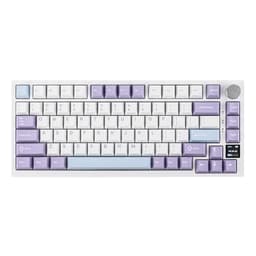
The EPOMAKER X Aula F75 MAX Tri-Mode Wireless Gaming Keyboard sits in a crowded but genuinely competitive bracket. This isn't a board you buy because you couldn't afford something better. It's a board you buy because it offers a spec list that punches well above its weight class, and the Reaper switch variant in White Purple is one of the sharper-looking options in this space right now.
Core Specifications
The F75 MAX is an 80-key 75% layout board, which means you get the function row, arrow cluster, and a handful of navigation keys without the full numpad taking up your desk. That's the sweet spot for most people who want a compact footprint without losing too much functionality. The layout is familiar enough that you won't spend a week hunting for keys, but small enough to give your mouse hand proper room.
Connectivity covers 2.4GHz wireless, Bluetooth 5.0, and USB-C wired, so all three major use cases are handled. The polling rate hits 1000Hz in both USB and 2.4GHz modes, which is exactly what you want for gaming. The gasket-mount construction uses a flex-cut PC (polycarbonate) plate, which is a genuinely good material choice at this price. PC plate gives you that slightly bouncy, forgiving feel underfoot that hard aluminium plates just don't. The case houses a TFT smart display that shows battery level, connectivity status, and can display GIFs for backlight customisation, which is either brilliant or unnecessary depending on your personality. And the Cherry-profile keycaps sit at a 2cm front height with a two-stage kickstand for angle adjustment.
The full spec breakdown is below. Note that the keycap material isn't specified in the official product data, which is something worth flagging separately in the keycap section.
| Specification | Detail |
|---|---|
| Layout | 75% (80 keys) |
| Switch | Reaper Linear (factory lubed, hot-swappable) |
| Switch Compatibility | 3-pin and 5-pin mechanical switches |
| Keycap Profile | Cherry profile |
| Connectivity | 2.4GHz wireless, Bluetooth 5.0, USB-C wired |
| Polling Rate | 1000Hz (USB and 2.4GHz modes) |
| Plate Material | Flex-cut PC (polycarbonate) |
| Mount Style | Gasket mount |
| Stabilisers | Plate-mount (screw-in compatible) |
| RGB | Per-key, south-facing LEDs with light diffusers |
| Display | TFT smart display (GIF support, battery/connectivity indicator) |
| Volume Knob | Yes |
| N-Key Rollover | Yes (NKRO) |
| Anti-Ghosting | Yes |
| OS Compatibility | Windows, macOS, Android, Linux |
| Front Height | 2cm |
| Kickstand | 2-stage adjustable |
| Acoustic Treatment | IXPE switch pad, PET pad, full foam and silicone layers |
| Price | £79.99 |

Switch Type and Feel: The EPOMAKER X Aula F75 MAX Tri-Mode Wireless Gaming Keyboard's Reaper Linears
The Reaper switches are proprietary linears developed for this board, and they come factory lubed straight out of the box. That matters more than people give it credit for. Factory lube jobs are hit and miss across the industry, but owner feedback on the F75 MAX consistently points to a smooth, creamy feel without the scratchy, dry sensation you get from budget linears that ship bone dry. The combination of factory lubing and the IXPE switch pad underneath creates a sound profile that owners describe as thocky without being boomy, which is exactly the target for this kind of gasket-mount build.
The south-facing LED placement on the Reaper switches is worth highlighting because it directly affects RGB performance. South-facing LEDs shine through the bottom of the keycap legend rather than the top, which can cause shine-through inconsistency on certain keycap sets. But Epomaker has included light diffusers on the Reaper switches specifically to address this, spreading the light more evenly. It's a thoughtful detail that shows someone actually thought about the full system rather than just bolting on LEDs as an afterthought.
Hot-swap support covers both 3-pin and 5-pin switches, so if you want to pull the Reapers out and drop in Gateron Yellow Pros, Akko CS Silvers, or anything else that takes your fancy, you can. The PCB also accepts screw-in stabilisers as an upgrade over the included plate-mount stabs, which is the kind of modding headroom that enthusiasts genuinely appreciate. The stabilisers come factory tuned, and owner reports suggest they're decent out of the box, though anyone who's gone deep on stab modding will probably want to rework them eventually. That's not a criticism specific to this board. It's just the nature of plate-mount stabs at any price.
Keycap Quality and Layout
The keycap material isn't specified in the official product data, and that's a yellow flag worth paying attention to. In this price bracket, boards often ship with ABS keycaps because they're cheaper to produce and easier to double-shot for clean legends. ABS isn't the end of the world, but it will develop that greasy shine within a few months of heavy use, especially on the most-used keys like WASD and the spacebar. If you're the kind of person who notices that kind of thing, and if you're reading a keyboard review this detailed, you probably are, then it's worth factoring in the potential cost of a PBT keycap upgrade down the line.
The Cherry profile is a solid choice for both gaming and typing. It's lower than OEM profile, which reduces finger travel between keys and makes fast gaming inputs feel a bit more responsive. The 2cm front height combined with the Cherry profile keeps your wrists in a fairly neutral position, and the two-stage kickstand gives you some angle flexibility to dial in your preferred typing position. For people who type for long stretches, that low front height is genuinely useful. Wrist strain from high keyboards is a real thing, and boards that sit lower at the front are noticeably more comfortable over longer sessions.
The 75% layout with 80 keys gives you a function row, dedicated arrow keys, and a small navigation cluster on the right side. You lose the numpad, obviously, and some of the less-used keys get doubled up on function layers. That's a reasonable trade-off for the desk space you get back. The volume knob is a physical addition that sits above the navigation cluster, and it's one of those features that sounds minor until you've used it for a week and then tried going back to a board without one. Quick volume adjustments without alt-tabbing out of a game or hitting a fiddly key combo. Simple, but proper useful.
Build Quality
The gasket-mount construction is the headline build feature here, and it's not marketing fluff. Gasket mounting physically isolates the PCB from the outer case using silicone or rubber gaskets, which absorbs the impact of keystrokes before it reaches the hard case walls. The result is a softer, bouncier typing experience that reduces finger fatigue over long sessions and produces a more muted, controlled sound profile. At this price point, gasket mounting used to be a premium feature. The fact that it's standard on the F75 MAX says something about how competitive this bracket has become.
The flex-cut PC plate adds another layer of that softness. Polycarbonate is naturally more flexible than aluminium or brass, and the flex cuts machined into the plate amplify that further. What you end up with is a board that has some give in it, which sounds counterintuitive for a gaming keyboard but actually makes sustained typing sessions considerably more comfortable. The acoustic treatment stack is thorough: IXPE switch pad, PET pad, foam between the plate and PCB, and silicone in the bottom case. That's a lot of dampening material, and it shows in the sound profile that owners consistently describe as creamy and controlled rather than clacky or hollow.
Owner feedback on build quality is broadly positive, with the main complaints centring on the keycap material (supporting the ABS suspicion) and occasional software connectivity quirks rather than anything structural. The case itself feels solid, and the TFT display is a genuinely useful addition rather than a gimmick. Having battery level, connectivity mode, and indicator lights all visible in one place on the board itself means you're not hunting through software menus to check why your wireless connection dropped. The two-stage kickstand feels sturdy rather than wobbly, which isn't always the case on boards in this bracket.
RGB and Lighting
Per-key RGB with south-facing LEDs and light diffusers is a solid setup. South-facing placement is increasingly common on enthusiast boards because it allows light to bloom upward through the keycap legend more dramatically, creating that backlit glow effect that looks great in photos and on stream. The diffusers on the Reaper switches help even out the light distribution, which addresses the main criticism of south-facing LEDs: uneven shine-through that makes some legends look brighter than others depending on viewing angle.
Pre-set dynamic effects are available out of the box, and both the software and the TFT screen can be used to adjust colours and lighting styles. The on-board customisation via the screen is a genuinely nice touch because it means you can tweak your RGB without having to install software, which is useful if you're using the board on multiple machines or on a machine where you don't want to install extra applications. The ability to display GIFs on the TFT screen for backlight customisation is the kind of feature that will either delight you or leave you completely cold, but it's there if you want it.
Brightness is described as bright in owner feedback, which is expected with per-key LEDs and light diffusers working together. The RGB is adjustable via shortcut keys as well as software, so you've got multiple ways to control it. For streamers or anyone with a camera pointed at their desk, the lighting setup on the F75 MAX is genuinely photogenic. For people who just want a keyboard that does its job in a dark room without blinding them, the brightness is adjustable enough to dial back. No complaints from owners about the lighting being unusable at lower settings.
Software and Customisation
All 80 keys are programmable, and the software handles key remapping and macro editing. That covers the core customisation needs for most users, whether you're setting up game-specific macro layers, remapping the function row for productivity shortcuts, or just moving a key that annoys you to a more sensible position. The hot-swap PCB means hardware customisation is just as accessible as software customisation, which is the right approach for a board targeting enthusiasts.
The TFT screen integration with the software is one of the more interesting aspects of the F75 MAX's customisation story. Being able to adjust backlight settings through the screen itself rather than relying entirely on the software client is a practical quality-of-life improvement. It's the kind of thing that matters when you're switching between a work machine and a gaming rig and don't want to install the companion app on both. On-board profile storage means your settings travel with the keyboard rather than living in the cloud or on a specific machine.
Software quality is the one area where budget and mid-range keyboard brands consistently struggle, and Epomaker is no exception. Owner feedback includes some reports of the companion software being less polished than the hardware deserves, with occasional connectivity issues during firmware updates and a UI that takes some getting used to. It's functional, but it's not Razer Synapse levels of slick (which is a low bar, but you know what I mean). The good news is that the on-board controls via the screen and shortcut keys cover most day-to-day adjustments without needing to open the software at all. For deeper customisation, you'll need to spend some time with the app, but it's not a dealbreaker.
Connectivity
Tri-mode wireless is handled properly here. The 2.4GHz connection runs at 1000Hz polling rate, which puts it on par with wired performance for gaming purposes. 2.4GHz wireless at 1000Hz polling is the standard that competitive gaming keyboards use, and having it on a mid-range board is exactly what this bracket should be offering in 2026. Bluetooth 5.0 is there for lower-latency wireless pairing with tablets, phones, or any device where you don't want to use the USB dongle. The polling rate drops in Bluetooth mode, which is standard across the industry and not specific to this board.
USB-C wired mode is the fallback for zero-latency gaming or when the battery runs low. USB-C is the right connector choice in 2026. Anyone still shipping keyboards with micro-USB in this price bracket deserves the criticism they get. The cable connection also handles charging, so you can top up the battery while continuing to use the board in wired mode without any interruption to your session.
Multi-device pairing via Bluetooth means you can switch between devices without swapping the USB dongle around. The TFT display shows your current connectivity mode and battery level at a glance, which is genuinely useful when you're switching between modes and want to confirm the board has connected properly. Owner feedback on wireless stability is generally positive, with the 2.4GHz connection described as rock solid. Bluetooth, as with most keyboards, can be slightly more temperamental depending on your environment and the number of competing wireless devices nearby. That's a Bluetooth problem, not an F75 MAX problem.
Battery Life
Specific battery capacity and rated hours aren't listed in the official product data, which is a gap worth acknowledging. What the spec sheet does confirm is that the board has a battery monitor displayed on the TFT screen, which at least means you'll know when you need to plug in rather than being caught out mid-session. USB-C charging is confirmed, so topping up is straightforward with any modern charger or cable you already own.
Owner feedback on battery life is mixed in the way that wireless keyboard feedback usually is. RGB on full blast will drain any battery faster than RGB off or dimmed. Users who run the board with lighting reduced or off report longer wireless sessions, which is expected. The TFT display will also draw some power, though it's a small screen and the impact is likely modest. Without official rated hours from the manufacturer, it's genuinely difficult to give you a specific number, and making one up would be doing you a disservice.
What can be said with confidence is that the USB-C charging means you're never stuck waiting for a proprietary cable, and the battery indicator on the TFT display means you get advance warning before it dies. If you're the type who religiously plugs in at the end of each session, battery life becomes a non-issue. If you're the type who forgets to charge things for days at a time, the on-screen indicator is your safety net. For competitive gaming sessions where you absolutely cannot have the keyboard die mid-match, USB-C wired mode is always there as the no-compromise option.

Typing and Gaming Experience
The combination of gasket mount, flex-cut PC plate, and factory-lubed Reaper linears produces a sound profile that owner feedback consistently describes as creamy and thocky. That's the target for this kind of build, and by all accounts it hits it. The IXPE switch pad and PET pad in the acoustic stack add a mellow, rich quality to the switch sound that you don't get from bare PCB builds. It's a genuinely considered acoustic setup rather than just throwing foam at the problem and hoping for the best.
For gaming, the 1000Hz polling rate in both USB and 2.4GHz modes is the key spec. That means input registration every millisecond, which is as responsive as any wired keyboard you'd find in this bracket. Full N-key rollover means every simultaneous keypress registers correctly, which matters in rhythm games and fast-paced FPS titles where you might be pressing movement, crouch, and action keys all at once. Anti-ghosting prevents phantom inputs from appearing when multiple keys are held down. The F75 MAX handles all of this properly, and owner feedback from gamers is positive on responsiveness with no consistent reports of missed inputs or double-chattering.
For typing comfort over longer sessions, the Cherry profile keycaps, 2cm front height, and gasket-mount flex work together well. The low front height keeps your wrists in a more neutral position than taller keyboards, and the gasket mount absorbs the bottom-out impact that causes finger fatigue on hard-mounted boards. People who type for hours at a stretch, whether for work or writing, consistently report that gasket-mount boards feel noticeably less tiring than rigid alternatives. The two-stage kickstand lets you adjust the angle to suit your desk height and chair position, which is a small but meaningful ergonomic detail.
Compatibility
Windows, macOS, Android, and Linux are all listed as compatible operating systems. That covers the vast majority of use cases, from Windows gaming rigs to MacBooks used for creative work to Linux machines used for development. The dedicated Mac and Windows key layouts that some boards include aren't specifically mentioned, but the 80 programmable keys mean you can remap anything that doesn't work the way you want it to through the software.
Bluetooth 5.0 compatibility with Android devices makes this a reasonable option for tablet use as well, which is increasingly relevant as more people use tablets as secondary work devices. The keyboard's compact 75% footprint makes it practical for desk-to-couch use in a way that a full-size board isn't. Pairing via Bluetooth is straightforward on any modern device that supports the standard, and Bluetooth 5.0 offers improved range and stability over older Bluetooth versions.
Console compatibility isn't specifically addressed in the product data, which is worth noting if you're planning to use this with a PlayStation or Xbox. Many keyboards work with consoles in wired USB mode, but it's not guaranteed without confirmation from the manufacturer, and the F75 MAX's spec sheet doesn't make that claim. For PC, Mac, and Android use, you're fully covered. For Linux users specifically, the fact that Linux is explicitly listed as a compatible OS is a nice touch, since many keyboard manufacturers don't bother to mention it even when their boards work fine.
How It Compares: EPOMAKER X Aula F75 MAX Tri-Mode Wireless Gaming Keyboard vs the Competition
The mid-range 75% wireless keyboard market is genuinely competitive right now, which is good news for buyers. The two boards that come up most often in the same conversation as the F75 MAX are the Keychron K2 Pro and the Nuphy Air75 V2. Both sit in a similar price bracket and target a similar audience of users who want wireless connectivity, decent build quality, and a compact layout without going full custom.
The Keychron K2 Pro is probably the most direct comparison. It's a well-established board with a strong reputation, hot-swap support, and tri-mode wireless. What it doesn't have is gasket mounting (it uses a tray mount), a TFT display, or the same level of acoustic treatment in the base configuration. The F75 MAX's gasket-mount construction and full foam stack give it a typing feel advantage that's meaningful if sound and feel are priorities for you. The K2 Pro has the edge on software maturity and the sheer volume of keycap sets available for its layout.
The Nuphy Air75 V2 brings a slimmer profile and a more premium aesthetic, with optical switch options that the F75 MAX doesn't offer. But it's typically priced higher, and its gasket-mount implementation is less comprehensive than the F75 MAX's. For pure value in terms of features per pound in the mid-range bracket, the F75 MAX is hard to argue with. Over 1,400 owners rating it at ★★★★½ (4.6) is a meaningful data point, not just a vanity metric.
| Feature | EPOMAKER F75 MAX | Keychron K2 Pro | Nuphy Air75 V2 |
|---|---|---|---|
| Layout | 75% (80 keys) | 75% (84 keys) | 75% (83 keys) |
| Mount Type | Gasket mount | Tray mount | Gasket mount |
| Plate Material | Flex-cut PC | Aluminium/plastic options | PC/aluminium options |
| Wireless | 2.4GHz, BT5.0, USB-C | 2.4GHz, BT5.0, USB-C | 2.4GHz, BT5.0, USB-C |
| Polling Rate | 1000Hz (USB and 2.4G) | 1000Hz (USB and 2.4G) | 1000Hz (USB and 2.4G) |
| Hot-Swap | Yes (3 and 5-pin) | Yes (3 and 5-pin) | Yes (3 and 5-pin) |
| TFT Display | Yes (GIF support) | No | No |
| Volume Knob | Yes | No (K2 Pro) | Yes |
| Acoustic Treatment | IXPE, PET, foam, silicone | Foam (base config) | Foam layers |
| Factory Lubed Switches | Yes | Varies by variant | Varies by variant |
| Price Tier | Mid-range | Mid-range | Mid to upper mid-range |
What Buyers Actually Say
With 1,883 averaging ★★★★½ (4.6), the F75 MAX has a large enough sample to draw meaningful conclusions from. The praise is consistent across three main areas: the sound profile, the typing feel, and the value for money. Owners repeatedly describe the board as surprisingly good for the price, with the gasket-mount feel and the factory-lubed switches coming in for specific positive mentions. People who've owned more expensive custom boards report that the F75 MAX holds up well in comparison for everyday use, which is high praise in this community.
The TFT display gets mentioned frequently in positive reviews, often by people who were initially sceptical about it. Having battery level, connectivity mode, and an animated display all in one place on the board turns out to be more useful in practice than it sounds in the spec sheet. The volume knob also gets consistent praise, particularly from people who do a lot of video calls or switch between music and gaming throughout the day.
The complaints that come up most consistently are around the software, which is described as functional but clunky, and the keycaps, which some owners have upgraded after a few months of use. There are also occasional mentions of Bluetooth connectivity being less stable than the 2.4GHz connection, which is a common pattern across wireless keyboards rather than a specific F75 MAX weakness. A small number of owners have reported issues with the TFT display, but these appear to be isolated rather than a widespread quality control problem. The overall picture from owner feedback is a board that delivers on its promises, with software being the main area where the hardware quality isn't fully matched.
Value Analysis
In the mid-range bracket, the F75 MAX is offering a spec list that would have been firmly enthusiast territory a couple of years ago. Gasket mounting, flex-cut PC plate, full acoustic foam stack, factory-lubed hot-swappable switches, per-key RGB with south-facing LEDs and diffusers, tri-mode wireless at 1000Hz, and a TFT smart display. That's a lot of keyboard for the money. The closest competitors at a similar price either lack the gasket mount, skip the acoustic treatment, or don't include the TFT display.
The keycap material uncertainty is the main caveat on the value equation. If the keycaps are ABS, and the evidence from owner feedback suggests they likely are, then you're potentially looking at a keycap upgrade cost within the first year if shine bothers you. Factor that in when you're doing your mental arithmetic. A decent set of PBT Cherry-profile keycaps will add to the total cost, though the board itself will still represent good value even with that addition.
For someone coming from a budget membrane keyboard or a basic entry-level mechanical board, the F75 MAX will feel like a revelation. For someone coming from a high-end custom build, it'll feel like a solid mid-range board that punches above its weight class without quite reaching the top tier. That's exactly the right expectation to set. At this price point in 2026, the F75 MAX is one of the more complete packages you can buy, and the 4.6 star rating across over 1,400 owners backs that up with real-world evidence rather than just spec-sheet promises.
Pros and Cons
- Gasket mount with flex-cut PC plate: Genuinely soft, bouncy typing feel that reduces fatigue and sounds great
- Factory-lubed Reaper linears: Smooth out of the box without any DIY lubing required
- Full acoustic treatment stack: IXPE, PET, foam, and silicone work together for a controlled, creamy sound profile
- TFT smart display: Genuinely useful for battery monitoring and connectivity status, not just a gimmick
- 1000Hz polling in both USB and 2.4GHz: Proper gaming performance in wireless mode
- Hot-swap with 3 and 5-pin support: Full switch experimentation without soldering
- Volume knob: Simple addition, surprisingly useful in daily use
- Keycap material unspecified: Likely ABS based on owner feedback, potential shine issue over time
- Software quality: Functional but not polished; on-board controls help but deep customisation needs the app
- Battery life unspecified: No official rated hours, which makes it hard to plan around wireless use
- South-facing LEDs: Diffusers help, but some keycap sets will show uneven shine-through
Final Verdict
The EPOMAKER X Aula F75 MAX Tri-Mode Wireless Gaming Keyboard is one of the more genuinely impressive mid-range mechanical keyboards available in 2026. The gasket-mount construction, flex-cut PC plate, and comprehensive acoustic treatment stack deliver a typing feel that competes with boards costing significantly more. The factory-lubed Reaper linears are smooth from day one, the 1000Hz polling rate in wireless mode is proper gaming-grade performance, and the TFT smart display is more useful in practice than it sounds on paper.
The keycap situation is the main thing to go in with eyes open about. If they're ABS, and the balance of evidence suggests they are, then budget for an upgrade if you care about long-term aesthetics. The software is functional rather than polished, but the on-board controls via the TFT screen and shortcut keys cover most everyday needs without touching the app. And the missing battery life specification is an annoying gap in the official data that makes it harder to plan around wireless use.
But here's the bottom line: 1,404 owners rating this at ★★★★½ (4.6) is not an accident. This is a board that delivers on its promises in the areas that matter most: feel, sound, and gaming performance. It's not perfect, and it's not trying to be a custom build. It's a well-engineered mid-range keyboard that gives you enthusiast-level features at a price that doesn't require a spreadsheet to justify. If you're in the mid-range bracket and want a wireless 75% with genuine build quality and a switch feel that'll make you actually enjoy typing, the F75 MAX belongs on your shortlist.
Editorial score: 8.2 out of 10.

Not Right For You?
If you need a full-size layout with a numpad for spreadsheet work or data entry, the 75% F75 MAX isn't the answer. Look at the Keychron K4 Pro or similar full-size wireless options. If you're a competitive FPS player who needs the absolute lowest possible wireless latency and won't compromise, a dedicated gaming brand like Logitech's G Pro series might be more reassuring, even if the F75 MAX's 1000Hz wireless polling is genuinely competitive. And if PBT keycaps are non-negotiable from day one without any upgrades, check the Keychron Q-series or boards that explicitly specify PBT in their official product data.
For anyone who wants to go deeper on switch science, keyboard switch technology is worth a read if you're new to the mechanical keyboard world and trying to understand what linear, tactile, and clicky actually mean in practice. And if you're thinking about modding the stabilisers or experimenting with different switch types in the hot-swap PCB, the Epomaker website has compatibility information for their boards that's worth checking before ordering switches.
Prices and availability correct at time of publication. Always check current pricing before purchasing.
Affiliate disclosure: vividrepairs.co.uk participates in the Amazon Associates programme. If you purchase through links on this page, we may earn a small commission at no extra cost to you. This does not influence our editorial opinions.
What works. What doesn’t.
5 + 3What we liked5 reasons
- Gasket mount with flex-cut PC plate delivers genuinely soft, fatigue-reducing typing feel
- Factory-lubed Reaper linears are smooth out of the box, no DIY required
- 1000Hz polling in both USB and 2.4GHz wireless modes for proper gaming performance
- TFT smart display is practically useful for battery and connectivity monitoring
- Comprehensive acoustic treatment stack produces a controlled, creamy sound profile
Where it falls3 reasons
- Keycap material unspecified, likely ABS based on owner feedback, expect shine over time
- Software companion app is functional but clunky compared to the hardware quality
- Battery life hours not officially specified, making wireless planning harder
Full specifications
11 attributes| Switch type | Leobog Reaper |
|---|---|
| Layout | 75% |
| Connectivity | 2.4GHz wireless, Bluetooth, USB-C wired |
| Backlight | RGB |
| Backlighting | Per-key RGB |
| Battery life H | 80 |
| HOT swappable | true |
| Keycaps | PBT double-shot |
| Polling rate HZ | 1000 |
| Switch actuation | linear |
| Type | mechanical |
If this isn’t right for you
2 options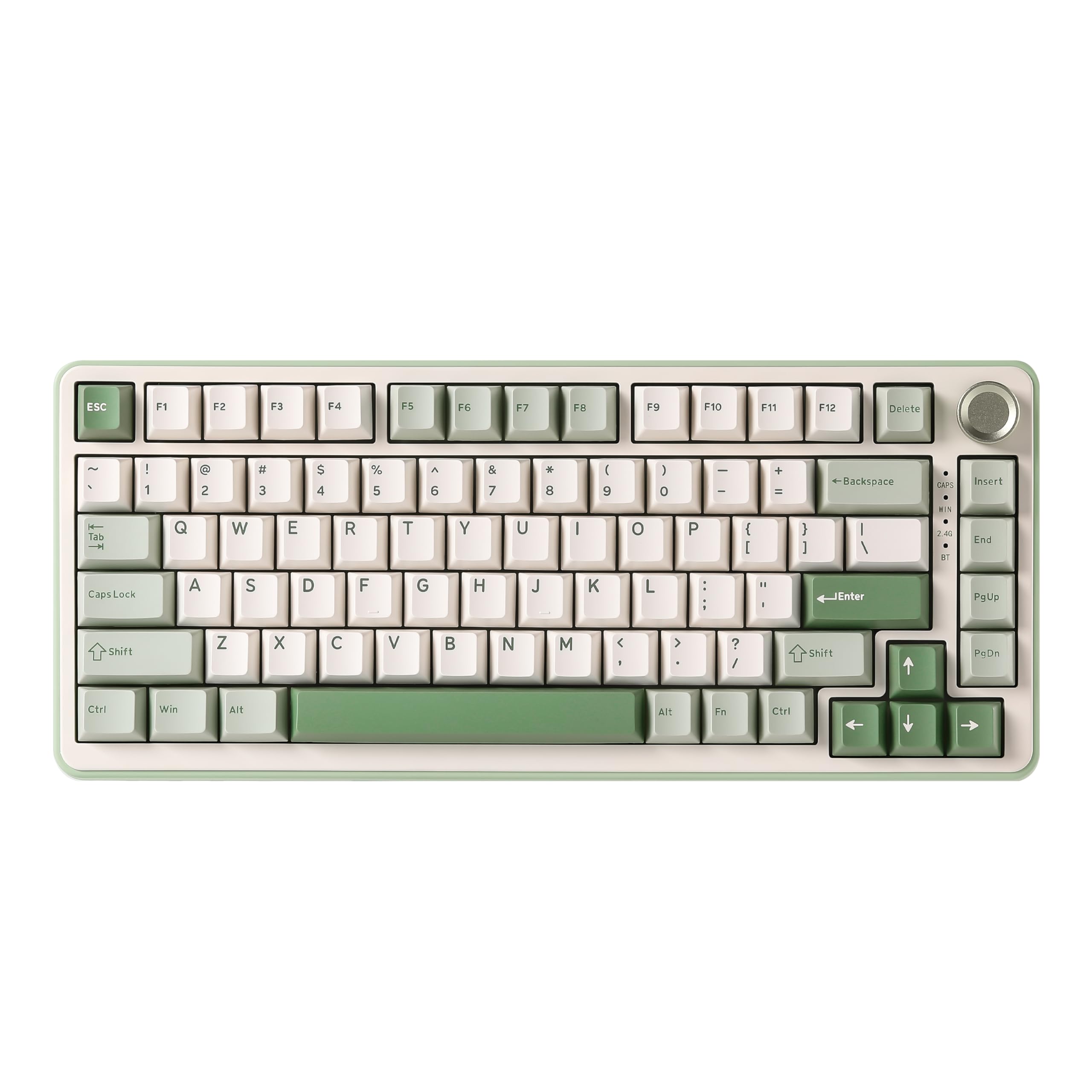 8.5 / 10
YUNZII B75 PRO Wireless Mechanical Keyboard,75% Gaming Keyboard Gasket Hot Swap Custom Keyboard with Knob,Pre-lubed Switches RGB,Bluetooth/Type-C/2.4G (Matcha Green, Milk Switch)
£66.29 · YUNZII
 8.5 / 10
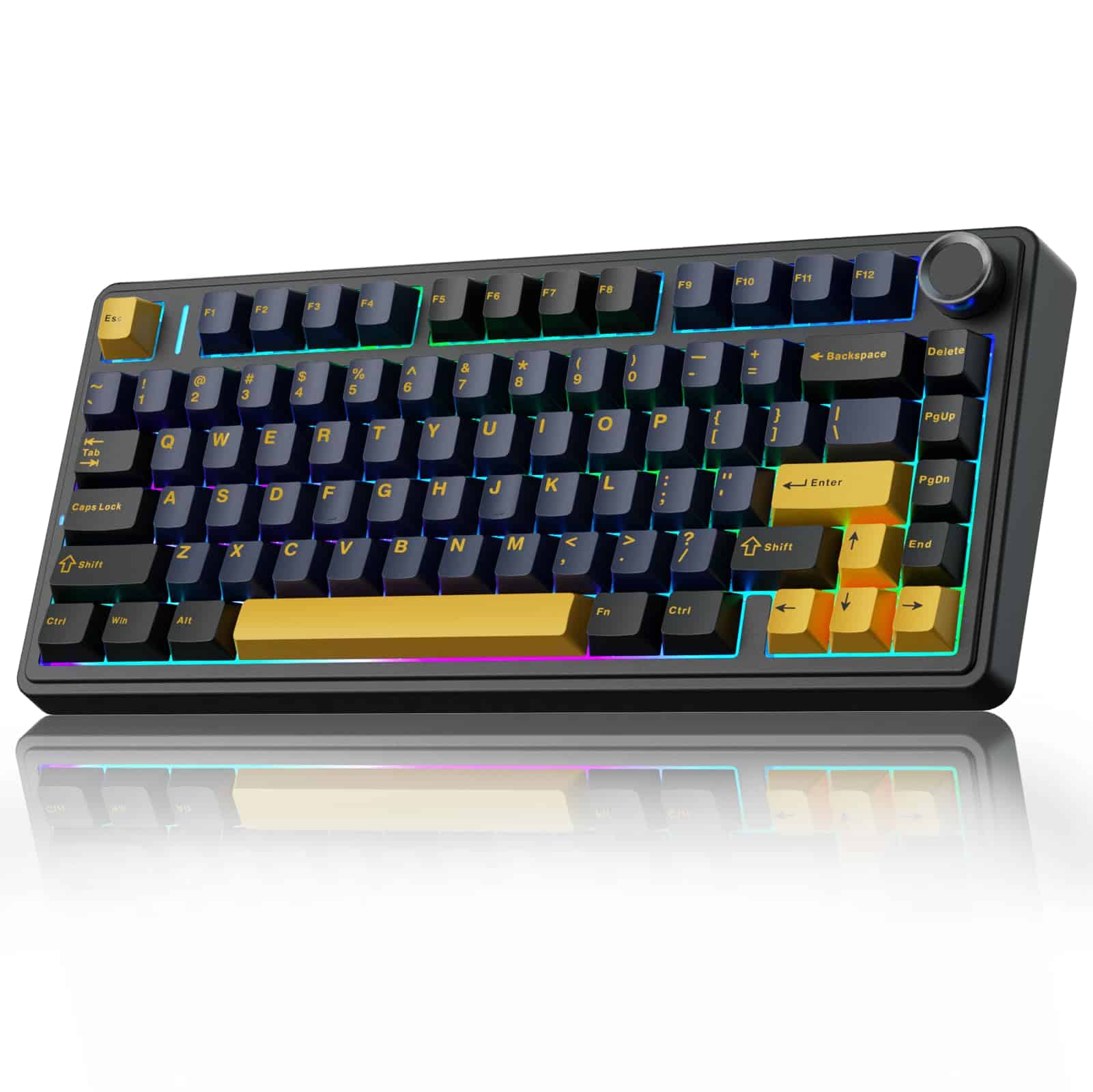
AULA F75 75% Wireless Mechanical Keyboard,2.4Ghz/Type-C/BT5.0 Gaming Keyboards,Advanced Structure,RGB Backlight,Hot Swappable Custom Keyboard for PC/Mac (Cool Black)
£67.91 · AULA
Frequently asked
5 questions01What switches does the EPOMAKER X Aula F75 MAX use?+
The White Purple variant reviewed here uses Reaper linear switches. These are proprietary linear switches that come factory lubed straight from the box, which gives them a smooth, creamy feel without the scratchy sensation of dry budget linears. The board is hot-swappable and compatible with both 3-pin and 5-pin mechanical switches, so you can swap in any switches you prefer without soldering.
02Is the EPOMAKER X Aula F75 MAX good for gaming?+
Yes, genuinely. The F75 MAX runs at 1000Hz polling rate in both USB wired and 2.4GHz wireless modes, which means input registration every millisecond. That's on par with dedicated gaming keyboards. Full N-key rollover ensures every simultaneous keypress registers correctly, and anti-ghosting prevents phantom inputs. Owner feedback from gamers is consistently positive on responsiveness, with no widespread reports of missed inputs or connection issues in 2.4GHz mode.
03Is the EPOMAKER X Aula F75 MAX good for typing?+
It's one of the better mid-range options for typing comfort. The gasket-mount construction absorbs bottom-out impact before it reaches the case, reducing finger fatigue over long sessions. The flex-cut PC plate adds further softness and bounce. Cherry-profile keycaps and a 2cm front height keep your wrists in a neutral position, and the two-stage kickstand lets you adjust the typing angle. Owner feedback from people who type for extended periods is broadly positive.
04Is the EPOMAKER X Aula F75 MAX loud?+
No, it's on the quieter end for a mechanical keyboard. The combination of gasket mounting, flex-cut PC plate, IXPE switch pad, PET pad, and full foam and silicone layers in the case produces a controlled, mellow sound profile that owners consistently describe as creamy and thocky rather than clacky or sharp. It's not silent, but it's considerably quieter than a hard-mounted board with bare switches, and it's unlikely to cause issues in a shared office environment.
05What warranty and returns apply to the EPOMAKER X Aula F75 MAX?+
Amazon offers 30-day returns on most items sold through its platform. The manufacturer typically provides a 12 to 24-month warranty on keyboards, though you should check the current warranty terms on the product listing or Epomaker's website for confirmation. You're also covered by Amazon's A-to-Z Guarantee, which provides additional buyer protection if there's an issue with your order.