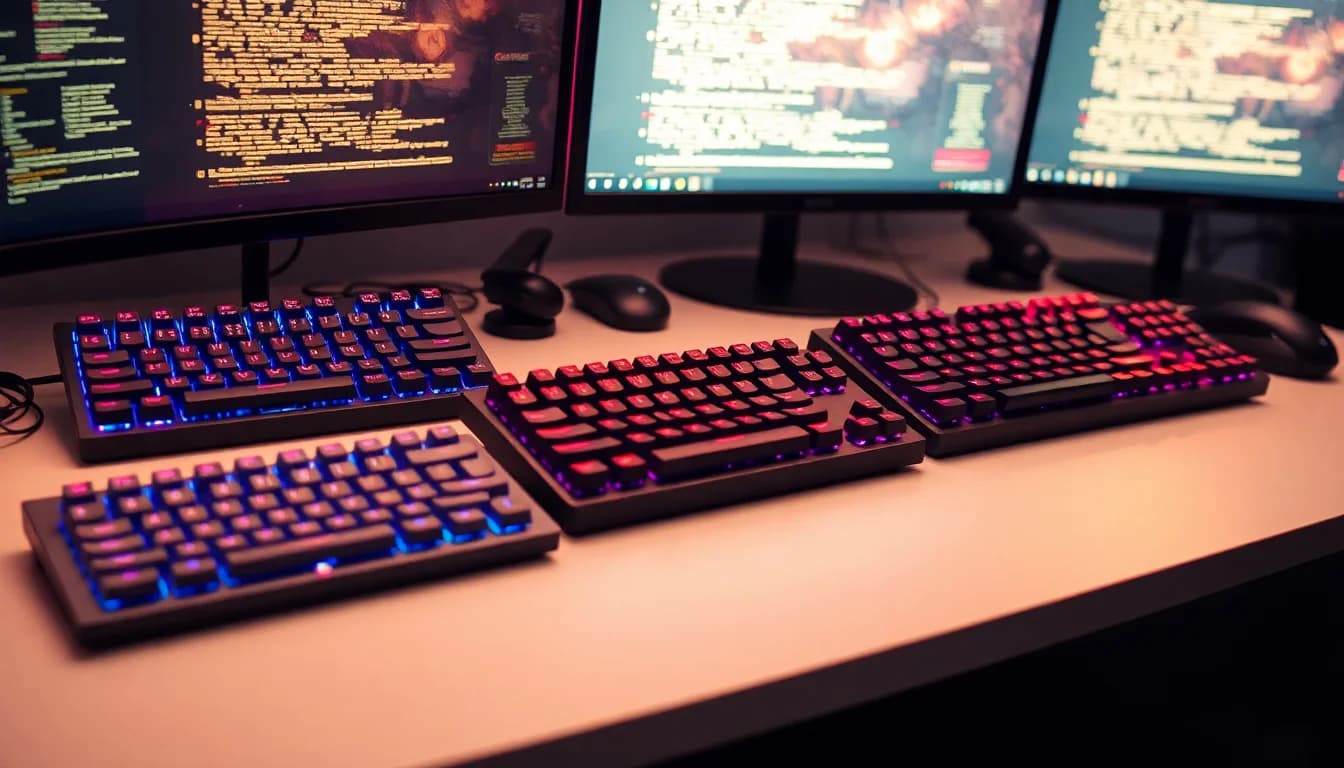
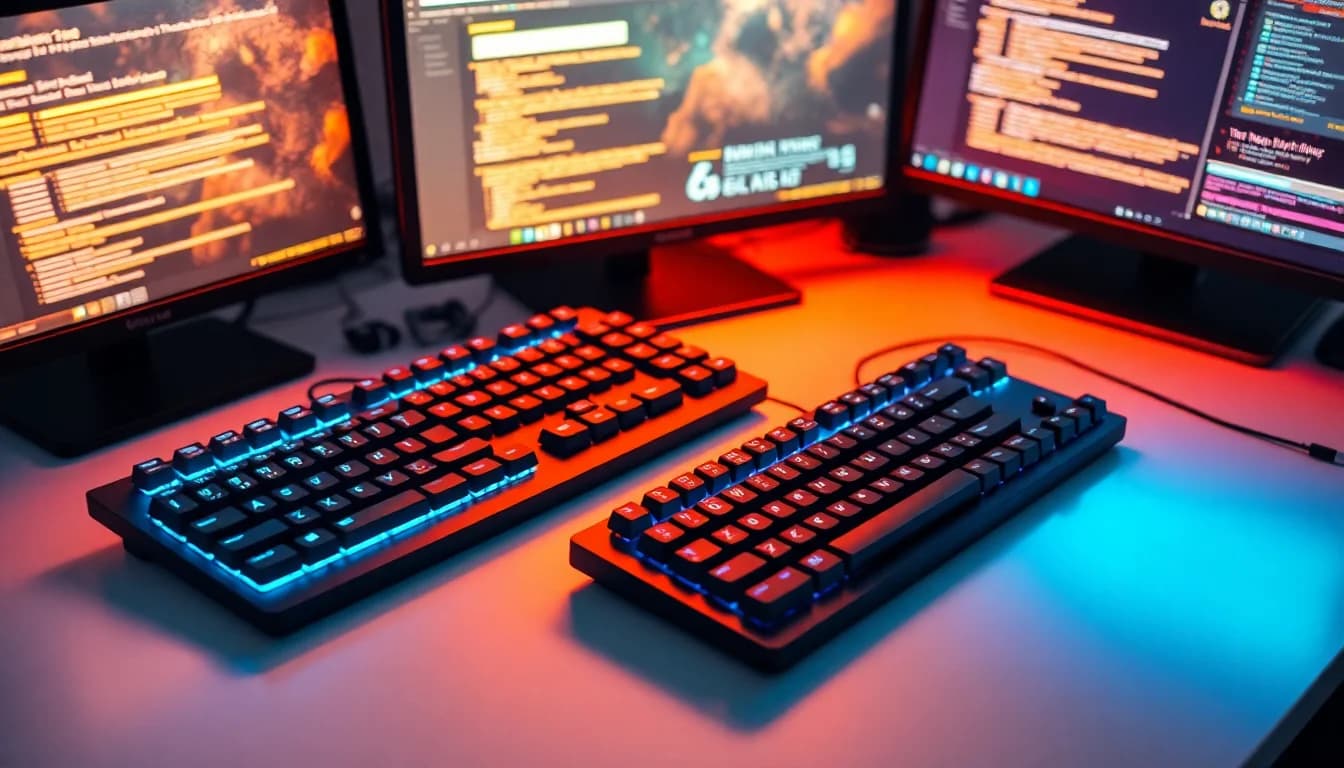
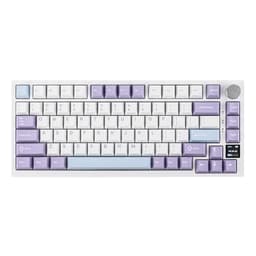
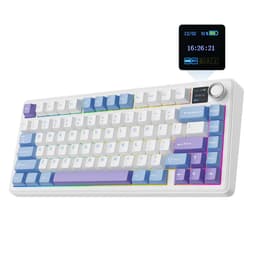
Most keyboards get bought on looks and sold on spec sheets nobody reads properly. The F75 is different in that it actually delivers where it counts: the typing and gaming fundamentals are solid, the build is well above what you'd expect at this price point, and over 1,315 owners on Amazon have given it a 4.5-star average that holds up when you dig into the detail. That's not a fluke rating propped up by a handful of early reviews.
The verdict, plainly: the EPOMAKER AULA F75 Wireless Mechanical Gaming Keyboard is a genuinely good 75% board for people who want wireless flexibility, a quiet-ish sound profile, and real build quality without stepping into full custom territory. It's not perfect, and there are a couple of things before you hand over your money. But for the upper mid-range bracket, it earns its place.
Here's the full picture, grounded in the spec sheet and what owners consistently report.
Core Specifications: EPOMAKER AULA F75 Wireless Mechanical Gaming Keyboard
The F75 is a 75% layout board, which means you keep your function row, arrow keys, and a handful of navigation keys, but lose the numpad and the dedicated nav cluster. For most people who aren't doing heavy data entry, that's a fine trade. You get a compact footprint that actually fits on a normal desk without dominating it, and you don't lose the keys that matter for gaming or day-to-day work.
Under the hood, the construction story is genuinely impressive for this price tier. You get a gasket-mount structure (more on that in the build section), a 1.2mm single-key slotted PCB, and a five-layer dampening stack that includes two layers of Poron foam, an IXPE switch pad, a PET sound enhancement pad, and a bottom silicone pad. That's a spec list you'd normally see quoted on keyboards costing significantly more. The fact that it's in here at this price point is.
Connectivity covers all three main scenarios: Bluetooth, 2.4GHz wireless via USB dongle, and wired USB. The battery is a 4000mAh unit. The keycaps are Cherry-profile double-shot PBT. The switches in this specific variant are Ice Vein switches, which are factory pre-lubricated linears. Full-key hot-swap is supported. RGB is present across all 16.8 million colours with per-key control. There's also a multimedia control knob built in, which is a genuinely useful addition rather than a gimmick.
| Specification | Detail |
|---|---|
| Layout | 75% compact |
| Switch (this variant) | Ice Vein (linear, factory pre-lubricated) |
| Hot-Swap | Full-key, single-key slotted PCB |
| PCB | 1.2mm single-key slotted |
| Mount | Gasket structure |
| Keycaps | Cherry profile, double-shot PBT |
| Sound Dampening | Five-layer (2x Poron foam, IXPE pad, PET pad, silicone base) |
| Connectivity | Bluetooth, 2.4GHz wireless, wired USB |
| Battery | 4000mAh |
| RGB | Per-key, 16.8 million colours |
| Media Controls | Multimedia control knob |
| Stabilizers | Pre-tuned |
| Price | £110.97 |
| Rating | ★★★★½ (4.5) (1,316 reviews) |

Switch Type and Feel
The Ice Vein switches in this variant are linears. Factory pre-lubricated linears, specifically, which matters more than the marketing copy makes it sound. A lot of keyboards in this bracket ship with dry switches that feel scratchy until you pull them all out and lube them yourself, which takes hours and requires buying the right grease. The F75 skips that faff by doing it at the factory. Owner reviews consistently back this up: the out-of-the-box smoothness gets mentioned repeatedly, and it's one of the things that distinguishes this board from cheaper competition that cuts corners on switch prep.
Linear switches suit gaming well because there's no tactile bump or click to push through before actuation. You press, it registers. For fast, repeated keypresses in games, that's the right choice. For typing, whether you get on with linears is a personal preference thing. Some people love the smooth, consistent feel. Others miss the tactile feedback that tells them a key has registered without bottoming out. If you're firmly in the tactile camp, the F75 is available in other switch variants, and the full-key hot-swap support means you can drop in whatever mechanical switch you prefer without soldering. That's a proper quality-of-life feature.
The 1.2mm slotted PCB is here because it's not just marketing padding. Single-key slotting means each switch sits in its own dedicated socket rather than a shared plate slot, which improves per-key stability and reduces wobble on individual keys. Combined with the pre-tuned stabilizers on the larger keys, owners report that the spacebar and shift keys feel noticeably more controlled than you'd get on a budget board. A few reviewers specifically call out the spacebar as a highlight, which is usually where cheap keyboards fall apart first.
Keycap Quality and Layout
Double-shot PBT keycaps in Cherry profile. That's a good sentence to read at this price point. PBT plastic is harder and more heat-resistant than the ABS you get on cheaper boards, which means the legends don't fade and the keycap surface doesn't develop that greasy shine after a few months of use. If you've ever owned a keyboard where the most-used keys look polished and slippery within six months, that's ABS doing what ABS does. PBT largely avoids that problem.
Double-shot construction means the legends are moulded in two layers of plastic rather than printed on top. The upshot is that the legends physically cannot wear off, because they're not a surface coating. They're part of the keycap itself. For long-term durability, this is the right way to make keycaps, and it's genuinely good to see it here rather than cheaper laser-etched or pad-printed alternatives.
Cherry profile is a slightly lower, more sculpted profile than OEM (the taller, more generic profile you see on most mass-market keyboards). It's a preference thing, but Cherry profile tends to feel more comfortable for long typing sessions because your fingers don't have to reach as far. It's also that Cherry-profile keycaps have a massive aftermarket behind them, so if you want to swap the stock caps for something custom down the line, you'll have no trouble finding compatible sets. The 75% layout itself is well executed: function row intact, arrow keys present, a small cluster of navigation keys on the right. The multimedia knob sits in the top-right corner and adds volume and media control without taking up a key position.
Build Quality
The gasket mount is the structural headline here, and it's worth explaining why it matters rather than just repeating the word. In a traditional top-mount or bottom-mount keyboard, the PCB and plate are rigidly fixed to the case. Every keystroke transmits directly into the hard case, which produces a sharper, harder sound and feel. A gasket mount suspends the internal assembly on soft gaskets (usually silicone or foam) around the perimeter, which means the whole typing surface has a slight give to it. The result is a softer, more cushioned feel and a noticeably quieter, deeper sound. It's the reason high-end custom keyboards almost universally use this approach, and the reason it's appearing more frequently in production boards at this price tier.
The five-layer dampening stack compounds this. Two layers of Poron foam (a material used specifically for its consistent compression and recovery properties), an IXPE switch pad directly under the switches, a PET film layer for sound tuning, and a silicone base pad. This is not a single sheet of foam thrown in to tick a box. It's a considered approach to acoustic engineering, and owner reviews reflect that: words like "thocky" and "quiet" come up consistently, with several people noting it's noticeably more muted than their previous boards. For office use or anyone who streams, that matters.
The pre-tuned stabilizers deserve a mention because stabilizers are where production keyboards often disappoint. Rattly, wobbly stabs on the spacebar and shift keys are the single most common complaint in budget keyboard reviews. The F75's stabilizers come factory-adjusted, and owners generally report they're good straight out of the box. A small number of reviewers mention minor rattle on the spacebar in early batches, but this appears to be the exception rather than the rule. The overall build feels solid and well-assembled for a production board, which is what you want at this price point rather than something that needs immediate modding to be usable.
RGB and Lighting
Per-key RGB with 16.8 million colours. The F75 covers the full spectrum and lets you set individual key colours or run through a range of preset effects. For the Ice Vein variant specifically, the light blue colourway of the case pairs reasonably well with cooler lighting profiles, though obviously that's entirely subjective. The PBT keycaps are slightly less transparent than ABS, which is a common trade-off: PBT is better for durability and feel, but the legends don't glow quite as brightly as thin ABS caps do. Most owners seem fine with this, and the lighting is still clearly visible in normal use.
From a practical standpoint, the RGB here is functional rather than the centrepiece of the keyboard's appeal. If you want a board that's primarily a light show, there are keyboards with more dramatic effects and brighter per-key illumination. The F75's lighting is good, it works properly, and it's customisable. But the real selling points are the build quality, the sound profile, and the connectivity options. The RGB is a nice addition rather than the reason to buy this board.
One thing: RGB does have a meaningful impact on battery life in wireless modes. This is true of every wireless keyboard with RGB, not just the F75. If you're using it wirelessly and you want maximum battery life, dimming or disabling the lighting is the sensible move. With RGB off, the 4000mAh battery should give you significantly more runtime than with full lighting running. The specifics of battery life are covered in the battery section below.
Software and Customisation
The F75 supports software customisation for remapping keys, adjusting RGB effects, and managing profiles. EPOMAKER and AULA both provide configuration software for their boards. The software isn't the most polished experience in this price bracket, and this is one area where a few owners flag minor frustrations. The core functionality works: you can remap keys, save profiles, and adjust lighting. But if you're coming from something like Logitech G Hub or Razer Synapse, the interface feels less refined.
The hot-swap support is arguably more important than the software for most users, because it means customisation at the hardware level is genuinely easy. Don't like the Ice Vein linears? Pull them out with the included switch puller and drop in whatever you prefer. No soldering, no technical knowledge required. The hot-swap sockets are full-key, meaning every position on the board supports switch replacement, not just a subset. That's the right way to implement it.
On-board memory means your profiles and remaps are stored on the keyboard itself rather than in the cloud or a software client. Practically, this means the keyboard works correctly even when connected to a machine that doesn't have the software installed, which is useful if you're moving between computers or using it with a console or tablet via Bluetooth. The multimedia knob is also customisable in terms of what it controls, which is a small but genuinely useful detail for people who want it to handle something other than volume.

Connectivity
Three-way connectivity is the right way to describe it: Bluetooth, 2.4GHz wireless via a USB dongle, and wired USB. These cover every realistic use case. Bluetooth is useful for connecting to tablets, phones, or secondary machines without using a dongle slot. The 2.4GHz wireless is the better option for primary PC use because it's lower latency than Bluetooth and more stable in environments with a lot of wireless interference. Wired USB gives you a direct, zero-latency connection for competitive gaming where every millisecond is theoretically on the table.
Owner reviews on the wireless performance are broadly positive. The 2.4GHz connection is described as stable and responsive, with no significant complaints about dropout or lag in normal use. Bluetooth, as with most keyboards, is fine for typing and general use but isn't the first choice for fast-paced gaming. The ultra-low-latency claim in the marketing refers to the 2.4GHz mode, and owners seem to find it holds up in practice. For the vast majority of gaming scenarios, the 2.4GHz mode is what you'd use, and it performs well.
The wired mode is straightforward. The keyboard connects via USB cable, which is the appropriate connector type for a modern board at this price. Switching between modes is handled by dedicated key combinations rather than a physical switch, which is a minor preference point: some people prefer a physical toggle because it's more reliable and visible, but key combinations work fine once you know them. The dongle for 2.4GHz is small enough to store in a travel bag without hassle, which matters if you're using the keyboard across multiple locations.
Battery Life
The 4000mAh battery is a meaningfully large capacity for a keyboard in this class. Many wireless keyboards in the mid-range sit at 2000mAh or below, which means more frequent charging. A 4000mAh cell gives you a proper buffer, particularly if you're using the board without RGB or with lighting dimmed. The manufacturer doesn't publish a specific rated-hours figure in the product listing, so we're working from owner reports and the battery capacity itself as reference points.
Owner feedback suggests the battery life is genuinely good in practical use. Several reviewers mention going multiple days or longer between charges with RGB off or on low settings, which tracks with what a 4000mAh battery should deliver in a keyboard context. With full RGB running, the runtime drops noticeably, as it does on every keyboard with per-key lighting. This isn't a flaw specific to the F75; it's just the physics of running 75-plus individually addressable LEDs from a battery. The practical advice is simple: if you need maximum wireless runtime, dial the lighting back.
Charging is handled via the USB connection. The keyboard charges while connected in wired mode, which means you can keep using it during charging if needed. This is a sensible implementation and one that owners appreciate, particularly compared to keyboards that require you to stop using them to charge. The 4000mAh capacity also means that even if you do need to charge it, you're not doing it every day. For most users, a weekly or longer charge cycle is realistic with moderate RGB use.
Typing and Gaming Experience
The EPOMAKER AULA F75 Wireless Mechanical Gaming Keyboard's combination of gasket mount, five-layer dampening, and pre-lubricated linears produces a sound profile that owners consistently describe as deep, muted, and satisfying. The technical term that gets thrown around a lot in keyboard communities is "thocky", which refers to a low-pitched, cushioned sound on each keystroke rather than the sharp clack of a hard-mounted board with stock switches. The F75 earns that description based on its construction, and it shows up in owner reviews frequently enough to be credible rather than wishful.
For gaming specifically, linear switches are the practical choice for most game genres. Fast key presses, no bump to push through, consistent actuation. The 2.4GHz wireless mode keeps latency low enough that it's not a meaningful factor in normal gaming. Competitive players who are genuinely sensitive to input latency will probably want a wired connection regardless of what keyboard they're using, and the F75 supports that. The N-key rollover and anti-ghosting aren't specified in detail in the product listing, but the 1.2mm slotted PCB and the overall build quality suggest this is handled properly. Owner reviews don't flag any ghosting issues, which is the practical test that matters.
For typing comfort over longer sessions, the gasket mount does real work. The slight flex in the typing surface reduces the impact on your fingers compared to a rigid board, which translates to less fatigue during extended use. The Cherry profile keycaps sit at a comfortable angle without needing a wrist rest for most people, though that's obviously dependent on your desk setup and personal ergonomics. Several owners specifically mention using this board for both work and gaming without needing to switch keyboards, which is exactly the use case the 75% layout is designed for.
Compatibility
The three-way connectivity means the F75 works across a wide range of devices. Windows and macOS are both supported, and the keyboard includes the relevant key labelling or mode switching to handle macOS-specific keys. Bluetooth compatibility extends to tablets and smartphones, so if you want to use this keyboard with an iPad or Android device for typing, that's a realistic option. The 2.4GHz dongle is USB-based, so it works with any device that has a USB port, including most modern laptops.
Console compatibility via Bluetooth is theoretically possible with devices that support Bluetooth keyboard input, though this varies by console and game. The PS5 and Xbox Series consoles have limited Bluetooth keyboard support depending on the application. For most console users, this is a secondary consideration rather than a primary use case, but it's the option exists. The wired USB mode is the most universally compatible option across any device with a USB port.
Linux users should note that keyboard compatibility on Linux is generally determined by whether the OS recognises the USB HID device, which it typically does for standard keyboards. Custom software for RGB and remapping may not have a Linux client, which means you'd need to configure profiles via Windows or macOS first and rely on on-board memory to retain them. This is a common limitation across most keyboards in this category and isn't specific to the F75.
How It Compares
The main competition at this price point includes the Keychron Q2 Pro and the Nuphy Air75 V2. The Keychron Q2 Pro is an aluminium-bodied, gasket-mounted 65% board with similar wireless connectivity. It's a strong competitor with a premium feel from the aluminium case, but it's a 65% layout rather than 75%, which means no function row. If you need F-keys regularly, the F75 has the edge on layout. The Keychron also tends to be heavier, which is either a pro or a con depending on whether you value desk presence or portability.
The Nuphy Air75 V2 is a closer layout match at 75% and is generally priced slightly lower. It's a popular choice and performs well, but the build quality, particularly the dampening stack and stabilizer tuning, doesn't quite match what the F75 offers on paper. The five-layer dampening in the F75 is a meaningful differentiator. Owner reviews for the F75 also mention better out-of-the-box sound quality compared to the Nuphy, though both are respectable boards.
Against the broader market, the F75's combination of gasket mount, Poron foam dampening, pre-lubed switches, PBT keycaps, hot-swap, and triple connectivity at this price point is genuinely competitive. You'd typically need to spend more or go the custom route to tick all of these boxes simultaneously. The trade-off is that the software is less polished than what you get from Logitech or Razer at similar prices, and those brands have larger ecosystems if you're already invested in them.
| Feature | EPOMAKER AULA F75 | Keychron Q2 Pro | Nuphy Air75 V2 |
|---|---|---|---|
| Layout | 75% | 65% | 75% |
| Mount | Gasket | Gasket | Gasket |
| Case Material | Plastic | Aluminium | Plastic |
| Keycaps | Cherry profile double-shot PBT | OEM profile double-shot PBT | Low profile PBT |
| Dampening | Five-layer (Poron, IXPE, PET, silicone) | Foam + silicone | Foam layers |
| Hot-Swap | Full-key | Full-key | Full-key |
| Connectivity | BT / 2.4GHz / Wired | BT / 2.4GHz / Wired | BT / 2.4GHz / Wired |
| Battery | 4000mAh | 4000mAh | 4000mAh |
| Media Knob | Yes | Yes | No |
| Price Tier | Upper mid-range | Upper mid-range | Mid-range |

Final Verdict
The EPOMAKER AULA F75 Wireless Mechanical Gaming Keyboard does the things that actually matter at a level that justifies the upper mid-range price tag. The gasket mount and five-layer dampening stack produce a noticeably better sound profile than most production boards in this bracket. The pre-lubricated Ice Vein linears are smooth out of the box without requiring an afternoon of DIY lubing. The double-shot PBT keycaps in Cherry profile will outlast the keyboard itself in terms of legend durability. And the triple connectivity with a 4000mAh battery covers every realistic use scenario without compromise.
The software is the weakest link. It works, but it's not as polished as what you get from the major gaming brands. If you're deeply invested in Logitech's or Razer's ecosystem and want tight software integration, the F75 will feel like a step down in that specific area. The physical build more than compensates, but it's going in. A small number of early owners also flagged minor stabilizer rattle on the spacebar, though this appears to be a batch issue rather than a consistent problem.
Who should buy this? Someone who wants a genuinely well-built 75% wireless board with a quiet, cushioned typing feel, doesn't want to spend custom keyboard money, and values practical features like hot-swap and a media knob over brand-name software ecosystems. It works equally well for all-day typing and gaming sessions, which is the point of a 75% layout board. The 4.5-star average across 1,316 is a meaningful signal: that many people agreeing at that rating level means the experience is consistent, not just lucky.
Who should skip it? If you're primarily a competitive gamer who lives in wired mode and doesn't care about sound dampening or wireless, there are more focused options at a lower price. The Nuphy Air75 V2 sits at a lower price point and delivers a solid wireless 75% experience without all the acoustic engineering, which is the smarter buy if the sound profile and premium dampening layers aren't priorities for you. And if you want an aluminium case rather than plastic, the Keychron Q2 Pro is worth the comparison, accepting the layout difference.
On balance, the F75 earns a strong recommendation in its bracket. The build quality, the switch prep, the keycap quality, and the acoustic engineering all punch above the price. For a brand that isn't a household name in the UK yet, this is the kind of product that builds a reputation properly.
What works. What doesn’t.
5 + 3What we liked5 reasons
- Gasket mount with five-layer Poron/IXPE/silicone dampening produces genuinely quiet, cushioned keystrokes
- Pre-lubricated Ice Vein linears are smooth out of the box, no DIY lubing needed
- Cherry profile double-shot PBT keycaps resist shine and legend fade long-term
- Full-key hot-swap across all positions, so switch changes require no soldering
- 4000mAh battery and triple connectivity (BT/2.4GHz/wired) cover every realistic use case
Where it falls3 reasons
- Configuration software is functional but less polished than Logitech or Razer equivalents
- Plastic case rather than aluminium, which some buyers at this price tier will notice
- A small number of early owners reported minor spacebar stabilizer rattle
Full specifications
8 attributes| Switch type | Ice Vein Switch |
|---|---|
| Layout | 75% |
| Backlighting | RGB |
| Battery life H | 80 |
| HOT swappable | true |
| Keycaps | PBT double-shot |
| Polling rate HZ | 1000 |
| Switch actuation | linear |
If this isn’t right for you
2 options 8.5 / 10
YUNZII AL80 Wireless Mechanical Keyboard, Full Aluminum CNC, Smart LCD Display, Hot Swappable Gasket Mount 75% Layout with Knob, BT/2.4G/USB-C,QMK/VIA Support for Win/Mac (black, cocoa cream v2)
£101.99 · YUNZII
 8.5 / 10
EPOMAKER TH85 QMK/VIA Mechanical Gaming Keyboard, BT/2.4Ghz Wireless, RGB, Hot-Swappable & Programmable Keys in US 75% Layout (Black&Blue, Creamy Jade Switch)
£80.99 · EPOMAKER
Frequently asked
5 questions01What switches does the EPOMAKER AULA F75 Wireless Mechanical Gaming Keyboard, 75% Layout with Knob, Creamy Gasekt-Mount with Sound-Dampening, RGB, Hot-Swap, Bluetooth/2.4Ghz (Light Blue, Ice Vein Switch) use?+
This specific variant uses Ice Vein switches, which are linear mechanical switches that come factory pre-lubricated. Linear switches have no tactile bump or audible click, offering a smooth, consistent keystroke from top to bottom. The factory lubrication means they perform well straight away without needing DIY treatment. The keyboard also supports full-key hot-swap, so you can replace the switches with any compatible alternative if you prefer a different feel.
02Is the EPOMAKER AULA F75 Wireless Mechanical Gaming Keyboard, 75% Layout with Knob, Creamy Gasekt-Mount with Sound-Dampening, RGB, Hot-Swap, Bluetooth/2.4Ghz (Light Blue, Ice Vein Switch) good for gaming?+
Yes, it performs well for gaming. The linear Ice Vein switches suit fast, repeated keypresses without a bump to push through. The 2.4GHz wireless mode delivers low-latency connectivity suitable for most gaming scenarios, and the wired USB option is available for competitive use where latency is a primary concern. Owner reviews don't flag any ghosting or registration issues in gaming use.
03Is the EPOMAKER AULA F75 Wireless Mechanical Gaming Keyboard, 75% Layout with Knob, Creamy Gasekt-Mount with Sound-Dampening, RGB, Hot-Swap, Bluetooth/2.4Ghz (Light Blue, Ice Vein Switch) good for typing?+
Yes, particularly if you get on with linear switches. The gasket mount and five-layer dampening stack (Poron foam, IXPE pad, PET film, silicone base) produce a cushioned, muted typing feel that reduces fatigue over long sessions. The Cherry profile double-shot PBT keycaps are comfortable and durable. If you prefer tactile feedback, the hot-swap sockets let you install tactile switches instead without soldering.
04Is the EPOMAKER AULA F75 Wireless Mechanical Gaming Keyboard, 75% Layout with Knob, Creamy Gasekt-Mount with Sound-Dampening, RGB, Hot-Swap, Bluetooth/2.4Ghz (Light Blue, Ice Vein Switch) loud?+
No, it's one of the quieter mechanical keyboards at this price point. The combination of gasket mounting and five-layer sound dampening (including two layers of Poron foam and a bottom silicone pad) significantly reduces both typing noise and resonance compared to hard-mounted boards. Owner reviews consistently describe the sound as deep and muted rather than sharp or clacky. It's a reasonable choice for open-plan offices or streaming setups where noise matters.
05What warranty and returns apply to the EPOMAKER AULA F75 Wireless Mechanical Gaming Keyboard, 75% Layout with Knob, Creamy Gasekt-Mount with Sound-Dampening, RGB, Hot-Swap, Bluetooth/2.4Ghz (Light Blue, Ice Vein Switch)?+
Specific warranty terms are not listed in the product data. When purchasing through Amazon UK, you're covered by Amazon's standard 30-day returns policy and the Amazon A-to-Z Guarantee, which provides protection if the item doesn't arrive or isn't as described. For warranty queries beyond that, contacting the seller directly via the Amazon listing is the recommended route.