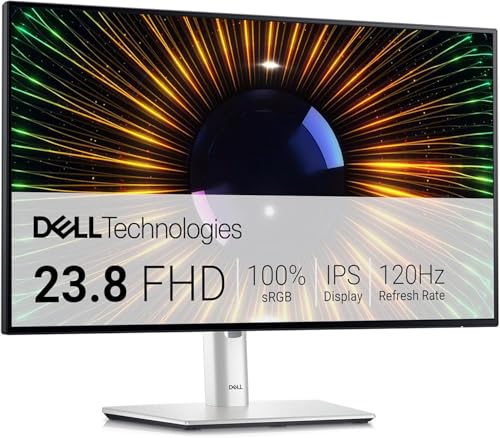
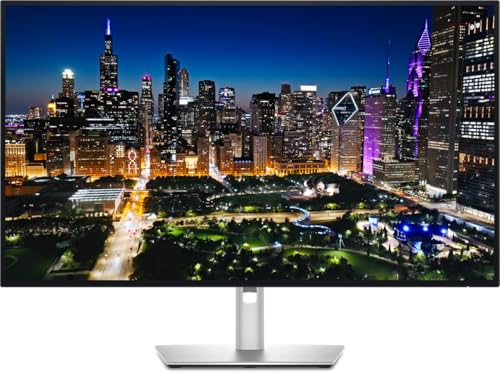
Buying a monitor should be simple. It really should. But somehow you end up drowning in panel types, refresh rates, and response time figures that bear absolutely no resemblance to real-world performance. So here's the short version on the Dell SE2419HR: it's a decent, no-nonsense 24-inch Full HD IPS monitor that does the basics well. The problem is the price it's currently listed at. At the upper mid-range bracket, you're competing with 1440p displays, high-refresh-rate panels, and monitors with proper ergonomic stands. This one has none of that. Whether it's worth it depends entirely on what you're paying on the day you click buy.
The Dell SE2419HR review verdict, then: this is a solid everyday monitor that punches comfortably at the budget to lower-mid-range tier it was designed for. Hundreds of owner reviews and a positive overall rating suggest most people are genuinely happy with it, and that's not nothing. But if you're paying upper mid-range money for it, you are overpaying for what's fundamentally a straightforward 1080p 60Hz IPS panel. Shop around, check the current price below, and if it's sitting closer to its natural budget bracket, it makes a lot more sense.
Core Specifications
The Dell SE2419HR is a 24-inch Full HD monitor built around a 1920x1080 resolution IPS panel. It runs at 60Hz, which is the standard for office and everyday use displays, and Dell quotes a 5ms grey-to-grey response time. There's no adaptive sync here, no HDR certification, and the connectivity is about as minimal as it gets: two HDMI ports and that's your lot. No DisplayPort, no USB hub, no USB-C. The stand adjusts for tilt only, so what you see is largely what you get in terms of ergonomics.
The screen uses an anti-glare coating, which is genuinely useful in bright rooms, and Dell rates the peak brightness at 250 nits. That's on the lower end even for a budget panel. The Dell product page lists a 1000:1 static contrast ratio, which is typical for IPS, and a colour gamut covering sRGB. The display has a 178-degree viewing angle both horizontally and vertically, which is one of the genuine advantages of IPS over TN panels.
The physical footprint is reasonably compact for a 24-inch screen, and the bezels are slim on three sides. Dell's build quality on budget panels like this tends to be reliable, which is reflected in the owner feedback. There are no reports of widespread quality control issues in the review pool. Below is a full spec breakdown.
| Specification | Detail |
|---|---|
| Screen Size | 24 inches |
| Resolution | 1920 x 1080 (Full HD) |
| Panel Type | IPS |
| Refresh Rate | 60Hz |
| Response Time | 5ms (GtG) |
| Brightness | 250 cd/m² (nits) |
| Contrast Ratio | 1000:1 (static) |
| Colour Gamut | sRGB |
| Viewing Angle | 178° / 178° (H/V) |
| Ports | 2x HDMI 1.4 |
| Adaptive Sync | None |
| HDR | None |
| Stand Adjustment | Tilt only (-5° to +21°) |
| VESA Mount | 100 x 100mm |
| Anti-Glare | Yes |

Panel Technology
The SE2419HR uses an IPS (In-Plane Switching) panel, and that's genuinely the right choice for what this monitor is trying to be. IPS panels give you consistent colour and brightness whether you're sitting dead-on or off to the side, which matters if you're sharing a screen with someone or if you tend to sit slightly off-centre (most people do, even if they don't realise it). The 178-degree viewing angle spec isn't just marketing padding here. IPS really does deliver on that claim, unlike TN panels where colours shift noticeably if you move your head even slightly.
The downside of IPS compared to VA is contrast. A 1000:1 static contrast ratio is standard for IPS, and it means blacks won't look particularly deep. In a well-lit office environment, that's fine. You won't notice. But if you're watching films in a dark room, blacks will look more like a dark grey. There's also IPS glow to consider: that faint brightening you see in the corners of the screen when displaying dark content. It's an inherent characteristic of IPS technology, not a defect, and owner reviews don't flag it as a major issue on this particular panel, which suggests it's not severe. But it's about if you're sensitive to it.
Compared to a VA panel, you're trading deeper blacks for better colour consistency and faster pixel response. For office work, productivity, browsing, and casual media consumption, IPS is absolutely the right call. If you were primarily watching films in a dark room and wanted that cinema-like contrast, a VA panel would serve you better. But for the everyday use case this monitor is clearly aimed at, IPS is the sensible choice and Dell has made the right call here.
Display Quality
At 24 inches with a 1920x1080 resolution, the pixel density works out to roughly 92 PPI (pixels per inch). That's perfectly adequate for a monitor you're sitting about 50 to 70cm away from. Text is sharp and comfortable to read, images look clean, and you won't be squinting at blurry edges. If you were to step up to a 27-inch 1080p panel, the pixel density drops to around 82 PPI and things start looking a bit soft. The 24-inch format is actually the sweet spot for 1080p, which is why this size and resolution combination has been a staple of office environments for years.
The anti-glare coating does its job. Owner reviews consistently mention that the screen is comfortable to use in bright offices and near windows, which is exactly what you want from a matte coating. The trade-off is that matte coatings can make colours look slightly less vivid compared to a glossy panel, but for everyday work use, the reduction in eye strain and reflections is worth it. Dell's anti-glare implementation on their budget range is generally considered fine rather than exceptional. It won't make images look grainy or overly diffuse, which some cheaper anti-glare coatings do.
Brightness uniformity at 250 nits peak is acceptable for indoor use, though you'll want to keep the monitor away from direct sunlight. In a typical UK office or home setup, 250 nits is enough. It's not a panel you'd want to use outdoors or in a very bright conservatory, but that's not what it's designed for. A handful of owner reviews mention slight backlight bleed in corners, which is common on IPS panels at this price, but it's not flagged as a widespread issue and doesn't appear to be affecting the positive overall rating meaningfully.
Refresh Rate and Adaptive Sync
Sixty hertz. That's what you get. For office work, browsing, video calls, and watching content, 60Hz is absolutely fine. The human eye doesn't need 144Hz to read a spreadsheet or scroll through a web page comfortably. Where 60Hz starts to feel limiting is in gaming, and specifically in fast-paced games where smoother motion makes a genuine difference to how responsive the game feels. If gaming is a priority, this monitor will feel noticeably less fluid than a 144Hz or even 75Hz alternative.
There's no adaptive sync here. No AMD FreeSync, no G-Sync Compatible certification, nothing. That means if your GPU's frame rate dips below 60fps, you'll see screen tearing, and if it sits above 60fps, the monitor caps it there. For office use, this is irrelevant. For gaming, it's a genuine limitation. Adaptive sync has become standard even on budget monitors now, so the absence of it here feels like a missed opportunity, especially given the price it's sometimes listed at.
If you're a casual gamer who plays slower-paced titles, strategy games, RPGs, or anything that doesn't demand split-second reactions, 60Hz is liveable. But if you're coming from a 144Hz monitor, going back to 60Hz will feel like watching a film in slow motion by comparison. That's not an exaggeration. The difference is immediately noticeable and takes a while to adjust to. For purely work-focused buyers, none of this matters at all, and the 60Hz panel will serve you well for years.
Response Time and Motion
Dell quotes a 5ms grey-to-grey response time for the SE2419HR. That's an honest spec for an IPS panel at this price, and it's worth understanding what it actually means in practice. Grey-to-grey (GtG) measures how quickly a pixel transitions between two specific shades of grey. The number varies depending on which shades are being measured, and manufacturers tend to pick the most flattering transition. Real-world average GtG across all transitions is typically higher than the headline figure.
For a 60Hz panel, a 5ms GtG response is adequate. At 60Hz, each frame is displayed for about 16.7 milliseconds, so a 5ms pixel transition doesn't create obvious smearing or ghosting in normal use. You're not going to see trailing artefacts watching a football match or playing a moderately paced game. Where things get trickier is in very fast-paced gaming scenarios: first-person shooters, racing games, anything with rapid camera movements. At 60Hz with a 5ms response, you'll notice some motion blur in those scenarios, but that's as much a function of the 60Hz refresh rate as the response time itself.
There's no overdrive or response time mode mentioned in the spec sheet, which isn't unusual for a monitor at this level. Overdrive circuits can introduce inverse ghosting (a bright halo following moving objects) when set too aggressively, so its absence isn't necessarily a bad thing. Owner reviews don't flag ghosting or smearing as notable problems, which suggests the panel performs as expected for its intended use case. This is not a gaming monitor and shouldn't be evaluated as one. For office work and everyday use, the motion performance is perfectly fine.
Color Accuracy and Gamut
The SE2419HR covers the sRGB colour space, which is the standard for web content, office documents, and most consumer media. Dell doesn't publish a specific sRGB coverage percentage for this panel, but IPS panels at this price point from Dell typically land in the 95 to 99% sRGB range based on published measurements of comparable models in the range. That's good enough for everyday work and comfortable for anyone who needs colour consistency for light photo editing or graphic design work that doesn't require wide-gamut accuracy.
There's no DCI-P3 or Adobe RGB claim here, which is honest. This isn't positioned as a content creation monitor, and Dell doesn't pretend otherwise. If you're editing photos for print or doing professional video colour grading, you need a panel with wide-gamut coverage and factory calibration data. The SE2419HR doesn't offer that. What it does offer is consistent, pleasant colour reproduction for the tasks it's designed for. The IPS panel technology means colours hold up well at different viewing angles, which is actually more useful day-to-day than a headline DCI-P3 number on a panel with terrible off-axis consistency.
Factory calibration is not mentioned in the spec sheet, and there's no included calibration report. That's standard for monitors in this category. Out of the box, Dell's budget IPS panels generally produce acceptable colour balance without needing manual adjustment, and owner reviews don't report significant colour cast issues. Delta-E figures aren't published for this model, but based on the price tier and owner feedback, you're likely looking at a panel that's fine for everyday use rather than one that needs immediate correction. If you're doing colour-critical work, you'd want a calibrated wide-gamut display regardless of what this one costs.

HDR Performance
There is no HDR on the Dell SE2419HR. Full stop. The monitor carries no HDR certification, no HDR10 badge, and no mention of local dimming. This is a standard dynamic range display, and that's the end of the HDR conversation for this particular panel.
That said, it's worth being clear about what you're actually missing. Entry-level HDR certifications like VESA DisplayHDR 400 are largely marketing exercises. A DisplayHDR 400 badge means the panel can hit 400 nits peak brightness and has a wide colour gamut, but it doesn't require local dimming, which is the technology that actually makes HDR content look good. Without local dimming, HDR content on a certified HDR 400 panel often looks worse than the same content on a good SDR panel, because the display is trying to boost brightness without the contrast control to manage it properly. So the absence of a checkbox HDR badge here isn't necessarily a tragedy.
If you're watching HDR content from Netflix or Disney+ on this monitor, your source device or the app will likely downgrade the signal to SDR automatically, and you'll watch it in standard dynamic range. That's fine. The monitor will display it accurately within its SDR capabilities. Just don't buy this expecting HDR performance, because there isn't any. Anyone who needs genuine HDR, meaning real local dimming and 600 nits or more of peak brightness, needs to look at a very different class of monitor entirely.
Contrast and Brightness
The 1000:1 static contrast ratio is the IPS standard, and it's what you'd expect from this panel type. In practical terms, this means the brightest white the monitor can display is 1000 times brighter than the deepest black it can produce. For a well-lit room, that's perfectly adequate. Blacks look acceptably dark when there's ambient light around you. In a dark room, they'll look noticeably grey compared to what you'd get from a VA panel (which typically achieves 3000:1 to 5000:1 contrast) or an OLED display (which has effectively infinite contrast).
Peak brightness at 250 nits is the spec that gives me the most pause. That's low. Most modern monitors in any price bracket offer 300 nits or more, and many budget panels now hit 350 nits. At 250 nits, the SE2419HR can struggle in very bright environments. If your desk is near a south-facing window in summer, you may find yourself squinting at the screen or turning up the brightness to maximum and still wishing for more. The anti-glare coating helps by reducing reflections, but it can't compensate for insufficient backlight output.
In a typical indoor environment with reasonable ambient lighting, 250 nits is workable. Most people run their monitors at 50 to 70% brightness anyway, so the ceiling matters less than you'd think for everyday use. Owner reviews don't frequently cite brightness as a problem, which suggests the real-world experience in typical home and office environments is acceptable. But it's a spec if you work in a particularly bright space or if you're used to a modern laptop display that might hit 400 to 500 nits.
Ergonomics and Stand
The stand on the SE2419HR offers tilt adjustment only, ranging from minus 5 degrees to plus 21 degrees. That's it. No height adjustment, no swivel, no pivot to portrait mode. For a monitor that's been listed at upper mid-range prices, the lack of height adjustment is a real frustration. Proper monitor ergonomics matter for long-term comfort, and being able to raise or lower your screen to eye level is genuinely important if you're sitting at a desk for eight hours a day. Without height adjustment, you're relying on a monitor stand riser, a stack of books, or just accepting a suboptimal viewing angle.
The good news is that the monitor does have a 100x100mm VESA mount on the back, which means you can ditch the stand entirely and attach it to a monitor arm. If you're planning to use a monitor arm anyway, the limited stand is irrelevant. But if you were hoping to just plonk it on a desk and be sorted, you may find yourself slightly disappointed by the fixed height.
Build quality is generally well-regarded in owner reviews. Dell's budget monitors tend to feel solid rather than flimsy, and the SE2419HR follows that pattern. The bezels are slim on three sides with a slightly thicker bottom bezel, which is standard for the price. The power button and OSD controls are on the bottom of the monitor, which some people find fiddly compared to a joystick or side-mounted controls, but it's a minor gripe. The overall impression from owner feedback is that this feels like a proper Dell monitor rather than a no-name budget panel, which matters for longevity.
Connectivity and Ports
Two HDMI 1.4 ports. That's the complete connectivity story for the SE2419HR. There's no DisplayPort, no USB-C, no USB hub, and no audio pass-through beyond a basic headphone jack. For many users, two HDMI ports is actually useful: you can connect a desktop PC to one port and a laptop or games console to the other, and switch between them using the OSD. That's a practical feature for a home or home-office setup.
The absence of DisplayPort is a minor annoyance rather than a dealbreaker at this resolution and refresh rate. HDMI 1.4 handles 1080p at 60Hz without any issues, so you're not losing any performance by not having DisplayPort. Where DisplayPort matters more is at higher resolutions and refresh rates, neither of which this monitor supports. So the omission is logical even if it limits future flexibility.
No USB hub means no convenient charging or peripheral connection through the monitor. Again, for a budget panel, that's expected. The headphone jack is a nice touch for anyone who doesn't want audio going through their PC's own audio output, though the monitor has no built-in speakers. your setup before you buy: if you're relying on monitor speakers, you'll need to add some desktop speakers or headphones to your shopping list. Owner reviews don't flag connectivity as a problem, which suggests the two HDMI ports cover most people's actual needs in practice.
How It Compares
Here's where the Dell SE2419HR review gets complicated. At the price it was originally designed for, this monitor competed against other budget 24-inch 1080p panels and held its own reasonably well, backed by Dell's reputation for reliability and decent IPS colour. But at the upper mid-range price it's sometimes listed at, the competition looks very different. You're now in the territory of 1440p monitors, 144Hz displays, and panels with proper ergonomic stands.
The LG 24MP60G-B is a comparable 24-inch IPS 1080p monitor that adds 75Hz refresh, AMD FreeSync support, and a more competitive price. It doesn't have the Dell badge, but the panel performance is comparable and the extra refresh rate headroom is genuinely useful. The AOC 24G2 is another strong alternative: 24 inches, 1080p IPS, but with 144Hz, FreeSync, and a height-adjustable stand. The AOC typically sits in the budget to lower-mid-range bracket and offers significantly more for gaming-oriented buyers. If you're spending upper mid-range money, you should seriously consider stepping up to a 1440p panel like the LG 27GN800-B or the Dell S2722DC, both of which offer meaningfully sharper images and better long-term value.
The SE2419HR's strongest argument is the Dell brand, the positive overall rating from hundreds of owners, and the reliable IPS panel quality. If you can get it at a genuinely budget price, it's a sensible, low-risk purchase. At upper mid-range prices, you're paying a premium for the Dell name and not much else. The comparison table below lays out how it stacks up against two realistic alternatives.
| Feature | Dell SE2419HR | AOC 24G2 (24-inch IPS) | LG 27GN800-B (27-inch IPS 1440p) |
|---|---|---|---|
| Resolution | 1920x1080 | 1920x1080 | 2560x1440 |
| Refresh Rate | 60Hz | 144Hz | 144Hz |
| Panel Type | IPS | IPS | IPS |
| Adaptive Sync | None | FreeSync / G-Sync Compatible | FreeSync / G-Sync Compatible |
| Response Time | 5ms GtG | 1ms GtG (4ms typical) | 1ms GtG (5ms typical) |
| Peak Brightness | 250 nits | 250 nits | 350 nits |
| Height Adjustment | No | Yes | Yes |
| VESA Mount | 100x100mm | 100x100mm | 100x100mm |
| HDR | None | None | HDR10 |

Final Verdict
The Dell SE2419HR is a monitor that does exactly what it was designed to do: provide a clean, reliable, comfortable 1080p IPS display for everyday office and home use. The IPS panel gives you good colour consistency and wide viewing angles. The anti-glare coating makes it comfortable in bright rooms. Dell's build quality is dependable, and the positive overall rating from hundreds of owners tells you that most people using this monitor day-to-day are happy with it. That's a meaningful signal.
But context matters enormously here. This is a 60Hz, 1080p, tilt-only monitor with two HDMI ports and no adaptive sync. Those are budget monitor specs. The SE2419HR was designed for and makes sense at a budget price point, somewhere around the £100 to £150 mark where it originally launched. At that price, the Dell brand, IPS panel, and solid build quality represent good value. At upper mid-range prices, the same spec sheet looks very thin compared to what else is available. You could buy a 1440p 144Hz IPS monitor with a height-adjustable stand for the same money or less.
For the right buyer at the right price, this is a genuinely good monitor. It's ideal for someone setting up a home office who needs a reliable second screen, a student who wants a decent display for work and light media consumption, or anyone upgrading from an old TN panel who wants better colour without complexity. It's not for gamers who want smooth motion, not for creative professionals who need wide-gamut colour accuracy, and not for anyone paying upper mid-range money when the same budget could get them something substantially better.
The honest recommendation: if the current price is sitting in the budget bracket, buy it with confidence. If it's crept into mid-range or upper mid-range territory, look at the AOC 24G2 instead. You'll get 144Hz, FreeSync, a height-adjustable stand, and comparable IPS panel quality for less money. Or stretch slightly further and get into 1440p territory, which is where the real upgrade lives for anyone who spends serious time in front of a screen. The SE2419HR is a good monitor that's currently priced in a way that doesn't always make it the smartest buy.
What works. What doesn’t.
5 + 4What we liked5 reasons
- Solid IPS panel with genuine 178-degree viewing angles
- Reliable Dell build quality backed by hundreds of owner reviews with a positive overall rating
- Anti-glare coating works well in bright home and office environments
- Two HDMI ports useful for switching between two sources
- VESA 100x100mm mount for monitor arm compatibility
Where it falls4 reasons
- 60Hz with no adaptive sync limits gaming usability significantly
- Tilt-only stand is poor ergonomics for all-day desk use
- 250 nits peak brightness is low even for a budget panel
- No DisplayPort, no USB hub, no USB-C connectivity
Full specifications
10 attributes| Panel type | IPS |
|---|---|
| Aspect ratio | 16:9 |
| Curvature | flat |
| HDR | none |
| Launch year | 2019 |
| Ports | 1x HDMI 1.4, 1x VGA |
| Refresh rate HZ | 75 |
| Resolution | 1920x1080 |
| Response time MS | 4 |
| Screen size IN | 23.8 |
Frequently asked
5 questions01Is the Dell SE2419HR good for gaming?+
Not particularly. The 60Hz refresh rate and lack of adaptive sync (no FreeSync or G-Sync) mean it's functional for casual, slower-paced gaming but will feel limiting for fast-paced titles like shooters or racing games. The 5ms GtG response time is adequate for 60Hz use but won't satisfy anyone used to a high-refresh panel. If gaming is a priority, the AOC 24G2 offers 144Hz and FreeSync at a comparable or lower price point.
02Does the Dell SE2419HR have HDR?+
No. The SE2419HR has no HDR certification and no local dimming. It's a standard dynamic range display. This isn't necessarily a dealbreaker since entry-level HDR 400 certification on budget panels rarely delivers meaningful HDR performance anyway, but if HDR content matters to you, this monitor won't deliver it.
03Is the Dell SE2419HR good for content creation?+
It covers the sRGB colour space adequately for everyday work and light photo editing where colour accuracy isn't critical. However, there's no DCI-P3 or Adobe RGB coverage, no published Delta-E figures, and no factory calibration report. Professional photo editors, video colourists, or graphic designers who need wide-gamut accuracy should look at a purpose-built creative monitor instead.
04What graphics card do I need for the Dell SE2419HR?+
Almost any modern GPU will drive this monitor comfortably. It's 1920x1080 at 60Hz, which is undemanding by any standard. An integrated GPU in a modern laptop or desktop processor can handle it for office use. For gaming at 60fps in modern titles, a mid-range dedicated GPU like an Nvidia RTX 3060 or AMD RX 6600 is more than sufficient. You won't need anything powerful for the resolution and refresh rate this monitor supports.
05What warranty and returns apply to the Dell SE2419HR?+
Dell typically offers a 3-year warranty on their SE-series monitors, which covers manufacturing defects. You should verify the specific warranty terms on the Dell website or the product listing at point of purchase. If buying through Amazon, you're also covered by Amazon's standard 30-day return policy and the A-to-Z Guarantee for additional peace of mind.