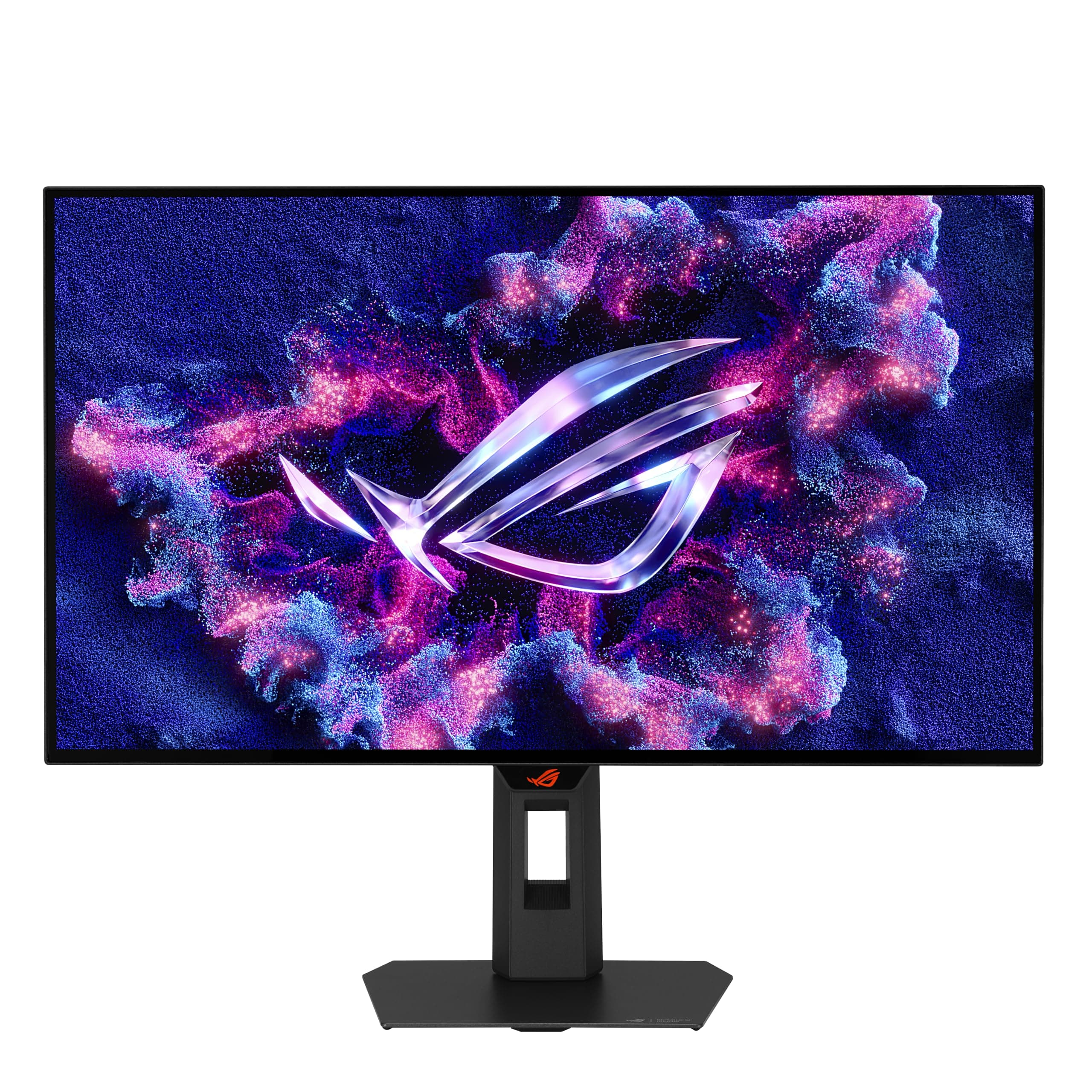
A monitor's headline numbers only tell you so much. A 170Hz refresh rate means nothing practical if the panel smears through dark scenes or the overdrive setting introduces inverse ghosting so bad you'd rather cap the frame rate. The ASUS ROG Strix XG27AQ has 316 averaging ★★★★☆ (4.4), and that's a more useful signal than any marketing bullet point.
The verdict: this is a genuinely good 1440p gaming monitor in the mid-range bracket, and it earns that rating honestly. Fast IPS, a real-world-useful 170Hz (overclocked from 144Hz), G-SYNC Compatible certification, and DCI-P3 95% colour coverage make it one of the more complete packages at this price point. It's not flawless, and the HDR story is the usual DisplayHDR 400 caveat that applies to almost everything in this tier. But for competitive gaming at 1440p, it delivers on its promises more than most.
If you're trying to decide whether the ASUS ROG Strix XG27AQ review process leads you to a buy or a skip, the short answer for most 1440p gamers is: buy it. The longer answer follows below.
Core Specifications
The XG27AQ is a 27-inch panel running at 2560x1440 (WQHD), which at this screen size gives you a pixel density of around 109 PPI. That's noticeably sharper than a 1080p 27-inch monitor without pushing into the territory where you need to scale everything up just to read text. It's the sweet spot for gaming monitors in 2026, and ASUS knows it.
The panel is Fast IPS, which is ASUS's branding for a higher-speed IPS panel variant. The native refresh rate is 144Hz, but the monitor is overclockable to 170Hz, and that overclock is stable according to the vast majority of owner reports. ASUS rates the response time at 1ms GTG, which is the grey-to-grey figure. The monitor carries G-SYNC Compatible certification, meaning NVIDIA has validated it for VRR use with GeForce cards, and it also supports AMD FreeSync Premium.
Connectivity is 2x HDMI 2.0 and 1x DisplayPort 1.2. The DisplayPort connection is what you'll want for 1440p at 170Hz on a desktop GPU. HDMI 2.0 tops out at 1440p 144Hz, so if you're pushing the full 170Hz overclock, DisplayPort is the cable to use. The monitor also carries VESA DisplayHDR 400 certification, which we'll address properly in the HDR section.
| Specification | Detail |
|---|---|
| Screen Size | 27 inches |
| Resolution | 2560 x 1440 (WQHD) |
| Panel Type | Fast IPS |
| Refresh Rate | 170Hz (overclocked from 144Hz) |
| Response Time | 1ms GTG |
| Adaptive Sync | G-SYNC Compatible, FreeSync Premium |
| HDR | DisplayHDR 400, DCI-P3 95% |
| Ports | 2x HDMI 2.0, 1x DisplayPort 1.2 |
| Motion Blur Tech | ELMB SYNC |
| Rating (Amazon) | 4.4/5 (316 reviews) |
| Price | £289.74 |

Panel Technology
IPS panels have one consistent advantage over VA and TN: viewing angles. You can sit off-axis, share your screen with someone next to you, or just lean back slightly without the colours shifting or the image washing out. On a 27-inch panel you're always within the ideal viewing cone anyway, but IPS consistency means colour accuracy doesn't drift based on your seating position. That matters if you're doing anything beyond pure gaming.
The trade-off with IPS has traditionally been contrast. A typical IPS panel delivers around 1000:1 native contrast ratio, which is noticeably lower than VA panels that can hit 3000:1 or higher. That means blacks on an IPS look more like a very dark grey in a dim room, and IPS glow (a milky brightening in the corners at low brightness) is a real phenomenon. Owner reviews of the XG27AQ do mention IPS glow in a handful of cases, which is entirely normal for the panel type and not a fault with this specific unit. If you're watching a lot of dark cinematic content in a blacked-out room, VA or OLED will give you better perceived depth. For gaming in a normally lit room, IPS is perfectly fine.
Fast IPS specifically refers to a variant of IPS technology engineered for faster pixel transitions. Standard IPS panels can struggle at high refresh rates because the liquid crystals are slow to respond. Fast IPS addresses this by optimising the cell design and overdrive algorithms. The result is that this panel can credibly claim 1ms GTG without the kind of aggressive overdrive overshoot that turns highlights into ugly coronas around moving objects. Published measurements from display-focused outlets have generally confirmed that ASUS's Fast IPS implementation on the XG27AQ sits in a good position: fast enough for competitive play, without the inverse ghosting that ruins some aggressively tuned budget panels.
Display Quality
At 27 inches and 2560x1440, you're looking at roughly 109 pixels per inch. That's enough to make text genuinely sharp and to give game textures a crispness that 1080p at the same size simply can't match. It's not 4K, and you won't mistake it for one, but it's a meaningful step up and it's far easier to drive to high frame rates than a 4K panel is. For most people gaming on a mid-range to high-end GPU, 1440p at 170Hz is the practical sweet spot in 2026.
The panel uses a matte anti-glare coating, which is the sensible choice for a gaming monitor. Glossy panels look punchier in a dark room, but they turn into mirrors the moment any ambient light hits them. The matte coating on the XG27AQ reduces reflections without the heavy grain that some budget anti-glare coatings introduce. Owner reviews are generally positive about screen clarity, with no significant complaints about a sparkle effect or graininess that some cheaper matte coatings produce.
Brightness uniformity across the panel is typically good on IPS, and the XG27AQ follows that pattern. There are occasional owner reports of slight backlight bleed in corners, which again is par for the course with IPS edge-lit panels. ASUS's quality control on this model appears solid based on the 4.4 average rating across 316. A 4.4 on Amazon, where people are often more motivated to leave negative reviews than positive ones, is a genuinely good sign for panel lottery outcomes.
Refresh Rate and Adaptive Sync
The 170Hz overclock is the headline. Out of the box the monitor runs at 144Hz, and you enable 170Hz through the OSD or your GPU driver. The asterisk in ASUS's own marketing (170Hz*) acknowledges this is an overclocked mode, but owner reports are overwhelmingly positive about its stability. Very few people report issues running the overclock, and it's become the standard operating mode for most buyers. Realistically, the difference between 144Hz and 170Hz is subtle in day-to-day gaming, but if you're going to have it, you might as well use it.
G-SYNC Compatible certification means NVIDIA has put the XG27AQ through its validation process and confirmed it works reliably with GeForce GPUs in VRR mode. This is not the same as a full G-SYNC module (which adds significant cost and locks you to NVIDIA), but in practice the experience is very close. The certification means VRR is enabled by default and has been tested for issues like flickering or frame pacing problems that can appear on uncertified FreeSync panels when used with NVIDIA cards. AMD users get FreeSync Premium, which includes Low Framerate Compensation (LFC) to keep VRR active even when your frame rate dips below the panel's minimum VRR range.
ELMB SYNC is ASUS's implementation of simultaneous backlight strobing and VRR. Normally these two technologies conflict: strobing requires a fixed refresh rate to avoid flicker, while VRR is by definition variable. ASUS's ELMB SYNC allows both to operate together, which reduces motion blur from both pixel persistence and frame tearing simultaneously. It's a genuinely useful feature for competitive players who want every possible edge in fast-moving scenes. Not every monitor in this price range offers combined strobing and VRR, and it's one of the XG27AQ's genuine differentiators. You can read more about variable refresh rate technology on Wikipedia if you want the full technical background.
Response Time and Motion
The 1ms GTG claim needs context. GTG (grey-to-grey) measures how quickly a pixel transitions between two mid-tone grey values. It's the best-case scenario, not the average. Real-world transitions between other colour pairs, particularly darker tones, can take longer. ASUS achieves the 1ms GTG figure with Fast IPS technology, and published measurements suggest the XG27AQ genuinely sits at the fast end of the IPS response time spectrum. This is not a VA panel claiming 1ms through aggressive overdrive that introduces visible coronas, and it's not a TN panel where you sacrifice colour quality for speed.
The overdrive settings on the XG27AQ give you some control. The default mode is typically the best balance between speed and overshoot. Pushing to the maximum overdrive setting does introduce some inverse ghosting (bright halos trailing behind fast-moving objects), so most users find the mid-level setting the practical choice. This is normal behaviour for a Fast IPS panel at this refresh rate. Owner reviews don't flag ghosting as a significant issue, which suggests ASUS has calibrated the default overdrive sensibly.
For competitive gaming, the combination of 170Hz and Fast IPS response puts the XG27AQ in genuinely good territory. You're not going to get the sub-millisecond pixel response of a TN panel, but you're also not going to be staring at washed-out colours and terrible viewing angles. For most players, the XG27AQ's motion handling is fast enough that it stops being the limiting factor. Your reaction time, your GPU's frame rate output, and your internet connection will all matter more than the difference between 0.5ms and 1ms GTG in actual competitive play.
Color Accuracy and Gamut
This is where the XG27AQ gets properly interesting for anyone who uses their monitor for more than gaming. ASUS claims DCI-P3 95% colour gamut coverage, which is a meaningful spec. DCI-P3 is the colour space used in digital cinema production, and 95% coverage means colours in games, films, and creative work look rich and saturated without being artificially pushed. Published measurements from display-focused reviewers have generally confirmed coverage close to ASUS's claim on this panel, which puts it ahead of monitors that only cover the sRGB colour space.
Factory calibration on gaming monitors in this price range is rarely exceptional, and the XG27AQ is no different. Out of the box, colours are generally good but not perfectly accurate. The default colour temperature runs slightly warm on some units based on owner reports, and there's some variation between panels as you'd expect. For gaming and general use, the factory settings are fine. For colour-critical creative work like photo editing or video grading, you'd want to calibrate it properly, but even uncalibrated it's more capable than a standard sRGB-only panel.
The sRGB coverage is, of course, well above 100% given the DCI-P3 95% figure. If you're working in sRGB-native content (which most web and older game content is), the wider gamut can make colours look slightly oversaturated by default. Most colour management-aware applications handle this correctly, but some older games and applications don't. ASUS includes colour mode presets in the OSD including an sRGB mode, which clamps the output to sRGB for more accurate colour rendering in those contexts. It's a practical solution even if it's not as precise as a hardware calibration profile.
HDR Performance
DisplayHDR 400 is the entry-level tier of VESA's DisplayHDR certification programme. It requires a peak brightness of at least 400 nits and a minimum black level, but it does not require local dimming. Without local dimming, an HDR display cannot produce the simultaneous deep blacks and bright highlights that make HDR content look dramatically different from SDR. What you get instead is slightly brighter highlights and a wider colour gamut, which is a modest improvement rather than a transformative one.
This is not a criticism specific to the XG27AQ. It's the honest reality of DisplayHDR 400 as a standard. At this price point, proper HDR with local dimming (which starts appearing in DisplayHDR 600 and above tier monitors) costs significantly more. If you've seen a high-end OLED or a Mini-LED panel with full-array local dimming running HDR content, you'll know what real HDR looks like. The XG27AQ does not deliver that experience, and ASUS doesn't claim it does. The DisplayHDR 400 badge is accurate but it's a checkbox rather than a promise of cinematic HDR.
In practice, enabling HDR on the XG27AQ in Windows and in HDR-enabled games gives you the wider colour gamut benefit, which is real and visible. Bright scenes look punchy. The limitation shows up in dark scenes where you'd want true local dimming to control backlight zones. For gaming in well-lit environments and for content that benefits from wide colour rather than extreme contrast, it's a genuine if modest upgrade over SDR. For serious HDR film watching in a dim room, it falls short of what a dedicated HDR display can do. Most owners in the review pool seem aware of this trade-off and rate it positively anyway, which suggests expectations are well calibrated.
Contrast and Brightness
IPS native contrast typically sits around 1000:1, and the XG27AQ follows this pattern. That's adequate for a gaming monitor in a normally lit room. In direct comparison to a VA panel at the same price, the blacks will look slightly less deep, particularly in dark game scenes with small bright elements (think space games or horror titles with torchlight in darkness). But in a typical gaming setup with some ambient light, the difference is much less pronounced than the numbers suggest.
Peak SDR brightness on the XG27AQ is sufficient for comfortable use in a bright room. The DisplayHDR 400 certification requires 400 nits peak, and ASUS rates the panel accordingly. For most indoor gaming environments, you won't be running it at maximum brightness anyway. The practical brightness range covers everything from a dim evening gaming session to a brightly lit office environment without issue.
Glare handling benefits from the matte anti-glare coating mentioned in the display quality section. In a room with windows behind or beside you, the matte surface keeps reflections diffuse rather than producing the mirror-like reflections of a glossy panel. If your gaming setup has serious light management issues (a window directly behind your monitor, for example), the matte coating helps but doesn't eliminate the problem entirely. No flat panel monitor does. The sensible fix is to sort your room lighting rather than buying a different monitor.

Ergonomics and Stand
The ROG Strix stand is a proper adjustable unit. You get height adjustment, tilt, swivel, and pivot (portrait mode rotation). That's the full set of adjustments, and it matters more than most people give it credit for. A monitor that you can't position at the right height and angle is genuinely uncomfortable to use over long sessions, and a lot of cheaper monitors ship with stands that only tilt. The XG27AQ's stand lets you dial in your ergonomic position properly.
The stand footprint is typical for a 27-inch gaming monitor. It's not compact, but it's stable. Owner reviews don't flag wobble or instability as issues, which is a good sign. The stand attaches to a 100x100mm VESA mount pattern, so if you prefer a monitor arm (which gives you even more positioning flexibility and frees up desk space), you can remove the stand and mount it directly. This is standard for monitors at this price point and above.
Build quality is generally well regarded in owner reviews. The ROG Strix aesthetic is present but not overbearing. There's RGB lighting on the back of the monitor, which you can control through ASUS's Aura Sync software if you're into matching your setup's lighting, or simply turn off if you're not. The OSD controls are physical buttons on the underside of the bezel, which is a more reliable interface than touch-sensitive controls that can be fiddly to operate in the dark. A few owner reviews mention the OSD navigation taking some getting used to, which is a common complaint across most gaming monitors regardless of brand.
Connectivity and Ports
The port selection on the XG27AQ covers the essentials for a gaming monitor. Two HDMI 2.0 ports mean you can connect two devices simultaneously without swapping cables, which is useful if you're switching between a PC and a console. HDMI 2.0 supports 1440p at up to 144Hz, so console users on PS5 or Xbox Series X get the full 1440p experience at the console's supported refresh rates. The two HDMI ports is a genuine convenience feature that single-HDMI monitors in this price range don't offer.
The DisplayPort 1.2 connection is what you'll use for PC gaming at the full 170Hz overclock. DisplayPort 1.2 has the bandwidth to handle 1440p at 170Hz without compression, so you're not leaving anything on the table. If you're on an NVIDIA GPU and want G-SYNC Compatible VRR at the full refresh rate, DisplayPort is the connection to use. HDMI 2.0 can do VRR with FreeSync-compatible setups, but the maximum refresh rate over HDMI 2.0 at 1440p is capped at 144Hz.
- 2x HDMI 2.0 (1440p up to 144Hz)
- 1x DisplayPort 1.2 (1440p up to 170Hz)
That's a clean, practical port layout for a gaming monitor. If you need USB hub functionality or a USB-C connection, those are not specified for this model, so factor that in if they're important to your setup. For a dedicated gaming monitor connected to a desktop PC or console, the port selection is entirely sufficient and the dual HDMI is a genuine convenience over single-port competitors.
How It Compares
The XG27AQ sits in a competitive part of the market. At the mid-range price point, it's up against monitors like the LG 27GP850-B (also a 27-inch 1440p Fast IPS at 165Hz) and the Samsung Odyssey G5 (a 27-inch 1440p VA at 144Hz). These are the two most common alternatives buyers consider, and the comparison is instructive.
The LG 27GP850-B is arguably the XG27AQ's closest direct competitor. Both use Fast IPS panels, both target 1440p gaming at high refresh rates, and both carry G-SYNC Compatible certification. The LG tops out at 165Hz versus the ASUS's 170Hz, which is a difference nobody will notice in practice. The LG has a slightly better reputation for out-of-box colour accuracy in some published measurements, while the ASUS edges ahead on the ELMB SYNC feature for simultaneous strobing and VRR. Build quality and stand ergonomics are broadly comparable. At similar price points, this is genuinely a coin-flip decision based on which features matter most to you.
The Samsung Odyssey G5 takes a different approach with a VA panel. VA gives you better native contrast (typically 2500:1 to 3000:1 versus IPS's 1000:1), which means deeper blacks in dark game scenes. But VA panels are slower to respond, and the G5's response time performance in published measurements shows more visible smearing in fast motion than Fast IPS alternatives. For competitive gaming where motion clarity matters, Fast IPS like the XG27AQ is the better choice. For slower-paced games, RPGs, or anyone who watches a lot of dark cinematic content, the VA contrast advantage is real.
| Feature | ASUS ROG Strix XG27AQ | LG 27GP850-B | Samsung Odyssey G5 (27") |
|---|---|---|---|
| Panel Type | Fast IPS | Fast IPS (Nano IPS) | VA |
| Resolution | 2560x1440 | 2560x1440 | 2560x1440 |
| Max Refresh Rate | 170Hz (OC) | 165Hz (OC) | 144Hz |
| Response Time | 1ms GTG | 1ms GTG | 1ms GTG (claimed) |
| Adaptive Sync | G-SYNC Compatible, FreeSync Premium | G-SYNC Compatible, FreeSync Premium Pro | FreeSync Premium Pro |
| HDR | DisplayHDR 400, DCI-P3 95% | DisplayHDR 400, DCI-P3 98% | DisplayHDR 600 (curved model) |
| ELMB SYNC | Yes | No | No |
| Price | £289.74 | Similar mid-range | Often slightly lower |
Final Verdict
The ASUS ROG Strix XG27AQ delivers on what it promises. Fast IPS at 1440p with a stable 170Hz overclock, G-SYNC Compatible certification, ELMB SYNC for combined strobing and VRR, and DCI-P3 95% colour coverage is a genuinely strong package for a mid-range gaming monitor. The 4.4 average across 316 isn't an accident. This is a well-sorted monitor that does the important things right.
The HDR story is the expected DisplayHDR 400 caveat: it's real but modest. You get wider colour gamut benefits, not the dramatic contrast of a proper HDR display. That's not a failure of the XG27AQ specifically; it's the reality of the DisplayHDR 400 tier across the board. Anyone expecting OLED-like HDR at this price point is looking at the wrong product category entirely. Within the realistic expectations for a mid-range IPS gaming monitor, the HDR implementation is fine.
Native contrast is the other limitation to be clear about. IPS panels at 1000:1 look great in a normally lit room and adequate in a dim one. If you primarily game in a dark room and play a lot of atmospheric horror or space games where deep blacks matter, a VA panel like the Samsung Odyssey G5 will give you more impactful dark scenes, even if it loses on motion clarity. Know your use case.
For competitive gaming, the XG27AQ is a proper tool. Fast IPS response, 170Hz, ELMB SYNC, and G-SYNC Compatible certification cover every base a competitive player needs. For general gaming and some creative work, the DCI-P3 95% coverage makes it more versatile than a basic sRGB panel. Build quality is solid, the stand is fully adjustable, and the dual HDMI ports add real convenience.
One honest caveat: if you're primarily on console and your games cap at 60fps or 120fps, you don't need 170Hz. A good 144Hz IPS panel at a lower price point serves console gaming perfectly well and costs less. The XG27AQ earns its price for PC gamers who can actually drive the frame rates to use the high refresh rate. If you can't push past 100fps consistently in your games, a cheaper 144Hz monitor is the smarter buy.
Score: 8.5 out of 10. A well-executed Fast IPS gaming monitor that earns its mid-range price through a combination of genuine motion performance, strong colour coverage, and practical features like ELMB SYNC and dual HDMI. The HDR is checkbox-tier, but that's a mid-range market reality, not a specific failing of this monitor. For 1440p PC gaming at high frame rates, it's one of the better options in the bracket.
Is the ASUS ROG Strix XG27AQ a good monitor?
Yes, genuinely. It combines Fast IPS panel technology with a 170Hz overclocked refresh rate, G-SYNC Compatible certification, ELMB SYNC, and DCI-P3 95% colour coverage. The 4.4 average across 316 reflects that most owners are satisfied with what they've bought. For 1440p gaming in the mid-range bracket, it's one of the more complete packages available.
What are the top monitors for gaming in this category?
In the 27-inch 1440p Fast IPS category, the XG27AQ sits alongside the LG 27GP850-B and the ASUS ROG Swift PG279QM as the main options. The LG is a strong alternative at a similar price. The PG279QM steps up to 240Hz but at a higher cost. The XG27AQ sits in a sensible middle ground for most players.
Are ROG Strix monitors good?
ROG Strix monitors have a solid reputation for combining gaming-focused features with build quality that holds up. The XG27AQ is a good example of the line: practical ergonomics, real adaptive sync certification, and features like ELMB SYNC that aren't just marketing. They're not perfect, and you pay a slight premium for the ROG branding, but the underlying hardware quality is consistently good.

Is the ASUS ROG worth buying for gaming?
For PC gaming at 1440p with a mid-to-high-end GPU, yes. The 170Hz overclock is stable, the Fast IPS response is genuinely fast enough for competitive play, and G-SYNC Compatible certification means VRR works reliably with NVIDIA GPUs. If you're on console only or your GPU struggles to push past 100fps, a cheaper 144Hz panel is a better fit for your actual use case.
What works. What doesn’t.
5 + 3What we liked5 reasons
- Fast IPS delivers genuine 1ms GTG response without bad inverse ghosting
- Stable 170Hz overclock confirmed by the majority of owners
- ELMB SYNC combines backlight strobing with VRR simultaneously
- DCI-P3 95% colour coverage strong for the mid-range price point
- Dual HDMI 2.0 ports plus full ergonomic stand adjustment
Where it falls3 reasons
- DisplayHDR 400 is entry-level HDR with no local dimming
- IPS native contrast (~1000:1) loses to VA panels in dark scenes
- 170Hz requires DisplayPort; HDMI 2.0 caps at 144Hz at 1440p
Full specifications
11 attributes| Panel type | IPS |
|---|---|
| Aspect ratio | 16:9 |
| Curvature | flat |
| HDR | HDR400 |
| Launch year | 2020 |
| Ports | 2x HDMI 2.0, 1x DisplayPort 1.2 |
| Refresh rate HZ | 170 |
| Resolution | 2560x1440 |
| Response time MS | 1 |
| Screen size IN | 27 |
| Vesa compatible | true |
If this isn’t right for you
2 options 8.5 / 10
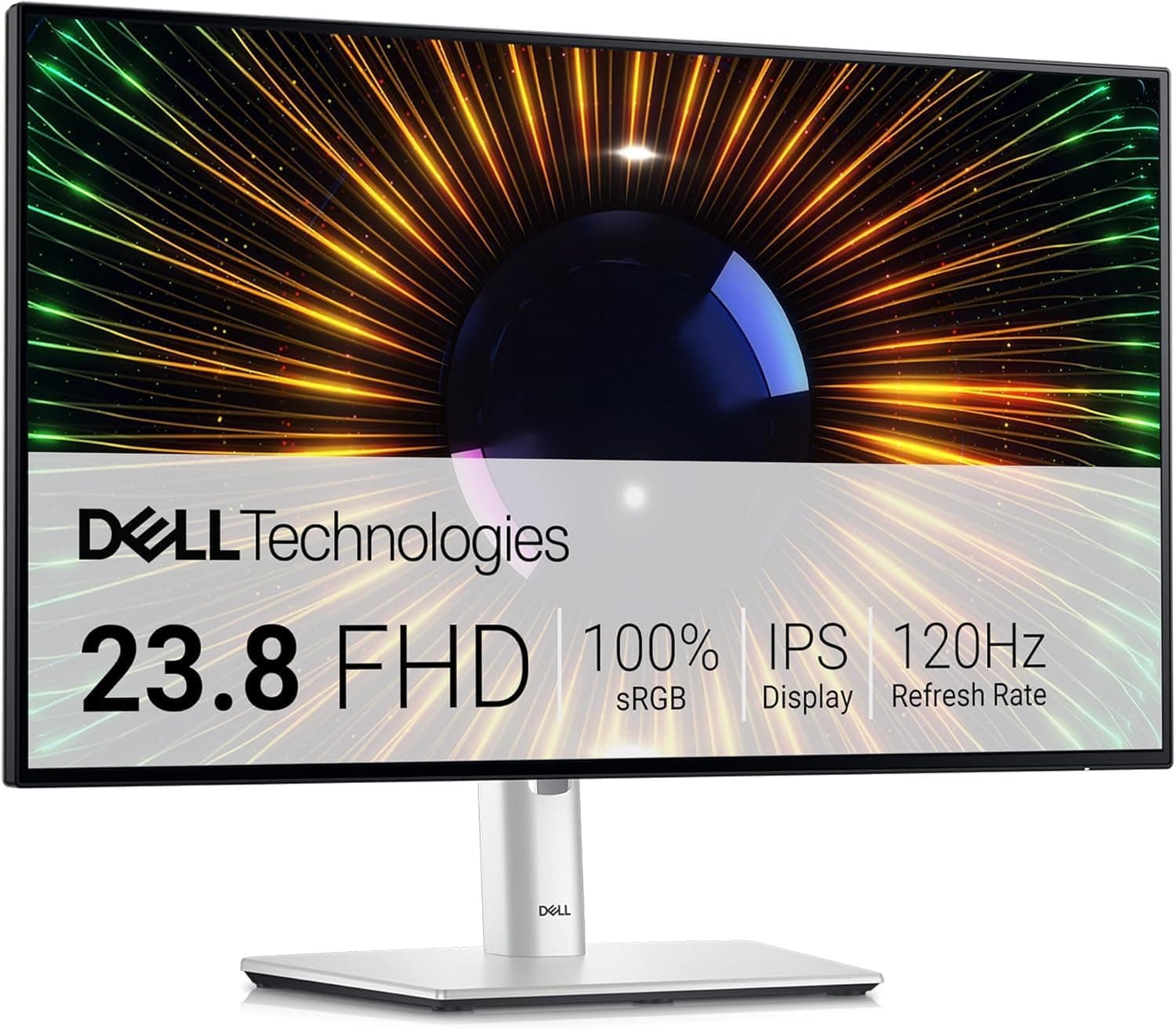
Dell U2424H UltraSharp 24 Inch FHD (1920x1080) Monitor, 120Hz, IPS, 5ms, 98% DCI-P3, 2x USB-C, 2x DisplayPort, HDMI, 3x USB, 3 Year Warranty, Silver
£194.39 · Dell
 8.5 / 10
ASUS ROG Strix OLED XG27AQDMES gaming monitor ― 27-inch (26.5-inch viewable) 1440p 240 Hz, 0.03ms, Care Pro, ELMB, G-SYNC® compatible, 99% DCI-P3, and DisplayWidget Center
£359.00 · ASUS
Frequently asked
5 questions01Is the ASUS ROG Strix XG27AQ HDR Gaming Monitor, 27 inch WQHD (2560 x 1440), Fast IPS, Overclockable 170Hz (Above 144Hz), 1ms (GTG), ELMB SYNC, G-SYNC Compatible, DisplayHDR 400 good for gaming?+
Yes, it's a strong gaming monitor for PC use at 1440p. The Fast IPS panel delivers 1ms GTG response time, the 170Hz overclock is stable according to most owners, and G-SYNC Compatible certification means VRR works reliably with NVIDIA GPUs. ELMB SYNC allows simultaneous backlight strobing and variable refresh rate, which is a genuine competitive advantage for fast-paced games. For console gaming capped at 60fps or 120fps, the high refresh rate is less relevant and a cheaper monitor may be a better fit.
02Does the ASUS ROG Strix XG27AQ HDR Gaming Monitor, 27 inch WQHD (2560 x 1440), Fast IPS, Overclockable 170Hz (Above 144Hz), 1ms (GTG), ELMB SYNC, G-SYNC Compatible, DisplayHDR 400 have good HDR?+
It has DisplayHDR 400 certification, which is the entry-level tier of VESA's HDR standard. This means a minimum 400 nits peak brightness and wider colour gamut (DCI-P3 95%), but no local dimming. Without local dimming, the monitor cannot produce the simultaneous deep blacks and bright highlights that characterise high-quality HDR. In practice, HDR mode provides a visible colour and brightness improvement over SDR, but it does not deliver the dramatic contrast of OLED or high-end Mini-LED displays. For most gaming use cases it's a worthwhile improvement; for cinematic HDR film watching in a dark room, it falls short of premium HDR displays.
03Is the ASUS ROG Strix XG27AQ HDR Gaming Monitor, 27 inch WQHD (2560 x 1440), Fast IPS, Overclockable 170Hz (Above 144Hz), 1ms (GTG), ELMB SYNC, G-SYNC Compatible, DisplayHDR 400 good for content creation?+
It's capable for light to moderate creative work. DCI-P3 95% colour gamut coverage is genuinely useful for photo and video work that targets wide colour output. The IPS panel provides consistent colour across viewing angles. Factory calibration is decent but not perfect out of the box, and for colour-critical professional work you'd want to calibrate it properly. The sRGB mode in the OSD helps when working with sRGB-native content. It's a better choice than a standard sRGB-only gaming monitor for creative use, but it's not a dedicated colour-accurate display like a professional IPS panel with factory calibration reports.
04What graphics card do I need for the ASUS ROG Strix XG27AQ HDR Gaming Monitor, 27 inch WQHD (2560 x 1440), Fast IPS, Overclockable 170Hz (Above 144Hz), 1ms (GTG), ELMB SYNC, G-SYNC Compatible, DisplayHDR 400?+
To make practical use of 1440p at 170Hz, you want a GPU that can consistently deliver high frame rates in your target games. For competitive titles like CS2, Valorant, or Apex Legends, mid-range cards like the RTX 4060 or RX 7600 can push well above 144fps at 1440p. For demanding AAA titles at high settings, an RTX 4070 or RX 7700 XT is a more realistic match. The G-SYNC Compatible certification means NVIDIA cards get validated VRR support; AMD cards use FreeSync Premium. Connect via DisplayPort 1.2 to access the full 170Hz refresh rate.
05What warranty and returns apply to the ASUS ROG Strix XG27AQ HDR Gaming Monitor, 27 inch WQHD (2560 x 1440), Fast IPS, Overclockable 170Hz (Above 144Hz), 1ms (GTG), ELMB SYNC, G-SYNC Compatible, DisplayHDR 400?+
Specific warranty terms are not listed in the verified product data for this listing. When purchasing through Amazon UK, you're covered by Amazon's standard 30-day return policy and the Amazon A-to-Z Guarantee, which protects your purchase if the item doesn't arrive or isn't as described. For manufacturer warranty details, check the ASUS UK support pages directly or the product listing at the time of purchase.