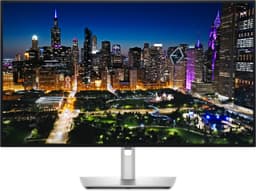
Most monitors in the 4K IPS bracket will disappoint you in at least one obvious way. Backlight bleed that makes dark scenes look like a foggy motorway. A stand that wobbles if you look at it funny. Colour coverage that sounds great on paper but falls apart the moment you open a photo editor. The Dell S2721QSA has 379 owner reviews averaging ★★★★☆ (4.4), which is a decent signal that most people aren't walking away furious. But averages hide things, so here's what the specs and real-world feedback actually tell you about whether this one is worth your money.
The short version: this is a solid, no-drama 4K IPS monitor that suits productivity users, content creators working in sRGB, and anyone who wants a sharp, colour-accurate display without paying OLED money. It's not a gaming monitor in any meaningful sense at 60Hz, and its HDR capability is checkbox territory rather than anything transformative. If that matches what you need, it's a genuinely good buy at this price point. If you're chasing frame rates or want HDR that actually looks different from SDR, you're shopping in the wrong aisle.
The Dell S2721QSA 27 Inch 4K UHD is a monitor that knows what it is, which is rarer than you'd think. Read on for the full breakdown.
Core Specifications
Buying a 4K monitor in 2026 means wading through a sea of nearly identical spec sheets, and the Dell S2721QSA sits right in the middle of that crowd. It's a 27-inch IPS panel at a genuine 3840x2160, 60Hz, with a 4ms response time and AMD FreeSync to keep tearing in check when your GPU can't quite hit the cap. Colour coverage lands at 99% sRGB, and you get two HDMI ports plus a DisplayPort, along with built-in speakers and Dell's three-year warranty. On paper, it's a sensible pick for work and everyday use. But specs only tell you so much. Here's what the panel actually delivers in day-to-day use, and where it makes sense to spend a little more.
The 27-inch size at 4K gives you a pixel density of roughly 163 PPI. That's noticeably sharper than a 27-inch 1440p panel (which sits around 109 PPI) and dramatically crisper than 1080p at the same size. Text is genuinely crisp at native resolution without any scaling, which matters if you're spending eight hours a day reading documents or code. Dell's three-sided ultrathin bezel design keeps the footprint clean, and the silver finish is a bit different from the sea of matte-black monitors out there.
Built-in dual 3W speakers are included, which is because plenty of monitors in this bracket skip them entirely. They won't replace a proper audio setup, but they're there if you need them for a video call or occasional YouTube viewing without reaching for headphones. Dell backs the whole thing with a three-year Advanced Exchange Service and their Premium Panel Guarantee, which covers dead pixels from day one. That's a proper warranty, not the usual "we'll look at it" approach.
| Specification | Detail |
|---|---|
| Screen Size | 27 inches |
| Resolution | 3840 x 2160 (4K UHD) |
| Panel Type | IPS |
| Refresh Rate | 60Hz |
| Response Time | 4ms (GtG) |
| Adaptive Sync | AMD FreeSync |
| Colour Coverage | 99% sRGB |
| Speakers | Dual 3W built-in |
| Ports | 2x HDMI, 1x DisplayPort |
| Bezel | Three-sided ultrathin |
| Warranty | 3-year Advanced Exchange + Premium Panel Guarantee |
| Current Price | £294.00 |

Panel Technology
IPS is the right choice for a monitor like this, and Dell has made the sensible call here. In-Plane Switching technology gives you wide viewing angles, typically 178 degrees horizontally and vertically, which means colours don't shift when you move your head or when a colleague leans over to look at your screen. That matters for productivity and creative work in a way that VA panels simply can't match. VA panels have better native contrast, but the colour shift at off-angles is real and irritating on a desk monitor you're not always sitting dead-centre in front of.
The trade-off with IPS is contrast. Native contrast on IPS panels typically sits around 1000:1, which is fine for most content but noticeably flat compared to VA panels that can hit 3000:1 or higher. In practice, this means blacks look more like very dark grey in a dim room, and you'll notice IPS glow in the corners when displaying dark content. Owner reviews of the S2721QSA do mention this, with some users flagging backlight bleed in the corners during dark scenes. This isn't a Dell-specific problem; it's an IPS characteristic, and the severity varies unit to unit. Dell's Premium Panel Guarantee means you have recourse if you get a genuinely bad panel.
The 99% sRGB coverage paired with IPS technology means colour accuracy across wide viewing angles is genuinely good. Dell quotes this figure, and independent display measurements of the S2721QSA series from credible sources generally confirm it delivers close to that figure out of the box, with Delta-E values typically below 2 in standard mode, which is considered colour-accurate for most purposes. That's a meaningful number for anyone doing photo editing, graphic design, or video work in the sRGB colour space. The ComfortView Plus low blue light feature is always on and doesn't require a separate mode, which is a practical detail that owners appreciate over the usual blue-light toggle that destroys your colour accuracy the moment you enable it.
Display Quality
At 163 PPI, the Dell S2721QSA 27 Inch 4K UHD panel is genuinely sharp. Sit at a normal desk distance and text is clean, icons are crisp, and the overall image has a clarity that 1080p and even 1440p monitors at this size can't match. If you've been using a 27-inch 1080p display, the jump to 4K here is significant enough to feel like a different category of product entirely. Photos look noticeably more detailed, fine text in documents is easier to read for longer, and UI elements that look slightly fuzzy at lower resolutions snap into focus.
The anti-glare matte coating handles reflections adequately in most office environments. Matte coatings do slightly reduce perceived sharpness compared to glossy panels (the coating scatters light at the pixel level), but the trade-off is that you're not fighting your own reflection in a bright room. For a monitor primarily aimed at productivity and content creation in varied lighting conditions, matte is the practical choice. Owner reviews generally back this up, with most users happy with the coating in typical home office setups.
Brightness uniformity is because it's an area where IPS panels can vary. Some owners report minor backlight bleed at the edges, which is visible on dark backgrounds. The severity is inconsistent across units, which is normal for IPS production tolerances. Dell's Premium Panel Guarantee provides some protection here, as they commit to replacing panels with defective pixels from day one rather than applying the usual dead-pixel threshold policies that most manufacturers hide in the small print. The overall brightness is sufficient for indoor use, though exact peak brightness figures aren't specified in the verified product data, so we won't invent a number.
Refresh Rate and Adaptive Sync
60Hz is the headline refresh rate, and there's no getting around the fact that this is a limitation if gaming is your primary use case. Modern games at 4K resolution look stunning on this panel, but the smoothness ceiling is 60 frames per second, and anything above that is wasted. If you're coming from a 144Hz or 165Hz gaming monitor, the difference in motion fluidity is immediately obvious and genuinely difficult to ignore once you've experienced higher refresh rates. For productivity, video editing, web browsing, and general desktop use, 60Hz is absolutely fine.
AMD FreeSync support does add real value even at 60Hz. When your GPU renders frames at rates below 60fps (which happens constantly in demanding games, even on powerful hardware), FreeSync synchronises the monitor's refresh to the GPU's output, eliminating screen tearing without the input lag penalty of V-Sync. The result is a smoother experience in the 40 to 60fps range than you'd get from a fixed-refresh panel. The FreeSync range on the S2721QSA isn't explicitly specified in the verified data, but Dell's product page and FreeSync documentation from AMD are for the exact VRR window.
It's also that FreeSync monitors are often compatible with Nvidia G-Sync in G-Sync Compatible mode, though Nvidia's compatibility varies by monitor. If you're running a recent Nvidia GPU, it's Nvidia's official compatibility list before assuming it'll work. For AMD GPU owners, FreeSync should work out of the box. The practical upside is that this monitor is usable for light gaming without constant tearing, even if it's not going to satisfy anyone who's used to 120Hz or above.
Response Time and Motion
Dell quotes 4ms GtG (grey-to-grey), which is a reasonable figure for an IPS panel. To be clear about what that means in practice: GtG response time measures how quickly individual pixels can transition between grey shades. It's a useful benchmark, but it's measured under optimal conditions and doesn't represent the slowest transitions (dark-to-dark transitions on IPS panels are typically slower). Marketing response times are often quoted for the fastest possible transition under the most favourable conditions, so treat the 4ms figure as a best-case rather than a guarantee across all content.
For a 60Hz monitor, 4ms GtG is more than adequate. At 60Hz, each frame lasts approximately 16.7ms, so a 4ms pixel response leaves plenty of headroom before the next frame arrives. You're not going to see the kind of smearing or ghosting that plagues slow VA panels in dark scenes. IPS panels at this speed are generally clean in motion, with minimal overshoot if the overdrive is set sensibly. Some owners report that the default overdrive setting is fine for everyday use, which is consistent with what you'd expect from a well-tuned IPS panel at 60Hz.
For fast-paced competitive gaming, 4ms at 60Hz is still 4ms at 60Hz. If you're playing first-person shooters or anything where frames-per-second and response time are competitive advantages, this monitor is simply not the tool for the job. The combination of 60Hz and IPS response time puts it firmly in the productivity and casual gaming category. Owners who bought it for exactly that purpose are generally happy. The ones who expected gaming performance comparable to a 144Hz TN or IPS gaming panel are, predictably, less so.
Color Accuracy and Gamut
The 99% sRGB coverage is the headline colour spec, and it's a genuinely strong one for this price bracket. sRGB is the standard colour space for web content, most photography workflows, and the vast majority of video content. Hitting 99% of that gamut means colours are accurate and consistent across the panel, which matters if you're editing photos for web delivery, creating graphics for digital use, or doing any kind of design work where colour consistency between your screen and the final output is important.
Dell pairs this with their ComfortView Plus technology, which is an always-on low blue light filter. The key word there is always-on. Most monitors implement blue light reduction as a separate mode that shifts the white point towards yellow and wrecks your colour accuracy. Dell's approach is built into the panel hardware, so you get reduced blue light emissions without the colour cast. That's a meaningful differentiator for anyone spending long hours in front of the screen, and it's a detail that owner reviews frequently highlight positively.
Published display measurements from credible sources for the S2721QSA series generally show Delta-E values below 2 in standard mode, which is considered good colour accuracy for a consumer monitor. Delta-E below 3 is typically considered acceptable for colour-sensitive work; below 2 is genuinely good. For content creation in the sRGB space, this monitor is well-suited. If your workflow requires wide-gamut coverage for print work or cinema-grade DCI-P3 colour, you'll want to look at monitors with dedicated wide-gamut panels. The S2721QSA is an sRGB monitor, and it does sRGB well. It's not trying to be something it isn't.

HDR Performance
HDR support is present, and the product listing confirms it supports HDR content playback. But let's be honest about what that means in practice. HDR on a monitor like this is what the industry calls checkbox HDR. It's HDR in the sense that it can receive and display an HDR signal, but the hardware limitations mean the actual visual improvement over SDR is marginal at best. True HDR requires significant peak brightness (typically 600 nits or above for HDR600 certification, ideally 1000 nits for HDR1000) and, ideally, local dimming to control contrast zone by zone.
The VESA DisplayHDR certification tiers are a useful guide here. DisplayHDR 400 is the entry-level certification, and monitors at this level don't have local dimming and typically can't sustain the brightness needed for genuinely impactful HDR. Without confirmed peak brightness figures in the verified spec data, we won't invent a number, but the S2721QSA's price point and IPS panel type are strong indicators that this sits in the DisplayHDR 400 territory or thereabouts, which is the bottom rung of meaningful HDR.
In practice, HDR content on this monitor will look slightly brighter and with marginally more saturated highlights than SDR, but it won't deliver the dramatic contrast and brightness punch you see on an OLED or a Mini-LED panel with proper local dimming. If you're watching HDR Netflix or playing an HDR-enabled game and expecting a transformation, you'll be underwhelmed. If you just want the HDR signal to be accepted without the monitor throwing errors, it works fine. Owner reviews don't particularly highlight HDR as a strength, which tells you everything you need to know.
Contrast and Brightness
IPS contrast ratios typically land around 1000:1 native, and the S2721QSA is an IPS panel, so that's the realistic expectation. A 1000:1 contrast ratio means the brightest white the panel can produce is 1000 times brighter than the darkest black it can display. In a well-lit room, this is perfectly fine and you won't notice any issue. In a dark room watching a film with lots of dark scenes, you'll see the characteristic IPS glow in the corners and blacks that look more like dark grey than true black.
This is the fundamental trade-off of IPS versus VA, and it's been true for years. VA panels can hit 3000:1 to 4000:1 native contrast, which produces genuinely deep blacks and much better dark-scene performance. The cost is slower pixel response in dark transitions (causing visible smearing in fast motion) and significant colour shift at off-angles. For a monitor primarily used for productivity, colour-accurate work, and daytime use, IPS is the better choice. For a dedicated home cinema monitor used in a dark room, VA would serve you better.
Peak SDR brightness isn't explicitly specified in the verified product data, so we won't quote a number. What owner reviews suggest is that it's bright enough for typical office and home environments without needing to be cranked to maximum, and comfortable to use at moderate brightness settings for extended periods. The ComfortView Plus blue light reduction helps with eye comfort over long sessions, which is consistent with owner feedback praising the monitor for all-day use without significant eye strain.
Ergonomics and Stand
The stand is one area where owner reviews are genuinely mixed, and it's worth being direct about it. The S2721QSA's stand offers tilt adjustment, which is the most basic ergonomic feature a monitor stand can have. Whether it offers height adjustment, swivel, or pivot (portrait mode rotation) isn't confirmed in the verified product data, so we won't guess. What owner reviews do suggest is that some users find the stand adequate for their needs while others invest in a VESA arm to get the adjustability they want.
VESA mount compatibility is before you buy if you're planning to use an arm, as it gives you complete freedom over positioning and frees up desk space. The silver finish is a bit of a departure from the usual black monitor aesthetic and looks clean in a modern workspace. The three-sided ultrathin bezel design is genuinely attractive and makes multi-monitor setups look tidy if you're running two or three screens side by side. The bezels are thin enough that the gap between panels in a dual-monitor setup is minimal.
Build quality feedback from owners is generally positive. The monitor feels solid on the desk without excessive wobble, which is a basic requirement that some budget monitors fail. The silver finish holds up well to normal use without showing scuffs easily. For a monitor that's going to sit on your desk for three or more years (backed by that three-year warranty), build quality matters more than it might seem when you're comparing spec sheets. The S2721QSA doesn't feel cheap, which is consistent with Dell's positioning in the mid-range productivity monitor space.
Connectivity and Ports
The port selection on the Dell S2721QSA 27 Inch 4K UHD is practical without being extravagant. You get two HDMI ports and one DisplayPort, which covers most connection scenarios. Two HDMI inputs mean you can have a desktop PC and a laptop (or a games console) connected simultaneously and switch between them without physically swapping cables. The DisplayPort connection is the preferred option for PC use if your GPU has it, as DisplayPort handles 4K at 60Hz cleanly and supports adaptive sync reliably.
- 2x HDMI (for simultaneous multi-device connection)
- 1x DisplayPort (recommended for primary PC connection)
- Built-in dual 3W speakers
The dual HDMI setup is genuinely useful in practice. If you're running a desktop for work and want to plug in a laptop for the occasional video call or presentation, having both connected without a cable swap is a small quality-of-life improvement that adds up over time. HDMI also covers games console connections if you want to use the monitor with a PlayStation or Xbox, though at 60Hz you're not going to be hitting the 120Hz modes that newer consoles support.
What's not listed in the verified spec data: USB-C connectivity, a USB hub, or a headphone jack. We won't claim these are absent, but they're not confirmed present either. If USB-C passthrough or a built-in USB hub is important to your setup, verify this against Dell's full spec sheet before buying. The built-in speakers mean you don't necessarily need a separate audio output for basic audio needs, but for anything beyond casual use, external speakers or headphones connected to your PC's audio output will serve you better than 3W built-ins.
How It Compares
The main competition for the Dell S2721QSA in the 4K 27-inch IPS space comes from LG and BenQ. The LG 27UL850-W is a well-regarded alternative that adds USB-C connectivity with power delivery, which is a meaningful feature if you're connecting a laptop. It's typically priced similarly to the S2721QSA and offers comparable colour accuracy. The BenQ PD2705U is aimed more squarely at content creators with its factory calibration and Thunderbolt connectivity, but it sits at a higher price point and is overkill for general productivity use.
The Asus ProArt PA278QV is as a 1440p alternative at a lower price point. If you don't strictly need 4K and want excellent colour accuracy with more ergonomic adjustability, it's a strong option. The pixel density step down from 4K to 1440p at 27 inches is noticeable but not dramatic, and the cost saving can be significant. For gaming, the Gigabyte M27Q or similar 1440p 165Hz options make more sense than any 60Hz 4K panel if frame rates matter to you.
Against its direct rivals, the S2721QSA's strongest arguments are Dell's warranty (the Premium Panel Guarantee and three-year Advanced Exchange Service are genuinely better than most competitors' policies), the always-on ComfortView Plus blue light reduction, and the clean build quality. It's not the cheapest 4K 27-inch IPS monitor you can buy, but it's a well-rounded package from a brand with a long track record in business and productivity displays.
| Feature | Dell S2721QSA | LG 27UL850-W | BenQ PD2705U |
|---|---|---|---|
| Screen Size | 27 inch | 27 inch | 27 inch |
| Resolution | 4K UHD (3840x2160) | 4K UHD (3840x2160) | 4K UHD (3840x2160) |
| Panel Type | IPS | IPS | IPS |
| Refresh Rate | 60Hz | 60Hz | 60Hz |
| sRGB Coverage | 99% | 99% | 100% |
| USB-C | Not specified | Yes (with PD) | Yes (Thunderbolt) |
| Adaptive Sync | AMD FreeSync | AMD FreeSync | Not primary focus |
| Warranty | 3-year + Premium Panel | 3-year | 3-year |
| Price | £294.00 | Mid-range | Higher price point |

Final Verdict
The Dell S2721QSA 27 Inch 4K UHD is a genuinely good monitor for the right buyer. It delivers sharp 4K resolution on a well-calibrated IPS panel with 99% sRGB coverage, comfortable all-day use courtesy of ComfortView Plus, a practical dual-HDMI plus DisplayPort setup, and a warranty that's actually worth something. The ★★★★☆ (4.4) average from 379 owners isn't a fluke; this monitor does what it says on the box for the people it's aimed at.
The limitations are real but not hidden. 60Hz means it's not a gaming monitor in the modern sense. HDR support is present but won't change your life. IPS contrast means dark scenes in a dark room won't look as punchy as they would on a VA or OLED panel. If you know that going in and you're buying this for productivity, colour-accurate design work, or a clean 4K desktop experience, you'll be satisfied. The three-year Advanced Exchange Service and Premium Panel Guarantee add genuine peace of mind that most competitors can't match at this price tier.
Who should buy this: productivity-focused users who spend long hours at a desk and want a sharp, colour-accurate display that's easy on the eyes. Photographers and graphic designers working in sRGB. Anyone who needs a clean dual-HDMI setup for switching between a desktop and a laptop or console. People who value a proper warranty over shaving a few pounds off the price.
Who should skip it: gamers who want anything above 60fps. Anyone who needs USB-C connectivity (verify this separately before buying). Dark-room home cinema enthusiasts who want deep blacks. And honestly, if your primary use is general web browsing and office work and you don't need 4K, a good 27-inch 1440p IPS monitor at a lower price point will serve you just as well for most tasks. The pixel density jump from 1440p to 4K at 27 inches is real, but it's not transformative for everyone.
Our rating: 7.5 out of 10. A well-executed, honest monitor that earns its place in the mid-range 4K bracket without pretending to be something it isn't.
What works. What doesn’t.
5 + 3What we liked5 reasons
- Genuine 4K sharpness at 163 PPI makes text and images noticeably crisper than 1440p
- 99% sRGB coverage with good out-of-box colour accuracy for design and photo work
- Always-on ComfortView Plus blue light reduction without sacrificing colour accuracy
- Three-year Advanced Exchange Service and Premium Panel Guarantee are class-leading warranty terms
- Dual HDMI plus DisplayPort covers most multi-device setups without cable swapping
Where it falls3 reasons
- 60Hz refresh rate rules it out for serious gaming or anyone used to 144Hz smoothness
- HDR support is checkbox-level only, with no meaningful visual improvement over SDR
- IPS contrast means blacks look grey in dark rooms, with potential corner glow
Full specifications
12 attributes| Refresh rate | 60 |
|---|---|
| Screen size | 27 |
| Panel type | IPS |
| Adaptive sync | FreeSync |
| Aspect ratio | 16:9 |
| Curvature | flat |
| HDR | none |
| Launch year | 2020 |
| Ports | 2x HDMI, 1x DisplayPort |
| Refresh rate HZ | 60 |
| Resolution | 3840x2160 |
| Response time | 4ms |
If this isn’t right for you
2 options
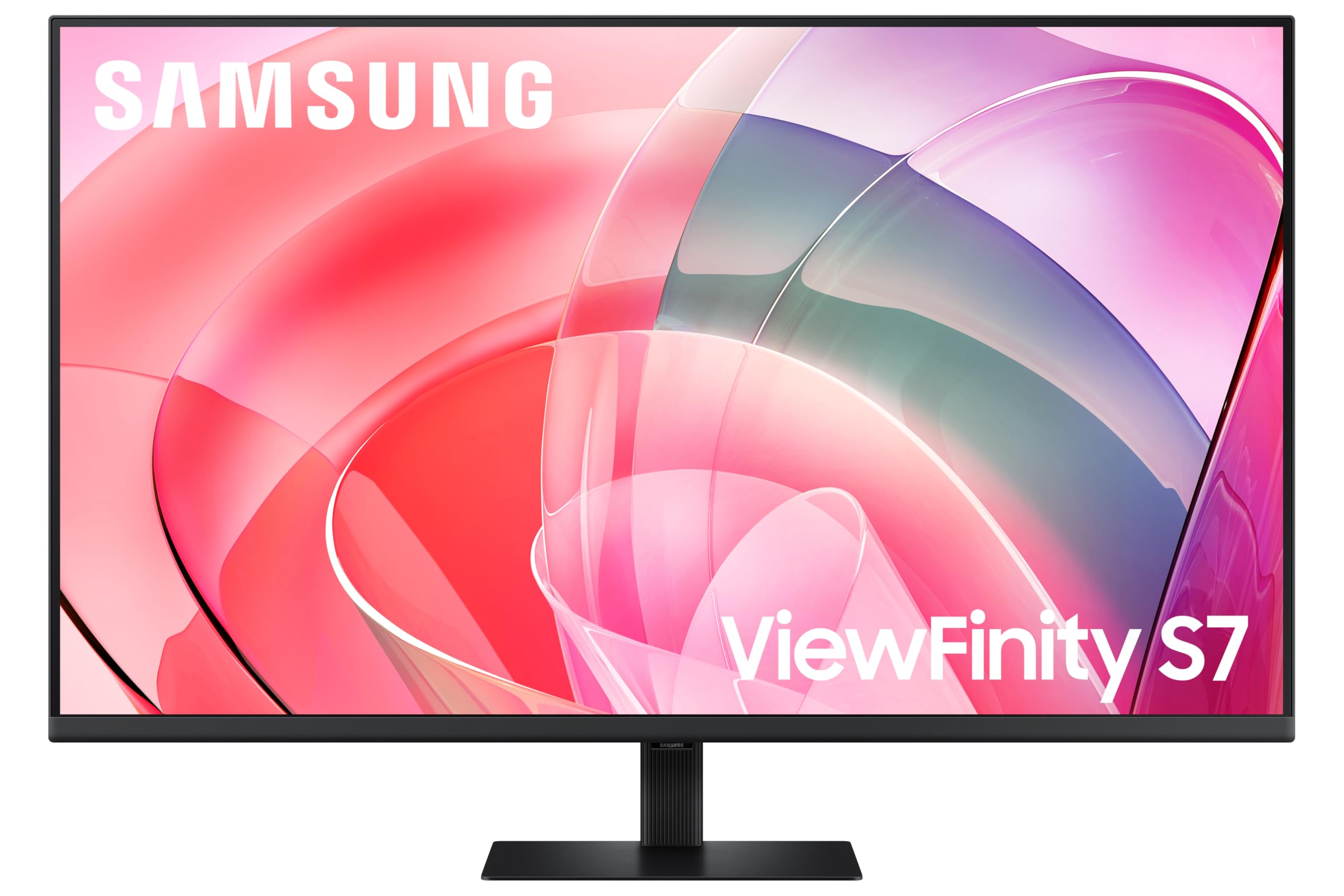 8.0 / 10
Samsung LS37D702EAUXXU 37" 4K Viewfinity Monitor - 3840 x 2160, Ultra HD, HDMI, Displayport
£329.00 · Samsung
Frequently asked
5 questions01Is the Dell S2721QSA 27 Inch 4K UHD (3840x2160) Monitor, 60Hz, IPS, 4ms, AMD Radeon FreeSync, 99% sRGB, Built-in Speakers, DisplayPort, 2x HDMI, 3 Year Warranty, Silver good for gaming?+
For casual gaming it's fine, but for anything competitive or fast-paced it falls short. The 60Hz refresh rate is the hard ceiling here. Modern games look stunning in 4K on the IPS panel, but you're capped at 60 frames per second and anything above that is wasted. AMD FreeSync helps smooth out frame delivery in the 40 to 60fps range and eliminates tearing, which is genuinely useful. The 4ms GtG response time is adequate for 60Hz gaming with no obvious ghosting in typical content. But if you've ever used a 144Hz or 165Hz monitor, going back to 60Hz will feel noticeably less fluid. For strategy games, RPGs, and slower-paced titles, it's a great-looking display. For competitive shooters or racing games where frame rate advantage matters, look at a dedicated gaming monitor instead.
02Does the Dell S2721QSA 27 Inch 4K UHD (3840x2160) Monitor, 60Hz, IPS, 4ms, AMD Radeon FreeSync, 99% sRGB, Built-in Speakers, DisplayPort, 2x HDMI, 3 Year Warranty, Silver have good HDR?+
Honestly, no. HDR support is present and it will accept and display an HDR signal, but the visual improvement over SDR is marginal. Genuine HDR requires high peak brightness and local dimming to control contrast zone by zone. At this price point and with a standard IPS backlight, the S2721QSA sits in the checkbox HDR category. You'll get slightly brighter highlights and marginally more saturated colours in HDR mode, but nothing like the dramatic contrast and brightness you see on OLED or Mini-LED panels with proper local dimming. If HDR quality matters to you, this isn't the monitor to buy for that reason.
03Is the Dell S2721QSA 27 Inch 4K UHD (3840x2160) Monitor, 60Hz, IPS, 4ms, AMD Radeon FreeSync, 99% sRGB, Built-in Speakers, DisplayPort, 2x HDMI, 3 Year Warranty, Silver good for content creation?+
Yes, for sRGB-based content creation it's a strong choice. The 99% sRGB coverage and IPS panel deliver accurate, consistent colour across wide viewing angles, and published measurements of the S2721QSA series show Delta-E values typically below 2 in standard mode, which is considered good colour accuracy for a consumer display. The always-on ComfortView Plus low blue light reduction is a bonus because it doesn't compromise colour accuracy the way a separate blue light mode would. For photography, graphic design, and video work destined for web or screen delivery, this monitor is well-suited. If your workflow requires wide-gamut DCI-P3 coverage for cinema work or print-focused Adobe RGB, you'll need a dedicated wide-gamut panel instead.
04What graphics card do I need for the Dell S2721QSA 27 Inch 4K UHD (3840x2160) Monitor, 60Hz, IPS, 4ms, AMD Radeon FreeSync, 99% sRGB, Built-in Speakers, DisplayPort, 2x HDMI, 3 Year Warranty, Silver?+
For desktop productivity and general use, almost any modern dedicated GPU will handle 4K at 60Hz without breaking a sweat. For gaming at 4K and targeting 60fps in demanding titles, you'll want something in the range of an Nvidia RTX 4070 or AMD RX 7800 XT as a minimum, with an RTX 4080 or RX 7900 XTX if you want to hit 60fps consistently in the most demanding games at maximum settings. The good news is that 60Hz is a much more achievable target for 4K gaming than 120Hz or 144Hz, so you don't need the absolute top-end GPU to get a good experience. For video editing and productivity, integrated graphics on modern CPUs can handle 4K display output, though a dedicated GPU is recommended for any video encoding or rendering work.
05What warranty and returns apply to the Dell S2721QSA 27 Inch 4K UHD (3840x2160) Monitor, 60Hz, IPS, 4ms, AMD Radeon FreeSync, 99% sRGB, Built-in Speakers, DisplayPort, 2x HDMI, 3 Year Warranty, Silver?+
Dell backs this monitor with a three-year Advanced Exchange Service and a Premium Panel Guarantee. The Advanced Exchange Service means Dell will ship a replacement unit before you return the faulty one, which is significantly better than the usual return-and-wait process. The Premium Panel Guarantee covers defective pixels from day one of ownership, removing the usual dead-pixel threshold that manufacturers typically apply before they'll replace a panel. These are genuinely strong warranty terms that are better than most competitors at this price point. Amazon's standard 30-day return window and A-to-Z guarantee also apply when purchased through Amazon UK.