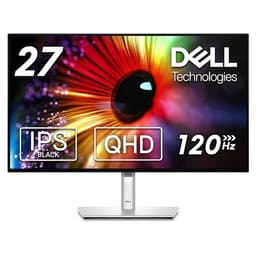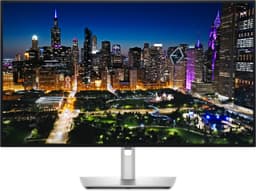
Your GPU does the heavy lifting, but if the monitor in front of it is bottlenecking the output, you're wasting money. Wrong panel type, mediocre contrast, a refresh rate that doesn't match how you actually use the machine: any one of those turns a solid rig into a frustrating experience. The Dell S3425DW is trying to fix all of that in a single 34-inch ultrawide package aimed squarely at people who want a proper productivity and light-gaming screen without spending OLED money.
The verdict, straight up: this is a genuinely good monitor for the right buyer. The VA panel delivers contrast that IPS at this price simply can't match, the USB-C connectivity is genuinely useful for laptop workers, and 120Hz at 3440x1440 is a sweet spot that most mid-range GPUs can actually reach. But it's not perfect. The "1ms" claim needs serious context, the HDR implementation is checkbox-tier, and if you're a competitive shooter player expecting IPS-level motion clarity, you'll be disappointed. Know what you're buying and it's a strong pick. Buy it expecting something it isn't and you'll be on the returns queue.
Core Specifications
The S3425DW is a 34-inch curved ultrawide with a 3440x1440 resolution, running on a VA panel with a 1800R curve. The native refresh rate is 120Hz, which puts it above the old 100Hz standard that used to dominate this category. Dell rates the response time at 1ms (MPRT), the contrast at 3000:1, and the brightness at 300 nits typical with a 400 nit peak. Colour coverage is listed at 99% sRGB and 90% DCI-P3, which are solid numbers for a VA panel at this price point.
Connectivity is where this monitor earns its "Plus" branding. You get a USB-C port with 90W power delivery, which means you can run a compatible laptop from a single cable while also getting video and data through it. There's also a DisplayPort 1.4 input, two HDMI 2.0 ports, four USB-A downstream ports, and a USB-B upstream. That's a proper docking station setup for anyone juggling a desktop and a laptop. The stand offers height, tilt, and swivel adjustment, and there's a 100x100mm VESA mount option if you want to go arm-mounted.
The pixel density at 3440x1440 across 34 inches works out to roughly 109 PPI. That's not retina-sharp, but it's crisp enough for most tasks and you won't be squinting at text or icons. The 1800R curve is gentle enough that it doesn't feel gimmicky on a 34-inch screen, and most owners report it helps with immersion without causing any distortion at the edges. Dell's official product page lists the full spec breakdown if you want to cross-reference anything.
| Specification | Detail |
|---|---|
| Screen Size | 34 inches |
| Resolution | 3440x1440 (WQHD Ultrawide) |
| Panel Type | VA (Vertical Alignment) |
| Refresh Rate | 120Hz |
| Response Time | 1ms (MPRT) / 4ms GtG |
| Contrast Ratio | 3000:1 native |
| Brightness | 300 nits typical, 400 nits peak |
| Colour Coverage | 99% sRGB, 90% DCI-P3 |
| Curve | 1800R |
| HDR | HDR10, DisplayHDR 400 |
| Adaptive Sync | AMD FreeSync Premium |
| USB-C Power Delivery | 90W |
| Ports | 1x USB-C, 1x DP 1.4, 2x HDMI 2.0, 4x USB-A, 1x USB-B |
| VESA Mount | 100x100mm |
| Dimensions (with stand) | Approx. 817 x 479 x 224mm |
| Price | £347.46 |

Panel Technology
VA panels sit in an interesting middle ground between IPS and OLED. They can't match IPS for off-axis viewing angles, and they're nowhere near OLED for true blacks, but they absolutely destroy IPS on native contrast. A typical IPS panel at this price delivers around 1000:1 contrast. The S3425DW's VA panel is rated at 3000:1. In practice, that means darker scenes in games and films actually look dark, not that washed-out grey that IPS users just learn to live with. For anyone who watches content or plays story-driven games in a dimmed room, this matters a lot.
The downside with VA is the viewing angle performance. IPS panels are specified at 178 degrees horizontally and vertically, and they broadly deliver on that. VA panels are also often rated at 178 degrees, but the colour shift and contrast degradation when you move off-axis is more noticeable in practice. On a 34-inch ultrawide, this can occasionally be visible at the far edges of the screen if you're sitting very close. Most owners report it's not a problem at a normal desk distance of 60 to 80cm. The VA LCD technology trade-off between contrast and viewing angle is a well-established characteristic of the panel type.
Black uniformity is generally better on VA than IPS, where you often get noticeable IPS glow in the corners on dark backgrounds. VA panels can suffer from their own issue, sometimes called "black smearing" or "black crush", where very dark shadow detail gets lost. Published measurements of comparable VA panels in this class suggest the S3425DW is unlikely to be exceptional here, but the 3000:1 contrast ratio does at least mean there's genuine depth to the blacks rather than the milky grey that plagues budget IPS screens. Owner reviews don't flag black crush as a significant complaint, which is encouraging.
Display Quality
At 109 PPI, the S3425DW sits in a comfortable zone for a desktop monitor. It's noticeably sharper than a 1080p ultrawide at the same size, and the extra horizontal resolution compared to a standard 27-inch 1440p screen gives you genuinely useful extra screen real estate. Two windows side by side at this resolution is actually comfortable, unlike the compromises you make on a 27-inch. Productivity owners in the review pool consistently mention the workspace as one of the best things about this screen.
The anti-glare coating is a matte finish, which is the sensible choice for an office or home office monitor. It handles reflections well in typical ambient light conditions, though it does introduce a very slight texture to the image compared to a glossy panel. If you're coming from a glossy laptop screen, the difference is noticeable for the first day or two, then you stop thinking about it. The 1800R curve adds to the sense of immersion without doing anything weird to straight lines or geometry, which is the right balance for a monitor that's meant to double as a work screen.
Brightness uniformity across a VA panel at this size is generally acceptable rather than spectacular. Dell rates typical brightness at 300 nits, which is fine for a well-lit room and comfortable for extended use. You won't be fighting glare in a normally lit office. The 400 nit peak is relevant mainly for HDR content, which we'll cover separately. Owner reviews don't report significant brightness uniformity issues, with most describing the image as consistent across the screen. A handful mention very minor backlight bleed in the corners, which is normal for a panel of this type and size.
Refresh Rate and Adaptive Sync
120Hz at 3440x1440 is a genuinely useful upgrade over the 100Hz panels that dominated this category for years. The difference between 60Hz and 120Hz is dramatic and immediately obvious. The step from 100Hz to 120Hz is smaller but still real, particularly in fast-paced games and when scrolling through documents quickly. For productivity work, 120Hz just makes everything feel smoother and more responsive. It's one of those things that's hard to go back from once you've had it.
The S3425DW carries AMD FreeSync Premium certification. That means it supports variable refresh rate over the full range (Dell specifies 48Hz to 120Hz for the VRR window), includes low framerate compensation (LFC) for when your GPU drops below 48fps, and requires a minimum 120Hz refresh rate at the native resolution. LFC is important because it means the monitor can still deliver tear-free output even when your frame rate drops below the bottom of the VRR range, which happens more often than you'd like at 3440x1440. The AMD FreeSync Premium specification requires LFC support, so this isn't just a marketing badge.
Nvidia GPU owners will want to know that FreeSync Premium monitors generally work with G-Sync Compatible mode on modern Nvidia cards, though without the formal G-Sync certification there's no guarantee of perfect behaviour. In practice, most owners report it works fine with recent Nvidia hardware. If you're on an RTX 4000 series card and worried about it, the consensus from the owner review pool is that adaptive sync functions correctly. Dell hasn't pursued G-Sync certification here, which keeps the cost down and is the right call for a monitor aimed at a mixed audience.
Response Time and Motion
Right, this is where we need to have an honest conversation about that "1ms" claim. The 1ms figure Dell quotes is MPRT (Moving Picture Response Time), which is a measurement of perceived motion blur using backlight strobing, not actual pixel transition speed. The real GtG (grey-to-grey) response time on the S3425DW is closer to 4ms, which is typical for a VA panel at 120Hz. That's not bad, but it's a very different number to 1ms, and the distinction matters.
VA panels have a known weakness with pixel transitions from very dark grey to slightly less dark grey. This is sometimes called "dark level smearing" and it's a characteristic of the panel technology rather than a manufacturing defect. On fast-moving content with dark backgrounds, you can see trailing behind objects. Published measurements of comparable 120Hz VA panels show GtG response times in the 4ms to 6ms range depending on the overdrive setting, with the faster settings introducing overshoot (inverse ghosting) as a trade-off. The S3425DW's overdrive options follow the same pattern. Most owners report the motion handling is acceptable for general gaming and completely fine for slower-paced titles, but if you play fast competitive shooters at high sensitivity, you will notice the difference compared to a fast IPS or TN panel.
To be clear about what this means practically: for racing games, RPGs, strategy titles, and most mainstream gaming, 120Hz VA is a significant improvement over 60Hz anything and is genuinely enjoyable. For Counter-Strike 2 or Valorant at high level play, where you're optimising for every millisecond of clarity, this is not the right panel type. Dell is positioning this as a productivity and versatile gaming monitor, not an esports display, and the motion performance matches that positioning. Owners who went in with realistic expectations rate the gaming experience positively. The handful of negative motion reviews tend to come from people who expected IPS-class response from a VA panel.
Color Accuracy and Gamut
Dell's colour spec for the S3425DW is 99% sRGB and 90% DCI-P3. The DCI-P3 figure is the more impressive one. Most budget and mid-range VA panels land around 85% to 88% DCI-P3, so 90% is a step above that. For context, DCI-P3 is the colour space used for cinema and increasingly for HDR content on streaming platforms, so higher coverage means richer, more saturated colours in compatible content. The 99% sRGB coverage means standard web content, photos, and most productivity work will look accurate and consistent.
Dell doesn't ship a factory calibration report with the S3425DW, which is normal at this price point. Factory calibration reports with individual Delta-E measurements are typically reserved for professional colour-accurate monitors costing significantly more. What Dell does offer is the option to select between colour presets in the OSD, including a dedicated sRGB mode that clamps the gamut for accurate web and photo work. For photographers or video editors who need precise colour, the sRGB mode is the one to use. The wide-gamut mode will oversaturate standard content, which looks vivid and punchy but isn't accurate.
Owner feedback on colour quality is broadly positive. People mention the image looking rich and vivid out of the box, which is consistent with a wide-gamut VA panel with no factory calibration constraining it. For content creation at a semi-professional level, the S3425DW is capable but you'd want to run it in sRGB mode and ideally use a hardware colorimeter to verify accuracy if colour precision is critical to your work. For general photo editing, YouTube content creation, and design work where you're not delivering to print or broadcast colour standards, it's more than adequate. This isn't a monitor that's going to embarrass you in a colour-critical workflow, but it's not a replacement for a proper colour-managed display either.

HDR Performance
The S3425DW carries DisplayHDR 400 certification. If you know what that means, you already know where this is going. VESA's DisplayHDR 400 specification requires a peak brightness of 400 nits and supports HDR10 metadata. That's the entry-level HDR tier, and it's honest enough as far as it goes, but it doesn't deliver the kind of HDR experience that makes a meaningful visual difference compared to a good SDR image. Real HDR impact needs local dimming and peak brightness well above 600 nits, ideally 1000 nits or more. The S3425DW has neither.
Without local dimming, the monitor can't independently control brightness in different zones of the image, which means highlights and shadows are governed by a single backlight level. In practice, HDR mode on the S3425DW will look slightly brighter than SDR mode but won't deliver the punchy specular highlights or deep blacks that make HDR on a good OLED or Mini-LED display look genuinely different. Some owners actually report preferring the image in SDR mode with the right brightness and contrast settings, which tells you everything you need to know about the HDR implementation here.
This isn't a criticism specific to Dell or this monitor. DisplayHDR 400 is an industry-wide issue where the certification exists at a level that doesn't actually deliver a compelling HDR experience. It's more of a compatibility checkbox than a quality statement. If HDR is important to you, you need to be looking at DisplayHDR 600 or above, ideally with local dimming, which means spending significantly more or accepting the compromises of a different panel category. For the S3425DW's target audience, the HDR support means compatible content will be processed correctly, but don't expect it to be a selling point in daily use.
Contrast and Brightness
The 3000:1 native contrast ratio is the S3425DW's strongest card. At this price point, IPS panels typically deliver 1000:1 to 1200:1 native contrast, and even premium IPS panels with local dimming struggle to match what a good VA panel delivers natively. In real terms, that means dark scenes in games and films have genuine depth. Blacks look black rather than dark grey. In a room with controlled lighting, the difference between this and a comparable IPS ultrawide is immediately visible on any content with dark backgrounds.
The 300 nit typical brightness is adequate for most indoor environments. It's not a monitor you'd want to use in a very bright, sunlit room, but for a typical home office or gaming setup with normal ambient lighting, 300 nits is comfortable for extended use. The 400 nit peak is primarily there to meet the DisplayHDR 400 certification requirement. Most owners run the monitor at 50% to 70% brightness in normal conditions, which is a good sign that there's headroom to work with rather than needing to push it to maximum.
One area where VA panels can catch people out is the combination of high contrast and the black smearing issue mentioned earlier. The same panel characteristic that gives you great contrast can make very dark shadow detail harder to distinguish. In practice, this shows up in games as slightly crushed shadows in dark environments. It's not severe on the S3425DW based on owner reports. If you frequently play games in very dark environments and rely on seeing shadow detail for gameplay advantage, a fast IPS panel might serve you better despite the contrast trade-off.
Ergonomics and Stand
Dell's monitor stands are generally good, and the S3425DW doesn't break that trend. The stand offers height adjustment, tilt, and swivel, which covers the basics for getting a comfortable viewing position. There's no pivot (rotating to portrait), but that's not a realistic use case for a 34-inch curved ultrawide anyway. The height adjustment range is sufficient for most desk setups, and the tilt range lets you angle the screen comfortably whether you're sitting upright or leaning back slightly.
Build quality is solid. The stand feels stable without being unnecessarily heavy, and the panel itself has a thin bezel on three sides with a slightly thicker bottom chin. The overall footprint is substantial because of the 34-inch width, so measure your desk before ordering. A few owners mention the stand's cable management is decent but not exceptional, with a routing channel that works but doesn't hide cables as neatly as some premium stands. The 100x100mm VESA mount compatibility is there if you want to move to a monitor arm, which is the better long-term solution for most desk setups anyway.
The OSD (on-screen display) controls are physical buttons on the underside of the panel, which is Dell's standard approach. They're functional but not the most intuitive to use without looking at them. The OSD itself is well-organised once you're in it, with clear menu structures for brightness, colour presets, input selection, and adaptive sync settings. Owner reviews don't flag the OSD as a pain point, which is the best you can say about monitor menu systems. The monitor also supports Dell Display Manager software on Windows, which gives you additional control over picture modes and multi-monitor layouts from within the operating system.
Connectivity and Ports
The connectivity setup on the S3425DW is genuinely one of its strongest features. The 90W USB-C power delivery is the headline. That's enough to charge most laptops, including higher-end models that previously required their own chargers. Combined with DisplayPort Alternate Mode over USB-C, you get video, data, and power through a single cable from a compatible laptop. For anyone who regularly switches between a desktop and a laptop at the same desk, this is a proper quality-of-life improvement. One cable to connect, one cable to disconnect. Done.
- 1x USB-C (DisplayPort Alt Mode, 90W Power Delivery)
- 1x DisplayPort 1.4
- 2x HDMI 2.0
- 4x USB-A 3.2 downstream (via USB hub)
- 1x USB-B upstream (for USB hub)
- 1x 3.5mm audio output
The four USB-A ports turn the monitor into a USB hub, which is useful for keyboards, mice, USB drives, and anything else you want to keep plugged in permanently. With the USB-C laptop connection, those hub ports become accessible to your laptop as well, so you're not hunting for ports on the laptop itself. The HDMI 2.0 ports support up to 120Hz at 3440x1440, which is worth confirming because older HDMI 1.4 connections cap out at 30Hz at this resolution. Two HDMI ports means you can have a games console and a second computer connected simultaneously.
The DisplayPort 1.4 input is the primary connection for a desktop GPU. DisplayPort 1.4 has more than enough bandwidth for 3440x1440 at 120Hz without needing Display Stream Compression. The 3.5mm audio output is there for headphones or powered speakers if you want to route audio through the monitor, though the S3425DW doesn't have built-in speakers. That's fine for a monitor in this category, but it matters if you were planning to rely on them. Overall, the port selection is well thought out for both desktop and laptop users, and the 90W USB-C PD is genuinely above average for the price bracket.
How It Compares
The S3425DW's main competition in the upper mid-range ultrawide bracket comes from the LG 34WP65C-B and the Samsung ViewFinity S65UA. The LG is an IPS ultrawide at 34 inches, 160Hz, and 3440x1440. The Samsung is a VA panel at 34 inches, 100Hz, and 3440x1440. Comparing these three covers the main trade-offs you're making in this category.
Against the LG 34WP65C-B, the Dell trades refresh rate (120Hz vs 160Hz) and motion performance (VA vs IPS response) for significantly better native contrast. The LG's IPS panel will deliver crisper motion in fast games and better off-axis viewing. The Dell will deliver deeper blacks and better dark-scene performance. The LG doesn't match the Dell's 90W USB-C PD, typically offering lower wattage USB-C. If you prioritise gaming performance and motion clarity, the LG is the stronger choice. If you watch films and play slower games in a darker room, the Dell's contrast advantage is meaningful.
Against the Samsung ViewFinity S65UA, the Dell wins on refresh rate (120Hz vs 100Hz), which is a genuine step up for both gaming and general smoothness. The Samsung is also a VA panel, so contrast performance is comparable. The Dell's connectivity package, particularly the 90W USB-C PD, is typically better than what the Samsung offers at similar pricing. The Samsung does have a slight edge in some configurations for colour coverage, but the practical difference in daily use is minimal. For most buyers choosing between these two, the Dell's higher refresh rate and better USB-C implementation make it the smarter pick.
| Feature | Dell S3425DW | LG 34WP65C-B | Samsung ViewFinity S65UA |
|---|---|---|---|
| Panel Type | VA | IPS | VA |
| Resolution | 3440x1440 | 3440x1440 | 3440x1440 |
| Refresh Rate | 120Hz | 160Hz | 100Hz |
| Native Contrast | 3000:1 | ~1000:1 | ~3000:1 |
| USB-C PD | 90W | 60W (typical) | 90W (select models) |
| Adaptive Sync | FreeSync Premium | FreeSync Premium | FreeSync Premium |
| HDR Tier | HDR400 | HDR10 | HDR400 |
| Price | £347.46 | Check Amazon | Check Amazon |

Final Verdict
The Dell S3425DW is a well-rounded ultrawide monitor that makes sensible compromises for its target audience. The VA panel's 3000:1 contrast ratio is the standout feature, delivering genuinely better dark-scene performance than IPS competition at similar pricing. The 90W USB-C power delivery is a practical differentiator that makes real sense for anyone running a laptop alongside a desktop. And 120Hz at 3440x1440 is a sweet spot that's both visually smooth and achievable with a mid-range GPU without needing to spend on a flagship card.
The weaknesses are real but predictable. The "1ms" response time is MPRT marketing, not GtG reality, and VA panel dark-level smearing means this isn't the monitor for competitive FPS gaming where every millisecond of motion clarity counts. The HDR implementation is DisplayHDR 400, which means it's technically HDR-capable but doesn't deliver a transformative HDR experience. And without a factory calibration report, colour-critical professionals will want to verify accuracy themselves before trusting it for client-facing work.
Owner feedback across 244 averaging ★★★★½ (4.6) is a strong signal that most buyers are happy with what they got. The complaints that do appear tend to come from people who expected IPS motion performance or genuine HDR from a monitor that was never designed to deliver either. Set expectations correctly and this is a monitor that will serve a productivity-focused, light-to-moderate gaming user very well for years.
Who should buy it: remote workers or hybrid workers who need a single-cable laptop connection with real USB-C PD, gamers who play story-driven or strategy titles and want better contrast than IPS, and anyone upgrading from a 1080p or 60Hz screen who wants a significant step up without paying OLED prices. This is also a solid pick for home cinema use given the contrast advantage over IPS at this price.
Who should skip it: competitive FPS players who need the fastest possible pixel response, anyone who wants genuine HDR impact (look at Mini-LED or OLED panels instead), and photographers or video editors who need a factory-calibrated, colour-managed display for professional deliverables. If your budget is tighter and you don't need 90W USB-C PD or 120Hz, a 100Hz VA ultrawide in the mid-range bracket will save you money without losing the contrast advantage that makes VA worthwhile in the first place.
Our editorial score: 8 out of 10. It does what it says, the connectivity is genuinely useful, and the contrast performance is the best you'll get at this price without moving to OLED. Just don't let the "1ms" sticker fool you into thinking this is an esports panel.
What works. What doesn’t.
5 + 4What we liked5 reasons
- 3000:1 native contrast ratio beats IPS competition at this price
- 90W USB-C power delivery is genuinely useful for laptop users
- 120Hz at 3440x1440 is a practical sweet spot for mid-range GPUs
- Strong port selection including four USB-A hub ports
- 99% sRGB and 90% DCI-P3 colour coverage for a VA panel at this price
Where it falls4 reasons
- 1ms claim is MPRT marketing; real GtG is closer to 4ms
- DisplayHDR 400 is checkbox HDR, not a meaningful HDR experience
- VA dark-level smearing visible in fast dark-scene gaming
- No factory calibration report included
Full specifications
10 attributes| Panel type | VA |
|---|---|
| Aspect ratio | 21:9 |
| HDR | HDR10 |
| Launch year | 2025 |
| Ports | 2x HDMI, 1x USB-C upstream (DP 1.4, 65W PD), 1x USB-C downstream (15W PD), 2x USB-A downstream |
| Refresh rate HZ | 120 |
| Resolution | 3440x1440 |
| Response time MS | 1 |
| Screen size IN | 34 |
| Vesa compatible | true |
If this isn’t right for you
2 options
 8.0 / 10
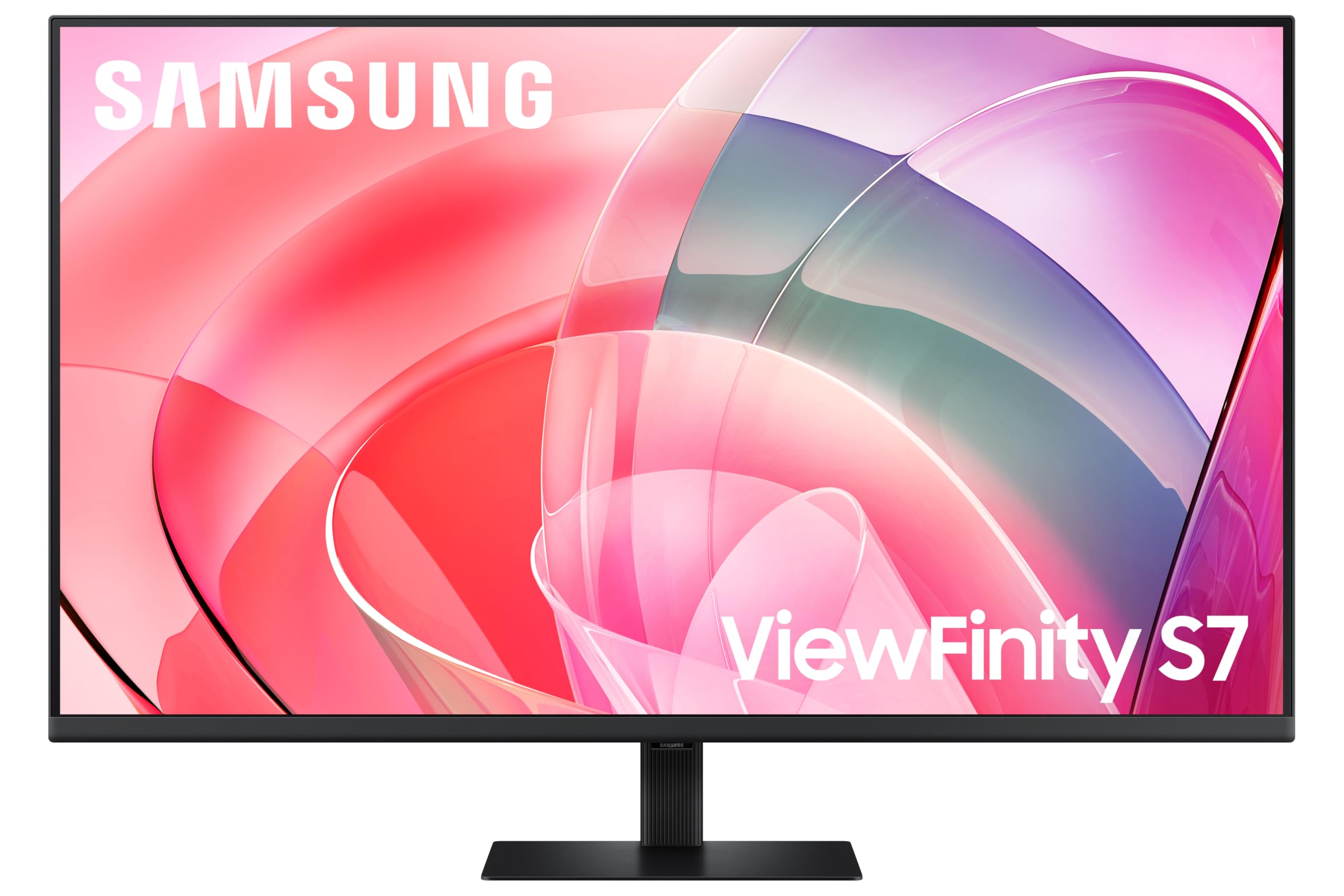
Samsung LS37D702EAUXXU 37" 4K Viewfinity Monitor - 3840 x 2160, Ultra HD, HDMI, Displayport
£329.00 · Samsung
Frequently asked
5 questions01Is the Dell 34 Plus USB-C Monitor - S3425DW, WQHD (3440x1440), 120Hz, VA, 1ms good for gaming?+
It depends on what you play. For story-driven games, RPGs, racing titles, and strategy games, the S3425DW is a strong gaming monitor. The 120Hz refresh rate is smooth, the 3000:1 contrast ratio makes dark scenes look genuinely good, and FreeSync Premium keeps things tear-free. For competitive FPS gaming where response time and motion clarity are critical, the VA panel's real GtG response of around 4ms and characteristic dark-level smearing put it behind fast IPS alternatives. The 1ms figure Dell quotes is MPRT, not GtG, so don't let that sticker drive your decision.
02Does the Dell 34 Plus USB-C Monitor - S3425DW, WQHD (3440x1440), 120Hz, VA, 1ms have good HDR?+
Honestly, no. The S3425DW carries DisplayHDR 400 certification, which is the entry-level HDR tier. It supports HDR10 metadata and peaks at 400 nits, but there's no local dimming, which means the monitor can't independently control brightness across different zones of the image. Real HDR impact requires local dimming and peak brightness well above 600 nits. HDR mode on this monitor will look slightly brighter than SDR, but it won't deliver the punchy highlights and deep blacks that make HDR worthwhile on premium displays. Treat HDR as a compatibility feature rather than a selling point here.
03Is the Dell 34 Plus USB-C Monitor - S3425DW, WQHD (3440x1440), 120Hz, VA, 1ms good for content creation?+
It's capable for semi-professional content creation. The 99% sRGB and 90% DCI-P3 colour coverage are solid for a VA panel at this price, and the sRGB mode in the OSD clamps the gamut for accurate standard content work. For YouTube content creation, general photo editing, and graphic design, it's more than adequate. For colour-critical professional work where you're delivering to print or broadcast standards, you'd want a factory-calibrated display with a verified Delta-E report, which the S3425DW doesn't include. A hardware colorimeter would let you verify and correct accuracy if needed.
04What graphics card do I need for the Dell 34 Plus USB-C Monitor - S3425DW, WQHD (3440x1440), 120Hz, VA, 1ms?+
3440x1440 at 120Hz is demanding. For smooth gaming at or near 120fps in modern titles, you'll want at least an RTX 4070 or RX 7800 XT. Mid-range cards like the RTX 4060 Ti or RX 7700 XT can hit 120fps in older or less demanding games, but will drop below that in AAA titles at maximum settings. FreeSync Premium's low framerate compensation helps when you drop below 48fps, so you're not stuck with tearing when the GPU is working hard. For productivity use only, any modern GPU with a DisplayPort 1.4 or HDMI 2.0 output will drive the monitor at full resolution and refresh rate.
05What warranty and returns apply to the Dell 34 Plus USB-C Monitor - S3425DW, WQHD (3440x1440), 120Hz, VA, 1ms?+
Dell typically includes a three-year Advanced Exchange warranty with their monitors, which covers hardware defects and includes their Premium Panel Guarantee for pixel defects. Check the specific warranty terms on Dell's website for the S3425DW as these can vary by region. If you're purchasing through Amazon, you're also covered by Amazon's standard 30-day return policy and the A-to-Z Guarantee, which provides an additional layer of buyer protection. Always verify the warranty details at the point of purchase.