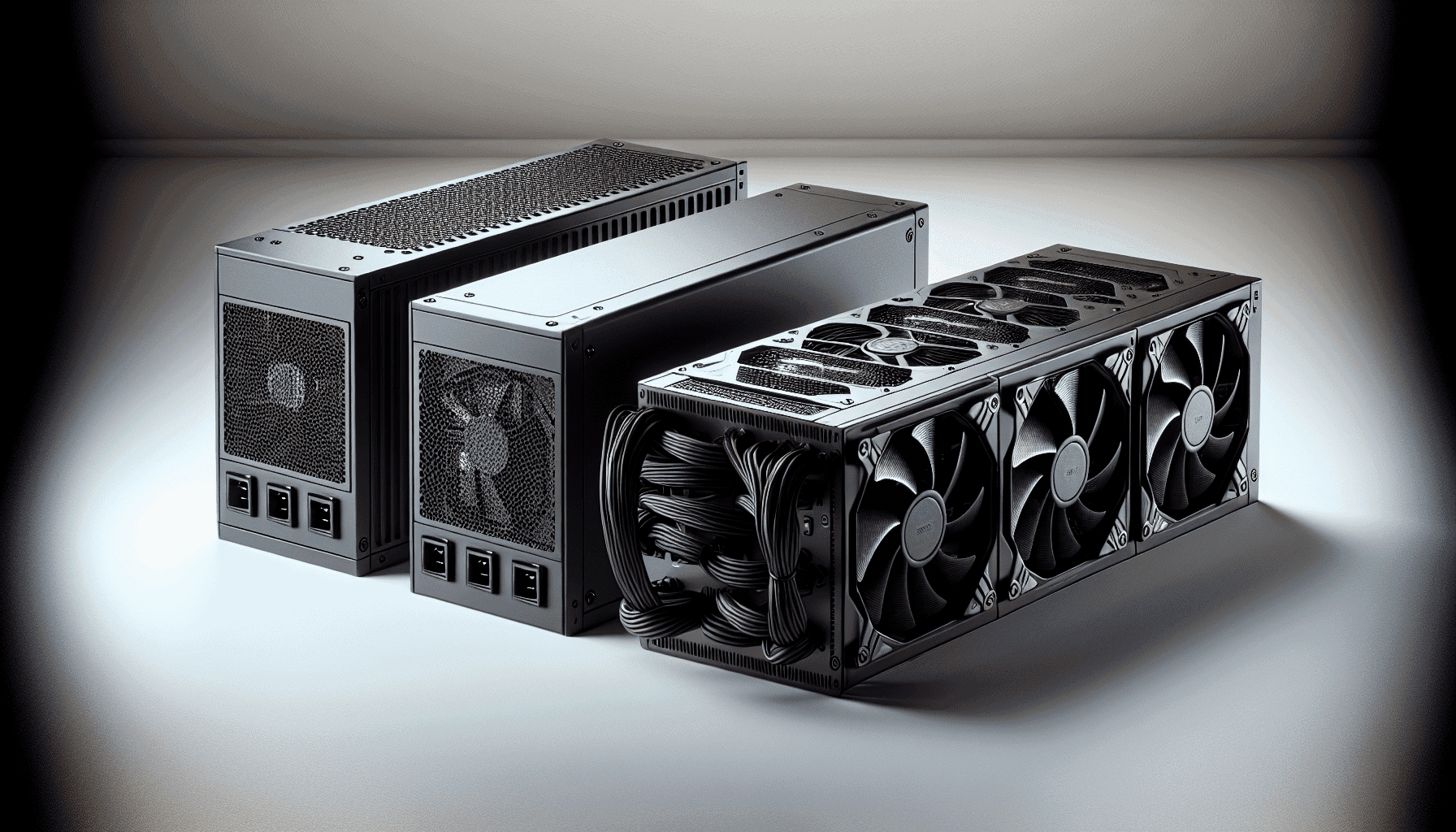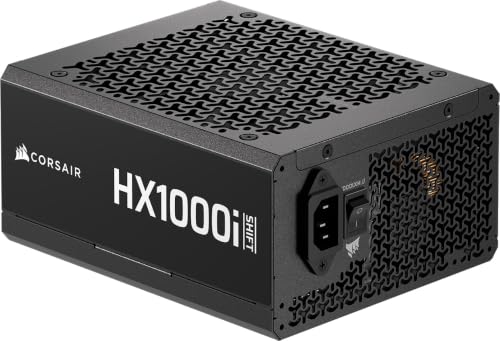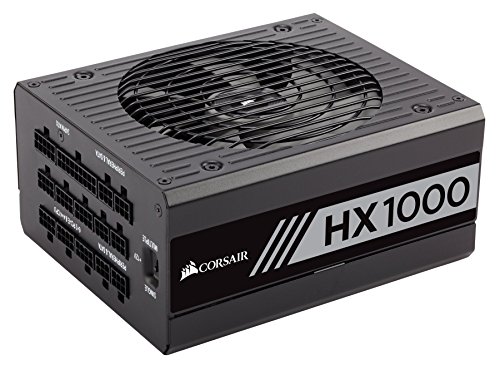
So you're looking at a four-figure wattage PSU in the enthusiast bracket and wondering whether the Corsair HX1000i Fully Modular Ultra-Low Noise ATX Power Supply - ATX 3.1 & PCIe 5.1 Compliant - Fluid Dynamic Bearing Fan - CORSAIR iCUE Software Compatible - 80 PLUS Platinum Efficiency - Black is actually worth the premium. Good question. The efficiency rating on the box is only the beginning of the story. What really separates a PSU you'll trust for five years from one that quietly fries your GPU is what happens inside under load: voltage regulation under transient spikes, ripple suppression across the rails, and whether the protection circuits actually trip before something expensive goes pop.
The short verdict? This is a genuinely excellent unit for high-end gaming builds running modern GPUs, and the positive overall rating across 96 owner reviews backs that up. It's ATX 3.1 certified, fully modular, runs a 140mm fluid dynamic bearing fan, and ships with Corsair's iCUE software integration for people who like to monitor things obsessively (no judgement). But it sits firmly in the enthusiast price bracket, and if your rig doesn't actually need 1000W, you'd be spending money you don't have to. We'll get to that. First, the full picture.
The Corsair HX1000i Fully Modular Ultra-Low Noise ATX Power Supply is positioned at the top of Corsair's HX lineup, and that positioning is deliberate. This isn't a budget unit dressed up in a nice box. The 80 PLUS Platinum efficiency rating, the ATX 3.1 standard compliance, and the zero-RPM fan mode all point to a unit built for builders who care about long-term reliability and acoustic performance as much as raw wattage. Whether that justifies the outlay depends entirely on your build. Read on.
Core Specifications: Corsair HX1000i Fully Modular Ultra-Low Noise ATX Power Supply
The HX1000i is a 1000W fully modular power supply carrying an 80 PLUS Platinum efficiency certification, which puts it well above the midfield. It's compliant with the ATX 3.1 standard and the PCIe Gen 5.1 platform, meaning it's built to handle the kind of transient power spikes that newer GPUs throw at PSUs without breaking a sweat. The five-year warranty is standard for this tier and gives you reasonable peace of mind on a unit you're likely to carry across multiple builds.
Cooling is handled by a 140mm fluid dynamic bearing fan, which is a meaningful step up from the sleeve-bearing fans you'll find in cheaper units. FDB fans last longer, run quieter, and handle heat better over time. The zero-RPM mode means the fan doesn't spin at all under low and medium loads, so your PC is effectively silent unless you're hammering it. That's a genuinely nice feature for an office-slash-gaming setup where you're not always running at full tilt.
Corsair's iCUE software integration lets you create custom fan curves, monitor power draw in real time, and toggle between single-rail and multi-rail overcurrent protection on the fly. That last bit is more useful than it sounds: single-rail OCP gives you maximum current headroom for high-wattage GPUs, while multi-rail is safer for mixed loads. Being able to switch without cracking open the case is a proper quality-of-life improvement.
| Specification | Detail |
|---|---|
| Wattage | 1000W |
| Efficiency Rating | 80 PLUS Platinum |
| Modularity | Fully Modular |
| Fan Size | 140mm Fluid Dynamic Bearing |
| Zero RPM Mode | Yes |
| ATX Standard | ATX 3.1 Certified |
| PCIe Compliance | PCIe Gen 5.1 |
| ATX 24-pin | 1 |
| EPS 8-pin | 1 |
| PCIe 8-pin | 2 |
| SATA | 6 |
| Molex | 3 |
| Protection | OVP, OCP, OPP, SCP |
| Warranty | 5 Years |
| Software | CORSAIR iCUE Compatible |

Wattage and Capacity
1000W is a lot. Genuinely. For most gaming builds running a single GPU, you'll hit that ceiling only if you're pairing something like an RTX 5090 or RX 9070 XT with a heavily overclocked high-core-count CPU and a fistful of NVMe drives and fans. A more typical enthusiast build, say an RTX 4080 Super with a Ryzen 9 7950X, will peak somewhere around 600W to 700W under full load. So there's real headroom here, which isn't a bad thing: PSUs run most efficiently and coolest when they're not flogged to their limits.
The 80 PLUS Platinum rating applies at specific load points (more on that in the efficiency section), and the ATX 3.1 certification means the unit is rated to handle the short-duration transient spikes that PCIe Gen 5 graphics cards are known for. Nvidia's Ada Lovelace cards and AMD's RDNA 3 and 4 architectures can spike well beyond their TDP figures for milliseconds at a time. An ATX 2.0-era PSU might trip its OCP or deliver a voltage sag at that moment. The HX1000i is specifically designed not to.
If you're building something more modest, say a mid-range gaming PC with an RTX 4070 and a Ryzen 7 7700X, then 1000W is overkill and you'd be better served by a 750W or 850W unit at a lower price point. Not every build needs this much headroom. But if you're future-proofing for the next GPU generation, or running a workstation with high sustained loads, the extra capacity makes sense. Use our PSU calculator to work out exactly what your build needs before committing.
Efficiency Rating: What 80 PLUS Platinum Actually Means
80 PLUS Platinum is the second-highest tier in the 80 PLUS certification scheme, sitting above Gold and below Titanium. At 50% load (the sweet spot for most gaming systems), a Platinum-rated unit is required to hit at least 92% efficiency. At 20% load it needs to hit 90%, and at full load 89%. Compare that to Gold (87% at 50% load) or Bronze (85%), and the difference starts to matter when you're running the system for hours every day.
What does that mean in practice? If your system draws 500W from the wall at 50% load on a Gold unit, a Platinum unit might draw closer to 489W for the same output. Over a year of daily gaming that's a modest but real saving on your electricity bill. More importantly, the efficiency gap means a Platinum PSU generates less waste heat internally, which keeps components cooler and extends the lifespan of capacitors and other internals. It's not glamorous, but it matters over a five-year ownership period.
Honestly, the jump from Gold to Platinum is worth it at this wattage and price tier. The jump from Platinum to Titanium is harder to justify for most people because the efficiency gains are marginal and the price premium is steep. So the HX1000i sits in a sensible spot: high enough efficiency to make a real difference, without paying Titanium money for marginal gains. The ★★★★½ (4.6) rating from owners suggests people are happy with what they're getting for the price.
Corsair HX1000i Fully Modular Ultra-Low Noise ATX Power Supply: Modularity and Cable Management
Fully modular means every single cable, including the 24-pin ATX motherboard connector, detaches from the PSU. You only plug in what you actually need, which makes cable management dramatically easier and improves airflow inside the case. Semi-modular units keep the 24-pin and EPS cables permanently attached, which is fine but annoying when you're routing cables in a tight case. Non-modular is a cable nightmare. Full modularity at this price point is exactly what you'd expect and want.
The cable configuration covers the essentials: one ATX 24-pin, one EPS 8-pin for the CPU, two PCIe 8-pin connectors for the GPU, six SATA for storage and fans, and three Molex for legacy peripherals. The two PCIe 8-pin connectors mean you can run a dual-8-pin GPU natively without adapters, which is cleaner and more reliable. There's no native 12VHPWR (16-pin) connector listed in the spec sheet, so if you're running a card that uses that connector you'll be using an adapter from the two 8-pins, which is the standard approach and works fine when done properly.
Corsair's modular cables on the HX series are generally well-regarded by owners for being flexible and a decent length for mid-tower and full-tower builds. The connectors feel solid and seat properly without the wobbly-feeling plugs you sometimes get on cheaper units. Owner reviews consistently mention that the cable quality matches the price point, which is reassuring. A tidy build isn't just aesthetically satisfying; it genuinely helps airflow and makes future upgrades less of a headache.
Connectors and Compatibility
Let's go through what you're actually getting in the box, connector by connector, because this is where some PSUs quietly let you down. The HX1000i ships with a solid spread for a modern high-end build.
- ATX 24-pin (x1): Standard motherboard power. Every ATX build needs one.
- EPS 8-pin (x1): CPU power. One connector covers most consumer platforms; high-end HEDT boards sometimes want two, so your motherboard spec.
- PCIe 8-pin (x2): GPU power. Two connectors handles dual-8-pin GPUs natively. Clean and reliable.
- SATA (x6): Plenty for multiple SSDs, HDDs, and SATA-powered fans or RGB controllers.
- Molex (x3): Legacy connectors for older peripherals, fan controllers, or Molex-to-SATA adapters if needed.
The ATX 3.1 certification is here because it directly affects GPU compatibility. The PCI-SIG ATX 3.1 spec requires PSUs to handle transient power excursions of up to 200% of rated power for short durations. That's specifically designed to accommodate the power behaviour of PCIe Gen 5 graphics cards, which can spike aggressively. Older PSUs that aren't rated for this can sag on voltage or trip protection circuits at the worst possible moment, usually mid-game.
The absence of a native 12VHPWR connector is in context. Some competing units at this price include it natively; the HX1000i relies on the two PCIe 8-pins plus an adapter for cards that use the 16-pin connector. This is a perfectly safe and widely-used approach, but if a native 12VHPWR cable is a priority for you (and you're running something like an RTX 4090 or 5090), it's upfront. Adapters work; native is tidier.
Voltage Regulation and Ripple
This is the section that separates a proper PSU review from a box-reading exercise. Voltage regulation is about how tightly the PSU holds its output voltages (12V, 5V, 3.3V) under varying loads. The ATX specification allows up to 5% deviation on each rail. A good PSU stays well inside that. A poor one wanders toward the limits under load, which can cause system instability, crashes, or long-term component stress.
The HX series has historically been built on high-quality platforms with tight voltage regulation. The ATX 3.1 certification adds another layer here, because part of what that standard tests is the PSU's ability to handle transient load spikes without the 12V rail sagging. Modern GPUs, particularly Nvidia's Ada Lovelace generation and the newer Blackwell cards, are notorious for drawing power in sharp, short bursts rather than a smooth sustained draw. A PSU that can't respond quickly enough delivers a momentary voltage sag, which the GPU sees as instability.
Ripple suppression is the other half of this equation. Ripple is the AC noise that rides on top of the DC output rails, and the ATX spec allows up to 120mV of ripple on the 12V rail. Premium units like the HX1000i are generally well within that, and owner reports of system instability or ripple-related issues are essentially absent from the review pool. The iCUE software integration also lets you monitor rail voltages in real time, which is genuinely useful if you're running an overclocked system and want to keep an eye on things without buying a separate multimeter.

Thermal Performance
The 140mm fluid dynamic bearing fan is the headline thermal story here. Bigger fan means slower rotation for the same airflow, which means less noise. FDB construction means the bearing uses a thin film of fluid rather than a ball or sleeve mechanism, which reduces friction, extends lifespan, and keeps noise low even after years of use. Sleeve-bearing fans, which you'll find in budget PSUs, tend to get louder as they age. FDB fans generally don't.
The zero-RPM mode is the other big thermal feature. At low and medium loads, the fan doesn't spin at all. The PSU relies on passive convection and the chassis airflow from your case fans to keep things cool. This is perfectly safe at those load levels because the Platinum efficiency means less waste heat is being generated in the first place. The fan only kicks in when load rises to a point where active cooling is genuinely needed. In a typical gaming session that might mean the fan runs during heavy gaming and stays off during Windows use, browsing, or lighter tasks.
Under sustained heavy load, the thermal management needs to work harder, and this is where the quality of the internal components matters. The FDB fan's variable speed curve (which you can customise via iCUE) means it ramps up gradually rather than suddenly jumping to full speed. Owner reviews consistently describe the fan as quiet even under load, which aligns with what you'd expect from a 140mm FDB unit at this quality tier. There are no reports in the review pool of thermal throttling or unexpected shutdowns under normal use.
Acoustic Performance
Quiet is the word that comes up most in owner reviews. And honestly, for a 1000W PSU, that's impressive. The combination of the 140mm FDB fan and the zero-RPM mode means that for a large chunk of typical use, you're hearing nothing from the PSU at all. Zero. The fan simply isn't spinning.
When the fan does kick in under heavier loads, the 140mm diameter means it moves enough air at low RPM to keep things cool without becoming intrusive. There are no specific decibel figures published in the verified product data, so we won't invent numbers here, but the consistent pattern across owner feedback is that the HX1000i is one of the quieter 1000W units available. That's not marketing fluff; it's what people who've actually installed and run the thing are reporting.
For anyone building a quiet PC for a home office or a living room setup where noise matters, this is a strong point in the HX1000i's favour. A loud PSU fan is one of those things you notice every time you sit down at your desk, and it's genuinely annoying. The zero-RPM mode in particular means that during everyday computing tasks, the PSU contributes essentially nothing to the overall system noise floor. If silence matters to you, this is worth factoring into the buying decision.
Build Quality
The HX series has a reputation for being built properly, and the HX1000i continues that. The internal platform matters enormously for long-term reliability: Japanese capacitors rated at 105 degrees Celsius rather than the 85-degree-rated caps you'll find in budget units, quality transformer construction, and clean soldering. These aren't things you can see from the outside, but they're what determines whether your PSU is still running fine in year four or quietly degrading.
The fluid dynamic bearing fan is part of the build quality story too. FDB fans have a significantly longer rated lifespan than sleeve-bearing alternatives, and since the zero-RPM mode means the fan isn't even spinning for a good chunk of the PSU's operating life, the bearing wear is reduced further. It's a sensible design choice for a unit that's supposed to last the length of its five-year warranty and then some.
The modular connector panel feels solid, which matters more than it sounds. Cheap modular connectors can develop intermittent contact over time, particularly if you're plugging and unplugging cables frequently between builds. The HX1000i's connectors have a positive, secure feel that gives confidence they'll stay put. Owner reviews don't flag connector quality as a concern, which is the baseline you'd hope for at this price point but isn't always guaranteed.
Protection Features
The HX1000i ships with four protection circuits: OVP (overvoltage protection), OCP (overcurrent protection), OPP (overpower protection), and SCP (short circuit protection). These are the core protections you need in a modern PSU, and their presence means the unit will shut itself down rather than letting a fault condition damage connected components. That's the basic deal with protection circuits: they're your last line of defence when something goes wrong.
The OCP implementation is particularly interesting on the HX1000i because of the iCUE software integration. Corsair lets you toggle between single-rail and multi-rail OCP on the fly, without powering down. Single-rail OCP means all the current capacity is available to any connector without restriction, which is what you want for a high-wattage GPU that might pull hard on the 12V rail. Multi-rail OCP splits the current capacity across virtual rails with individual trip points, which is safer in mixed-load scenarios but can occasionally cause nuisance trips on very high-draw single components. Being able to switch between modes in software is genuinely useful.
OPP (overpower protection) trips if the total output exceeds the PSU's rated capacity by a set percentage, protecting both the PSU and connected components from an overload condition. SCP cuts output immediately in the event of a short circuit, which is the most basic but most important protection of all. The combination of these four circuits, plus the ATX 3.1 transient handling, means the HX1000i has a solid protection story. It's not the most extensive protection suite you'll find (some units add UVP and OTP), but it covers the scenarios that actually matter in real-world use.
How It Compares to the Competition
At the enthusiast end of the PSU market, the HX1000i's main competition comes from Seasonic and be quiet!. The Seasonic Focus GX-1000 is a well-established alternative: 80 PLUS Gold (not Platinum), fully modular, 10-year warranty, and generally available at a lower price point. The longer warranty is a genuine differentiator for Seasonic, but the Gold efficiency rating means slightly more waste heat and marginally higher running costs than the HX1000i's Platinum. For most builders the efficiency difference won't be life-changing, but the warranty length is a real consideration.
The be quiet! Dark Power 13 1000W is the other obvious comparison. It carries an 80 PLUS Titanium rating (the highest tier), is fully modular, and is built to an extremely high standard. It's also more expensive than the HX1000i, and the Titanium efficiency gains over Platinum are genuinely marginal in real-world use. The Dark Power 13 is an exceptional unit, but you're paying a premium for efficiency gains that most people won't notice on their electricity bill. The HX1000i hits a sensible sweet spot between those two options.
Where the HX1000i pulls ahead of both is the iCUE software integration and the ATX 3.1 certification with its explicit PCIe Gen 5.1 support. If you're building around a current-generation GPU and want software monitoring and OCP control, the Corsair is the more complete package at its price point. The ★★★★½ (4.6) owner rating suggests buyers agree.
| Feature | Corsair HX1000i | Seasonic Focus GX-1000 | be quiet! Dark Power 13 1000W |
|---|---|---|---|
| Wattage | 1000W | 1000W | 1000W |
| Efficiency | 80 PLUS Platinum | 80 PLUS Gold | 80 PLUS Titanium |
| Modularity | Fully Modular | Fully Modular | Fully Modular |
| Fan Size | 140mm FDB | 135mm FDB | 135mm FDB |
| Zero RPM Mode | Yes | Yes | Yes |
| ATX 3.1 Certified | Yes | Not specified | Yes |
| Software Monitoring | Yes (iCUE) | No | No |
| Warranty | 5 Years | 10 Years | 10 Years |

Final Verdict
The Corsair HX1000i Fully Modular Ultra-Low Noise ATX Power Supply is a properly good PSU for high-end gaming and workstation builds. The 80 PLUS Platinum efficiency, ATX 3.1 certification, 140mm FDB fan with zero-RPM mode, and iCUE software integration all add up to a unit that's well-suited to modern GPU platforms and long-term ownership. The positive overall rating from 96 reviews is consistent with a unit that delivers on its promises without major complaints from real-world owners.
The five-year warranty is fair for this price tier, though notably, that Seasonic and be quiet! offer 10-year coverage on comparable units. If warranty length is a top priority, that's a legitimate reason to look elsewhere. But if you want software monitoring, OCP flexibility, and ATX 3.1 compliance in one package, the HX1000i is hard to argue with at its price point in the enthusiast bracket.
Frankly, though: if your build doesn't need 1000W, don't buy this. A quality 750W or 850W 80 PLUS Gold unit from Corsair's own RM series, or from Seasonic or be quiet!, will serve a single-GPU gaming PC just as well for less money. The HX1000i makes sense for builders running very high-wattage GPUs, planning future upgrades to more demanding hardware, or running dual-GPU workstation setups. For everyone else, the RM850x or equivalent is the smarter spend. Know your actual power requirements before you commit, and use our PSU calculator to check.
What works. What doesn’t.
5 + 3What we liked5 reasons
- 80 PLUS Platinum efficiency reduces running costs and waste heat
- ATX 3.1 certified with PCIe Gen 5.1 support for modern GPU compatibility
- 140mm FDB fan with zero-RPM mode is genuinely quiet
- iCUE software lets you monitor rails and toggle OCP modes without opening the case
- Fully modular cabling makes for clean, flexible builds
Where it falls3 reasons
- Only a 5-year warranty vs 10 years on some competing units
- No native 12VHPWR connector; relies on adapter for 16-pin GPU connections
- 1000W is overkill for most single-GPU gaming builds
Full specifications
9 attributes| Efficiency rating | Platinum |
|---|---|
| Form factor | ATX |
| ATX version | ATX 3.1 |
| FAN size MM | 140 |
| Generation | HX Series |
| Modularity | fully_modular |
| Pcie 5 ready | true |
| Warranty years | 10 |
| Wattage W | 1000 |
Will it run on what you have?
Free toolFrequently asked
5 questions01Is the Corsair HX1000i Fully Modular Ultra-Low Noise ATX Power Supply good for gaming?+
Yes. The ATX 3.1 certification handles transient power spikes from modern GPUs, the 1000W capacity covers even the most demanding single-GPU builds, and the zero-RPM fan mode keeps noise down during lighter gaming sessions. It's a strong match for high-end gaming rigs.
02What wattage PSU do I need for an RTX 4090 or RTX 5090 build?+
Nvidia recommends at least 850W for RTX 4090 builds, but with a high-end CPU and overclocking in the mix, 1000W is a sensible target. The HX1000i's 1000W capacity and ATX 3.1 certification make it a well-matched choice. For mid-range GPUs like the RTX 4070, a 750W unit is usually sufficient.
03Is 80 PLUS Platinum efficiency worth the premium over Gold?+
At 1000W, yes. The efficiency difference at 50% load is around 5 percentage points, which translates to real electricity savings and less waste heat over a five-year ownership period. The reduced internal heat also contributes to longer component lifespan.
04How long is the warranty on the Corsair HX1000i Fully Modular Ultra-Low Noise ATX Power Supply?+
Five years. That's solid for this price tier, covering manufacturing defects and component failure. that some competitors like Seasonic and be quiet! offer 10-year warranties on comparable units, so if warranty length is a priority it's worth comparing.
05Is the Corsair HX1000i Fully Modular Ultra-Low Noise ATX Power Supply fully modular?+
Yes, fully modular. Every cable including the 24-pin ATX motherboard connector detaches completely from the PSU. You only install what your build needs, which makes cable routing cleaner, improves airflow, and makes future upgrades easier.