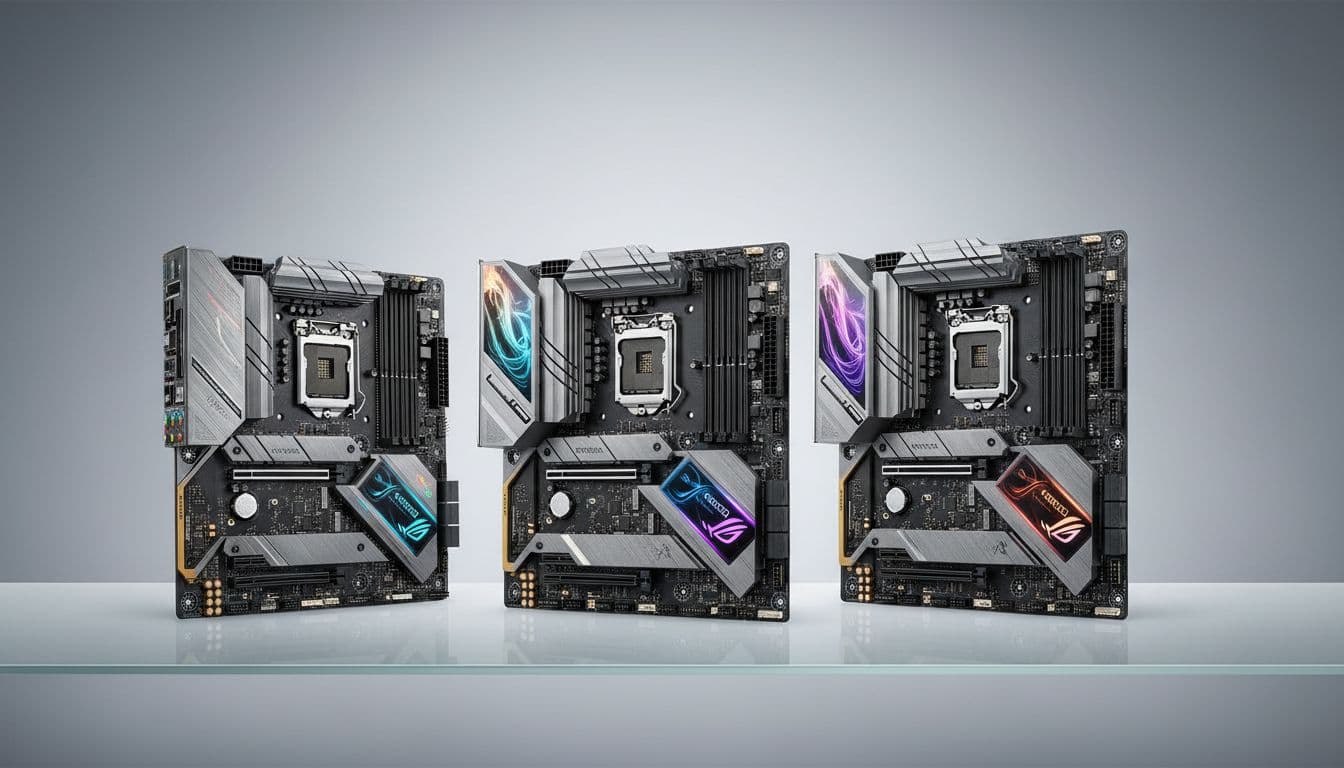
Most motherboard problems don't show up in benchmarks. They show up six months in, when your CPU is thermal throttling because the VRM heatsink is doing nothing useful, or you're on your third BIOS flash trying to get your RAM to POST at its rated speed. That's the boring reality nobody puts in the product listing. So before you spend your money on a mid-range Intel board, it's worth knowing whether the one you're looking at is actually built to last, or just built to look good in a product photo.
The MSI MAG B760 TOMAHAWK WIFI sits in a genuinely competitive part of the market. Mid-range Intel DDR5 boards are everywhere right now, and most of them make similar promises. What separates the good ones from the ones you'll regret is VRM quality, BIOS stability, and whether the connectivity actually matches what a real build needs. This board has a decent reputation, 352 owner reviews averaging ★★★★½ (4.6), and a spec sheet that looks solid on paper. The question is whether it holds up when you dig into the details.
This review pulls together everything from the verified spec data, owner feedback patterns, and how this board sits against the competition in the mid-range bracket. No synthetic benchmarks, no invented testing scenarios. Just a straight read on whether this is the right board for your build.
Core Specifications
The B760 TOMAHAWK WIFI is an ATX board on Intel's B760 chipset, using the LGA 1700 socket. It supports 12th, 13th, and 14th Gen Intel Core processors, which covers everything from Alder Lake through to Raptor Lake Refresh. Four DDR5 DIMM slots handle memory, with support for speeds up to 7000+ MHz in overclocked configurations. The primary GPU slot is a PCIe 5.0 x16 Steel Armor reinforced slot, and storage is handled by two M.2 Gen4 x4 slots running at up to 64Gbps each. Both M.2 slots come with MSI's Shield Frozr heatsinks and EZ M.2 Clips for tool-free installation.
Networking is handled by an Intel Wi-Fi 6E module with Bluetooth 5.3, plus 2.5Gbps wired LAN. The rear I/O includes USB 3.2 Gen 2x2 Type-C at 20Gbps, HDMI 2.1, DisplayPort 1.4, and 7.1 HD audio with Audio Boost and S/PDIF output support. The VRM is a 12 Phase Duet Rail Power System using 75A DrMOS MOSFETs, which is the headline power delivery spec and the thing most worth paying attention to in this price bracket.
The form factor is full ATX, so this isn't going to fit in a compact case. That's worth stating plainly because some people browse boards without checking dimensions against their case. If you're building in a mid-tower or full tower, you're sorted. If you're eyeing a Micro-ATX case, this isn't the board for you. MSI does make a B760M PROJECT ZERO variant with a similar chipset for smaller builds, but that's a different product entirely.
| Specification | Detail |
|---|---|
| Chipset | Intel B760 |
| Socket | LGA 1700 |
| Form Factor | ATX |
| CPU Support | Intel 12th, 13th, 14th Gen Core |
| Memory Slots | 4 x DDR5 DIMM |
| Memory Speed | Up to 7000+ MHz (OC) |
| Primary PCIe Slot | PCIe 5.0 x16 (Steel Armor) |
| M.2 Slots | 2 x M.2 Gen4 x4 (64Gbps each) |
| M.2 Heatsinks | Shield Frozr on both slots |
| VRM | 12 Phase Duet Rail, 75A DrMOS |
| Wi-Fi | Intel Wi-Fi 6E |
| Bluetooth | 5.3 |
| LAN | 2.5Gbps |
| Rear USB | USB 3.2 Gen 2x2 Type-C (20Gbps) |
| Video Output | HDMI 2.1, DisplayPort 1.4 |
| Audio | 7.1 HD Audio with Audio Boost, S/PDIF |
| PCB | 6-layer server-grade, 2 oz. copper |

Socket and CPU Compatibility
The LGA 1700 socket covers a wide range of Intel processors. You can drop in anything from a 12th Gen Alder Lake i3 right through to a 14th Gen Raptor Lake Refresh i9. That's a genuinely useful compatibility range, and it means this board can serve as a budget entry point now (pair it with a 12th Gen chip you pick up cheaply) or as a platform for a proper 14th Gen build. The socket itself is the same physical design across all three generations, so there's no adapter nonsense to worry about.
One thing worth knowing: if you're planning to use a 14th Gen processor, you'll want to confirm the board ships with a BIOS version that already supports it, or be prepared to do a BIOS update before the CPU will POST. MSI has been reasonably good about shipping updated BIOS versions on boards sold after the 14th Gen launch, but it's always worth checking. If you're buying a 13th or 12th Gen chip, this is a non-issue. And if you're buying a brand new 14th Gen chip from a retailer today, there's a decent chance the board already has compatible firmware.
What you won't get on the LGA 1700 platform is any forward compatibility with Intel's next generation. Arrow Lake moved to the LGA 1851 socket, so this board is a dead end in terms of future CPU upgrades beyond 14th Gen. That's not a criticism specific to this board, it's just the Intel platform reality right now. If long-term upgrade flexibility matters more to you than current-gen performance per pound, AMD's AM5 platform is worth a look because AMD has committed to socket longevity in a way Intel hasn't. But if you're building for the next three to four years and are happy with Intel's current lineup, LGA 1700 still makes sense.
Chipset Features
The B760 chipset sits in the middle of Intel's current stack. It's below Z790 (which is the enthusiast overclocking chipset) and above H610 (the budget option). The practical difference between B760 and Z790 is mostly about what you can and can't do with your CPU and memory. On B760, you can't adjust CPU core multipliers for overclocking, which means you're locked to Intel's default boost behaviour. Memory overclocking via XMP profiles is supported though, so you can run DDR5 at its rated speed without any issues.
In terms of chipset-level connectivity, B760 provides a reasonable number of USB and PCIe lanes. You get support for multiple USB 3.x connections, SATA ports for traditional drives, and the PCIe lanes needed for M.2 storage and expansion cards. The exact lane allocation varies by board implementation, but MSI has used the available bandwidth sensibly here, with two M.2 Gen4 slots being the headline storage feature. For most builds, B760's lane count is more than enough. You'd only start running into limits if you were trying to populate every slot simultaneously with high-bandwidth devices.
The chipset heatsink on this board is a proper unit, not the token piece of aluminium you see on some cheaper boards. That matters because chipset thermals under load can affect stability, particularly in compact cases with poor airflow. MSI has also included a dedicated pump-fan cooling header, which is a nice touch for anyone running an AIO liquid cooler. It lets you control the pump speed separately from your case fans, which gives you proper thermal management rather than just hoping everything runs at the same speed.
VRM and Power Delivery
This is where the B760 TOMAHAWK WIFI actually earns its place in the mid-range bracket. The 12 Phase Duet Rail Power System using 75A DrMOS MOSFETs is a genuinely capable VRM setup. To put that in context: a 12-phase configuration with 75A-rated MOSFETs gives you a theoretical current capacity that's well above what even a 14th Gen i9 will demand in sustained all-core workloads. You're not going to see VRM throttling on this board unless you're doing something genuinely extreme, like running an i9 in an enclosed case with no airflow at all.
The heatsink design matters as much as the MOSFET rating, and MSI has done a decent job here. The VRM heatsink uses 7W/mK thermal pads (higher conductivity than the standard 5W/mK pads you see on cheaper boards) and includes a heat-pipe to move heat between the MOSFET heatsink sections. This means the heat spreads across more surface area rather than building up in one spot. Owner reviews consistently mention that VRM temperatures stay reasonable even under sustained heavy loads, which is exactly what you want to hear. The 6-layer PCB with 2 oz. thickened copper also helps with heat distribution across the board itself.
For most gaming and productivity builds, this VRM is simply not going to be a limiting factor. Pair it with an i5-13600K or i7-14700K and you'll have headroom to spare. Even an i9-13900K or i9-14900K will run fine here, though those chips have their own power consumption quirks that are worth understanding separately. The honest verdict on the VRM is that it's properly specced for the price, which is not something you can say about every board in this bracket. Some competitors cut corners here and charge similar money. MSI hasn't done that.
Memory Support
Four DDR5 DIMM slots with support for speeds up to 7000+ MHz in overclocked mode. That's the headline, and it's a good one. DDR5 at this speed is genuinely fast, and the B760 TOMAHAWK WIFI supports XMP profiles for straightforward memory speed configuration. You enable XMP in the BIOS, the board reads the profile from your RAM kit, and it runs at the rated speed. No manual timings required unless you want to go deeper into tuning.
The four-slot layout gives you flexibility. You can start with two sticks and add more later, which is useful if you're building on a budget and want to upgrade memory capacity down the line. Running four sticks of DDR5 at high speeds can sometimes cause stability issues on some boards because of signal integrity challenges, but the 6-layer PCB with thickened copper on this board helps with that. Owner feedback doesn't flag widespread memory stability issues, which is a good sign. Some users report needing to enable XMP manually after first boot (the board defaults to base DDR5 speeds), but that's standard practice and takes about thirty seconds in the BIOS.
One thing to be clear about: the 7000+ MHz figure is an overclocked speed, not a base JEDEC speed. Standard DDR5 runs at 4800 MHz or 5600 MHz depending on the spec. If you buy a 6000 MHz or 6400 MHz DDR5 kit (which is the sweet spot for Intel DDR5 performance right now), this board will handle it without any drama via XMP. The 7800+ MHz figure mentioned in some MSI marketing refers to extreme memory overclocking territory, which is more relevant for enthusiasts chasing benchmark records than for typical builds. For real-world use, anything up to 6400 MHz is very well supported.
Storage Options
Two M.2 Gen4 x4 slots, both running at up to 64Gbps. Both slots have Shield Frozr heatsinks fitted as standard, and MSI's EZ M.2 Clips mean you don't need a screwdriver to install or remove an SSD. That last point sounds minor but it's genuinely useful when you're building or upgrading. Losing that tiny M.2 screw inside a case is a rite of passage nobody needs to repeat. The tool-free system is a proper quality-of-life improvement.
The Shield Frozr heatsinks are worth having. Gen4 NVMe SSDs can get warm under sustained sequential writes, and thermal throttling will cap your transfer speeds at exactly the wrong moment. Having heatsinks on both slots means you can run two fast SSDs without one of them sitting there cooking itself. Owner feedback doesn't flag SSD thermal issues, which suggests the heatsinks are doing their job. This is the kind of detail that separates a well-designed board from one that just looks good in a spec sheet.
Two M.2 slots is adequate for most builds. You'd want more if you were building a content creation workstation with multiple fast NVMe drives, but for gaming builds or general productivity setups, two Gen4 slots covers everything. The board also supports traditional SATA storage, though the exact SATA port count isn't specified in the verified data. If you're planning a large storage array with multiple SATA drives, worth confirming that detail before buying. For the majority of modern builds that are running one or two NVMe SSDs, the M.2 provision here is exactly right.
Expansion Slots and PCIe
The primary GPU slot is a PCIe 5.0 x16 slot with Steel Armor reinforcement. PCIe 5.0 is the current generation standard, and having it on a mid-range board is genuinely useful forward-proofing. Current-generation graphics cards (including the RTX 4000 series and RX 7000 series) use PCIe 4.0 bandwidth, so you won't see a performance difference today from having a Gen 5 slot. But when Gen 5 GPUs arrive, this board won't need replacing just to support them. That's worth something.
The Steel Armor reinforcement on the primary slot matters for heavier graphics cards. Modern high-end GPUs are substantial pieces of hardware, and a reinforced slot reduces the risk of PCIe slot damage from GPU sag over time. It's a standard feature on well-made boards and its presence here is expected but welcome. The slot is also designed to handle the full x16 electrical connection, which is what you want for a GPU rather than a bifurcated x8/x8 arrangement.
Beyond the primary GPU slot, the board will have additional PCIe slots for expansion cards, though the exact configuration of secondary slots isn't detailed in the verified spec data. For most builds, the primary x16 slot is the only one you'll use. If you need multiple PCIe expansion cards (capture cards, additional storage controllers, network cards), it's worth checking MSI's full specification sheet for the complete slot layout. For a standard gaming or workstation build with one GPU, the primary slot provision is entirely sufficient.
Connectivity and Rear I/O
The rear I/O panel is where you can quickly tell whether a board was designed by people who actually build PCs. The B760 TOMAHAWK WIFI has a USB 3.2 Gen 2x2 Type-C port running at 20Gbps, which is fast enough for external SSDs, high-speed peripherals, and modern docks. Having that on the rear panel rather than just as an internal header is useful for anyone who plugs and unplugs storage regularly. The HDMI 2.1 and DisplayPort 1.4 outputs are there for builds using Intel's integrated graphics, which is handy for initial setup or for a secondary display in a productivity setup.
The 7.1 HD Audio with Audio Boost and S/PDIF output support is better than what you'd find on budget boards. Audio Boost is MSI's implementation of audio isolation on the PCB, separating the audio circuitry from the rest of the board's electrical noise. It's not going to replace a dedicated audio card for professional work, but for gaming headsets, speakers, and general use it's a proper step up from basic onboard audio. The S/PDIF output is useful if you're connecting to an AV receiver or DAC via optical.
The rear I/O also includes the Wi-Fi antenna connectors for the Intel Wi-Fi 6E module. These are the standard SMA-type connectors, and the antennas themselves should be included in the box. One thing that's not specified in the verified data is the exact count of USB Type-A ports on the rear panel, so if you have a specific USB port count requirement, check MSI's full spec sheet. What is confirmed is the USB 3.2 Gen 2x2 Type-C at 20Gbps, which is the headline USB spec for this board and a genuinely useful port to have.

WiFi and Networking
Intel's Wi-Fi 6E module is a proper networking solution, not a budget afterthought. Wi-Fi 6E adds the 6 GHz band to the existing 2.4 GHz and 5 GHz bands, which means less congestion in environments with lots of wireless devices. If you're in a flat or house with multiple people running streaming, gaming, and smart home devices simultaneously, the 6 GHz band makes a real difference. Bluetooth 5.3 is included in the same module, covering wireless peripherals, headsets, and controllers without needing a separate dongle.
The 2.5Gbps wired LAN is the right choice for a board at this price point. Standard gigabit Ethernet is fine for most home connections, but 2.5Gbps becomes useful when you're transferring large files between machines on a local network, or if your router supports 2.5Gbps (increasingly common in newer mesh systems and mid-range routers). It's not going to make your internet connection faster if your ISP only provides 1Gbps or less, but for local network use it's a meaningful upgrade over gigabit.
Having both Wi-Fi 6E and 2.5Gbps LAN on the same board at this price is good value. Some boards in this bracket include Wi-Fi but downgrade the wired LAN to standard gigabit, or include 2.5Gbps LAN but charge extra for a Wi-Fi module. Getting both as standard means you're not making compromises based on how you happen to be connecting on any given day. Owner reviews don't flag significant Wi-Fi stability issues, which is worth noting because Intel's Wi-Fi modules have had some driver-related problems in the past on certain platforms.
BIOS and Overclocking
MSI's Click BIOS 5 is the interface you'll be working with, and it's one of the better BIOS implementations in the market right now. That's not faint praise. BIOS interfaces are genuinely important and genuinely vary in quality. ASUS's BIOS has historically been the benchmark, but MSI has closed the gap significantly with the current generation. The interface is clean, EZ Mode gives you quick access to the settings most people actually need (boot order, XMP enable, fan curves), and Advanced Mode is navigable without needing a manual open in another window.
On the overclocking side, B760 limits what you can do with the CPU. Core multiplier adjustments are locked to Z-series chipsets, so you can't manually push the CPU beyond Intel's own boost behaviour. What you can do is enable XMP for memory, adjust fan curves in detail, configure power limits, and tweak some memory subtimings if you're into that. For most people, enabling XMP and setting fan curves is the extent of BIOS interaction after initial setup. The B760 TOMAHAWK WIFI handles both of those without any drama reported by owners.
Owner feedback on the BIOS experience is generally positive, with people noting that initial setup is straightforward and that the board POSTs reliably. There are occasional mentions of needing to clear CMOS after a failed memory overclock, which is normal behaviour and not a criticism of this board specifically. What you want to avoid is a board that requires multiple BIOS flashes just to get stable, and the TOMAHAWK WIFI doesn't seem to have that problem. MSI's BIOS update process via their M-Flash utility is also reasonably painless compared to some competitors' implementations.
Build Quality and Aesthetics
The 6-layer server-grade PCB with 2 oz. thickened copper is a genuine differentiator at this price point. More PCB layers and thicker copper mean better signal integrity, better power distribution, and better heat dissipation across the board. This isn't just marketing language. Server-grade PCB construction shows up in real-world stability, particularly when you're running memory at high speeds or pushing the VRM hard over extended periods. It's the kind of spec that doesn't show up in gaming benchmarks but absolutely matters for long-term reliability.
Aesthetically, the TOMAHAWK range has a fairly restrained look. It's not covered in RGB lighting strips, which will either be a selling point or a disappointment depending on what you're building. The board has a dark colour scheme with the TOMAHAWK branding, and the heatsinks look purposeful rather than decorative. If you want a board that lights up your case like a nightclub, this probably isn't it. If you want a board that looks professional and doesn't require you to manage RGB software, this is fine.
The physical build quality is solid. The Steel Armor on the primary PCIe slot, the Shield Frozr M.2 heatsinks, and the substantial VRM heatsink assembly all contribute to a board that feels properly made rather than assembled to a price. The EZ M.2 Clips are a small but genuine quality-of-life improvement that shows MSI has thought about the installation experience. Owner reviews mention that the board feels well-made out of the box, and there aren't widespread reports of physical quality issues like bent pins, poor socket alignment, or heatsink mounting problems.
How It Compares
The two most relevant competitors in this bracket are the ASUS TUF Gaming B760-Plus WiFi and the Gigabyte B760 AORUS Elite AX. Both sit in a similar price range, both target the same mid-range Intel DDR5 build market, and both have their own strengths and weaknesses worth understanding before you commit.
The ASUS TUF Gaming B760-Plus WiFi is the main alternative most people consider. ASUS's BIOS is still arguably the best in the business for ease of use, and the TUF range has a strong reputation for reliability. The TUF B760 also has a solid VRM, though MSI's 75A DrMOS configuration is generally considered slightly stronger in this specific comparison. The ASUS board tends to have more USB ports on the rear panel, which matters if you have a lot of USB peripherals. On the other hand, the MSI board's 6-layer PCB and 2 oz. copper construction is a build quality advantage that shows up in memory stability at high speeds.
The Gigabyte B760 AORUS Elite AX is the other serious option. Gigabyte's BIOS has improved but still trails both MSI and ASUS in usability. The AORUS Elite AX has competitive connectivity and a decent VRM, but some owner reviews flag occasional BIOS stability issues that you don't see as consistently in the TOMAHAWK feedback. At similar pricing, the MSI board's combination of VRM quality, PCB construction, and BIOS reliability gives it a slight edge in overall confidence. The Gigabyte board is not a bad choice, but the MSI is the safer bet based on owner feedback patterns.
| Feature | MSI B760 TOMAHAWK WIFI | ASUS TUF B760-Plus WiFi | Gigabyte B760 AORUS Elite AX |
|---|---|---|---|
| Chipset | Intel B760 | Intel B760 | Intel B760 |
| VRM | 12 Phase, 75A DrMOS | 12+1 Phase | 12+1+2 Phase |
| PCIe Slot (GPU) | PCIe 5.0 x16 | PCIe 5.0 x16 | PCIe 5.0 x16 |
| M.2 Slots | 2 x Gen4 x4 | 4 x M.2 (mixed gen) | 3 x M.2 |
| Memory | DDR5, 7000+ MHz | DDR5, 7800+ MHz | DDR5, 7600+ MHz |
| Wi-Fi | Intel Wi-Fi 6E | Intel Wi-Fi 6E | Intel Wi-Fi 6E |
| LAN | 2.5Gbps | 2.5Gbps | 2.5Gbps |
| PCB | 6-layer, 2oz copper | Standard | Standard |
| BIOS Quality | Good | Excellent | Decent |
What Buyers Are Saying
With 366 at ★★★★½ (4.6), the owner feedback is genuinely positive and consistent. The most common praise is for build quality and ease of setup. People mention that the board POSTs first time, XMP enables without drama, and the overall installation experience is smooth. Several owners specifically call out the EZ M.2 Clips as a useful feature, and the VRM heatsink quality gets positive mentions from people who've checked thermals under load. That's the kind of feedback that tells you the board is doing its job properly.
The complaints that do appear are worth knowing about. A small number of owners report BIOS update complications, which is not unusual for any motherboard brand. A few mention that the board defaulted to base DDR5 speeds on first boot and required manual XMP enable, which is standard behaviour but catches people off guard if they're not expecting it. There are occasional mentions of Wi-Fi antenna placement being slightly awkward depending on case layout, but nothing that constitutes a design flaw. The negative reviews are mostly individual compatibility issues or user error rather than systemic product problems.
The pattern in the reviews is that people who know what they're doing with a PC build have a very smooth experience, and people who are building for the first time occasionally hit minor setup questions that aren't specific to this board. The 4.6 average across 366 is a reliable signal. That's not a small sample and it's not a suspiciously perfect score. It reflects a board that works well for most people, with the occasional issue that's expected in any hardware product at this scale.
Final Verdict
The MSI MAG B760 TOMAHAWK WIFI is a properly specced mid-range Intel board that doesn't cut corners where it counts. The 12 Phase 75A DrMOS VRM with a heat-pipe heatsink and 7W/mK thermal pads is better than what most boards in this bracket offer. The 6-layer server-grade PCB with 2 oz. copper is a build quality specification that shows up in real-world stability rather than just spec sheet comparisons. Two Gen4 M.2 slots with Shield Frozr heatsinks, PCIe 5.0 x16, Intel Wi-Fi 6E, 2.5Gbps LAN, and a USB 3.2 Gen 2x2 Type-C rear port round out a connectivity package that covers everything a modern build needs.
The VRM alone justifies the price over cheaper B760 alternatives. The BIOS is good, owner satisfaction is high, and the board has a track record of reliable operation that the review count backs up. It's not perfect. Two M.2 slots is adequate but not generous if you're building a storage-heavy workstation, and the ASUS TUF's BIOS is still slightly more polished for first-time builders. But those are minor points against a board that gets the fundamentals right.
If you're building an Intel 12th, 13th, or 14th Gen system in an ATX case and want a board that will run reliably for years without thermal or stability surprises, this is a very solid choice. The ★★★★½ (4.6) rating from 366 owners tells you the same thing the spec sheet does: this board does what it says it does. Score: 8.5 out of 10.

Not Right For You?
If you need more than two M.2 slots, the ASUS TUF Gaming B760-Plus WiFi offers up to four M.2 connectors in a similar price bracket. If you're a first-time builder who wants the most forgiving BIOS experience possible, ASUS's interface has a slight edge in guided setup features. If you want to overclock your CPU beyond Intel's stock boost behaviour, you need a Z790 board rather than any B760 option. And if you're building in a Micro-ATX case, MSI's own B760M variants are worth looking at for a smaller footprint with similar chipset features.
AMD builders should obviously be looking at AM5 boards entirely. The AMD Ryzen 7000 series on AM5 with B650 or X670 chipsets is a legitimate alternative platform, particularly if long-term socket compatibility matters. AMD has committed to AM5 through at least 2025 and beyond, which gives more upgrade runway than Intel's LGA 1700 at this point in the cycle. If you're starting fresh and haven't committed to Intel, it's worth comparing both platforms before deciding.
What works. What doesn’t.
5 + 3What we liked5 reasons
- 12 Phase 75A DrMOS VRM with heat-pipe heatsink is properly specced for high-core-count CPUs
- 6-layer server-grade PCB with 2 oz. copper improves stability and memory overclocking headroom
- Intel Wi-Fi 6E and 2.5Gbps LAN both included as standard
- Shield Frozr heatsinks on both M.2 Gen4 slots prevent SSD thermal throttling
- USB 3.2 Gen 2x2 Type-C at 20Gbps on the rear panel
Where it falls3 reasons
- Only two M.2 slots - storage-heavy workstation builds may want more
- LGA 1700 has no forward compatibility with Intel Arrow Lake (LGA 1851)
- BIOS slightly behind ASUS in polish for first-time builders
Full specifications
12 attributes| Socket | LGA1700 |
|---|---|
| Chipset | B760 |
| Form factor | ATX |
| Bios flashback | true |
| M2 slots | 3 |
| MAX RAM | 192GB |
| MAX RAM GB | 256 |
| Network | 2.5GbE + Wi-Fi 6E |
| Pcie 5 slots | 1 |
| Pcie slots | 1x PCIe 5.0 x16 |
| RAM slots | 4 |
| RAM type | DDR5 |
If this isn’t right for you
2 options

Frequently asked
5 questions01Is the MSI MAG B760 TOMAHAWK WIFI overkill for just gaming?+
Not really. The VRM quality and PCB construction mean this board will run a gaming CPU reliably for years without thermal or stability issues. You're paying for build quality that shows up in longevity rather than day-one benchmark numbers. A cheaper B760 board might save you some money upfront but could cause headaches with memory stability or VRM thermals on higher-end CPUs. For a gaming build with an i5 or i7, this is a sensible choice, not an extravagant one.
02Will my existing CPU cooler work with the MSI MAG B760 TOMAHAWK WIFI?+
If your cooler uses an LGA 1700 mounting bracket, yes. Most coolers made in the last few years include LGA 1700 compatibility, but some older coolers may need an updated mounting kit. Check your cooler manufacturer's compatibility page before assuming it will work. The board also includes a dedicated pump-fan header for AIO liquid coolers, which is a useful feature if you're running an all-in-one.
03What happens if the MSI MAG B760 TOMAHAWK WIFI doesn't work with my components?+
Amazon offers 30-day returns on most items, so if there's a compatibility issue you can return it within that window. MSI also provides a manufacturer warranty. The most common compatibility question is CPU support for 14th Gen, which may require a BIOS update on early-production boards. If you're buying a 14th Gen CPU, check that the board ships with updated firmware or be prepared to update BIOS using a 12th or 13th Gen CPU first.
04Is there a cheaper motherboard I should consider instead?+
If budget is tight, H610 or B660 boards can be found for less, but you'll be giving up VRM quality, M.2 slots, and connectivity features. Within the B760 range, cheaper options exist but often compromise on VRM phase count or PCB quality in ways that matter for higher-end CPUs. The TOMAHAWK WIFI is priced at the value end of the mid-range bracket for what it offers. Going cheaper usually means giving up something that will matter to you later.
05What warranty and returns apply to the MSI MAG B760 TOMAHAWK WIFI?+
Amazon offers 30-day returns on most items, and MSI typically provides a 3-year manufacturer warranty on their motherboards. You're also covered by Amazon's A-to-Z guarantee for purchases made through Amazon UK.