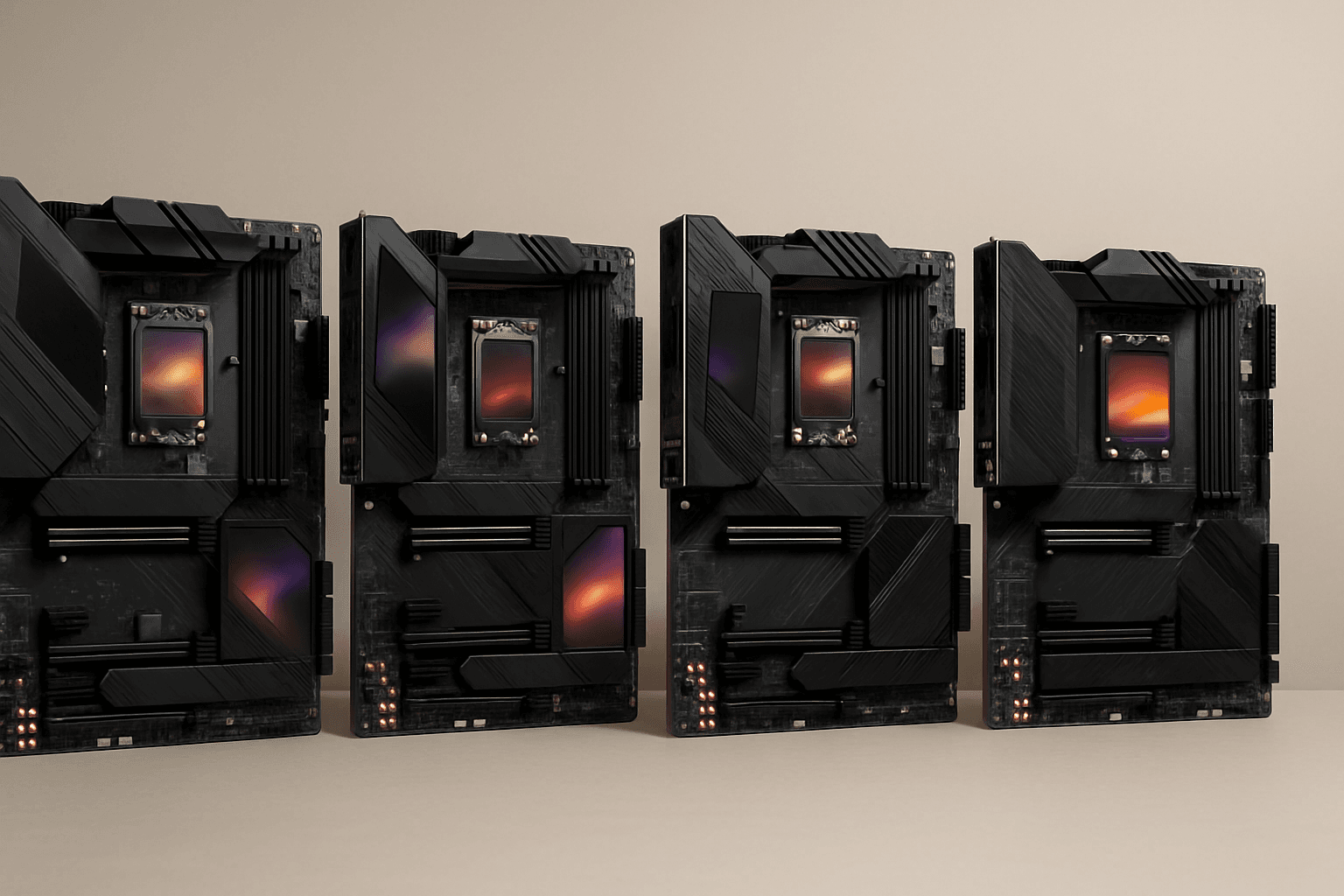
The spec sheet for the ASUS ROG Maximus Z790 Hero tells you almost everything you need to know before you've even looked at a single owner review. Twenty-plus-one teamed power stages rated at 90A each. Five M.2 slots. Two Thunderbolt 4 ports. WiFi 6E and Intel 2.5Gb Ethernet on the same board. This is not a board you buy because you need a motherboard. This is a board you buy because you want the best Z790 platform money can buy and you're prepared to pay the premium bracket price to get it. Over 557 owners have rated it ★★★★☆ (4.3) on Amazon, which for a flagship board at this price is genuinely impressive. Sceptical buyers at this level leave reviews when things go wrong, so a 4.3 average across that many units carries real weight.
The verdict: the ASUS ROG Maximus Z790 Hero is one of the strongest Intel Z790 motherboards available, and it earns that position through specification depth rather than marketing. The VRM is properly engineered, the connectivity list is exhaustive, and the ASUS BIOS, whatever its quirks, is among the most feature-complete in the business. But at this price point, you need to be honest with yourself about whether you'll actually use what you're paying for. If you're building a high-end workstation or an enthusiast gaming rig where you want headroom for years of upgrades, this board makes sense. If you're gaming on a Core i5 and watching YouTube, it absolutely does not.
Core Specifications
The Z790 Hero sits at the top of ASUS's mainstream Z790 stack, below only the Extreme in the ROG Maximus lineup. It uses the LGA 1700 socket, supports both 12th and 13th Gen Intel Core processors, and is built around Intel's Z790 chipset. The form factor is full ATX, so you'll need a mid-tower or full-tower case. Memory support is DDR5 only across four slots, and the board supports JEDEC DDR5 as well as Intel XMP 3.0 profiles. Five M.2 slots is a serious number for a consumer ATX board. The rear I/O is pre-installed as an integrated aluminium cover, which is a nice touch that removes the fiddly separate shield entirely.
The primary PCIe x16 slot runs at full PCIe 5.0 bandwidth from the CPU, which means your GPU slot is future-proofed for next-generation graphics cards. Two Thunderbolt 4 ports on the rear I/O is genuinely unusual at any price point and opens up a lot of high-bandwidth peripheral options. The 20+1 teamed power stage design uses MicroFine alloy chokes and premium metallic capacitors, with ProCool II power connectors on the board itself. ASUS rates each phase at 90A, which gives you a theoretical ceiling that comfortably covers even the most power-hungry 13th Gen Intel parts.
Networking is covered by onboard WiFi 6E, Bluetooth 5.2, and Intel's 2.5Gb Ethernet controller, protected by ASUS LANGuard. The integrated I/O cover and VRM heatsink assembly is substantial, and ASUS includes a dedicated ROG Water-Cooling Zone for builders running custom loops. Triple M.2 heatsinks with dual embedded backplates are included, which means you're not scrambling for aftermarket coolers for your NVMe drives.
| Specification | Detail |
|---|---|
| Socket | Intel LGA 1700 |
| Chipset | Intel Z790 |
| Form Factor | ATX |
| CPU Support | Intel 12th and 13th Gen Core |
| Memory Type | DDR5 only |
| Memory Slots | 4 |
| PCIe Version (GPU slot) | PCIe 5.0 x16 |
| M.2 Slots | 5 |
| VRM Phases | 20+1 teamed, 90A per stage |
| Ethernet | Intel 2.5Gb |
| WiFi | WiFi 6E |
| Bluetooth | 5.2 |
| Thunderbolt 4 | 2x rear I/O |
| OS Support | Windows 11 |

Socket and CPU Compatibility
The LGA 1700 socket is Intel's platform for 12th Gen Alder Lake and 13th Gen Raptor Lake processors. That covers a wide range of chips, from the Core i3-12100 at the budget end through to the Core i9-13900KS at the absolute top. For a board in this price bracket, the realistic target CPU is a Core i7-13700K, Core i9-13900K, or Core i9-13900KS. Anything less powerful would be a strange pairing with a flagship motherboard, though the compatibility is there if you want it.
One thing: Intel's 14th Gen Raptor Lake Refresh processors also use the LGA 1700 socket and are compatible with Z790 boards via BIOS update. So if you buy this board now and want to drop in a Core i9-14900KS later, that's a viable path. The socket itself is mechanically identical across all four generations. What you won't get is support for Intel's Arrow Lake (Core Ultra 200S) processors, which moved to the LGA 1851 socket. So the Z790 Hero is a current-generation platform, not a future-generation one.
Cooler compatibility is straightforward. LGA 1700 uses the same mounting hole pattern as LGA 1200, and most modern cooler manufacturers have provided LGA 1700 mounting kits. If you have a high-end cooler from the last few years, check the manufacturer's site for an LGA 1700 bracket, but the chances are good it's already included or available free of charge. Given the power delivery headroom on this board, you'll want a proper 280mm or 360mm AIO, or a high-end air cooler, to keep a 13900K in check during sustained loads.
Chipset Features
Intel's Z790 chipset is the top-tier consumer chipset for the LGA 1700 platform. The Z designation is the key one here: it means full CPU overclocking support, memory overclocking via XMP 3.0, and the maximum lane allocation from the chipset. Compare this to H770 or B760, which lock out CPU overclocking entirely. If you're spending this much on a board, you already know you want a Z-series chipset, but it's worth being explicit about why it matters.
Z790 expanded the PCIe 4.0 lane count from the chipset compared to Z690, and it added more USB 3.2 Gen 2x2 capability. The chipset provides additional M.2 connectivity beyond what the CPU's direct lanes offer, which is how a board like the Z790 Hero can offer five M.2 slots without compromising the primary GPU slot. The CPU itself provides the PCIe 5.0 x16 lane for the primary GPU slot and PCIe 5.0 lanes for the primary M.2 slot, with the remaining M.2 slots running off chipset PCIe 4.0 lanes.
ASUS's AI feature set sits on top of the chipset's native capabilities. AI Overclocking, AI Cooling II, and GameFirst VI (AI Networking) are ASUS-exclusive software tools that run either in the BIOS or through the Armoury Crate software suite in Windows. AI Overclocking in particular is: it profiles your specific CPU and applies an overclock based on that chip's measured headroom rather than a generic profile. Whether you trust software to do your overclocking is a personal call, but the option is there and owners report it works sensibly.
VRM and Power Delivery
This is the section that separates a real flagship board from a board that just looks like one. The Z790 Hero uses a 20+1 teamed power stage design, with each stage rated at 90A. Teamed stages mean that pairs of phases work together to share the current load, which improves efficiency and reduces thermal stress on individual components. The 90A rating per stage is high by any standard. A Core i9-13900K pulling 250W under sustained load is asking for roughly 20A or so from each phase at 12V, which means these stages are running well within their rated limits even under extreme conditions.
The ProCool II power connectors are a physical reinforcement over standard connectors, designed to handle higher sustained current without the connector heating up. MicroFine alloy chokes and premium metallic capacitors complete the picture. This is not the kind of VRM specification you see on mid-range boards. It's the kind of specification you see on boards designed to run a delidded, liquid-nitrogen-cooled 13900KS at extreme frequencies without blinking. For most buyers, this is overkill in the best possible sense: it means the VRM will run cool, quiet, and stress-free under any realistic workload.
The heatsink coverage backs up the component quality. ASUS uses VRM heatsinks combined with an integrated aluminium I/O cover, connected via high-conductivity thermal pads. The heatsink mass is substantial. Owners consistently report that VRM temperatures remain well-controlled even with high-TDP processors running at stock or mildly overclocked settings. The ROG Water-Cooling Zone adds headers and thermal management options for custom loop builders who want to run a VRM water block, though the passive cooling alone is more than adequate for the vast majority of use cases.
Memory Support
The Z790 Hero is DDR5 only. There is no DDR4 compatibility. This is the right call for a board at this price point in 2026, but it's worth stating plainly because it means your existing DDR4 kit is not coming with you. DDR5 prices have come down significantly since the platform launched, and a good 32GB DDR5-6000 kit is now a realistic purchase rather than a luxury. The board supports Intel XMP 3.0, which is the current memory overclocking standard for Intel platforms.
Four DIMM slots in a dual-channel configuration is standard for ATX boards. The maximum capacity depends on the density of the modules you install, and DDR5 is moving toward higher-density modules that allow substantial total RAM. For gaming and most professional workloads, 32GB is plenty. For content creation, video editing, or running virtual machines, 64GB is a sensible target. The board's support for high-frequency DDR5 via XMP profiles means you can run fast memory without manually tuning timings, though the Z790 platform and ASUS BIOS both give you the tools to do that if you want to.
One practical note on DDR5: the platform can be fussier about memory compatibility than DDR4 was, particularly at high frequencies. ASUS maintains a QVL (Qualified Vendor List) for the Z790 Hero, and sticking to kits on that list is the sensible move if you want to avoid compatibility headaches. Owners who ran into memory stability issues almost universally resolved them either by using a QVL kit or by enabling XMP in the BIOS rather than leaving memory at JEDEC defaults. The board itself is not the problem in those cases; the Z790 platform has a learning curve with memory configuration that's worth being aware of.
Storage Options
Five M.2 slots is a genuinely impressive number. For context, most mid-range Z790 boards offer two or three. The primary M.2 slot runs on PCIe 5.0 lanes directly from the CPU, which means it supports the fastest NVMe drives currently available, including PCIe 5.0 SSDs that are now appearing from major manufacturers. The remaining slots run on chipset PCIe 4.0 lanes, which is still fast enough for any current consumer NVMe drive. PCIe 4.0 NVMe drives top out at around 7GB/s sequential read, which is more than sufficient for gaming, content creation, and general use.
All five M.2 slots get heatsinks. Three dedicated M.2 heatsinks are included, with two featuring embedded backplates. This matters because M.2 NVMe drives generate real heat under sustained load, and thermal throttling on a fast SSD is a frustrating bottleneck that a good heatsink largely eliminates. The fact that ASUS includes heatsinks for all five slots rather than just the primary one shows the kind of attention to detail you expect at this price.
The board also supports SATA storage, though the exact SATA port count is not broken out in the verified specification data. For a build centred on NVMe storage, five M.2 slots is more than most people will ever fill. Practically speaking, you'd populate the primary PCIe 5.0 slot with your fastest drive for the OS and primary applications, then use the PCIe 4.0 slots for game libraries and secondary storage. Running out of M.2 slots on this board would require a seriously storage-heavy workstation build.
Expansion Slots and PCIe
The primary x16 slot runs PCIe 5.0 from the CPU. This is the slot your GPU goes in, and it means the board is ready for PCIe 5.0 graphics cards when they arrive in volume. Current high-end GPUs, including the RTX 4090 and RX 7900 XTX, use PCIe 4.0 and don't saturate even a PCIe 4.0 x16 slot in gaming workloads. But having PCIe 5.0 on the primary slot means the board won't be a bottleneck for the next generation of GPU releases either.
The GPU slot itself is reinforced, which is standard practice on premium boards. Graphics cards have gotten heavier over the years, and a reinforced slot reduces the risk of physical damage to the PCB from the weight of a large GPU. For anyone running a triple-slot flagship card, this is a meaningful quality-of-life feature. Some owners use a GPU support bracket as well, and the board's build quality means the slot itself should handle the load without issue.
Beyond the primary GPU slot, the board provides additional PCIe connectivity for expansion cards. The exact slot configuration beyond the primary x16 is not fully detailed in the verified specification data, but Z790 boards at this tier typically provide multiple additional slots for capture cards, PCIe storage controllers, or network cards. Given the onboard networking and storage options already present, most builders won't need to populate additional slots at all.
Connectivity and Rear I/O
Two Thunderbolt 4 ports on the rear I/O is the headline connectivity feature. Thunderbolt 4 runs at 40Gbps bidirectional, supports USB4 protocol, can drive displays, and supports daisy-chaining of compatible devices. For content creators connecting high-speed external storage arrays, or for anyone using a Thunderbolt dock to run multiple peripherals from a single cable, this is a genuinely useful feature rather than a checkbox spec. Most Z790 boards in the mid-range don't offer Thunderbolt at all. Having two ports on the rear I/O is a meaningful differentiator.
The integrated I/O cover, as mentioned, eliminates the separate rear I/O shield entirely. The ports are pre-mounted in an aluminium assembly that installs with the motherboard. This is a quality-of-life improvement that anyone who has wrestled with a flimsy plastic I/O shield in a tight case will appreciate. The cover also acts as an extension of the VRM heatsink assembly, adding thermal mass and aesthetic coherence to the build.
ASUS's Two-Way AI Noise-Cancellation is included in the software stack. This processes microphone input and speaker output in real time to reduce background noise, which is useful for streaming, content creation, or online gaming with voice chat. It's a software feature that runs on the CPU rather than dedicated DSP hardware, but owners report it works effectively for its intended purpose. The audio subsystem on a board at this price point is expected to be capable, and the Z790 Hero's integrated audio is well-regarded by owners who've used it.
WiFi and Networking
Onboard WiFi 6E covers the 6GHz band in addition to the 2.4GHz and 5GHz bands supported by WiFi 6. In practice, this means lower latency and less congestion in environments with many wireless devices, assuming your router also supports WiFi 6E. For a desktop gaming build, most people will use a wired connection anyway, but having WiFi 6E built in means you're not limited to wired during initial setup or in situations where running an Ethernet cable isn't practical.
Bluetooth 5.2 handles wireless peripherals. Controllers, headsets, and keyboards all work with Bluetooth 5.2, and the range and stability improvements over earlier Bluetooth versions are real and measurable. For a desktop, this is mostly about convenience rather than necessity, but it's good to have without needing a separate USB adapter.
The Intel 2.5Gb Ethernet is the wired networking solution, protected by ASUS LANGuard, which is a hardware-level surge protection and EMI reduction system for the LAN port. Intel's networking silicon has a strong reputation for driver stability and low CPU overhead compared to some alternative controllers. GameFirst VI is ASUS's traffic-prioritisation software that sits on top of the Intel NIC, allowing you to prioritise gaming traffic over background downloads and other network activity. Whether you find that useful depends on your network setup, but it's a mature piece of software with a reasonable reputation among owners who use it.
BIOS and Overclocking
ASUS's UEFI BIOS is one of the better ones in the business, and I say that as someone who finds most BIOS interfaces genuinely frustrating to use. The ROG Maximus BIOS has two modes: an EZ Mode that gives you a simplified overview of system status, fan speeds, and basic settings, and an Advanced Mode that exposes the full depth of overclocking and configuration options. The Advanced Mode is where you'll spend most of your time if you're doing any tuning, and it's well-organised by the standards of the genre. Finding memory timing controls or CPU voltage settings doesn't require a treasure hunt.
AI Overclocking is worth discussing properly. It's not a magic button that extracts maximum performance from your CPU. What it actually does is run a brief profiling sequence, measure your CPU's power and thermal headroom, and apply an overclock profile based on those measurements. The result is typically a mild to moderate overclock that's more stable than a generic profile because it's calibrated to your specific chip. Owners who've used it report reasonable results, particularly for people who don't want to spend hours manually tuning voltages and frequencies. For serious overclockers, it's a starting point rather than an endpoint.
Fan curve control is extensive. The BIOS exposes per-header fan curves with multiple thermal source options, so you can tie case fan speeds to CPU temperature, VRM temperature, or chipset temperature independently. Q-Code LED diagnostic display is present, which is a proper two-digit hex display that shows POST codes during boot. This is enormously useful for diagnosing boot failures, because instead of staring at a board with no indication of where it's stuck, you get an actual code that tells you what the system is trying to do. On a board at this price, you expect this kind of diagnostic capability, and the Z790 Hero delivers it.
Build Quality and Aesthetics
The physical build quality of the Z790 Hero is what you'd expect from a flagship ROG board. The PCB is substantial, the heatsink coverage is extensive, and the component quality is consistent with the VRM specification. The integrated aluminium I/O cover gives the board a clean, finished appearance that holds up well in a windowed case. ASUS uses RGB lighting across the board, with the ROG logo and various accent zones all controllable through Armoury Crate software.
Whether you care about RGB is entirely personal, but notably, that the lighting implementation on the Z790 Hero is well-executed rather than garish. The default lighting profiles are relatively subtle, and the software control is more capable than average. If you want a fully synchronised RGB build across multiple components and peripherals, the ASUS ecosystem supports that. If you want to turn it all off and have a dark board, that's equally easy to do.
Owners consistently comment positively on the physical build quality. The heatsink mounting feels secure, the M.2 heatsink retention system is properly engineered rather than fiddly, and the overall finish is premium. The pre-installed I/O cover in particular gets positive mentions from builders who've dealt with awkward shield installation in tight cases. The board feels like a premium product because it is one, and that's reflected in the 4.3-star average across over 557 owner reviews.
How It Compares
The Z790 Hero's natural competitors are the MSI MEG Z790 Ace and the Gigabyte Z790 Aorus Master. All three sit in the premium Z790 segment and target serious enthusiast builders. The MSI MEG Z790 Ace offers a similarly capable VRM, strong M.2 coverage, and MSI's Click BIOS interface. The Gigabyte Z790 Aorus Master is a slightly more affordable option within the premium tier, with a strong VRM and good connectivity, though it typically lacks Thunderbolt 4 as a built-in feature.
The Z790 Hero's strongest differentiators are the dual Thunderbolt 4 ports and the depth of ASUS's software ecosystem. If Thunderbolt connectivity matters to you, whether for high-speed external storage, docking stations, or Thunderbolt displays, the Z790 Hero is one of the few Z790 boards that provides it natively on the rear I/O. The MSI and Gigabyte alternatives generally require add-in cards or simply don't offer it at all at comparable price points.
The BIOS comparison is worth a mention. ASUS's UEFI is generally considered more polished and feature-complete than MSI's Click BIOS 5, and broadly comparable to Gigabyte's UEFI in terms of overclocking depth. For most users, the BIOS difference won't be decisive, but for serious overclockers, ASUS's implementation of memory overclocking controls and AI Overclocking is regarded as among the best available on the Z790 platform.
| Feature | ASUS ROG Maximus Z790 Hero | MSI MEG Z790 Ace | Gigabyte Z790 Aorus Master |
|---|---|---|---|
| Socket | LGA 1700 | LGA 1700 | LGA 1700 |
| VRM Phases | 20+1 teamed, 90A | 20+1 teamed | 20+1 phases |
| M.2 Slots | 5 | 5 | 5 |
| Thunderbolt 4 | 2x rear I/O | Not standard | Not standard |
| WiFi | WiFi 6E | WiFi 6E | WiFi 6E |
| Ethernet | Intel 2.5Gb | Intel 2.5Gb | Intel 2.5Gb |
| DDR5 | Yes (only) | Yes (only) | Yes (only) |
| PCIe 5.0 GPU slot | Yes | Yes | Yes |
| Price tier | Premium | Premium | Premium (lower) |
Long-term Ownership
ASUS provides a standard manufacturer warranty on the Z790 Hero, covering manufacturing defects. UK buyers purchasing through Amazon benefit from the standard Amazon 30-day return window on top of this, and the Consumer Rights Act 2015 provides additional protection for up to six years in cases where a product fails prematurely due to a manufacturing fault. The practical reality for a board at this price is that warranty claims are relatively rare, but knowing the protections exist matters when you're spending this much. ASUS's UK support operation is generally regarded as competent, though response times can vary. Owners who've needed RMA support report mixed experiences, with some finding the process straightforward and others encountering delays. This is not unusual for any major motherboard manufacturer, and it's not a specific weakness of the Z790 Hero line.
Resale value for premium ROG boards has historically held reasonably well over a 24 to 36-month horizon, relative to mid-range alternatives. A flagship board from a well-regarded manufacturer depreciates more slowly than a budget board because the used market has buyers who specifically want the feature set and build quality. That said, the LGA 1700 platform is approaching end-of-life from Intel's perspective, with Arrow Lake having moved to LGA 1851. By the time you're 36 months into ownership, the resale market for LGA 1700 boards will be smaller than it is today. Plan for this board to serve out the life of your current build rather than banking on strong resale value as part of the financial calculation.
The upgrade path within the LGA 1700 ecosystem is largely exhausted at this point. The highest-performance processors for this socket are the 13th Gen Raptor Lake Refresh parts, and 14th Gen is compatible via BIOS update. There's no meaningful next generation coming to LGA 1700. What this means practically is that the Z790 Hero is a long-term keeper rather than a stepping-stone board. Buy it alongside a strong 13th or 14th Gen processor, run that combination for four or five years, and then consider a full platform migration to whatever Intel or AMD is offering at that point. The board's capability, particularly the five M.2 slots and dual Thunderbolt 4, means it won't feel limiting during that ownership period.
Total Cost of Ownership
DDR5 memory is a required co-purchase: a 32GB DDR5-6000 kit from a reputable manufacturer is the sensible minimum for a build at this level, and 64GB is if your workload involves content creation or virtualisation. A PCIe 5.0 NVMe SSD for the primary slot is optional (PCIe 4.0 drives work fine), but if you're going to populate the primary M.2 slot with something that does the board justice, budget accordingly. A high-end air cooler or 360mm AIO is essentially mandatory with a 13900K or 13900KS, which adds further to the total.
Running cost for a motherboard itself is negligible: the board's own power consumption is a small fraction of the system total. The real running cost in a high-end build comes from the CPU and GPU. A Core i9-13900K at full load draws up to 250W from the CPU alone. At the UK electricity rate of approximately 27p per kWh, a system running at 500W total (CPU plus GPU plus peripherals) for four hours per day costs roughly 54p a day, or about 16 pounds a month. That's not a reason to buy a cheaper board, but it's a realistic figure to factor into the total cost of a high-end build over a year.
The realistic total budget for a build centred on the Z790 Hero, assuming a Core i9-13900K, 32GB DDR5, a high-end GPU, a quality 850W PSU, a 360mm AIO, a fast NVMe SSD, and a mid-tower case, sits somewhere in the region of three thousand to four thousand pounds depending on component choices. The motherboard is the platform cost that everything else depends on. Buying a cheaper board to save money at this build level is a false economy; the VRM quality, connectivity, and build quality of the Z790 Hero are appropriate for the components it'll be paired with. Buying a cheaper board and pairing it with a 13900K is the actual false economy.
Risk Assessment and Failure Modes
The Z790 Hero has a strong reliability record across its owner base, which is reflected in the 4.3-star average across 558. The failure modes that do appear in owner feedback fall into two categories. The first is DOA (dead on arrival) units, which are statistically rare but not zero for any complex piece of electronics. Owners who received a non-functional board report that Amazon's 30-day return process handled the situation cleanly, with replacement boards arriving without significant friction. The second category is memory compatibility issues during initial setup, which are almost always resolved by using an XMP-certified kit from the ASUS QVL list and enabling XMP in the BIOS. These are configuration issues rather than hardware failures.
BIOS-related issues are separately. Early BIOS versions on Z790 boards across all manufacturers had various stability quirks, and the Z790 Hero was not immune. Owners who updated to current BIOS versions report substantially improved stability, particularly for memory overclocking and CPU power limit behaviour. The lesson here is straightforward: update the BIOS before doing anything else with the board. ASUS provides BIOS updates through the ASUS support site and through the BIOS's own update utility, and the process is well-documented. A board running outdated BIOS firmware is not a fair representation of the product's actual stability.
On the question of whether a bad unit is worth a re-roll: yes, if you receive a board that fails to POST or shows clear hardware defects, return it under Amazon's 30-day policy and get a replacement. The vast majority of Z790 Hero units are fine, and the failure rate implied by the owner review distribution is low. Coil whine is occasionally mentioned by owners, but it's not a widespread complaint specific to this board. It's also that coil whine in motherboards is often influenced by the CPU and power delivery interaction rather than being a fixed characteristic of the board itself. If you encounter it, a BIOS update or adjustment to CPU power limits sometimes reduces it. The Consumer Rights Act 2015 provides a statutory right to repair, replacement, or refund for up to six years if a product fails due to a manufacturing defect, which is meaningful protection for a purchase at this price level.

Final Verdict
The ASUS ROG Maximus Z790 Hero is a properly engineered flagship motherboard that earns its premium bracket position through specification depth rather than marketing. The 20+1 teamed VRM at 90A per stage is genuinely capable of handling any LGA 1700 processor without thermal stress. Five M.2 slots with heatsinks included, dual Thunderbolt 4 on the rear I/O, WiFi 6E, Intel 2.5Gb Ethernet, and a BIOS that's among the best on the Z790 platform: this board has the specification to justify its price for the right buyer.
The right buyer is someone building a serious enthusiast gaming or workstation PC around a Core i9-13900K or 13900KS, who will actually use the Thunderbolt 4 ports, who wants the headroom to run fast DDR5 memory and multiple NVMe drives, and who plans to keep this build for four or five years. For that person, the Z790 Hero is an excellent choice and the 4.3-star average across over 557 owners supports that conclusion.
The wrong buyer is anyone pairing this board with a mid-range CPU, anyone who doesn't need Thunderbolt 4, and anyone who's tempted by the ROG badge more than the actual specification. If you're gaming on a Core i7-13700K or below and don't have specific high-bandwidth peripheral needs, the ASUS ROG Strix Z790-E or the Maximus Z790 Apex are both strong alternatives at a lower price point that don't sacrifice meaningful capability for typical gaming workloads. The Strix Z790-E in particular is the smarter buy for the majority of enthusiast gamers who want a premium Z790 board without paying for features they'll never use. The Hero is for the people who genuinely need everything it offers.
Editorial score: 8.5 out of 10. Loses half a point for the platform's end-of-life status and the premium price that demands careful justification, but earns everything else through specification quality and a strong owner satisfaction record.
What works. What doesn’t.
5 + 3What we liked5 reasons
- 20+1 teamed VRM at 90A per stage handles any LGA 1700 CPU without thermal stress
- Dual Thunderbolt 4 rear I/O ports are rare at any price point
- Five M.2 slots all with heatsinks included
- WiFi 6E and Intel 2.5Gb Ethernet onboard
- Strong BIOS with AI Overclocking and thorough fan curve control
Where it falls3 reasons
- LGA 1700 is end-of-life; no Arrow Lake or future Intel platform support
- Premium bracket price demands careful justification for typical gaming builds
- DDR5 only means existing DDR4 kits cannot be reused
Full specifications
12 attributes| Socket | LGA1700 |
|---|---|
| Chipset | Z790 |
| Form factor | ATX |
| Bios flashback | true |
| M2 slots | 5 |
| MAX RAM GB | 192 |
| Network | 2.5GbE + Wi-Fi 6E |
| Pcie 5 slots | 2 |
| Pcie slots | 1x PCIe 5.0 x16 |
| RAM slots | 4 |
| RAM type | DDR5 |
| Usb4 | true |
Frequently asked
5 questions01Is the ASUS ROG Maximus Z790 Hero overkill for just gaming?+
For most gaming builds, yes. The dual Thunderbolt 4 ports, five M.2 slots, and 20+1 VRM are more than a gaming-only build requires. A Core i9-13900K paired with a single fast NVMe drive and a high-end GPU doesn't need everything this board offers. If gaming is your only use case and you don't need Thunderbolt 4, the ASUS ROG Strix Z790-E gives you a strong Z790 platform at a lower price. The Z790 Hero makes most sense when you're also doing content creation, running high-speed external storage via Thunderbolt, or want maximum headroom for a multi-year build.
02Will my existing CPU cooler work with the ASUS ROG Maximus Z790 Hero?+
The Z790 Hero uses the Intel LGA 1700 socket, which shares its mounting hole pattern with LGA 1200. Most coolers released in the last few years include an LGA 1700 mounting bracket either in the box or available from the manufacturer. Check your cooler manufacturer's website for LGA 1700 compatibility. Given the power delivery headroom on this board, pairing it with a high-end 280mm or 360mm AIO or a top-tier air cooler is strongly recommended, particularly if you're running a Core i9-13900K or 13900KS.
03What happens if the ASUS ROG Maximus Z790 Hero doesn't work with my components?+
Amazon's standard 30-day return policy covers the board if it arrives faulty or incompatible. Beyond that, the Consumer Rights Act 2015 gives UK buyers up to six years of statutory protection against manufacturing defects. The most common compatibility issue is memory: stick to DDR5 kits on ASUS's QVL list and enable XMP in the BIOS during initial setup. For CPU compatibility, all 12th and 13th Gen Intel Core processors work with the LGA 1700 socket. 14th Gen Raptor Lake Refresh is also compatible via BIOS update.
04Is there a cheaper motherboard I should consider instead?+
Yes, honestly. If you don't need dual Thunderbolt 4 and five M.2 slots, the ASUS ROG Strix Z790-E is a strong Z790 board at a meaningfully lower price that covers all the bases for enthusiast gaming. The Maximus Z790 Apex is another ASUS option if overclocking headroom is your priority. The Z790 Hero is the right board for a specific type of build; it's not the default recommendation for everyone spending serious money on a Z790 platform.
05What warranty and returns apply to the ASUS ROG Maximus Z790 Hero?+
The verified product data does not specify the exact warranty length for this board. Amazon's standard 30-day return window applies to purchases made through Amazon UK. The Consumer Rights Act 2015 provides additional statutory protection for UK buyers, covering manufacturing defects for up to six years from purchase. For warranty specifics, check the ASUS UK support pages or contact ASUS directly at point of purchase.