Freelance software developers have a distinct set of demands that separates them from gamers and general office workers. You need enough CPU headroom to run Docker containers, virtual machines, and local dev servers simultaneously, plus enough RAM to keep a browser with forty tabs, an IDE, a database client, and a terminal emulator all open without swapping to disk. You also need reliability, because downtime costs you billable hours rather than just inconvenience. Since last year, the landscape has shifted noticeably: AMD's Ryzen 8000-series chips have landed in pre-built systems, Apple's M4 iMac has replaced the M3, and RTX 5000-series GPUs are now appearing in mid-range builds, which matters if you are doing any GPU-accelerated machine learning or CUDA work. This guide cuts through the noise and identifies machines that genuinely suit freelance developers at different budget points, from a compact refurbished workhorse to a high-core-count powerhouse capable of handling the most demanding local AI inference workloads.
Quick Verdict
Best Overall: Apple iMac with M4 chip. The combination of single-threaded performance, unified memory efficiency, silent operation, and the stunning 24-inch Retina display makes it the most productive daily driver for the majority of freelance developers, particularly those working in web, mobile, or cross-platform development.
Best Value: GMKtec K8 Plus Mini PC. A 32 GB DDR5 configuration with a fast Ryzen 7 8845HS and 1 TB NVMe SSD in a tiny, near-silent chassis costs a fraction of the iMac price and outperforms every legacy refurbished desktop on the list by a wide margin.
The Apple iMac with M4 is the machine most freelance software developers should seriously consider first, and the reasons go well beyond the famous Apple premium. The M4 chip's unified memory architecture means the CPU, GPU, and Neural Engine all share the same high-bandwidth memory pool, which eliminates the bottleneck that plagues discrete GPU systems when data needs to shuttle between CPU and GPU RAM. For developers running local large language models, doing on-device machine learning inference, or simply compiling large Swift, Rust, or C++ codebases, this translates into genuinely faster real-world throughput than the raw clock speed figures might suggest.
The 10-core CPU configuration includes four performance cores and six efficiency cores. In practice, single-threaded workloads such as running a Node.js server, executing Python scripts, or building a React application feel snappy and immediate. Multi-threaded compilation tasks also benefit from the efficiency cores handling background tasks without throttling the performance cores. Apple's macOS is the only consumer operating system that runs natively on ARM silicon with full developer toolchain support, and for web developers in particular, the ability to test Safari behaviour on the same machine where you write code is a genuine workflow advantage.
The 24-inch 4.5K Retina display is genuinely one of the best panels available on any all-in-one at this price point. Text rendering is exceptional, which matters enormously when you spend eight to twelve hours a day reading code. The integrated 1080p webcam with Centre Stage is more than adequate for client video calls, and the six-speaker sound system with Spatial Audio is a pleasant bonus for those who work with music or audio. The 512 GB SSD is the one area where developers may feel constrained; if you work with large datasets, Docker images, or multiple virtual machines, you will want to budget for external NVMe storage or upgrade to a higher-capacity configuration at purchase.
macOS compatibility is the key caveat. If your client work demands Windows-specific tooling.NET Framework (not .NET Core), or specific Windows-only enterprise software, the iMac will require Parallels or a second machine. For the majority of freelancers working in web, mobile, backend, or data science, however, macOS is an excellent primary platform with a rich ecosystem of developer tools.
Verdict: The best all-round freelance developer desktop for those who can work within the macOS ecosystem, offering exceptional performance per watt, a superb display, and silent operation.
Pros
- M4 unified memory architecture delivers outstanding compile and inference performance relative to power consumption
- 4.5K Retina display with exceptional text rendering reduces eye strain during long coding sessions
- Virtually silent operation with no fan noise under typical development workloads
Cons
- 512 GB base storage fills quickly with Docker images, virtual machines, and large project repositories
- macOS locks you out of Windows-only tooling and some enterprise .NET Framework environments without virtualisation
The GMKtec K8 Plus is the most compelling value proposition on this list for freelance developers who want modern hardware without spending over a thousand pounds. The AMD Ryzen 7 8845HS is a mobile processor, but do not let that put you off: this chip has eight cores, sixteen threads, and boosts to 5.1 GHz, which is competitive with many desktop CPUs from two or three years ago. More importantly, it ships with 32 GB of DDR5 RAM as standard, which is the single most impactful specification for software development workloads. Running Docker Desktop with multiple containers, a local PostgreSQL instance, a Redis cache, and an IDE simultaneously becomes comfortable rather than a constant battle against swap.
The 1 TB PCIe 4.0 NVMe SSD delivers read speeds that make project builds, large file operations, and virtual machine launches noticeably faster than the older SATA and PCIe 3.0 drives found in refurbished systems. The AMD Radeon 780M integrated GPU is the best integrated graphics solution currently available in a mini PC at this price, and while it will not replace a discrete GPU for CUDA work, it handles multiple 4K displays and light GPU-accelerated tasks without complaint.
The mini PC form factor is a genuine advantage for many freelancers. If you work from a home office that doubles as a living space, or if you occasionally need to transport your setup, the K8 Plus takes up almost no desk space and can be VESA-mounted behind a monitor. Power consumption is also significantly lower than a full tower desktop, which matters over the course of a year of freelance work.
The absence of a discrete GPU means CUDA-dependent machine learning workflows are not practical on this machine. If you are training neural networks locally or need to run GPU-accelerated rendering, you will need a desktop with a dedicated Nvidia graphics card instead. The K8 Plus also ships without an operating system in some configurations, so factor in the cost of a Windows 11 licence if you need one, or plan to install Linux, which this hardware supports well.
For the freelance developer whose work centres on web development, backend services, mobile development, or general software engineering without heavy GPU requirements, the K8 Plus offers more RAM and a faster storage subsystem than machines costing twice as much from the refurbished segment of this list.
Verdict: The best value pick for freelance developers who need modern, capable hardware without a large budget outlay, particularly those comfortable running Linux or who already hold a Windows licence.
Pros
- 32 GB DDR5 RAM as standard gives genuine multi-tasking headroom for containers, VMs, and IDEs simultaneously
- PCIe 4.0 NVMe SSD delivers fast build times and snappy virtual machine launches
- Tiny footprint and low power draw suit home offices where desk space and electricity costs matter
Cons
- No discrete GPU means CUDA-dependent machine learning or GPU rendering workflows are not viable on this machine
- Mobile processor thermal limits may cause sustained multi-threaded workloads to throttle under prolonged stress
Buying Guide
How much RAM do you actually need?
RAM is the single most impactful specification for software development workloads. In 2025, 16 GB is the minimum for comfortable development work if you are running an IDE, a browser, and a local development server simultaneously. The moment you add Docker Desktop, which is standard for most modern development workflows, 16 GB starts to feel tight. Docker containers each consume memory, and a typical microservices development environment with five or six services, a database, and a message broker can consume 8 to 12 GB on its own. If you are also running virtual machines for cross-platform testing, 32 GB is the realistic minimum for a frustration-free experience. Prioritise RAM capacity over GPU specification unless your work specifically requires GPU acceleration.
CPU: cores versus clock speed
Most development tasks benefit from a balance of single-threaded performance and multi-core throughput. Single-threaded speed matters for IDE responsiveness, running individual scripts, and interactive terminal work. Multi-core throughput matters for compilation, parallel test execution, and running multiple services simultaneously. Modern CPUs from AMD's Ryzen 7000 and 8000 series and Intel's Core Ultra generation offer excellent performance in both dimensions. Older processors, such as the Intel i5-8400T in the ThinkCentre, are adequate for lighter workloads but will show their age when you push them with modern development tooling. If you are buying a machine you expect to use for three to five years, prioritise a processor from 2022 onwards.
Do you need a discrete GPU?
Most freelance software developers do not need a discrete GPU for their core work. Web development, backend engineering, mobile development, and most data science workflows run entirely on the CPU. A discrete GPU becomes important if you are training machine learning models locally, running GPU-accelerated data processing with CUDA libraries, developing graphics applications, or producing video content as part of your freelance offering. If none of these apply, the money saved by choosing an integrated GPU machine can be better spent on more RAM or faster storage.
Storage: how much and how fast?
An NVMe SSD is non-negotiable for a development machine in 2025. The difference in build times, IDE indexing speed, and virtual machine launch times between an NVMe drive and a SATA SSD or spinning hard drive is significant and felt constantly throughout a working day. PCIe 4.0 NVMe drives, as found in the GMKtec K8 Plus, offer roughly double the sequential read speeds of PCIe 3.0 drives, which benefits large file operations and Docker image pulls. For capacity, 512 GB is workable if you are disciplined about external storage, but 1 TB is a more comfortable starting point for a primary development machine.
macOS versus Windows versus Linux
Operating system choice has real implications for freelance developers. macOS offers the best native developer experience for web, mobile (iOS), and cross-platform development, with excellent terminal tooling and the ability to test Safari natively. Windows 11 is the most flexible platform for client compatibility and enterprise tooling, and Windows Subsystem for Linux (WSL2) has matured to the point where Linux-native workflows are practical on Windows. Linux itself offers the best performance and control for server-side and DevOps-focused developers, and most of the hardware on this list supports Linux installation. Consider your client requirements and primary technology stack before choosing an operating system, as switching later carries a real time cost.
Form factor and desk space
Mini PCs and all-in-ones suit home offices where desk space is at a premium. Tower desktops offer better upgrade paths and airflow but occupy significantly more space. For freelancers who never move their setup, a tower's upgrade potential is a genuine long-term advantage. For those who occasionally need to transport their machine or who work in a shared space, a mini PC or all-in-one is more practical.
The Apple iMac with M4 chip is the overall winner for freelance software developers. Its combination of exceptional single-threaded and multi-threaded performance, the efficiency of the unified memory architecture, near-silent operation, and the outstanding 4.5K Retina display make it the most productive daily development environment on this list for the broadest range of freelance software development work. The display alone justifies a significant portion of the premium for developers who spend long hours reading and writing code.
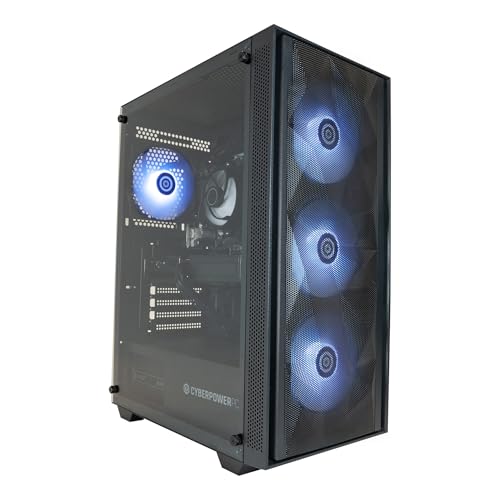
For those who cannot or do not want to work within the macOS ecosystem, or whose budget does not stretch to the iMac's price, the GMKtec K8 Plus is the standout value pick. Its 32 GB DDR5 RAM and PCIe 4.0 NVMe SSD in a compact, near-silent chassis outperform every refurbished option on this list at a fraction of the cost, and it supports Linux natively for developers who prefer that environment. The CyberPowerPC Wyvern with the Ryzen 7 8700F and RTX 5060 Ti is the right choice for those who need CUDA GPU acceleration alongside strong CPU performance.