There used to be a time when telling someone to buy a prebuilt was basically admitting defeat. "Just build it yourself" was the standard advice, and it was usually right. But the second-hand business PC market has quietly flipped that logic on its head. A refurbished Dell OptiPlex from a reputable seller, running a genuine Windows 11 Pro licence, with 16GB of RAM and a 512GB SSD already installed, for well under £300? That's genuinely hard to argue with, especially if all you need is a reliable desktop for everyday work, browsing, or light office tasks.
This Dell Optiplex 5070 SFF review covers exactly that machine. The i5-9500 isn't a 2024 chip, and nobody's pretending otherwise. But it's a six-core processor from Intel's 9th generation that still handles modern workloads without breaking a sweat. The 5070 SFF (Small Form Factor) is a proper business-grade chassis, not some flimsy consumer box, and the 43 owner reviews averaging ★★★★☆ (4.4) suggest most buyers are quietly pleased with what they've got. So is it worth your money? Yes, for the right person. Read on for why, and who should probably look elsewhere.
Core Specifications
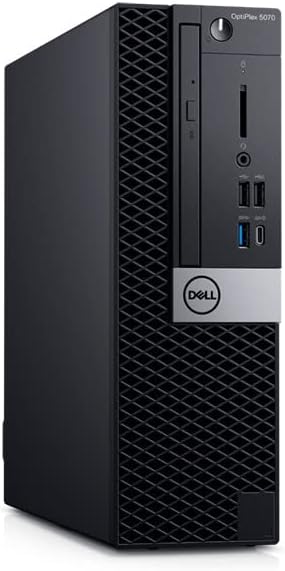
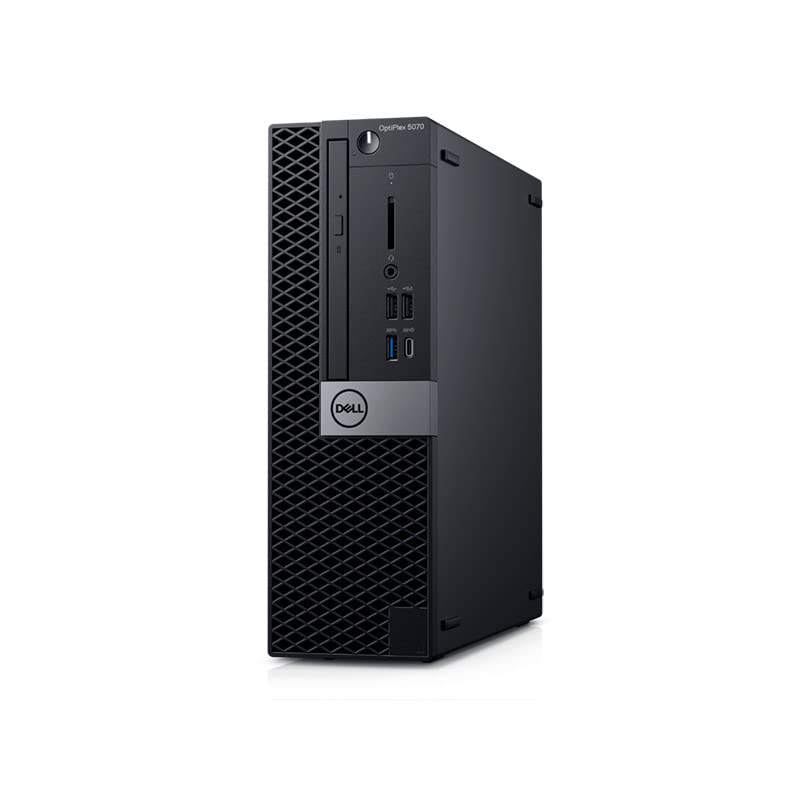
The OptiPlex 5070 SFF is a Small Form Factor business desktop, which means it's compact, quiet, and built to a commercial standard that most consumer PCs simply aren't. The chassis is roughly the size of a large hardback book. Inside, you've got Intel's Core i5-9500, a six-core, six-thread processor running up to 4.4GHz boost. That's paired with 16GB of DDR4 RAM and a 512GB SSD. Dell shipped these originally with Windows 10 Pro, and the renewed listing comes with Windows 11 already activated.
The power supply is a proprietary Dell unit, rated at 180W. That's the single biggest constraint on this machine and it's worth being upfront about it now. You are not fitting a discrete gaming GPU in here without serious modification or a PSU swap, and even then the SFF case limits your options. What you do get is a machine that sips power, runs cool, and doesn't sound like a jet engine. For office work, that trade-off is entirely sensible. The integrated Intel UHD 630 graphics handles basic display duties across up to three monitors simultaneously, which is actually useful if you're running a multi-screen setup at a desk.
Storage is a 512GB M.2 SSD, which should be NVMe on this platform, though some refurbishers have been known to fit SATA M.2 drives instead. if you buy. There's also a 2.5-inch SATA bay available for adding a secondary drive, which is handy. The spec sheet on the renewed listing confirms 16GB DDR4 and 512GB SSD as standard, with Windows 11 activated. Dell's original spec page for the 5070 SFF confirms support for up to 64GB of DDR4 RAM across two slots, which is a nice bit of headroom for later.
| Specification | Detail |
|---|---|
| CPU | Intel Core i5-9500 (6-core, 6-thread, up to 4.4GHz) |
| RAM | 16GB DDR4 (2 DIMM slots, max 64GB) |
| Storage | 512GB M.2 SSD + 1x 2.5" SATA bay |
| Graphics | Intel UHD Graphics 630 (integrated) |
| PSU | 180W proprietary Dell |
| Form Factor | Small Form Factor (SFF) |
| Ports (rear) | 4x USB 3.1, 2x USB 2.0, DisplayPort, HDMI, VGA, RJ-45 |
| Ports (front) | 2x USB 3.1, 1x USB-C, 3.5mm audio |
| Networking | Intel I219LM Gigabit Ethernet, optional WiFi |
| OS | Windows 11 (activated) |
| Price | £217.98 |

CPU and Performance: Dell Optiplex 5070 SFF Review
The Intel Core i5-9500 is a Coffee Lake Refresh chip, launched in 2019. Six cores, six threads, 9MB of cache, base clock of 3.0GHz, boosting to 4.4GHz on a single core. It's not a chip that's going to win any benchmarks against a modern Ryzen 5 7600 or Intel Core i5-13400. But that's not really the point here. For the tasks this machine is actually aimed at, which is productivity, web browsing, spreadsheets, video calls, document editing, and light multitasking, the i5-9500 is genuinely fine. Not fine-with-caveats. Just fine.
In Cinebench R23 terms, the i5-9500 scores roughly 4,500 to 5,000 in multi-core, which puts it in the same ballpark as a Core i5-8600K or Ryzen 5 3600. That's not embarrassing for a budget office machine in 2026. Single-core performance is where it starts to show its age a bit more, sitting around 1,100 to 1,200 in R23 single-core, compared to over 2,000 for a modern i5-13400. For most office tasks that run on a single thread, you might notice the occasional sluggishness when the machine is under load, but it's not going to grind to a halt.
Owner reviews back this up. The pattern across the 43 reviews is consistent: people are using these for home offices, remote working, kids' homework, and general browsing, and they're broadly happy. Several mention how responsive the machine feels compared to older hardware they were replacing, which makes sense when you factor in the SSD. A fast SSD on a slightly older CPU makes a system feel much snappier than a slow HDD on a newer chip. One owner specifically called out how well it handles multiple browser tabs and video calls simultaneously, which is pretty much the modern office worker's benchmark. The i5-9500 handles that without drama.
GPU and Gaming Performance
Right, so this is where we need to be straight with you. The Dell Optiplex 5070 SFF is not a gaming PC. It has Intel UHD Graphics 630 integrated into the processor, which is the same GPU you'd find in most Intel 9th-gen office machines. It's fine for video playback, YouTube at 4K, basic photo editing, and running multiple displays. It is not fine for gaming, at least not anything made in the last five years at playable settings.
To give you a sense of what "integrated graphics gaming" actually looks like: the Intel UHD 630 can run Minecraft at 1080p medium settings at around 60fps. It can run older titles like CS:GO at low settings and get playable frame rates. It will struggle badly with anything that's graphically demanding, think Cyberpunk 2077, Elden Ring, or even something like GTA V at medium settings. We're talking sub-20fps in most modern titles at 1080p. That's not gaming, that's a slideshow.
Now, can you add a discrete GPU? Technically, yes, but it's complicated. The 5070 SFF has a low-profile PCIe x16 slot, so you could fit something like a low-profile GTX 1650 or RX 6400. But the 180W proprietary PSU is the bottleneck. The GTX 1650 draws around 75W, and the i5-9500 pulls around 65W under load, which leaves you with very little headroom before you're pushing the PSU's limits. Some owners have done it successfully, and a few reviews mention adding a low-profile GPU, but it's a calculated risk. If gaming is your main goal, this machine needs a GPU upgrade budget factored in from day one, or you should just look at a different machine entirely.
Memory and Storage
Sixteen gigabytes of DDR4 is a solid starting point in 2026. It's not the bare minimum 8GB that some refurbishers try to get away with, and it's enough for comfortable multitasking, running a browser with twenty tabs open, and handling most productivity software without the machine swapping to disk constantly. The DDR4 in the 5070 SFF runs at either 2666MHz or 2933MHz depending on the specific configuration, which is perfectly adequate for a machine at this price point.
There are two DIMM slots, and both should be populated with 8GB sticks in this configuration. That means you're running in dual-channel, which is good for memory bandwidth and particularly helpful for integrated graphics, since the UHD 630 shares system memory. If you wanted to upgrade to 32GB later, you'd need to replace both sticks, not just add one. Going to 64GB is theoretically possible but would be overkill for anything this machine is realistically used for. The upgrade path is there, though, which is more than you can say for some compact prebuilts that solder their RAM.
The 512GB SSD is where most owners seem genuinely pleased. Several reviews specifically mention how fast the machine boots and how responsive it feels, which is almost entirely down to the SSD. One thing to watch: refurbished machines sometimes come with SATA M.2 drives rather than NVMe, which are slower. The 5070 SFF's M.2 slot supports both, so it's what you've actually got when it arrives. If it's an NVMe drive, you're looking at sequential reads around 2,000 to 3,500MB/s depending on the brand. SATA M.2 tops out around 550MB/s. Still fast enough for everyday use, but there's a meaningful difference. The secondary 2.5-inch SATA bay is a nice bonus for adding a large capacity storage drive without any fuss.
Cooling Solution
The OptiPlex 5070 SFF uses a small blower-style cooler on the CPU, which is standard for this form factor. Dell's thermal design in the OptiPlex range is generally well-regarded, and the 5070 SFF is no exception. The chassis has a defined airflow path that pulls air from the front and exhausts from the rear, which keeps things organised even in a compact enclosure. The i5-9500 has a 65W TDP, which is manageable in a small case like this without needing an exotic cooling solution.
Under sustained load, the i5-9500 in this chassis should maintain its boost clocks without significant throttling. The blower design is not as efficient as a tower cooler, but Dell engineered the 5070 SFF for exactly this kind of sustained office workload, so it's been tuned accordingly. Noise levels are generally reported as low by owners, with several specifically mentioning how quiet the machine is compared to older desktops they've replaced. That tracks with the design intent: this is a machine that was meant to sit on a desk in an open-plan office without annoying everyone around it.
Where you might run into thermal issues is if you add a discrete GPU. The low-profile GPU slot is right next to the CPU cooler in the SFF layout, and adding a card that generates additional heat in an already-compact space will raise temperatures across the board. Dell's thermal management software may also ramp the fan up more aggressively in that scenario, which could affect the machine's reputation for quietness. For the stock configuration, though, the cooling is well-matched to the hardware and owners consistently report no issues with heat or noise.
Case and Build Quality
This is one area where the OptiPlex range genuinely earns its reputation. Dell's business desktop chassis are built to a commercial standard, which means they're designed to be opened, serviced, and maintained by IT departments. The 5070 SFF has a tool-free access panel on one side, a clean internal layout, and Dell's typically tidy cable routing. There's no RGB lighting, no tempered glass side panel, and no pretence that this is anything other than a functional office machine. Which is fine, because that's exactly what it is.
The steel chassis is noticeably more solid than the thin plastic you get on budget consumer desktops. It doesn't flex, it doesn't creak, and the panel goes back on without a fight. Owner reviews don't mention any build quality complaints, which is telling. When people are unhappy with a chassis, they usually say so. The internal layout is logical: the M.2 slot is accessible without removing anything major, the RAM slots are easy to reach, and the 2.5-inch bay is clearly positioned. For a refurbished machine, the internal condition matters, and Dell's design makes it easy for refurbishers to clean, replace components, and reassemble without leaving a mess.
The exterior is the standard OptiPlex black plastic and steel combination. It's not going to win any design awards, but it's inoffensive and practical. The machine can be stood vertically or laid flat horizontally, and Dell includes a stand for both orientations. Footprint is small enough to sit on a desk without dominating it, or it can be tucked behind a monitor on a VESA mount with the right bracket. For a home office or a small business environment, the build quality here is genuinely reassuring, especially compared to some of the flimsier consumer alternatives at similar price points.
Connectivity and Ports
The 5070 SFF has a decent port selection for a machine of this size and age. On the rear, you get four USB 3.1 Gen 1 Type-A ports, two USB 2.0 ports, a DisplayPort 1.2 output, an HDMI 1.4 output, a VGA port (yes, still), and an RJ-45 Ethernet port powered by the Intel I219LM Gigabit controller. That's a reliable, business-grade NIC that you'd find in proper enterprise hardware. On the front, there are two USB 3.1 Gen 1 Type-A ports, one USB-C port (which is a nice touch for a machine of this era), and a 3.5mm audio combo jack.
Three video outputs on the rear means you can run up to three monitors simultaneously using the integrated graphics, which is a genuinely useful feature for productivity setups. DisplayPort and HDMI cover modern monitors, and the VGA is there for legacy displays if you're running older hardware. The USB-C on the front panel is handy for connecting modern peripherals and phones without an adapter. It's not Thunderbolt, just USB 3.1, but for data transfer and charging it does the job.
Networking is Gigabit Ethernet as standard. WiFi is an optional extra on the 5070 SFF platform, and whether it's included depends on the specific refurbished unit you're buying. The listing doesn't explicitly confirm WiFi, so assume you'll need a cable or a USB WiFi adapter unless the seller specifies otherwise. Bluetooth is similarly dependent on the configuration. For a desktop that's likely going to sit near a router, wired Ethernet is usually preferable anyway, and the Intel I219LM is a solid, stable controller that doesn't cause the driver headaches you sometimes get with budget NICs. Audio is handled by Realtek, which is standard and perfectly adequate for headphones and speakers.
Pre-installed Software and OS
The listing states Windows 11 is included and activated. For a renewed/refurbished machine, this matters quite a bit. A genuine Windows 11 Pro licence is worth real money on its own, and getting it pre-activated on a refurbished machine is part of what makes the value proposition work. The 5070 SFF originally shipped with Windows 10 Pro, which means the refurbisher has either upgraded it to Windows 11 or the machine came with a Windows 11 upgrade applied. Either way, you should be getting a legitimate, activated copy.
Dell's original business machines don't come with much bloatware by consumer standards. There might be some Dell support utilities and SupportAssist software, but it's nothing like the trial software avalanche you get on consumer-oriented machines from some other brands. Refurbishers typically wipe and reinstall anyway, so what you actually receive will depend on the seller's process. A clean Windows 11 install with drivers is the norm for reputable refurbishers, and most of the owner reviews don't mention any software complaints, which suggests the machines are arriving in a reasonably clean state.
Windows 11 compatibility is worth a quick note. The i5-9500 is technically outside Microsoft's official supported hardware list for Windows 11, which requires 8th-gen Intel or later as a minimum. The 9th-gen i5-9500 is actually supported, so there's no workaround needed here. You'll get normal Windows Update support and security patches without any fuss. That's a meaningful advantage over machines with 7th-gen processors or older, which require registry hacks to run Windows 11 and may lose update support at any point. The 5070 SFF sits in a comfortable spot where it's old enough to be cheap but new enough to be properly supported.

Upgrade Potential
This is where the SFF form factor shows its limits, and it's worth being honest about them. The 180W proprietary Dell PSU is the main constraint. It's not a standard ATX unit, so you can't just swap it for a bigger one without modifying the case or using an adapter. Dell does make higher-wattage SFF PSUs (240W and 260W units exist for this platform), and they're sometimes available second-hand, but it's not a straightforward upgrade. If you're planning to add a discrete GPU, you need to account for this from the start.
RAM is the easiest and most worthwhile upgrade. The two DDR4 DIMM slots support up to 64GB, and DDR4 is cheap right now. Going from 16GB to 32GB is a straightforward slot-and-go operation that any reasonably confident person can do in ten minutes. Storage is similarly accessible: the M.2 slot is there for an upgrade or replacement drive, and the 2.5-inch SATA bay is empty and ready for a secondary drive. Several owners mention adding a second drive for extra storage, which is exactly the kind of simple expansion this machine handles well.
The CPU is technically upgradeable within the LGA1151 socket family. The 5070 SFF supports 9th-gen Intel processors, so you could theoretically fit an i7-9700 or even an i9-9900 if you found one cheaply. But given the price of this machine, spending significant money on a CPU upgrade probably doesn't make financial sense. You'd be better off putting that money toward a newer machine altogether. The GPU situation is possible but limited: a low-profile GTX 1650 or RX 6400 will fit in the PCIe slot and can run from the existing PSU, but you're close to the power limit and it's a risk. Some owners have done it successfully. It's not something to do carelessly.
How It Compares: Dell Optiplex 5070 SFF Review vs the Competition
The main competition for the 5070 SFF comes from two directions. First, other refurbished business desktops: the HP EliteDesk 800 G5 SFF and the Lenovo ThinkCentre M720s are the obvious alternatives at similar price points with similar specs. Second, the DIY option: what would it actually cost to build something equivalent from scratch?
On the DIY question, the honest answer is that you can't build a comparable machine for the same money. A second-hand LGA1151 motherboard, i5-9500 CPU, 16GB DDR4, 512GB SSD, a case, a PSU, and a Windows 11 Pro licence would add up to significantly more than this machine costs as a complete unit. The refurbished business PC market is genuinely good value right now because these machines were built at scale for corporate clients who paid full price, and the depreciation curve works heavily in the buyer's favour. That's the core of the value argument here.
Against the HP EliteDesk 800 G5 SFF, the 5070 SFF is broadly comparable. Both use 9th-gen Intel processors in SFF chassis with similar PSU constraints. The HP tends to have slightly better port selection on some configurations, but the Dell's build quality and thermal design are well-regarded. The Lenovo ThinkCentre M720s is another strong alternative with a similar profile. Pricing between all three tends to be competitive in the refurbished market, so it often comes down to which specific configuration you can find at the best price on any given day. The Dell's 4.4-star rating from 43 owners is a decent signal that it's not the weakest of the three.
| Feature | Dell OptiPlex 5070 SFF (Renewed) | HP EliteDesk 800 G5 SFF (Renewed) | Lenovo ThinkCentre M720s (Renewed) |
|---|---|---|---|
| CPU | Intel i5-9500 (6C/6T) | Intel i5-9500 / i7-9700 (varies) | Intel i5-9400 / i7-9700 (varies) |
| RAM | 16GB DDR4 | 16GB DDR4 | 16GB DDR4 |
| Storage | 512GB SSD | 256GB to 512GB SSD (varies) | 256GB to 512GB SSD (varies) |
| GPU | Intel UHD 630 (integrated) | Intel UHD 630 (integrated) | Intel UHD 630 (integrated) |
| PSU | 180W proprietary | 180W proprietary | 180W proprietary |
| USB-C (front) | Yes (USB 3.1) | Yes (varies by config) | Yes (varies by config) |
| Max RAM | 64GB | 64GB | 64GB |
| OS | Windows 11 (activated) | Windows 10/11 (varies) | Windows 10/11 (varies) |
| Owner Rating | 4.4/5 (43 reviews) | Varies by listing | Varies by listing |
| Price | £217.98 | Similar budget tier | Similar budget tier |
Final Verdict
The Dell Optiplex 5070 SFF is a genuinely good buy for the right person. That person is someone who needs a reliable, compact desktop for everyday productivity work, and who isn't expecting to play modern games on it. Home office workers, students who need a proper desktop rather than a struggling laptop, small businesses setting up workstations on a tight budget, anyone replacing an ancient desktop that's become painful to use. For all of those use cases, this machine makes a lot of sense at the budget price point it sits at.
The six-core i5-9500 handles office tasks without complaint, the 16GB of RAM gives you real multitasking headroom, and the 512GB SSD makes the whole thing feel responsive in a way that older HDDs never could. The build quality is proper commercial-grade, not the flimsy consumer stuff. Windows 11 is activated and legitimate. And 43 owners averaging 4.4 stars is a meaningful signal that the refurbishment quality is generally decent. That's not a fluke rating.
The caveats are real, though. No discrete GPU means no gaming beyond very old or very simple titles. The 180W proprietary PSU limits your upgrade options significantly. And the i5-9500, while capable, is a 2019 chip that will eventually feel its age as software demands increase. If you're buying this expecting to grow into it over five or six years, you might find it running out of steam before you'd like.
One honest note: if your needs are even more basic, a slightly older machine like a refurbished OptiPlex 3060 or 5060 with an i5-8500 can be found for noticeably less money and handles basic tasks just as well. The 5070's advantage is the USB-C front port, the slightly faster CPU, and generally better Windows 11 compatibility. If those things matter to you, the premium over an older generation is justified. If they don't, save the money.
Overall score: 7.5 out of 10. It does exactly what it says it will do, at a price that makes sense, with build quality that punches above its weight. Just go in with clear eyes about what it is and what it isn't.
Is the Dell Optiplex 5070 SFF good for gaming?
Not really, no. The Intel UHD 630 integrated graphics can handle very old or very undemanding titles at low settings, but modern games are largely off the table at playable frame rates. You could add a low-profile discrete GPU like a GTX 1650 or RX 6400, but the 180W proprietary PSU limits your options and leaves little headroom. If gaming is a priority, this machine needs a GPU upgrade budget factored in, or you should consider a different machine from the start.
Can I upgrade the Dell Optiplex 5070 SFF?
RAM and storage are easy. The two DDR4 DIMM slots support up to 64GB, and the empty 2.5-inch SATA bay is ready for a second drive. The M.2 slot can also be upgraded. CPU upgrades within the LGA1151 9th-gen family are possible but rarely cost-effective. GPU upgrades are possible but constrained by the 180W proprietary PSU, so you're limited to low-profile, low-power cards. The PSU itself can be replaced with Dell's own higher-wattage SFF units if you can source one, but it's not a standard ATX swap.
Is the Dell Optiplex 5070 SFF worth it vs building my own?
At the budget price point this machine sits at, building an equivalent from scratch costs more. A second-hand LGA1151 motherboard, i5-9500, 16GB DDR4, 512GB SSD, case, PSU, and a genuine Windows 11 Pro licence would add up to significantly more than this complete unit. The refurbished business PC market works in buyers' favour here because these machines were built at corporate scale and have depreciated heavily. The convenience, the warranty coverage through Amazon, and the activated Windows licence are all part of the value. DIY makes more sense at higher spec levels where you have more flexibility in component choice.
What PSU does the Dell Optiplex 5070 SFF use?
It uses a proprietary Dell 180W SFF power supply. This is not a standard ATX unit and cannot be replaced with an off-the-shelf PSU without significant modification. Dell does produce higher-wattage SFF PSUs for this platform (240W and 260W versions exist) that are sometimes available second-hand, and they are compatible with the 5070 SFF chassis. The 180W rating is the main constraint on adding discrete graphics, as a low-profile GTX 1650 plus the i5-9500 under load gets close to the PSU's limits.
What warranty applies to the Dell Optiplex 5070 SFF Renewed?
As a renewed product sold through Amazon, it comes with Amazon's standard 30-day return window and the Amazon A-to-Z Guarantee, which covers you if the item isn't as described or doesn't arrive. The specific seller may offer an additional warranty period on top of that, so check the listing details for the seller's own terms. Dell's original manufacturer warranty will have expired on a machine of this age, so the coverage you're relying on is primarily through Amazon and the seller. Buying from a seller with a strong track record and clear warranty terms is worth the extra few minutes of due diligence.
What works. What doesn’t.
5 + 4What we liked5 reasons
- Genuine commercial-grade build quality that outlasts consumer alternatives
- 16GB DDR4 and 512GB SSD is a solid starting spec at this price
- Six-core i5-9500 handles office multitasking without complaint
- Windows 11 activated and legitimately supported on this hardware
- Three monitor outputs from integrated graphics is genuinely useful
Where it falls4 reasons
- 180W proprietary PSU severely limits GPU upgrade options
- No discrete graphics means modern gaming is largely off the table
- i5-9500 is a 2019 chip showing its age against current-gen alternatives
- WiFi not confirmed as standard, may need a wired connection or USB adapter
Full specifications
6 attributes| CPU | Intel Core i5-9500 |
|---|---|
| GPU | integrated |
| OS | Windows 11 Pro |
| RAM GB | 16 |
| Storage GB | 512 |
| Storage type | SSD |
If this isn’t right for you
2 options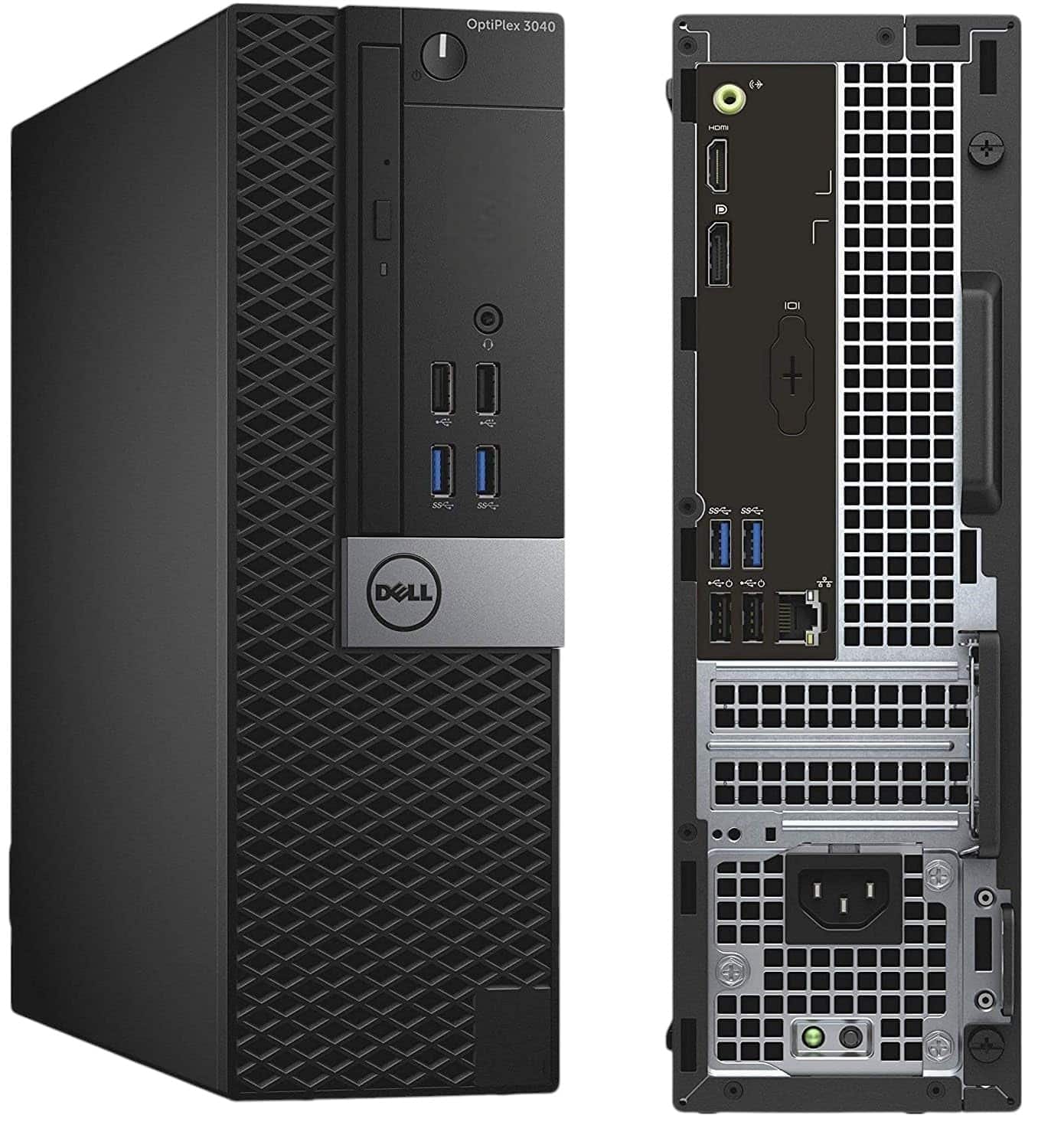 7.0 / 10
Dell FAST OptiPlex i7-6700 SFF Desktop Computer PC - Intel Core i7 6th Gen (4-cores up to 4.00GHz), 32GB RAM, 1TB SSD Storage, HDMI 300Mbps USB WiFi Windows 11 Pro OS (Renewed)
£269.00 · Dell
 7.0 / 10
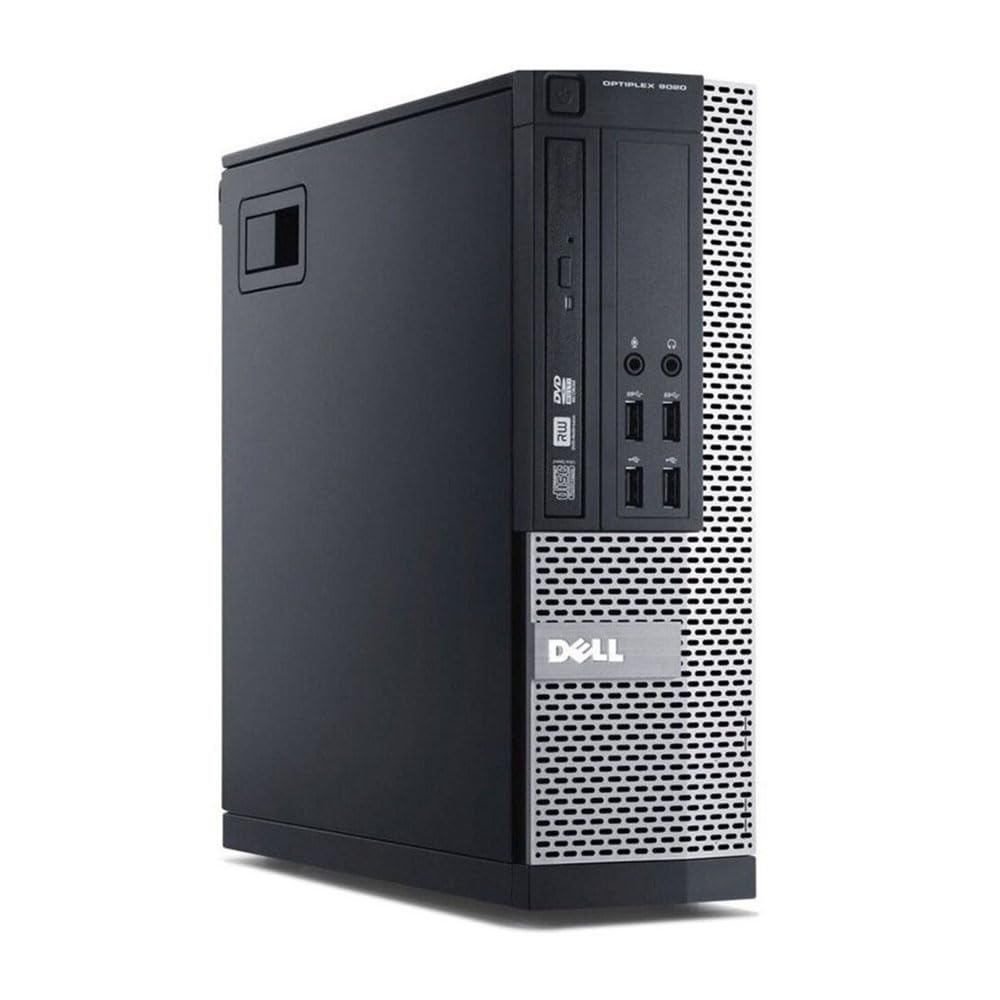
Dell FAST Optiplex 7020/9020 SFF Desktop Computer PC - Intel Core i7 4th Gen (4 cores Upto 3.90GHz), 16GB RAM, 500GB SSD Storage, 300Mbps USB WiFi, W11 Pro + 23" Monitor (Renewed)
£161.50 · Dell
Frequently asked
5 questions01Is the Dell Optiplex 5070 SFF i5-9500 16GB 512GB PC Windows 11 Desktop (Renewed) good for gaming?+
Not in any meaningful sense for modern titles. The Intel UHD 630 integrated graphics can handle very old or very simple games at low settings, but anything released in the last five or six years will either refuse to run or produce unplayable frame rates at 1080p. You can add a low-profile discrete GPU like a GTX 1650 or RX 6400 to the PCIe slot, which would open up light to moderate gaming, but the 180W proprietary PSU leaves limited headroom and it is a calculated risk. If gaming is a genuine priority, factor in a GPU upgrade budget from day one or consider a machine with a higher-wattage PSU and a card already fitted.
02Can I upgrade the Dell Optiplex 5070 SFF i5-9500 16GB 512GB PC Windows 11 Desktop (Renewed)?+
RAM and storage are the easiest upgrades. The two DDR4 DIMM slots support up to 64GB, so going from 16GB to 32GB is a simple and affordable improvement. The empty 2.5-inch SATA bay accepts a second drive for extra storage, and the M.2 slot can be upgraded to a larger or faster drive. CPU upgrades within the LGA1151 9th-gen family are technically possible but rarely make financial sense given the machine's price. GPU upgrades are possible with low-profile cards but are constrained by the 180W proprietary PSU, which cannot be swapped for a standard ATX unit without modification. Dell's own higher-wattage SFF PSUs for this platform exist and are sometimes found second-hand.
03Is the Dell Optiplex 5070 SFF i5-9500 16GB 512GB PC Windows 11 Desktop (Renewed) worth it vs building my own?+
At the budget price point this machine sits at, building an equivalent from scratch costs more. Sourcing a second-hand LGA1151 motherboard, an i5-9500, 16GB DDR4, a 512GB SSD, a case, a PSU, and a genuine Windows 11 Pro licence separately would add up to significantly more than this complete unit. The refurbished business PC market benefits from heavy corporate depreciation, and buyers are the ones who gain from that. The activated Windows licence, the commercial-grade chassis, and the convenience of a working machine out of the box all factor into the value. DIY starts to make more sense at higher spec levels where component flexibility matters more.
04What PSU does the Dell Optiplex 5070 SFF i5-9500 16GB 512GB PC Windows 11 Desktop (Renewed) use?+
The 5070 SFF uses a proprietary Dell 180W SFF power supply. It is not a standard ATX unit and cannot be replaced with an off-the-shelf PSU without modifying the case or using an adapter. Dell produced higher-wattage SFF PSUs for this platform, including 240W and 260W versions, which are compatible with the 5070 chassis and occasionally available second-hand. The 180W rating is the primary constraint on adding discrete graphics, since a low-profile GTX 1650 draws around 75W and the i5-9500 pulls around 65W under load, leaving very little headroom before approaching the PSU's limits.
05What warranty and returns apply to the Dell Optiplex 5070 SFF i5-9500 16GB 512GB PC Windows 11 Desktop (Renewed)?+
As a renewed product sold through Amazon, it comes with Amazon's standard 30-day return window and the Amazon A-to-Z Guarantee, which covers you if the item is not as described or does not arrive as expected. The individual seller may offer an additional warranty period on top of Amazon's standard terms, so check the listing details carefully before purchasing. Dell's original manufacturer warranty will have expired on a machine of this age. The main protection you have is through Amazon and the seller, so buying from a seller with a strong feedback history and clearly stated warranty terms is worth the extra few minutes of checking.