UK tech experts · info@vividrepairs.co.uk
Vivid Repairs
VIVID·REPAIRS/THE FIELD GUIDE/DESKTOPPublished 10 September 2026Prices live from Amazon UK

Best of · UK · Field of 5

Best Desktops for older / less technical users

Best desktops for older and less technical users in 2025: simple setup, reliable performance and great value picks reviewed and ranked for UK buyers.

As an Amazon Associate we may earn from qualifying purchases. We have not handled these products. Everything below is judged on published specifications, the owner ratings on the UK listings and our own product reviews, and the ranking stays independent of what any of them pay.

As an Amazon Associate, we may earn from qualifying purchases. Our ranking is independent.
FIG. 01
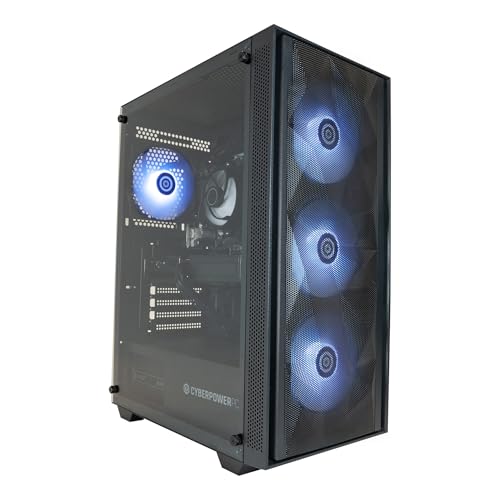
Best Desktops for older / less technical users: hero illustration

Illustration · Vivid RepairsDesktop / 2026

Field5 ranked
Cheapest£218.49
Under £6002 of 4
Owner ratings read165
VIVID·REPAIRSThe verdict · desktops for older / less technical users · UK · Desktop PCs

Our pick

Apple iMac All-in-One Desktop Computer with M4 chip with

Apple iMac All-in-One Desktop Computer with M4 chip with 10-core CPU and 10-core GPU: Built for Apple Intelligence, 24-inch Retina Display, 16GB Unified Memory, 512GB SSD storage; Silver

  • Editorial score8.5 / 10
  • Owners4.7 from 63 ratings
Live price · checked today
Buy on Amazon

Amazon confirms the live price, seller, stock and delivery. Prices here are read from the live listing daily and dead stock is dropped overnight.

Read the full review of this pick →

vividrepairs.co.uk / best-desktops-for-older-less-technical-usersPublished 10 September 2026 · Prices from the live Amazon UK listing
Not sure yet?The shortlist, argued pick by pick, starts here
§ Shortlist

The three worth arguing about

01

01 / Our pick

Apple iMac All-in-One Desktop Computer with M4 chip with

  • The M4 chip delivers genuinely fast performance for productivity and creative workloads, with thermal throttling essentially a non-issue in normal use
  • The 24-inch 4.5K Retina display is outstanding, with 500 nits of brightness and one billion colour support that rivals dedicated professional monitors
  • The 12MP Center Stage camera and six-speaker audio system set a standard that competing all-in-ones cannot match, making it exceptional for video calls

Where it gives up

Zero upgrade potential: the unified memory and SSD are soldered permanently, so the configuration you buy is the configuration you keep forever. The 512GB base storage fills up quickly for users working with large video or photo libraries, making external storage essential from day one.

Rated 4.7 by 63 owners. Our review scores it 8.5.

★★★★½ 4.7 · 63 ratingsBuy on Amazon

Amazon confirms the live price, seller, stock and delivery. · Read the full Apple iMac All-in-One Desktop Computer with M4 chip with review

02
01 / 05

02 / Best Value

Veno Scorp Optiplex Intel i5 2400 16GB RAM 1TB Nvme SSD WiFi

  • 16GB RAM is above average for this budget price tier
  • 1TB NVMe SSD delivers noticeably fast boot and load times
  • Complete bundle includes monitor, keyboard, and mouse

Where it gives up

i5-2400 CPU is from 2011 - skip if you need modern performance. No discrete GPU - skip if any gaming is on your agenda.

Rated 4.1 by 15 owners, which is thin. Our review scores it 6.5.

£279.00★★★★☆ 4.1 · 15 ratingsBuy on Amazon£279.00

Amazon confirms the live price, seller, stock and delivery. · Read the full Veno Scorp Optiplex Intel i5 2400 16GB RAM 1TB Nvme SSD WiFi review

03
03 / Best Budget · Under £250

Dell Optiplex 3060 (1D1G7) SFF Desktop PC Intel Core i5-8500

  • CPU: Intel Core i5-8500
  • GPU: integrated
  • Dimensions MM: 289x94x292

Rated 4.8 by 15 owners, which is thin. No editorial score for this one yet.

£218.49★★★★½ 4.8 · 15 ratingsBuy on Amazon£218.49

Amazon confirms the live price, seller, stock and delivery.

§ The rest

Shorter entries, simpler decisions

Every one of these still earns a place. Shorter entries because the decision is simpler: they do one job well and they tell you what they can’t do.

Lenovo ThinkCentre M720 Tiny M720q Desktop Intel Core04

Lenovo ThinkCentre M720 Tiny M720q Desktop Intel Core

Best PremiumCPU: Intel Core i5-8400T · GPU: integrated. ★★★★½ 4.8 from 21 ratings.

£622.24Live priceBuy on Amazon
GMKtec AMD Ryzen 7 Mini Gaming PC 8845HS(8C/16T05

GMKtec AMD Ryzen 7 Mini Gaming PC 8845HS(8C/16T

Best Build QualityOur review scores it 8.5. ★★★★½ 4.7 from 51 ratings.

£809.96Live priceBuy on Amazon
§ Method

How we chose

The rules this ranking ran under, in plain sight: what we read, what we weighed and what no merchant can move.

How we picked

Our editors evaluated 5 Desktop options against the criteria readers actually weigh up: price, real-world performance, build quality, warranty, and UK availability. Picks lean toward what we'd recommend to a friend buying today, not specs-on-paper winners.

  • Editorial contextEditor notes from individual reviews, not press releases.
  • Live UK pricingRefreshed from Amazon UK twice daily.
  • No paid placementsAffiliate commission doesn't change what wins.
The full guideEverything behind the shortlist above: the spec sheet, the write-ups in full, our method and the verdict.

§ Editorial · The full guide · three proofs, nothing hidden

The Doubt Index.

The shortlist told you what we picked; this zone shows the working. Come in through whichever doubt you’re carrying, or read straight down; we’d rather you checked us than trusted us.

Proof A · What the numbers mean

↑ All doubts

I can read a spec sheet myself.

What the numbers mean

You can, and you should. What follows is the part a sheet can’t do: the working between what these products have and what your desk actually needs, kept word for word.

Finding the right desktop for an older or less technically confident user is less about raw power and more about simplicity, reliability and a setup that just works from day one. Whether you are buying for a parent who wants to video call grandchildren, a retiree who needs a machine for emails and online banking, or someone returning to computing after a long break, the priorities are clear: a clean interface, a manageable form factor, enough storage for photos and documents, and software that does not require a degree in IT to navigate. Compared with last year, the refurbished market has matured significantly, Windows 11 is now far more widely pre-installed, and Apple's M4 iMac has raised the bar for all-in-one simplicity. This guide focuses on five picks that balance ease of use, value and longevity for everyday, non-gaming tasks.

Quick Verdict

Best Overall: Apple iMac (M4), nothing on the market matches its out-of-box simplicity, gorgeous display and long software support cycle for a non-technical user.
Best Value: Veno Scorp Optiplex (i5-2400), a remarkably affordable refurbished machine that covers all everyday tasks with Windows 11 already installed and a full 1 TB NVMe SSD.

Product Price Processor RAM / Storage Graphics Operating System Form Factor
Apple iMac (M4) Check price Apple M4 10-core CPU 16 GB / 512 GB SSD Apple M4 10-core GPU (integrated) macOS All-in-One
Veno Scorp Optiplex i5-2400 Check price Intel Core i5-2400 16 GB / 1 TB NVMe SSD Integrated Windows 11 Small Form Factor
Dell Optiplex 3060 SFF £218.49 Intel Core i5-8500 8 GB / 256 GB SSD Integrated Windows 10 Pro Small Form Factor
Lenovo ThinkCentre M720 Tiny £622.24 Intel Core i5-8400T 16 GB / 512 GB NVMe SSD + HDD Integrated Windows 10 Pro 64-bit Tiny / Mini PC
GMKtec K8 Plus Mini PC £809.96 AMD Ryzen 7 8845HS 32 GB / 1 TB PCIe 4.0 NVMe SSD AMD Radeon 780M (integrated) Not specified (Windows compatible) Mini PC

1. Apple iMac All-in-One Desktop (M4)

The Apple iMac with the M4 chip is, without question, the single best desktop you can buy for an older or less technical user who has the budget for it. The reasons are numerous and practical rather than merely aspirational. First and most importantly, it is an all-in-one: the screen, speakers, webcam, microphone and computer are all built into one slim unit. You take it out of the box, plug in a single power cable, connect the wireless keyboard and mouse, and it is ready to use. There are no towers to hide, no cable tangles to manage, and no confusion about which box does what.

The 24-inch Retina display is exceptional, with vivid colours and sharp text that is genuinely easier to read than most monitors paired with a separate PC. For someone who spends their day reading emails, browsing the web, video calling via FaceTime or Zoom, and managing a photo library, the iMac's display alone justifies a significant portion of the premium. The built-in 12-megapixel Centre Stage webcam automatically keeps the user in frame during video calls, which is a genuinely useful feature for those who are not confident adjusting camera settings manually.

macOS is widely regarded as a more intuitive operating system for non-technical users. It receives major free software updates annually and Apple commits to long support cycles, meaning this machine will receive security patches and new features for well over a decade. The M4 chip itself is extraordinarily capable for everyday tasks: web browsing, email, video streaming, photo editing and even light video work all happen instantly and without any fan noise, as the iMac runs silently under typical loads.

The 16 GB of unified memory and 512 GB SSD are more than adequate for the target user. iCloud integration means photos and documents are backed up automatically, which removes one of the most common sources of data loss anxiety for less technical users. The App Store provides a curated, safe environment for installing software, reducing the risk of accidentally downloading malware.

The main drawbacks are the price and the platform lock-in. If the user has decades of Windows habits, there will be a learning curve. However, for someone starting relatively fresh or who has used an iPhone or iPad, the transition is smooth. The 512 GB storage is also on the modest side, though iCloud storage plans are inexpensive and straightforward to set up.

Verdict: The best all-round desktop for a non-technical user who wants a machine that simply works, looks beautiful and will remain supported and relevant for many years.

Pros

  • All-in-one design means single cable setup with no separate tower or monitor confusion
  • macOS is intuitive, secure and receives free updates for many years, reducing long-term support burden
  • Silent operation under everyday loads and excellent built-in 12MP webcam with Centre Stage for video calls

Cons

  • Premium price point is a significant outlay compared with Windows alternatives
  • Users deeply accustomed to Windows will face a learning curve switching to macOS

2. Veno Scorp Optiplex Intel i5-2400 16GB RAM 1TB NVMe SSD

For buyers on a tight budget who simply need a reliable everyday machine, the Veno Scorp refurbished Optiplex is a remarkable proposition. At its price point, you get a machine that has been refurbished and supplied with Windows 11 already installed, a full 1 TB NVMe SSD, and 16 GB of RAM. That is a genuinely generous specification for the money and one that comfortably outstrips many budget new PCs in terms of storage and memory.

The Intel Core i5-2400 is an older processor, dating from the Sandy Bridge generation, and it is important to be honest about what that means in practice. For the target user, it means the machine will handle web browsing, email, video streaming, word processing and light photo management without difficulty. It will not feel lightning fast compared with a modern chip, but for someone who is not multitasking heavily or running demanding software, it is entirely adequate. The 16 GB of RAM is particularly helpful here, as it means the system will not slow down noticeably when several browser tabs are open simultaneously.

The 1 TB NVMe SSD is the standout specification for the price. Solid-state storage means the machine boots quickly, applications open promptly, and there are no moving parts to fail. For an older user who may have memories of slow, noisy hard drives, the responsiveness of an SSD-based system is a revelation. Windows 11 is pre-installed, which means the user benefits from Microsoft's current support cycle and the latest security features without needing to perform any upgrades.

The small form factor of the Optiplex chassis means it takes up minimal desk space and can be tucked away neatly. It includes Wi-Fi, which removes the need to run an ethernet cable across a room. For a user who needs a machine for video calls, emails and general browsing, the integrated graphics are entirely sufficient.

The limitations are real but manageable. The i5-2400 is not eligible for future Windows 12 upgrades should Microsoft introduce strict hardware requirements, and the integrated graphics mean this is not a machine for any kind of gaming or video editing. However, for its intended purpose and its price, it is exceptional value.

Verdict: The best value desktop for a less technical user who needs a clean, ready-to-use everyday machine without spending a great deal of money.

Pros

  • Exceptional value: 1 TB NVMe SSD and 16 GB RAM at a very low price point
  • Windows 11 pre-installed with Wi-Fi included, so it is genuinely ready to use out of the box
  • Compact Optiplex form factor takes up minimal desk space

Cons

  • Intel i5-2400 is a dated processor that may not meet future Windows upgrade requirements
  • Integrated graphics and older CPU mean performance headroom is limited for anything beyond everyday tasks

3. Dell Optiplex 3060 SFF Desktop PC

The Dell Optiplex 3060 occupies a sensible middle ground in the refurbished market, offering a more modern processor than the Veno Scorp at a price that remains very accessible. The Intel Core i5-8500 is a sixth-generation leap over the i5-2400 in terms of architecture and capability, and it sits comfortably within Microsoft's Windows 11 hardware requirements, meaning the user will benefit from Microsoft's full current support cycle without any compatibility concerns.

Dell's Optiplex range has long been the gold standard for business desktop reliability. These machines are built to run continuously in office environments, which means the components are robust and the build quality is noticeably better than many consumer-grade budget PCs. For an older user who needs a dependable, no-fuss machine, that heritage matters. The small form factor chassis is tidy and unobtrusive, fitting neatly on or under a desk.

The 8 GB of RAM and 256 GB SSD are the areas where this machine shows its age relative to the Veno Scorp. Eight gigabytes is adequate for typical everyday use, but users who keep many browser tabs open or use multiple applications simultaneously may notice occasional slowdowns. The 256 GB SSD is functional for a user who stores most photos and documents in the cloud or on an external drive, but it will feel cramped for anyone who accumulates large photo libraries locally. Both RAM and storage can typically be upgraded in the Optiplex 3060, which is a meaningful advantage over sealed all-in-one designs.

The i5-8500 processor handles web browsing, video streaming, email, video calling and light document work with ease. It is noticeably more responsive than older-generation chips and will remain a capable everyday processor for several years. Windows 10 Pro is pre-installed, which is a mature, familiar operating system that many users will already know. A free upgrade path to Windows 11 is available given the hardware meets the requirements.

For a family member who is used to Windows and needs a straightforward, reliable machine for everyday tasks, the Dell Optiplex 3060 is a sensible and trustworthy choice. It is not the most storage-generous option at this price, but the quality of the hardware and the reliability of the platform are reassuring.

Verdict: A dependable refurbished business desktop with a capable modern processor and excellent build quality, ideal for everyday Windows users who value reliability over raw specification.

Pros

  • Intel i5-8500 meets Windows 11 requirements, ensuring a full current support cycle
  • Dell Optiplex build quality is renowned for reliability in long-term everyday use
  • RAM and storage are upgradeable, giving the machine a longer useful lifespan

Cons

  • 8 GB RAM and 256 GB SSD are modest compared with similarly priced alternatives
  • Ships with Windows 10 Pro, so the user will need to initiate a Windows 11 upgrade themselves

4. Lenovo ThinkCentre M720 Tiny Desktop

The Lenovo ThinkCentre M720 Tiny is a fascinating option for a less technical user who needs a machine that is genuinely compact, quiet and capable of handling everyday computing with ease. Lenovo's ThinkCentre Tiny range is legendary in business computing circles for its combination of small footprint, solid build quality and surprising capability. The M720 Tiny is small enough to mount on the back of a monitor using a VESA bracket, effectively creating an all-in-one experience without the all-in-one price tag.

The Intel Core i5-8400T is a low-power variant of Intel's 8th-generation Coffee Lake architecture, designed specifically for small form factor machines where thermal management is critical. In practice, this means the machine runs quietly and coolly even under sustained load. For an older user who finds fan noise distracting or who is sensitive to electronic sounds, the near-silent operation of the M720 Tiny is a genuine quality-of-life benefit.

The specification is generous for the form factor: 16 GB of RAM ensures smooth multitasking across email, web browsing, video streaming and document work. The storage configuration includes both an NVMe SSD and an HDD, which provides a fast system drive for Windows and applications alongside additional bulk storage for photos, music and documents. This combination is particularly practical for users who accumulate large photo libraries and do not want to manage cloud storage subscriptions.

Windows 10 Pro 64-bit is the pre-installed operating system. As with the Dell Optiplex 3060, the i5-8400T meets Windows 11 hardware requirements, so an upgrade is available. Lenovo's ThinkCentre machines are also well-supported by Lenovo's own software tools, which can help with driver updates and system maintenance, though a less technical user will likely never need to engage with these directly.

The price is higher than the refurbished Dell and Veno Scorp options, which reflects the premium build quality, the dual-storage configuration and the Lenovo ThinkCentre brand. For a user who wants a machine that will sit neatly on a desk, run quietly and handle everyday tasks reliably for many years, the M720 Tiny represents excellent long-term value even if the upfront cost is greater.

Verdict: An exceptionally compact and quiet business-grade machine with dual storage and 16 GB RAM, well suited to users who want a tidy desk setup and long-term reliability.

Pros

  • Tiny footprint can be VESA-mounted behind a monitor, creating an almost cable-free desk setup
  • Dual storage (NVMe SSD plus HDD) provides fast boot times and generous local file storage in one unit
  • Near-silent operation under everyday loads thanks to the low-power i5-8400T

Cons

  • Higher price than comparably capable refurbished alternatives from Dell and Veno Scorp
  • Ships with Windows 10 Pro rather than Windows 11, requiring a manual upgrade step

5. GMKtec K8 Plus Mini PC (AMD Ryzen 7 8845HS)

The GMKtec K8 Plus is the most technically capable machine on this list, and it earns its place here because it represents a genuinely compelling option for a less technical user who wants a future-proof machine that will remain fast and relevant for many years without ever needing an upgrade. Mini PCs have matured enormously as a category, and the K8 Plus is among the most impressive examples currently available in the UK market.

The AMD Ryzen 7 8845HS is a modern, high-performance mobile processor with eight cores and sixteen threads, capable of boosting up to 5.1 GHz. It is paired with AMD's Radeon 780M integrated graphics, which is the most capable integrated GPU currently available in a consumer mini PC and is powerful enough for 4K video playback, casual gaming, photo editing and even light video work. For a less technical user, this means the machine will handle absolutely anything they throw at it without hesitation, now and for the foreseeable future.

The 32 GB of DDR5 RAM is generous by any standard and ensures the machine will not feel slow regardless of how many applications or browser tabs are open simultaneously. The 1 TB PCIe 4.0 NVMe SSD provides fast, spacious storage for photos, documents, music and software. The combination of these specifications means this machine is genuinely over-engineered for everyday email and browsing use, which is precisely the point: it will never feel slow or frustrating to use.

The form factor is extremely compact, smaller even than the Lenovo ThinkCentre Tiny, and it will sit unobtrusively on any desk. Setup involves connecting a monitor, keyboard, mouse and power cable. The machine is quiet in everyday use, as the Ryzen 7 8845HS is designed for efficient operation and the cooling system in the K8 Plus is well-engineered for the chassis size.

The main consideration for a less technical user is that the GMKtec is a less well-known brand than Apple, Dell or Lenovo, and the after-sales support infrastructure is less established. However, the hardware quality is solid and the machine comes with a standard warranty. For a family member who wants to be set up with a machine that will not need replacing or upgrading for a very long time, the K8 Plus is an excellent long-term investment at a reasonable price.

Verdict: The most future-proof option on this list, with a modern high-performance processor, 32 GB DDR5 RAM and fast NVMe storage in an impressively compact form factor.

Pros

  • AMD Ryzen 7 8845HS with Radeon 780M is the most capable integrated graphics available in a mini PC, handling 4K video and light gaming
  • 32 GB DDR5 RAM and 1 TB PCIe 4.0 NVMe SSD provide generous, fast resources that will not need upgrading for many years
  • Extremely compact footprint with quiet everyday operation

Cons

  • GMKtec is a lesser-known brand with a less established UK after-sales support network than Dell or Lenovo
  • Operating system configuration may require some initial setup assistance for a non-technical user

Buying Guide

All-in-One vs. Tower vs. Mini PC

For an older or less technical user, the form factor of the desktop is arguably the most important decision. All-in-one computers, such as the Apple iMac, combine the screen, computer and speakers into a single unit with a single power cable. This eliminates the most common source of setup confusion: working out which cable goes where. The trade-off is that all-in-ones are generally more expensive and cannot be upgraded easily.

Mini PCs and small form factor desktops, such as the GMKtec K8 Plus, the Lenovo ThinkCentre M720 Tiny and the Dell Optiplex 3060, require a separate monitor but take up very little desk space. They are typically quieter than full-size towers and are straightforward to set up once the monitor connection is explained. For a user who already has a monitor, or whose family can set the machine up initially, a mini PC or small form factor desktop offers excellent value.

Operating System: Windows 11 vs. macOS

Windows 11 is the current version of Microsoft's operating system and is pre-installed on most new and refurbished machines. It is familiar to most people who have used a computer in the past two decades and has a vast library of compatible software. macOS, found on the Apple iMac, is generally considered more intuitive for first-time or returning users and has an excellent record for security and long-term software support. If the user already has an iPhone or iPad, macOS will feel familiar and the integration between devices is genuinely useful.

How Much RAM and Storage Do You Actually Need?

For everyday tasks including web browsing, email, video calling, streaming and document work, 8 GB of RAM is the minimum and 16 GB is preferable. With 16 GB, the machine will remain responsive even with many browser tabs open simultaneously. For storage, a 512 GB SSD is adequate for a user who stores photos in the cloud, but 1 TB is more comfortable for someone who accumulates local files over many years. An NVMe SSD is significantly faster than an older SATA SSD or a hard drive, and all machines on this list use NVMe or SSD storage.

Connectivity and Peripherals

Ensure the machine includes Wi-Fi if a wired ethernet connection is not practical. Most modern desktops and mini PCs include Wi-Fi as standard. Consider whether the user needs a wireless keyboard and mouse, which reduce cable clutter, or a wired set, which is simpler to set up and never needs charging. A machine with USB-A ports is more practical for older users who may have existing USB accessories such as printers, mice and keyboards.

After-Sales Support and Warranty

For a less technical user, the availability of support matters enormously. Established brands such as Apple, Dell and Lenovo have well-developed UK support infrastructure including telephone support, online resources and, in Apple's case, physical retail stores with trained staff. Refurbished machines typically come with shorter warranties than new ones, so it is worth checking the warranty period before purchasing. Buying from a reputable seller on Amazon provides additional buyer protection regardless of the brand.

The Apple iMac with the M4 chip is the clear overall winner for older and less technical users who can stretch to the budget. No other machine on this list matches its combination of single-cable setup, intuitive operating system, excellent built-in display, long software support cycle and genuinely beautiful design. For a user who will benefit from a machine that a family member sets up once and that then simply works for a decade without drama, the iMac's premium is well justified.

For buyers who need to spend significantly less, the Veno Scorp Optiplex is the best value pick by a considerable margin. The combination of 16 GB RAM, a full 1 TB NVMe SSD and Windows 11 pre-installed at its price point is genuinely difficult to fault for everyday use. The older processor is a limitation, but for the target user it is unlikely to be a practical problem for several years.

The Dell Optiplex 3060 and Lenovo ThinkCentre M720 Tiny both offer more modern processors with full Windows 11 compatibility, and either would be an excellent choice for a user who needs a dependable, upgradeable machine with business-grade build quality. The GMKtec K8 Plus rounds out the list as the most future-proof option, offering modern high-performance hardware in an impressively small package for a user whose family wants to set them up with a machine that will not need replacing for many years.

Proof B · Method & disclosure

↑ All doubts

You’re paid to say this.

Method & disclosure

This page carries affiliate links; they never set the order. We don’t lab-test: rankings come from published specifications, the owner ratings on the UK listings and our own reviews.

How We Picked

Every machine on this list was evaluated against the specific needs of older and less technically confident users rather than enthusiast benchmarks. We prioritised ease of setup, with all-in-one designs and small form factors scoring highly for reducing cable complexity. Operating system maturity and support longevity were weighted heavily, as a machine that stops receiving security updates becomes a liability for a user who may not notice warning signs. Storage was assessed for practical everyday use: a 1 TB SSD scores better than a 256 GB drive for a user who accumulates photos and documents over many years. RAM was assessed for multitasking headroom under typical everyday loads. We excluded gaming-focused machines from the shortlist where their complexity, size and cost offered no benefit to the target user. All prices were verified at the time of writing and reflect UK retail availability.

Motives inspected? Settled.Next · Proof CThe verdict

Proof C · The verdict

↑ All doubts

Every guide crowns something.

The verdict, cross-examined

A crown that can’t be argued with isn’t proof of quality; it’s proof nobody checked. So rather than restate the winner’s virtues, we defend the crown against the strongest cases to take it.

Apple iMac All-in-One Desktop Computer with M4 chip with

Cross-examination · Three challengers, taken seriously

The owners’ argumentVeno Scorp Optiplex Intel i5 2400 16GB RAM 1TB Nvme SSD WiFi

It’s £279.00 on the live listing today. Owners rate it 4.1 from 15 ratings. Our review scores it 6.5 against the winner’s 8.5. The crown holds on the ranking rules: the order above was set before any link was attached, and its case is argued in full in the write-up above.

The owners’ argumentDell Optiplex 3060 (1D1G7) SFF Desktop PC Intel Core i5-8500

It’s £218.49 on the live listing today. Owners rate it 4.8 from 15 ratings. The crown holds on the ranking rules: the order above was set before any link was attached, and its case is argued in full in the write-up above.

The owners’ argumentLenovo ThinkCentre M720 Tiny M720q Desktop Intel Core

It’s £622.24 on the live listing today. Owners rate it 4.8 from 21 ratings. The crown holds on the ranking rules: the order above was set before any link was attached, and its case is argued in full in the write-up above.

The original verdict, preserved in full

Final Verdict

We read everything, we hide nothing, and we sign what we publish. Corrections are welcome and printed when we’re wrong.

The Vivid Repairs desk

Vivid Repairs · 10 September 2026

End of the full guide · Back to the doubt index ↑ · The FAQ is next ↓

§ Questions

Questions people actually ask

Frequently Asked Questions

Both can work well, but macOS on the Apple iMac is generally considered more intuitive for users who are not deeply familiar with computers. It has fewer pop-up prompts, a more consistent interface and a strong record for security without requiring the user to manage antivirus software actively. If the user already has an iPhone or iPad, the transition to macOS is particularly smooth. Windows 11 is the better choice if the user has decades of Windows familiarity or needs specific Windows-only software.

Yes, mini PCs and small form factor desktops such as the GMKtec K8 Plus, Lenovo ThinkCentre M720 Tiny and Dell Optiplex 3060 all require a separate monitor, keyboard and mouse. The Apple iMac is the only machine on this list that includes a built-in display. If the user already has a monitor or a family member can source one, a mini PC offers excellent value. If simplicity of setup is the priority, the all-in-one iMac is the more straightforward option.

For most everyday users, 512 GB of SSD storage is adequate if they use cloud services such as Google Photos or iCloud to store photos and documents. However, 1 TB is more comfortable for users who prefer to keep files locally or who accumulate large photo and music libraries over many years. All machines on this list use solid-state storage, which is significantly faster and more reliable than older hard drives and makes the computer feel noticeably more responsive.

Refurbished desktops from reputable sellers can be very reliable, particularly those based on business-grade hardware such as the Dell Optiplex and Lenovo ThinkCentre ranges, which are built to higher standards than consumer PCs. The key is to buy from a seller with clear warranty terms and good reviews. Machines sold through Amazon from established refurbishers typically come with at least a 12-month warranty and Amazon's own buyer protection as an additional safety net.

Ease of setup and a reliable, familiar operating system are the most important factors. A machine that requires minimal configuration out of the box, with Wi-Fi built in and the operating system pre-installed and activated, removes the most common sources of frustration. After that, 16 GB of RAM and an NVMe SSD make the biggest practical difference to day-to-day responsiveness. A generous storage capacity of at least 512 GB means the user will not run out of space for photos and documents unexpectedly.

§ Sign-off

That’s the field: five desktops for older / less technical users, ranked for the job in the title and nothing else. We read the published specifications, the owner ratings and our own reviews; we haven’t handled these products, and no maker moves the order. Figures checked against the live Amazon UK listings, page updated 10 September 2026.

The Vivid Repairs desk