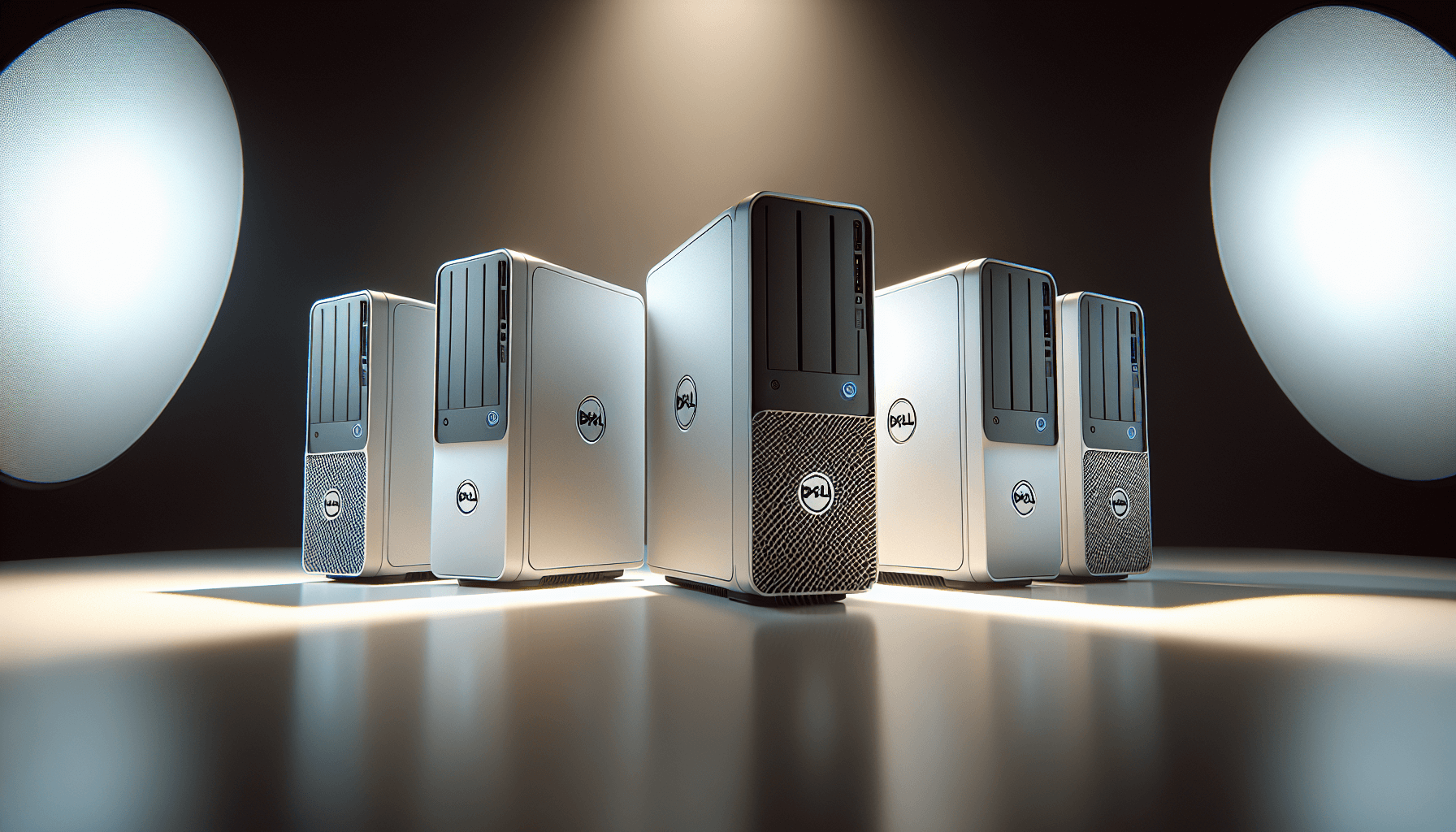
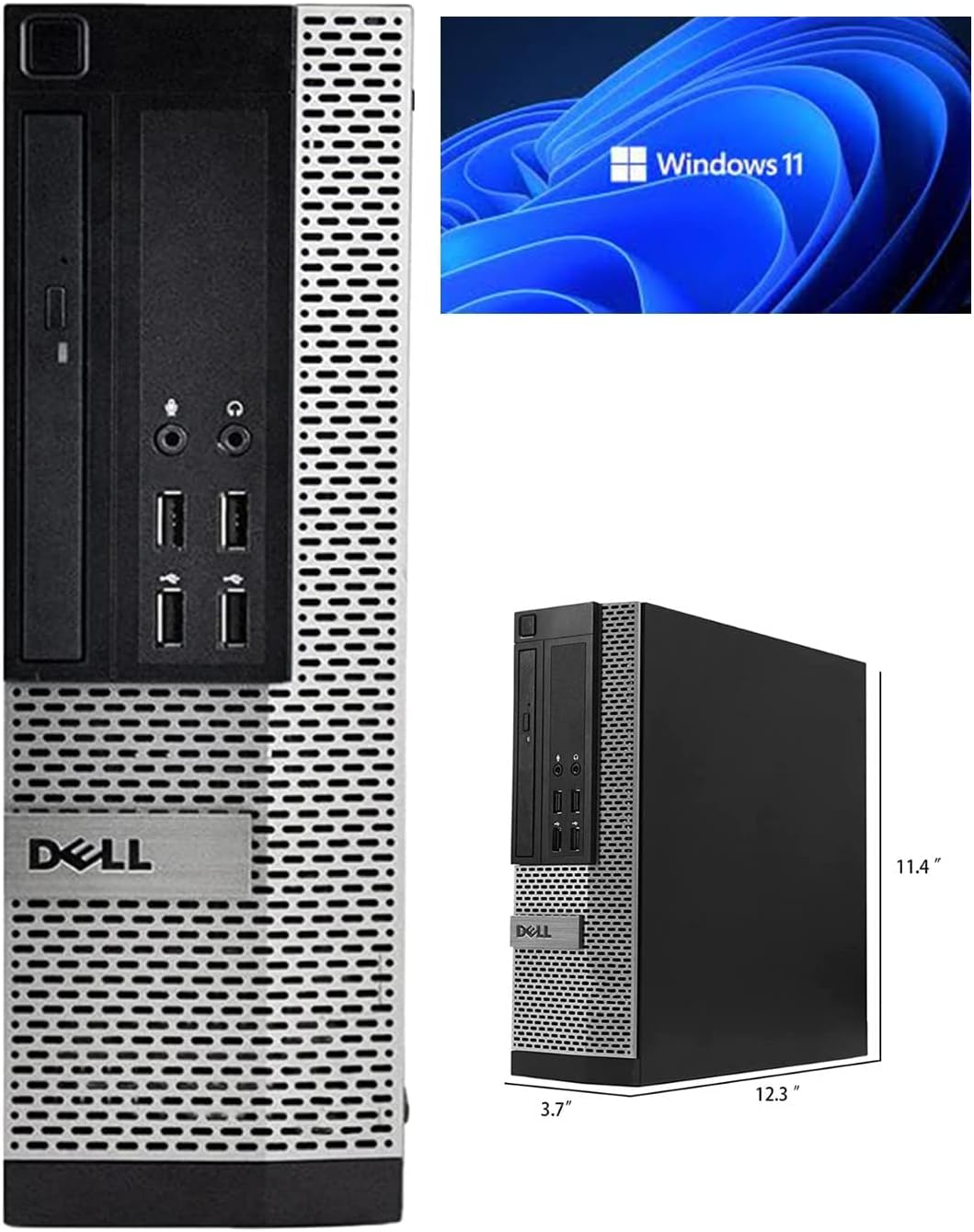
So your mate's asking whether to spend a weekend sourcing parts, watching YouTube tutorials, and praying the RAM seats properly, or just buy something that works out of the box. For a lot of people, the answer is obvious. But the question is whether this particular box is worth buying. The Window 11 Pro Optiplex Core i5 Series Desktop Small Form Desktop Tower PC (Intel Quad Core I5 4570, 8 Gb Ram, 120 SSD), (Renewed) is a refurbished Dell OptiPlex, and that tells you almost everything you need to know before we even get into the specs. Dell's OptiPlex line was built for offices, not bedrooms, and the renewed market has turned these machines into something genuinely interesting for anyone who needs a no-fuss desktop on a tight budget.
The pitch here is simple. You're getting a proper Intel quad-core machine, Windows 11 Pro, and an SSD, all for a budget-tier price. On paper that sounds decent. In practice, the story is a bit more nuanced, and whether it makes sense for you depends entirely on what you're planning to do with it. We've gone through the specs, dug into what 611 owners actually say about it (averaging 4.3 out of five, which is solid for a renewed product), and stacked it up against what you'd spend building something equivalent yourself.
The short version: this is a capable little machine for the right person. The longer version is below.
Core Specifications: Window 11 Pro Optiplex Core i5 Series Desktop Small Form Desktop Tower PC (Intel Quad Core I5 4570, 8 Gb Ram, 120 SSD), (Renewed)
Strip away the listing title (which is, admittedly, a bit of a mouthful) and what you've got is a refurbished Dell OptiPlex running a fourth-generation Intel Core i5-4570. That CPU launched back in 2013, which sounds alarming until you remember that office PCs from that era were actually built to last. Dell didn't cut corners on the chassis or the motherboard quality for their commercial line. The OptiPlex range was designed to sit under a desk for five to seven years and just work, and most of them have done exactly that.
Memory is 8GB of DDR3, which is the standard for this platform. Storage is a 120GB SATA SSD, and that's the bit that will catch some buyers off guard. 120GB is genuinely tight in 2026. Windows 11 Pro takes up a chunk of that straight away, and you'll want to factor in your apps and documents on top. It's enough to get you going, but upgrading the drive should probably be on your to-do list fairly early on. The OS is Windows 11 Pro 64-bit, which is the full-fat version, not Home, and that matters if you need features like BitLocker, Remote Desktop, or domain joining for business use.
Graphics are handled by the integrated Intel HD Graphics 4600 that comes baked into the i5-4570. There's no discrete GPU here, which is fine for everyday tasks but sets a hard ceiling on gaming and any GPU-accelerated workloads. The small form factor case is compact and tidy, which is a genuine selling point if desk space is limited, but it does impose some constraints on upgrades, which we'll get into later.
| Specification | Detail |
|---|---|
| CPU | Intel Core i5-4570 (Quad Core, 4th Gen) |
| GPU | Intel HD Graphics 4600 (Integrated) |
| RAM | 8GB DDR3 |
| Storage | 120GB SATA SSD |
| Operating System | Windows 11 Pro 64-bit |
| Form Factor | Small Form Factor (SFF) |
| Rating | ★★★★☆ (4.3) (640 reviews) |
| Price | £87.30 |

CPU and Performance
The Intel Core i5-4570 runs at a base clock of 3.2GHz and boosts up to 3.6GHz across its four cores. No hyperthreading on this one, so you're getting four cores and four threads. By modern standards that's modest. By the standards of what this machine costs, it's actually pretty reasonable. The i5-4570 was a genuinely capable mid-range chip when it launched, and for the kinds of tasks most people actually do on a home or office PC, it still holds up better than you might expect.
Word processing, spreadsheets, email, light photo editing, web browsing with a dozen tabs open. All of that is fine. The CPU won't break a sweat. Where you'll start to feel the age is in anything that demands modern multi-threaded grunt. Video encoding, running virtual machines, or anything involving more than a handful of applications simultaneously will expose the four-thread ceiling fairly quickly. Owners report it as snappy for daily use, which tracks with what the SSD contributes to the overall feel of the system. Boot times are fast, applications open quickly, and the machine doesn't feel sluggish in the way older spinning-disk systems did.
One thing worth flagging: the i5-4570 sits on the LGA 1150 socket, which is a dead platform. You can't drop in a newer CPU to extend the life of this machine. What you've got is what you'll always have, processor-wise. That's not a dealbreaker at this price, but it is something to be clear-eyed about. If you're buying this expecting to upgrade the CPU in a year or two, that's not really an option here.
GPU and Gaming Performance
Right, so gaming. The Intel HD Graphics 4600 integrated into the i5-4570 is not a gaming GPU. That needs to be said plainly. It has no dedicated VRAM, borrowing from the system's 8GB of DDR3 instead, and its performance ceiling is somewhere around very old or very undemanding titles. We're talking games from 2012 or earlier at low settings, or browser-based games, or things like Minecraft at reduced render distances. Anything from the last five or six years at 1080p is going to be a struggle.
If you're hoping to play anything remotely modern, even something like Fortnite or Valorant, you'll be looking at sub-30fps at the lowest settings, and that's optimistic. The HD 4600 simply doesn't have the shader units or the memory bandwidth to handle modern rendering workloads. Owners who've tried gaming on this machine generally report it's usable for older titles and absolutely fine for things like emulation of older consoles, but anyone expecting to play current-generation games will be disappointed.
The one saving grace here is that the small form factor OptiPlex does have a PCIe slot in some configurations, which means adding a low-profile discrete GPU is theoretically possible. But the PSU wattage in these SFF machines is limited, so you'd be looking at something like a low-profile GT 1030 or similar, and that comes with its own cost. At that point you're starting to add money to a budget machine, and the sums get less flattering. For anyone whose primary use case involves gaming, this isn't the right machine. For everyone else, the lack of a discrete GPU is a non-issue.
Memory and Storage
Eight gigabytes of DDR3 is the baseline for comfortable Windows 11 use in 2026. It's not generous, but it's workable. Chrome is the enemy here, as it always is. If you're the sort of person who has 40 tabs open and Spotify running in the background, you'll feel the pinch. For more disciplined browsing habits, or for someone using this as a work machine with a handful of applications open at once, 8GB does the job. The DDR3 platform does limit memory speed compared to more modern DDR4 or DDR5 systems, but for the tasks this machine is designed for, that difference is largely academic.
The 120GB SATA SSD is the component that will cause the most friction for most users. It's genuinely small. Windows 11 Pro takes up roughly 20 to 25GB on installation, and updates will eat into that further over time. Add Office, a browser, some utilities, and a few documents, and you're looking at the drive filling up faster than you'd like. The good news is that SATA SSDs are cheap and easy to swap out. A 500GB or 1TB SATA SSD costs very little these days, and fitting one is a simple job. Many owners report doing exactly this as their first upgrade, and it transforms the storage situation completely.
The SSD being SATA rather than NVMe isn't a real problem at this tier. SATA SSDs are plenty fast for everyday use, and the performance difference between SATA and NVMe is most noticeable in large file transfers and sustained sequential reads, which most users rarely do. Day-to-day, a SATA SSD feels responsive and quick. The bigger issue is capacity, and that's fixable. If you're buying this machine, budget a small amount extra for a larger drive and you'll be sorted.
Cooling Solution
The OptiPlex SFF uses Dell's own compact cooling solution, which is a small heatsink and fan arrangement designed specifically for the tight confines of the small form factor chassis. Dell engineered these things to run in office environments for years on end, often in poorly ventilated under-desk positions, so the thermal design is actually pretty considered for what it is. The i5-4570 has a TDP of 84W, which isn't demanding by any measure, and the stock cooler handles it without drama under normal workloads.
Under sustained load, say a long video encode or a CPU-intensive application running for an extended period, temperatures will rise, and the fan will spin up to compensate. Owners mention fan noise as something to be aware of, particularly on older units where the fan bearing may have accumulated some wear. It's not loud enough to be a problem in most environments, but if you're used to a modern silent PC, the OptiPlex's fan can be noticeable. Replacing the fan is a straightforward job if noise becomes an issue, and compatible replacements are widely available.
Thermal throttling under light to moderate loads isn't something owners report as a problem, which is reassuring. The CPU will run warm but not hot during normal use, and the system stays stable. What you won't get is the whisper-quiet operation of a modern machine with a large tower cooler and multiple case fans. This is a compact office PC, and it sounds like one. For most use cases that's completely acceptable, but it's worth knowing going in.
Case and Build Quality
Dell's OptiPlex SFF chassis is, genuinely, a well-built bit of kit. It's all steel, feels solid, and the internal layout is logical. Dell designed these for IT departments who needed to service them quickly in the field, so everything is tool-free or close to it. The side panel comes off easily, components are accessible, and there's no cable management nightmare lurking inside. It's not a gaming case with tempered glass and RGB fans, but it doesn't pretend to be.
The compact footprint is a genuine advantage if you're working with limited desk space. The SFF form factor means it can sit upright or be laid flat, and some users even mount it behind a monitor with a VESA mount adapter. That kind of flexibility is something you don't get with a full tower, and for a home office or spare room setup, it's genuinely useful. The build feels durable rather than premium, which is exactly what you'd expect from commercial hardware.
Being a renewed unit, cosmetic condition will vary. Some sellers grade these carefully and ship clean machines, others are less thorough. Owners mention occasional cosmetic blemishes, scuffs, or missing rubber feet, which is par for the course with refurbished hardware. Functionally, the build quality holds up well because Dell made these to last. The internals are clean, connectors are solid, and the overall construction is more reassuring than a lot of budget new-build PCs you'll find at similar prices. You're getting commercial-grade bones, which counts for something.
Connectivity and Ports
The OptiPlex SFF platform offers a reasonable spread of connectivity for a machine of this age. You'll typically find USB 3.0 ports on the rear alongside USB 2.0, which covers most peripherals without any fuss. Display output options on the i5-4570 platform generally include DisplayPort and VGA from the integrated graphics, though exact rear port configuration can vary between specific OptiPlex models in this range. The listing doesn't specify exact port counts, so if you have particular connectivity requirements, it's worth checking the specific unit's rear panel before buying.
Network connectivity is via a wired Ethernet port, which is the sensible choice for a desktop machine. Wired connections are faster, more stable, and more reliable than Wi-Fi for most use cases, and an office-grade machine like this is built around the assumption that it'll be plugged in. Wi-Fi is not specified for this unit, so if you need wireless connectivity, you'd be looking at a USB Wi-Fi adapter or a PCIe Wi-Fi card, both of which are cheap and easy to add.
For audio, there's a headphone and microphone jack, which covers the basics. The OptiPlex line wasn't designed with audiophiles in mind, but the onboard audio is perfectly functional for video calls, YouTube, and general media consumption. Overall the connectivity picture is fine for everyday use. It's not a modern machine loaded with USB-C and Thunderbolt, but for the price and the use case, the port selection does the job. Anyone with more demanding connectivity needs will want to factor in the cost of any adapters or expansion cards they might need.
Pre-installed Software and OS
Windows 11 Pro is the headline here, and it's genuinely the full version. Not Home, not a trial, not an OEM key that expires. Windows 11 Pro brings BitLocker encryption, Remote Desktop hosting, the ability to join a domain, and Hyper-V virtualisation support. For a home user, most of that is irrelevant, but for a small business or someone working from home who needs to connect to a corporate network, Pro is meaningfully better than Home. Getting a legitimate Windows 11 Pro licence on a budget machine is a real selling point.
The software situation beyond Windows is fairly clean. These are refurbished commercial machines, not consumer units from a budget manufacturer, so you don't get the usual parade of trial software, browser toolbars, and manufacturer utilities that clog up a lot of new budget PCs. What you get is essentially a clean Windows install, which is exactly what most people want. Owners generally report the software experience as straightforward, with no obvious bloatware to uninstall before you can get on with things.
One thing to be aware of with Windows 11 on a fourth-generation Intel platform: Microsoft's official hardware requirements for Windows 11 include TPM 2.0 and a newer CPU generation. The i5-4570 doesn't meet those requirements officially. The fact that this machine ships with Windows 11 Pro suggests the seller has found a way to install it regardless, which is possible but means you may not receive future Windows 11 feature updates in the same way a supported machine would. Security patches have generally continued to arrive even on unsupported hardware, but it's worth knowing that Microsoft's official position is that this hardware isn't on the supported list. For most users this is a minor footnote rather than a dealbreaker, but it's honest to mention it.
Upgrade Potential
The CPU is fixed. LGA 1150 is a dead platform and the i5-4570 is about as good as it gets on this socket in practical terms. So forget about upgrading the processor. RAM is where you have some flexibility. The OptiPlex SFF typically has two DDR3 DIMM slots, and if one is occupied by a single 8GB stick, you could add another to reach 16GB. If it's running two 4GB sticks, you'd need to replace both to upgrade capacity. Either way, DDR3 memory is cheap and widely available, so doubling the RAM is a low-cost upgrade that makes a noticeable difference to multitasking.
Storage is the easiest and most impactful upgrade. Swapping the 120GB SATA SSD for a larger drive is a simple job, SATA cables are standard, and a 1TB SATA SSD costs very little. Some OptiPlex SFF configurations also have a second SATA port, which means you could add a second drive rather than replacing the first, giving you the option to keep the original drive as a backup. That's a genuinely useful option. The small form factor case does limit what you can fit physically, so large 3.5-inch drives may not be an option depending on the specific chassis variant.
Adding a discrete GPU is theoretically possible via the PCIe slot, but the SFF power supply limits your options significantly. Dell's SFF PSUs are typically in the 240W to 290W range, and they use a proprietary connector in some variants, which complicates swapping for a higher-wattage unit. Low-profile GPUs like the GT 1030 or RX 6400 will work within those power constraints, but anything more demanding is risky. The bottom line is that this machine has some upgrade headroom for RAM and storage, which is genuinely useful, but don't expect to turn it into a gaming rig with a GPU swap. The platform has real limits.
How It Compares
The obvious comparison is a DIY build at a similar price point. The thing is, sourcing individual components for a complete system at this price is genuinely difficult. A used i5-4570, a motherboard, 8GB of DDR3, a 120GB SSD, a case, a PSU, and a Windows licence would cost you more than this machine does when you add it all up, even buying everything second-hand. The renewed OptiPlex wins on pure cost efficiency because you're getting a complete, tested system with a legitimate OS licence, and the Dell chassis and build quality are better than most budget cases you'd buy separately.
The other comparison is against similar refurbished SFF machines at this price tier. HP's EliteDesk 800 G1 SFF is a direct competitor, running similar fourth-generation Intel hardware in a similarly compact chassis. The EliteDesk tends to have slightly more flexible upgrade options in terms of PSU and case layout, but the core specs are comparable. Lenovo's ThinkCentre M73 SFF is another option in this space, again with similar hardware. All three are solid commercial-grade machines with similar strengths and weaknesses. The OptiPlex has a slight edge in community support and parts availability simply because Dell's OptiPlex range is so widely used that documentation, replacement parts, and upgrade guides are everywhere online.
| Feature | Window 11 Pro Optiplex Core i5 Series Desktop Small Form Desktop Tower PC (Intel Quad Core I5 4570, 8 Gb Ram, 120 SSD), (Renewed) | HP EliteDesk 800 G1 SFF (Renewed) | Lenovo ThinkCentre M73 SFF (Renewed) |
|---|---|---|---|
| CPU | Intel Core i5-4570 | Intel Core i5-4570 / i7-4770 | Intel Core i5-4570 |
| RAM | 8GB DDR3 | 8GB DDR3 | 8GB DDR3 |
| Storage | 120GB SATA SSD | Varies (256GB common) | Varies (128 to 256GB) |
| GPU | Intel HD 4600 (Integrated) | Intel HD 4600 (Integrated) | Intel HD 4600 (Integrated) |
| OS | Windows 11 Pro | Windows 10 Pro (common) | Windows 10 Pro (common) |
| Form Factor | Small Form Factor | Small Form Factor | Small Form Factor |
| Price Tier | Budget | Budget | Budget |
Where the OptiPlex comes out slightly ahead in this comparison is the Windows 11 Pro installation, which some competing listings still ship with Windows 10. That's a meaningful difference if you want to stay current with Microsoft's OS roadmap. The HP EliteDesk sometimes comes with a larger SSD at similar prices, which is worth checking at the time of purchase. But in terms of day-to-day performance and build quality, these three machines are genuinely very close. You'd be happy with any of them for the same use cases.

Final Verdict
So who actually should buy this? Anyone who needs a reliable, compact desktop for everyday computing tasks and doesn't want to spend a lot of money. Students who need a proper Windows machine for coursework. Small businesses that need a capable workstation for admin tasks without a big capital outlay. Parents setting up a homework machine for the kids. Someone returning to desktop computing after years on a laptop who wants something solid without the faff of building their own. For all of those people, this machine makes a lot of sense at its current price.
The 4.3-star average across 640 tells you that most buyers are genuinely happy with it. That's a meaningful signal. Renewed hardware can be hit or miss, and a rating that strong across that many reviews suggests the seller is doing a decent job of quality control. Owners consistently praise the speed improvement over older machines they've replaced, the clean Windows install, and the compact size. Complaints tend to centre on the small SSD and, occasionally, cosmetic condition, both of which are predictable and manageable.
The caveats are real though. The 120GB SSD is too small for comfortable long-term use without an upgrade. Gaming is off the table unless you're talking about genuinely old or undemanding titles. The platform is a dead end in terms of CPU upgrades. And the Windows 11 installation sits outside Microsoft's officially supported hardware list, which is worth factoring in if long-term OS support matters to you. None of those things are dealbreakers at this price, but they're things you should go in knowing.
For the right buyer, this is a proper bargain. A commercial-grade machine, a legitimate Windows 11 Pro licence, and an SSD-based storage setup, all for a budget-tier price. Compare that to what you'd spend putting together a DIY equivalent and the value case is strong. Just go in with clear eyes about what it is: a capable everyday PC with a decade of age on it, not a gaming rig or a content creation powerhouse. Buy it for what it does well, plan a storage upgrade early on, and you'll be happy.
What works. What doesn’t.
5 + 4What we liked5 reasons
- Windows 11 Pro licence included, not Home
- Commercial-grade Dell build quality that genuinely lasts
- Compact SFF form factor saves real desk space
- Strong owner satisfaction at 4.3 stars from 611 reviews
- Better value than sourcing equivalent parts separately
Where it falls4 reasons
- 120GB SSD is too small for comfortable long-term use
- No discrete GPU, gaming is extremely limited
- Dead CPU platform with no upgrade path
- Windows 11 runs on unsupported hardware per Microsoft
Full specifications
12 attributes| CPU | Intel Core i5-4570 |
|---|---|
| GPU | integrated |
| RAM | 8GB |
| Storage | 120GB SSD |
| Case size | micro-ATX |
| CPU cache | 6MB |
| CPU cores | 4 |
| CPU speed | 3.2GHz |
| CPU turbo | 3.6GHz |
| Form factor | SFF |
| Launch year | 2013 |
| OS | Windows 11 Pro |
Frequently asked
5 questions01Is the Window 11 Pro Optiplex Core i5 Series Desktop Small Form Desktop Tower PC (Intel Quad Core I5 4570, 8 Gb Ram, 120 SSD), (Renewed) good for gaming?+
Not really, no. The machine uses Intel HD Graphics 4600 integrated graphics with no dedicated GPU and no dedicated VRAM. Modern games at 1080p are largely unplayable. Very old titles from around 2012 or earlier, browser-based games, and light emulation are about the limit. If gaming is a priority, you'd need to add a low-profile discrete GPU, but the SFF power supply limits your options to low-power cards like the GT 1030. This machine is better suited to everyday productivity tasks than gaming.
02Can I upgrade the Window 11 Pro Optiplex Core i5 Series Desktop Small Form Desktop Tower PC (Intel Quad Core I5 4570, 8 Gb Ram, 120 SSD), (Renewed)?+
RAM and storage are the practical upgrade options. The system can typically accept up to 16GB of DDR3 RAM across two DIMM slots, and DDR3 memory is cheap and easy to find. The 120GB SATA SSD is straightforward to replace with a larger SATA SSD, which is the upgrade most owners do first. Adding a low-profile PCIe GPU is possible but limited by the SFF power supply, typically 240W to 290W, which restricts you to low-power cards. The CPU cannot be upgraded as the LGA 1150 platform is discontinued with no meaningful upgrade path above the i5-4570 in practical terms.
03Is the Window 11 Pro Optiplex Core i5 Series Desktop Small Form Desktop Tower PC (Intel Quad Core I5 4570, 8 Gb Ram, 120 SSD), (Renewed) worth it vs building my own?+
At this price tier, yes, it generally is. Sourcing an i5-4570, compatible motherboard, 8GB DDR3, a 120GB SSD, a case, a power supply, and a Windows 11 Pro licence separately would cost you more in total, even buying everything used. The Dell OptiPlex chassis and build quality are also better than most budget cases available at low prices. The convenience of a tested, complete system with an OS already installed adds real value for anyone who doesn't want to spend a weekend building. The main reason to DIY at this budget would be if you want more control over specific components or a newer platform.
04What PSU does the Window 11 Pro Optiplex Core i5 Series Desktop Small Form Desktop Tower PC (Intel Quad Core I5 4570, 8 Gb Ram, 120 SSD), (Renewed) use?+
The Dell OptiPlex SFF typically ships with a proprietary Dell power supply in the 240W to 290W range. The proprietary connector means you cannot simply swap in a standard ATX PSU without an adapter, which limits upgrade options. This is the main constraint on adding a discrete GPU. The existing PSU is adequate for the stock configuration and a low-power GPU, but anything more demanding than a GT 1030 or RX 6400 class card risks exceeding the PSU's capacity. The exact wattage of your specific unit may vary, so check the label on the PSU inside the case if you're planning any upgrades.
05What warranty and returns apply to the Window 11 Pro Optiplex Core i5 Series Desktop Small Form Desktop Tower PC (Intel Quad Core I5 4570, 8 Gb Ram, 120 SSD), (Renewed)?+
Amazon offers 30-day hassle-free returns on renewed products purchased through their platform. The manufacturer typically provides a 1-3 year warranty covering parts and labour. Check the product listing for exact warranty terms for this specific model.