Autodesk Revit is one of the most demanding applications a CPU can face. Unlike game engines or video editors that spread work across many threads, Revit's core modelling tasks, viewport navigation and file-open operations are largely single-threaded, meaning raw clock speed matters far more than core count alone. That said, rendering passes, Enscape previews and energy analysis simulations do benefit from higher thread counts, so the ideal Revit processor balances strong single-core performance with enough multi-core headroom for those background tasks. Since last year, AMD's Zen 5 architecture has arrived on AM5 with notable IPC gains, Intel's Raptor Lake Refresh sits at the top of the mainstream stack, and prices on older Zen 3 and Zen 4 parts have dropped considerably, making mid-range picks far more compelling than before. Whether you are a solo practitioner working on residential projects, a BIM manager running 200 MB linked models, or a studio investing in a dedicated Revit workstation, there is a processor in this list to suit your workflow and budget.
Quick Verdict
Best Overall: AMD Ryzen 7 9700X, which combines Zen 5's class-leading single-core speed with an eight-core, sixteen-thread layout that handles both Revit modelling and background rendering without compromise. Best Value: AMD Ryzen 5 9600X, which brings Zen 5 IPC improvements to a six-core chip at a price that undercuts most of the competition while still delivering excellent Revit viewport performance.
The Ryzen 7 9700X is the processor we would recommend to most Revit users who are building or upgrading a workstation in 2024. It sits on AMD's new AM5 platform, which means it is compatible with DDR5 memory and PCIe 5.0 storage, giving it a long upgrade path. More importantly, it uses AMD's Zen 5 architecture, which delivers a meaningful IPC uplift over Zen 4 and a substantial leap over Zen 3, and that translates directly into faster Revit viewport regeneration, quicker element selection in large models, and snappier file opens.
The eight-core, sixteen-thread layout is well matched to Revit's workload profile. The application's core modelling tasks run on a single thread, and the 9700X's 5.5 GHz boost clock is among the highest available at this price point, which is exactly what you want when navigating a complex 3D model or running a clash detection pass. The sixteen threads then come into play when you fire up a Lumion or Enscape render in the background, or when you run an energy simulation through Insight, preventing those tasks from stalling your modelling session.
AMD has kept the TDP at 65 W, which is genuinely impressive for a chip of this performance class. It runs cool enough on a mid-range air cooler, and it will not require an expensive 360 mm AIO to stay within thermal limits. The AM5 platform also supports ECC memory in unbuffered form on many motherboards, which is worth noting for studios that prioritise data integrity on large BIM projects.
Compared to the outgoing Ryzen 7 7700X, the 9700X is measurably faster in single-threaded workloads and uses less power doing it. Compared to Intel's Core i9-14900, it loses on raw multi-threaded throughput but wins on efficiency and platform longevity. For a Revit-primary machine, the 9700X's single-core advantage is the more relevant metric, and it shows in day-to-day use.
The only real caveat is that AM5 motherboards and DDR5 memory add to the total system cost compared to building on AM4. If you already have an AM4 board and DDR4 kit, the upgrade cost needs to be factored in. For a fresh build, however, the 9700X on AM5 is the sensible long-term choice.
Verdict: The best all-round CPU for Revit in 2024, combining Zen 5 single-core speed with eight cores, a 65 W TDP and a future-proof platform.
Pros
- Zen 5 IPC delivers class-leading single-core performance critical for Revit viewport tasks
- 65 W TDP keeps thermals manageable on a mid-range air cooler
- AM5 platform supports DDR5 and PCIe 5.0 for long-term upgrade potential
Cons
- AM5 platform requires new motherboard and DDR5 memory, raising total build cost
- 5.5 GHz boost clock is slightly behind the top Intel parts in sustained all-core workloads
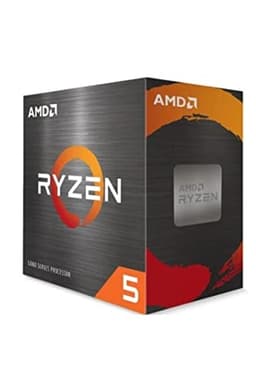
The Ryzen 5 9600X is the best value processor for Revit users who want Zen 5 performance without paying for cores they will rarely use. Six cores and twelve threads is sufficient for the vast majority of Revit workflows, and the 5.4 GHz boost clock is only marginally behind the 9700X's 5.5 GHz, meaning real-world Revit modelling performance is very close between the two chips. The price difference, however, is significant, making the 9600X the smarter buy for users who do not run heavy background rendering or simulation tasks.
Revit's single-threaded dependency is well documented by Autodesk and independent benchmarks alike. The application's view regeneration, element selection, schedule calculation and most parametric operations run on a single core. The 9600X's Zen 5 core achieves higher IPC than any previous AMD generation, and its boost clock is competitive with Intel's best mainstream offerings, which means the chip punches well above its price bracket in Revit-specific tasks.
The six remaining threads are not wasted. When Revit exports to IFC, runs a room calculation or performs a model audit, it does distribute some work across threads, and the 9600X handles those tasks without bottleneck. For users who occasionally run Enscape or Lumion previews, the twelve threads provide enough headroom to keep the render ticking along while modelling continues, though heavy rendering sessions will complete faster on an eight-core chip.
Like the 9700X, the 9600X runs at 65 W and sits on the AM5 platform. That means you get the same DDR5 memory support, the same PCIe 5.0 lanes and the same upgrade path. It also ships with integrated Radeon graphics, which is useful during initial system assembly before a dedicated GPU arrives, and it means the system can still output video if a GPU fails.
The 9600X competes directly with Intel's Core i5-13600K and i5-14600K in this price bracket, and it holds its own convincingly in Revit benchmarks. It is a particularly strong choice for smaller practices or freelancers who want a capable, efficient Revit machine without overspending on cores that rarely get used.
Verdict: Outstanding value for Revit users who prioritise single-core speed and platform longevity over maximum thread count.
Pros
- Zen 5 single-core performance matches or beats much pricier chips in Revit viewport tasks
- Integrated Radeon graphics provides display output without a discrete GPU
- 65 W TDP is easy to cool and keeps electricity costs low in a workstation
Cons
- Six cores limit throughput in heavily multi-threaded rendering or simulation tasks
- AM5 platform still requires new motherboard and DDR5 memory investment
The Intel Core i9-14900 is the most powerful processor in this list on paper, and for Revit users who also run heavy Enscape, Lumion or V-Ray rendering sessions alongside their modelling work, it is a genuinely compelling option. The chip carries 24 cores in a hybrid layout: eight Performance cores capable of boosting to 5.8 GHz, and sixteen Efficiency cores that handle background threads. In multi-threaded workloads, the core count advantage is substantial.
For Revit modelling specifically, the eight P-cores running at up to 5.8 GHz deliver excellent single-threaded performance. Revit's scheduler will direct its primary tasks to those P-cores, and the boost clock is the highest in this comparison. That means fast viewport navigation, quick element selection and responsive parametric updates, even in very large linked model environments. The sixteen E-cores then absorb background processes, keeping Windows and other applications responsive while Revit does its work.
The non-K variant used here (the i9-14900 rather than the 14900K) has a base TDP of 65 W, though Intel's Maximum Turbo Power specification allows the chip to draw considerably more under sustained all-core load. In practice, on a capable cooler, the chip will boost well beyond its base power limit, so a 240 mm or 360 mm AIO is advisable for sustained rendering workloads. Motherboard choice also matters: a quality Z790 board will allow the processor to express its full performance potential.
The LGA1700 platform is mature and well-supported, with a wide range of motherboard options at various price points. DDR5 and DDR4 boards are both available, giving more flexibility than AM5. However, Intel has confirmed that LGA1700 is a dead end in terms of future CPU upgrades, so the platform longevity argument favours AMD's AM5.
At its price point, the i9-14900 is best suited to power users and studios who need the highest possible rendering throughput alongside their Revit work, and who are happy to invest in adequate cooling. For pure Revit modelling, the 9700X is faster per pound spent, but if the workstation doubles as a rendering node, the i9-14900's 24 cores justify the premium.
Verdict: The best choice for Revit users who also run CPU-intensive rendering, offering the highest thread count in this comparison at a price that sits below the K-series variants.
Pros
- 24 cores deliver the highest multi-threaded rendering throughput in this comparison
- 5.8 GHz P-core boost clock provides excellent Revit single-threaded performance
- Mature LGA1700 platform with broad motherboard and DDR4/DDR5 support
Cons
- Sustained all-core loads can draw well over 200 W, requiring substantial cooling investment
- LGA1700 platform has no upgrade path beyond current-generation chips
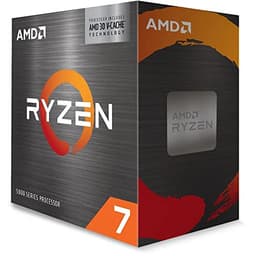
The Ryzen 7 5800X3D is an unusual entry in a Revit CPU list because its headline feature, AMD's 3D V-Cache technology, was designed primarily to accelerate gaming workloads by stacking 64 MB of additional L3 cache on top of the standard die. However, the resulting 96 MB of total L3 cache has a meaningful secondary benefit for Revit: large model data sets that would normally require repeated trips to system RAM can instead be served from the on-die cache, reducing latency and improving responsiveness in complex project environments.
Independent testing by Revit-focused benchmarking communities has shown that the 5800X3D performs above what its 4.5 GHz boost clock would suggest in Revit tasks. The cache-heavy architecture keeps frequently accessed model data close to the execution units, which translates to smoother navigation in large linked models and faster schedule recalculations when many elements are in scope. For BIM managers working with 150 MB or larger federated models, this is a tangible real-world benefit.
The chip sits on AMD's AM4 platform, which is a double-edged sword. On the positive side, AM4 motherboards and DDR4 memory are mature, widely available and inexpensive, making the total system cost lower than an AM5 build. If you already have an AM4 system with a 500-series motherboard, the 5800X3D is one of the best possible upgrades you can make without changing the platform. On the negative side, AM4 is a legacy platform with no future CPU releases planned, so this is a terminal upgrade rather than a stepping stone.
The 105 W TDP is higher than the Zen 5 chips in this list, and AMD's boost algorithm can push power draw higher under sustained loads. A decent 240 mm AIO or a high-end tower cooler is recommended. The chip does not include integrated graphics, so a discrete GPU is required.
At its current price, the 5800X3D represents strong value for existing AM4 users and for anyone who specifically needs the cache advantage for large-model Revit work. For a fresh build, the Ryzen 7 9700X on AM5 is the better long-term investment, but the 5800X3D remains a compelling option in the right context.
Verdict: A strong pick for existing AM4 users and those working with very large Revit models, where the 3D V-Cache architecture provides a genuine performance advantage.
Pros
- 96 MB 3D V-Cache reduces latency in large Revit model navigation and schedule recalculation
- AM4 platform keeps total system cost low, especially for existing AM4 owners
- Eight cores and sixteen threads handle background rendering tasks competently
Cons
- 4.5 GHz boost clock is the lowest in this comparison, limiting peak single-threaded speed
- AM4 is a legacy platform with no future upgrade path
The Ryzen 5 5600X is the entry point in this list, and at its current price it represents exceptional value for users who are building a capable Revit workstation on a tight budget, or who are upgrading an older AM4 system and want a meaningful step up without spending heavily. It uses AMD's Zen 3 architecture, which was the generation that first gave AMD a genuine single-core performance lead over Intel's comparable mainstream chips, and it remains competitive in Revit-specific tasks despite being superseded by Zen 4 and Zen 5.
Six cores and twelve threads on Zen 3, with a 4.6 GHz boost clock, delivers solid Revit viewport performance for small to medium projects. Residential schemes, small commercial interiors and education projects with model sizes up to around 100 MB will run comfortably on this chip. The single-threaded performance is good enough that most users will not notice a bottleneck during normal modelling sessions, and the twelve threads handle IFC exports, schedule calculations and lightweight rendering previews without complaint.
The 65 W TDP is one of the chip's most practical attributes. It runs cool and quiet on a budget air cooler, which is welcome in an office environment where fan noise is a concern. The AM4 platform is mature and inexpensive: a quality B550 motherboard and 32 GB of DDR4-3600 memory can be sourced at very reasonable prices, keeping the total build cost well below what an AM5 system would require.
The limitations become apparent in more demanding scenarios. Very large linked models, complex curtain wall families with many parameters, and simultaneous rendering sessions will push the 5600X harder than the eight-core chips in this list, and the lower boost clock compared to Zen 5 means viewport regeneration is noticeably slower in those edge cases. For a dedicated high-performance workstation, the 9700X or 9600X are better investments. But for a budget-conscious build or a secondary workstation, the 5600X delivers a strong Revit experience at a price that is difficult to argue with.
It also makes an excellent upgrade for anyone still running a first-generation Ryzen or Intel 8th/9th-generation system on AM4, where the performance delta from the old chip will be dramatic and the platform investment is minimal.
Verdict: The best budget option for Revit, offering solid Zen 3 single-core performance and a very low total system cost on the mature AM4 platform.
Pros
- Very low price makes it accessible for budget builds and secondary workstations
- Zen 3 IPC delivers competent Revit performance for small to medium projects
- 65 W TDP runs cool and quiet on an inexpensive air cooler
Cons
- Lower boost clock than Zen 4 and Zen 5 chips shows in large-model viewport tasks
- AM4 platform offers no upgrade path beyond current-generation Ryzen 5000 chips
Buying Guide
Single-Core Performance Is the Priority
Autodesk Revit's architecture places the majority of its computational load on a single CPU thread. This is not a limitation that will be resolved by buying a 16-core or 32-core processor. The operations that define your day-to-day Revit experience, including opening views, regenerating 3D perspectives, selecting elements in large models, running visibility and graphics overrides, and calculating schedules, are all predominantly single-threaded. When comparing processors for Revit, always look at the single-core benchmark score first. A chip with a 5.4 GHz boost clock on a modern architecture will feel noticeably faster in Revit than a chip with 16 cores running at 4.0 GHz, even if the latter wins in multi-threaded benchmarks.
When Core Count Does Matter
There are genuine multi-threaded workloads in a Revit-centric workflow. CPU-based rendering engines such as V-Ray CPU, Enscape (in CPU fallback mode) and Lumion's CPU render path all scale well with core count. Revit's own energy analysis tools and some third-party plugins distribute work across threads. If your workflow involves running renders overnight or in the background while you continue modelling, an eight-core or higher chip will reduce render times meaningfully compared to a six-core option. For pure modelling work, the extra cores are largely idle.
RAM: How Much and What Speed
Revit is a memory-hungry application. A 32 GB kit is the practical minimum for professional use, and 64 GB is advisable if you work with large linked models or run Revit alongside Navisworks, AutoCAD and a rendering engine simultaneously. Memory speed has a secondary effect on Revit performance because the CPU's memory controller affects how quickly it can serve data to the execution cores. On AM5 platforms, DDR5-6000 in EXPO mode is the sweet spot for AMD Zen 5 chips. On AM4, DDR4-3600 is the established optimum for Zen 3 processors.
Platform and Upgrade Path
AM5 is AMD's current platform and will support future Zen 6 processors, making it the better long-term investment for a new build. AM4 is a mature, cost-effective platform but has reached the end of its CPU roadmap. Intel's LGA1700 is similarly at end of life. If you are building from scratch, AM5 is the recommended foundation. If you are upgrading an existing AM4 or LGA1200 system, the cost of a platform change needs to be weighed against the performance benefit.
Cooling Requirements
Most of the chips in this list run at 65 W TDP, which is manageable on a quality 120 mm or 140 mm tower cooler. The Intel Core i9-14900 and the Ryzen 7 5800X3D can draw considerably more power under sustained load, and both benefit from a 240 mm AIO or a high-end dual-tower air cooler. In an office environment, quieter cooling solutions are preferable, and the low-TDP AMD chips have a clear advantage here.
Integrated Graphics
Revit requires a dedicated GPU for hardware acceleration, but integrated graphics can be useful during system assembly or as a fallback. The Ryzen 5 9600X and Ryzen 7 9700X both include integrated Radeon graphics on their AM5 variants. The Ryzen 7 5800X3D and Ryzen 5 5600X do not include integrated graphics, so a discrete GPU is mandatory from day one.
The AMD Ryzen 7 9700X is the overall winner for Revit in 2024. Its Zen 5 architecture delivers the best single-core performance available at a mainstream price point, its eight cores provide enough multi-threaded headroom for background rendering and simulation tasks, and its 65 W TDP makes it practical in a quiet office workstation. The AM5 platform ensures it will remain relevant as future CPU generations arrive. For users on a tighter budget, the AMD Ryzen 5 9600X offers nearly identical Revit modelling performance for less money, making it the best value pick for smaller practices and freelancers. The Intel Core i9-14900 is the right choice only if rendering throughput is a primary concern alongside Revit modelling. The Ryzen 7 5800X3D is a strong option for existing AM4 users working with very large models. The Ryzen 5 5600X remains a capable and affordable entry point for anyone building a secondary workstation or upgrading from a much older platform.