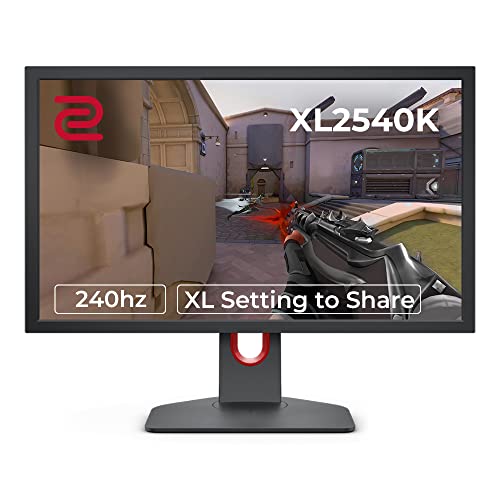
Your GPU can push every frame it wants, but if the panel receiving those frames is doing the display equivalent of a shrug, you've wasted your money on the wrong part of the chain. The monitor is the last thing standing between your hardware and your eyeballs, and a mediocre panel will absolutely ruin what a decent graphics card worked hard to produce. That's why the BenQ MOBIUZ EX240N matters as a conversation, not just a product listing.
So here's the verdict up front, because that's how this works: the BenQ MOBIUZ EX240N 24" FHD 1080p Gaming Monitor is a genuinely solid 1080p gaming panel for anyone who wants a no-nonsense 165Hz experience without spending silly money. Over a thousand owners have rated it 4.4 stars on average, and that kind of score at that volume isn't luck. It's a well-tuned VA panel with BenQ's own colour and HDR processing layered on top, and for 1080p gaming at this price bracket it competes well. But it's not for everyone. If you're already running a mid-to-high-end GPU and you're sitting at 1080p, you're leaving resolution on the table. And if you care deeply about colour accuracy for creative work, a VA panel with BenQ's punchy game modes isn't your tool. For the right buyer though? This is a proper monitor.
Core Specifications
The EX240N is a 24-inch flat panel running native 1920x1080 resolution, which gives you a pixel density of around 92 PPI. That's comfortable at typical desktop distances, and at 24 inches specifically, 1080p still looks clean rather than obviously soft. The panel is VA (Vertical Alignment), which is a meaningful choice that we'll dig into properly in the panel section. Refresh rate is 165Hz, and BenQ rates the response time at 1ms MPRT. Adaptive sync comes via AMD FreeSync Premium, which covers a variable refresh range and includes low framerate compensation.
Brightness is rated at 250 nits typical. BenQ lists HDR10 support but no peak HDR brightness, and the EX240N isn't VESA DisplayHDR certified. The static contrast ratio is listed at 3000:1, which is where VA panels earn their keep. BenQ lists the colour gamut as 72% NTSC, and the panel uses a W-LED backlight. BenQ includes their HDRi technology, which is their ambient-light-responsive HDR processing, plus Black eQualizer for lifting shadow detail in games, and Light Tuner for manual brightness adjustments. Eye-care features include Low Blue Light Plus and Flicker-Free certification.
Connectivity is straightforward: one DisplayPort 1.2 and one HDMI 2.0 input, a headphone jack, and that's roughly your lot. No USB hub, no USB-C. The stand offers tilt adjustment only, with no height or swivel. VESA mounting is 100x100mm, so you can ditch the stand if needed. BenQ lists an HDMI cable in the box (it says this may vary by region), and the power supply is built in. Built-in speakers are present, rated at 2x2.5W, which is a nice inclusion at this price point even if they're not going to replace a proper audio setup.
| Specification | Detail |
|---|---|
| Screen Size | 24 inches |
| Resolution | 1920x1080 (Full HD) |
| Panel Type | VA (Vertical Alignment) |
| Refresh Rate | 165Hz |
| Response Time | 1ms MPRT |
| Adaptive Sync | AMD FreeSync Premium |
| Typical Brightness | 250 nits |
| Contrast Ratio | 3000:1 (static) |
| Colour Gamut | 72% NTSC |
| HDR Support | HDR10 |
| Backlight | W-LED |
| Ports | 1x DisplayPort 1.2, 1x HDMI 2.0, 1x 3.5mm headphone |
| Speakers | 2x 2.5W built-in |
| VESA Mount | 100x100mm |
| Stand Adjustment | Tilt only |
| Dimensions (with stand) | 540 x 422 x 183mm |
| Price | £200.44 · Details |

Panel Technology
VA panels occupy an interesting middle ground that doesn't get enough credit. They're not IPS, which means you don't get the wide viewing angles or the natural colour rendering that IPS is known for. But they're also not TN, which would be worse in almost every way that matters for a modern gaming monitor. What VA does brilliantly is contrast. A native contrast ratio of 3000:1 on the EX240N is genuinely impressive, and it's not a marketing fiction in the way that some IPS "dynamic contrast" numbers are. Real blacks, real depth in dark scenes. If you play a lot of horror games, space games, or anything with moody lighting, a VA panel punches well above what an IPS can manage at equivalent price points.
The trade-off is viewing angles. VA panels show colour shift when you're looking from off-axis, more so than IPS. At 24 inches and sitting directly in front of it, this is rarely a problem in practice. Owners don't report it as a significant issue at typical desktop distances, and the monitor's size actually works in its favour here. Where VA panels sometimes frustrate is in dark corner glow and what's sometimes called "black smear" or "black crush" in very dark content. The EX240N's Black eQualizer feature is specifically designed to address the latter by lifting shadow detail, which is useful in competitive gaming but does slightly flatten contrast in those scenes. It's a worthwhile trade-off for most players.
BenQ has a decent track record with VA panel selection and tuning. Their MOBIUZ line in particular has been praised for getting more out of VA than some cheaper implementations. The BenQ MOBIUZ EX240N product page highlights the panel's colour processing alongside their HDRi system, which uses an ambient light sensor to adjust the display's colour temperature and brightness automatically. It's a feature that some owners love and others turn off immediately, but the underlying panel quality is solid regardless of whether you use BenQ's software layer. The VA choice here is a deliberate one, and it's the right choice for a gaming-focused monitor at this price.
Display Quality
At 24 inches and 1920x1080, you're looking at roughly 92 pixels per inch. That's not going to blow your mind if you've been using a 1440p panel, but it's perfectly sharp for gaming at normal viewing distances. The pixel density is genuinely fine for the format, and the anti-glare matte coating does a decent job of controlling reflections without adding the kind of heavy grain you sometimes see on cheaper panels. Owner feedback consistently mentions the image looking clean and vibrant out of the box.
The matte coating is worth a mention because it's not overly aggressive. Some budget monitors slap on such a heavy anti-glare layer that it makes everything look slightly frosted, which kills fine detail. The EX240N's coating is more measured, and several owners specifically comment that text looks sharp and gaming visuals look punchy rather than washed out. That's a good sign that BenQ calibrated the coating sensibly rather than just throwing the maximum diffusion at it.
Brightness uniformity is generally good for a VA panel at this size. Some owners have noted minor backlight bleed in the corners, which is normal for VA and not typically visible during gaming or regular use. The 250 nit typical brightness is adequate for most indoor environments, though if you're in a very bright room with direct sunlight, you might find yourself pushing the brightness slider up and wishing for a bit more headroom. The overall image quality for the price is genuinely good, and the combination of high contrast and decent colour coverage makes this a pleasant panel to spend time in front of.
Refresh Rate and Adaptive Sync
165Hz is the headline, and it's a real 165Hz, not an overclocked 144Hz panel being pushed beyond its comfort zone. For 1080p gaming, 165Hz is genuinely excellent. The difference between 60Hz and 144Hz is enormous and obvious to anyone. The step from 144Hz to 165Hz is more subtle, but it's there, and you'll appreciate it in fast-paced titles. More importantly, having that headroom means your GPU can often sustain framerates comfortably within the FreeSync range without you needing to cap things artificially.
The adaptive sync implementation here is AMD FreeSync Premium, which is a meaningful certification above basic FreeSync. FreeSync Premium requires a minimum 120Hz at the native resolution, which this panel satisfies easily. It also mandates Low Framerate Compensation (LFC), which kicks in when your framerate drops below the VRR range's lower bound, effectively multiplying the refresh rate to keep the variable sync working. This matters a lot in demanding games where you might dip below 48fps. Without LFC, you'd lose the tear-free benefit entirely below that threshold. With it, the monitor handles the dip gracefully.
The EX240N is not officially G-Sync compatible, but owners using Nvidia cards report that it works fine with G-Sync Compatibility mode enabled in the Nvidia control panel. This isn't guaranteed or supported, but it's a common pattern with FreeSync monitors and Nvidia hardware, and the real-world reports are positive. If you're on an AMD GPU, this is a clean, straightforward setup. If you're on Nvidia, it'll likely work but you're technically outside the certified spec. before you buy if you're running a GeForce card.
Response Time and Motion
Right, the 1ms MPRT claim. This needs unpacking because it's one of the most misunderstood specs in monitor marketing. MPRT stands for Moving Picture Response Time, and it's not the same thing as grey-to-grey (GtG) pixel transition speed. MPRT is a measure of how long a pixel appears to be in motion on screen, and it's heavily influenced by backlight strobing (also called ELMB or similar on other brands). BenQ calls theirs AMA (Advanced Motion Acceleration). The 1ms MPRT figure is achieved with backlight strobing active, which reduces brightness and can't be used simultaneously with FreeSync. So you're choosing between tear-free gaming with FreeSync or the strobed 1ms MPRT mode. You can't have both at once.
The actual GtG response time on this VA panel is more likely in the 4ms to 8ms range depending on the transition, which is typical for a VA panel at this refresh rate. That's not a bad number, but it's not 1ms. Published measurements from display-focused outlets consistently show VA panels in this category sitting around 4ms to 6ms GtG in their fastest overdrive setting. BenQ's AMA overdrive has three settings, and owners report that the highest setting introduces some visible overshoot (inverse ghosting), while the middle setting is the sweet spot for most games. This is completely normal VA behaviour and not a flaw specific to the EX240N.
In practice, for the gaming scenarios this monitor is designed for, the motion performance is fine. Competitive FPS players who are deeply sensitive to pixel transitions might prefer an IPS or TN panel, but for the vast majority of gaming, including fast-paced shooters at 165Hz, the EX240N handles motion well. The high refresh rate does more for perceived smoothness than shaving a few milliseconds off the GtG time, and at 165Hz the frame intervals are short enough that even a 6ms GtG sits comfortably within the frame window. Don't let the MPRT marketing put you off, but also don't be fooled into thinking this is a 1ms panel in the traditional sense.
Color Accuracy and Gamut
BenQ doesn't publish an sRGB or DCI-P3 coverage figure for the EX240N. The gamut it does list is 72% NTSC, which is a different measure and can't be read as an sRGB percentage. For gaming, the VA contrast is the bigger draw. For content creation, it's a more nuanced story.
The factory calibration is competent but not professional-grade. BenQ doesn't ship the EX240N with a calibration report or individual Delta-E measurements for each unit. The Game Colour Modes and various preset options (RPG, FPS, SPG, etc.) are tuned for visual impact rather than colour accuracy. If you're a photographer or video editor who needs a Delta-E below 2 for reliable colour work, this isn't your monitor and BenQ would be the first to tell you to look at their PD (DesignVue) range instead. But for gaming and general use, the out-of-box colours are vibrant and pleasing, and the sRGB mode does a reasonable job of keeping things within the standard gamut when you need it.
Owner feedback on colours is broadly positive, with many noting that the display looks punchy and saturated straight out of the box. A few owners with calibrated displays in the same setup have noted that the EX240N runs slightly warm by default, which is typical for gaming-tuned monitors. The HDRi feature adjusts colour temperature based on ambient light, which some owners find useful and others find inconsistent. Turning it off and setting your preferred colour temperature manually is a perfectly valid approach, and the manual controls in the OSD are accessible enough to make that easy. The underlying panel quality is there; it's just dressed up in gaming presets by default.

HDR Performance
HDR on the EX240N is the honest kind of conversation that marketing departments hate. BenQ lists HDR10 support, but the EX240N isn't VESA DisplayHDR certified, and BenQ doesn't publish a peak HDR brightness (only 250 nits typical). It also doesn't have local dimming. Without local dimming zones, HDR content is displayed without the deep blacks that make HDR genuinely impactful. The contrast advantage of the VA panel helps here more than it would on an IPS, but it's still not the same as a proper HDR implementation.
BenQ's HDRi technology is their attempt to make the most of what's available. It uses an ambient light sensor to adjust the display's colour temperature and brightness dynamically, which is a different thing from hardware local dimming but does improve the perceived quality of HDR content in varying lighting conditions. It's a software-side enhancement rather than a panel-level one, and it's more useful than nothing. Owners who use the monitor in rooms with changing light levels report that HDRi actually makes a noticeable difference to comfort and perceived image quality over time.
The honest verdict on HDR here is: it's checkbox HDR that's better than most checkbox HDR, thanks to the VA panel's native contrast advantage. The 3000:1 static contrast ratio means blacks are genuinely dark in SDR, and that carries over into HDR mode to a meaningful degree. If you're buying this monitor specifically for HDR performance, you'll be disappointed. If HDR is a nice-to-have and you're primarily buying for 165Hz 1080p gaming, the HDR implementation adds something rather than nothing, and that's about the most positive thing you can say about entry-level HDR in 2026. For real HDR, you need local dimming or OLED, and neither of those comes at this price point.
Contrast and Brightness
The 3000:1 static contrast ratio is where the EX240N genuinely earns its money. Most IPS panels in this price bracket sit around 1000:1 to 1200:1, which is fine but not remarkable. Three thousand to one is a meaningful step up. In dark gaming environments, in space games, in anything with a night sky or a dimly lit interior, the difference between 1000:1 and 3000:1 is visible and it matters. Blacks look black rather than grey, and the overall image depth is noticeably better than what you'd get from a comparable IPS option.
The 250 nit typical brightness is adequate for most indoor environments. It's not a high-brightness panel, and if you're in a bright office or near a window, you'll notice the limitation. BenQ doesn't publish a higher peak for HDR, so don't count on HDR mode for extra headroom. For a dedicated gaming setup in a controlled environment, this is fine. For a monitor that's going to pull double duty in a bright living room or home office with natural light, you might want something with higher sustained brightness.
Brightness uniformity across the panel is generally good, with the typical VA characteristic of being slightly brighter in the centre than at the edges. At 24 inches, the uniformity variation is small enough that most owners don't notice it in normal use. Backlight bleed is occasionally mentioned in owner reviews, concentrated in corners, but the severity varies between units as it does with most panels. The majority of owners don't report it as an issue. The combination of strong native contrast and competent brightness uniformity makes this a monitor that looks good in its intended environment, which is a dedicated gaming space with controlled ambient light.
Ergonomics and Stand
This is where the EX240N shows its budget-conscious side most clearly. The stand offers tilt adjustment only, from minus 5 to plus 15 degrees, according to BenQ. There's no height adjustment, no swivel, and no pivot for portrait mode. For a monitor at this price point, that's not surprising, but it is a limitation about. If you're tall, or if your desk setup means the monitor sits too low, you'll need to put it on a riser or invest in a VESA arm. The good news is that 100x100mm VESA mounting is present, so ditching the stand is a straightforward option.
The stand itself is described by owners as stable enough for normal use, though it doesn't feel premium. It's plastic, it's functional, and it doesn't wobble excessively during gaming. The base footprint is modest, which is appreciated on smaller desks. The overall build quality of the chassis is what you'd expect from a mid-range BenQ: solid enough, not flashy, with clean lines and the MOBIUZ design language that's a bit more gamer-aesthetic than BenQ's productivity monitors without going full RGB fever dream. The rear has a subtle textured finish and the MOBIUZ logo, with a light on the back that some owners use as a bias light and others find pointless.
The OSD (on-screen display) controls are physical buttons on the underside of the panel, which is less convenient than a joystick but workable. BenQ's menu structure is reasonably logical, and the range of options is genuinely useful. Black eQualizer, Light Tuner, the various game colour modes, and the HDRi settings are all accessible without too much menu diving. A few owners mention that the button placement takes some getting used to, but nobody reports the OSD as a significant frustration. For a gaming monitor at this price, the ergonomics are acceptable rather than impressive, and if stand adjustability matters to you, budget for a VESA arm.
Connectivity and Ports
The port selection on the EX240N is minimal but covers the essentials. You get one DisplayPort 1.2 and one HDMI 2.0 input. DisplayPort 1.2 handles 1080p at 165Hz without any issues, and that's your primary gaming connection. With a PC on DisplayPort and a console on HDMI, both can stay plugged in, which is a genuinely practical setup for a 24-inch 1080p monitor. HDMI 2.0 supports 1080p at up to 240Hz in theory, though the panel's native maximum is 165Hz, so you're not losing anything there.
There is no USB-C, no Thunderbolt, and no USB hub. In 2026, the absence of USB-C is a mild disappointment on a monitor at this price point, but it's not unusual for gaming-focused panels in this bracket. The 3.5mm headphone output is present, which passes audio from whatever source is active. The built-in 2x2.5W speakers are there and they work, which is more than some monitors offer. They're not going to replace a headset or a proper speaker setup, but for system sounds or a quick video call they're genuinely useful rather than embarrassing.
- 1x DisplayPort 1.2
- 1x HDMI 2.0
- 1x 3.5mm headphone output
- Built-in 2x2.5W speakers
- No USB hub
- No USB-C
The cable management situation is basic. There's a small routing slot in the stand for cables, which keeps things tidy enough. The power supply is built in, so there's no external brick on your cable run. Overall, the connectivity does what a 1080p gaming monitor needs to do without any frills. If you need a USB hub built in or you're planning to run USB-C from a laptop, look elsewhere. If you just need DisplayPort for your gaming PC and HDMI for a console, this covers it cleanly.
How It Compares
The BenQ MOBIUZ EX240N 24" FHD 1080p Gaming Monitor sits in a competitive part of the market where several brands are fighting hard. The two most relevant comparisons are the AOC 24G2SP and the LG 24GN65R-B. The AOC 24G2SP is an IPS panel at a similar price point, running 165Hz with 1ms GtG (a real GtG figure, not MPRT), and it's frequently cited as one of the sharpest value propositions in 1080p gaming. The LG 24GN65R-B is another IPS option, 144Hz, with LG's solid track record for colour accuracy out of the box.
Against the AOC 24G2SP, the EX240N's main advantage is contrast. The VA panel's 3000:1 versus IPS's typical 1000:1 is a real, visible difference in dark content. The AOC will have better viewing angles and arguably more accurate colours out of the box, but the EX240N will look more impressive in dark gaming scenes. The AOC also has a proper 1ms GtG response time (IPS panels genuinely achieve this), while the EX240N's 1ms claim is MPRT. For pure competitive gaming where response time is paramount, the AOC has an edge. For immersive gaming and mixed use, the EX240N's contrast is genuinely appealing.
Against the LG 24GN65R-B, the EX240N wins on refresh rate (165Hz vs 144Hz) and on the additional features like Black eQualizer and HDRi. The LG is a fine monitor but it's showing its age slightly in a 165Hz world. BenQ's software feature set is also more comprehensive than LG's offering at this price. The EX240N is the more complete package for gaming specifically, while the LG edges it for colour work. Neither is a bad choice, but the EX240N's combination of 165Hz, VA contrast, and BenQ's gaming feature set makes it the more interesting proposition for the target audience.
| Feature | BenQ MOBIUZ EX240N | AOC 24G2SP | LG 24GN65R-B |
|---|---|---|---|
| Panel Type | VA | IPS | IPS |
| Resolution | 1920x1080 | 1920x1080 | 1920x1080 |
| Refresh Rate | 165Hz | 165Hz | 144Hz |
| Response Time | 1ms MPRT | 1ms GtG | 1ms GtG |
| Contrast Ratio | 3000:1 | ~1000:1 | 1000:1 |
| Adaptive Sync | FreeSync Premium | FreeSync Premium | FreeSync |
| HDR | HDR10 | HDR10 | HDR10 |
| Built-in Speakers | Yes (2x2.5W) | No | No |
| VESA Mount | 100x100mm | 100x100mm | 75x75mm |
| Price | £200.44 · Details | ~£130 to £150 | ~£120 to £140 |

Final Verdict
The BenQ MOBIUZ EX240N 24" FHD 1080p Gaming Monitor is a well-executed 1080p gaming monitor that makes sensible choices where it counts. The VA panel delivers contrast that IPS alternatives at this price genuinely can't match, the 165Hz refresh rate with FreeSync Premium works well in practice, and BenQ's feature set (Black eQualizer, HDRi, the various game modes) adds real utility rather than just padding the spec sheet. Over a thousand owners rating it positively tells you that this isn't a monitor that disappoints people who buy it for the right reasons.
The caveats are real though. The stand is tilt-only, which is a frustration if your desk height isn't ideal. The 1ms MPRT claim is marketing, not a genuine GtG figure, and competitive players who are pixel-precise about response times should know that. The HDR implementation is checkbox-level, better than nothing but not transformative. And at 1080p, if you're running a capable GPU like an RTX 4070 or an RX 7800 XT, you're genuinely leaving resolution on the table. A 1440p monitor at a higher price point would give that hardware room to breathe.
Who should buy this? Someone building or running a mid-range gaming PC, probably around an RTX 4060 or RX 7600 level, who wants a monitor that looks great in dark games, runs smoothly at 165Hz, and doesn't cost a fortune. Console players who want a 1080p screen with low input lag and decent image quality will also find this a strong option. People who game in a controlled, dimmer environment will get the most from the VA contrast advantage.
Who should skip it? Competitive FPS players who prioritise the absolute fastest pixel response and don't care about contrast or colour depth. People with high-end GPUs who should genuinely be looking at 1440p. Anyone who needs a USB hub or USB-C connectivity built in. And content creators who need accurate, calibrated colour output rather than vibrant, gaming-tuned presets.
The honest don't-overspend line: if you're on a tight budget and primarily play fast-paced games, the AOC 24G2SP is available for meaningfully less and delivers a real 1ms GtG IPS panel at 165Hz. It won't have the VA contrast depth, but it will save you money and perform brilliantly in competitive titles. The EX240N is the better all-rounder, but it's not the only answer. Buy it because you want the contrast and the feature set, not just because it's BenQ.
What works. What doesn’t.
4 + 4What we liked4 reasons
- 3000:1 VA contrast ratio beats IPS rivals at this price
- Genuine 165Hz with FreeSync Premium and LFC support
- Built-in speakers plus HDMI and DisplayPort inputs add versatility
- BenQ's Black eQualizer and HDRi features are genuinely useful
Where it falls4 reasons
- Stand offers tilt only, no height or swivel adjustment
- 1ms MPRT is not a real GtG figure, actual response is 4ms to 8ms
- HDR10 only, with no DisplayHDR certification or local dimming
- No USB hub or USB-C connectivity
Full specifications
11 attributes| Panel type | VA |
|---|---|
| Aspect ratio | 16:9 |
| Curvature | flat |
| HDR | HDR10 |
| Launch year | 2022 |
| Ports | 1x HDMI, 1x DisplayPort |
| Refresh rate HZ | 165 |
| Resolution | 1920x1080 |
| Response time MS | 1 |
| Screen size IN | 23.8 |
| Vesa compatible | true |
If this isn’t right for you
2 options
 8.0 / 10
UPERFECT 15.6" Portable Monitor Touchscreen w/8000mAh Rechargeable Battery
£159.98 · UPERFECT · Details
Frequently asked
5 questions01Is the BenQ MOBIUZ EX240N 24" FHD 1080p Gaming Monitor, 165Hz, 1ms MPRT, AMD FreeSync Premium good for gaming?+
Yes, for most gaming scenarios it's a strong performer. The 165Hz refresh rate with AMD FreeSync Premium (including Low Framerate Compensation) delivers smooth, tear-free gameplay. The VA panel's 3000:1 contrast ratio makes dark gaming environments look genuinely impressive. The 1ms MPRT claim refers to backlight-strobed motion performance rather than actual pixel transition speed, which is more like 4ms to 6ms GtG in practice. For competitive FPS at the highest level, a true 1ms GtG IPS panel might be preferable, but for the vast majority of gaming this monitor performs very well.
02Does the BenQ MOBIUZ EX240N 24" FHD 1080p Gaming Monitor, 165Hz, 1ms MPRT, AMD FreeSync Premium have good HDR?+
It has functional HDR rather than impressive HDR. BenQ lists HDR10 support, but the monitor isn't VESA DisplayHDR certified, BenQ publishes no peak HDR brightness, and there is no local dimming. Without local dimming, HDR content lacks the deep blacks that make HDR genuinely transformative. The VA panel's native 3000:1 contrast ratio helps more than an IPS would in the same situation, and BenQ's HDRi ambient light processing adds some value. If HDR is a priority, you need a monitor with local dimming or an OLED panel, neither of which is available at this price point.
03Is the BenQ MOBIUZ EX240N 24" FHD 1080p Gaming Monitor, 165Hz, 1ms MPRT, AMD FreeSync Premium good for content creation?+
It can handle casual creative work, though BenQ doesn't publish sRGB or DCI-P3 coverage for it (the gamut it lists is 72% NTSC). The factory calibration is tuned for gaming vibrancy rather than colour accuracy, and there's no individual Delta-E report included. Professional photographers or video editors who need reliable colour accuracy below Delta-E 2 should look at BenQ's DesignVue PD-series monitors instead. For general use, photo browsing, and casual editing, the EX240N is fine. For professional colour-critical work, it's the wrong tool.
04What graphics card do I need for the BenQ MOBIUZ EX240N 24" FHD 1080p Gaming Monitor, 165Hz, 1ms MPRT, AMD FreeSync Premium?+
For 1080p at 165Hz, you want a GPU that can consistently push high framerates at 1920x1080. Mid-range cards like the AMD RX 7600, Nvidia RTX 4060, or even older options like the RX 6600 or RTX 3060 are well-matched to this monitor. They can hit 165fps in many titles and will work well within the FreeSync range. Higher-end GPUs like an RTX 4070 or RX 7800 XT will handle 1080p easily but are arguably overspecced for this resolution. If you're running that level of hardware, a 1440p monitor would make better use of the GPU's capabilities.
05What warranty and returns apply to the BenQ MOBIUZ EX240N 24" FHD 1080p Gaming Monitor, 165Hz, 1ms MPRT, AMD FreeSync Premium?+
The specific warranty terms aren't listed in the verified product data for this listing. BenQ typically offers a 3-year warranty on their MOBIUZ monitors in the UK, but you should confirm this directly with BenQ UK or the seller before purchasing. When buying through Amazon, you're also covered by Amazon's standard 30-day return window and the Amazon A-to-Z Guarantee, which provides additional buyer protection regardless of the manufacturer warranty.