
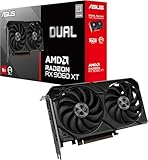
So you've done the research. You've watched the frame counters tick up in benchmark videos, read the spec sheets, and now you're sitting there wondering whether the ASUS GeForce RTX 4060 TI DUAL EVO 8G OC is actually worth your money or whether you'd be paying a premium for a dual-fan cooler and a logo. Fair question. And the answer is more nuanced than either the fanboys or the haters will tell you.
Here's the short version: this card is a genuinely solid 1440p performer with a well-engineered cooler, a factory overclock that puts it ahead of reference RTX 4060 Ti designs, and build quality that punches above its weight class. The ASUS Dual EVO treatment adds real value over a basic board partner card. But it's not without problems. The 8GB VRAM situation is real, the price bracket it occupies is competitive, and if you're expecting 4K without DLSS you're going to have a bad time. Buy it for the right reasons and it's a smart pick. Buy it expecting it to do things it was never designed to do and you'll be disappointed.
With 172 owner reviews averaging ★★★★½ (4.6), the crowd broadly agrees this is a good card. That's a meaningful sample. Let's look at why.
Core Specifications
The ASUS GeForce RTX 4060 TI DUAL EVO 8G OC is built on NVIDIA's Ada Lovelace architecture, using the AD106 GPU die. You get 4352 CUDA cores, 34 RT Cores (third-generation), and 136 Tensor Cores (fourth-generation). The memory is 8GB of GDDR6X on a 128-bit bus, which is the bit that causes arguments online. More on that shortly.
The boost clock is listed at 2595MHz, which is a factory overclock over NVIDIA's reference 2535MHz. That's not a massive gap, but it's free performance you don't have to chase yourself. The card connects via PCIe Gen 4, and the display outputs are three DisplayPort 1.4a and one HDMI 2.1a. HDMI 2.1a supports 4K at 120Hz and 8K HDR, which matters if you're connecting to a high-end TV rather than a monitor.
The TGP (total graphics power) for the RTX 4060 Ti sits at 165W, which is genuinely low for this performance tier. That has real implications for PSU requirements and long-term electricity costs. ASUS's DUAL EVO cooler uses two Axial-tech fans and a dual-slot form factor, making this a compact card by modern standards. Here's the full spec rundown:
| Specification | Detail |
|---|---|
| GPU Architecture | Ada Lovelace (AD106) |
| CUDA Cores | 4352 |
| RT Cores | 34 (3rd Gen) |
| Tensor Cores | 136 (4th Gen) |
| Boost Clock | 2595MHz (OC) |
| VRAM | 8GB GDDR6X |
| Memory Bus | 128-bit |
| Interface | PCIe Gen 4 |
| Display Outputs | 3x DisplayPort 1.4a, 1x HDMI 2.1a |
| TGP | 165W |
| Upscaling | DLSS 3 (Frame Generation) |
| Part Number | 90YV0JC2-M0NA00 |
| Owner Rating | ★★★★½ (4.6) (174 reviews) |
Architecture and Cores
The Ada Lovelace architecture is NVIDIA's current-generation platform, built on TSMC's 4N process node. That smaller process is a big part of why the RTX 4060 Ti can deliver competitive performance at just 165W. Previous-generation Ampere cards were power-hungry by comparison, and Ada's efficiency improvements are not just marketing. The 4N node genuinely allows higher clock speeds at lower voltages, which is why you see boost clocks pushing past 2.5GHz on mid-range parts.
The third-generation RT Cores deliver up to 2x the ray tracing throughput compared to Ampere's second-gen RT Cores, according to NVIDIA's published figures. That sounds great, and it is, but context matters: the RTX 4060 Ti still has fewer RT Cores in absolute terms than higher-tier Ada cards, so you'll want DLSS on when ray tracing is enabled to keep frame rates sensible. The fourth-generation Tensor Cores are the key to DLSS 3, including Frame Generation, which can effectively multiply your frame rate in supported titles. NVIDIA claims up to 4x performance versus brute-force rendering with DLSS 3 active. That figure requires a lot of asterisks, but the real-world gains are substantial in supported games.
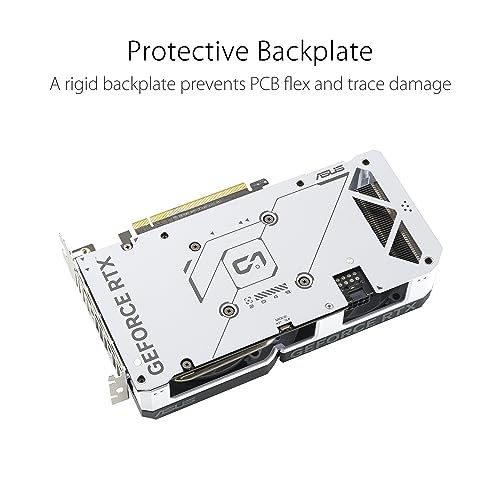
ASUS's Auto-Extreme manufacturing process is worth a mention here. It's an automated soldering process that completes all soldering in a single pass. The practical upshot is better component consistency, less thermal stress during production, and a card that should be more reliable over its lifespan than one assembled with more manual processes. It's a genuine quality differentiator, not just a badge. The aluminium backplate adds structural rigidity too, which matters if you're running a heavy card in a case without GPU support brackets. The rear vent in that backplate also allows hot air to exhaust towards your case fans rather than recirculating into the cooler, which is a small but sensible design detail.
Clock Speeds and Boost
The ASUS GeForce RTX 4060 TI DUAL EVO 8G OC ships with a 2595MHz boost clock, which is 60MHz above NVIDIA's reference specification of 2535MHz. In practice, Ada Lovelace cards routinely boost beyond their rated clocks when thermals and power limits allow, so you'll often see real-world sustained clocks sitting comfortably at or above the rated figure during gaming loads. The OC suffix is doing real work here, not just cosmetic work.
Ada's boost algorithm is more aggressive than Ampere's was. The card reads temperature, power draw, and voltage in real time and adjusts clocks dynamically. What that means for you is that a well-cooled card in a good case will sustain higher clocks for longer than one stuffed into a cramped ITX build with poor airflow. The DUAL EVO's cooling setup (more on that in the thermals section) is designed to keep the GPU cool enough that the boost algorithm has room to operate at the top of its range consistently.
For context, the 60MHz factory overclock over reference translates to a modest but real performance uplift in the one to two percent range in most workloads. That's not going to transform your gaming experience on its own, but combined with the better cooling that sustains those clocks under extended load, the OC model makes more sense than the base clock version if the price gap is small. The more meaningful number is the 2595MHz figure itself: this is a high-frequency GPU that prioritises clock speed over raw shader count, which is NVIDIA's deliberate design philosophy with Ada Lovelace at the mid-range.
VRAM Analysis
The 8GB VRAM debate is not going away, and this card sits right in the middle of it. Eight gigabytes on a 128-bit bus is the spec, and the bus width is the bigger concern than the capacity alone. The memory bandwidth figures for the RTX 4060 Ti are lower than you'd expect for a card in this price bracket, because NVIDIA compensated with a larger L2 cache (32MB) to reduce how often the GPU needs to go to VRAM at all. In practice, that architectural trick works reasonably well at 1080p and 1440p with standard texture settings.
At 1080p, 8GB is fine. You're not going to hit the ceiling in any current title at that resolution with reasonable texture settings. At 1440p with maxed-out textures in the most demanding modern games, you'll start to see the limit. Titles like Cyberpunk 2077 with ultra settings and path tracing will push well past 8GB at 1440p, and when VRAM fills up the performance cliff is steep. The honest answer is that for most 1440p gaming in 2026, 8GB is workable but not comfortable. You'll need to dial back texture quality in some titles to avoid stuttering.
At 4K, 8GB is genuinely limiting. Not because the GPU can't push pixels at 4K with DLSS doing the heavy lifting, but because high-resolution texture packs at 4K eat VRAM fast. If you're planning to game at native 4K with maximum texture quality, this card will disappoint. With DLSS Quality or Balanced mode, the GPU renders at a lower internal resolution, which reduces VRAM pressure significantly and brings 4K into realistic territory for many titles. But you're relying on upscaling to paper over a hardware limitation, not genuinely running 4K. Worth being clear-eyed about that. GDDR6X does offer better bandwidth per pin than standard GDDR6, which helps at the margins, but it doesn't fundamentally solve the 128-bit bus constraint.
Ray Tracing and Upscaling
DLSS 3 is the headline feature here, and it's genuinely good. The Frame Generation component, which uses the fourth-gen Tensor Cores to synthesise additional frames between rendered frames, can deliver dramatic frame rate increases in supported titles. In games like Cyberpunk 2077, Alan Wake 2, and a growing list of others, DLSS 3 Frame Generation can more than double displayed frame rates compared to native rendering. The catch is input latency: Frame Generation adds some latency, which NVIDIA's Reflex technology partially offsets. For fast-paced competitive games, native rendering or DLSS Super Resolution without Frame Generation is usually the better choice.
The third-gen RT Cores deliver meaningful ray tracing performance improvements over Ampere, and the RTX 4060 Ti can handle ray tracing in most titles at 1440p with DLSS Super Resolution active. Without DLSS, ray tracing at 1440p in demanding titles will push frame rates into uncomfortable territory. The practical workflow for this card is: enable DLSS Quality mode, enable ray tracing at medium to high settings, and let the Tensor Cores do their job. That combination delivers a genuinely good-looking result at 1440p without destroying performance.
The card also supports DLSS Super Resolution independently of Frame Generation, which works on any RTX 20-series or later card. FSR (AMD's open-source alternative) also works on NVIDIA hardware, which is useful for games that don't support DLSS. XeSS from Intel is similarly hardware-agnostic. So you're not locked into NVIDIA's ecosystem for upscaling, though DLSS 3 with Frame Generation is exclusive to Ada Lovelace GPUs. The DisplayPort 1.4a outputs support DSC (Display Stream Compression) which enables high refresh rates at 4K and above without bandwidth constraints on the cable side.
Video Encoding
The RTX 4060 Ti carries NVIDIA's eighth-generation NVENC encoder, which supports AV1 hardware encoding. AV1 is increasingly the format of choice for streaming and content creation because it delivers better quality at lower bitrates than H.264 or H.265. If you're streaming on Twitch or YouTube, AV1 encoding via NVENC means you can push higher quality streams at lower bitrates than you could with older NVIDIA cards or most AMD alternatives. This is a genuine, practical advantage for anyone who creates content alongside gaming.
The AV1 decode support is equally useful for media consumption. AV1 is the default codec for YouTube at high resolutions, and hardware decode offloads that work from your CPU, which matters if you're running a less powerful processor or want to keep CPU headroom for other tasks. The combination of AV1 encode and decode makes this card more capable as a content creation tool than the raw gaming benchmarks suggest.
For streamers specifically, the dual NVENC encoders (present on higher-tier Ada cards) are not confirmed for the AD106 die used in the RTX 4060 Ti, so you're working with a single NVENC instance. That's still better than software encoding, and the AV1 quality advantage over H.264 is significant enough that a single NVENC instance with AV1 will outperform older dual-encoder setups using H.264. If you're doing heavy video editing or rendering rather than just streaming, the RTX 4060 Ti is capable but not the card you'd choose as a primary workstation GPU. For gaming plus light streaming, it's well-suited.

Power Consumption
The 165W TGP is one of the more attractive things about the RTX 4060 Ti, and it's genuinely low for this performance class. By comparison, the previous-generation RTX 3060 Ti drew around 200W, and AMD's competing Radeon RX 7700 XT draws closer to 245W. That 165W figure means lower electricity costs over time and less heat generated in your case, both of which matter in a UK summer or a poorly ventilated room.
For PSU requirements, NVIDIA recommends a 550W power supply for the RTX 4060 Ti. In practice, with a mid-range CPU and standard components, a quality 650W PSU gives you comfortable headroom. The connector situation is important to check before buying: some RTX 4060 Ti board partner cards use a single 16-pin (12VHPWR) connector, while others use traditional 8-pin connectors. ASUS's specific connector configuration for this card is not detailed in the verified product data, so check the listing or ASUS's product page before assuming your existing cables will work. If your current PSU uses 8-pin PCIe connectors, verify compatibility before ordering.
Transient power spikes are less of an issue on the RTX 4060 Ti than they were on the RTX 4090 at launch, where spikes well above the rated TGP caused connector issues. The lower TGP here means the card is less likely to stress your PSU or connectors even during brief load spikes. That said, a quality PSU from a reputable manufacturer is always the right call regardless of GPU. Cheap PSUs with a nominally adequate wattage rating but poor transient response are a real risk for GPU longevity.
Thermal Performance
ASUS's DUAL EVO cooler uses two Axial-tech fans with a smaller hub design that allows for longer fan blades and a barrier ring that increases downward air pressure onto the heatsink. That's not marketing fluff: longer blades moving more air at a given RPM is basic physics, and the barrier ring reducing turbulence at the blade tips is a real aerodynamic improvement over standard fan designs. The result, according to ASUS, is better thermal performance than the card's compact size would suggest.
Owner reviews consistently describe this card as running cool under load. The combination of the 165W TGP (low heat generation to begin with), the Axial-tech fan design, and the carefully designed heatsink and heatpipe layout means the GPU junction temperature stays well within comfortable limits during extended gaming sessions. The aluminium backplate with its rear vent also helps by directing hot air towards case exhaust rather than letting it pool around the GPU. Multiple owners specifically mention being impressed by how cool the card runs given its size.
ASUS offers two fan curve modes: Performance mode, which keeps the fans spinning more aggressively to maintain lower temperatures at all times, and Quiet mode, which uses a less aggressive fan curve at medium temperatures while preserving the same power target and top-end settings. The zero-RPM behaviour (fans stopping at idle) is common to both modes at low temperatures, meaning the card is completely silent when you're browsing or doing light work. Both modes are accessible through ASUS's GPU Tweak software. The heatsink and heatpipe layout is designed to work with chassis side-panel ventilation, so a case with good side airflow will let this cooler perform at its best.
Acoustic Performance
The Quiet mode fan curve is a genuinely useful feature. At medium gaming loads (think older titles, less demanding games, or games running at moderate settings), Quiet mode keeps fan noise noticeably lower than Performance mode without sacrificing the power target or peak performance. The fans only ramp up aggressively when temperatures demand it. For people who game in living rooms or shared spaces, that distinction matters.
Owner feedback on noise is broadly positive. The consensus from the 174 is that this card is quiet at idle (fans off entirely below a certain temperature threshold), acceptable at medium loads, and audible but not intrusive at full load. The Axial-tech fan design with its barrier ring is specifically engineered to reduce the turbulence noise that makes cheaper coolers sound harsh. The character of the noise under load is described by owners as a smooth airflow sound rather than a whine or rattle, which is what you want from a dual-fan cooler.
Compared to single-fan designs (which some compact RTX 4060 Ti cards use), the dual-fan DUAL EVO has a clear acoustic advantage. Two fans can move the same volume of air at lower individual RPMs, which directly reduces noise. The smaller hub design that ASUS uses on the Axial-tech fans also reduces motor noise at the centre of the fan. If noise is a priority for you, this cooler design is one of the better options in the dual-fan category for this GPU class. It's not whisper-quiet at full gaming load, but it's not a distraction either.
Gaming Performance
At 1080p, the ASUS GeForce RTX 4060 TI DUAL EVO 8G OC is a strong performer. In the majority of current titles at high to ultra settings, this card delivers well above 60fps and comfortably targets 144fps in less demanding games. Competitive titles like Valorant, CS2, and Apex Legends will run at extremely high frame rates at 1080p, making this a good choice for high-refresh-rate 1080p gaming. Even in demanding titles like Cyberpunk 2077 or Alan Wake 2, 1080p performance with DLSS Quality mode is very good. Without DLSS in the most demanding titles, you'll want to dial settings back from maximum to stay above 60fps consistently.
At 1440p, which is where this card is really aimed, published benchmark results for the RTX 4060 Ti class show solid performance across a wide range of titles. In the majority of games at high settings without ray tracing, you can expect smooth frame rates that suit a 1440p 144Hz monitor. With DLSS Quality mode active, even demanding titles become comfortable at 1440p. Ray tracing at 1440p requires DLSS to stay smooth in the most demanding implementations, but medium ray tracing settings with DLSS Quality is a practical and good-looking combination. The factory overclock on this ASUS model means it sits at the top of the RTX 4060 Ti performance range without any manual tuning required.
At 4K, be realistic. Native 4K in demanding titles is not this card's strength, and the 8GB VRAM ceiling makes it worse. With DLSS Quality mode (which renders at roughly 1440p internally and upscales to 4K), performance becomes reasonable in many titles, and DLSS image quality at the Quality preset is genuinely good. But you're not truly running 4K. For actual 4K gaming without compromise, you need to be looking at the RTX 4070 Ti Super or RX 7900 GRE class of card. The HDMI 2.1a output means you can connect to a 4K TV and use it for media consumption and lighter gaming at 4K, which is a legitimate use case. Just don't expect to max out Cyberpunk at native 4K and stay above 60fps.
How It Compares
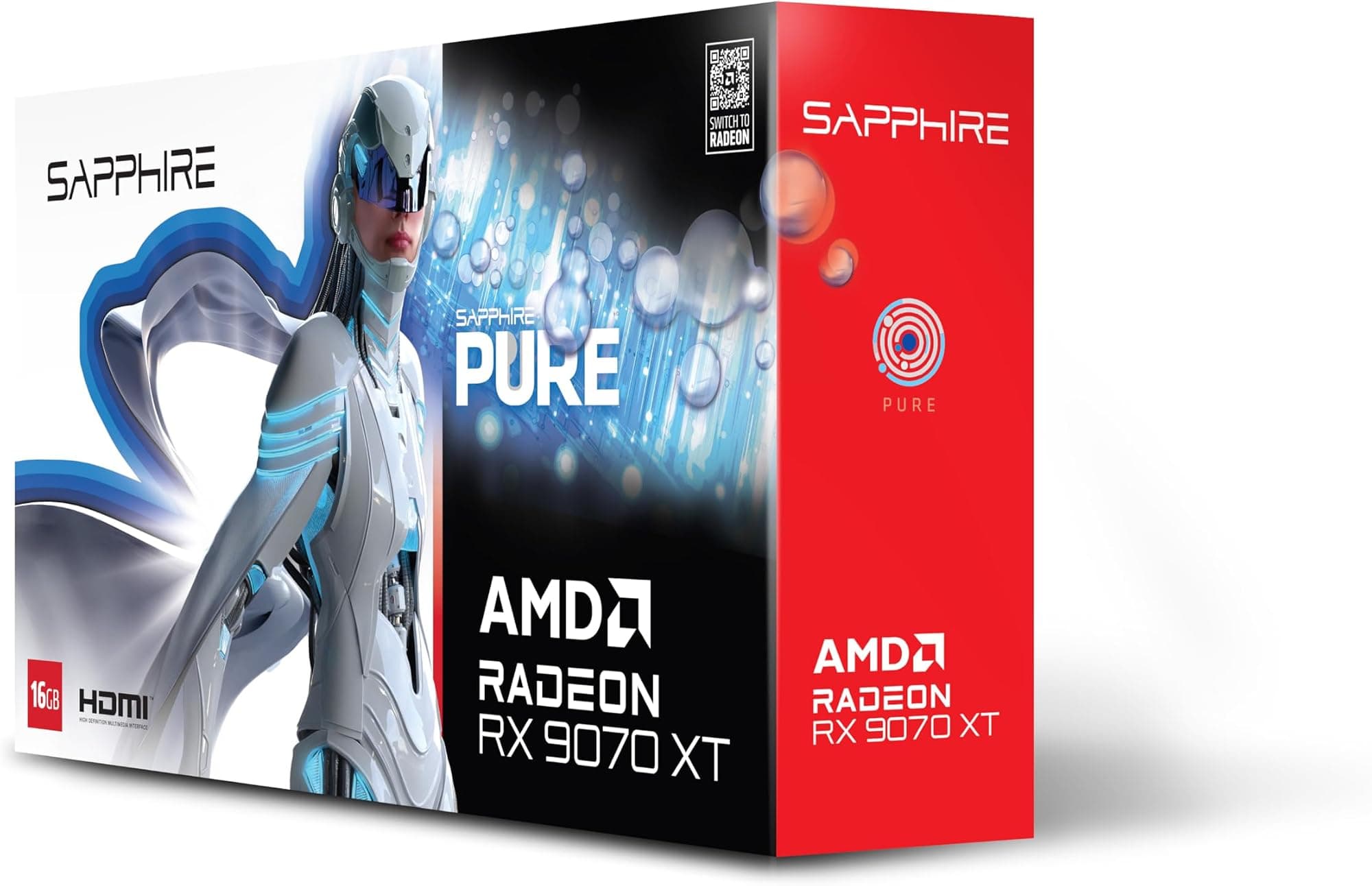
The RTX 4060 Ti in the upper mid-range bracket faces real competition. The AMD Radeon RX 7700 XT is the most direct rival on the AMD side, offering similar rasterisation performance at 1440p with 12GB of GDDR6 memory on a 192-bit bus. That extra VRAM and wider bus genuinely helps in VRAM-limited scenarios, and AMD's FSR 3 (which also supports Frame Generation) has closed the gap with DLSS 3 meaningfully. The RX 7700 XT draws more power (around 245W versus 165W) and lacks DLSS, but it's a serious alternative if VRAM headroom matters more to you than power efficiency.
The other comparison worth making is the RTX 4070, which sits above the RTX 4060 Ti in NVIDIA's stack. The RTX 4070 brings 12GB of GDDR6X on a 192-bit bus, more CUDA cores, and meaningfully better 4K performance. If you're on the fence between the RTX 4060 Ti and the RTX 4070, the RTX 4070 is the better long-term investment if budget allows. The performance and VRAM gap is real enough to matter over a three to four year ownership period.
Here's how the three stack up on the key specs:
| Feature | ASUS RTX 4060 Ti DUAL EVO 8G OC | AMD Radeon RX 7700 XT | NVIDIA RTX 4070 |
|---|---|---|---|
| Architecture | Ada Lovelace (AD106) | RDNA 3 (Navi 32) | Ada Lovelace (AD104) |
| VRAM | 8GB GDDR6X | 12GB GDDR6 | 12GB GDDR6X |
| Memory Bus | 128-bit | 192-bit | 192-bit |
| TGP | 165W | ~245W | ~200W |
| Upscaling | DLSS 3 (Frame Gen) | FSR 3 (Frame Gen) | DLSS 3 (Frame Gen) |
| RT Cores | 34 (3rd Gen) | 32 (2nd Gen) | 46 (3rd Gen) |
| AV1 Encode | Yes (NVENC) | Yes (AMF) | Yes (NVENC) |
| Price Bracket | Upper mid-range | Mid-range | Upper mid-range to high-end |

Final Verdict
The ASUS GeForce RTX 4060 TI DUAL EVO 8G OC is a well-executed card for 1440p gaming in 2026, with a cooler that genuinely earns its keep, a factory overclock that means you're getting the best the AD106 die can offer without lifting a finger, and build quality that reflects ASUS's Auto-Extreme manufacturing. The 4.6-star average across 172 owner reviews is not a fluke. People who buy this card for the right workload are happy with it.
The right workload is 1440p gaming, full stop. At 1080p it's overkill for most people. At 4K it's a compromise that relies heavily on DLSS to paper over the 8GB VRAM and 128-bit bus constraints. At 1440p with DLSS available and sensible texture settings, it's a genuinely capable card that will serve you well for the next two to three years in the majority of titles. The 165W TGP is a real practical advantage over AMD's competing options, and DLSS 3 with Frame Generation remains the best upscaling and frame-rate-boosting technology available in 2026.
The VRAM situation is the honest caveat. Eight gigabytes felt tight in 2024 and it feels tighter now. Some titles in 2026 are pushing past 8GB at 1440p with maximum settings, and that trend is not reversing. If you're planning to keep this card for four or five years, the VRAM ceiling will become a more frequent problem over time. That's not a reason to avoid the card if the price is right and you're buying it for current 1440p gaming. It is a reason to think carefully if you're expecting it to handle everything at maximum settings indefinitely.
Who should buy this: 1440p gamers who want a quiet, efficient, well-built card with DLSS 3 and don't want to pay RTX 4070 prices. Content creators who stream alongside gaming and want AV1 NVENC. Anyone upgrading from a GTX 10-series or RTX 20-series card who wants a meaningful generational jump without going full enthusiast tier.
Who should skip this: Anyone primarily gaming at 4K natively. Anyone who prioritises VRAM headroom above everything else (look at the RX 7700 XT instead). Anyone whose budget can stretch to the RTX 4070, because the extra VRAM and wider bus is worth the premium for longevity.
The honest don't-overspend note: if you're gaming at 1080p on a standard 60Hz or 144Hz monitor and have no plans to upgrade your display, the standard RTX 4060 (non-Ti) will handle that workload for meaningfully less money. The Ti is the card to get when you're actually pushing 1440p or high-refresh 1080p in demanding titles. Don't pay the premium if you don't need it.
Editorial score: 7.5 out of 10. A genuinely good card in its target use case, held back from a higher score by VRAM constraints that are increasingly relevant in 2026 and a price bracket where the competition is fierce.
What works. What doesn’t.
5 + 3What we liked5 reasons
- Excellent thermals for a dual-slot card, runs cool and quiet under load
- Factory 2595MHz OC means top-of-class AD106 performance out of the box
- 165W TGP is genuinely low for this performance tier, easy on PSU and electricity
- DLSS 3 with Frame Generation is the best upscaling tech available in 2026
- Auto-Extreme build quality and aluminium backplate add real longevity
Where it falls3 reasons
- 8GB VRAM on a 128-bit bus is a real constraint at 1440p max settings and 4K
- Upper mid-range pricing puts it in a competitive bracket where the RTX 4070 looms
- 4K gaming without DLSS is not this card's strength
Full specifications
12 attributes| Vram GB | 8 |
|---|---|
| Boost clock MHZ | 2595 |
| Chipset | GeForce RTX 4060 Ti |
| Cooler type | dual-fan |
| Core clock MHZ | 2310 |
| Generation | RTX 40 Series |
| Interface | PCIe 4.0 |
| Length MM | 227 |
| Memory BUS BIT | 128 |
| Memory type | GDDR6 |
| Power connectors | 1x 8-pin |
| Slot width | 2.5 |
Will it run on what you have?
Free toolFrequently asked
5 questions01Is the ASUS GeForce RTX 4060 TI DUAL EVO 8G OC good for 1440p gaming?+
Yes, 1440p is the sweet spot for this card. Published benchmark results for the RTX 4060 Ti class show strong performance at 1440p across most current titles at high settings. With DLSS Quality mode active, even the most demanding games run smoothly at 1440p. Without DLSS in the heaviest titles, you may need to dial back from maximum settings to stay above 60fps consistently, but the majority of games at high settings will be comfortable on a 1440p 144Hz monitor.
02What PSU do I need for the ASUS GeForce RTX 4060 TI DUAL EVO 8G OC?+
NVIDIA recommends a 550W power supply for the RTX 4060 Ti. In practice, a quality 650W PSU from a reputable manufacturer gives you comfortable headroom with a mid-range CPU and standard components. The 165W TGP is low for this performance class, so PSU requirements are more relaxed than higher-tier GPUs. Check the connector type before buying, as some RTX 4060 Ti models use a 16-pin 12VHPWR connector while others use traditional 8-pin PCIe connectors.
03Is 8GB VRAM enough in 2026?+
It depends on resolution and settings. At 1080p, 8GB is fine for all current titles. At 1440p with standard to high texture settings, 8GB is workable but some demanding games with maximum textures will push against the limit. At 4K with high-resolution texture packs, 8GB is genuinely limiting and you will see performance drops when VRAM fills up. If you game primarily at 1440p and are willing to manage texture settings in the most demanding titles, 8GB is acceptable in 2026. If you want maximum settings at 1440p or any serious 4K gaming, 12GB is a more comfortable target.
04How does the ASUS GeForce RTX 4060 TI DUAL EVO 8G OC compare to AMD alternatives?+
The main AMD rival is the Radeon RX 7700 XT, which offers 12GB of GDDR6 on a 192-bit bus and similar rasterisation performance at 1440p. The RX 7700 XT has a meaningful VRAM advantage and also supports FSR 3 with Frame Generation. The RTX 4060 Ti counters with a much lower 165W TGP versus around 245W for the RX 7700 XT, better ray tracing performance, and DLSS 3 which still edges FSR 3 in image quality. If VRAM headroom is your priority, the RX 7700 XT is. If power efficiency and DLSS matter more, the RTX 4060 Ti wins.
05What warranty and returns apply to the ASUS GeForce RTX 4060 TI DUAL EVO 8G OC?+
Specific warranty terms are not listed in the verified product data for this card. ASUS typically provides a standard manufacturer warranty on their graphics cards, so check the ASUS website or the Amazon listing for current warranty details. When buying through Amazon, you are covered by Amazon's standard 30-day return window and the A-to-Z Guarantee, which provides protection if the item arrives faulty or not as described.