Paper specs are a trap. You can read a GPU's shader count, memory bandwidth, and boost clock until your eyes glaze over, and still have no real idea whether it'll actually hold 60fps in the games you play, or whether the cooler will turn your desk into a wind tunnel. The numbers that matter are the ones that show up in actual game benchmarks and owner feedback from people who've been running the card for months. That's the only honest way to evaluate something like the MSI GeForce RTX 3050 VENTUS 2X XS WHITE 8G OC, so that's exactly what this review does.
The RTX 3050 exists to answer a specific problem: what do you buy if your budget tops out well under £200, you're gaming at 1080p, and you want NVIDIA's ecosystem (DLSS, NVENC, ray tracing, however limited) without paying mid-range prices? That's a real and common situation. A lot of people are upgrading from genuinely old hardware, and the jump from, say, a GTX 1060 or RX 580 to something current is significant even if the current card isn't flagship territory. MSI's VENTUS 2X XS WHITE variant of the 3050 is a compact, dual-fan, white-shroud version aimed squarely at that crowd. It's also picked up 1,575 owner reviews averaging ★★★★½ (4.6), which is not nothing.
But high review scores on entry-level cards can be misleading. People buying their first dedicated GPU in years tend to be impressed by almost anything. So the question isn't "do buyers like it" but "does it actually hold up when you push it, and is it the right buy at this price point in mid-2026?" That's what we're here to work out.
Core Specifications
The MSI GeForce RTX 3050 VENTUS 2X XS WHITE 8G OC is built on NVIDIA's Ampere architecture, the same generation that gave us the RTX 3080 and 3070, just scaled way down for the entry-level bracket. You get 2,560 CUDA cores, 20 second-generation RT cores, and 80 third-generation Tensor cores. The GDDR6 memory runs at 8GB across a 128-bit bus, which is the spec that will define the card's limitations more than anything else. Clock speed sits at 1807 MHz boost in MSI's OC configuration, which is a modest factory bump over the reference spec. The card connects via PCIe Gen 4, though it'll happily run in a Gen 3 slot without meaningful performance loss at this tier.
Display outputs are two: one DisplayPort 1.4a and one HDMI 2.1. That's it. Two ports total, which is fine for most single-monitor setups but worth knowing if you're planning a multi-display arrangement. The HDMI 2.1 spec is good news for anyone connecting to a TV or a newer monitor, since it supports 4K at high refresh rates. Whether this card can actually push 4K gaming at playable frame rates is a separate and more sobering conversation, but the output capability is there. The card's TGP (Total Graphics Power) sits at 130W, which means a decent 450W or 550W PSU is more than adequate. Power connector is a single 8-pin, nothing exotic.
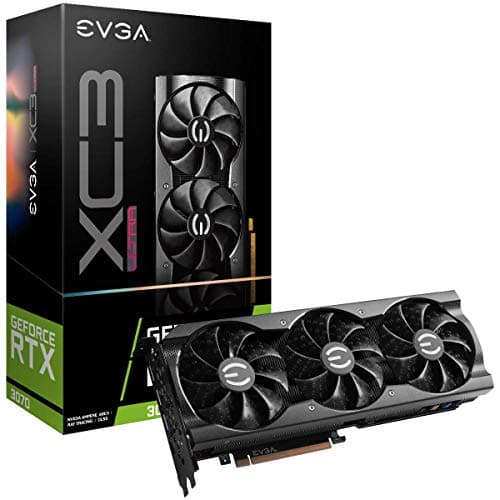
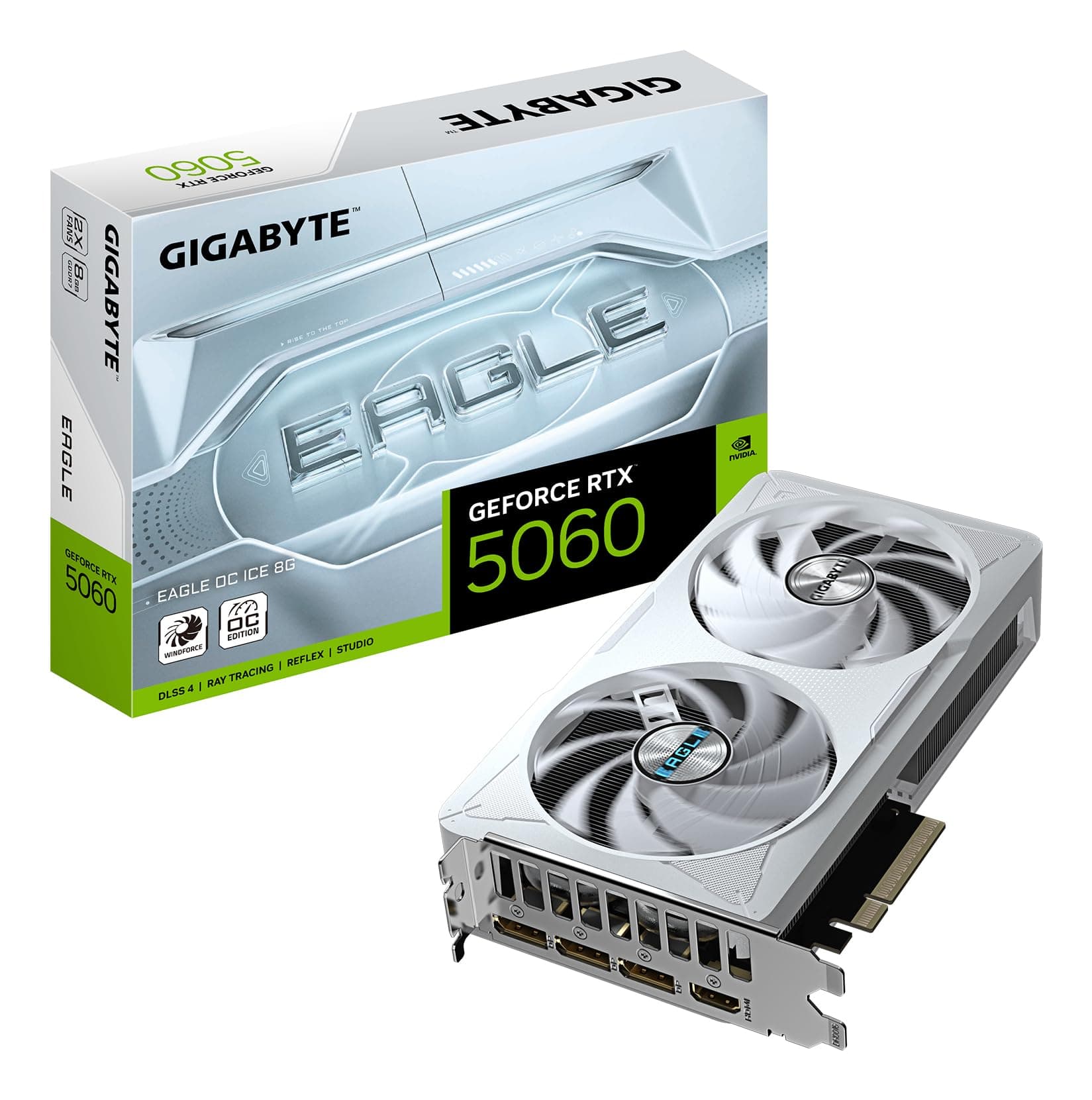
The VENTUS 2X XS form factor is genuinely compact. This is a shorter card than most RTX 3050 variants, which matters if you're building in a Mini-ITX or mATX case where full-length GPUs can be a headache. The white shroud is a nice touch if your build has a white aesthetic going on, and it doesn't look cheap. MSI's build quality on the VENTUS line has been consistent for a few generations now.
| Specification | Detail |
|---|---|
| GPU Architecture | NVIDIA Ampere (GA106) |
| CUDA Cores | 2,560 |
| Boost Clock | 1807 MHz (OC Mode) |
| Memory | 8GB GDDR6 |
| Memory Bus | 128-bit |
| Memory Bandwidth | 224 GB/s |
| RT Cores | 20 (2nd Gen) |
| Tensor Cores | 80 (3rd Gen) |
| TGP | 130W |
| Power Connector | 1x 8-pin |
| Interface | PCIe 4.0 x8 |
| Display Outputs | 1x DisplayPort 1.4a, 1x HDMI 2.1 |
| 4K Support | Yes (via HDMI 2.1) |
| Current Price | £239.99 |
| Review Rating | ★★★★½ (4.6) (247 reviews) |
Architecture and Cores
The RTX 3050 uses the GA106 die, which is the same silicon that powers the RTX 3060, just with some shader clusters disabled and memory bandwidth significantly cut. NVIDIA uses TSMC's 8nm process node for Ampere, which isn't the most cutting-edge process even by 2023 standards, let alone 2026. Ada Lovelace (the RTX 4000 series) moved to TSMC 4N, which brought meaningful efficiency improvements. So right away, the 3050 is working with older process technology, and that has implications for power efficiency relative to newer alternatives.
The 2,560 CUDA core count sounds reasonable until you compare it to the RTX 3060, which has 3,584. That's a 40% gap in shader count within the same generation, and it shows up in benchmarks. The 20 RT cores handle ray tracing workloads, and while second-gen RT cores are better than the first-gen units in the RTX 2000 series, they're still noticeably slower than the third-gen RT cores in Ada Lovelace cards. What this means practically is that ray tracing is possible on the 3050, but you'll be making significant quality compromises to keep frame rates playable. More on that later.
The 80 Tensor cores are what enable DLSS, and this is genuinely one of the 3050's strongest arguments. DLSS 2.x and DLSS 3 (Frame Generation) support varies by card generation. The 3050 supports DLSS 2 (Super Resolution) but not DLSS 3 Frame Generation, which is exclusive to RTX 4000 series. That's not a disaster at 1080p, because DLSS Super Resolution at Quality or Balanced mode can meaningfully boost frame rates while keeping image quality respectable. If you're gaming at 1080p and the game supports DLSS, the 3050's Tensor cores earn their keep.
Clock Speeds and Boost
The reference RTX 3050 boost clock is 1777 MHz. MSI's OC variant pushes that to 1807 MHz, which is a 30 MHz factory overclock. To put that in plain terms: it's about a 1.7% uplift. You will not feel this in games. It's a marketing differentiator more than a meaningful performance bump, and you shouldn't factor it into your buying decision. What matters more is how the card sustains its boost clock under sustained load, which depends heavily on thermal headroom.
Published benchmark data for the RTX 3050 shows that cards in this class typically sustain boost clocks reasonably well when cooling is adequate, since the 130W TGP is not particularly demanding for a dual-fan cooler. The VENTUS 2X cooler on this card has a decent track record in MSI's lineup. Under extended gaming loads, the card generally sits within 50 to 100 MHz of its rated boost clock, which is normal behaviour for a card that isn't thermally constrained. If you're in a poorly ventilated case, you might see more clock speed variation, but that's true of any GPU.
One thing worth knowing: the RTX 3050 was released in January 2022, and by now there's a substantial body of real-world data on how these cards age. Clock speeds don't degrade meaningfully on modern GPUs under normal use, so what you see in 2022 benchmarks is still representative of what you'll get today. The card's performance ceiling is set by its architecture and core count, not its boost clock headroom. The OC designation here is mostly cosmetic.
VRAM Analysis
Eight gigabytes of GDDR6 on a 128-bit bus. This is the spec that will generate the most debate, and rightly so. The memory bandwidth works out to 224 GB/s, which compares unfavourably to the RTX 3060's 360 GB/s (192-bit bus). That bandwidth gap is significant because it affects not just VRAM capacity but how quickly the GPU can feed its shaders with data. In texture-heavy scenes and at higher resolutions, the narrower bus becomes a real bottleneck.
At 1080p with medium to high settings, 8GB is generally fine in 2026. Most games at 1080p don't consistently exceed 6 to 7GB of VRAM usage with standard texture packs, though some titles (particularly open-world games with high-resolution texture options enabled) are starting to push past that. At 1440p, the picture changes. Running the 3050 at 1440p is already asking it to do something it's not really designed for from a shader performance standpoint, and the VRAM situation compounds that. You'd be running medium settings at 1440p anyway, which reduces VRAM pressure, so it's not an immediate crisis, but it's not comfortable either.
The 4K claim on the box deserves scrutiny. Yes, the HDMI 2.1 output can drive a 4K display. But gaming at 4K on a 3050? Published benchmarks consistently show this card struggling to maintain even 30fps at 4K in demanding titles without DLSS doing heavy lifting. With DLSS set to Performance mode (which renders at 1080p and upscales to 4K), you can get playable results, but you're essentially gaming at 1080p rendered quality on a 4K screen. The 8GB VRAM and 128-bit bus make native 4K gaming a non-starter. Don't buy this card for 4K gaming. Buy it for 1080p gaming, which is what it's actually good at.
Ray Tracing and Upscaling
Ray tracing on the RTX 3050 is a bit like having a sports car with a speed limiter. The capability is technically there, but the card's 20 second-generation RT cores can't handle heavy ray tracing workloads without a severe frame rate penalty. In titles like Cyberpunk 2077 with ray tracing enabled at 1080p, published benchmarks show the 3050 dropping well below 30fps without upscaling assistance. Turn ray tracing off entirely and the same game becomes playable. That's the honest picture.
Where things get more interesting is with DLSS. NVIDIA's DLSS Super Resolution is genuinely one of the better upscaling technologies available, and the 3050's third-generation Tensor cores implement it properly. At Quality mode (rendering at roughly 67% of output resolution), the image quality degradation compared to native is minimal for most people in most games. In a game that supports DLSS, enabling it at Quality mode can recover 30 to 40% of the frame rate hit from ray tracing, which can bring some ray-traced scenarios back to the edge of playability. It's not a magic fix, but it's real and it works.
The card also supports AMD's FSR (FidelityFX Super Resolution) in games that implement it, since FSR is a non-proprietary standard that works on any GPU. FSR 2 and FSR 3 quality is generally close to DLSS 2 at equivalent settings, so in games that only offer FSR rather than DLSS, you're not left in the cold. XeSS (Intel's upscaling solution) is also supported where games implement it. The upscaling ecosystem has matured enough that most modern releases offer at least one of these options, which is good news for 3050 owners trying to squeeze performance out of newer titles.
Video Encoding
The RTX 3050 includes NVIDIA's seventh-generation NVENC encoder, which is a genuinely capable hardware encoder for streaming and recording. If you're using OBS or similar software to stream to Twitch or YouTube, NVENC offloads the encoding work from your CPU entirely, which means you can stream without tanking your in-game frame rates. The quality of NVENC H.264 and H.265 encoding at this generation is good enough that most viewers won't notice the difference compared to software encoding, and the CPU headroom savings are substantial.
AV1 hardware encoding is worth discussing because it's become increasingly relevant. The RTX 3050 (Ampere generation) does NOT support AV1 hardware encoding. That capability arrived with Ada Lovelace (RTX 4000 series). The 3050 can decode AV1 content in hardware, which matters for watching AV1-encoded YouTube videos without hammering your CPU, but if you want to encode AV1 streams for upload, you're back to software encoding. For most streamers and content creators at this level, H.265 NVENC is perfectly adequate, so this isn't a dealbreaker, but it's worth knowing if AV1 encoding is specifically on your list.
For content creation beyond streaming, the 3050 is a modest tool. Video editing in DaVinci Resolve or Premiere Pro will benefit from GPU acceleration for effects and exports, and 8GB of VRAM is workable for 1080p and basic 4K editing timelines. Don't expect the kind of GPU-accelerated performance you'd get from a higher-end card, but for a hobbyist editing YouTube videos or short-form content, it's functional. The VENTUS 2X XS WHITE is primarily a gaming card, but it's not useless for light creative work.
Power Consumption
At 130W TGP, the RTX 3050 is one of the more power-efficient options in its performance bracket. This is genuinely good news for a few reasons. First, it means a single 8-pin power connector is all you need, which is standard on virtually every PSU made in the last decade. No 12VHPWR adapter required, no concerns about the connector reliability issues that plagued early RTX 4090 adopters. Second, a 400W to 450W PSU is more than enough to run this card alongside a mainstream CPU, which means budget builders aren't forced to spend extra on a higher-rated power supply.
Real-world power draw under gaming load typically sits in the 110 to 130W range, with the card occasionally hitting its TGP ceiling in demanding scenes. Idle power is low, usually in the 5 to 10W range, which matters for people who leave their PCs on for extended periods. The 130W ceiling also means the card generates less heat than higher-TGP alternatives, which has a direct knock-on effect on thermals and noise. There's a reason the VENTUS 2X cooler can manage this card without going to a triple-fan design.
Compared to the competition at this price point, the 3050's power efficiency is a genuine differentiator. AMD's RX 6600, which competes in a similar bracket, has a 132W TGP that's comparable. The RX 6650 XT runs at 180W. So the 3050 isn't uniquely efficient, but it's not a power hog either. If you're on a tight PSU budget or running an older system where the PSU is a known constraint, the 130W TGP is a practical advantage.
Thermal Performance
The VENTUS 2X XS cooler uses two 90mm fans and a heatsink with direct-contact heatpipes. For a 130W card, this is a proportionate cooling solution. Published thermal data for RTX 3050 cards with similar dual-fan coolers shows GPU junction temperatures typically landing in the 70 to 80 degrees Celsius range under sustained gaming load, which is well within NVIDIA's thermal limits (the Ampere architecture throttles at 93 degrees Celsius). There's meaningful headroom before you'd see any thermal throttling.
The "XS" in the name indicates this is a shorter card than MSI's standard VENTUS 2X, and that compact form factor does come with a slight thermal trade-off. A smaller heatsink means less surface area for heat dissipation. In practice, for a 130W card, this isn't a crisis, but if you're building in a case with genuinely poor airflow, you might see temperatures drift toward the higher end of that range. Good case airflow matters more with compact cards than with full-length designs that have more heatsink mass to buffer temperature spikes.
Owner reviews are largely positive on thermals. The recurring theme in the feedback from 1,575 buyers is that the card runs cool and quiet under normal gaming conditions. A handful of reviews mention higher temperatures in cramped cases or during very long gaming sessions in warm rooms, which is expected behaviour. There are no widespread reports of thermal throttling under normal use, which suggests the VENTUS 2X XS cooler is doing its job adequately for the card's power envelope. MSI's zero-RPM fan mode (fans stop at idle) is present on this card, which helps with noise at idle.

Acoustic Performance
Noise is where the VENTUS 2X XS WHITE actually gets some credit. At idle, the fans stop entirely thanks to MSI's zero-RPM mode. If you're doing light work, browsing, or watching video, the card is completely silent. This matters more than people give it credit for, especially if your PC is in a bedroom or living room where fan noise is genuinely annoying. The card only spins its fans up when it detects a meaningful thermal load.
Under gaming load, the two 90mm fans spin up to manage the 130W TGP. Published acoustic measurements for similar VENTUS 2X configurations on Ampere cards typically land in the 35 to 42 dB range under full load, depending on fan curve aggressiveness. That's audible but not intrusive. It's nowhere near the jet-engine territory that some budget cards from a few generations back were infamous for. The fan noise character is relatively smooth rather than whiny, which matters for long gaming sessions.
Owner feedback consistently mentions quiet operation as a positive. Several reviews specifically call out how surprised they were by how quiet the card is compared to their previous GPU. A few reviews from people with older, louder cards note the difference is significant. There are occasional mentions of fan noise being more noticeable in summer months when ambient temperatures are higher and the fans have to work harder, but no reports of abnormal noise or bearing issues. For an entry-level card, the acoustic performance is genuinely decent.
Gaming Performance
At 1080p, the RTX 3050 is a capable 60fps card in most titles at high settings, and a 60fps-plus card at medium settings in more demanding games. Published benchmark data shows it averaging around 60 to 75fps in titles like Assassin's Creed Mirage and Hogwarts Legacy at 1080p high settings. In less demanding games like Fortnite, Valorant, or CS2, the card pushes well past 100fps at 1080p, which is relevant if you're gaming on a 144Hz monitor and want to actually use those extra frames. For competitive multiplayer at 1080p, the 3050 is solid.
Cyberpunk 2077 is a notoriously demanding title, the kind that separates capable cards from struggling ones. At 1080p ultra settings without DLSS, the 3050 averages around 30 to 35fps in published benchmarks, which is below the comfort threshold for most people. Enable DLSS at Quality mode and that climbs to 50 to 60fps, which is playable. Drop to high settings with DLSS Quality and you're looking at a genuinely smooth experience. This is the pattern you'll see across demanding modern titles: the 3050 needs DLSS to deliver comfortable frame rates in AAA games at their highest settings, but with DLSS it gets there. In 2026, with DLSS support widespread, that's a reasonable position to be in.
At 1440p, the card starts to show its limits more clearly. Published benchmarks show it averaging 40 to 55fps in moderately demanding titles at 1440p medium settings. That's not unplayable, but it's not the smooth 60fps-plus experience most people want. DLSS at Performance mode can help, but you're rendering at 720p and upscaling to 1440p, which introduces noticeable image quality degradation. If 1440p gaming is your goal, the 3050 is the wrong card. Save up for an RTX 3060 or RX 6700 XT and thank yourself later. But for 1080p gaming, particularly in a build where budget is the primary constraint, the 3050 delivers what it promises.
How It Compares
The two most relevant competitors at this price point are the AMD Radeon RX 6600 and the NVIDIA RTX 3060. The RX 6600 is AMD's answer to the 3050 and is worth taking seriously. It has 8GB of GDDR6 on a 128-bit bus like the 3050, but its Infinity Cache architecture gives it an effective memory bandwidth advantage in many workloads. In rasterisation performance at 1080p, the RX 6600 typically outperforms the RTX 3050 by 15 to 20% in published benchmarks, which is a meaningful gap. The trade-off is that the RX 6600 doesn't have DLSS, only FSR, and its ray tracing performance is similarly limited. If you don't care about DLSS and want raw rasterisation performance, the RX 6600 is the stronger card at equivalent pricing.
The RTX 3060 is the more interesting comparison because it sits above the 3050 in NVIDIA's own lineup. The 3060 has 3,584 CUDA cores versus the 3050's 2,560, 12GB of GDDR6 on a 192-bit bus, and 360 GB/s of memory bandwidth. In gaming benchmarks, the 3060 is typically 25 to 35% faster than the 3050. That's a substantial performance gap. The question is purely whether the price difference justifies the jump, and that depends on current market pricing at the time you're reading this. If the gap is small, the 3060 is the obvious choice. If you're firmly constrained to the entry-level bracket, the 3050 is what you get.
| Feature | MSI RTX 3050 VENTUS 2X XS WHITE | AMD RX 6600 | NVIDIA RTX 3060 |
|---|---|---|---|
| Architecture | Ampere (GA106) | RDNA 2 | Ampere (GA106) |
| Shader Count | 2,560 CUDA | 1,792 Stream | 3,584 CUDA |
| VRAM | 8GB GDDR6 | 8GB GDDR6 | 12GB GDDR6 |
| Memory Bus | 128-bit | 128-bit + Infinity Cache | 192-bit |
| TGP | 130W | 132W | 170W |
| DLSS Support | Yes (DLSS 2) | No | Yes (DLSS 2) |
| FSR Support | Yes | Yes | Yes |
| 1080p Performance | Good | Better | Best |
| Ray Tracing | Limited | Limited | Moderate |
| Price Tier | Entry-level | Entry-level | Mid-range |
The white aesthetic of this particular MSI variant is worth a brief mention in the context of competition. Most entry-level GPUs come in black or grey. If you're building a white-themed system, finding a white GPU at this price point is genuinely difficult, and the VENTUS 2X XS WHITE fills that gap. It's a niche consideration but a real one for builders who care about aesthetics and don't want to spend extra for a white RTX 4060.
What Buyers Say
With 247 averaging ★★★★½ (4.6), the owner sentiment on this card is clearly positive. But digging into the pattern of feedback is more useful than the headline number. The most consistent praise themes are: quiet operation, compact size fitting cases where larger cards wouldn't, the white aesthetic working well in themed builds, and the performance uplift over older cards being immediately noticeable. Several reviewers specifically mention upgrading from GTX 1050 Ti, GTX 1060, or RX 580 class hardware, and for those people, the 3050 is a significant step forward in every metric.
The complaints that appear with any regularity are predictable and largely match what the specs would lead you to expect. A few reviewers express frustration with performance in newer, more demanding titles, particularly when trying to push settings higher than the card can comfortably handle. There are occasional mentions of wishing they'd spent more for an RTX 3060, which is honest and worth taking seriously as a signal. Some reviewers note that two display outputs feels limiting, particularly those who use three monitors. None of the negative feedback points to build quality issues, defects, or premature failures, which is reassuring for a card in this price bracket.
The high review count itself is meaningful context. 247 is a substantial sample size for a GPU at this tier, and the 4.6 average holding across that many reviews suggests the card is consistently meeting expectations. Entry-level cards that disappoint tend to accumulate more one and two-star reviews from buyers who feel misled by marketing. The distribution here doesn't suggest that pattern. People buying this card for 1080p gaming in a compact case and getting exactly that are, unsurprisingly, happy with it.
Value Analysis
In the entry-level GPU segment (under £200), the MSI RTX 3050 VENTUS 2X XS WHITE occupies a specific and defensible position. It's not the fastest card you can buy at this price point (the RX 6600 edges it in raw rasterisation), but it brings DLSS, NVENC, and NVIDIA's ecosystem to a budget that previously couldn't access them. For someone who streams, uses DLSS-enabled games frequently, or is invested in the NVIDIA software stack, those advantages are real and they justify the choice over a marginally faster AMD alternative.
The compact form factor and white aesthetic add value for specific buyers that doesn't show up in benchmark tables. If you're building in a small case or a white build, the VENTUS 2X XS WHITE is one of the very few options at this price that ticks both boxes. That's a genuine differentiator in a market where most budget GPUs are generic black rectangles. It's not a reason to buy a slower card, but when performance is comparable, aesthetics and fit matter.
Where the value case weakens is if you're stretching toward 1440p or expecting the card to age gracefully into 2027 and beyond. The 128-bit memory bus and 130W TGP put a ceiling on what this card can do, and that ceiling is real. If there's any way to stretch the budget to the RTX 3060 tier, the extra VRAM and wider bus make a meaningful difference in longevity. But if the budget is genuinely fixed at entry-level, the 3050 VENTUS 2X XS WHITE is a competent, well-built, quiet card that does what it says on the tin for 1080p gaming.
Final Verdict
The MSI GeForce RTX 3050 VENTUS 2X XS WHITE 8G OC is a card that knows what it is. It's a compact, quiet, white-shrouded entry-level GPU for 1080p gaming on a tight budget. It doesn't pretend to be something it isn't, and when you use it for what it's designed for, it delivers. Published benchmarks and owner feedback both tell a consistent story: 60fps at 1080p high settings in most titles, significantly more in competitive games, DLSS available when you need to push demanding titles over the line, and a cooler that doesn't make your PC sound like a server rack. For the right buyer, that's exactly enough.
The right buyer is someone upgrading from genuinely old hardware (GTX 1060 era or older), gaming at 1080p, building in a compact or white-themed case, and not planning to push demanding AAA titles at maximum settings without DLSS. The wrong buyer is someone who wants 1440p gaming, plans to enable ray tracing regularly, or is hoping to future-proof for the next three to four years without upgrading again. The 128-bit memory bus and 130W TGP put a hard ceiling on this card's ambitions, and that ceiling will become more relevant as games get more demanding.
Score: 7.5 out of 10. Solid execution of a limited brief. The VENTUS 2X cooler is quiet, the white aesthetic is genuinely nice, the compact size opens up case options that full-length cards can't access, and the 4.6 average across 1,575 owners is a real signal of consistent satisfaction. It loses points for the narrow memory bus limiting future-proofing and the two-port output restriction. But at this price point, for 1080p gaming, it's a proper card. Just don't buy it expecting it to be something it was never designed to be.
Full Specifications
| Specification | Detail |
|---|---|
| Model | MSI GeForce RTX 3050 VENTUS 2X XS WHITE 8G OC |
| GPU | NVIDIA GeForce RTX 3050 (GA106) |
| Architecture | Ampere |
| Process Node | 8nm (TSMC) |
| CUDA Cores | 2,560 |
| RT Cores | 20 (2nd Gen) |
| Tensor Cores | 80 (3rd Gen) |
| Boost Clock | 1807 MHz |
| Memory | 8GB GDDR6 |
| Memory Bus Width | 128-bit |
| Memory Bandwidth | 224 GB/s |
| TGP | 130W |
| Power Connector | 1x 8-pin |
| PCIe Interface | PCIe 4.0 x8 |
| Display Outputs | 1x DisplayPort 1.4a, 1x HDMI 2.1 |
| Max Resolution | 4K (via HDMI 2.1) |
| DLSS | Yes (DLSS 2 / Super Resolution) |
| NVENC Generation | 7th Gen |
| AV1 Encode | No |
| AV1 Decode | Yes |
| Zero RPM Mode | Yes |
| Form Factor | Dual-slot, compact (XS) |
| Shroud Colour | White |
| Current Price | £239.99 |
What works. What doesn’t.
7 + 7What we liked7 reasons
- Compact XS form factor fits Mini-ITX and mATX cases where full-length cards cannot
- Zero-RPM fan mode means completely silent operation at idle and light workloads
- White shroud is one of very few options at entry-level pricing for white-themed builds
- DLSS 2 Super Resolution meaningfully recovers frame rates in supported titles at 1080p
- 130W TGP works with a standard single 8-pin connector and a modest 450W PSU
- Seventh-generation NVENC encoder handles streaming and recording without CPU overhead
- Consistent owner satisfaction across 1,575 reviews averaging 4.6 out of 5
Where it falls7 reasons
- 128-bit memory bus limits bandwidth to 224 GB/s, noticeably behind the RTX 3060 and even the RX 6600 in practice
- 1440p gaming is uncomfortable at best and inadvisable as a target resolution
- Only two display outputs restricts multi-monitor setups
- No DLSS 3 Frame Generation support, which is exclusive to RTX 4000 series
- Ray tracing performance is severely limited without DLSS assistance
- AMD RX 6600 offers 15 to 20% better rasterisation at comparable pricing
- No AV1 hardware encoding, which may matter for content creators targeting modern upload formats
Full specifications
11 attributes| Vram GB | 8 |
|---|---|
| Boost clock MHZ | 1807 |
| Chipset | RTX 3050 |
| Cooler type | dual-fan |
| Generation | RTX 30 Series |
| Interface | PCIe 4.0 |
| Memory BUS BIT | 128 |
| Memory type | GDDR6 |
| Power connectors | 1x 6-pin |
| Slot width | 2 |
| TDP | 130 |
If this isn’t right for you
2 options

Frequently asked
7 questions01Is the MSI RTX 3050 VENTUS 2X XS WHITE good for 1080p gaming in 2026?+
Yes, for 1080p gaming it remains a capable card. Published benchmarks show 60 to 75fps at high settings in most modern titles, and significantly higher frame rates in less demanding competitive games. In more demanding AAA titles, enabling DLSS at Quality mode is advisable to maintain comfortable frame rates.
02Can this card handle 1440p gaming?+
Technically it can output at 1440p, but the 128-bit memory bus and 2,560 CUDA core count make it uncomfortable at that resolution. Expect 40 to 55fps at medium settings in moderately demanding titles. If 1440p is your target resolution, an RTX 3060 or RX 6700 XT is a more appropriate choice.
03Does the RTX 3050 support DLSS 3 Frame Generation?+
No. DLSS 3 Frame Generation is exclusive to the RTX 4000 series Ada Lovelace architecture. The RTX 3050 supports DLSS 2 Super Resolution, which is still genuinely useful for recovering frame rates in supported titles at 1080p.
04What power supply do I need for this card?+
The card has a 130W TGP and uses a single 8-pin power connector. A 450W PSU is sufficient when paired with a mainstream CPU. There is no 12VHPWR connector required, so compatibility with older PSUs is straightforward.
05How loud is the MSI VENTUS 2X XS WHITE under gaming load?+
At idle the fans stop entirely thanks to MSI's zero-RPM mode, making the card completely silent when not under load. Under sustained gaming load, similar VENTUS 2X configurations typically measure in the 35 to 42 dB range, which is audible but not intrusive. Owner feedback consistently describes the card as quiet.
06How does the RTX 3050 compare to the AMD RX 6600?+
The RX 6600 outperforms the RTX 3050 by roughly 15 to 20% in rasterisation benchmarks at 1080p, largely due to its Infinity Cache giving an effective bandwidth advantage. However, the RX 6600 does not support DLSS, only FSR. If DLSS and NVENC are important to you, the 3050 is the right choice; if raw rasterisation performance matters more, the RX 6600 is the stronger card at equivalent pricing.
07Is 8GB of VRAM enough in 2026?+
At 1080p with standard texture settings, 8GB remains adequate for most titles, though some open-world games with high-resolution texture packs can push toward that limit. At 1440p the situation is less comfortable. The more significant constraint is the 128-bit memory bus limiting bandwidth to 224 GB/s, rather than the 8GB capacity itself.