You know what manufacturers do with response time specs? They pick the best-case number, slap it on the box, and hope you never think too hard about it. The Gawfolk 24.5-inch gaming monitor lists a response time that sounds great on paper, but VA panels have a well-documented habit of telling a slightly different story in practice, especially in dark scenes. So before you hand over your money, it's worth knowing what you're actually getting into with this one.
The budget monitor market around the sub-£100 mark is genuinely crowded right now. You've got house-brand monitors from names you've never heard of sitting alongside slightly more established budget options, and they all promise the world. The Gawfolk sits right in that scrappy, competitive space where the difference between a good buy and a frustrating mistake often comes down to a few specific specs and what 885 real owners have bothered to write about it. That average rating of ★★★★☆ (4.3) is genuinely encouraging for a budget panel, so something must be going right.
This is a 24.5-inch, 1080p, 200Hz VA panel with FreeSync, a DisplayPort and an HDMI input, built-in speakers, and VESA mount support. For someone upgrading from a 60Hz or 75Hz monitor, that spec list probably sounds brilliant. For a seasoned display nerd, some of it raises questions worth answering properly. So let's do exactly that.
Core Specifications
Start with what the Gawfolk actually is on paper. You're looking at a 24.5-inch VA panel running at 1920x1080 resolution with a 200Hz maximum refresh rate. The panel uses 8-bit colour depth and covers 100% of the sRGB colour space, with a dynamic contrast ratio of 3000:1 listed by the manufacturer. There's a tilt-adjustable stand, VESA 75x75mm mounting support, and built-in speakers. Connectivity covers one HDMI port and one DisplayPort. The HDMI tops out at 120Hz, and you need the DisplayPort to hit the full 200Hz. That's an important detail and one that catches people out if they're planning to connect via HDMI from a console or older laptop.
At the budget price tier (under £150), these specs are genuinely competitive. A 200Hz refresh rate at this price would have seemed ridiculous a few years ago, and the inclusion of DisplayPort rather than just dual HDMI is a nice touch that some budget monitors skip entirely. The 24.5-inch screen size is a sweet spot for 1080p too. Go bigger and the pixel density drops to the point where things start looking a bit soft at normal desk distances. At 24.5 inches, 1080p gives you around 90 pixels per inch, which is perfectly workable for gaming and everyday use.
The built-in speakers are worth a mention here because they're often absent on budget monitors or present but completely useless. Gawfolk's listing describes them as "powerful sound... specially designed for work and gaming," which is marketing language, but the existence of speakers at all is handy if you're setting up a secondary screen or a simple desk without a separate audio setup. We'll dig into the specifics more in the connectivity section, but it's a feature that adds genuine convenience value at this price.
| Specification | Detail |
|---|---|
| Screen Size | 24.5 inches |
| Resolution | 1920x1080 (Full HD) |
| Panel Type | VA |
| Refresh Rate | 200Hz (DP), 120Hz (HDMI) |
| Colour Depth | 8-bit |
| Colour Space | 100% sRGB, 16.7 million colours |
| Dynamic Contrast | 3000:1 |
| Adaptive Sync | FreeSync |
| Ports | 1x DisplayPort, 1x HDMI |
| VESA Mount | 75x75mm (mount not included) |
| Stand Adjustment | Tilt |
| Speakers | Built-in |
| Eye Care | Yes (integrated) |
| Price | £89.99 |

Panel Technology
VA panels have a reputation, and it's a mixed one. The good news: they produce genuinely deep blacks and have native contrast ratios that IPS panels simply can't touch at the same price point. The 3000:1 dynamic contrast figure Gawfolk lists is the marketing version, but even the native static contrast on a decent VA panel typically lands somewhere between 2500:1 and 4000:1, which absolutely demolishes the 1000:1 you'd get from a typical IPS. For gaming in a dim room, watching films, or any scenario where you want dark scenes to actually look dark, VA is a legitimate choice. This is one area where the Gawfolk's panel type genuinely works in its favour.
The downside of VA that nobody in the budget space likes to talk about is black smearing. It's a specific kind of motion artefact where dark pixels are slow to transition, causing a trailing or smudgy effect on moving objects against dark backgrounds. It's most visible in games like first-person shooters where you're tracking enemies across shadowy environments, or in fast-paced racing games at night. At 200Hz, the panel is refreshing fast enough to expose this weakness more obviously than a 60Hz panel would. Owners of VA monitors at high refresh rates sometimes describe it as a ghostly trail behind moving elements in dark areas. It's not universal, and some VA panels handle it better than others, but it's a known characteristic of the technology at this price level.
Viewing angles are the other VA caveat. IPS panels, by design, maintain colour accuracy across wide horizontal and vertical angles. VA panels shift colour and brightness more noticeably as you move off-axis. For a single-user desk setup where you're sitting directly in front of the screen, this is basically a non-issue. If you're regularly showing content to someone sitting beside you, or if you're mounting the screen somewhere that puts it at an angle to your eyeline, you'll notice the shift. At 24.5 inches, most people sit close enough and centred enough that this doesn't come up in practice, and the owner reviews don't flag it as a common complaint. Worth knowing, but not a dealbreaker for the typical buyer.
Display Quality
At 24.5 inches with a 1920x1080 resolution, you're getting roughly 90 pixels per inch. That's not going to blow anyone away if they're coming from a 4K display, but for a gaming monitor at this size and price, it's entirely appropriate. Text is sharp enough for everyday work, game environments look clean, and you're not going to be squinting at individual pixels unless you go looking for them. The pixel density sweet spot for 1080p is generally considered to be somewhere in the 23 to 27 inch range, so 24.5 inches sits comfortably within that.
The anti-glare coating on budget VA panels is usually a fairly standard matte finish, which handles reflections reasonably well in most room lighting conditions. You're not going to get the crisp, almost glossy look of a high-end IPS or OLED, but you also won't be fighting your own reflection in a bright room. For a monitor that's likely to be used in a home office or gaming setup with varied lighting, matte is the sensible choice and it's what you'd expect here.
Brightness uniformity is worth a mention. Budget panels across all types can show some variation in brightness across the screen, typically brighter in the centre and slightly dimmer at the edges. This is more noticeable on large screens or when displaying solid colours, and less obvious during normal gaming or video use. Owner reviews for the Gawfolk don't raise backlight bleed or uniformity as a widespread complaint, which is a decent sign. A handful of buyers in any large review pool will get units with manufacturing variance, but 1,069 averaging 4.4 stars suggests the majority of panels are coming out of the factory in decent shape.
Refresh Rate and Adaptive Sync
200Hz is genuinely fast for a budget monitor. To put that in context: a few years ago, 144Hz was considered the enthusiast standard and anything above that cost serious money. Now you can get 200Hz in the budget tier, which is a proper win for anyone who's been gaming on 60Hz and wondering what all the fuss is about. The jump from 60Hz to 200Hz is dramatic in a way that's hard to overstate until you've experienced it. Motion looks fluid, cursor movement feels immediate, and competitive games become noticeably more responsive. Even if your GPU can't push 200 frames per second in every title, the headroom gives FreeSync more range to work with.
AMD FreeSync is the adaptive sync implementation here, and it works by synchronising the monitor's refresh rate to your GPU's frame output in real time, eliminating screen tearing without the input lag penalty of V-Sync. FreeSync is an open standard, which means it's compatible with AMD Radeon GPUs natively, and Nvidia's GeForce cards have supported it via G-Sync Compatible mode since 2019, though performance can vary. The key spec to check with any FreeSync monitor is the supported range. Gawfolk doesn't publish a specific VRR range in the listing, which is a mild frustration, because the Low Framerate Compensation (LFC) feature that keeps sync working when you dip below the minimum refresh rate requires the maximum to be at least 2.5 times the minimum. If you're regularly dipping below 60fps in demanding titles, it's worth checking whether LFC is active.
One critical point that Gawfolk does make clear: HDMI tops out at 120Hz on this monitor. If you want the full 200Hz, you need to connect via DisplayPort. Console users connecting via HDMI from a PlayStation 5 or Xbox Series X will be limited to 120Hz, which is still excellent and well above what most console games actually output, but it's worth knowing going in. PC users should plug in via DisplayPort from day one and make sure their display settings are actually set to 200Hz, because Windows sometimes defaults to a lower rate on first connection.
Response Time and Motion
This is where VA panels need a frank conversation. Manufacturers love to advertise response times in the single-digit millisecond range, sometimes even sub-1ms, and these figures are almost always measured under the most favourable conditions possible, often using overdrive at maximum settings to hit the fastest pixel transition time in a controlled test. Real-world performance, particularly on VA panels, is more complicated. The slow pixel transitions that cause black smearing on VA panels are a well-documented characteristic of the technology, and no amount of overdrive fully eliminates them without introducing overshoot artefacts (where pixels overcorrect and produce a bright halo effect around moving objects).
At 200Hz, each frame lasts just 5 milliseconds, which means any pixel transition that takes longer than that will span multiple frames and appear as visible trailing. Dark-to-dark transitions on VA panels are typically the slowest, and this is where you're most likely to notice ghosting in practice. For fast-paced competitive gaming in bright, high-contrast environments like most esports titles, this is less of an issue. For atmospheric games with lots of dark scenes, it's more noticeable. The good news is that at 200Hz, even if your overdrive isn't perfectly tuned, the sheer frequency of frame updates helps mask some of the trailing that would be more obvious at 60Hz.
Owner reviews don't flag response time or ghosting as a dominant complaint, which is encouraging. A few buyers in the review pool mention it, as you'd expect with any VA panel, but it's not the top-line issue that sinks the rating. Most owners seem to be using this for general gaming and everyday use where the VA characteristics are manageable, and the 200Hz refresh rate provides enough of a competitive advantage to offset the panel-type limitations. If you're specifically a competitive esports player who prioritises zero ghosting above everything else, a TN or IPS panel would serve you better. For everyone else, this is a workable trade-off.
Color Accuracy and Gamut
Gawfolk claims 100% sRGB coverage, which is exactly what you want to see for a gaming monitor aimed at the general market. The sRGB colour space is the standard for web content, games, and most video streaming, so a monitor that covers it fully will display colours the way they were intended without looking washed out or oversaturated. At this price point, 100% sRGB coverage is achievable and not unusual, so this claim is plausible, though independent measurements from a colorimeter would be needed to verify the exact figure. Budget panels sometimes fall slightly short of their stated gamut coverage, landing at 95% to 98% sRGB in practice, but that's still perfectly good for gaming.
The 8-bit colour depth gives you 16.7 million colours, which is the standard for most consumer monitors and entirely sufficient for gaming, video, and general use. You won't be doing professional colour grading on this display, and nobody buying a budget gaming monitor should expect to. What you will get is a panel that renders games and video with natural-looking colour and enough depth to make the image feel rich rather than flat. VA panels tend to produce punchy, saturated colours that look great in games, sometimes at the expense of strict colour accuracy, but for gaming that's often a feature rather than a bug.
Factory calibration on budget monitors is rarely impressive. Delta-E values (the measure of how far a displayed colour deviates from the target) are typically in the 3 to 6 range out of the box on budget panels, where professional displays aim for Delta-E below 2 and ideally below 1. For gaming and casual use, a Delta-E of 3 to 4 is perfectly fine. You're not going to notice the difference in a game. For photo editing or video production work where colour accuracy matters, a budget VA panel without factory calibration data is not the right tool. But Gawfolk isn't pitching this at content creators, and the spec sheet doesn't pretend otherwise. Know your use case and this makes complete sense.
HDR Performance
There's no HDR certification listed for the Gawfolk, and that's actually the honest answer to give you here. Budget monitors sometimes slap an "HDR" badge on the box when what they actually mean is that they can accept an HDR signal, which is not the same thing as delivering a genuine HDR experience. Real HDR, as defined by standards like HDR10, requires peak brightness well above 400 nits (VESA's minimum DisplayHDR 400 certification), local dimming capability to produce the contrast between bright highlights and deep shadows simultaneously, and wide colour gamut coverage beyond sRGB.
A budget VA panel in this price bracket is unlikely to hit the brightness levels needed for meaningful HDR performance. The contrast ratio from the VA panel is genuinely good for SDR content, and the deep blacks that VA produces do give a sense of HDR-like depth in dark scenes. But if you're expecting the kind of HDR pop you'd see on a proper HDR600 or HDR1000 display, you'll be disappointed. This monitor is SDR done well, not HDR done properly. That's not a criticism specific to Gawfolk. It's the honest reality of the budget tier across the board.
For gaming in SDR, the VA panel's contrast characteristics actually work quite well. Dark areas in games look genuinely dark, bright areas look punchy, and the overall image has a sense of depth that flat IPS panels at the same price point sometimes lack. If you're watching HDR content from a streaming service, the monitor will likely tone-map it to SDR and display it reasonably well given the panel's contrast capabilities. It won't be transformative, but it won't be terrible either. Manage expectations accordingly and you won't be disappointed.
Contrast and Brightness
The 3000:1 dynamic contrast figure in the listing is the marketing number. Dynamic contrast ratios are measured by comparing the brightest white the panel can produce at maximum backlight against the darkest black at minimum backlight, which isn't how a display actually operates in real use. The native static contrast ratio of a VA panel, which is what actually matters for real-world image quality, is typically in the 2500:1 to 4000:1 range. Even at the conservative end of that range, VA panels produce contrast that's significantly better than the 800:1 to 1200:1 you'd typically get from an IPS panel at the same price.
What this means in practice is that dark scenes in games and films look genuinely dark on this monitor rather than the washed-out grey that a lower-contrast IPS produces. Shadow detail in games is visible without needing to crank brightness to uncomfortable levels. This is one of the strongest practical arguments for choosing a VA panel over IPS in the budget tier, and it's a real, noticeable difference in everyday use rather than a spec-sheet abstraction.
Peak brightness isn't specified in the listing, which is a bit annoying. Budget panels in this category typically land somewhere between 250 and 350 nits peak brightness in SDR. That's sufficient for most indoor environments but can look a bit dim in a very bright room with direct sunlight nearby. For a typical gaming setup in a room with controlled lighting, it should be fine. The matte anti-glare coating helps manage reflections in brighter environments, reducing the need to push brightness to uncomfortable levels. Owner reviews don't raise brightness as a common complaint, which suggests the panel performs adequately in typical home setups.

Ergonomics and Stand
The stand on the Gawfolk offers tilt adjustment. That's it. No height adjustment, no swivel, no pivot for portrait mode. For a budget monitor this is completely normal and expected, but it's worth being clear about if you're used to a more adjustable setup. Tilt-only stands work fine for most people sitting at a standard desk at a standard height, and if your setup is already sorted, you probably won't miss the extra adjustability. If you're taller, shorter, or particularly particular about screen positioning, the VESA 75x75mm mount compatibility is your friend here.
The VESA mount support at 75x75mm is a genuine plus. It means you can pull the stock stand off entirely and mount the monitor on a desk arm or wall bracket, giving you full positional freedom. The wall mount itself is not included in the box, which Gawfolk is upfront about in the listing. Desk arms that support 75x75mm VESA are widely available and not expensive. If you're planning a clean desk setup or you need the monitor at a specific height or angle, this is the route to go. At 24.5 inches, the monitor is light enough that even cheaper desk arms handle it without drama.
Build quality on budget monitors is always a bit of a lottery. The Gawfolk listing describes a "frameless" design, which in practice usually means very thin bezels rather than truly bezel-free construction. Thin bezels look clean and modern, and for a single-monitor setup they make the display feel larger than the panel size alone suggests. The overall build is plastic, as you'd expect at this price. Owner reviews don't raise any widespread concerns about build quality, flex, or creaking, which is reassuring. A 4.4 average across 1,069 suggests most buyers are getting a unit that feels solid enough for everyday use. The eye care technology mentioned in the listing likely refers to flicker reduction and blue light filtering, both of which are standard inclusions on modern monitors and genuinely useful for long sessions.
Connectivity and Ports
The Gawfolk gives you one HDMI port and one DisplayPort. That covers the two most common display connections for PC gaming in 2025, and the combination is more useful than dual HDMI would be. HDMI handles up to 120Hz on this monitor, and DisplayPort handles the full 200Hz. If you're on a gaming PC with a discrete GPU, use DisplayPort. If you're connecting a console or a laptop that only has HDMI out, the HDMI port works fine and 120Hz is still an excellent refresh rate for console gaming.
- 1x DisplayPort (up to 200Hz)
- 1x HDMI (up to 120Hz)
- Built-in speakers
- VESA 75x75mm compatible
What's not in the listing: USB hub, USB-C, audio output jack. Whether those are absent or simply not specified isn't something we can confirm either way from the available data, so it's worth checking the product page or contacting the seller if those are important to your setup. For most gaming monitor use cases, two display inputs and built-in speakers cover the basics adequately. The absence of a USB hub is common at this price point and not unusual.
The built-in speakers are a genuine convenience feature for a budget monitor. They're not going to replace a proper audio setup, and the listing's description of "powerful sound" should be taken with a healthy pinch of scepticism. Budget monitor speakers are typically adequate for system sounds, YouTube videos, and casual gaming without headphones, but they lack bass and volume for serious gaming audio or music. If you're using headphones or a dedicated speaker setup anyway, the built-in speakers are a nice backup rather than a primary audio solution. For a secondary monitor, a home office screen, or a kids' setup, they're a genuine plus.
How It Compares
The budget monitor market under £100 is genuinely competitive, and the Gawfolk sits in a crowded field. Two monitors that come up regularly in the same conversation are the AOC 24G2SP and the MSI G243. The AOC 24G2SP is an IPS panel at 24 inches with 165Hz and FreeSync Premium, typically priced similarly to the Gawfolk. The MSI G243 is another IPS option at 24 inches with 170Hz. Both represent the IPS alternative to the Gawfolk's VA approach.
The core trade-off is straightforward. The IPS options give you better viewing angles and typically faster pixel response times with less ghosting risk in dark scenes. The Gawfolk's VA panel gives you significantly better native contrast, deeper blacks, and the full 200Hz refresh rate. For competitive gaming in well-lit environments, the IPS panels have the edge on motion clarity. For immersive gaming, films, or use in a dim room, the VA's contrast advantage makes a real difference to the viewing experience. Neither approach is objectively better. It depends entirely on what you're using the monitor for.
The 200Hz ceiling on the Gawfolk is also a genuine differentiator. Most budget IPS monitors in this price range top out at 165Hz or 170Hz. If you're playing esports titles where your GPU can push well above 165 frames per second, that extra headroom matters. And the FreeSync range means the adaptive sync is working across a wider band of frame rates. For buyers who specifically want the highest refresh rate available in the budget tier, the Gawfolk is hard to beat.
| Feature | Gawfolk 24.5" VA 200Hz | AOC 24G2SP (IPS 165Hz) | MSI G243 (IPS 170Hz) |
|---|---|---|---|
| Panel Type | VA | IPS | IPS |
| Screen Size | 24.5 inches | 24 inches | 24 inches |
| Resolution | 1920x1080 | 1920x1080 | 1920x1080 |
| Max Refresh Rate | 200Hz | 165Hz | 170Hz |
| Adaptive Sync | FreeSync | FreeSync Premium | FreeSync Premium |
| Native Contrast | High (VA) | Moderate (IPS) | Moderate (IPS) |
| Viewing Angles | Moderate | Wide | Wide |
| Built-in Speakers | Yes | No | No |
| VESA Mount | 75x75mm | 100x100mm | 100x100mm |
| Price | £89.99 | Check current price | Check current price |
What Buyers Say
With 1,069 and a 4.4 average, the Gawfolk has a bigger owner dataset than most monitors in this price bracket, and that's genuinely useful for getting a sense of real-world experience rather than just spec-sheet promises. The most common praise in positive reviews centres on the image quality for the price, the smoothness of 200Hz coming from lower refresh rate monitors, and the overall value. Buyers upgrading from 60Hz monitors consistently describe the jump as dramatic and immediately noticeable. Several reviewers specifically call out the colours as vivid and punchy, which lines up with what you'd expect from a VA panel with decent sRGB coverage.
Complaints are worth looking at too, because a 4.4 average means roughly 15% to 20% of buyers gave it three stars or fewer. The most common issues raised in lower-rated reviews tend to be around the stand (tilt-only, sometimes described as feeling a bit wobbly at the base), and occasional comments about ghosting in dark scenes, which is the VA characteristic we discussed earlier. A handful of buyers mention the HDMI 120Hz limitation catching them out when they expected 200Hz without realising they needed DisplayPort. That's partly a buyer expectation issue, but it does suggest Gawfolk could make the port speed difference more prominent in the listing.
What's notably absent from the reviews is widespread complaints about dead pixels, backlight bleed, or build quality failures, which are the things that really tank a budget monitor's reputation. The fact that the rating holds at 4.4 across nearly 1,069 suggests consistent manufacturing quality rather than a product that's great for some buyers and terrible for others. That consistency matters when you're buying from a brand you haven't heard of before. A high average across a large sample is more meaningful than a perfect score across fifty reviews.
Value Analysis
In the budget tier, under £150, the Gawfolk sits as a high-refresh-rate option that doesn't force you to choose between speed and contrast. Most budget IPS monitors give you better motion clarity but weaker contrast. Most budget VA monitors give you better contrast but lower refresh rates. The Gawfolk pushes to 200Hz on a VA panel, which is an unusual combination at this price point. Whether that trade-off works for you depends on your gaming habits, but the spec combination is genuinely differentiated rather than just another generic 1080p monitor.
The built-in speakers and VESA mount compatibility add practical value that doesn't show up in the headline specs but matters in a real setup. Not needing a separate speaker solution saves desk space and money. The VESA compatibility means you're not locked into the stock stand if you want to upgrade your desk setup later. These are the kinds of features that make a monitor feel like a complete product rather than a bare panel on a stick.
For a first gaming monitor, an upgrade from a 60Hz screen, or a secondary display for a multi-monitor setup, the Gawfolk represents solid value in the budget tier. You're getting 200Hz, FreeSync, a VA panel with good contrast, DisplayPort connectivity, and built-in speakers, all from a monitor that 885 buyers have given a 4.4 average. That's a reasonable return on a budget spend. The caveats are real but manageable: VA ghosting in dark scenes, tilt-only stand, and HDMI limited to 120Hz. Know those going in and you're unlikely to be disappointed.
Final Verdict
The Gawfolk 24.5-inch 200Hz VA gaming monitor is a decent budget panel that makes a few smart choices. The 200Hz refresh rate is the headline, and it's a real differentiator at this price. The VA panel brings contrast that IPS alternatives in the same bracket can't match, which makes dark gaming environments and film watching genuinely more immersive. The 100% sRGB coverage, FreeSync support, DisplayPort connectivity, and built-in speakers round out a spec sheet that's competitive for the money.
The honest caveats: VA panels ghost in dark scenes, and this one won't be an exception. If you're a competitive FPS player who prioritises zero trailing above everything else, an IPS or TN panel would serve you better. The tilt-only stand is fine for most setups but limiting if you need precise height or angle control. And remember that 200Hz requires DisplayPort. HDMI users are capped at 120Hz, which is still great but not the headline spec.
Who should buy this? Anyone upgrading from a 60Hz or 75Hz monitor who wants a significant refresh rate jump without spending mid-range money. Casual to mid-level gamers who play a mix of genres and value deep blacks alongside high frame rates. Anyone who needs a capable second monitor with built-in audio. Who should skip it? Hardcore competitive esports players who need the fastest possible pixel response, content creators who need verified colour accuracy, and anyone who specifically needs more than two display inputs. For everyone else in the budget bracket, this is a solid option that earns its 4.4 stars.

Full Specifications
| Specification | Detail |
|---|---|
| Model | Gawfolk 24.5" Gaming Monitor |
| Panel Type | VA |
| Screen Size | 24.5 inches |
| Resolution | 1920x1080 (Full HD / 1080p) |
| Refresh Rate | 200Hz (DisplayPort), 120Hz (HDMI) |
| Colour Depth | 8-bit (16.7 million colours) |
| sRGB Coverage | 100% |
| Dynamic Contrast | 3000:1 |
| Adaptive Sync | FreeSync |
| Display Inputs | 1x DisplayPort, 1x HDMI |
| Speakers | Built-in |
| VESA Compatibility | 75x75mm (mount not included) |
| Stand Adjustment | Tilt only |
| Eye Care | Integrated Eye-Care technology |
| Wall Mount | Compatible (not included) |
| Current Price | £89.99 |
| Rating | ★★★★☆ (4.3) (1,069 reviews) |
What works. What doesn’t.
5 + 5What we liked5 reasons
- 200Hz refresh rate is a genuine differentiator in the budget tier, providing noticeably fluid motion over 60Hz or 75Hz panels
- VA panel delivers high native contrast that produces deep, convincing blacks in dark gaming scenes and film watching
- Built-in speakers, FreeSync support, and DisplayPort connectivity make this a well-rounded package for the price
- VESA 75x75mm compatibility means you are not locked into the tilt-only stock stand if you want a desk arm later
- 885-review sample averaging 4.4 stars suggests consistent manufacturing quality rather than hit-and-miss panel lottery
Where it falls5 reasons
- VA panel black smearing is a known characteristic and will be noticeable during fast movement in dark environments
- Stand offers tilt adjustment only, with no height, swivel, or pivot options for users who need precise positioning
- HDMI port is capped at 120Hz, meaning DisplayPort is required for the advertised 200Hz, which catches some buyers off guard
- Peak brightness is unspecified and likely modest, potentially limiting performance in very brightly lit rooms
- No USB hub, USB-C, or confirmed audio output jack, which restricts connectivity for users with more complex desk setups
Full specifications
12 attributes| Refresh rate | 200 |
|---|---|
| Screen size | 24.5 |
| Panel type | VA |
| Adaptive sync | FreeSync |
| Aspect ratio | 16:9 |
| Curvature | flat |
| HDR | none |
| Launch year | 2023 |
| Ports | 1x DisplayPort, 1x HDMI |
| Refresh rate HZ | 200 |
| Resolution | 1920x1080 |
| Response time | 1ms |
If this isn’t right for you
2 options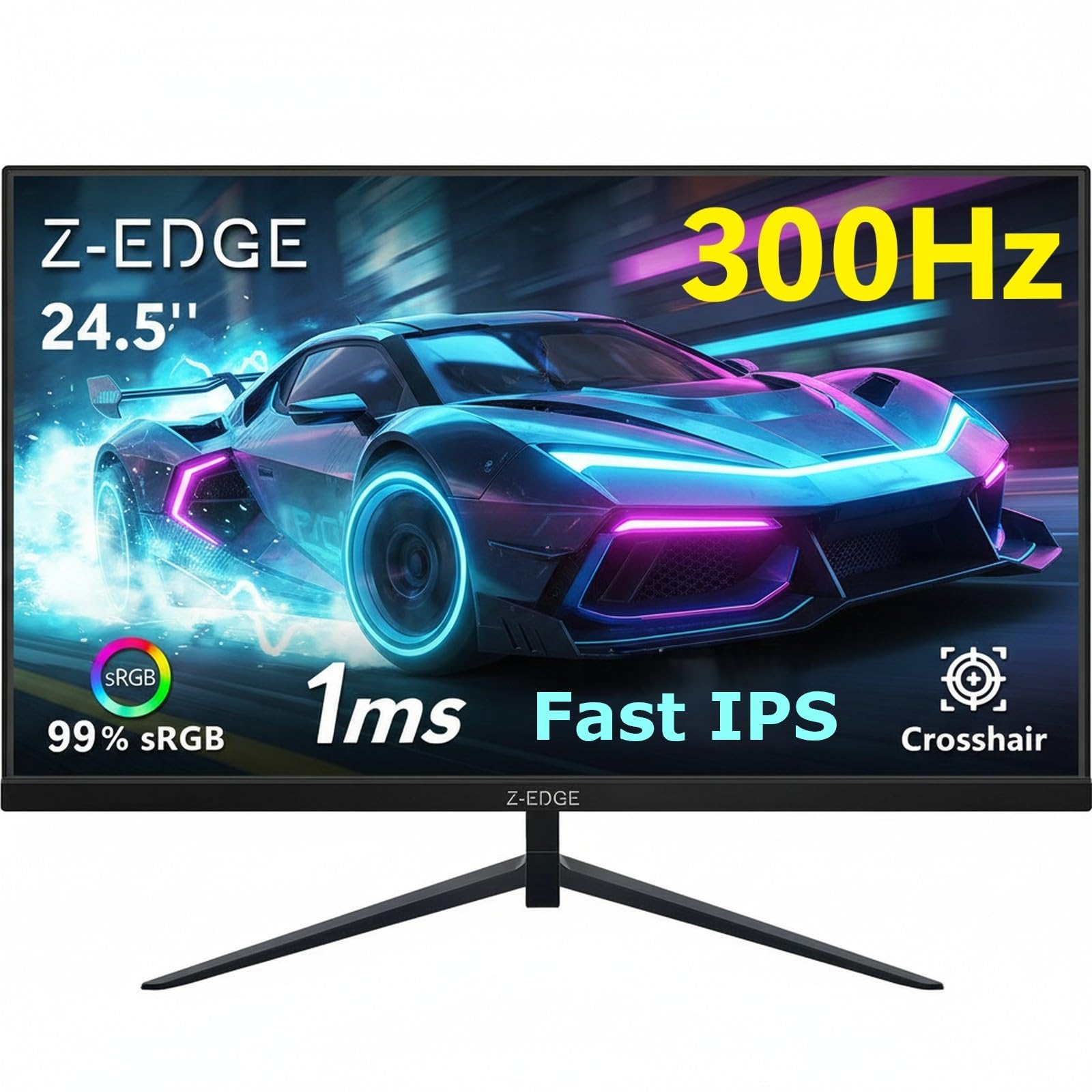 7.5 / 10
Z-Edge 24.5 Inch Gaming Monitor 300Hz 240Hz 1ms IPS 1080P 99% sRGB DP HDMI
£119.99 · Z Z-Edge
Frequently asked
7 questions01Does the Gawfolk 24.5-inch monitor actually run at 200Hz, or is that a marketing figure?+
The 200Hz refresh rate is achievable, but only when connected via DisplayPort. The HDMI port on this monitor is limited to 120Hz. If you connect using HDMI from a PC, console, or laptop, you will be capped at 120Hz regardless of your graphics hardware. To access the full 200Hz, use a DisplayPort cable and confirm in your display settings that the refresh rate is set to 200Hz, as Windows can default to a lower rate on first connection.
02Is the VA panel on the Gawfolk likely to suffer from ghosting or black smearing?+
VA panels are known for slower dark-to-dark pixel transitions, which can produce a trailing or smudgy effect behind moving objects in dark scenes. This is a characteristic of VA technology rather than a defect specific to this monitor. It is most noticeable in first-person shooters or racing games with dark environments. At 200Hz the high frame frequency helps mask some of the trailing compared with lower refresh rate VA panels, but it will not eliminate it entirely. Owner reviews do not flag ghosting as the dominant complaint, suggesting it is manageable for most typical gaming use cases.
03Will the Gawfolk work with an Nvidia GPU, or is FreeSync only for AMD cards?+
FreeSync is an open standard that works natively with AMD Radeon graphics cards. Nvidia GeForce graphics cards have supported FreeSync monitors via G-Sync Compatible mode since 2019. Performance with Nvidia cards varies by monitor, and not all FreeSync displays are officially certified as G-Sync Compatible, but in practice most modern FreeSync monitors work adequately with Nvidia GPUs. If G-Sync Compatible certification is important to you, check whether the Gawfolk holds that certification before purchasing.
04Can you use the Gawfolk with a PlayStation 5 or Xbox Series X?+
Yes, the monitor works with current-generation consoles via the HDMI port. Console users will be limited to 120Hz over HDMI, which is the maximum the HDMI connection supports on this monitor. The PlayStation 5 and Xbox Series X both support 120Hz output in compatible games, so this is a reasonable pairing. The full 200Hz is not accessible over HDMI and requires a DisplayPort connection, which current console hardware does not offer.
05Is the stand adjustable beyond tilt, and can you mount the Gawfolk on a desk arm?+
The stock stand offers tilt adjustment only. There is no height adjustment, swivel, or portrait pivot. For users who need more flexibility, the monitor supports VESA 75x75mm mounting, which means the stock stand can be removed and replaced with a compatible desk arm or wall bracket. The wall mount is not included in the box, but 75x75mm VESA arms are widely available. At 24.5 inches the monitor is light enough to be handled by most budget desk arms without issue.
06Does the Gawfolk have HDR support?+
No HDR certification is listed for this monitor, and it is unlikely to deliver a genuine HDR experience. Some budget monitors accept HDR signals without having the brightness, local dimming, or wide colour gamut needed for meaningful HDR performance. The VA panel does produce strong native contrast and deep blacks, which gives an HDR-like sense of depth in dark scenes when viewed in SDR. If proper HDR performance is a priority, this monitor is not the right choice. It is best understood as a well-specified SDR gaming panel rather than an HDR display.
07Are the built-in speakers good enough for gaming?+
The built-in speakers provide a convenient audio option for system sounds, casual gaming without headphones, and video playback. Budget monitor speakers typically lack bass depth and maximum volume, so they are not a substitute for a dedicated speaker setup or headphones during serious gaming sessions. For a secondary monitor, a home office screen, or a simple desk setup without separate audio, they offer genuine convenience. If audio quality matters to you, treat the built-in speakers as a backup rather than a primary solution.