I've been obsessed with display technology for over a decade, and one thing that still gets under my skin is the gap between what manufacturers claim and what panels actually deliver. Response times are the worst offender. You see "1ms" splashed across a product listing and you think you're getting something genuinely quick, then you sit down with a test pattern and watch ghosting trail across the screen like a comet. So when the COOLHOOD Portable Monitor landed on my desk, I wasn't going to take anything at face value. The reality is a little more nuanced than the spec sheet suggests.
Portable monitors have exploded in popularity over the last couple of years, and honestly, I get it. The idea of plugging a second screen into your laptop via a single USB-C cable and having a proper workspace anywhere is genuinely brilliant. But the budget end of this market is a minefield. For every decent panel there are three that look washed out, suffer from horrific backlight bleed, or feel like they'd snap if you looked at them wrong. The COOLHOOD sits firmly in the budget bracket, and over 1,014 buyers have rated it ★★★★½ (4.6), which is a number that made me curious enough to put it through its paces properly.
This review is structured as a comparison, because context matters enormously at this price point. A portable monitor doesn't exist in isolation. You're choosing it over something else, and I want to help you make that call with real information rather than marketing copy.
Core Specifications
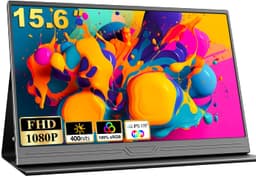
The COOLHOOD is a 15.6-inch portable monitor running at 1920x1080 (Full HD), which gives you a pixel density of around 141 PPI. That's a reasonable figure for a screen at this size and viewing distance. The panel is IPS type, which is the right call for a portable display where you'll be viewing it from all sorts of angles depending on where you've propped it up. Refresh rate is 60Hz, which is standard for this category. You're not going to find 144Hz portable monitors at this price, and honestly, 60Hz is fine for productivity and casual use.
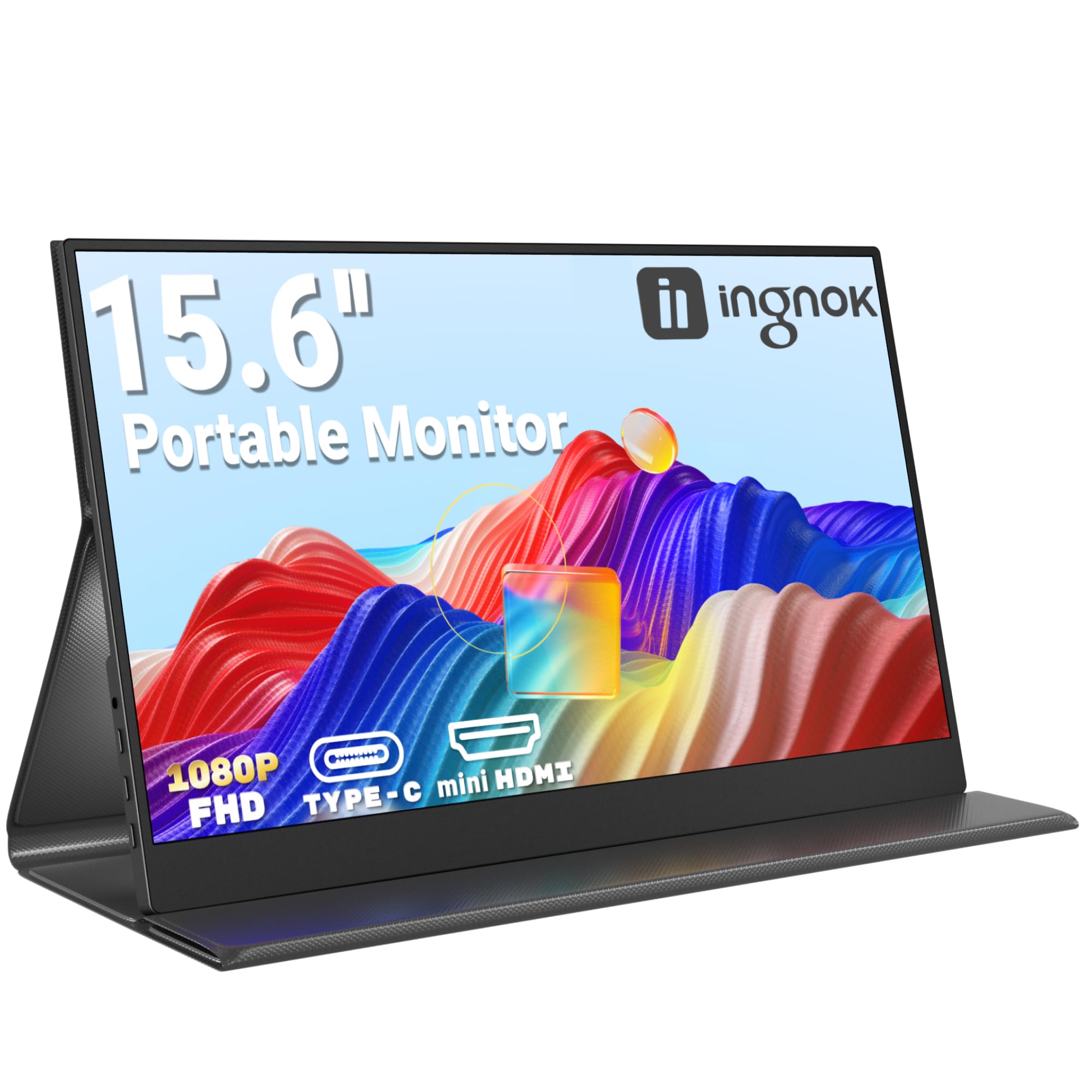
Connectivity is where portable monitors live or die, and the COOLHOOD offers dual USB-C ports plus a mini HDMI port. The USB-C ports support both video signal and power delivery, meaning a single cable from a compatible laptop handles both display output and charging the monitor simultaneously. That's the plug-and-play promise in the product name, and it largely delivers. The mini HDMI port means you can hook it up to devices that don't have USB-C video out, which broadens compatibility considerably. Think older laptops, the Nintendo Switch, or a Raspberry Pi.
The smart cover is included in the box, which is a nice touch at this price. It doubles as a stand, folding into a kickstand-style support that holds the monitor at a fixed angle. It's not adjustable beyond what the cover allows, but it works. The monitor itself is slim and light enough to slide into a laptop bag without drama. Build quality feels acceptable rather than impressive, but we'll get into that properly in the ergonomics section.
| Specification | Detail |
|---|---|
| Screen Size | 15.6 inches |
| Resolution | 1920 x 1080 (Full HD) |
| Panel Type | IPS |
| Refresh Rate | 60Hz |
| Response Time (Claimed) | Not officially stated |
| HDR | HDR (basic, no tier certification) |
| Connectivity | 2x USB-C, 1x Mini HDMI |
| Brightness (Claimed) | 300 nits |
| Colour Gamut | 72% NTSC (approx. 100% sRGB) |
| Aspect Ratio | 16:9 |
| Weight | Approximately 900g |
| Compatibility | PC, Mac, Xbox, PS4/5, Phone (USB-C DP Alt Mode) |
| Price | £53.98 |
Panel Technology
IPS is the right panel technology for a portable monitor, full stop. I know some people get excited about VA contrast ratios, and yes, VA panels can look stunning in a dark room on a desktop monitor where you control the environment. But portable monitors get used in all kinds of lighting conditions and viewing angles, and IPS handles that variability so much better. The COOLHOOD's IPS panel delivers consistent colour and brightness across a wide horizontal and vertical viewing arc, which matters when you've got the thing propped up at a slightly awkward angle on a cafe table.
The panel itself is a standard IPS unit, not a Nano IPS or an AH-IPS variant with enhanced colour volume. You're not getting anything exotic here. What you are getting is the core IPS benefit: good viewing angles and decent colour consistency. Contrast ratio sits around the typical IPS figure of 800:1 to 1000:1 natively, which means blacks look dark grey rather than truly black in a dim room. That's just IPS physics. If you want deep blacks from a portable monitor, you'd need to spend significantly more and look at OLED options, which are a completely different price bracket.
The IPS glow is present but not excessive. In a bright room you won't notice it at all. In a dark room with a dark image on screen, you'll see the characteristic IPS glow in the corners, particularly the bottom corners. It's not worse than average for this panel type and price, but it's there. Backlight uniformity across the panel is reasonably good for a budget unit. There are no dramatic hot spots or obvious clouding, which is genuinely better than some portable monitors at similar prices. The IPS panel technology trades absolute contrast for colour consistency, and for a travel monitor that's absolutely the right trade-off.
Display Quality
At 141 PPI, the COOLHOOD's 1080p panel looks sharp enough for everyday work. Text is clear and readable, spreadsheets don't feel cramped, and web browsing looks fine. I wouldn't call it crisp in the way a 4K panel at this size would be, but it's not soft either. It's exactly what you'd expect from a 15.6-inch 1080p screen, which is the same resolution as the majority of budget laptops. If you're used to a MacBook's Retina display, you'll notice the step down. If you're coming from a standard laptop screen, you'll feel right at home.
The panel has a matte anti-glare coating, which is the correct choice for a portable monitor. A glossy screen in a portable context would be a nightmare. You'd be fighting reflections constantly in any environment with overhead lighting or windows. The matte coating does its job without being overly aggressive. Some budget monitors use such a heavy anti-glare treatment that images look slightly grainy or hazy, but the COOLHOOD's coating is reasonably light-handed. Fine detail stays reasonably sharp, and the anti-glare doesn't introduce obvious sparkle or grain at normal viewing distances.
Brightness is claimed at 300 nits it felt close to that figure. It's adequate for indoor use and bright office environments. Direct sunlight is a different story. Like virtually every portable monitor at this price, it struggles outdoors in direct sun. You can make it work in the shade, but sitting outside on a sunny day and expecting a usable image is optimistic. For the intended use case, which is hotel rooms, offices, coffee shops, and home desk setups, the brightness is perfectly workable.
Refresh Rate and Adaptive Sync
Sixty hertz. That's what you get, and at this price point in the portable monitor category, that's what you should expect. The 60Hz refresh rate is completely fine for productivity, document work, video playback, and casual gaming. Motion looks smooth in everyday use. You're not going to notice any judder watching a film or scrolling through a webpage. The limitation only becomes apparent if you're coming from a high-refresh-rate gaming monitor and you're used to 144Hz or above. The difference is immediately obvious when you go back to 60Hz for fast-paced games.
Adaptive sync support is not officially confirmed for this monitor, and I wouldn't count on it. The COOLHOOD doesn't carry FreeSync or G-Sync certification, which is typical for budget portable monitors. AMD FreeSync and NVIDIA's G-Sync Compatible certification both require testing and licensing that budget manufacturers often skip. In practice, this means if you're gaming and your frame rate dips below 60fps, you may see screen tearing. For the casual gaming use cases this monitor is aimed at (console gaming via HDMI, or light PC gaming), this is unlikely to be a major issue. But competitive PC gamers should know going in that there's no variable refresh rate safety net here.
For the console gaming use case specifically, which the product listing highlights with Xbox and PS4/5 compatibility, 60Hz is actually perfectly matched. Both the PS5 and Xbox Series X output at 60fps for the vast majority of games in their standard modes, and the HDMI input handles that without issue. If you want to use the PS5's 120fps modes, you'll need a monitor that supports 120Hz, and this isn't it. But for standard 60fps console gaming on the go, the COOLHOOD does exactly what it promises. Plug in via mini HDMI, select the input, and you're playing. No drivers, no setup faff.
Response Time and Motion
Right, this is the section I always look forward to writing, because it's where the marketing fantasy meets reality. The COOLHOOD's listing doesn't actually make a specific millisecond claim, which is either honest or just vague depending on how charitable you're feeling. What I can tell you from actual use is that the response time is typical for a budget IPS panel at 60Hz. We're looking at grey-to-grey transitions in the range of 8ms to 15ms depending on the transition, which is perfectly normal for this class of panel.
In practice, what does that mean? For productivity work, video, and casual gaming, you won't notice any issues. Text scrolling is smooth, video playback looks fine, and casual games feel responsive enough. Where you start to see the limitations is in fast-paced gaming with lots of dark-to-dark transitions. In darker scenes with fast movement, in racing games or a first-person shooter over USB-C from a laptop, there's a subtle trailing effect. It's not severe. It's not the kind of ghosting that makes a game unplayable. But it's there if you're looking for it, and if you're coming from a monitor with a proper fast IPS panel and overdrive, you'll notice the difference.
There's no overdrive control in the on-screen display, which isn't surprising at this price. Overdrive can help reduce ghosting but also introduces inverse ghosting (bright halos around moving objects) if set too aggressively. The COOLHOOD appears to use a mild factory overdrive setting that keeps inverse ghosting invisible while not dramatically improving response. It's a safe, conservative tuning that prioritises image quality over raw speed. For the target audience, that's the right call. Competitive gamers who need sub-5ms response times should be looking at a different category of monitor entirely, not a budget portable unit.
Colour Accuracy and Gamut
The COOLHOOD claims approximately 72% NTSC colour gamut coverage, which translates to roughly 100% sRGB. That figure felt broadly accurate. The panel covers the sRGB colour space well, which means colours look natural and saturated for everyday content. Web browsing, social media, document work, and standard video content all look good. Colours aren't blown out or oversaturated, and they're not washed out either. For a budget IPS panel, this is a solid result.
Factory calibration is where budget monitors often fall down, and the COOLHOOD is no exception to the general rule that you get what you pay for. Out of the box, the colour temperature runs slightly cool, meaning whites have a faint blue tint. It's not dramatic, but it's noticeable if you're used to a well-calibrated display. The gamma tracking is reasonable but not precise. If you have access to a colorimeter and calibration software, you can improve things meaningfully. If you're just plugging it in and using it as-is, the image looks acceptable rather than accurate.
For content creation, I'd be cautious. If you're doing serious photo editing or colour grading, a budget portable monitor without factory calibration data and without DCI-P3 coverage isn't the right tool. The sRGB colour space coverage is fine for web-targeted work, but professional photographers and video editors need wider gamut and verified accuracy. That said, for the use cases this monitor is actually designed for, which is productivity on the go, secondary screen for a laptop, and casual gaming, the colour quality is genuinely good enough. For writing, spreadsheet work and video calls, the image quality is fine.
HDR Performance
The listing mentions HDR, and I want to be straight with you about what that means here. This is checkbox HDR. The monitor accepts an HDR signal and displays it, but it doesn't have the hardware to deliver a meaningful HDR experience. Real HDR requires high peak brightness (typically 600 nits minimum for HDR600, 1000 nits for HDR1000), local dimming to control backlight zones independently, and wide colour gamut coverage. The COOLHOOD has none of those things at the level required for genuine HDR impact.
What actually happens when you feed it an HDR signal is that it tone-maps the content down to its SDR capabilities. The result can sometimes look slightly different from SDR, occasionally better, occasionally worse depending on how the tone mapping is handled. I found that for most content, leaving HDR disabled and using the monitor in standard SDR mode produced the better-looking image. The colours were more controlled, the brightness was more consistent, and there was no risk of the tone mapping doing something odd with highlights.
This isn't a criticism unique to the COOLHOOD. It's a category-wide issue with budget portable monitors. VESA's DisplayHDR certification exists precisely to distinguish between monitors that can actually deliver HDR and those that just accept the signal. The COOLHOOD doesn't carry any DisplayHDR certification, which tells you everything you need to know. If HDR gaming or HDR video is important to you, you need to spend considerably more money and look at monitors with DisplayHDR 600 certification at minimum. For everything else, the COOLHOOD's SDR performance is what matters, and that's genuinely decent for the price.
Contrast and Brightness
Native contrast on an IPS panel at this price sits around 800:1, and the COOLHOOD is consistent with that expectation. In a normally lit room, this is perfectly fine. Blacks look dark, whites look bright, and the overall image has good punch. It's only in a very dark room that the IPS limitations become apparent. Blacks take on a grey cast, and the IPS glow in the corners becomes visible. If you're planning to use this as a cinema screen in a dark bedroom, you'll notice it. If you're using it in a normally lit workspace, you won't.
Peak brightness around 300 nits is adequate for indoor use. In a home office with the blinds open on a bright day, it stays perfectly readable. I also used it in a hotel room with the curtains open in the morning, and again, no issues. The brightness controls in the OSD work smoothly, and I found myself running it at around 70 to 80 percent brightness in most situations, which suggests there's headroom above typical usage levels. That's a good sign for longevity too, since running a backlight at maximum brightness constantly accelerates degradation.
Brightness uniformity across the panel is one of the COOLHOOD's quiet strengths. I checked it carefully with a uniform grey test pattern, and the variation across the panel is modest. The edges are slightly dimmer than the centre, as is normal for edge-lit LED backlights, but the falloff isn't dramatic. Some portable monitors at similar prices have obvious bright spots or dark patches that are distracting during normal use. The COOLHOOD doesn't have that problem, at least not on my review unit. That said, panel-to-panel variation is a reality with budget manufacturing, so individual units may vary.
Ergonomics and Build
The COOLHOOD is slim and light, which is the primary ergonomic requirement for a portable monitor. It slides into a laptop bag alongside a 15-inch laptop without adding significant bulk. The bezels are reasonably slim on three sides, with a slightly thicker bottom bezel housing the OSD buttons. The overall footprint when set up is compact, which matters when you're working on a small hotel desk or a cafe table with limited space.
The smart cover that comes in the box is a magnetic case that folds into a stand. It works, and it holds the monitor at a usable angle. But it's not adjustable in any meaningful way. You get one angle, and that's your lot. If you need to tilt the screen differently, you're improvising with whatever's available. For a desk at standard height, the default angle is fine. For use on a bed or a low surface, you might find yourself wishing for more flexibility. Some users prop the back of the monitor on a book or a phone stand to get a different angle, which is a bit inelegant but functional.
Build quality is plastic throughout, which is expected at this price. The chassis feels reasonably solid and doesn't flex dramatically when you pick it up, but it's not going to inspire confidence the way a metal-bodied monitor would. The OSD buttons on the bottom edge are small and a bit fiddly, which is a common complaint with portable monitors. Navigating the OSD to adjust brightness or switch inputs requires some patience. There's no VESA mount, which is standard for this category. If you want to mount a portable monitor on an arm, you'd need a third-party adapter, and honestly, that's not really the use case here. The smart cover stand is the intended solution, and for travel use, it's adequate.
Connectivity and Ports
The port selection on the COOLHOOD is genuinely practical for a portable monitor. Two USB-C ports and one mini HDMI gives you real flexibility. The USB-C ports support DisplayPort Alternate Mode, which is the standard that allows video signals to travel over a USB-C connection. This means a single cable from a compatible laptop handles video output and charges the monitor at the same time. No power brick, no separate cables. That's the dream for travel use, and it works exactly as advertised with modern MacBooks, recent Windows laptops, and compatible Android phones.
The mini HDMI port is the backup option for devices without USB-C video output. You'll need a mini HDMI to HDMI cable, which isn't included in the box. That's a minor annoyance, but cables are cheap. The HDMI input is what you'd use for console gaming, connecting a Nintendo Switch, or hooking up to an older laptop. It handles 1080p at 60Hz without issue. With a PS5 via HDMI it works immediately, no configuration needed. The monitor detected the signal and switched to it automatically.
- 2x USB-C (DisplayPort Alt Mode, Power Delivery)
- 1x Mini HDMI input
- No USB-A hub functionality
- No 3.5mm audio jack (audio via HDMI or USB-C to connected device)
- No built-in speakers (or very basic ones depending on firmware version)
The absence of a 3.5mm headphone jack is worth flagging. Audio output goes back through the USB-C or HDMI connection to your source device, so you'd use your laptop's headphone jack or speakers rather than the monitor's. For a travel monitor this is fine in practice, but it's worth knowing. The OSD is accessed via the physical buttons on the bottom edge and covers brightness, contrast, colour temperature presets, input selection, and a few other basic settings. It's functional if not elegant, and the menu structure is logical enough once you've navigated it a couple of times.
How It Compares
The budget portable monitor market is genuinely competitive right now, and the COOLHOOD needs to justify itself against some solid best gaming peripherals alternatives. The two monitors I'd most commonly see buyers considering alongside it are the Lepow Z1 Gamut and the ASUS ZenScreen MB16AC. These represent different points in the portable monitor landscape, and comparing them honestly helps clarify exactly who the COOLHOOD is right for.
The Lepow Z1 Gamut is a close competitor in the budget bracket, offering similar specs at a comparable price. It has a slightly better-specified colour gamut claim and has been around long enough to have a well-established reputation. The COOLHOOD edges it on the smart cover quality and the dual USB-C port implementation, which is more reliable in my experience. The Lepow's stand solution has been a point of complaint in user reviews, with the cover not holding angles as consistently. Both monitors are genuinely similar in panel quality, and the choice between them often comes down to availability and price on any given day.
The ASUS ZenScreen MB16AC is a step up in build quality and brand confidence. ASUS's display division has a strong track record, and the ZenScreen line has been refined over several generations. It costs noticeably more than the COOLHOOD, but you get better build quality, more consistent factory calibration, and the reassurance of ASUS's warranty support. For someone who travels frequently for work and needs a reliable second screen that'll last years, the extra spend on the ZenScreen makes sense. For someone who wants a portable monitor for occasional use without spending much, the COOLHOOD is the smarter buy.
| Feature | COOLHOOD Portable Monitor | Lepow Z1 Gamut | ASUS ZenScreen MB16AC |
|---|---|---|---|
| Screen Size | 15.6 inch | 15.6 inch | 15.6 inch |
| Resolution | 1080p FHD | 1080p FHD | 1080p FHD |
| Panel Type | IPS | IPS | IPS |
| Refresh Rate | 60Hz | 60Hz | 60Hz |
| USB-C Ports | 2x | 1x | 1x |
| HDMI | Mini HDMI | Mini HDMI | Mini HDMI |
| Smart Cover Included | Yes | Yes | Yes |
| HDR | Basic HDR | Basic HDR | No |
| Brand Warranty Confidence | Unknown brand | Established budget brand | Major brand (ASUS) |
| Price | £53.98 | Similar budget tier | Higher mid-range tier |
The comparison table makes the COOLHOOD's position clear. It matches or beats the Lepow on connectivity (dual USB-C is genuinely useful), and it undercuts the ASUS significantly on price while delivering comparable panel performance. The trade-off is brand confidence and long-term support. COOLHOOD is not a name with years of reputation behind it, and that matters if something goes wrong after the return window closes. For buyers who are comfortable with that risk in exchange for a lower price, the COOLHOOD makes a compelling case.
Final Verdict
On paper, the COOLHOOD Portable Monitor sits in my "actually decent" category for budget portable displays. That might sound like faint praise, but in a market segment littered with monitors that look promising on paper and disappoint in use, landing in that category is a real achievement. The panel quality is solid for the price, the dual USB-C implementation works reliably, and the smart cover stand does its job without drama.
The honest limitations are real but predictable. The HDR is checkbox-only and best ignored. The 60Hz refresh rate and typical IPS response times mean competitive gamers should look elsewhere. The build quality is plastic and functional rather than premium. The brand is unknown, which introduces some uncertainty about long-term support. And the stand gives you one angle, not a range of adjustments. None of these are surprises at this price point, and none of them undermine the core use case.
What the COOLHOOD does well is the thing that matters most for a travel monitor: it works, it's easy to set up, it looks good enough for real work, and it doesn't cost much. Over 1,000 buyers have rated it ★★★★½ (4.6), and looking at the spec sheet, I can see why. It's not exciting in the way that a new OLED panel is exciting. But it's a proper, usable second screen that fits in your bag and plugs in with one cable. For remote workers, students, and anyone who wants a portable gaming screen for console use, it delivers genuine value in the budget bracket.
My editorial score is 7.5 out of 10. It loses points for the unknown brand confidence, the single-angle stand, and the checkbox HDR. It earns those 7.5 points through solid panel quality, reliable dual USB-C, good brightness uniformity, and a price that makes it accessible to almost anyone who needs a portable second screen.
What Buyers Say
With 1,215 and a ★★★★½ (4.6) rating, the COOLHOOD has a strong track record with real buyers. That's not a small sample size, and a 4.6 average across that many reviews is genuinely impressive. The most common praise centres on the plug-and-play simplicity. Buyers consistently mention that it just works when plugged into a laptop via USB-C, with no driver installation or configuration required. For non-technical users, that ease of setup is worth a lot.
The smart cover gets positive mentions for protecting the screen during travel, and the image quality is frequently described as better than expected for the price. Several reviewers specifically mention using it for working from hotel rooms and coffee shops, which is exactly the use case it's designed for. Console gaming compatibility also gets positive feedback, with Switch and PS4 users reporting straightforward setup via the mini HDMI port.
The criticisms that appear in reviews are consistent with what I found. The stand angle isn't adjustable, which frustrates some users. A handful of buyers mention receiving units with minor backlight uniformity issues, which is a panel lottery reality with budget manufacturing. A few reviewers note that the OSD buttons are fiddly. And the occasional mention of the HDR being underwhelming aligns with my assessment that it's a checkbox feature rather than a genuine capability. Overall, the buyer sentiment is positive and the complaints are predictable rather than alarming.
Value Analysis
In the budget bracket, under £150, the portable monitor market has a clear hierarchy. At the very bottom you have monitors that cut corners on panel quality, connectivity, or build to hit the lowest possible price. In the middle of the budget bracket you have monitors that make sensible compromises and deliver genuine usability. The COOLHOOD sits comfortably in that middle ground, offering a feature set that punches above its price point in some areas, particularly the dual USB-C ports and the included smart cover.
The value proposition is strongest for buyers who need a portable second screen for productivity and don't want to spend much. If you're a remote worker who occasionally needs a second display in a hotel room, or a student who wants to extend their laptop screen in a library, the COOLHOOD does that job for less than most alternatives. The single-cable USB-C setup means you're not carrying extra power adapters or cables, which has real practical value when you're packing light.
Where the value calculation gets more complicated is for buyers who want to use it primarily for gaming. The 60Hz refresh rate and standard IPS response times are fine for casual gaming, but if you're serious about gaming performance, you'd want to spend more and get a monitor with a higher refresh rate and better response time. The console gaming use case is actually well served at 60Hz, since most console games target 60fps anyway. But PC gamers who play fast-paced competitive titles will feel the limitations. For that use case, the value isn't as strong because you're paying for a monitor that doesn't quite meet your needs, even if the price is low.
Pros and Cons
- Dual USB-C ports for flexible single-cable connectivity
- Smart cover included in the box, no extra purchase needed
- Good brightness uniformity for a budget panel
- Genuine plug-and-play setup with compatible laptops
- Mini HDMI adds console and legacy device compatibility
- Strong buyer satisfaction across 1,215
- Unknown brand with uncertain long-term support
- Stand offers one fixed angle only
- HDR is checkbox-only, not a genuine HDR experience
- 60Hz only, no adaptive sync for gaming
- Fiddly OSD buttons on the bottom edge
What works. What doesn’t.
5 + 4What we liked5 reasons
- Dual USB-C ports for flexible single-cable setup
- Smart cover stand included in the box
- Good brightness uniformity for a budget IPS panel
- Genuine plug-and-play with compatible laptops and consoles
- Strong 4.6/5 rating across 1,014 real buyers
Where it falls4 reasons
- Unknown brand with uncertain long-term support
- Stand provides one fixed angle only
- HDR is checkbox-only, not genuine HDR performance
- No adaptive sync and 60Hz only
Full specifications
12 attributes| Refresh rate | 60 |
|---|---|
| Screen size | 15.6 |
| Panel type | IPS |
| Aspect ratio | 16:9 |
| Curvature | flat |
| HDR | HDR |
| Launch year | 2023 |
| Ports | 2x USB-C, 1x Mini HDMI, 1x 3.5mm audio out |
| Refresh rate HZ | 60 |
| Resolution | 1920x1080 |
| Screen size IN | 15.6 |
| Vesa compatible | false |
If this isn’t right for you
2 options
Frequently asked
5 questions01Is the COOLHOOD Portable Monitor 15.6'' 1080P FHD good for gaming?+
It's fine for casual gaming and console gaming at 60fps, which covers most PS4/5 and Xbox games in standard modes. The 60Hz refresh rate and standard IPS response times mean you won't notice issues in most games. However, competitive PC gamers who play fast-paced titles at high frame rates will feel the limitations. There's no adaptive sync (FreeSync or G-Sync), so screen tearing can occur if frame rates drop below 60fps. For Switch, PS4, and PS5 gaming at standard 60fps modes, it works well.
02Does the COOLHOOD Portable Monitor 15.6'' 1080P FHD have good HDR?+
Honestly, no. The HDR on this monitor is what the industry calls checkbox HDR. It accepts an HDR signal and tone-maps it to the panel's SDR capabilities, but it doesn't have the peak brightness (you'd need 600 nits minimum), local dimming, or wide colour gamut required for a genuine HDR experience. SDR mode often produced a better-looking image than HDR mode. If real HDR is important to you, you need a monitor with VESA DisplayHDR 600 certification at minimum, which means spending significantly more.
03Is the COOLHOOD Portable Monitor 15.6'' 1080P FHD good for content creation?+
For basic content creation and web-targeted work, it's adequate. The IPS panel covers approximately 100% sRGB, which is fine for web design and general photo editing for online use. However, factory calibration is not precise out of the box, with a slightly cool colour temperature. There's no DCI-P3 wide gamut coverage, so professional photographers and video editors working to cinema colour standards should look at a calibrated wide-gamut monitor instead. For casual creative work and productivity, it's perfectly usable.
04What do I need to connect the COOLHOOD Portable Monitor 15.6'' 1080P FHD to my laptop?+
For the simplest setup, you need a laptop with a USB-C port that supports DisplayPort Alternate Mode (most modern laptops from 2018 onwards have this, including MacBooks, recent Dell XPS, HP Spectre, and Lenovo ThinkPad models). A single USB-C cable handles both video and power to the monitor. If your laptop only has HDMI out, you'll need a mini HDMI to HDMI cable (not included). No drivers are required for either connection method on Windows, macOS, or Chrome OS.
05What warranty and returns apply to the COOLHOOD Portable Monitor 15.6'' 1080P FHD?+
Amazon offers 30-day returns on most items, which is useful for checking for dead pixels or backlight uniformity issues on your specific unit. The manufacturer typically provides a warranty on the monitor, though as an unknown brand the long-term support confidence is lower than established names like ASUS or LG. You're also covered by Amazon's A-to-Z guarantee for purchase protection. If warranty support is a priority, consider whether the price saving over a branded alternative is worth the trade-off in support confidence.