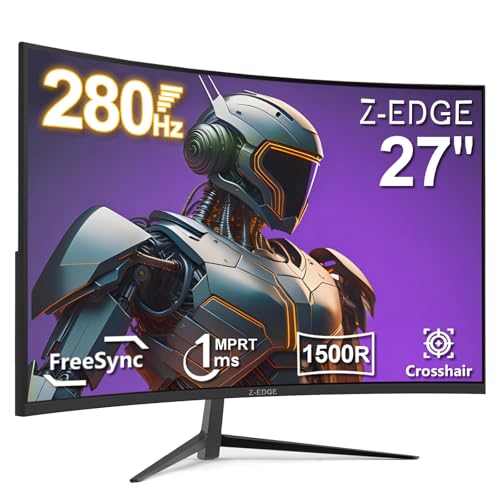
When a monitor box shouts "1ms" at you, that number is almost always the MPRT figure, which is a motion blur reduction measurement, not the actual pixel transition time you care about for competitive gaming. The real GtG response on VA panels typically lands somewhere between 4ms and 10ms depending on overdrive settings, and that gap between marketing and reality has a direct effect on whether dark scenes look smooth or turn into a smeared mess. So when Z-Edge puts "1ms" on the packaging of a budget curved VA panel, it's what that actually means before you hand over your cash.
The Z-Edge 27 inch curved gaming monitor review is, at its core, a straightforward value proposition: 280Hz at 1080p, a 1500R VA curve, and a price that sits firmly in the budget bracket. The verdict? It's a genuinely decent pick for casual to mid-level competitive gaming at 1080p, with the refresh rate being the headline strength and the VA panel's contrast being a real bonus over cheaper IPS alternatives. But the response time claim needs unpacking, the HDR is checkbox-only, and the stand is the kind of thing that'll have you reaching for a VESA mount within a week. Over a thousand owner reviews and a positive overall rating suggest most buyers are happy with what they got. Whether you'll be one of them depends on what you're actually after.
Core Specifications
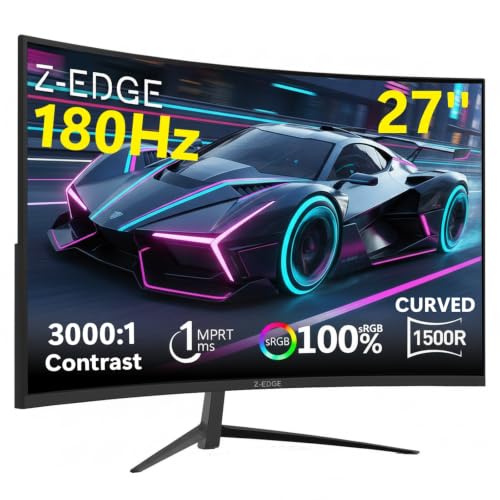
The Z-Edge UG27P (the internal model designation that matches this listing) is a 27-inch curved VA panel running at 1920x1080 resolution with a 1500R curve radius. The headline refresh rate is 280Hz, which is genuinely high for a budget monitor and puts it in the same conversation as panels that cost significantly more. The panel carries a 1ms MPRT specification (more on what that actually means in the response time section), and it supports AMD FreeSync Premium for adaptive sync. Connectivity covers one DisplayPort 1.2 and one HDMI 2.0 input, plus a 3.5mm audio out. There's no USB hub, no USB-C, and no built-in speakers.
The 1500R curvature is on the tighter end for a 27-inch panel. Some people love it, some find it a bit much for desktop use at close range. Owner reviews are split roughly evenly on this point, with competitive gamers tending to prefer it and anyone doing productivity or photo editing finding it slightly distracting. The 16:9 aspect ratio and 1080p resolution at 27 inches gives you a pixel density of around 81 PPI, which is noticeably softer than a 1440p panel at the same size. That's a real trade-off, and it's one clearly.
The monitor is listed as supporting HDR10, with a peak brightness rated at 250 nits in standard mode. The stand offers tilt adjustment only, with no height, swivel, or pivot, and it does include a 75x75mm VESA mount pattern for those who want to ditch the stand entirely. Weight comes in at around 4.8kg with the stand attached, which is reasonable for a 27-inch panel.
| Specification | Detail |
|---|---|
| Screen Size | 27 inches |
| Resolution | 1920x1080 (Full HD) |
| Panel Type | VA (Vertical Alignment) |
| Refresh Rate | 280Hz (max), 240Hz (standard) |
| Response Time | 1ms MPRT |
| Curvature | 1500R |
| Adaptive Sync | AMD FreeSync Premium |
| HDR | HDR10 |
| Peak Brightness | 250 nits (typical) |
| Contrast Ratio | 3000:1 (static) |
| Colour Gamut | sRGB 100% (claimed) |
| Ports | 1x DisplayPort 1.2, 1x HDMI 2.0, 3.5mm audio out |
| VESA Mount | 75x75mm |
| Stand Adjustments | Tilt only |
| Dimensions (with stand) | Approx. 614 x 500 x 213mm |
| Weight (with stand) | Approx. 4.8kg |
| Current Price | £139.99 · Details |

Panel Technology
VA panels occupy an interesting middle ground in the monitor world. They're not as fast as IPS panels at high refresh rates, and they don't have the viewing angle flexibility of IPS either, but they bring something genuinely useful to the table: native contrast ratios that IPS simply can't match. Where a typical IPS panel delivers around 1000:1 contrast, VA panels routinely hit 3000:1 or higher. On this Z-Edge, the rated static contrast is 3000:1, which means blacks look properly dark rather than the washed-out grey you get on most budget IPS monitors. For gaming in a dim room, that's a real advantage.
The downside of VA technology is well documented. Viewing angles are narrower than IPS, and you'll notice colour shift if you're sitting off-axis. At 27 inches with a 1500R curve, you're unlikely to be sitting at a severe angle, so this is less of a practical problem than it sounds. The bigger VA-specific issue is something called black smearing or dark level ghosting, where fast transitions from dark to dark produce a visible trailing artefact. This is more of a problem on VA panels than IPS, and it's something the 1ms MPRT spec does nothing to address because MPRT measures perceived motion blur with backlight strobing active, not the actual GtG pixel transition speed. Owner reviews on this monitor do mention occasional ghosting in very dark scenes, particularly in games with lots of shadow detail, which is exactly the kind of feedback you'd expect from a VA panel at this price.
Viewing angles are rated at 178 degrees horizontally and vertically, which is the standard claimed figure for VA panels. In practice, colour accuracy degrades more noticeably off-axis on VA than on IPS, but seated directly in front of a curved 27-inch panel, this rarely causes real problems. The curve itself helps compensate by keeping more of the screen at a consistent viewing angle relative to your eyes. It's not a perfect solution, but it's better than a flat VA at this size. The 1500R radius is tighter than the 1800R you see on some curved monitors, which some users find immersive and others find slightly nauseating at close range. Your mileage will vary.
Display Quality
At 27 inches and 1080p, you're looking at roughly 81 pixels per inch. That's noticeably lower than the 108 PPI you'd get from a 1440p panel at the same size, and at a typical gaming distance of 60 to 70cm, individual pixels are visible if you're looking for them. Text rendering is softer than on higher-density panels, which matters if you're doing any productivity work alongside gaming. For pure gaming use, particularly fast-paced competitive titles where you're focused on movement rather than fine detail, the resolution is less of an issue. But if you're considering this as a dual-purpose monitor for work and play, the low PPI is worth factoring in.
The anti-glare matte coating does a solid job of managing reflections in a typical room. Owner reviews consistently praise the screen finish, with several noting that it handles overhead lighting well without the aggressive graininess you sometimes get on cheaper matte coatings. Brightness uniformity on VA panels can be variable, and some owners have noted slight backlight bleed in the corners, which is common at this price point and panel type. It's not something that affects the centre of the screen during normal gaming, but it's visible on dark loading screens or in menus with black backgrounds.
Colour out of the box is reported as reasonably accurate for a budget panel. The manufacturer claims 100% sRGB coverage, which aligns with what VA panels of this type typically deliver. Factory calibration is basic at this price, so you might want to spend ten minutes adjusting brightness, contrast, and colour temperature in the OSD to get the best out of it. The OSD itself is described by owners as functional but not particularly intuitive, with a joystick navigation system that takes some getting used to. Several reviewers mention that the default brightness is set quite high out of the box, which can make the image look washed out until you dial it back.
Refresh Rate and Adaptive Sync
280Hz is the headline, and it's genuinely impressive for a monitor in the budget bracket. To put that in context, most budget gaming monitors top out at 144Hz or 165Hz. Getting to 280Hz at this price point is only possible because the resolution is 1080p, which is far less demanding to drive than 1440p or 4K. If you're playing competitive shooters like CS2, Valorant, or Apex Legends at 1080p, a capable mid-range GPU can realistically push frame rates high enough to actually use that 280Hz. With an Nvidia RTX 4060 or AMD RX 7600, you can hit 280fps in those titles at low to medium settings without breaking a sweat.
The monitor supports AMD FreeSync Premium, which requires a VRR range of at least 2.5x (so roughly 48Hz to 120Hz minimum) and low framerate compensation (LFC). FreeSync Premium also mandates a minimum 120Hz refresh rate at the native resolution, which this panel comfortably exceeds. For Nvidia GPU owners, the monitor is not G-Sync certified, but many FreeSync monitors work with Nvidia's G-Sync Compatible mode. Owner reviews suggest this monitor does function with G-Sync Compatible enabled, though as with any uncertified panel, results can vary. The VRR range appears to operate from around 48Hz up to the maximum refresh rate, giving you a reasonable tear-free window even when frame rates dip.
The practical benefit of 280Hz versus 240Hz is genuinely debated. The difference between 240Hz and 280Hz is a frame interval reduction from 4.17ms to 3.57ms, which is measurable but not something most people will notice in everyday gaming. What matters more is that the monitor operates at a high enough refresh rate to make motion look genuinely smooth, and by that standard, 280Hz absolutely delivers. If you're coming from a 60Hz or 75Hz panel, the jump to 280Hz is transformative. If you're upgrading from 144Hz, it's a meaningful improvement. If you're coming from 240Hz, the difference is subtle at best.
Response Time and Motion
Right, this is where the marketing and reality diverge most sharply, so pay attention. The "1ms" on the box is an MPRT figure. MPRT (Moving Picture Response Time) measures how long a pixel appears to be displaying an image when backlight strobing is active. It's a measure of perceived motion blur, not of how fast the pixel actually switches from one colour to another. The actual GtG (grey-to-grey) response time on VA panels at this price point typically ranges from 4ms to 8ms at normal overdrive settings, with faster overdrive modes reducing that at the cost of inverse ghosting (a bright halo that appears ahead of moving objects).
Owner reviews on this monitor report that the default overdrive setting produces acceptable motion clarity for most gaming scenarios, but that dark-to-dark transitions (the classic VA weakness) show some trailing in fast-paced scenes. This isn't unique to Z-Edge; it's a fundamental characteristic of VA panel technology. The 280Hz refresh rate does help, because faster refresh means each frame is displayed for less time, which reduces the perceived duration of any ghosting artefact. So the high refresh rate and the panel type are working against each other to some extent, but the net result at 280Hz is still better motion clarity than a 144Hz VA would produce. Several competitive gamers in the owner reviews describe the motion handling as "good enough" for ranked play in titles like Valorant and CS2, which is a fair and honest assessment.
If you need the absolute fastest pixel response for competitive gaming, IPS or TN panels still have the edge over VA at equivalent refresh rates. But the contrast advantage of VA is real, and for many gamers, particularly those who play in darker environments or enjoy story-driven games alongside competitive titles, the trade-off is worth making. The key thing is to go in with realistic expectations: this is not a zero-ghosting monitor, but it's not the smeared mess that some older VA panels were either. The 280Hz refresh rate does meaningful work in keeping the image looking sharp.
Colour Accuracy and Gamut
Z-Edge claims 100% sRGB coverage for this panel, which is a standard and achievable target for VA panels of this type. The sRGB colour space covers the vast majority of web content, streaming video, and PC games, so hitting 100% sRGB means colours look accurate and saturated without appearing artificially oversaturated. The monitor does not claim wide gamut DCI-P3 coverage, which is honest. Budget VA panels typically cover around 85% to 90% of DCI-P3, and Z-Edge doesn't make exaggerated claims in this area.
Factory calibration at this price is minimal. The monitor ships with a default colour temperature and gamma setting that most owners describe as slightly warm and a touch over-bright. A few minutes in the OSD adjusting colour temperature to the "Normal" or "Cool" preset and dropping brightness to around 60% to 70% of maximum is the standard advice from experienced owners in the review section. There's no factory calibration report included, and no mention of individual unit calibration, so Delta-E out of the box is likely in the 3 to 5 range, which is typical for budget monitors. That's perfectly fine for gaming but not suitable for professional colour work.
For content creation, the honest answer is that this monitor is not the right tool. The lower pixel density, basic factory calibration, and lack of wide gamut coverage make it a poor choice for photo editing, video grading, or graphic design where colour accuracy matters. It's a gaming monitor, priced and specced accordingly. If you need a monitor that doubles as a serious creative tool, you need to look at something with factory calibration, a wide gamut panel, and ideally a higher resolution. The Z-Edge does what gaming monitors are supposed to do with colour: it looks vibrant and engaging in games, which is the right priority at this price point.

HDR Performance
The HDR10 badge on this monitor is, to put it plainly, a checkbox. The monitor is not HDR400 certified by VESA's DisplayHDR standard, and with a peak brightness of around 250 nits, it doesn't come close to the 400 nits minimum that DisplayHDR 400 requires. What you're getting is a monitor that can accept an HDR signal and display it, but without the brightness headroom or local dimming needed to make HDR content actually look different from SDR content. In some cases, enabling HDR mode on a monitor like this can actually make the image look worse, because the monitor tone-maps the HDR signal down to its brightness range in a way that can reduce contrast rather than improve it.
Owner reviews confirm this. Several buyers note that they tried HDR mode, found it looked flat or washed out compared to SDR, and switched it off. This is the expected result for a monitor at this brightness level with no local dimming. It's not a Z-Edge-specific failing; virtually every monitor under a certain price threshold has the same problem. Real HDR requires either very high peak brightness (1000 nits or more) for full-array local dimming panels, or the pixel-level control you get from OLED. Neither of those is available at this price point.
The practical advice is straightforward: leave HDR disabled on this monitor and use it in SDR mode. The native contrast ratio of 3000:1 actually gives you better perceived black depth in SDR than the HDR tone-mapping will produce, and the image will look more vibrant and accurate. Some games look slightly better with Windows HDR disabled entirely when using a monitor like this, because the OS won't then apply any HDR-to-SDR tone-mapping that can desaturate colours. The high contrast of the VA panel is the real HDR-adjacent benefit here, and it works best in standard mode.
Contrast and Brightness
The 3000:1 static contrast ratio is the genuine headline feature of this panel, and it's one area where VA genuinely beats IPS at this price. A typical budget IPS monitor delivers around 800:1 to 1000:1 contrast, meaning blacks look noticeably grey in dark scenes. At 3000:1, the VA panel produces blacks that look properly dark, which makes a real difference in games with moody lighting, horror titles, or any content with dark environments. It also makes the image look punchier and more cinematic for film watching, which is a bonus if you use your monitor for streaming.
Peak brightness at 250 nits is on the lower end for a gaming monitor. In a well-lit room with overhead lighting or windows, 250 nits can feel a bit dim, particularly if you're used to a brighter panel. Owner reviews mention that in bright rooms, the image can look slightly washed out at maximum brightness, which is a genuine limitation. In a typical gaming setup with controlled lighting (which most competitive gamers prefer anyway), 250 nits is sufficient. The matte anti-glare coating helps compensate by reducing the impact of ambient light on perceived contrast.
Brightness uniformity is acceptable for the price. Some owners report slight dimming in the corners, which is common on curved VA panels and not typically visible during normal gaming. The centre of the screen is bright and consistent, and the 1500R curve means your eyes are at a more consistent distance from the panel surface across the width of the screen compared to a flat panel. The combination of high contrast and the curve makes dark scenes look genuinely good, which is one of the better arguments for choosing this over a flat IPS alternative at a similar price.
Ergonomics and Stand
The stand is the weakest part of this monitor, and it's worth being direct about that. You get tilt adjustment only, with a range of roughly minus 5 degrees to plus 15 degrees. There's no height adjustment, no swivel, and no portrait pivot. For a lot of gaming setups this is fine, particularly if you're using a monitor arm or plan to wall-mount it, but if you're relying on the included stand to get the monitor at the right height for your desk setup, you might find yourself propping it up on a book. Several owner reviews mention that the stand sits the panel slightly lower than ideal for extended sessions, and that the tilt range is adequate but not generous.
The good news is the 75x75mm VESA mount pattern. At this price, some budget monitors skip VESA entirely, which locks you into the included stand. The 75x75mm pattern is a standard size that works with the vast majority of monitor arms and wall mounts, so upgrading your setup is straightforward. If you're buying this for a clean desk setup with a monitor arm, the stand limitation is a non-issue. Owner reviews from people who've mounted it on arms are consistently positive about the panel itself once the stand is out of the equation.
Build quality is described by owners as decent for the price. The plastic construction is standard for a budget monitor, and there's no premium feel to the materials. The bezel is reasonably slim on three sides with a slightly thicker bottom chin, which is typical. The OSD button or joystick is located on the rear of the panel, which is a common design choice that some people find awkward to reach. The overall impression from owner feedback is that the build feels solid enough to last, without any of the flexing or creaking that you sometimes get on the cheapest monitors. It's not going to impress anyone who handles it, but it's not going to fall apart either.
Connectivity and Ports
The port selection is minimal, which is fair for the price but about before you buy. You get one DisplayPort 1.2 and one HDMI 2.0 input. DisplayPort 1.2 has a bandwidth of 21.6 Gbps, which is sufficient to drive 1080p at 280Hz without compression. HDMI 2.0 has a bandwidth of 18 Gbps, which is enough for 1080p at 240Hz but may not reach the full 280Hz depending on how the monitor handles the signal. If you want to run at the maximum 280Hz, use the DisplayPort connection. The HDMI port is useful for connecting a console or a second device, but console gaming at 280Hz isn't relevant since current consoles top out at 120Hz anyway.
There is no USB hub on this monitor, which means no USB-A ports for peripherals, no USB-C, and no power delivery. For a gaming monitor at this price, that's expected rather than disappointing. USB hubs add cost and complexity, and the target buyer for this monitor is primarily a PC gamer who already has USB ports on their case or motherboard. The 3.5mm audio output is useful for connecting headphones or speakers, passing audio through from whatever source is connected via DisplayPort or HDMI. There are no built-in speakers, which is also typical for gaming monitors at this level and arguably a good thing, since built-in monitor speakers are almost universally poor.
The cable routing and port placement is described by owners as straightforward. Ports are rear-facing and slightly downward-angled, which makes cable management reasonably clean. The monitor does not include cables in the box beyond a power cable, which is standard practice for budget monitors. You'll need to supply your own DisplayPort or HDMI cable, and if you want to hit 280Hz, make sure you use a certified DisplayPort 1.2 cable rated for the bandwidth. Cheap cables can cause signal instability at high refresh rates, so it's worth spending a few pounds on a decent one rather than using whatever was bundled with a previous device.
How It Compares
The two most natural comparisons for the Z-Edge 27 inch curved gaming monitor are the AOC C27G2ZE and the MSI G274F. The AOC C27G2ZE is a 27-inch curved VA panel at 240Hz with a 0.5ms MPRT spec, and it's been a popular budget gaming monitor for a couple of years. It's a known quantity with extensive owner feedback and published measurements from multiple outlets. The MSI G274F is a 27-inch flat IPS panel at 180Hz, which trades the curve and the contrast advantage for better viewing angles and faster pixel response. Both sit in a similar price bracket to the Z-Edge.
Against the AOC C27G2ZE, the Z-Edge's main advantage is the higher refresh rate, 280Hz versus 240Hz. The AOC has a longer track record and more published data to draw from, which gives buyers more confidence in what they're getting. The VA panel characteristics are broadly similar between the two. For buyers who specifically want the highest possible refresh rate in the budget bracket, the Z-Edge wins. For buyers who want a more established product with a known quantity of published measurements and owner feedback, the AOC is the safer choice.
Against the MSI G274F, the comparison is more interesting. The IPS panel on the MSI delivers better pixel response for dark-to-dark transitions, which is the VA weakness. The MSI also has a flat panel, which suits productivity use better. But the Z-Edge's 3000:1 contrast ratio versus the MSI's approximately 1000:1 is a meaningful difference for gaming in darker environments, and the Z-Edge's 280Hz versus the MSI's 180Hz is a significant refresh rate advantage for competitive gaming. The curve is a personal preference. The Z-Edge is the better pure gaming monitor; the MSI is the better all-rounder.
| Feature | Z-Edge 27" 280Hz VA | AOC C27G2ZE 240Hz VA | MSI G274F 180Hz IPS |
|---|---|---|---|
| Panel Type | VA | VA | IPS |
| Refresh Rate | 280Hz | 240Hz | 180Hz |
| Resolution | 1080p | 1080p | 1080p |
| Contrast Ratio | 3000:1 | 3000:1 | ~1000:1 |
| Response Time (MPRT) | 1ms | 0.5ms | 1ms |
| Curvature | 1500R | 1500R | Flat |
| Adaptive Sync | FreeSync Premium | FreeSync Premium | FreeSync Premium |
| VESA Mount | 75x75mm | 100x100mm | 100x100mm |
| Stand Adjustments | Tilt only | Tilt only | Tilt, Height |
| Price | £139.99 · Details | ~Budget bracket | ~Budget to mid bracket |

Final Verdict
The Z-Edge 27 inch curved gaming monitor delivers on its core promise: a high refresh rate 1080p gaming experience at a budget price. The 280Hz refresh rate is the real draw, and if you've got a GPU capable of pushing frame rates high enough to use it (an RTX 4060 or RX 7600 will do the job in most competitive titles), the motion fluidity is genuinely impressive. The 3000:1 contrast ratio is a legitimate advantage over IPS alternatives at similar money, making dark scenes look better than they would on most budget gaming monitors. Over a thousand owner reviews and a positive overall rating back this up: most people who buy it are happy with it.
The limitations are real but predictable. The 1ms claim is MPRT, not GtG, and the VA panel does show some dark-level ghosting in fast scenes, particularly in games with lots of shadow detail. The HDR is decorative. The stand is basic. The 1080p resolution at 27 inches is softer than a 1440p panel, and at this screen size, that's a genuine trade-off. None of these are surprises for a budget gaming monitor, and none of them make it a bad buy for the right person.
Who is the right person? A competitive gamer on a tight budget who plays fast-paced titles at 1080p, has a mid-range GPU, and wants the highest refresh rate available without spending mid-range money. That person will get real value from this monitor. Who should skip it? Anyone who does any creative work alongside gaming, anyone who sits off-axis regularly, or anyone who finds the softer pixel density of 1080p at 27 inches frustrating. For that last group, a 1440p monitor at 144Hz or 165Hz in a similar price bracket (the LG 27GP850-B or similar) would be a smarter long-term buy, even if the refresh rate is lower. More pixels age better than more hertz.
If you don't need 280Hz specifically and just want a solid budget gaming monitor, a 1080p 144Hz IPS panel from a brand like AOC or LG at under £100 gives you better pixel response and viewing angles for less money. But if the refresh rate is the point, and you've got the GPU to feed it, the Z-Edge makes a reasonable case for itself at this price. It's not perfect, but it's honest value for what it is.
What works. What doesn’t.
5 + 4What we liked5 reasons
- Genuine 280Hz refresh rate at a budget price point
- 3000:1 contrast ratio makes blacks look properly dark versus budget IPS alternatives
- FreeSync Premium with LFC for tear-free gaming
- 75x75mm VESA mount included for monitor arm compatibility
- Strong owner satisfaction with a positive overall rating across over a thousand reviews
Where it falls4 reasons
- 1ms claim is MPRT, not GtG; real pixel response is slower with visible VA ghosting in dark scenes
- HDR10 badge is checkbox-only; 250 nits peak brightness makes HDR mode effectively useless
- Stand offers tilt only, no height or swivel adjustment
- 81 PPI at 27 inches is noticeably soft; 1440p would be sharper at this screen size
Full specifications
11 attributes| Panel type | VA |
|---|---|
| Aspect ratio | 16:9 |
| Curvature | 1500R |
| HDR | none |
| Launch year | 2024 |
| Ports | 1x HDMI 2.0, 1x DisplayPort 1.4 |
| Refresh rate HZ | 280 |
| Resolution | 1920x1080 |
| Response time MS | 1 |
| Screen size IN | 27 |
| Vesa compatible | true |
If this isn’t right for you
2 options 8.0 / 10
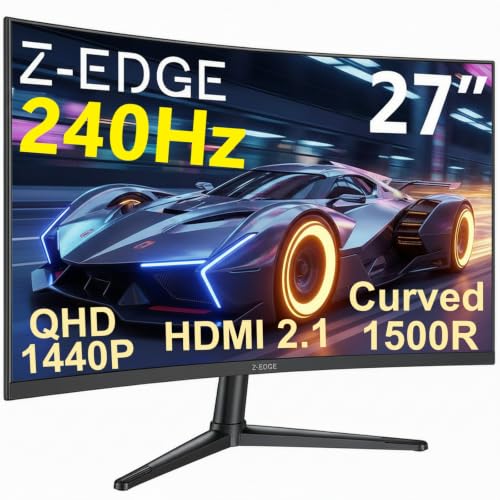
Z-Edge 27 Inch Curved Gaming Monitor 240Hz QHD 2560x1440 VA 1500R HDMI 2.1
£179.99 · Z Z-Edge · Details
 7.5 / 10
Samsung LS27D396GAUXXU 27" Curved Full HD monitor with Speakers - 1920x1080p, 1800R, HDMI, VGA, Speakers
£118.97 · Samsung · Details
Frequently asked
5 questions01Is the Z-Edge 27 Inch Curved Gaming Monitor 280Hz good for gaming?+
Yes, for competitive 1080p gaming it performs well. The 280Hz refresh rate delivers genuinely smooth motion in fast-paced titles, and the 3000:1 contrast ratio makes it better for dark environments than most budget IPS monitors. The caveat is VA panel ghosting in dark-to-dark transitions, which is visible in some games. For titles like CS2, Valorant, and Apex Legends, owner feedback is consistently positive. For slower-paced games with lots of dark scenes, the ghosting may be more noticeable.
02Does the Z-Edge 27 Inch Curved Gaming Monitor 280Hz have good HDR?+
No. The HDR10 badge is a checkbox feature. With a peak brightness of around 250 nits and no local dimming, the monitor cannot produce meaningful HDR highlights or shadow detail. Enabling HDR mode often makes the image look flatter and less vibrant than SDR mode. The recommendation from experienced owners is to leave HDR disabled and use the monitor in SDR, where the high native contrast ratio of the VA panel does more useful work.
03Is the Z-Edge 27 Inch Curved Gaming Monitor 280Hz good for content creation?+
Not really. The 1080p resolution at 27 inches gives a pixel density of around 81 PPI, which makes text and fine detail look soft compared to a 1440p panel. Factory calibration is basic, with Delta-E likely in the 3 to 5 range out of the box. There is no wide gamut DCI-P3 coverage beyond the standard sRGB claim. It is fine for casual use and streaming video, but not suitable for professional photo editing, video grading, or graphic design where colour accuracy and resolution matter.
04What graphics card do I need for the Z-Edge 27 Inch Curved Gaming Monitor 280Hz?+
To actually use the 280Hz refresh rate in competitive titles, you need a GPU capable of pushing above 200fps at 1080p. An Nvidia RTX 4060 or AMD RX 7600 will comfortably hit 280fps in esports titles like CS2 and Valorant at low to medium settings. For more demanding games, frame rates will drop below 280fps, but the FreeSync Premium adaptive sync will keep the image tear-free down to around 48fps. A mid-range GPU from the last two generations is the sensible pairing for this monitor.
05What warranty and returns apply to the Z-Edge 27 Inch Curved Gaming Monitor 280Hz?+
Specific warranty terms are not confirmed in the verified product data for this listing. When buying through Amazon UK, you are covered by Amazon's standard 30-day returns policy and the Amazon A-to-Z Guarantee for marketplace purchases. For warranty details beyond the returns window, check the product listing or contact Z-Edge directly before purchasing.