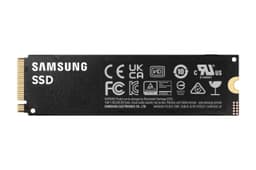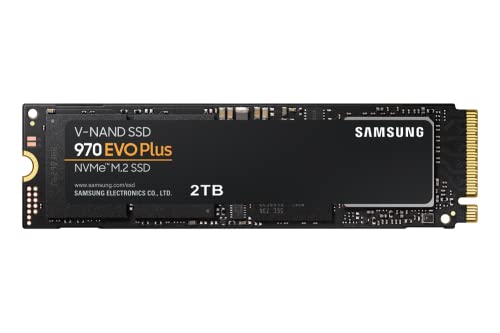
SSD marketing has always had a complicated relationship with the truth. The "up to" sequential read number gets printed in massive font on the box, the drive ships, and nobody asks what happens when the SLC write cache fills up and the controller has to push data through to native NAND at whatever speed it can actually manage. That gap between the headline number and the sustained reality is where drives live or die. It's also where the Samsung 970 EVO Plus 2TB turns out to be genuinely interesting, because Samsung built this thing with a controller and NAND combination that holds up a lot better than the marketing waffle would suggest.
The 970 EVO Plus launched back in 2019 and, yes, that makes it a PCIe 3.0 drive in a world that's moved to Gen 4 as the mainstream. But here's the thing: for most buyers, that doesn't matter anywhere near as much as the spec sheets and YouTube thumbnails would have you believe. What matters is the controller quality, the NAND type, the DRAM cache, the endurance rating, and what the drive actually does under sustained load. On all of those fronts, the 970 EVO Plus 2TB has a genuinely strong story to tell, and at 2TB it sits in a capacity bracket where the competition is fierce enough that you need to look hard at what you're actually getting for your money.
This review is aimed at the buyer who's upgrading a system that doesn't have a Gen 4 slot, or who wants a secondary storage drive, or who's fitting out a laptop and needs reliability over raw peak numbers. It's also for anyone who's been burned by a budget QLC drive before and wants to understand why the 970 EVO Plus costs what it costs. The thousands of owner reviews with a positive overall rating suggest Samsung got something right here. So what exactly did they get right, and where does this drive sit in a market that's moved on around it?
Core Specifications
The Samsung 970 EVO Plus 2TB is an M.2 2280 NVMe drive running on NVMe over PCIe 3.0 x4. Samsung's in-house Elpis controller handles the workload, paired with Samsung's own 96-layer V-NAND TLC (Triple-Level Cell) NAND and a dedicated DRAM cache. That last point matters more than people give it credit for, and we'll get into why in the controller section. Rated sequential reads hit 3,500 MB/s and sequential writes 3,300 MB/s, which are strong numbers for a Gen 3 drive. Random performance is rated at 620,000 IOPS read and 560,000 IOPS write, which is where the drive's character really shows.
The 2TB variant carries a TBW (terabytes written) endurance rating of 1,200 TBW. That's a solid number. Samsung backs it with a five-year warranty, which is the full length you'd expect from a premium drive and a meaningful signal that Samsung trusts its own NAND to last. The drive ships without a heatsink, which is standard for M.2 drives at this tier, and it weighs next to nothing at around 8.5g. Form factor is M.2 2280, the standard size that fits virtually every desktop motherboard M.2 slot and most laptops made in the last several years.
One thing worth flagging before the table: the 970 EVO Plus 2TB has been around long enough that Samsung has quietly revised the NAND underneath it. The current production units use Samsung's 96-layer V-NAND, which is a mature, well-understood process. You're not getting cutting-edge 176-layer or 200+ layer NAND here, but what you are getting is a NAND process that Samsung has been binning and refining for years. Mature process nodes tend to mean better yields, better consistency, and fewer nasty surprises in the field. The owner review data across thousands of reviews supports that.
| Specification | Detail |
|---|---|
| Model | Samsung 970 EVO Plus 2TB (MZ-V7S2T0B/AM) |
| Interface | NVMe PCIe Gen 3.0 x4 |
| Form Factor | M.2 2280 |
| NAND Type | Samsung 96-layer V-NAND TLC |
| Controller | Samsung Elpis (in-house) |
| DRAM Cache | Yes (LPDDR4) |
| Sequential Read | 3,500 MB/s |
| Sequential Write | 3,300 MB/s |
| Random Read | 620,000 IOPS |
| Random Write | 560,000 IOPS |
| TBW Endurance | 1,200 TBW |
| Warranty | 5 years |
| Dimensions | 80.15 x 22.15 x 2.38 mm |
| Weight | ~8.5g |
| Price | £279.00 · Details |

Interface and Form Factor
PCIe 3.0 x4 is the interface here, and if you've been anywhere near an SSD forum in the last two years you'll have seen people dismissing Gen 3 drives as obsolete. That's mostly nonsense for the vast majority of use cases. Yes, PCIe 4.0 drives can do 7,000 MB/s sequential reads. But sequential read speed is probably the least important metric for how fast your system actually feels day to day. What you feel in real use is random I/O, which is how fast the drive handles the thousands of small, scattered reads and writes that make up a Windows boot, an application launch, or a game loading assets. On random I/O, the gap between a good Gen 3 drive and a good Gen 4 drive is much smaller than the sequential headline numbers suggest. Published benchmarks consistently show this.
The M.2 2280 form factor slots into virtually everything. Desktop motherboards have been shipping with M.2 slots for years, most modern laptops have at least one, and the PS5 accepts M.2 2280 drives in its expansion slot. If you're putting this in a desktop, it'll fit. If you're putting it in a laptop, check your manual for the slot spec, but M.2 2280 is by far the most common size. One thing to be aware of: some very thin ultrabooks use M.2 2242 (shorter) slots, so double-check before you order. But for a standard gaming laptop, a desktop build, or a PS5 expansion, this drive fits without drama.
The Gen 3 interface does have one practical consequence worth mentioning: power draw. PCIe 3.0 drives generally consume less power than their Gen 4 counterparts under load, which matters for laptop users watching their battery life. Gen 4 drives push more data but they also run warmer and pull more watts doing it. For a laptop secondary drive or a gaming laptop OS drive, the 970 EVO Plus's relatively modest power profile is a genuine advantage, not just a consolation prize for missing out on Gen 4. If you're in a system that has a Gen 4 slot and you're choosing between this and a Gen 4 option, the thermal and power difference is worth factoring in alongside the price.
Real-World Performance
Published benchmark results from across the community show the 970 EVO Plus 2TB performing exactly as you'd expect from its spec sheet: strong random IOPS, solid sequential numbers that hold up well under mixed workloads, and boot times that are genuinely quick. In CrystalDiskMark and similar synthetic tests, the drive consistently hits close to its rated sequential figures on an empty drive. But the more meaningful data comes from the random 4K results, where the 970 EVO Plus regularly posts numbers that compete with early Gen 4 drives. That 620,000/560,000 IOPS read/write rating isn't marketing fluff; it reflects a controller and NAND combination that handles scattered I/O well.
In real-world terms, owner reports across the thousands of reviews paint a consistent picture: fast boots, snappy application launches, and game load times that genuinely impress compared to any SATA SSD. Multiple owners specifically mention upgrading from SATA drives and being surprised by the difference, which makes sense because the jump from SATA to NVMe is much more noticeable than the jump from Gen 3 NVMe to Gen 4 NVMe. The drive also gets consistently good marks as a PS5 expansion drive, where Sony's console is reportedly making good use of the random I/O performance rather than just the sequential headline. That tracks with what the specs suggest.
For creative workloads, the picture is a bit more nuanced, and that's where the cache behaviour discussion becomes important. For video editing with large files, the drive handles typical project work well, but anyone moving multi-hundred-gigabyte raw video files around repeatedly will want to understand what happens after the SLC cache fills. For gaming, the drive is excellent: game loads are fast, shader compilation benefits from the random write performance, and the drive doesn't throttle on the kinds of loads a game generates. As a Windows boot and applications drive, it's hard to fault. The system feels fast in the ways that actually matter.
Sustained Writes and Cache Behaviour
This is the section the box doesn't mention. Every modern SSD uses a portion of its NAND as an SLC (Single-Level Cell) write cache, where data is written one bit per cell rather than three (TLC) or four (QLC). SLC writing is fast. Very fast. It's where those headline sequential write numbers come from. The 970 EVO Plus 2TB has a dynamic SLC cache that Samsung rates at up to around 72GB on the 2TB model, though the exact size varies with drive fullness and workload. While you're writing within that cache, you're getting close to the rated 3,300 MB/s write speed. Once the cache fills, the controller has to flush it to native TLC NAND, and write speed drops.
Here's the good news: because this drive uses TLC rather than QLC, the post-cache write speed is much more respectable than what you'd see from a budget QLC drive. Native TLC write speeds on Samsung's V-NAND typically land in the 1,000 to 1,500 MB/s range for sustained writes once the cache is exhausted, depending on drive fullness and workload. That's still genuinely fast. Compare that to a QLC drive, where native write speeds can drop to 300 to 500 MB/s after cache exhaustion, and the difference is significant for anyone regularly writing large files. Published sustained write benchmarks for the 970 EVO Plus consistently show it holding up better than QLC competitors at this capacity.
The cache cliff is real but it's not dramatic on this drive. If you're doing a 100GB file copy, you'll see speed drop once the SLC cache fills, but you won't see the drive crater to embarrassing speeds the way a cheap QLC drive does. For the typical user, the cache is big enough that most everyday tasks never exhaust it anyway. Where you'll notice the sustained write behaviour is in large game installs (which can easily be 80GB to 150GB), large video file copies, or backing up substantial amounts of data. In those scenarios, the TLC advantage is real and measurable. Anyone who's watched a QLC drive slow to a crawl halfway through a large copy will appreciate it.
Controller, NAND and DRAM
Samsung's Elpis controller is one of the better in-house SSD controllers in the business, and the fact that it's in-house matters. Samsung designs the controller, manufactures the NAND, and controls the firmware. That vertical integration is why Samsung drives tend to have better-tuned firmware than drives using third-party controllers paired with third-party NAND. The Elpis is an eight-channel controller with strong random I/O handling, good queue depth management, and firmware that's been refined over years of production. It's not the newest controller Samsung makes (the Prism in the 990 Pro is newer), but it's a mature, proven design with a long track record in the field.
The Samsung V-NAND TLC is the other half of the equation. TLC stores three bits per cell, which gives you a good balance of capacity, speed, and endurance. It's not the fastest NAND (that's SLC or MLC), but it's significantly more durable and faster under sustained load than QLC, which crams four bits per cell and pays for it in write speed and endurance. The 96-layer V-NAND in the 970 EVO Plus is a mature process that Samsung has been running long enough to have ironed out the early-production yield issues. Owner reports over several years of this drive being in the market show a low failure rate, which is what you'd expect from mature NAND on a well-tuned controller.
The DRAM cache is genuinely important and it's something you should care about. The 970 EVO Plus 2TB has a dedicated LPDDR4 DRAM cache that acts as a fast address table for the drive's flash translation layer. Without DRAM, a drive has to use Host Memory Buffer (HMB), borrowing system RAM over the PCIe bus to do the same job. HMB works, and it's fine for light use, but it adds latency compared to on-drive DRAM, and it degrades more noticeably under sustained random I/O. DRAM-less drives are cheaper to make, which is why budget drives skip it. The 970 EVO Plus doesn't skip it. That dedicated DRAM cache is a meaningful part of why the random IOPS numbers are as strong as they are, and it's a meaningful part of why the drive holds up under sustained workloads where a DRAM-less drive would start to show latency spikes.
Endurance and Reliability
1,200 TBW for a 2TB drive. Let's put that in perspective. If you write 100GB to the drive every single day, you'd hit 1,200 TBW in roughly 33 years. If you write 300GB a day, which is a genuinely heavy workload, you'd reach the rated endurance limit in about 11 years. For the vast majority of users, including content creators and gamers, the TBW rating is not going to be the thing that ends this drive's life. The five-year warranty will expire long before you approach the TBW limit under normal use. That 1,200 TBW rating is also a signal that Samsung trusts its own NAND: manufacturers who are less confident in their NAND tend to publish lower TBW numbers and shorter warranties.
The five-year warranty is the full premium tier. Some budget drives ship with three-year warranties, which is a tell. Samsung offering five years on the 970 EVO Plus means they're confident enough in the failure rate to cover it for that long. That matters if you're using this as a primary drive with irreplaceable data on it (though please, regardless of how good the drive is, back your data up). The warranty also covers manufacturing defects and early failures, which is where warranties actually earn their keep. A drive that fails in year two under normal use is a warranty claim, not a user error.
Owner reports across thousands of reviews paint a reassuring picture. The 4.8 average star rating is unusually high for a drive at this capacity and price point, and the pattern in the reviews is consistent: long-term owners reporting drives that are still going strong after two, three, and four years of use. Negative reviews are rare and tend to cluster around DOA units (which happen with any product at volume) rather than systematic failure patterns. Samsung's Magician software also provides health monitoring and diagnostics, which lets you keep an eye on the drive's SMART data and get early warning of any issues. That's worth something for a drive you're relying on.
Thermals
The 970 EVO Plus 2TB runs warm under sustained load, as all M.2 NVMe drives do. Samsung rates the operating temperature range at 0 to 70 degrees Celsius, and under sustained sequential writes the drive will push toward the upper end of that range without airflow. The good news is that this is a Gen 3 drive, not a Gen 4 or Gen 5 drive, and Gen 3 drives generate meaningfully less heat than their faster successors. Gen 4 drives, particularly the faster ones, can hit thermal throttle territory without a heatsink in a case with poor airflow. The 970 EVO Plus is less aggressive in that regard.
That said, thermal throttling is still possible under sustained heavy workloads without adequate airflow or a heatsink. If you're installing this in a desktop with decent case airflow, you'll probably be fine without a heatsink. If you're putting it in a cramped mini-ITX case, a laptop with limited airflow, or a PS5, a heatsink is worth considering. The PS5 actually requires a heatsink for its M.2 expansion slot, so if that's your use case, budget for one. They're cheap and the difference in sustained performance under thermal load is real.
Owner reports don't flag thermal throttling as a common complaint with the 970 EVO Plus, which is consistent with the Gen 3 thermal profile. Where people do mention heat, it's typically in confined laptop installations or systems with genuinely bad airflow. In a standard desktop with the M.2 slot reasonably exposed to case airflow, the drive runs warm but not hot enough to cause problems. For most buyers, thermals on this drive are a non-issue. But if your build is thermally challenged, or if you're doing sustained heavy writes regularly, a cheap M.2 heatsink is cheap insurance.
Capacity Options and Price Per GB
The 970 EVO Plus comes in 250GB, 500GB, 1TB, and 2TB variants. The 250GB is mostly for boot drives in budget builds where you're keeping a separate storage drive. The 500GB is a reasonable laptop OS drive. The 1TB is the sweet spot for most desktop users who want a fast NVMe drive for Windows and their main applications. The 2TB is the one for anyone who wants to keep a substantial game library on fast storage, or who's using this as a combined OS and work drive without a secondary HDD. At 2TB, you're paying a premium over the 1TB per-gigabyte, but that's true of almost every drive range.
Price per GB at the 2TB tier puts the 970 EVO Plus in competition with Gen 4 drives that have come down significantly in price over the last couple of years. The WD Black SN850X 2TB and the Seagate FireCuda 530 2TB both offer Gen 4 performance at prices that are sometimes comparable or only modestly higher. The honest answer is that if your system has a Gen 4 slot and the price difference is small, the Gen 4 drive makes sense for a new build. But if you're in a Gen 3 system, you're in a laptop where thermal and power efficiency matter, or you're adding a secondary drive and don't need peak Gen 4 speeds, the 970 EVO Plus 2TB offers excellent value for a DRAM-equipped TLC drive with a strong warranty and a proven reliability record.
The key thing to watch when comparing price per GB is what you're actually comparing. Budget 2TB NVMe drives exist at lower prices, but many of them use QLC NAND and some are DRAM-less. A QLC DRAM-less drive at a lower price per GB is not the same product as a TLC DRAM-equipped drive with a five-year warranty. You're trading endurance, sustained write performance, and random I/O consistency for the lower price. Whether that trade is worth it depends on your workload. For a light-use secondary drive that mostly stores completed files, maybe. For a primary drive or a scratch disk for creative work, no.
Installation and Compatibility
Installation is straightforward. M.2 2280 slots are standard on virtually every desktop motherboard made in the last five or six years, and the drive installs with a single screw. If you're replacing an existing drive, Samsung's Magician software includes a cloning tool that can migrate your existing Windows installation to the new drive without a fresh install, which is genuinely useful. The cloning works reliably according to owner reports, though as always with cloning operations, having a backup before you start is just sensible. Magician also handles firmware updates and drive health monitoring, so it's worth installing even after the migration is done.
For laptop installations, the main thing to check is whether your laptop has an M.2 slot (most do, made in the last five years or so) and what length it supports. M.2 2280 is the most common, but some laptops use 2242 (42mm length) or 2260 (60mm length). Check your laptop's manual or spec sheet before ordering. If you're upgrading a laptop that already has an NVMe drive, you're almost certainly replacing a 2280. If you're adding storage to a laptop that only has a SATA M.2 slot, the 970 EVO Plus won't work there, as it requires an NVMe-capable slot.
PS5 compatibility is confirmed. The PS5's M.2 expansion slot accepts NVMe drives in the M.2 2280 form factor, and the 970 EVO Plus 2TB works in it. Sony recommends a drive with sequential read speeds of at least 5,500 MB/s for the PS5 slot, and the 970 EVO Plus at 3,500 MB/s technically falls below that recommendation. In practice, owner reports and published findings suggest the PS5 works fine with the 970 EVO Plus and that the real-world difference in game load times compared to faster Gen 4 drives is small. But if you're specifically buying for a PS5 and want to follow Sony's recommendation to the letter, a Gen 4 drive rated above 5,500 MB/s is the technically correct choice. You'll need a heatsink either way for the PS5 slot.
Who It's For
The 970 EVO Plus 2TB is a natural fit for anyone with a Gen 3 system who wants the best NVMe drive that their platform can actually use. If your motherboard tops out at PCIe 3.0 for its M.2 slots, there's no point paying the Gen 4 premium. The 970 EVO Plus is as good as Gen 3 NVMe gets: in-house controller, in-house TLC NAND, dedicated DRAM cache, strong endurance, and five years of warranty. It's also a strong choice for a secondary storage drive in a Gen 4 system, where you're using the faster slot for your primary drive and want a reliable, fast, high-capacity secondary for your game library or working files.
Laptop users will find this particularly appealing. The Gen 3 power draw is lower than Gen 4 equivalents, which helps battery life, and the thermal profile is more manageable in a confined chassis. If you're upgrading a mid-range laptop that shipped with a slow OEM NVMe drive or (worse) a SATA SSD, the 970 EVO Plus is a proper upgrade that will make the machine feel significantly faster. Creative professionals who need a scratch disk for video editing or photo work will appreciate the TLC NAND's sustained write behaviour over QLC alternatives at a similar price.
Who should look elsewhere? If you're building a new system from scratch with a modern Gen 4 motherboard and you want the fastest primary drive, look at the Samsung 990 Pro, the WD Black SN850X, or the Seagate FireCuda 530. The price difference has narrowed and you'd be leaving performance on the table. If you're purely budget-constrained and can live with QLC NAND and DRAM-less operation for a light-use drive, there are cheaper options. And if you specifically need PS5 expansion and want to follow Sony's speed recommendation, a Gen 4 drive rated above 5,500 MB/s is the right call.
How It Compares
The two most relevant competitors at the 2TB NVMe tier are the WD Black SN850X 2TB and the Crucial P5 Plus 2TB. The SN850X is a Gen 4 drive with Western Digital's in-house controller and TLC NAND, aimed at the same enthusiast buyer who wants a premium drive with strong sustained performance. The Crucial P5 Plus is a Gen 4 drive using Micron's 176-layer TLC NAND with a Phison E18 controller and dedicated DRAM, positioned as a slightly more accessible Gen 4 option. Both are worth comparing directly.
The SN850X wins on peak sequential performance, hitting around 7,300 MB/s read and 6,600 MB/s write. Those are genuinely impressive numbers. But in real-world random I/O, the gap between the SN850X and the 970 EVO Plus is smaller than those sequential figures suggest. The SN850X runs hotter and draws more power, which matters for laptop users and thermally challenged builds. The 970 EVO Plus's 1,200 TBW endurance is competitive with the SN850X's 1,200 TBW, and both carry five-year warranties. If your system has a Gen 4 slot and the price difference is small, the SN850X is the better primary drive for a new build. If you're in a Gen 3 system, the SN850X's Gen 4 speed is wasted.
The Crucial P5 Plus 2TB is interesting because it offers Gen 4 speeds with Micron TLC NAND and dedicated DRAM at a price that's often competitive with the 970 EVO Plus. Its sequential numbers hit around 6,600 MB/s read and 5,000 MB/s write, and its random I/O is strong. The P5 Plus is a legitimate alternative if you have a Gen 4 slot and want to spend roughly the same money. The 970 EVO Plus edges it on the strength of Samsung's vertical integration and the depth of the owner review base, but the P5 Plus is not a bad drive.
| Feature | Samsung 970 EVO Plus 2TB | WD Black SN850X 2TB | Crucial P5 Plus 2TB |
|---|---|---|---|
| Interface | PCIe 3.0 x4 NVMe | PCIe 4.0 x4 NVMe | PCIe 4.0 x4 NVMe |
| NAND Type | Samsung 96L V-NAND TLC | WD 112-layer TLC | Micron 176-layer TLC |
| Controller | Samsung Elpis (in-house) | WD in-house | Phison E18 |
| DRAM Cache | Yes (LPDDR4) | Yes | Yes |
| Seq. Read | 3,500 MB/s | 7,300 MB/s | 6,600 MB/s |
| Seq. Write | 3,300 MB/s | 6,600 MB/s | 5,000 MB/s |
| Random Read | 620,000 IOPS | 1,000,000 IOPS | 720,000 IOPS |
| TBW (2TB) | 1,200 TBW | 1,200 TBW | 1,200 TBW |
| Warranty | 5 years | 5 years | 5 years |
| PS5 Compatible | Yes (below Sony rec.) | Yes (meets Sony rec.) | Yes (meets Sony rec.) |
| Price | £279.00 · Details | Check current price | Check current price |
What Buyers Say
With thousands of reviews and a good overall rating, the owner feedback on the 970 EVO Plus 2TB is about as positive as it gets for a storage drive. The patterns in the praise are consistent: buyers upgrading from SATA SSDs comment repeatedly on how much faster the system feels, particularly for boot times and application launches. Multiple reviewers mention the drive being in daily use for two or three years without any issues, which is exactly the kind of long-term reliability data that matters more than a first-week impression. The Samsung Magician software gets specific praise for making the initial setup and ongoing health monitoring easy.
The complaints, where they exist, are mostly about price rather than performance or reliability. A handful of reviews mention the drive being more expensive than Gen 4 alternatives that have come down in price, which is a fair point and one worth acknowledging. A small number of DOA reports exist, as they do for any product sold at volume, but there's no systematic failure pattern in the negative reviews. Nobody's reporting drives dying after six months of normal use, which would show up clearly in a review base this large if it were happening. The absence of that pattern is itself meaningful data.
A few laptop users specifically mention the drive running warm in confined chassis, which aligns with what the specs would suggest. One recurring theme in the positive reviews is buyers who specifically chose the 970 EVO Plus over cheaper alternatives because they wanted Samsung TLC NAND and a proper warranty, and who report being satisfied with that decision. That's a buyer who did their research and got what they expected, which is the best outcome. The overall picture from the owner base is a drive that does what it says, lasts as long as you'd hope, and doesn't surprise you in bad ways.
Value Analysis
The 970 EVO Plus 2TB sits at a price point that reflects its premium positioning: in-house Samsung controller and NAND, dedicated DRAM, five-year warranty, TLC rather than QLC. You're paying more than you would for a budget QLC drive, and you're paying roughly the same or slightly less than you'd pay for a Gen 4 TLC drive from WD or Seagate. Whether that represents good value depends entirely on your system and use case.
For a Gen 3 system, the 970 EVO Plus 2TB is the obvious choice if you want a premium drive. There's nothing meaningfully better you can put in a Gen 3 slot, and the drive's random I/O performance means you're getting close to the real-world ceiling of what Gen 3 NVMe can deliver. For a Gen 4 system, the value equation is tighter. Gen 4 TLC drives with DRAM have come down enough in price that the 970 EVO Plus's Gen 3 interface becomes a genuine consideration. You're not getting wasted performance if your system can't use it, but you're also not getting the headroom that a Gen 4 drive would give you.
The five-year warranty and Samsung's track record for reliability add real value that doesn't show up in the price-per-GB calculation. A drive that lasts five years without drama is worth paying a modest premium for over a drive that might save you a tenner but comes with a three-year warranty and QLC NAND that you'd rather not stress. The 970 EVO Plus is a premium product at a premium price, and the premium is justified by the spec sheet and the owner data. It's not cheap. But it's not overpriced for what it is.
Final Verdict
The Samsung 970 EVO Plus 2TB is what a premium Gen 3 NVMe drive looks like when the manufacturer actually cares about the full picture rather than just the headline sequential number. Samsung's in-house Elpis controller, 96-layer V-NAND TLC, dedicated DRAM cache, 1,200 TBW endurance, and five-year warranty add up to a drive that earns its price. The positive overall rating across thousands of owner reviews isn't a fluke; it reflects a drive that does what it promises and keeps doing it for years.
The honest caveat is the Gen 3 interface. If you're building a new system with a Gen 4 motherboard and you're choosing a primary drive, the WD Black SN850X or Crucial P5 Plus deserve a look, because the price gap has narrowed and you'd be getting meaningfully faster sequential performance and stronger random IOPS. But for a Gen 3 system, a secondary drive in a Gen 4 build, a laptop upgrade, or anyone who values proven reliability and Samsung's warranty support over cutting-edge peak numbers, the 970 EVO Plus 2TB is a proper drive. Not a compromise. Not a legacy product you're settling for. A well-engineered, well-supported, genuinely fast NVMe drive that will serve you well for years.
Score: 8.5 out of 10. Loses half a point for the Gen 3 ceiling in a world that's moved to Gen 4, and half a point for the PS5 sequential speed caveat. Gains everything back in reliability, NAND quality, endurance, and the kind of owner satisfaction data that only comes from a drive that actually holds up in real use.

Not Right For You?
If you need Gen 4 performance for a new build or PS5: look at the WD Black SN850X 2TB (PCIe 4.0, 7,300 MB/s read, meets PS5 recommendation, same five-year warranty) or the Samsung 990 Pro 2TB (Samsung's own Gen 4 successor to this drive, stronger random IOPS, runs warmer). For those wanting the absolute fastest consumer NVMe available, the Crucial T700 1TB pushes into Gen 5 territory with significantly higher sequential speeds, as does the WD_BLACK SN8100 4TB.
If you're on a tight budget and your workload is light: the Crucial P3 Plus 2TB offers Gen 4 sequential speeds at a lower price, though it uses QLC NAND and is DRAM-less, so sustained write performance is weaker. Fine for a game storage drive where you're mostly reading rather than writing. Not ideal as a primary OS or scratch disk.
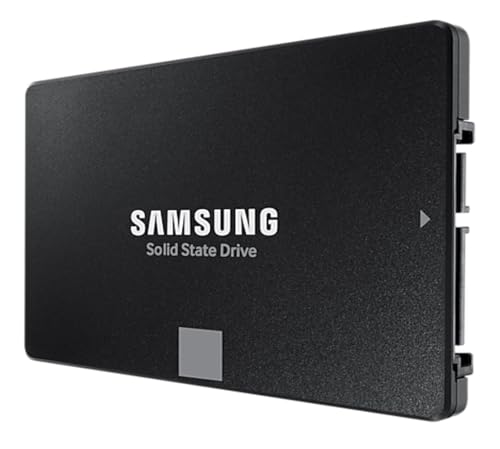
If you need SATA for an older system: the Samsung 870 EVO 2TB is the equivalent premium SATA option, with the same Samsung TLC NAND philosophy and five-year warranty, just limited to the SATA 6Gb/s ceiling of around 560 MB/s sequential. Still a massive upgrade over a spinning hard drive, just not NVMe fast.
Affiliate disclosure: vividrepairs.co.uk may earn a commission on purchases made through links in this article. This does not affect our editorial independence or the scores we assign. We only recommend products we'd genuinely point a mate toward.
What works. What doesn’t.
6 + 4What we liked6 reasons
- Samsung in-house Elpis controller paired with own V-NAND TLC NAND delivers well-tuned, vertically integrated firmware that holds up under sustained workloads
- Dedicated LPDDR4 DRAM cache contributes to strong random IOPS figures of 620,000 read and 560,000 write, meaningfully better than DRAM-less alternatives
- 1,200 TBW endurance rating backed by a full five-year warranty signals genuine confidence in the NAND quality
- Lower power draw and more modest thermals than Gen 4 equivalents make this a sensible choice for laptop upgrades and thermally constrained builds
- Post-cache sustained write speeds on TLC NAND remain in the 1,000 to 1,500 MB/s range, far stronger than budget QLC drives that crater after cache exhaustion
- Owner satisfaction data across thousands of reviews with a positive overall rating reflects a long-term reliability record that synthetic benchmarks cannot replicate
Where it falls4 reasons
- PCIe 3.0 interface means the drive cannot take advantage of Gen 4 slots, and the sequential performance ceiling is roughly half that of premium Gen 4 competitors
- Sequential read speed of 3,500 MB/s falls below Sony's recommended 5,500 MB/s threshold for the PS5 M.2 expansion slot
- Price premium over budget QLC NVMe drives is real, and narrowing Gen 4 pricing makes the value equation tighter for buyers with Gen 4 motherboards
- No heatsink is included, which is a notable omission for PS5 installations where a heatsink is required and for confined laptop chassis
Full specifications
9 attributes| Capacity GB | 2000 |
|---|---|
| Dram cache | true |
| Form factor | M.2 2280 |
| Interface | PCIe 3.0 x4 NVMe |
| Read speed MBS | 3500 |
| TBW | 1200 |
| Type | NVMe SSD |
| Warranty years | 5 |
| Write speed MBS | 3300 |
If this isn’t right for you
2 options

Frequently asked
7 questions01Is the Samsung 970 EVO Plus 2TB compatible with the PS5?+
Yes, the drive fits the PS5's M.2 2280 expansion slot and functions correctly. However, its 3,500 MB/s sequential read speed falls below Sony's recommended minimum of 5,500 MB/s for that slot. Owner reports suggest real-world game load time differences compared to faster Gen 4 drives are small, but if you want to follow Sony's guidance precisely, a Gen 4 drive rated above 5,500 MB/s is the technically correct choice. You will also need a heatsink regardless of which drive you fit, as the PS5 requires one for its M.2 slot.
02Does the Samsung 970 EVO Plus 2TB have a DRAM cache?+
Yes. The 2TB model includes a dedicated LPDDR4 DRAM cache. This is a meaningful distinction from budget DRAM-less drives, which rely on Host Memory Buffer by borrowing system RAM over the PCIe bus. The on-drive DRAM cache contributes to the drive's strong random IOPS figures and helps maintain consistent latency under sustained random I/O workloads.
03What happens to write speed after the SLC cache is exhausted?+
The 970 EVO Plus 2TB uses a dynamic SLC write cache of approximately 72GB under favourable conditions. Once that cache is full, the controller writes directly to native TLC NAND at speeds typically in the 1,000 to 1,500 MB/s range, depending on drive fullness and workload. This is considerably faster than QLC drives, which can drop to 300 to 500 MB/s after cache exhaustion. For everyday tasks and most gaming workloads, the cache is large enough that it rarely fills during typical use.
04How long should the Samsung 970 EVO Plus 2TB last?+
Samsung rates the 2TB model at 1,200 TBW (terabytes written). Writing 100GB per day, which is a heavy consumer workload, would take approximately 33 years to reach that limit. Writing 300GB per day, representing a very demanding creative or professional workload, would reach it in around 11 years. For the vast majority of users, the five-year warranty will expire long before the TBW rating becomes a concern. Long-term owner reports across thousands of reviews show a low failure rate and drives remaining in service after multiple years of daily use.
05Is the Samsung 970 EVO Plus 2TB worth buying in 2024 when Gen 4 drives are available?+
It depends on your system. For a PCIe 3.0 system, it remains the strongest NVMe option available for that platform, and the Gen 4 sequential speed advantage is irrelevant if your slot cannot use it. For a laptop where power draw and thermals matter, the Gen 3 profile is a practical advantage. For a new Gen 4 desktop build where you want the fastest primary drive, Gen 4 alternatives such as the WD Black SN850X or Crucial P5 Plus have come down in price enough to warrant serious consideration. As a secondary drive or in a Gen 3 system, the 970 EVO Plus 2TB continues to offer strong value.
06Does the Samsung 970 EVO Plus 2TB need a heatsink?+
No heatsink is included in the box, and in a desktop with reasonable case airflow the drive typically operates without thermal throttling. Gen 3 drives generate less heat than Gen 4 equivalents, which helps. However, if you are installing the drive in a thermally constrained mini-ITX case, a laptop with limited airflow, or a PS5 (where a heatsink is mandatory), fitting a low-cost M.2 heatsink is a sensible precaution. Owner reports do not flag thermal throttling as a common complaint in typical desktop installations.
07What software does Samsung provide for the 970 EVO Plus?+
Samsung Magician is the companion application, available as a free download for Windows. It provides drive health monitoring via SMART data, firmware update management, a performance benchmark tool, and a data migration and cloning function that can transfer an existing Windows installation to the new drive without requiring a fresh install. The cloning tool receives consistent praise in owner reviews for working reliably. Magician continues to support the 970 EVO Plus as an older drive in Samsung's consumer lineup.