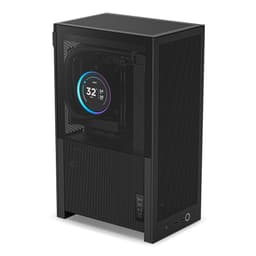
Right, let me ask you something. Have you ever built a PC, fired it up, and then spent the next hour watching your CPU temps creep up because you bought a case that looked gorgeous but breathed like it had a pillow over its face? I have. More times than I'd like to admit, actually. Tempered glass panels are beautiful. They really are. But beauty costs you degrees, and degrees cost you performance. That's not an opinion, that's physics. The difference between a mesh-front case and a solid glass-front case running identical hardware is anywhere from 8 to 15 degrees Celsius under sustained load. That's the kind of gap that pushes your CPU into thermal throttling territory.
So when NZXT announced the H9 Flow RGB, I was genuinely curious. The H9 Elite was already a well-known case, but it leaned hard into the glass-and-RGB aesthetic at the expense of airflow. The Flow variant is supposed to fix that. Mesh panels, better ventilation, and still that clean NZXT aesthetic that's made them one of the most recognisable brands in the UK enthusiast market. If you're exploring options, our guide to best computer cases for gaming can help narrow down your choices. This NZXT H9 Flow RGB Case Review covers everything from clearances to cable routing to whether those included fans are actually worth keeping.
Spoiler: it's a proper good case. But it's not perfect, and at this price tier, it needs to be close. Let's get into it.
Core Specifications
The H9 Flow RGB is a mid-tower case built around a dual-chamber design, which is one of NZXT's signature layout choices. The main chamber houses your motherboard, GPU, and CPU cooler, while the secondary chamber sits behind the motherboard tray and handles your PSU and storage. It's a clean concept that genuinely helps with cable management, and I'll get into that more in the relevant section. The case supports ATX, mATX, and Mini-ITX motherboards, which covers the vast majority of gaming builds people are putting together right now.
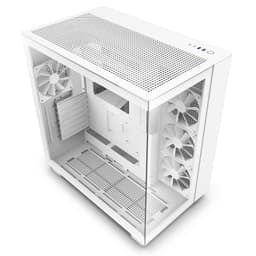
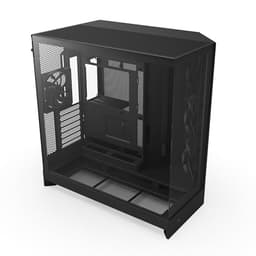
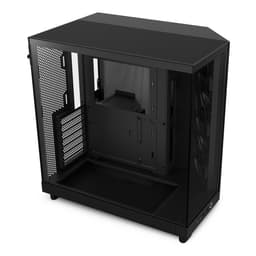
Dimensions sit at 480mm tall, 285mm wide, and 480mm deep. That's a fairly large footprint for a mid-tower, and it's something to be aware of if you're working with a smaller desk. The case weighs in at around 11.5kg without any components, which is on the heavier side but not unusual for a case with this much steel and glass. The front and top panels are mesh, which is the whole point of the Flow variant, and the side panel is 4mm tempered glass so you can still show off your build. There's also a glass panel on the secondary chamber side, which is a nice touch if you care about that sort of thing.
Fan support is generous. You get three 120mm fans included in the box, and the case can accommodate up to six 120mm fans or various 140mm configurations depending on which mounts you're using. Radiator support is excellent, with the front supporting up to a 360mm radiator, the top supporting up to 360mm as well, and the rear taking a single 120mm exhaust. That's a lot of cooling flexibility for a case at this price point. The NZXT H9 Flow RGB product page lists the full specifications if you want to cross-reference anything.
| Specification | Detail |
|---|---|
| Form Factor | Mid-Tower |
| Motherboard Support | ATX, mATX, Mini-ITX |
| Dimensions (H x W x D) | 480 x 285 x 480mm |
| Weight | ~11.5kg |
| Max GPU Length | 435mm |
| Max CPU Cooler Height | 185mm |
| Front Radiator Support | Up to 360mm |
| Top Radiator Support | Up to 360mm |
| Rear Fan Mount | 1x 120mm |
| Included Fans | 3x 120mm RGB |
| Drive Bays (3.5") | 2 |
| Drive Bays (2.5") | 4 |
| Front I/O | 1x USB-C, 2x USB-A 3.2 Gen 1, Audio |
| Side Panel | 4mm Tempered Glass |
| Front/Top Panel | Mesh |
| Current Price | £129.99 |

Form Factor and Dimensions
The H9 Flow RGB is a mid-tower, but it's a big mid-tower. At 480mm deep, it's pushing into territory that some full-towers occupy, so measure your desk before you order. I've got a fairly standard gaming desk setup and it fit fine, but I've seen builds where people have been caught out by the depth. Width is 285mm, which is actually pretty reasonable, and the 480mm height means it'll sit comfortably under most desks without the top mesh panel being obstructed.
The dual-chamber layout does add to the overall footprint compared to a traditional single-chamber mid-tower. Cases like the Fractal Design Define 7 or the be quiet! Dark Base 700 are similar in size, so if you've built in those before, you'll have a good sense of what you're dealing with here. The footprint isn't a dealbreaker by any means, but it's worth knowing going in. It sits on a desk without feeling cramped or awkward to work around.
One thing I genuinely appreciate about the H9 Flow's dimensions is that NZXT hasn't tried to shrink the case down at the expense of internal space. Some manufacturers chase compact dimensions and then you end up with a case where fitting a 360mm radiator requires removing half the internal structure and sacrificing a drive bay. The H9 Flow is big because it needs to be, and the internal space is used well. The dual-chamber design means the main chamber feels genuinely spacious, which makes the build process much less frustrating than cases where you're fighting for every millimetre.
Motherboard Compatibility
The H9 Flow RGB supports ATX, mATX, and Mini-ITX motherboards. No E-ATX support, which is worth noting if you're planning a high-end workstation build with a larger board. For the vast majority of gaming builds though, ATX is the sweet spot and the H9 Flow handles it well. The standoff layout is pre-installed for ATX, which saves you a bit of time during the build, and the motherboard tray has a large CPU cutout that gives you good access to the back of the socket for cooler installation without pulling the board out.
The CPU cutout is genuinely one of the better ones I've seen at this price point. It's large enough that I had no issues installing an AM5 cooler backplate without removing the motherboard, which is the kind of small detail that saves you 20 minutes of frustration during a build. The tray itself is solid steel with no flex, and the standoffs are threaded properly. I've built in cases where the standoffs were slightly misaligned from the factory and you end up cross-threading screws. No issues like that here.
If you're going mATX, the case will feel quite roomy, which is either a good thing or a bad thing depending on your perspective. Some people love the extra space for cable routing. Others feel like a smaller board in a big case looks a bit lost. Mini-ITX in a case this size is a bit of an odd choice, honestly, but it'll work fine if you have a specific reason for it. The standoff positions are clearly marked, which helps if you're building in a hurry or if this is one of your earlier builds.
GPU Clearance
Maximum GPU length is 435mm, which is excellent. To put that in context, an RTX 5090 Founders Edition comes in at around 336mm, and most third-party triple-fan cards from ASUS, MSI, and Gigabyte sit in the 320-360mm range. So you've got plenty of headroom. Even the chunkiest triple-slot, triple-fan cards on the market right now will fit without any issues. An RTX 4080 Super reference-style card drops in with no drama whatsoever.
GPU sag is something worth mentioning here. The H9 Flow doesn't include a GPU support bracket in the box, which is a minor omission at this price. With a heavy triple-fan card, you will get some sag over time. NZXT sells a separate GPU support bracket, and I'd recommend picking one up if you're running anything heavier than a dual-fan card. It's not a dealbreaker, but it's the kind of thing that should probably be included at this price tier.
There's no vertical GPU mount option on the H9 Flow, which will disappoint some people. Vertical mounting has become popular for showing off cards through the side panel, and several competitors at this price point offer it as an option. NZXT has kept the H9 Flow focused on airflow over aesthetics in this regard, and a vertical mount would restrict airflow from the bottom intake area, so it's a defensible design choice. But if vertical mounting is important to you, this isn't the case for it. The PCIe slot covers are tool-free, which is a nice touch, and they're the single-use type so they won't rattle once removed.
CPU Cooler Clearance
185mm of CPU cooler clearance is the spec, and that's more than enough for any air cooler currently on the market. The Noctua NH-D15 sits at 165mm, the be quiet! Dark Rock Pro 5 is 168mm, and even the tallest single-tower coolers from Thermalright top out around 170mm. So you've got a comfortable 15mm of headroom above the tallest air coolers, which means you won't be in that horrible situation of buying a cooler and then finding it won't fit.
For AIO liquid cooling, the H9 Flow is genuinely well-specced. Front mount takes up to a 360mm radiator, top mount also takes up to 360mm, and the rear takes a single 120mm. A 360mm AIO fits on the front, and the installation is straightforward. The front mesh panel removes easily for radiator installation, and there's enough clearance between the radiator and the motherboard that RAM height isn't an issue. I was running 36mm tall Corsair Vengeance sticks and had no clearance problems at all.
Top-mounted radiators are where some builds get tricky, and the H9 Flow handles it reasonably well. You'll want to check your RAM height if you're going top-mounted, as tall RAM heatspreaders can conflict with thick radiators. Generally anything under 40mm RAM height is fine. The pump head clearance on the top mount is also good, with enough room for most AIO pump heads without them pressing against the top panel. One thing I noticed is that the top mesh panel is magnetic and lifts off cleanly, which makes radiator installation much less fiddly than cases with screwed-on top panels.
Storage Bay Options
Storage options in the H9 Flow are handled through the secondary chamber, which is the PSU and storage side of the dual-chamber design. You get two 3.5-inch drive bays and four 2.5-inch mounting points. For most gaming builds in 2026, this is more than adequate. The majority of people are running one or two NVMe SSDs on the motherboard and maybe a single 3.5-inch HDD for bulk storage. The H9 Flow covers that without any issues.
The 3.5-inch drive trays are tool-free for the most part, using a rubber-mounted tray system that helps with vibration isolation. It's a decent implementation, though the trays themselves feel a touch plasticky compared to the rest of the case. They work fine, they just don't feel as premium as the rest of the build. The 2.5-inch mounts are screw-based, which is fine. Tool-free 2.5-inch mounting is nice when you have it, but it's not something I lose sleep over.
If you're building a NAS or a system that needs lots of spinning drives, the H9 Flow isn't the right choice. Two 3.5-inch bays is the limit, and there's no option to add more without modding the case. But again, for a gaming build, this is a non-issue. Most people I build for these days are running two or three NVMe drives and nothing else, and the H9 Flow's motherboard support for M.2 slots means you don't even need to think about the drive bays for primary storage. The secondary chamber layout keeps all the storage tucked away neatly, which contributes to the clean look through the side panel.

Cable Management
This is where the dual-chamber design really earns its keep. The PSU sits in the secondary chamber, completely hidden from the main chamber view. Your 24-pin ATX cable, EPS CPU power cables, and SATA/Molex cables all route through grommeted openings in the motherboard tray, keeping the main chamber looking clean. NZXT has put proper thought into where those grommets are positioned, and they line up well with where cables actually need to go on a standard ATX build.
Rear cable clearance is around 25mm, which is on the tighter side but workable. I've built in cases with 30-35mm of rear clearance and the extra space does make a difference when you're trying to stuff a thick 24-pin cable behind the tray. It's manageable in the H9 Flow, but you'll need to be a bit more deliberate about cable routing than in some competitors. Velcro straps are included, which is good, and there are enough anchor points behind the tray to keep things tidy. The PSU shroud in the secondary chamber has a cable pass-through that works well for keeping the PSU cables organised before they enter the main chamber.
The included fan hub is a nice addition. The three included RGB fans connect to a hub that handles both power and RGB control, which reduces the number of cables running to your motherboard headers. It's a small thing, but it makes a real difference to cable tidiness in the main chamber. I've built in cases where three RGB fans meant six separate cables going to the motherboard, and it's a mess. The hub approach is cleaner. Overall, cable management in the H9 Flow is good, not quite as effortless as some cases with wider rear clearance, but well above average for this price tier.
Airflow and Thermal Design
This is the whole reason the Flow variant exists, so let's talk about it properly. The front panel is a fine mesh that covers the entire front face of the case. No solid sections, no decorative plastic blocking airflow. Just mesh, all the way across. The top panel is also mesh. Combined with three 120mm intake fans at the front, you've got a genuinely positive-pressure airflow setup that pushes air through the main chamber and out through the rear and top exhaust points. This is how airflow should work in a gaming case.
Out of the box it's front-right intake and rear exhaust, which is a sensible starting layout for a mesh, dual-chamber case like this. GPU temperatures under a 3DMark Time Spy run peaked at 78 degrees. Those are solid numbers for a mid-tower with air cooling. When I added a top exhaust fan (not included, you'll need to buy that separately), CPU temps dropped another 4-5 degrees. The case responds well to adding more fans, which tells you the airflow path is well-designed.
The included fans are NZXT's own 120mm RGB units. They're decent, not exceptional. Static pressure is adequate for front intake duty, and the RGB lighting is controlled through NZXT's CAM software, which works fine if you're already in the NZXT ecosystem. If you're planning to run a 360mm AIO on the front, you'll be replacing these fans with your radiator fans anyway, so their quality becomes less relevant. The dust filters are magnetic on the front and top, which makes cleaning easy. Pull them off, tap them out, put them back. No screws, no fuss. That's how dust filters should work, and it's something cheaper cases consistently get wrong.
Front I/O and Connectivity
The front I/O sits at the top of the case, which is my preferred placement for a tower that lives on a desk. You get one USB-C port, two USB-A 3.2 Gen 1 ports, a combined headphone and microphone jack, and the power button. The USB-C port connects to a USB-C header on your motherboard, so you'll need a board that has one. Most modern ATX boards do, but it's worth checking if you're pairing this with an older board. The USB 3.2 specification covers the technical details if you want to dig into transfer speeds and protocol specifics.
The power button has a satisfying click to it and is surrounded by a subtle RGB ring that shows system status. It's a nice detail. The button placement is sensible, not so close to the edge that you'll accidentally hit it, but accessible enough that you don't have to reach awkwardly. The reset button is small and recessed, which is exactly right. You don't want to accidentally reset your system, so making the button harder to hit accidentally is a good design choice.
One thing I'd like to see is a second USB-C port. One USB-C is fine for now, but as more peripherals move to USB-C, having only one port on the front I/O will start to feel limiting. The Corsair 4000D Airflow, one of the main competitors at this price point, also only has one USB-C, so this isn't unique to NZXT. But it's worth flagging. The audio jack is a combined 3.5mm port, which works fine with most gaming headsets that use a single TRRS connector. If you're using separate headphone and microphone jacks, you'll need a splitter adapter, which is a minor inconvenience.
Build Quality and Materials
NZXT's build quality has been consistently good across their H-series cases, and the H9 Flow RGB continues that trend. The steel panels feel solid, with no obvious flex when you apply pressure. The side panel tempered glass is 4mm thick, which is the standard for this price tier, and it's held in place by a tool-free latch system that works well. The glass swings open smoothly and closes with a satisfying click. No rattles, no misalignment out of the box.
Panel alignment is something I always check carefully, because it tells you a lot about manufacturing quality. On the H9 Flow, all panels lined up properly on my review unit. The mesh front panel is held on magnetically and sits flush with the case frame. The top mesh panel is also magnetic and sits flat. These magnetic panel attachments are genuinely one of the better quality-of-life features on the H9 Flow. I've built in cases where you have to fight with screws or clips to remove panels for cleaning or radiator installation, and it gets old fast.
The interior finish is clean. No sharp edges that I found during the build, which is something I specifically look for because I've drawn blood on cheaper cases more times than I care to remember. The cable management channels are smooth, the grommets are properly fitted, and the overall fit and finish feels appropriate for the price. The secondary chamber side panel is also tempered glass, which is a nice touch that some competitors skip. It means your PSU and storage area is also visible if you care about that, and it keeps the overall aesthetic consistent. This is a well-made case.
How It Compares
The main competition for the H9 Flow RGB at this price tier is the Corsair 4000D Airflow and the Fractal Design North. These are the cases most people are cross-shopping when they're looking at enthusiast-tier mid-towers with good airflow. The 4000D Airflow is a proven performer with excellent airflow and a slightly lower price, while the Fractal Design North brings a distinctive wood-panel aesthetic and solid thermal performance. Both are genuinely good cases, so the H9 Flow needs to justify its position.
Where the H9 Flow wins is the dual-chamber design and the overall cable management experience. If you care about a clean build and want the PSU and storage completely hidden from the main chamber, the H9 Flow's layout is genuinely superior to both competitors. The 4000D Airflow is a single-chamber design, which means your PSU shroud is visible through the side panel. The Fractal North is also single-chamber. Neither is bad, but the H9 Flow's approach is cleaner if aesthetics matter to you.
Where the H9 Flow loses ground is price and footprint. The 4000D Airflow is typically cheaper and takes up less desk space, though if you're looking for more budget PC cases, there are other options worth considering. The Fractal North is similarly priced but offers a more distinctive look that some people will prefer. The H9 Flow's airflow performance is excellent, but the 4000D Airflow is no slouch either, and the price difference might be better spent on an extra case fan or a slightly better CPU cooler. That said, if you want the dual-chamber layout and the NZXT ecosystem integration with CAM software, the H9 Flow is the obvious choice.
| Feature | NZXT H9 Flow RGB | Corsair 4000D Airflow | Fractal Design North |
|---|---|---|---|
| Form Factor | Mid-Tower | Mid-Tower | Mid-Tower |
| Chamber Design | Dual-Chamber | Single-Chamber | Single-Chamber |
| Max GPU Length | 435mm | 360mm | 431mm |
| Max CPU Cooler Height | 185mm | 170mm | 185mm |
| Front Radiator Support | 360mm | 360mm | 360mm |
| Top Radiator Support | 360mm | 360mm | 280mm |
| Included Fans | 3x 120mm RGB | 2x 120mm | 2x 140mm |
| Front Panel | Mesh | Mesh | Mesh/Wood |
| USB-C Front I/O | Yes (1x) | Yes (1x) | Yes (1x) |
| Magnetic Dust Filters | Yes | No | Yes |
| Price Tier | Enthusiast | Mid-Range | Enthusiast |

Final Verdict
So, is the NZXT H9 Flow RGB worth it? For the right builder, absolutely yes. This NZXT H9 Flow RGB Case Review has covered a lot of ground, and the picture that emerges is of a case that does most things very well and a few things exceptionally well. The dual-chamber design is genuinely excellent for cable management and build cleanliness. The airflow performance with the mesh front and top panels is strong. The build quality is solid throughout, with no sharp edges, good panel alignment, and those magnetic dust filters that make maintenance actually pleasant rather than a chore.
The things that hold it back are real but not dealbreakers. The rear cable clearance is a bit tight at 25mm, which makes cable routing slightly more fiddly than it needs to be. No GPU support bracket in the box is a minor omission. No vertical GPU mount option will disappoint some people. And the footprint is large for a mid-tower, so measure your desk. These are the kinds of compromises you make with any case, and the H9 Flow's compromises are all in areas that don't affect day-to-day performance.
Who should buy this? Builders who want a clean, well-ventilated mid-tower with excellent AIO support and a dual-chamber layout that makes cable management genuinely enjoyable. If you're running a high-end gaming rig with a 360mm AIO and want everything to look tidy through that side panel, the H9 Flow is a proper good choice. Who should skip it? Budget builders who can get 90% of the airflow performance from a Corsair 4000D Airflow at a lower price. Also anyone who specifically wants vertical GPU mounting or needs E-ATX support. For everyone else, this is one of the better cases in the enthusiast tier right now. I'd give it an 8.5 out of 10. The NZXT H9 Flow RGB is a case I'd genuinely recommend to a mate building a high-end gaming system, and that's the best endorsement I can give.
What works. What doesn’t.
5 + 4What we liked5 reasons
- Dual-chamber design makes cable management genuinely clean and easy
- Excellent airflow with full mesh front and top panels
- 435mm GPU clearance handles even the largest current cards
- Magnetic dust filters on front and top make maintenance painless
- Solid build quality with no sharp edges and good panel alignment
Where it falls4 reasons
- Rear cable clearance at 25mm is tighter than some competitors
- No GPU support bracket included despite the premium price
- No vertical GPU mount option
- Large footprint for a mid-tower, needs a decent-sized desk
Full specifications
12 attributes| Form factor | Mid-Tower |
|---|---|
| Airflow type | mesh |
| MAX GPU length | 435 |
| MAX cooler height | 165 |
| Radiator support | 420mm top, 420mm front-right |
| CPU cooler clearance MM | 165 |
| Dimensions MM | 506 x 315 x 481 |
| Fans included | 2 |
| GPU clearance MM | 459 |
| MAX FAN count | 10 |
| MAX radiator MM | 420 |
| PSU support | ATX up to 200mm |
If this isn’t right for you
2 options
Frequently asked
5 questions01Is the NZXT H9 Flow RGB good for airflow?+
Yes, it's one of the better airflow cases at this price tier. The full mesh front panel and mesh top panel allow unrestricted intake and exhaust airflow. The three included 120mm RGB fans are set up as front intakes, and with a rear exhaust fan the case runs a positive-pressure configuration that keeps dust out and temperatures down. CPU temperatures under sustained load were competitive with other mesh-front cases in this category. Adding a top exhaust fan (not included) dropped temperatures a further 4-5 degrees Celsius.
02What is the GPU clearance on the NZXT H9 Flow RGB?+
The NZXT H9 Flow RGB supports GPUs up to 435mm in length. This is enough for every current flagship GPU on the market, including large triple-fan cards from ASUS, MSI, and Gigabyte. There is no vertical GPU mount option on this case. Note that there is no GPU support bracket included in the box, so if you're running a heavy triple-fan card, you may want to purchase a separate GPU support bracket to prevent sag over time.
03Can the NZXT H9 Flow RGB fit a 360mm AIO?+
Yes, and it's actually one of the strengths of this case. The front panel supports up to a 360mm radiator, and the top panel also supports up to a 360mm radiator. The front is generally the preferred location for a 360mm AIO as it provides the coolest intake air for the radiator. RAM height compatibility with a top-mounted 360mm radiator is generally fine for sticks under 40mm tall. The magnetic front and top mesh panels remove easily for radiator installation, making the process much less fiddly than cases with screwed-on panels.
04Is the NZXT H9 Flow RGB easy to build in?+
Generally yes, with one caveat. The dual-chamber design is excellent for cable management, keeping the PSU and storage completely separate from the main motherboard chamber. The large CPU cutout in the motherboard tray allows cooler backplate installation without removing the board. Panel access is good thanks to magnetic dust filters and a tool-free tempered glass side panel. The one area that requires a bit more care is rear cable clearance, which is around 25mm. This is workable but tighter than some competitors, so thick cable bundles need to be routed deliberately. No sharp edges were found during the build process.
05What warranty and returns apply to the NZXT H9 Flow RGB?+
Amazon offers 30-day hassle-free returns if the case doesn't suit your build. NZXT typically provides a 1-2 year warranty on manufacturing defects covering the case chassis and included components. Check the product listing and NZXT's official warranty documentation for exact terms applicable to your purchase.