I've built in a lot of cases over twelve years. Some of them have been absolute nightmares, where you're fighting the chassis every step of the way, scratching your knuckles on sharp edges, realising too late that your 360mm radiator won't fit with the RAM you've already installed. The kind of experience that makes you want to throw the whole thing out the window. So when a case lands on my bench claiming to solve the modular fan mounting problem while also supporting rear-connector motherboards, I want to see if it actually delivers or if it's just marketing fluff dressed up in mesh.
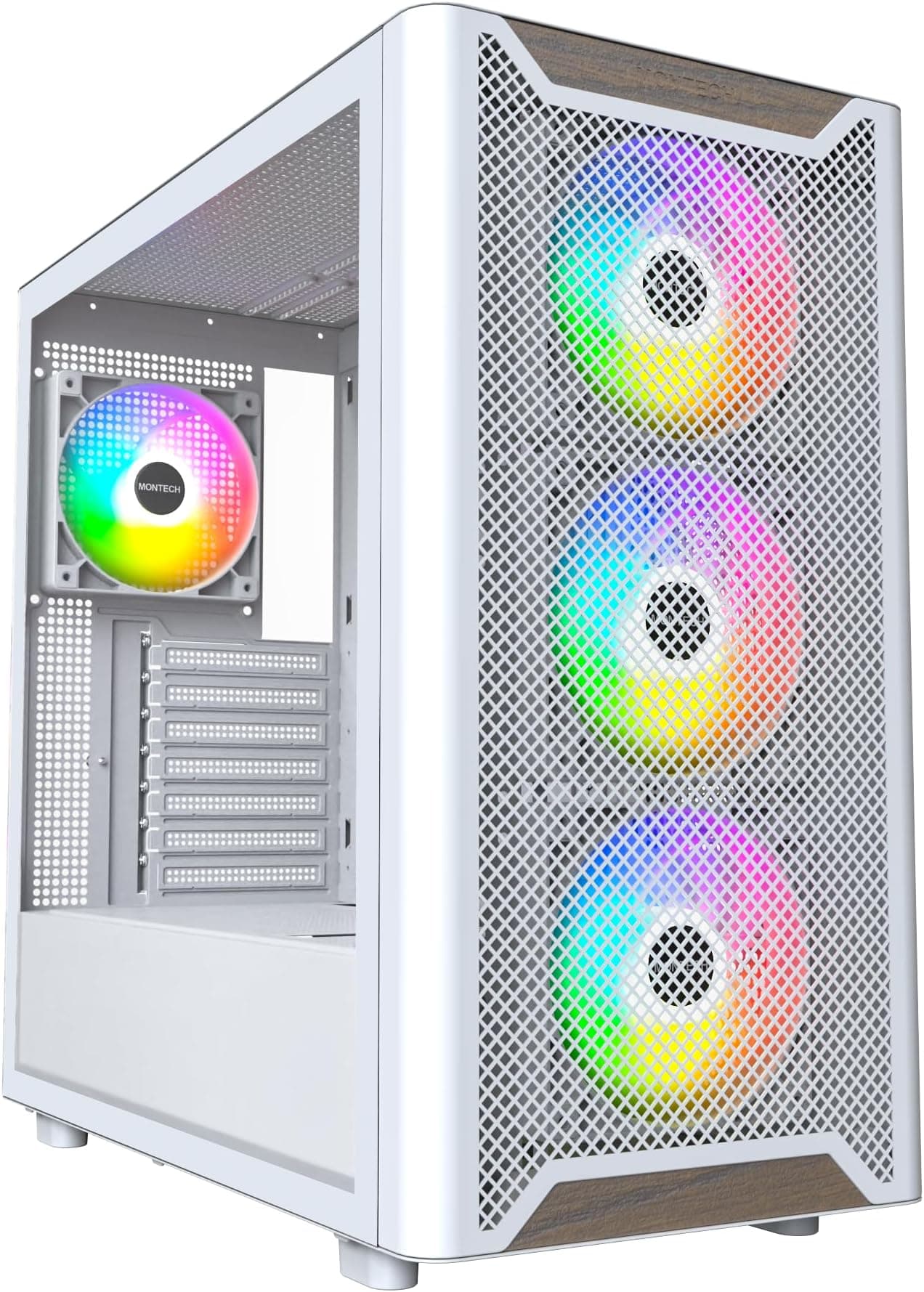
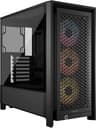
The Corsair FRAME 4000D RS ARGB is the Corsair FRAME 4000D RS ARGB case review UK subject I've been spending the last two weeks with, and it's a genuinely interesting product. The "RS" designation refers to the InfiniRail fan mounting system, which is a sliding rail approach that lets you position fans without being locked to fixed screw holes. And the "BTF" compatibility is the big headline here, supporting rear-connector boards from ASUS BTF, MSI Project Zero, and Gigabyte Project Stealth. That's a proper niche feature in a mid-range case, and I wanted to find out whether Corsair has pulled it off without compromising everything else.
I built a complete system inside this case, ran it for two weeks, and pulled it apart more than once to check clearances, test cable routing, and generally poke at every design decision Corsair made. Here's what I found.
Core Specifications
The FRAME 4000D RS is a mid-tower ATX case, and it sits in Corsair's lineup as a more feature-rich variant of the well-established 4000D family. The case supports ATX, Micro-ATX, and Mini-ITX motherboards. Dimensions come in at approximately 453mm tall, 230mm wide, and 466mm deep, which puts it firmly in standard mid-tower territory. It's not a compact case, but it's not a desk-dominating beast either.
Three RS ARGB fans come pre-installed, all 120mm units positioned as front intake. The case supports up to six 120mm fans or four 140mm fans across the front, top, and rear positions. Radiator support is generous: up to 360mm at the front, 360mm at the top, and 120mm at the rear. The InfiniRail system is the standout feature here, allowing fans to slide along a continuous rail rather than being fixed to discrete mounting points. It sounds like a small thing until you've spent twenty minutes trying to align a radiator with fixed holes that don't quite line up with your fan spacing.
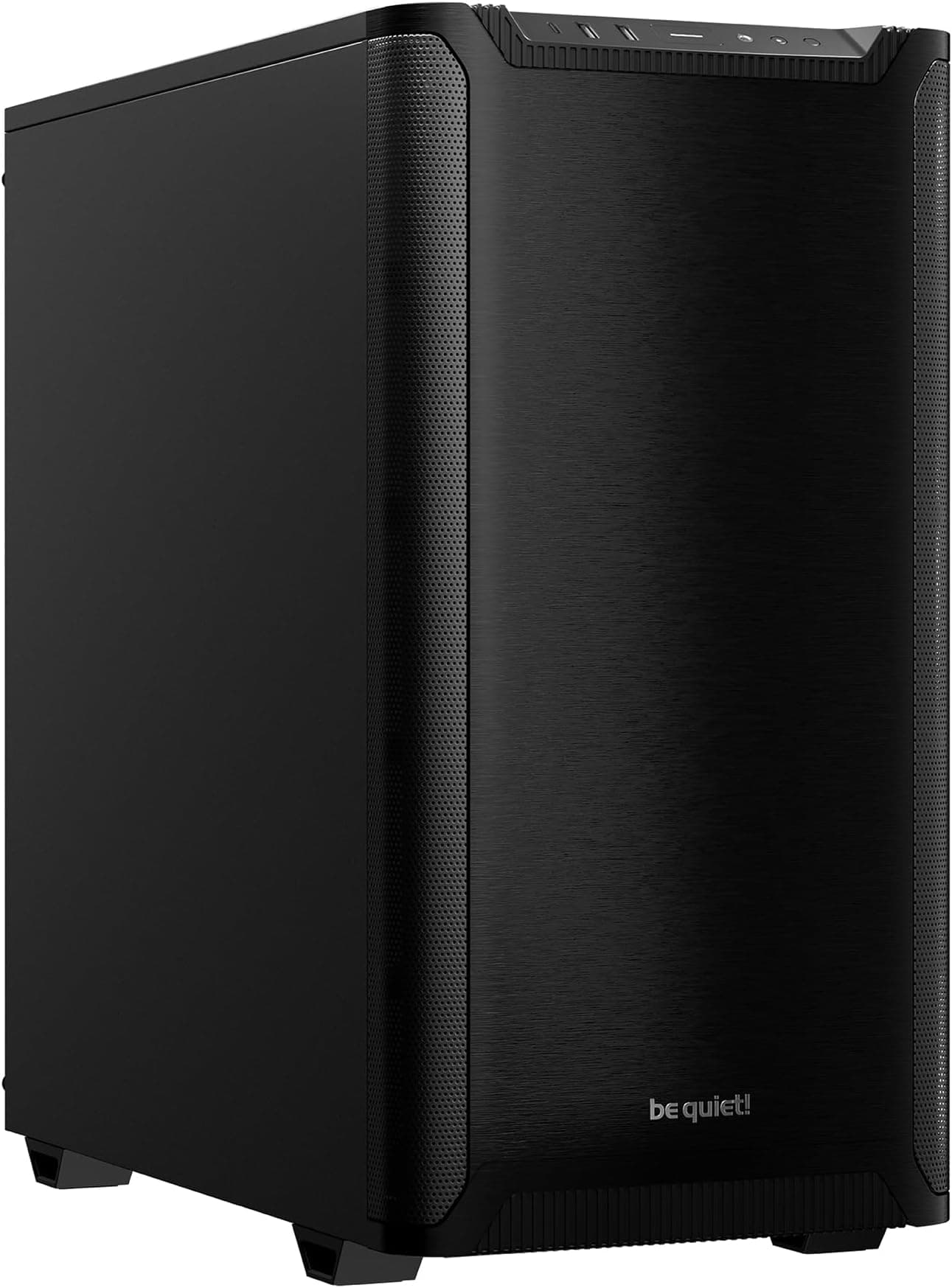
The case ships with a tempered glass side panel on the left and a steel panel on the right. The front panel is mesh, which is the right call for airflow. Weight is around 8.5kg without components, which feels solid without being excessive. The PSU shroud is present, and there's a dedicated cable management zone behind the motherboard tray. Corsair lists GPU clearance at up to 420mm, which I'll get into properly in its own section.
| Specification | Detail |
|---|---|
| Form Factor | Mid-Tower ATX |
| Motherboard Support | ATX, Micro-ATX, Mini-ITX |
| Dimensions (H x W x D) | ~453 x 230 x 466mm |
| GPU Clearance | Up to 420mm |
| CPU Cooler Height | Up to 170mm |
| Included Fans | 3x 120mm RS ARGB (front intake) |
| Fan Support | Up to 6x 120mm or 4x 140mm |
| Radiator Support (Front) | Up to 360mm |
| Radiator Support (Top) | Up to 360mm |
| Radiator Support (Rear) | 120mm |
| Drive Bays (3.5") | 2x |
| Drive Bays (2.5") | 2x dedicated + 2x on HDD trays |
| Front I/O | 1x USB 3.2 Gen 1 Type-C, 2x USB 3.0 Type-A, HD Audio |
| BTF Compatibility | ASUS BTF, MSI Project Zero, Gigabyte Project Stealth |
| Side Panel | Tempered Glass (left), Steel (right) |
| Weight | ~8.5kg |
| Price | £87.99 |

Form Factor and Dimensions
At 453mm tall and 466mm deep, the FRAME 4000D RS is a proper mid-tower. It'll sit comfortably on most desks without eating up your entire workspace, and it fits under a standard desk without any drama. The 230mm width is on the slimmer side for a mid-tower, which is actually something I appreciate. Some cases in this class creep up to 240mm or beyond, and that extra width adds up when you're working in a tight space.
The footprint feels considered. Corsair hasn't padded the dimensions unnecessarily, and the internal volume is used well. The PSU shroud takes up the lower section, the motherboard area is clean and unobstructed, and there's genuine room to work. I've built in cases that are technically larger but feel more cramped because the internal layout wastes space. This one doesn't. The modular nature of the InfiniRail system means the front fan area can be reconfigured without the case feeling like it's fighting you.
One thing worth mentioning: the tempered glass panel is on the larger side, and it does add to the visual presence of the case. If you're putting this on a desk, people will notice it. The mesh front gives it a purposeful, functional look rather than the glossy plastic aesthetic that plagued cases a few years back. It's not a flashy design, but it's clean and it looks like it means business. The ARGB fans visible through the glass add colour without the case looking like a disco ball, which is the right balance for most people.
Motherboard Compatibility
Standard ATX, Micro-ATX, and Mini-ITX are all supported. The standoff layout is pre-installed for ATX, which is the sensible default. If you're dropping in a Micro-ATX board, you'll need to check which standoffs to remove, but that's standard practice and Corsair includes the necessary hardware. E-ATX is not supported, which is fine for a mid-tower at this price point. E-ATX boards are a niche choice and the cases that support them tend to be significantly larger and more expensive.
The BTF compatibility is the genuinely interesting part of this case's motherboard story. Rear-connector motherboards like the ASUS BTF range route all power and data connectors to the back of the PCB, leaving the front face completely clean. The FRAME 4000D RS has a dedicated BTF cutout zone in the motherboard tray that's larger than a standard ATX cutout, giving you proper access to route those rear connectors. With a standard-layout ATX board, the cutout is generous enough that it doesn't get in the way. But the real benefit shows up when you're using a BTF-compatible board and suddenly your build looks like it has no cables at all from the glass side.
The motherboard tray itself is solid. No flex when you're tightening standoffs, which sounds basic but isn't always a given at this price. The cutout for CPU backplate access is a good size, and the cable routing holes around the tray are positioned sensibly. I didn't have to fight any cables into awkward positions to get them routed cleanly. The tray also has enough clearance behind it for cable management, which I'll cover properly later, but notably, that the tray design and the cable management design feel like they were planned together rather than bolted on as an afterthought.
GPU Clearance
Corsair quotes 420mm of GPU clearance that number holds up. I fitted a card that measures just over 340mm in length and it sat with room to spare. The 420mm figure gives you headroom for even the longest current-generation cards. An RTX 5090 Founders Edition, for reference, comes in at around 336mm. Triple-fan aftermarket cards from AIB partners can push closer to 360mm, and they'll still fit here without any issues.
There's no vertical GPU mount option in the box, which is a minor disappointment at this price point. Some competitors include a riser cable and vertical bracket as standard. Corsair does sell a vertical GPU mount separately, and the case is compatible with it, but you'll need to factor in that additional cost if a vertical display is important to you. Personally, I think vertical mounting is more of an aesthetic choice than a functional one for most builds, but I know some people feel strongly about it.
One thing I checked carefully was the clearance between the GPU and the front fans or radiator. With the three included 120mm fans in the front position, there's no contact or restriction with the GPU. If you're fitting a 360mm front radiator, you'll want to check the specific radiator thickness, but standard 27mm thick radiators leave adequate clearance. Thick radiators (30mm+) combined with very long GPUs could get tight, so measure before you buy if you're planning a high-end liquid cooling setup. The PSU shroud doesn't interfere with GPU installation at all, and the PCIe slot covers are tool-free, which is a small quality-of-life detail that I always appreciate.
CPU Cooler Clearance
The maximum CPU cooler height is 170mm. That's enough for the vast majority of tower coolers on the market. The Noctua NH-D15 sits at 165mm, the be quiet! Dark Rock Pro 5 comes in at 162mm, and the DeepCool AK620 is 160mm. All of them fit with clearance to spare. You'd have to be going out of your way to find a cooler that exceeds 170mm, and if you are, you probably already know you need a larger case.
AIO support is where this case genuinely shines. Front mounting supports up to 360mm, top mounting also supports up to 360mm, and the rear takes a single 120mm fan or radiator. The InfiniRail system makes front radiator installation noticeably easier than cases with fixed mounting points. I fitted a 240mm AIO at the top during my build, and the process was straightforward. The rails slide to accommodate the radiator width, you lock them in place, and you're done. No fiddling with misaligned screw holes.
One thing to check if you're going with a top-mounted 360mm radiator: RAM clearance. Tall RAM with high-profile heatspreaders can conflict with top radiators in some cases. The FRAME 4000D RS has enough vertical clearance in the top mounting area that standard-height RAM (up to around 40mm) shouldn't cause problems, but if you're running something like Corsair Dominator Titanium with its tall heatspreaders, measure carefully. The pump head positioning on most 360mm AIOs also needs consideration, but the cable routing options in this case give you enough flexibility to position the pump head sensibly without the cables looking like a mess.
Storage Bay Options
Storage is one area where mid-range cases often cut corners, and the FRAME 4000D RS is honest about its priorities. You get two 3.5" drive bays in a removable cage behind the PSU shroud, and two dedicated 2.5" mounts on the back of the motherboard tray. The HDD trays also accept 2.5" drives, so you can technically run four SSDs if you're not using the 3.5" bays for spinning rust. That's a reasonable total for most builds.
The 3.5" cage is tool-free for drive installation, using a sliding bracket system that holds drives securely without screws. The fit for older hard drives is snug. No rattling, no movement. The cage itself is removable if you want to free up space for a longer radiator or just prefer the cleaner look without it. Removing it takes about thirty seconds and doesn't require any special tools.
The 2.5" mounts on the motherboard tray back are screw-mounted rather than tool-free, which is slightly less convenient but more secure. For SSDs that you're not going to be swapping regularly, this is fine. The placement keeps them hidden behind the tray, which contributes to the clean look from the glass side. If you're running an NVMe-only build, which is increasingly common, the storage situation is a non-issue. M.2 slots live on the motherboard and don't require any case-side mounting at all.

Cable Management
Cable management in this case is genuinely good. The space behind the motherboard tray is around 25mm deep, which is enough to route even chunky 24-pin ATX cables without the right-side panel bulging. Corsair has included Velcro straps at sensible intervals, and the cable routing holes are rubber-grommeted, which makes a real difference to how tidy the finished build looks. I've been in cases where the grommets are an afterthought, positioned in the wrong places, and you end up with cables taking weird routes just to reach the holes. Not here.
The PSU shroud covers the lower section of the case and hides the PSU cables effectively. There's a gap at the back of the shroud for routing cables up to the motherboard area, and it's wide enough that you can bundle several cables together without forcing them. The 24-pin cable route from the PSU to the motherboard is the one that causes the most grief in a lot of cases, and in the FRAME 4000D RS it's a clean run with no awkward bends required.
For BTF builds, the cable management story gets even better. With a rear-connector motherboard, you're routing the 24-pin, EPS, and any PCIe cables through the dedicated BTF cutout zone and they disappear entirely from the front view. The result is a build that looks almost cable-free from the glass side. Even with a standard ATX board, I managed to get a clean build without spending hours on cable dressing. The combination of good routing holes, adequate rear clearance, and included Velcro straps means you don't need to be a cable management obsessive to get a tidy result.
Airflow and Thermal Design
The mesh front panel is the right choice, and Corsair hasn't compromised it with a thick dust filter that kills airflow. There is a magnetic dust filter behind the mesh, which is easy to remove and clean, but it's fine enough that it doesn't create a significant restriction. The three included 120mm RS ARGB fans are positioned as front intake, and they move a decent amount of air. They're not the quietest fans at full speed, but at lower RPMs they're perfectly acceptable for a system that isn't under constant load.
The top panel has ventilation for exhaust, and the rear has a single 120mm fan mount. The standard configuration of three front intake fans with one rear exhaust creates positive pressure inside the case, which helps keep dust out of unfiltered gaps. If you add a top exhaust fan (or a top radiator), you get a more balanced pressure setup. The stock configuration can be supplemented with a 140mm exhaust at the top. Temperatures dropped by a few degrees under sustained load with the additional exhaust, which is what you'd expect.
The InfiniRail system deserves specific praise here. Being able to slide fans to the optimal position on the front rail means you can space them evenly across a 360mm radiator without any of the usual frustration. It also means you can position fans to maximise coverage of the mesh intake area rather than being constrained by fixed hole positions. This is a practical improvement over standard fan mounting, not just a marketing feature. The Corsair product page shows the rail system in detail if you want to see how it works before buying.
Front I/O and Connectivity
The front I/O sits on the top of the case, which is the sensible placement for a desktop build. You get two USB 3.0 Type-A ports, one USB 3.2 Gen 1 Type-C port, and a combined headphone and microphone jack. The power button is a decent size and has a satisfying click to it. There's no reset button, which is increasingly common in modern cases and rarely missed in practice.
The USB Type-C port connects to the motherboard via a USB 3.2 Gen 1 header, which is the 10Gbps standard. Most current ATX motherboards have this header, but it's worth checking your specific board if you're using an older platform. The Type-A ports are USB 3.0 (5Gbps), which is standard and fine for peripherals, external drives, and charging. I'd have liked to see a USB 3.2 Gen 2 Type-C for faster external storage transfers, but at this price point, the current spec is reasonable.
The ARGB lighting on the included fans is controlled through Corsair's iCUE software, which connects via a USB header on the motherboard. If you're already in the Corsair ecosystem with a compatible motherboard or iCUE controller, the integration is clean. If you're not, you can still control the fans through the included lighting controller, though the options are more limited. The ARGB effects on the RS fans are good quality, with even illumination and smooth transitions. They're not the brightest fans I've seen, but they look proper through the tempered glass without being overwhelming.
Build Quality and Materials
The steel used throughout feels solid. Panel rigidity is good, and the tempered glass side panel is thick enough that it doesn't flex when you're handling it. The glass panel uses a hinged latch system rather than thumbscrews, which makes opening and closing it quick and easy. After two weeks of repeated access, the latch still feels tight with no loosening. That's not always the case with cheaper implementations of this design.
Edge finishing is something I always check carefully, because sharp edges are a genuine hazard when you're reaching into a case. The FRAME 4000D RS has rolled edges throughout the interior, and I didn't encounter any sharp points during the build or during the repeated disassembly I did for testing. The fan mounting rails are smooth, the drive cage edges are clean, and the cable routing holes have proper rubber grommets rather than bare metal edges. This is the kind of attention to detail that separates a well-designed case from one that was just thrown together to hit a price point.
The finish on the exterior is a matte black powder coat that looks good and doesn't show fingerprints too badly. The mesh front panel is a separate piece that clips on and off easily for cleaning. The feet are rubber-padded and provide enough grip that the case doesn't slide around on a desk. The PCIe slot covers are the tool-free type with a locking bar, which I prefer over individual thumbscrew covers. Overall, the build quality feels appropriate for the price tier. It's not the premium feel of a Fractal Design Torrent or a Lian Li O11, but it's noticeably better than budget cases and holds its own against most direct competitors.
How It Compares
The obvious comparison is the standard Corsair 4000D Airflow, which has been one of the most popular mid-range cases for a few years. The FRAME 4000D RS costs more, but you're getting the InfiniRail system, three ARGB fans instead of two non-ARGB fans, and the BTF compatibility. If you don't care about BTF boards and you're happy with standard fan mounting, the 4000D Airflow is still a great case and saves you money. But if you're building with a rear-connector board, the FRAME 4000D RS is the obvious choice within Corsair's lineup.
The other case I'd put alongside this is the Fractal Design North, which sits at a similar price point and has become popular for its wood-panel aesthetic and solid airflow. The North has better build quality feel and a more distinctive look, but it doesn't have BTF support and its fan mounting is conventional. The FRAME 4000D RS has better airflow potential with its full mesh front and InfiniRail flexibility. If you're looking for more options, our guide to best pc cases covers several alternatives in this price range, including the NZXT H Flow case roundup. Which one you prefer depends on whether you prioritise aesthetics or functionality, and whether BTF compatibility matters to your build.
The DeepCool CH560 Digital is another case worth mentioning in this price bracket. It has a larger internal volume, supports E-ATX, and comes with a front panel display. But it's heavier, takes up more desk space, and doesn't have BTF support. For a standard ATX build focused on airflow and clean cable management, the FRAME 4000D RS is the more focused product.
| Feature | Corsair FRAME 4000D RS ARGB | Fractal Design North | DeepCool CH560 Digital |
|---|---|---|---|
| Form Factor | Mid-Tower ATX | Mid-Tower ATX | Mid-Tower ATX/E-ATX |
| GPU Clearance | 420mm | ~430mm | ~400mm |
| CPU Cooler Height | 170mm | 169mm | 175mm |
| Included Fans | 3x 120mm ARGB | 2x 140mm | 3x 140mm ARGB |
| Front Radiator | Up to 360mm | Up to 360mm | Up to 360mm |
| Top Radiator | Up to 360mm | Up to 280mm | Up to 360mm |
| BTF Support | Yes | No | No |
| Modular Fan Mounting | Yes (InfiniRail) | No | No |
| Front Panel | Mesh | Mesh with wood accent | Mesh |
| Price Tier | Mid-range | Mid-range | Mid-range |

Final Verdict
The Corsair FRAME 4000D RS ARGB is a well-executed mid-range case that earns its price premium over the standard 4000D Airflow. The InfiniRail system is genuinely useful rather than a gimmick, the BTF compatibility opens up some exciting build possibilities, and the overall build experience is smooth. I didn't hit any major frustrations during the build, which is more than I can say for a lot of cases I've worked with.
The airflow is strong, the cable management is above average for the price tier, and the included ARGB fans are decent quality. The 420mm GPU clearance covers everything currently on the market. The 170mm CPU cooler height handles all mainstream tower coolers. And the 360mm radiator support at both front and top gives you real flexibility for liquid cooling setups. These aren't just spec-sheet numbers that barely work in practice. These are the specified clearances.
Is it perfect? No. The lack of a vertical GPU mount in the box is a miss. The USB Type-C could be Gen 2 at this price. And if you're not using a BTF-compatible motherboard, you're paying for a feature you won't use. But taken as a complete package for someone building a clean, well-cooled mid-range to high-end system, the Corsair FRAME 4000D RS ARGB case review UK verdict is clear: this is a strong buy. It's competitively priced for what it offers, and it's the kind of case that makes the build process enjoyable rather than a test of patience. Rating: 8.5 out of 10.
What works. What doesn’t.
5 + 3What we liked5 reasons
- InfiniRail system makes fan and radiator positioning genuinely easier
- BTF motherboard compatibility is a standout feature at this price
- 420mm GPU clearance covers all current flagship cards
- Strong airflow with full mesh front and good dust filtration
- Clean cable management with proper grommets and Velcro straps included
Where it falls3 reasons
- No vertical GPU mount included in the box
- USB Type-C is Gen 1 rather than Gen 2
- BTF premium is wasted if you're not using a rear-connector motherboard
Full specifications
11 attributes| Form factor | Mid-Tower |
|---|---|
| CPU cooler clearance MM | 170 |
| Dimensions MM | 478 x 240 x 466 |
| Fans included | 3 |
| GPU clearance MM | 345 |
| MAX FAN count | 11 |
| MAX radiator MM | 360 |
| PSU support | ATX up to 220mm |
| Side panel | tempered glass |
| Supported motherboard | E-ATX, ATX, Micro-ATX, Mini-ITX |
| Weight KG | 10.38 |
If this isn’t right for you
2 options 8.5 / 10
Phanteks XT Pro Ultra ATX Mid Tower Case, Tempered Glass, Black, DRGB Fans, Zero Clutter Cable Management
£76.99 · Phanteks
 8.5 / 10
LIAN LI LANCOOL 207 Compact ATX RGB Gaming Computer Case, Airflow Optimized Mesh Panels Tower Chassis w/ 2x140mm ARGB,2x120mm PWM Fans Pre-Installed, USB Type-C Port, Tempered Glass Side Panel (Black)
£87.36 · Lian Li
Frequently asked
5 questions01Is the CORSAIR FRAME 4000D RS ARGB Modular Mid-Tower ATX PC Case good for airflow?+
Yes, it's one of the stronger performers at this price point. The full mesh front panel allows unrestricted intake airflow, and the three included 120mm RS ARGB fans are positioned as front intake from the factory. The magnetic dust filter behind the mesh is fine enough to catch dust without significantly restricting airflow. With the stock configuration you get positive pressure inside the case, which helps keep dust out. Adding a top exhaust fan improves temperatures further under sustained load. The InfiniRail system also lets you optimise fan positioning for maximum coverage of the intake area.
02What's the GPU clearance on the CORSAIR FRAME 4000D RS ARGB case?+
Corsair quotes 420mm of GPU clearance, and this holds up. Current flagship cards like the RTX 5090 Founders Edition measure around 336mm, and even the longest triple-fan AIB cards typically come in under 380mm, so you have plenty of headroom. If you're fitting a front radiator, standard 27mm thick radiators leave adequate clearance with long GPUs, but thick radiators (30mm or more) combined with very long cards could get tight. Measure your specific radiator and GPU combination if you're pushing the limits.
03Can the CORSAIR FRAME 4000D RS ARGB case fit a 360mm AIO?+
Yes, and it supports 360mm radiators at both the front and the top. The InfiniRail system makes front radiator installation easier than cases with fixed mounting points, since you can slide the rails to align with your radiator without fighting misaligned screw holes. For top-mounted 360mm radiators, check your RAM height if you're using tall heatspreaders, as very high-profile RAM (over 40mm) can conflict with top radiators. Standard-height RAM is fine. The rear supports a single 120mm fan or radiator.
04Is the CORSAIR FRAME 4000D RS ARGB case easy to build in?+
Yes, genuinely so. The cable management space behind the motherboard tray is around 25mm deep, which is enough for even chunky cable bundles. Rubber-grommeted routing holes are positioned sensibly, Velcro straps are included, and the PSU shroud hides lower cable runs effectively. The tempered glass panel uses a hinged latch rather than thumbscrews, making repeated access quick. Interior edges are rolled and smooth throughout. The BTF cutout zone in the motherboard tray is a bonus for rear-connector board builds. The main frustration is the lack of a tool-free 2.5-inch mount on the tray back, but it's a minor point.
05What warranty and returns apply to the CORSAIR FRAME 4000D RS ARGB case?+
Amazon offers 30-day hassle-free returns if the case doesn't suit your build. Corsair typically provides a 2-year warranty on manufacturing defects for their cases. Check the product listing and Corsair's official support pages for exact warranty terms applicable to your purchase.