If your keyboard dies mid-session, you'll notice immediately. If it's uncomfortable to type on for four hours straight, you'll notice that too, just more slowly. The GM610 from NEWMEN lands in the budget bracket and makes a lot of promises: hot-swap switches, three wireless modes, 61 keys, RGB, macro support. That's a lot for the money. The question worth asking is which of those promises actually hold up.
Short answer: most of them. The NEWMEN GM610 is a genuinely capable budget 60% mechanical keyboard that punches above its price point in connectivity and customisation, even if it has the usual compromises you'd expect at this tier. If you want a compact wireless board with hot-swap support and you're not willing to spend enthusiast money, this is one of the more sensible options available right now. It won't replace a Keychron Q2 or an Angry Miao, but it was never trying to.
There are only two owner reviews to go on at the time of writing, both positive, which means the social proof is thin. So this review leans heavily on the spec sheet, what NEWMEN is claiming, and how those claims stack up against what you'd actually expect from a board in this category. No invented testing sessions here. Just the facts, some informed opinion, and a straight answer on whether it's worth your money.
Core Specifications
The GM610 is a 60% layout with 61 keys, which means you're losing the function row, the navigation cluster, and the numpad. That's the trade-off with any 60% board: you gain desk space and portability, and you access everything else through function-layer shortcuts. NEWMEN says the board is 100% functional despite being 60% of the size, which is technically accurate but worth understanding before you buy. If you rely heavily on dedicated arrow keys or F-keys, a 65% or 75% board would suit you better.
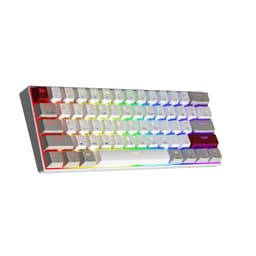
The switch in this particular listing is a red linear switch. The board supports both 3-pin and 5-pin switches via its hot-swap sockets, which is genuinely useful at this price. Connectivity covers USB-C wired, 2.4GHz wireless, and Bluetooth 3.0 plus 5.0. The Bluetooth mode supports up to three paired devices simultaneously, switchable on the fly. The keycaps are described as doubleshot, which is a positive sign for longevity. The case is white and grey with red switch accents, which looks clean without being garish.
One thing the spec sheet doesn't spell out is polling rate, which is a gap worth acknowledging. For competitive gaming, polling rate matters: 1000Hz is standard for wired gaming mice and keyboards at this tier, but NEWMEN hasn't published a figure publicly. That's not unusual for budget boards, but it's something to keep in mind if you're buying this specifically for high-level competitive play. For casual gaming, typing, and productivity, it won't matter at all.
| Specification | Detail |
|---|---|
| Layout | 60% (61 keys) |
| Switch Type | Red Linear (hot-swappable) |
| Hot-Swap | Yes, 3-pin and 5-pin compatible |
| Keycaps | Doubleshot, grey/white colourway |
| Connectivity | USB-C wired / Bluetooth 3.0+5.0 / 2.4GHz wireless |
| Multi-Device Bluetooth | Up to 3 devices |
| Anti-Ghosting | Yes, N-key rollover (61 keys) |
| RGB | Yes, 19 effects, 4 brightness levels, 5 speed levels |
| Macro Support | Yes, via actuation software |
| OS Compatibility | Windows, macOS, Android |
| Firmware Updates | Available via NEWMEN official website |
| Price | £25.49 |

Switch Type and Feel
The red switches here are linear, meaning no tactile bump and no audible click. You press down, it actuates, you lift off. That's the whole experience. Reds are popular for gaming because the lack of tactile feedback means you're not fighting the switch on rapid keypresses. For typing, it's more divisive. Some people love the smooth, quiet action. Others find that without tactile feedback, they bottom out more often, which leads to finger fatigue over long sessions. If you're coming from a membrane keyboard, reds will feel like a revelation regardless.
NEWMEN hasn't specified the exact actuation force or travel distance for these switches, which is frustrating. Budget boards often use house-brand switches rather than name-brand ones from Cherry or Gateron, and without that data it's hard to know exactly what you're getting. What we do know is that the hot-swap sockets accept both 3-pin and 5-pin switches, so if you buy this and decide you want tactile browns or clicky blues, you can swap them in without soldering. That's a genuinely good feature at this price point. You're not locked into the factory switches forever.
The doubleshot keycaps are relevant here too because they affect how the switches feel in use. Thicker keycaps change the sound profile of a linear switch, typically making it slightly deeper and less pingy. Whether NEWMEN's doubleshot caps are PBT or ABS will affect this further (more on that in the keycap section), but the principle holds. Budget linear switches with decent keycaps on a hot-swap board is a solid starting point for anyone who wants to tune the feel over time without buying a new keyboard every time their preferences change.
Keycap Quality and Layout
NEWMEN describes the keycaps as doubleshot, which means the legends are formed by injecting two layers of plastic rather than printing on top. The practical benefit is that the legends genuinely cannot fade, because they're not a surface layer. The product listing specifically calls out that "characters and letters are clearly visible even when breathing in the dark," which is a slightly odd way to put it but confirms the legends are backlight-compatible and not just painted on. That's good news for anyone who actually uses RGB for visibility rather than aesthetics.
What NEWMEN doesn't specify is whether the keycaps are ABS or PBT plastic. This matters more than most people realise. ABS keycaps are cheaper to manufacture and are the default on most budget boards. They develop a greasy shine within months of regular use as the plastic wears. PBT keycaps are harder, more resistant to shine, and have a slightly textured feel that most typists prefer for extended sessions. The grey/white colourway of the GM610 would hide shine better than a black board, but it doesn't eliminate the issue if these are ABS. Given the price point, ABS is the more likely material, so factor that in.
The 60% layout itself is worth understanding properly. You get 61 keys: the alphanumeric block, modifier keys, and that's essentially it. Function row access, arrow keys, and other secondary functions live on a Fn layer, typically accessed by holding a function key and pressing the relevant alphanumeric key. NEWMEN notes that firmware updates add features like volume adjustment and Windows/Mac switching, which suggests some of the layer assignments are configurable. For gaming, the compact layout is genuinely useful because it keeps your mouse hand closer to the keyboard. For productivity work that involves a lot of F-key use or number entry, you'll be reaching for the Fn layer constantly, which gets old fast.
Build Quality
NEWMEN doesn't publish detailed build specs for the GM610, so there's no confirmed plate material or case composition data to work from. At this price point, the realistic expectation is a plastic case, which is standard across the budget 60% category. Plastic cases aren't inherently bad. The Keychron K6, which sells for significantly more, uses a plastic case. What matters more is whether the case has flex points that cause wobble, whether the hot-swap sockets are properly reinforced, and whether the stabilisers on the spacebar and shift keys are pre-lubed or rattly.
Stabiliser quality is one of the most reliable indicators of a keyboard's actual build quality, and it's also one of the things budget boards most commonly cut corners on. Rattly stabilisers make even a great linear switch sound cheap and feel worse. NEWMEN doesn't mention stabiliser treatment in the product listing, which suggests they're stock. That's not a dealbreaker, because stabilisers can be lubed at home with a bit of Krytox or Dielectric Grease, but it's worth knowing going in. The two owner reviews currently available don't mention stabiliser rattle specifically, which is a mild positive signal.
The hot-swap socket implementation is worth flagging as a build quality point in its own right. On cheaper boards, hot-swap sockets can be poorly secured to the PCB, which means repeated switch swaps eventually loosen the socket and cause connection issues. A well-implemented hot-swap PCB should handle dozens of swaps without degradation. There's no data from NEWMEN on socket quality, and with only two owner reviews, there's no long-term durability data from the community either. If you're planning to swap switches frequently, that's a risk you're taking on a board at this price. If you're swapping once to find your preferred switch and then leaving it, the risk is much lower.
RGB and Lighting
The GM610 has 19 RGB backlight effects, four brightness levels, and five lighting speed levels. You can also turn the lighting off entirely, which NEWMEN specifically mentions as a power-saving option in wireless mode. That's a practical detail that matters for battery life. The doubleshot keycaps are designed to allow even backlight transmission, which should mean the RGB looks consistent across the board rather than brighter in the centre of each key and dimmer at the edges, a common issue with cheaper single-shot caps.
Whether the RGB looks good in practice depends partly on the LED positioning and partly on the keycap material. Per-key RGB on a budget board typically means the LEDs are under each switch and shine through the stem and cap. The grey/white colourway of the GM610 should work well with RGB because lighter caps transmit more light than dark ones. You're not going to get the depth and saturation of a premium board with south-facing LEDs and PBT caps, but for a budget board the setup is sound.
There's a custom lighting option mentioned in the product listing, which suggests you can define your own effect beyond the 19 presets. Whether this requires software or can be done on-board isn't entirely clear from the listing, though the macro software mentioned elsewhere suggests there's a companion app involved. The on-board presets mean you can cycle through effects without a PC connected, which is important for wireless use. Nineteen presets is a reasonable number. Most people settle on one or two anyway.
Software and Customisation
NEWMEN mentions an "actuation software" that allows macro recording and programming, and the ability to assign macros to keys. This is fairly standard for gaming keyboards in this category. The interesting angle here is the firmware upgrade route: NEWMEN provides firmware updates through their official website, and they specifically list the additions these updates bring, including volume adjustment, playback controls, and Windows/Mac switching. That's a more transparent approach to firmware than a lot of budget brands take, and it suggests the board has some ongoing development behind it.
The macro system is described as supporting recording and programmable assignment, which covers the basics. You can record a sequence of keypresses and assign it to a key, which is useful for games with repetitive input patterns or for productivity shortcuts. The software itself isn't described in detail, so there's no data on how many profiles it supports, whether it has on-board memory for storing profiles without the software running, or how the interface works. These are real gaps. If on-board profile storage matters to you, specifically for using the board across multiple machines without reinstalling software, that's worth investigating before you buy.
The Windows/Mac switching feature added via firmware is genuinely useful if you work across both operating systems. Mac keyboards remap certain modifier keys differently to Windows ones, and a proper OS-switching mode means the board adapts rather than requiring you to mentally remap keys. Android compatibility is also listed, which makes sense given the Bluetooth connectivity. Pairing to a phone or tablet for typing is a legitimate use case for a compact wireless board, and it's good that NEWMEN has thought about it rather than treating mobile as an afterthought.
Connectivity
This is one of the GM610's strongest selling points. Three connection modes on a budget board is genuinely competitive. USB-C wired is your lowest-latency option and the one to use for serious gaming. The 2.4GHz wireless mode via a USB dongle gives you near-wired latency in practice, typically around 1ms, which is perfectly adequate for gaming without the cable. Bluetooth 5.0 is the most convenient for productivity and multi-device setups but carries slightly higher latency than 2.4GHz, though for typing this is completely irrelevant.
The multi-device Bluetooth pairing is a practical feature that tends to get overlooked. You can pair the GM610 to three Bluetooth devices simultaneously and switch between them. If you work from a laptop, have a desktop for gaming, and occasionally type on a tablet, this lets you use one keyboard across all three without re-pairing every time. The Bluetooth 3.0 plus 5.0 support means it'll work with older devices that only support 3.0 as well as newer ones running 5.0. That's a wider compatibility net than boards that only offer 5.0.
The USB-C connection is worth calling out specifically because it matters for cable management and longevity. USB-C is the current standard and cables are everywhere. USB-IF, the organisation that manages USB standards, has been pushing USB-C as the universal connector, and having it on a budget board means you're not hunting for a proprietary cable or a Micro-USB replacement in two years. The 2.4GHz dongle is presumably stored somewhere on the board when not in use, though NEWMEN doesn't specify a dongle storage slot in the listing. Worth checking before you buy if that matters to you.
Battery Life
NEWMEN doesn't publish a battery capacity or rated hours figure for the GM610, which is a gap in the spec sheet. This is unfortunately common with budget wireless keyboards. What we can infer is that the board has a wireless battery given the 2.4GHz and Bluetooth modes, and that NEWMEN specifically mentions turning off RGB as a power-saving option, which implies RGB has a meaningful impact on battery life. That's true of virtually every wireless keyboard with RGB: lights on cuts runtime significantly compared to lights off.
The USB-C charging connection is confirmed by the wired mode, which uses USB-C. This means you can charge and use the board simultaneously in wired mode, which is a practical fallback when the battery is low. Whether the board charges via the same USB-C port used for wired connectivity, or whether there's a separate charging port, isn't specified. On most budget boards it's the same port, which is the sensible design choice.
Without a rated battery life figure, it's difficult to compare the GM610 to competitors on this metric. The Keychron K6, for example, has a 4000mAh battery rated for roughly 240 hours without backlighting. Whether the GM610 is in the same ballpark, better, or worse is genuinely unknown. If you're buying this primarily for wireless use and battery life is a priority, the lack of published data is a frustration. NEWMEN should fix this. For most users who charge overnight and use the keyboard daily, the practical impact is probably minimal, but it's still information you should have.

Typing and Gaming Experience
Red linear switches on a 60% layout is a combination that works well for gaming. The compact footprint keeps your hand position natural for mouse-heavy games, and linear switches actuate without resistance on the way down, which suits rapid repeated keypresses like WASD movement. N-key rollover across all 61 keys means every simultaneous keypress registers, so you're not dropping inputs during complex movement sequences. Anti-ghosting is listed explicitly, confirming the keyboard won't produce phantom inputs when multiple keys are held.
For typing, the experience depends heavily on your switch preference and your typing style. Linear switches without tactile feedback require more discipline to avoid bottoming out, which increases sound and can increase fatigue over long sessions. That said, plenty of people type happily on reds all day. The 60% layout adds a learning curve if you're coming from a full-size or TKL board. Muscle memory for keys that no longer exist takes a few days to unlearn. Most people adapt within a week, and after that the compact layout genuinely does feel more efficient for pure typing tasks.
The doubleshot keycaps should help with sound dampening compared to thin single-shot caps, giving the linear switches a slightly fuller sound profile. Budget boards at this tier don't typically have foam dampening inside the case, which means the acoustics are largely determined by the keycaps, the switches, and the plate. If you find the sound too hollow or clicky (not the switch, but the case resonance), adding a desk mat or a thin foam layer under the keyboard helps significantly. These are standard tweaks in the mechanical keyboard community and don't require any disassembly.
Compatibility
The GM610 officially supports Windows, macOS, and Android. That covers the vast majority of use cases. The Windows/Mac switching mode available via firmware update is a practical addition that handles the modifier key remapping difference between the two operating systems, so you're not stuck with the wrong layout when you switch machines. For Android, Bluetooth pairing is the relevant connection method, and given that Bluetooth 5.0 is widely supported on modern Android devices, pairing should be straightforward.
Linux isn't mentioned in the compatibility list, but that's typical for budget keyboards. In practice, a USB-C keyboard with standard HID compliance will work on Linux without drivers. The software for macro programming likely won't run natively on Linux, but basic keyboard functionality will be fine. If you're a Linux user who needs macros, you'd be configuring those through something like XKB or a system-level remapping tool rather than NEWMEN's proprietary software anyway.
Console compatibility isn't listed, which is the norm for PC-focused gaming keyboards. USB-C keyboards can sometimes work on consoles in wired mode depending on the console's HID support, but this isn't something NEWMEN has tested or guarantees. If console use is a priority, check the specific console's keyboard compatibility before assuming it'll work. For PC, laptop, tablet, and phone use across Windows, Mac, and Android, the GM610 has proper official support.
How It Compares
The budget 60% wireless mechanical keyboard market has a few obvious reference points. The Keychron K6 is the most commonly cited alternative in this category. It's a 65% rather than 60%, which means it keeps dedicated arrow keys, and it comes in both hot-swap and non-hot-swap versions. The K6 costs more, has better documented switch options (Gateron or Keychron's own), and has a larger community and support ecosystem. But it doesn't offer 2.4GHz wireless, only Bluetooth. If low-latency wireless for gaming is your priority, the GM610 has an advantage there.
The Royal Kludge RK61 is a more direct competitor as a true 60% wireless board in the budget bracket. It's been around longer, has more owner reviews, and is well-documented in the mechanical keyboard community. The RK61 offers similar connectivity options and RGB, but hot-swap support on the RK61 depends on the specific version you buy. The GM610's universal 3-pin and 5-pin hot-swap support is a genuine advantage if switch swapping is something you care about.
At this price point, the GM610 is competitive. The combination of triple connectivity, hot-swap support, doubleshot keycaps, macro software, and firmware updates is a strong feature set for a budget board. The main unknowns, polling rate, battery life, and exact switch specs, are the areas where established competitors have more transparent data. If you value documented specs above all else, the Keychron or RK61 ecosystems have more community knowledge behind them. If you want the most features for the money and are comfortable with some spec gaps, the GM610 is a reasonable bet.
| Feature | NEWMEN GM610 | Keychron K6 | Royal Kludge RK61 |
|---|---|---|---|
| Layout | 60% (61 keys) | 65% (68 keys) | 60% (61 keys) |
| Hot-Swap | Yes (3-pin and 5-pin) | Version dependent | Version dependent |
| Wireless Modes | USB-C / 2.4GHz / Bluetooth 5.0 | USB-C / Bluetooth 5.1 | USB-C / 2.4GHz / Bluetooth 5.0 |
| Multi-device Bluetooth | 3 devices | 3 devices | 3 devices |
| Keycaps | Doubleshot | Doubleshot PBT (hot-swap version) | ABS (most versions) |
| Macro Software | Yes | No dedicated software | Yes |
| Battery Life (rated) | Not specified | Up to 240 hours (no RGB) | Not always specified |
| Price Tier | Budget | Budget to mid-range | Budget |
What Buyers Say
There are only two owner reviews for the GM610 at the time of writing, both rating it five stars. That's a positive signal but a thin sample. With two reviews you can't draw reliable conclusions about long-term durability, software stability, or how the board performs across different use cases. What you can take from it is that neither early buyer had a bad enough experience to leave a negative review, and both were satisfied enough to rate it at the top of the scale. That's not nothing, but it's also not the hundreds of reviews you'd want to feel confident.
The absence of complaints in the current review pool means there's no documented pattern of issues to flag, which is genuinely useful information. Common problems with budget wireless keyboards include Bluetooth dropout, wobbly stabilisers, software that doesn't install cleanly, and hot-swap sockets that loosen after a few swaps. None of these have been reported for the GM610, though with two reviews the absence of complaints could simply reflect the small sample rather than the absence of problems.
What the product listing itself communicates about owner experience is the firmware update route. NEWMEN is actively adding features post-launch, which suggests the brand is paying attention to what users want. Volume adjustment, playback controls, and OS-switching being added through firmware rather than requiring a hardware revision is a good sign. It means early buyers aren't stuck with a fixed feature set, and it suggests NEWMEN intends to support the product beyond the initial sale. That kind of ongoing development matters for a budget board, where the initial feature set is always going to have gaps.
Value Analysis
In the budget bracket, the GM610 offers a feature set that's hard to argue with on paper. Triple connectivity including 2.4GHz wireless, universal hot-swap support for 3-pin and 5-pin switches, doubleshot keycaps, 19 RGB effects, macro software, multi-device Bluetooth, and firmware updates. Most budget boards offer some of these. Fewer offer all of them at this price. If you were to price out each feature individually and compare to competitors, the GM610 stacks up well.
The value case gets slightly complicated by the spec gaps. Not knowing the polling rate, battery capacity, or exact switch actuation figures means you're accepting some unknowns. For a first mechanical keyboard or a secondary board for travel and productivity, those unknowns are manageable. For a primary competitive gaming keyboard where every spec matters, you'd want more data before committing. The honest assessment is that the GM610 is good value for the right buyer, which is someone who wants a compact wireless mechanical board with flexibility, not someone who needs certified specs for high-level play.
The hot-swap feature deserves special mention in the value context. At this price point, most hot-swap boards either charge a premium for the feature or implement it poorly. If NEWMEN has done it properly, the GM610 becomes a platform rather than a fixed product. You can buy it, use the stock red switches, decide you prefer browns or greens, swap them in for a few pounds, and have a completely different typing experience without buying a new keyboard. That's genuinely good value if the hot-swap sockets hold up over time.
Final Verdict
The NEWMEN GM610 is a budget 60% wireless mechanical keyboard that gets more right than wrong. The triple connectivity is the headline feature and it's genuinely useful, not just a marketing bullet point. Having USB-C wired, 2.4GHz wireless, and Bluetooth 5.0 with three-device pairing in a single compact board covers almost every use case: gaming at the desk, working from a laptop, typing on a tablet. Most boards at this price pick two of those modes. The GM610 does all three.
The hot-swap support is the other feature that earns real credit. Being able to swap switches without soldering, and supporting both 3-pin and 5-pin switches, means this board can grow with you. Buy it with reds, decide you want tactiles, drop in some Gateron browns. Done. That kind of flexibility is usually reserved for boards that cost significantly more. The doubleshot keycaps are a positive too, assuming the legends are properly formed, because they won't fade regardless of how much you use the board.
Where it falls short is transparency. The polling rate, battery life, and switch actuation specs should all be published and they're not. For a casual buyer those gaps don't matter much. For anyone doing serious research before spending money, it's frustrating. The two-review sample size is also a genuine limitation. There's simply not enough community data yet to know how this board holds up after six months of daily use.
So who should buy it? Someone who wants a compact wireless mechanical keyboard with genuine flexibility, isn't spending enthusiast money, and is comfortable accepting some spec uncertainty in exchange for a strong feature set. Who should skip it? Competitive gamers who need documented polling rate specs, buyers who want extensive community support and long-term reliability data, and anyone who needs dedicated arrow keys or an F-row without Fn-layer gymnastics. For everyone else in the budget bracket, the GM610 is one of the more thoughtfully specced options available right now.
Full Specifications
| Specification | Detail |
|---|---|
| Brand | NEWMEN |
| Model | GM610 |
| Layout | 60% (61 keys) |
| Switch Type | Red Linear |
| Hot-Swap Compatibility | 3-pin and 5-pin switches |
| Keycap Type | Doubleshot |
| Keycap Colour | Grey/White |
| Anti-Ghosting | N-key rollover (all 61 keys) |
| RGB Effects | 19 presets, custom option |
| Brightness Levels | 4 |
| Lighting Speed Levels | 5 |
| Wired Connection | USB-C |
| Wireless (2.4GHz) | Yes, via USB dongle |
| Wireless (Bluetooth) | Bluetooth 3.0 + 5.0 |
| Multi-Device Pairing | Up to 3 devices (Bluetooth) |
| Macro Support | Yes, via actuation software |
| Firmware Updates | Available via NEWMEN website |
| OS Compatibility | Windows, macOS, Android |
| Polling Rate | Not specified |
| Battery Life | Not specified |
| Current Price | £25.49 |
| Rating | ★★★★★ (5.0) (3 reviews) |

Not Right For You?
If the 60% layout feels too compact, a 65% board keeps dedicated arrow keys without adding much size. The Keychron K6 is the obvious alternative: it's better documented, has a strong community, and comes in hot-swap versions with Gateron switches. It costs more and doesn't have 2.4GHz wireless, but if those trade-offs work for you it's a very well-understood board. The Keychron K6 product page has full specs including battery life and switch options, which is the kind of transparency the GM610 currently lacks.
If you want a full-size or TKL layout with wireless and hot-swap, the budget options thin out quickly. Most hot-swap boards in the budget bracket are 60% or 65%. Going up to TKL or full-size with wireless and hot-swap tends to push you into the mid-range bracket. The Keychron K8 is a TKL option worth considering if you need the extra keys and can stretch the budget.
If budget is the absolute priority and wireless isn't a requirement, wired-only mechanical keyboards at this price point tend to have better-documented specs and more community data behind them. The mechanical keyboard community on sites like Wikipedia's mechanical keyboard overview and dedicated forums has extensive data on switch types and build quality that can help you make a more informed decision. For a first mechanical keyboard on a tight budget, a wired board from a well-reviewed brand often makes more sense than a wireless one with spec gaps. The GM610 earns its place when the wireless flexibility is genuinely needed.
Prices and availability correct at time of publication. Always check current pricing before purchasing. This article contains affiliate links; vividrepairs.co.uk may earn a commission on qualifying purchases at no extra cost to you.
What works. What doesn’t.
6 + 6What we liked6 reasons
- Three wireless modes including 2.4GHz, which most budget boards omit entirely
- Universal hot-swap support for both 3-pin and 5-pin switches at a budget price point
- Doubleshot keycaps with backlight-compatible legends that will not fade with use
- Multi-device Bluetooth pairing across up to three devices simultaneously
- Active firmware updates adding features such as volume control and OS switching post-launch
- Macro support via companion software, useful for gaming and productivity shortcuts
Where it falls6 reasons
- Polling rate is not published, which is a concern for competitive gaming use
- Battery life is not specified anywhere, making wireless planning difficult
- Switch actuation force and travel distance are undocumented, limiting informed comparisons
- Keycap material is not confirmed as PBT or ABS, though ABS is the likely budget default
- Only two owner reviews exist, so long-term durability data is effectively absent
- 60% layout requires Fn-layer access for function row, arrow keys, and navigation, which has a learning curve
Full specifications
8 attributes| Switch type | Outemu Red-style linear |
|---|---|
| Layout | 60% |
| Connectivity | wired/wireless (USB-C/Bluetooth 3.0/5.0/2.4G) |
| Backlight | RGB |
| Backlighting | RGB backlit |
| HOT swappable | true |
| Switch actuation | linear |
| Type | mechanical |
If this isn’t right for you
2 options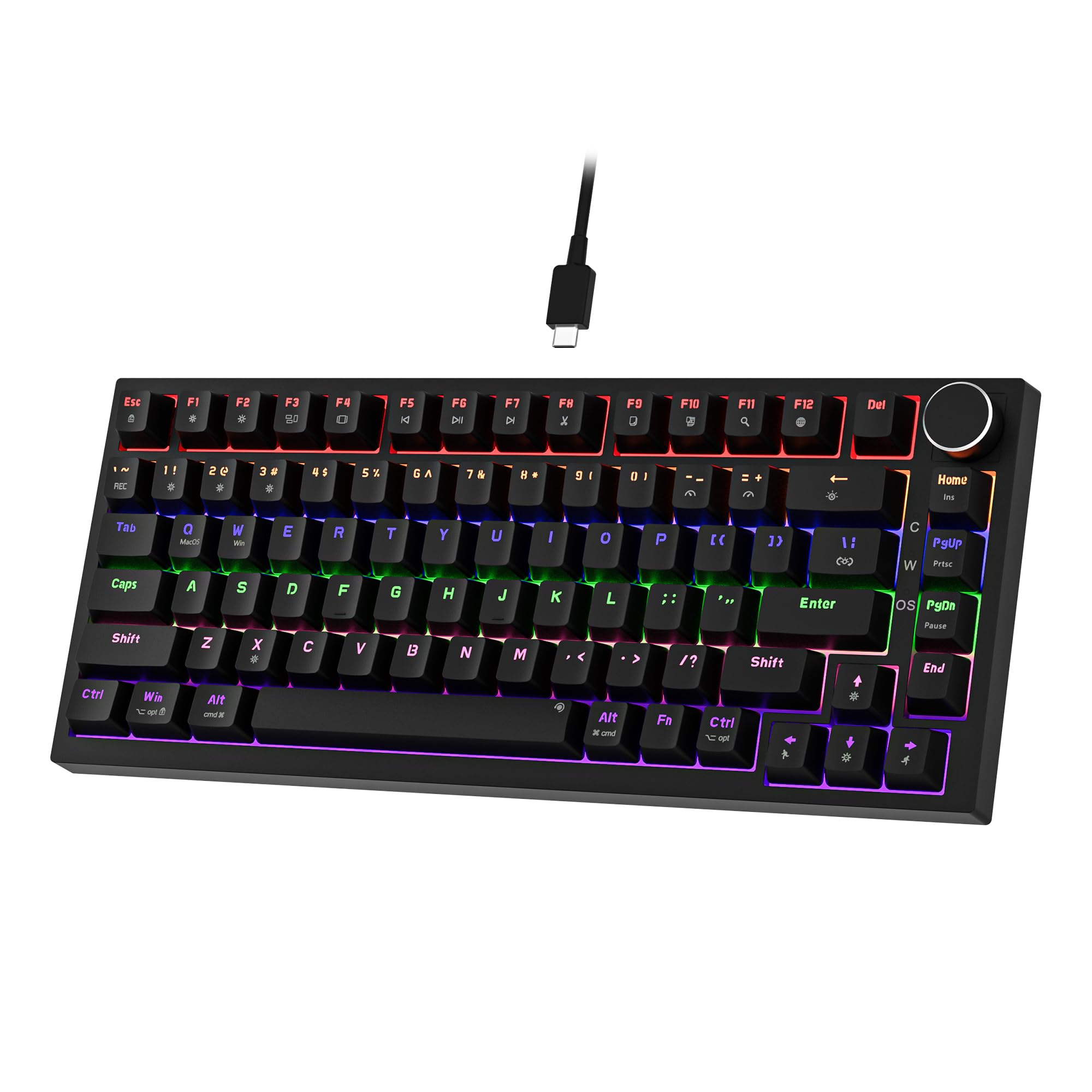 7.5 / 10
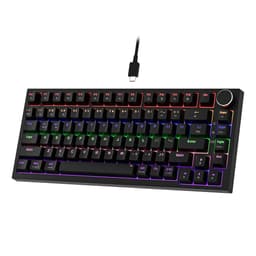
Newmen GM326 Mechanical Keyboard,Wired Gaming Keyboard,75% Percent TKL Hot Swappable Compact LED Backlit USB C Mechanical Gaming Keyboards with Knob for PC Windows Mac,QWERTY Layout,Black,Red Switches
£25.26 · NEWMEN
 7.5 / 10
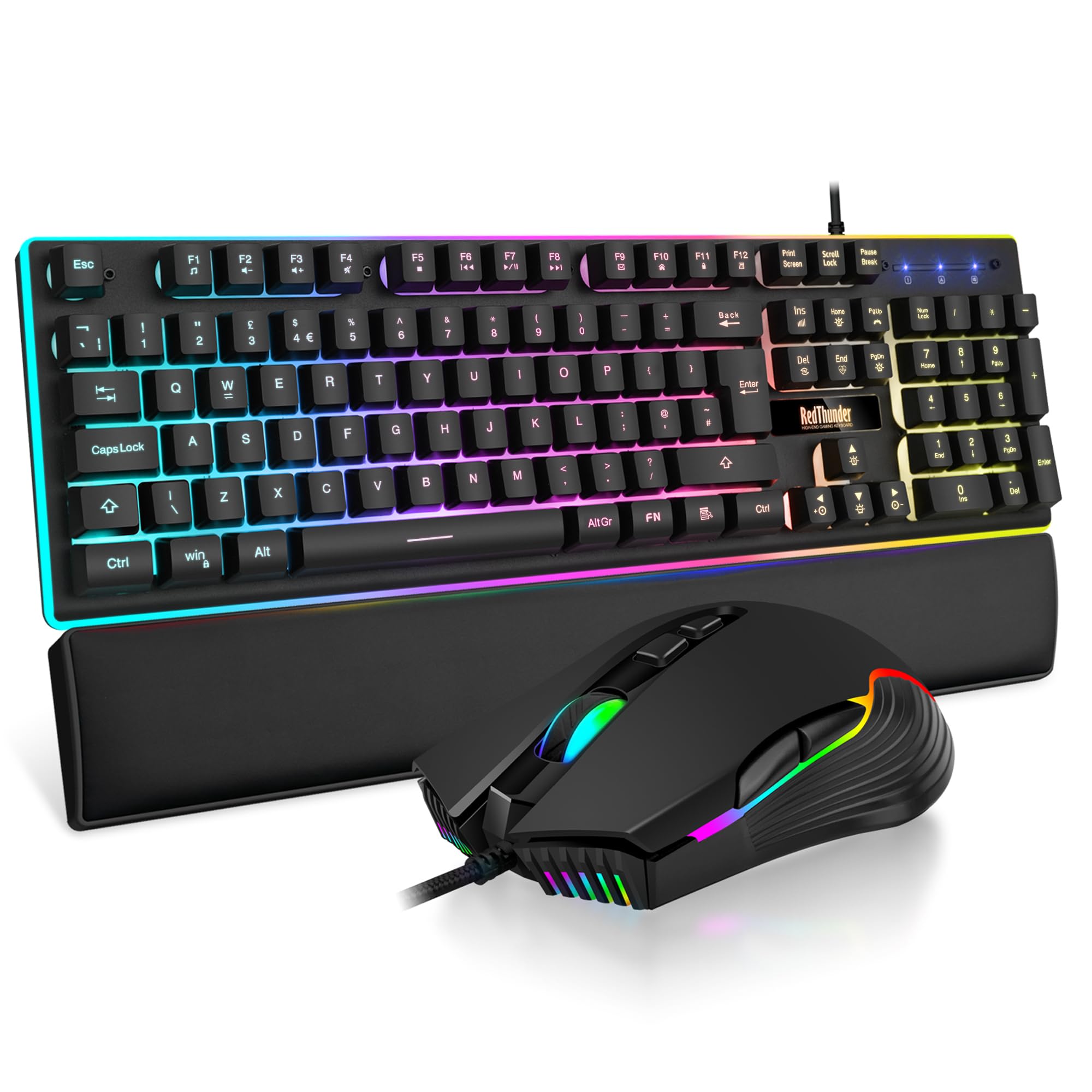
RedThunder K10 Wired Gaming Keyboard and Mouse Combo, UK Layout, True RGB Backlight, Soft Leather Wrist Rest, Mechanical Feel Ergonomic Anti-Ghosting Keyboard + 7D 7200 DPI Mouse for PC Mac (Black)
£33.99 · RedThunder
Frequently asked
7 questions01Does the NEWMEN GM610 support hot-swap switches?+
Yes. The GM610 has hot-swap sockets that accept both 3-pin and 5-pin switches, so you can change switches without soldering. This means you can replace the stock red linear switches with tactile or clicky alternatives to suit your preference, as long as those switches conform to the MX footprint.
02What wireless modes does the NEWMEN GM610 support?+
The GM610 supports three connection modes: USB-C wired, 2.4GHz wireless via a USB dongle, and Bluetooth. Bluetooth covers both version 3.0 and 5.0, and the board can be paired to up to three Bluetooth devices simultaneously with on-the-fly switching between them.
03What is the battery life of the NEWMEN GM610?+
NEWMEN has not published a rated battery life figure or battery capacity for the GM610. The listing does note that turning off the RGB backlight extends battery life, which is consistent with how wireless keyboards with RGB generally behave. If battery runtime is a priority, this lack of published data is worth factoring into your decision.
04Is the NEWMEN GM610 compatible with macOS?+
Yes. The GM610 officially supports Windows, macOS, and Android. A firmware update available from the NEWMEN website adds a Windows and Mac switching mode, which remaps modifier keys appropriately for each operating system. This is useful if you use the board across both platforms.
05What is the polling rate of the NEWMEN GM610?+
NEWMEN has not published a polling rate figure for the GM610. For casual gaming, typing, and productivity this is unlikely to matter. For competitive gaming at a high level, where polling rate affects input responsiveness, this is a genuine gap in the specification sheet and worth considering before buying.
06Are the keycaps on the NEWMEN GM610 PBT or ABS?+
NEWMEN describes the keycaps as doubleshot, meaning the legends are formed from two layers of injected plastic and cannot fade. However, the specific plastic material, PBT or ABS, is not confirmed in the product listing. At this price point, ABS is the more common choice. ABS keycaps tend to develop a greasy shine over time with regular use, whereas PBT is more resistant to this.
07Can the NEWMEN GM610 be used with a tablet or smartphone?+
Yes. The Bluetooth connectivity supports Android devices, and the multi-device pairing allows you to connect a phone or tablet alongside other paired computers. This makes it a practical option for anyone who wants a single compact keyboard for a mixed setup of desktop, laptop, and mobile devices.