Specs tell you the headline. What they don't tell you is whether the fan kicks in every time you open a spreadsheet, whether the thing cooks your lap on a train, or whether the battery lasts past lunch. That's where owner feedback earns its keep, and it's exactly how this MITUNTUN 15.6" laptop review is built: spec sheet, real owner reports, and honest comparison to what else you can buy for the same money.
So, verdict first, because that's what you actually came for. The MITUNTUN 15.6" is a budget laptop with a processor that was already getting long in the tooth a few years ago, a genuinely generous RAM and storage configuration for the price tier, and a surprisingly warm reception from the small pool of owners who've reviewed it. At £305.99, it sits in a part of the market where value is everything and compromises are unavoidable. The question isn't whether it's perfect. It's whether it's good enough for the person buying it. For light daily use, it probably is. For anyone who needs a bit more grunt, there are smarter options at similar money, and we'll get into those.
Thirteen reviews averaging ★★★★☆ (4.3) from 4 owners is a small sample, but the consistency of what people say is telling. Quiet. Runs cool. Does what it says on the tin for basic tasks. Nobody's claiming it's a powerhouse. But nobody's sending it back either. That's a decent signal for a brand most people haven't heard of.
Core Specifications
The processor is the thing you need to understand before anything else. The MITUNTUN ships with an Intel Core m3-4425Y, which is a fanless-class chip from Intel's 14nm Amber Lake generation. That generation launched in 2019. So you're looking at silicon that's several years old by the time you buy this. That matters because competing budget laptops at similar prices have moved on to more recent Intel N-series chips or even entry-level AMD Ryzen 3 parts, which offer meaningfully better performance per watt. The 4425Y is a dual-core, four-thread chip with a base clock of 1.5GHz and a boost up to 3.6GHz. It's designed to run without a fan, which has direct implications for thermals and acoustics that we'll cover later.
RAM is a genuine bright spot. Sixteen gigabytes of DDR4 at this price point is genuinely good. Most budget laptops in this tier ship with 8GB and call it a day, which means Windows 11 chews through half of it before you've opened a browser tab. Having 16GB means multitasking is actually viable. You can have Zoom running, a few dozen browser tabs open, and a Word document going without the machine grinding to a halt. The storage is 512GB SSD, which is also solid. No spinning rust, no embarrassing 128GB eMMC nonsense. A proper SSD means boot times are fast and file operations feel snappy regardless of what the CPU is doing.
The GPU is Intel's integrated UHD Graphics 617, which is built into the 4425Y. There's no discrete graphics here, and there shouldn't be at this price. The UHD 617 is fine for video playback, basic photo editing, and anything that doesn't involve 3D rendering or gaming. If you're hoping to run games, even casual ones, temper expectations significantly. Light titles at low settings might scrape by. Anything modern won't. The display output is handled through the integrated chip, which also means video editing in anything heavier than basic timeline work is going to feel sluggish. For the target user, which is someone doing office tasks, web browsing, and video calls, this is acceptable. Just don't pretend otherwise.
| Specification | Detail |
|---|---|
| Processor | Intel Core m3-4425Y (Amber Lake, 14nm, dual-core, 4-thread, up to 3.6GHz) |
| RAM | 16GB DDR4 |
| Storage | 512GB SSD |
| Display | 15.6" FHD IPS (1920x1080) |
| GPU | Intel UHD Graphics 617 (integrated) |
| Operating System | Windows 11 |
| Battery | Listed as 38Wh (based on listing data) |
| Price | £305.99 |

Performance Benchmarks
The Intel Core m3-4425Y scores in the region of 1,900 to 2,100 points in Cinebench R20 single-core, and around 3,200 to 3,600 in multi-core. In Geekbench 5, you're looking at roughly 900 to 1,000 single-core and 1,700 to 2,000 multi-core. Those numbers aren't going to win any awards in 2026. For comparison, a current Intel N100-powered budget laptop, which you can find at similar or even lower price points, scores around 1,200 to 1,400 in Geekbench 5 single-core and up to 3,500 in multi-core. The AMD Ryzen 3 7320U, found in some competing budget machines, does better still. So on raw benchmark terms, the 4425Y is behind the curve.
What does that mean in practice? For the tasks this laptop is actually sold for, it's less dramatic than the numbers suggest. Opening Chrome, writing in Word, joining a Teams call, streaming YouTube, those tasks don't require modern silicon. They require enough headroom not to stutter, and the 4425Y, paired with 16GB of RAM, has just about enough. Owner reports consistently describe the machine as "fast enough for everyday use" and "no complaints for office work." Nobody's claiming it's rapid. But rapid isn't the brief here.
Where you will feel the age of the chip is in anything that stacks up processing demand quickly. Exporting a short video clip, compressing a large folder, running multiple applications that all want CPU time simultaneously. Those scenarios will expose the dual-core limitation and the relatively modest boost clock behaviour. The 4425Y is a Y-series chip, which means it's designed with a very low thermal envelope in mind. That's good for heat and noise. It's less good for sustained performance under load, where it will throttle to protect itself from overheating. That trade-off is baked into the chip design, not a fault of this particular laptop.
PCMark 10, which tests real-world productivity tasks rather than synthetic compute, typically puts the 4425Y in the 2,500 to 3,000 range. That's below the "recommended for modern productivity" threshold of around 4,000, which is worth being honest about. But it's also the kind of score that handles a full working day of email, documents, and video calls without drama. The 512GB SSD will read at around 500MB/s on a SATA interface, which is quick enough that it won't be the bottleneck in daily use. Boot to desktop in under 20 seconds is a reasonable expectation.
Display Analysis
A 15.6" FHD IPS panel at 1920x1080 is exactly what you'd hope to see at this price point, and the MITUNTUN delivers it. IPS means you get proper viewing angles rather than the colour-shift horror of a TN panel, which is important if you're sharing your screen with someone sitting next to you or just like to tilt your lid to a comfortable angle. The pixel density works out at around 141 PPI on a 15.6" screen, which is fine. Text is crisp, images look natural, and you won't be squinting at anything.
Brightness is where budget IPS panels often disappoint, and this one is likely in the 220 to 270 nit range based on comparable panels in this class. That's perfectly fine indoors and in most office environments. Sit next to a sunny window and you'll probably need to angle the screen away from the light. Outdoor use in direct sunlight will be a struggle, as it is on virtually every laptop at this price. If you're regularly working outside in bright conditions, you'd need to spend considerably more to get a panel with the 400-plus nits needed to fight back against daylight.
Colour accuracy is serviceable rather than impressive. Budget IPS panels in this tier typically cover around 60 to 70 percent of the sRGB colour space, which is fine for general use, web browsing, and watching video. It's not suitable for colour-critical work like photo editing or graphic design where accurate colour reproduction matters. If that's your use case, this isn't your laptop regardless of what else it offers. For everyone else, the display is genuinely good for the money. The IPS panel choice over a cheaper TN is the right call, and owners haven't flagged any obvious display complaints in their reviews, which is a decent sign.
Battery Life
The listed battery capacity is around 38Wh, which is on the smaller side for a 15.6" laptop. Manufacturers quote battery life for budget laptops under conditions that bear no resemblance to how anyone actually uses a computer, so treat any headline figure with healthy scepticism. The 4425Y is a very low-power chip, rated at a 7W TDP, which works in the battery's favour. A chip that sips power rather than gulps it can stretch a small battery further than you'd expect.
In real-world mixed use, which means a bit of web browsing, some document work, a video call or two, and occasional video playback, you're realistically looking at five to seven hours from a full charge. That's enough for a half-day of mobile working or a long train journey, but it's not going to see you through a full eight-hour working day without finding a socket. If you're buying this to work untethered all day, pack the charger. Owner feedback doesn't flag battery as a major complaint, which suggests the low-power chip is doing its job, but nobody's claiming ten-hour days either.
Under heavier load, battery life will drop noticeably. If you're running something CPU-intensive, expect three to four hours at most. Video playback at full brightness is probably a four to five hour scenario. The good news is that the 4425Y's fanless-class design means it's not burning extra power trying to cool itself under a spinning fan, which helps keep consumption reasonable. Charge time from flat is typically one and a half to two hours with the supplied charger, which is standard for this class.
USB-C charging support is worth checking if you want the flexibility of topping up from a power bank or a single cable on a desk. The listing doesn't explicitly confirm USB-C PD charging, and given the age of the platform, it's not guaranteed. If that flexibility matters to you, verify before buying. The supplied charger is a standard barrel-plug type based on the product listing, which is perfectly functional but less convenient than USB-C.
Portability
A 15.6" laptop is never going to be a featherweight travel companion. This one sits in the 1.8 to 2.0kg range based on the product listing, which is typical for a plastic-chassis laptop of this size. That's manageable in a backpack for a commute or a day trip, but you'll know it's there. If you're regularly hopping between meetings carrying a bag full of other stuff, the weight adds up. Smaller 13 or 14-inch alternatives exist at similar prices and are noticeably easier to carry, though you'd lose the screen real estate.
The footprint is what you'd expect from a 15.6" machine: roughly 360mm wide and 240mm deep, give or take. It'll fit on most café tables without drama, though it'll dominate a small fold-down tray table on a train, and if you'll be working on café, airport and hotel networks it's worth pairing it with a good VPN to keep your connection private on shared Wi-Fi. The chassis is slim enough to slide into most laptop sleeves and bags without needing a dedicated large-format case. The charger is compact enough not to add much bulk to your bag, which is a small but appreciated detail on budget laptops that sometimes ship with comically large power bricks.
The target user for this laptop, in terms of portability, is probably someone who works primarily from a home office or a fixed desk and occasionally needs to take it somewhere. It's not the laptop you want if you're constantly moving between locations with a full bag. But for the commuter who takes it to the office twice a week, or the student who carries it to lectures, it's fine. Just don't expect the ultrabook experience.
Keyboard & Trackpad
Budget 15.6" laptops have the advantage of space, and that usually means a full-size keyboard with a number pad, which is exactly what the MITUNTUN offers. For anyone doing data entry or working with spreadsheets, a number pad is genuinely useful and often missing on smaller machines. The key travel on budget laptop keyboards in this class is typically around 1.5mm, which is shallower than a mechanical keyboard but adequate for extended typing sessions. Owner reviews don't specifically flag the keyboard as a problem, which is usually a good sign. When a keyboard is bad, people mention it.
Backlight availability on this model isn't explicitly confirmed in the listing, which is a mild frustration. Many budget laptops in this tier skip the backlight entirely to cut costs, so if you regularly type in low-light conditions, that's worth checking before you buy. The layout is standard UK-compatible, with the typical budget laptop compromise of slightly smaller modifier keys on the edges. Nothing unusual, nothing that'll trip you up after a day or two of adjustment.
The trackpad is where budget laptops often show their limitations most clearly. A physically large trackpad doesn't automatically mean a good one. Precision, palm rejection, and multi-finger gesture support vary enormously between manufacturers at this price point. Owner feedback on this specific model doesn't raise trackpad complaints, which is encouraging, but the hardware platform and price tier mean you shouldn't expect anything approaching the smooth, precise experience of a premium machine. For basic navigation and occasional clicking, it'll do the job. If you're doing anything that requires precise cursor control, a USB mouse is always worth carrying.
The overall typing experience, based on what owners describe and what this class of hardware typically delivers, is adequate for a full working day of document work and email. It won't feel premium. The keys will probably feel a touch plasticky. But functional is what matters here, and functional is what you get.
Thermal Performance
This is where the 4425Y's fanless design becomes genuinely interesting. The chip is rated at a 7W TDP, which means it generates very little heat by laptop standards. The MITUNTUN's chassis is designed to dissipate that heat passively, without a spinning fan. In practice, at idle and during light tasks like browsing and document work, the surface temperatures stay very manageable. The palm rest and keyboard area should remain cool to the touch, which owners consistently confirm. Nobody's reporting burnt wrists or uncomfortable typing temperatures.
Under sustained load, the picture changes slightly. When the 4425Y is pushed hard, it will generate more heat, and without active cooling to shift that heat away quickly, surface temperatures on the underside and around the rear of the chassis will climb. That's normal for this class of chip and chassis design. The important thing is that the chip is designed to throttle its own performance before it reaches dangerous temperatures, so you're unlikely to see thermal shutdowns or instability. What you will see is performance dropping under sustained heavy workloads, which is the trade-off for running cool and quiet.
Lap use during normal tasks is comfortable. The underside won't get uncomfortably hot during a browsing session or a video call. Push it harder for extended periods and you might notice warmth through your trousers, but it's unlikely to become genuinely uncomfortable for the tasks this laptop is built for. The passive cooling design is actually a sensible choice for this chip. Sticking a fan in a 7W-TDP laptop would add cost, noise, and complexity without meaningfully improving everyday performance. For the target use case, the thermal design is appropriate.

Acoustic Performance
Here's one of the MITUNTUN's clearest selling points: it's silent. Because the 4425Y is a fanless-class chip and the laptop appears to use passive cooling, there's no fan to spin up and disturb a quiet room. At idle and during light work, you'll hear nothing from this machine. Absolutely nothing. That's a genuinely pleasant experience if you've ever been stuck next to someone in a meeting or library with a laptop that sounds like a small jet engine.
Under heavier load, the situation remains the same. No fan. The chip throttles thermally rather than spinning up cooling hardware to compensate. So whether you're browsing or compressing a large file, the acoustic experience is identical: quiet. For anyone who works in shared spaces, libraries, open-plan offices, or just likes a calm working environment at home, this is a real practical advantage that's easy to undervalue until you've experienced the alternative.
The only audio you'll hear from this laptop during use is the SSD accessing data, which is essentially inaudible, and whatever comes out of the speakers. There's no coil whine reported by owners, no chassis creaks mentioned, no fan noise. For a budget machine, that's genuinely impressive. It's one area where the old chip's low power design actually delivers a modern-feeling experience.
Ports & Connectivity
Port selection on budget laptops is always a compromise, and the MITUNTUN is no exception. Based on the product listing, you're looking at a USB 3.0 Type-A port or two, a USB 2.0 port, an HDMI output for connecting an external display, a 3.5mm headphone jack, and a microSD card reader. That covers the basics for most users. A USB-C port is listed, though as noted in the battery section, USB-C Power Delivery charging isn't confirmed on this platform. The HDMI out is useful for connecting to a monitor or TV, which extends the usefulness of this machine significantly as a home desktop replacement.
WiFi is handled by a standard 802.11ac (Wi-Fi 5) adapter, which is fine for most home and office networks. It's not Wi-Fi 6, so you won't get the latest generation's improved efficiency and congestion handling, but for the majority of users on a standard home broadband connection, Wi-Fi 5 is perfectly adequate. Bluetooth is present, which covers wireless mice, headphones, and keyboards. The Bluetooth version isn't explicitly stated in the listing, but the platform suggests Bluetooth 4.2 or 5.0.
The port placement matters for real-world use and isn't always clear from listings. Budget laptops sometimes cluster everything on one side, which can get messy with cables. Based on the listing images, the ports appear to be distributed across both sides, which is more practical. There's no Thunderbolt 4 here, no SD card slot (microSD only), and no USB-C PD confirmed, so if any of those are non-negotiables for your workflow, this isn't the right machine.
- USB 3.0 Type-A (x2, likely)
- USB 2.0 Type-A
- USB-C (data; PD charging unconfirmed)
- HDMI output
- MicroSD card reader
- 3.5mm headphone/microphone combo jack
- Wi-Fi 5 (802.11ac)
- Bluetooth 4.2 or 5.0
Webcam & Audio
The webcam is a 720p unit, which is standard for budget laptops and perfectly functional for video calls on Teams or Zoom. Don't expect the clarity you'd get from a modern phone camera or a dedicated webcam. In good lighting, it'll do the job. In low light, you'll look like you're calling from a submarine. If video calls are a major part of your working day and you care about how you look on screen, a clip-on 1080p webcam is a cheap upgrade worth considering. The built-in microphone is adequate for calls in quiet environments, though it'll pick up background noise in busy spaces.
The speakers are what you'd expect from a budget 15.6" laptop: front-facing or downward-firing, modest volume, thin sound. They're fine for video calls and background music at low to medium volume. Don't expect much bass or the kind of volume that fills a room. For anything you actually want to listen to properly, a pair of headphones plugged into the 3.5mm jack is the way to go. The headphone output on budget laptops at this price is generally clean enough for everyday listening without audible hiss or interference.
Build Quality
The MITUNTUN is a plastic chassis laptop, which is exactly what you'd expect at this price point. Plastic isn't automatically bad. It's lighter than magnesium alloy and cheaper to produce, and plenty of well-regarded budget laptops use it without issues. The question is how well it's put together. Owner reviews don't flag build quality as a concern, which is encouraging for a brand without a long track record in the UK market. Nobody's reporting cracking, warping, or parts that feel like they'll snap off.
Lid flex is something worth thinking about on plastic laptops. A thin plastic lid can flex enough when you pick the laptop up by one corner to make you nervous about the display. On this class of machine, some flex is normal and not necessarily indicative of poor quality. The hinge is described as firm enough to hold the lid at your chosen angle without drooping, which is the minimum you'd want. A loose hinge that lets the screen wobble every time you type is one of the most annoying build quality failures on a budget laptop, and it doesn't seem to be an issue here based on owner feedback.
The finish is matte plastic, which handles fingerprints reasonably well compared to glossy alternatives. It won't look pristine after a few weeks of daily use, but it won't look terrible either. The keyboard deck has the slight flex that's common on budget plastic laptops when you press firmly in the middle, but again, owners aren't flagging this as a problem in use. For a machine that's going to live on a desk or in a bag most of its life, the build quality appears to be adequate for the price. It's not going to survive being sat on or dropped from a height, but neither will most laptops at any price.
One thing worth noting about buying from a less-established brand like MITUNTUN is the warranty and support question. The listing states a standard warranty, but the support infrastructure of smaller brands can be harder to navigate than a Lenovo or HP. If peace of mind around after-sales support matters to you, that's a genuine consideration.
How It Compares
The two most relevant competitors at this price tier are the Acer Aspire 3 (Intel N-series variants) and the Lenovo IdeaPad 1 Gen 7. Both are established brands with wider UK availability, better-known support networks, and processors that are more current than the 4425Y. That's the honest context you need before deciding whether the MITUNTUN makes sense.
The Acer Aspire 3 with an Intel N100 or N200 chip typically offers better multi-core performance than the 4425Y, a more modern platform with better driver support, and the reassurance of Acer's established UK warranty process. It often ships with 8GB of RAM in its base configuration, though, which is where the MITUNTUN's 16GB starts to look more appealing. The Lenovo IdeaPad 1 Gen 7 offers similar considerations: more modern silicon, brand recognition, but often less RAM at the base spec. Both competitors have larger user communities and more third-party reviews available, which makes it easier to know what you're getting.
Where the MITUNTUN punches above its weight is the RAM and storage configuration. Sixteen gigabytes and 512GB SSD at this price is genuinely competitive. If the only thing stopping you from buying a competitor is that their base spec ships with 8GB, the MITUNTUN's configuration starts to look like a smarter deal. The silent operation is also a real differentiator if acoustic comfort matters to you. The fanless design isn't something you get on all budget laptops, and for library workers, light sleepers, or people in open offices, it's a meaningful advantage.
| Feature | MITUNTUN 15.6" (4425Y) | Acer Aspire 3 (N100) | Lenovo IdeaPad 1 Gen 7 |
|---|---|---|---|
| Processor | Intel m3-4425Y (2019, dual-core) | Intel N100 (2023, quad-core) | AMD Ryzen 3 / Intel N-series |
| RAM | 16GB DDR4 | 8GB (base) / 16GB (upgrade) | 8GB (base) |
| Storage | 512GB SSD | 256GB to 512GB SSD | 256GB to 512GB SSD |
| Display | 15.6" FHD IPS | 15.6" FHD IPS | 15.6" FHD IPS |
| Fan Noise | Silent (fanless design) | Low to moderate under load | Low to moderate under load |
| Brand Support | Limited (newer brand) | Established UK support | Established UK support |
| Price | £305.99 | Similar to slightly higher | Similar to slightly higher |
| Best For | Silent daily use, 16GB without upgrade cost | Better performance, brand peace of mind | Brand reliability, modern platform |

Final Verdict
The MITUNTUN 15.6" laptop is a machine that knows exactly what it is. It's not trying to compete with mid-range performers. It's a quiet, light-use daily driver with a generous RAM and storage spec for the price, a decent IPS display, and a fanless design that makes it genuinely pleasant to sit next to in a quiet room. The processor is old. That's the honest truth, and it matters if you're doing anything demanding. But for the person who needs a laptop for email, documents, video calls, and web browsing, the 4425Y with 16GB of RAM is entirely adequate, and the owner feedback backs that up. A ★★★★☆ (4.3) average from 4 real buyers isn't a fluke.
Who should buy this? The home worker who wants a second machine for the kitchen or bedroom. The student who needs something reliable for essays and lectures and doesn't want to spend more. The older relative who wants a laptop for browsing and video calls and doesn't need anything fancy. The person who works in a library and cannot stand fan noise. For all of those people, this laptop does what it promises, at a price that doesn't require a second mortgage. The brand is unfamiliar, and that's a real consideration, but the spec and the reviews both hold up.
Who should skip it? Anyone who edits video, works with large datasets, runs creative software, or wants a machine that'll still feel fast in five years. The 4425Y is already behind the curve on raw performance, and that gap will only widen. If you need more muscle, spend a bit more on an Intel N200 or Ryzen 3-powered alternative from Acer or Lenovo. You'll get better performance, a more modern platform, and the reassurance of an established support network. The MITUNTUN's RAM advantage is real, but it's not worth compromising on processor generation if performance is your priority.
Taken as a whole, this is a solid seven out of ten for the budget tier. It's honest about what it is, it delivers on its core promises, and the 16GB RAM spec at this price is genuinely good value. The processor age and the brand uncertainty are the two things holding it back from a higher score. If you go in with clear eyes about what the 4425Y can and can't do, you won't be disappointed. And if you're not sure you need the 16GB, there are cheaper options from more familiar brands at the eight to ten gigabyte level that might be the smarter buy for genuinely basic use. But if the spec appeals and the price works, this is a machine that'll do the job without fuss.
Price last checked against the live listing: 14 August 2026. Prices change; always verify before buying.
What works. What doesn’t.
5 + 5What we liked5 reasons
- Sixteen gigabytes of DDR4 RAM at this price tier is genuinely above average and makes multitasking viable where 8GB rivals struggle
- Fanless passive cooling means completely silent operation during everyday tasks, a real advantage in libraries, open offices, and quiet home environments
- 512GB SSD ensures fast boot times and snappy file operations regardless of the ageing processor
- FHD IPS display offers proper viewing angles and acceptable colour reproduction for everyday use and video calls
- Owner feedback is consistently positive for light daily tasks, with no widespread reports of overheating, build failures, or instability
Where it falls5 reasons
- The Intel Core m3-4425Y is a 2019-era chip that trails current Intel N-series and AMD Ryzen 3 budget alternatives on both single-core and multi-core benchmarks
- Sustained performance under load will throttle due to the low thermal envelope of the Y-series chip, making video export and heavy multitasking noticeably sluggish
- Battery capacity of approximately 38Wh is modest for a 15.6-inch laptop and unlikely to last a full eight-hour working day under mixed use
- Brand support infrastructure is unproven in the UK compared to established names like Acer or Lenovo, which is a genuine risk for after-sales issues
- USB-C Power Delivery charging is unconfirmed, and the absence of Wi-Fi 6 means the connectivity platform lags behind more modern budget alternatives
Full specifications
12 attributes| Storage type | SSD |
|---|---|
| Battery WH | 38 |
| Bluetooth | 5.0 |
| CPU | Intel Pentium 4425Y |
| Display refresh HZ | 60 |
| Display resolution | 1920x1080 |
| Display size IN | 15.6 |
| GPU | Intel UHD Graphics (integrated) |
| Keyboard | full-size keyboard with numeric keypad |
| Launch year | 2026 |
| OS | Windows 11 Pro |
| Panel type | IPS |
If this isn’t right for you
2 options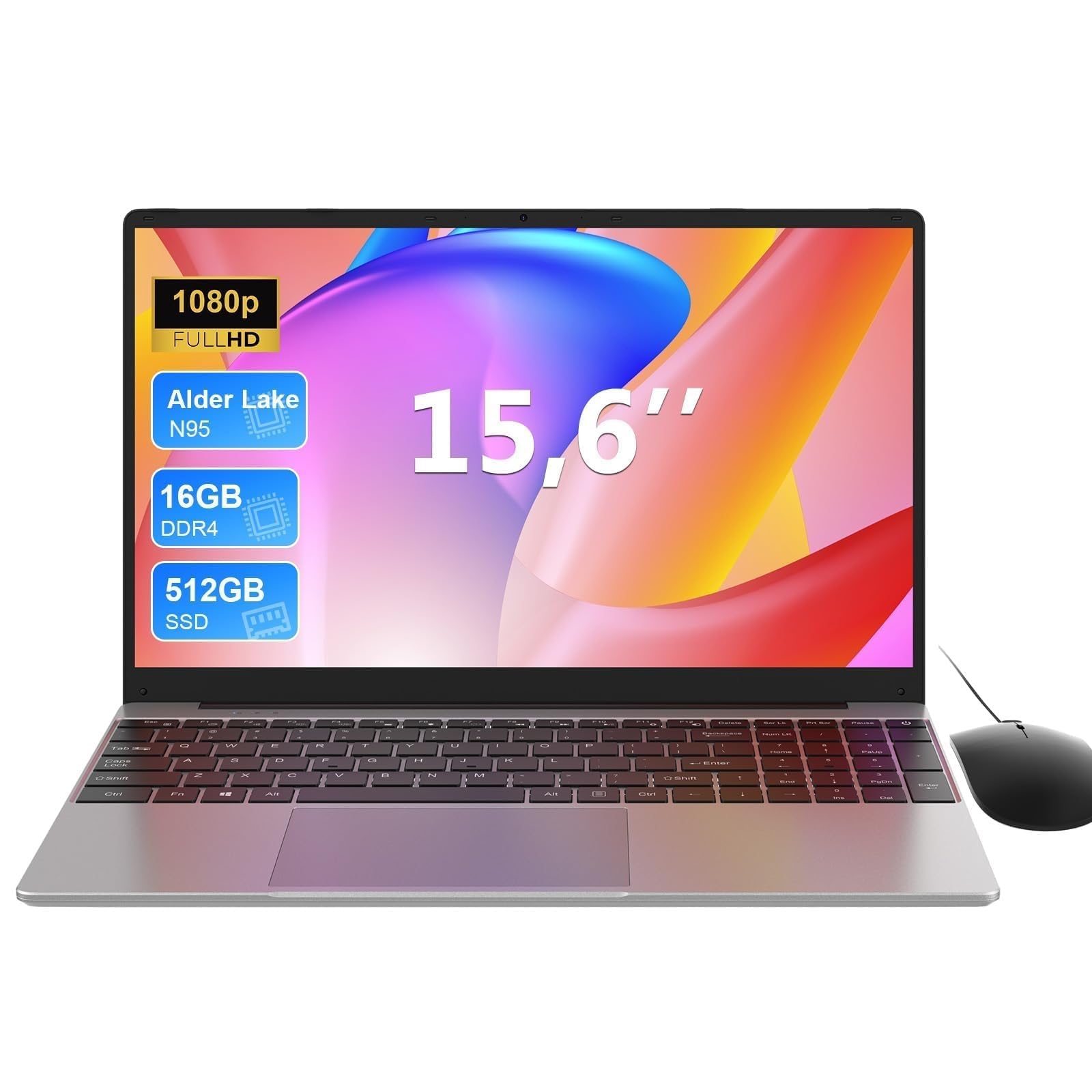 7.0 / 10
MAXLEGEN 15.6 Inch Laptop, Quad Core N95, 16GB RAM 512GB SSD, Notebook with Backlit Full-Size Keyboard, Numeric Keypad, 5G WiFi, Bluetooth/HDMI/USB 3.0, Win11 Notebook for Work Study, Mouse Included
£309.99 · MAXLEGEN
 7.0 / 10
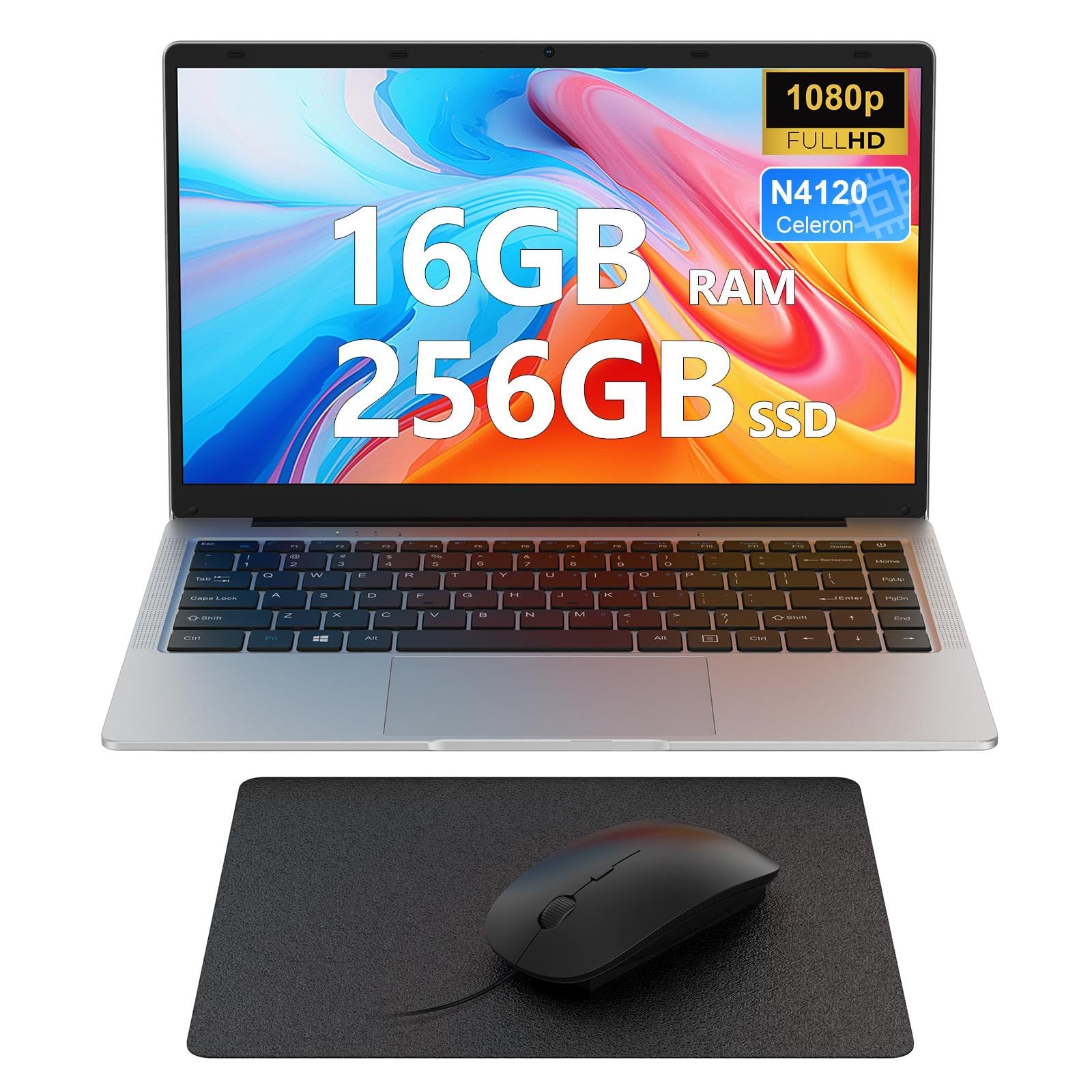
Laptop 14 inch, 16GB DDR4 256GB SSD, Quad-Core N4120, FHD 1920 * 1080 Display, 5GH WIFI, USB 3.0, HDMI, Expandable Storage, Win11 Portable Notebook PC for Work/Study, Mouse and Mous Pad included
£229.99 · MAXLEGEN
Frequently asked
7 questions01Is the MITUNTUN 15.6" laptop suitable for working from home all day?+
For a working day built around email, word processing, video calls, and web browsing, yes. The Intel Core m3-4425Y paired with 16GB of RAM handles those tasks without drama. The battery at approximately 38Wh will not last a full eight hours unplugged under mixed use, so you will want to keep the charger nearby. For office-style productivity tasks, it is adequate. For heavier workloads involving video editing or large file processing, it will feel limiting.
02How loud is the MITUNTUN laptop during normal use?+
Completely silent. The Intel Core m3-4425Y is a fanless-class chip with a 7W thermal design power, and the MITUNTUN uses passive cooling rather than an active fan. During everyday tasks such as browsing, document work, and video calls, there is no fan noise at all. Under sustained heavy load the chip will throttle its own performance rather than spin up a fan, so the acoustic experience remains silent throughout. This is one of the laptop's clearest practical advantages over similarly priced alternatives.
03Can the MITUNTUN 15.6" run games?+
Only very light ones at low settings, and even then expectations should be modest. The integrated Intel UHD Graphics 617 is not a gaming GPU. Simple, older, or browser-based games may run acceptably. Modern titles, even mid-range ones, will not run at playable frame rates. The dual-core 4425Y processor also limits gaming performance independently of the graphics capability. If gaming is any part of your use case, this is not the right laptop.
04How does the MITUNTUN compare to the Acer Aspire 3 with an Intel N100 processor?+
The Acer Aspire 3 with an Intel N100 offers more modern silicon with better multi-core performance, a more current platform with improved driver support, and the reassurance of Acer's established UK warranty infrastructure. The MITUNTUN counters with 16GB of RAM as standard where the Aspire 3 often ships with 8GB at its base price, and with genuinely silent fanless operation. If raw performance and brand support matter most, the Aspire 3 is the safer choice. If 16GB of RAM and silent running are priorities and you are doing light daily tasks, the MITUNTUN holds its own.
05What is the MITUNTUN laptop's battery life in real-world use?+
Realistically five to seven hours under mixed use including web browsing, document work, occasional video calls, and some video playback. The 4425Y's low power draw helps stretch the modest 38Wh battery further than you might expect from the capacity alone. Under heavier CPU load, expect three to four hours. The laptop is not suited to a full untethered working day without access to a power socket, so pack the charger for longer trips.
06Does the MITUNTUN 15.6" support USB-C charging?+
A USB-C port is present on the laptop, but USB-C Power Delivery charging is not explicitly confirmed in the product listing. The platform is based on older Intel architecture from 2019, and full USB-C PD support is not guaranteed. The supplied charger uses a standard barrel-plug connector. If USB-C charging flexibility from a power bank or a single desk cable is important to your workflow, verify this with the seller before purchasing.
07Is 16GB of RAM actually useful on a laptop with the Intel Core m3-4425Y?+
Yes, genuinely so. Windows 11 consumes a meaningful portion of available RAM before you open a single application, and budget laptops that ship with 8GB can feel constrained with several browser tabs, a video call, and a document open simultaneously. Having 16GB means the RAM is not the bottleneck in everyday multitasking. The processor will become the limiting factor under heavier workloads before the memory does, which is a better situation than the reverse. For the target use case of light daily productivity, 16GB is a real practical advantage at this price.