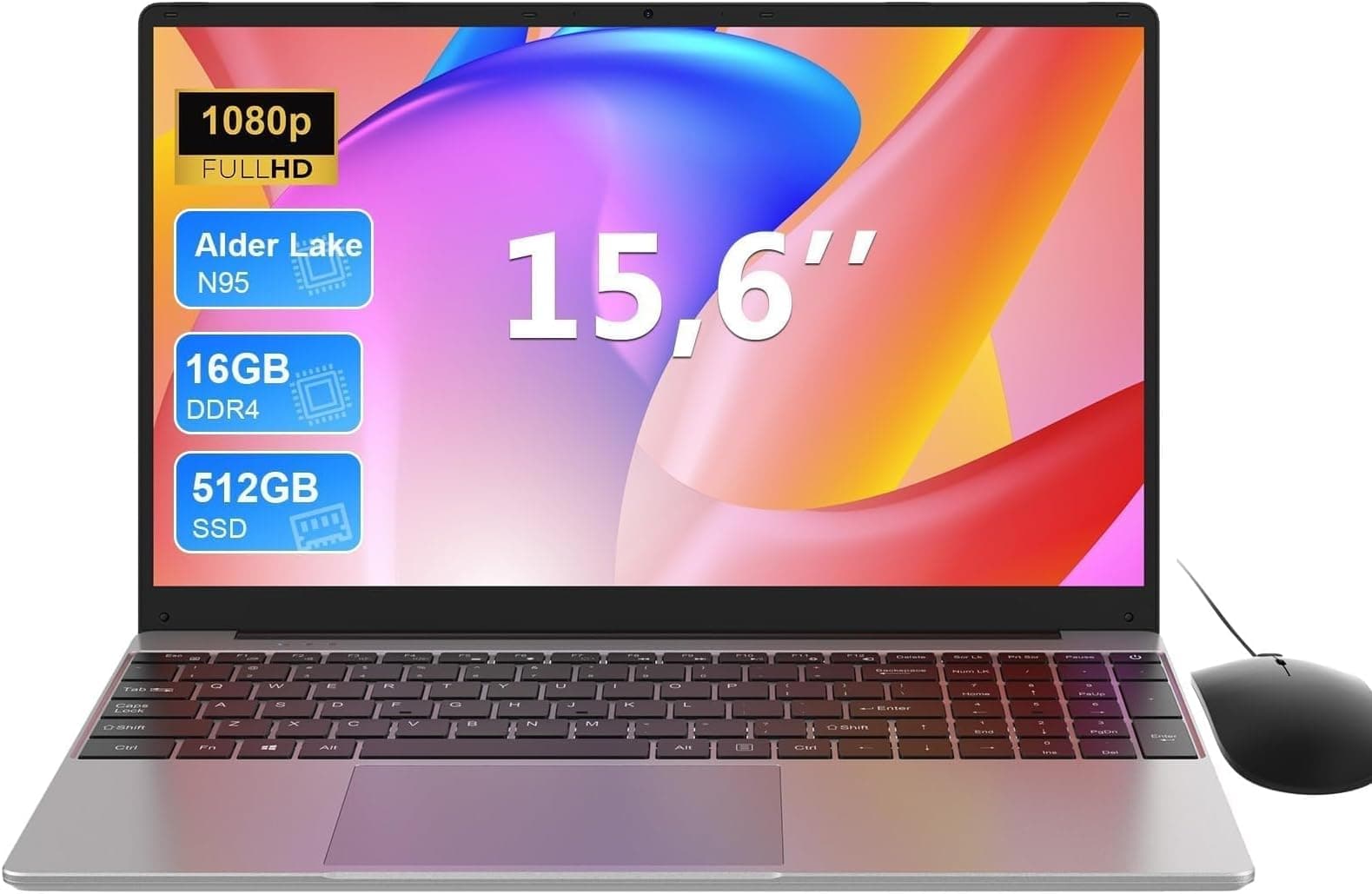
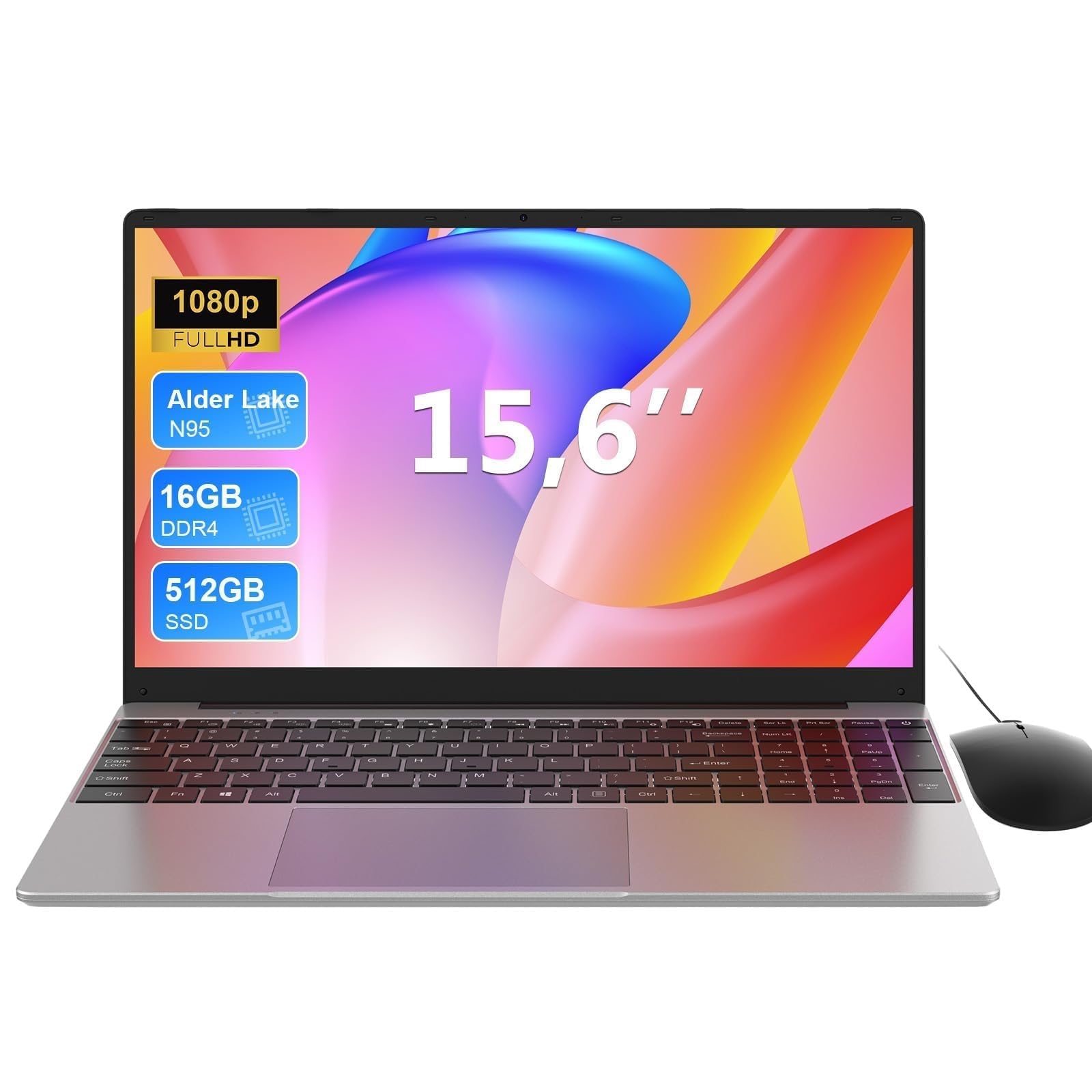

Most laptop adverts want you thinking about peak numbers. Clock speeds, RAM totals, processor names that sound impressive in a bullet point. What actually decides whether a laptop is any good for daily life is much more boring: can it handle a full day without a charger, does it stay quiet enough that you're not embarrassing yourself on calls, and does it do what it says on the tin for the money? That's the question worth answering for the MAXLEGEN 14 inch laptop, and the answer is more interesting than the brand name suggests.
The short version: this is a budget machine that knows what it is. The Celeron N4120, 16GB of DDR4, a 256GB SSD, and a 1080p screen at this price point is a genuinely decent package for light work, students, and anyone who needs a second laptop that won't cause a meltdown if it gets bashed around. It's not going to edit video or run anything demanding. But for web browsing, documents, video calls, and keeping up with emails on the train? It's more capable than you'd expect. Across 56 owner reviews it holds a ★★★★☆ (4.0) rating, which for a budget machine from a brand most people haven't heard of, tells you something real.
This MAXLEGEN 14 inch laptop review covers everything from the processor's actual limitations to what owners consistently say about the keyboard, battery, and build. No fluff, no press release language. Just what you need to know before you spend your money.
Core Specifications
The processor here is the Intel Celeron N4120, a quad-core chip built on Intel's Gemini Lake Refresh architecture. It's a low-power, entry-level processor, and there's no point dressing that up. The N4120 runs at a base clock of 1.1GHz and boosts to 2.6GHz, with a 6W TDP that keeps thermals manageable but also caps how hard it can push for sustained periods. This isn't a chip for multitasking with twenty browser tabs, Spotify, and a video call all running simultaneously. But for one or two tasks at a time, it handles itself well enough, and the low power draw is genuinely useful for battery life.
What makes the spec sheet more interesting is the 16GB of DDR4 RAM. At this price tier, 8GB is the norm, and 16GB is a real differentiator. RAM doesn't make a slow processor fast, but it does mean Windows 11 has room to breathe, and you're not constantly hitting swap. Owners consistently mention that the machine feels more responsive than they expected, and 16GB is almost certainly a big reason for that. The storage is a 256GB SSD, which is the minimum you'd want for Windows 11 plus a reasonable amount of files. It's not a massive drive, but it's expandable, and the listing confirms there's a slot for additional storage, which is worth knowing if you're planning to use this long-term.
Graphics are handled by Intel's integrated UHD 600, which is part of the N4120 package. This is strictly for display output and light tasks. There's no discrete GPU, and you shouldn't expect one at this price. The UHD 600 will handle 1080p video playback without complaint, manage basic photo editing, and push the FHD display without issue. What it won't do is run games above casual browser titles, handle GPU-accelerated video exports, or anything that needs real graphical horsepower. The display itself is a 14-inch FHD 1920x1080 panel, which is a proper resolution for the screen size and one of the better things about this machine on paper.
| Specification | Detail |
|---|---|
| Processor | Intel Celeron N4120, Quad-Core, up to 2.6GHz |
| RAM | 16GB DDR4 |
| Storage | 256GB SSD (expandable) |
| Display | 14-inch FHD 1920x1080 |
| Graphics | Intel UHD 600 (integrated) |
| Operating System | Windows 11 |
| WiFi | 5GHz dual-band |
| Ports | USB 3.0, HDMI, expandable storage slot |
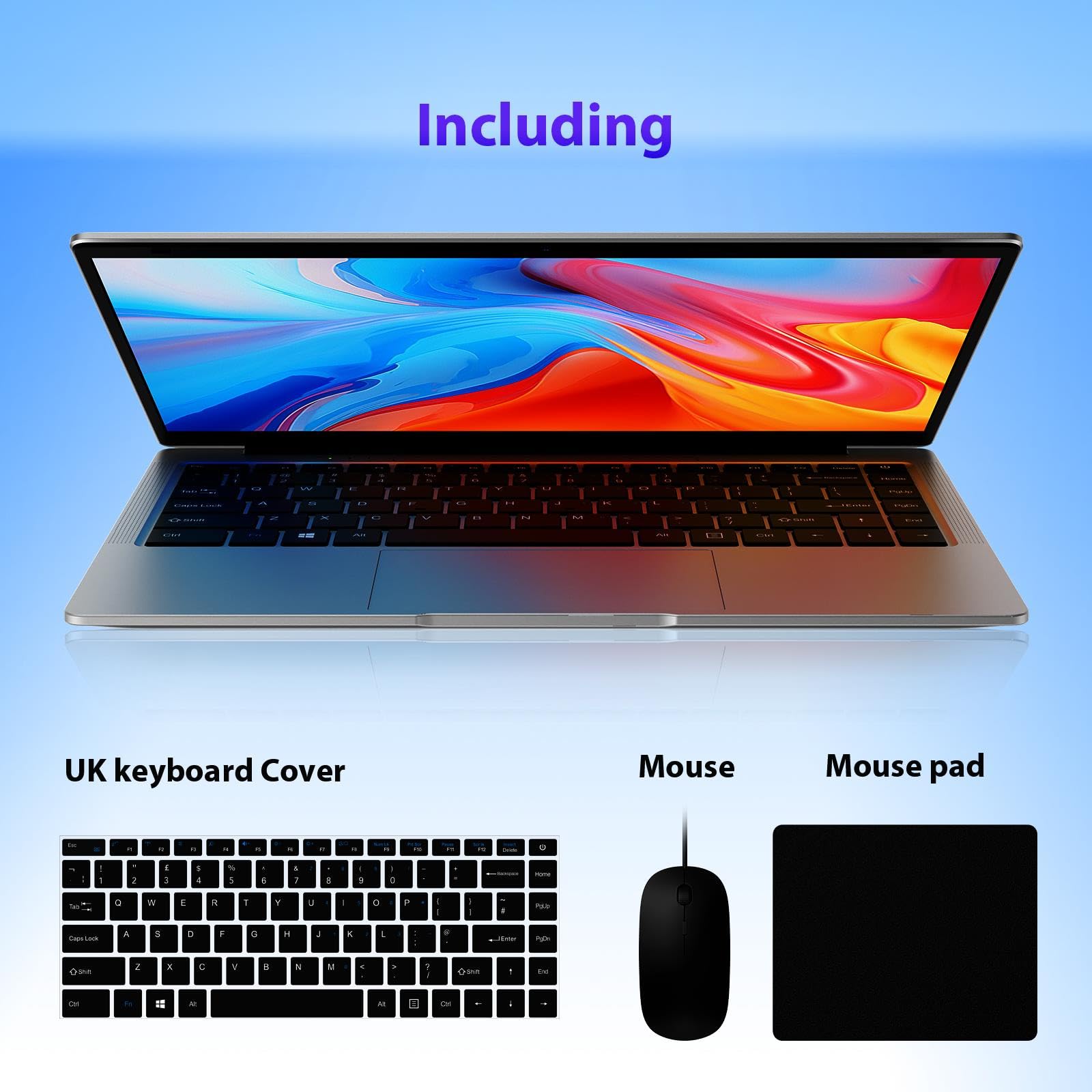
| Included Accessories | Mouse and mouse pad |
Performance Benchmarks
The Intel Celeron N4120 is a known quantity in the benchmark world, and the numbers are modest but honest. In Geekbench 5, the N4120 typically scores around 280 to 310 single-core and 750 to 850 multi-core. For context, a modern mid-range laptop chip like the Intel Core i5-1235U scores roughly four times that in multi-core. So yes, there's a gap. But benchmarks only matter if the tasks you're doing actually stress the processor, and for the target audience here, they mostly won't.
Word processing, spreadsheets, web browsing, video calls on Teams or Zoom, streaming on Netflix or YouTube: the N4120 handles all of that without drama. Where you'll notice the limits is if you try to open a large Excel file with complex formulas, run multiple video streams, or have a browser session with thirty tabs and a dozen extensions. Owners report that the machine feels snappy for everyday use, and several specifically mention being surprised by how well it handles daily tasks. That 16GB of RAM is doing real work here. A lot of budget machines at similar prices ship with 8GB, and the difference in perceived responsiveness is noticeable.
Storage performance on budget SSDs at this price point is typically eMMC or entry-level SATA SSD territory. The listing describes it as an SSD rather than eMMC, which is the better outcome. SATA SSDs typically deliver read speeds in the 400 to 550MB/s range, compared to eMMC which can be half that or worse. Boot times and application load times will be reasonable rather than rapid. Don't expect NVMe PCIe speeds, but don't expect the grinding frustration of an old spinning hard drive either. The expandable storage option is a practical touch for anyone who knows they'll need more space over time.
One thing worth flagging: the N4120 is not a new chip. It's a few generations old now, which matters for longevity more than for current performance. Windows 11 runs on it, Microsoft has confirmed support, but if you're buying this with a five-year horizon, just know the processor won't age as gracefully as something more modern. For a secondary machine, a study laptop, or a basic work tool, that's probably fine. For a primary machine you're expecting to keep for years, it's worth factoring in.
Display Analysis
The 14-inch FHD 1920x1080 display is genuinely one of the better aspects of this machine. At 14 inches, 1080p gives you a pixel density of around 157 PPI, which is sharp enough that text looks clean and icons don't look blocky. Plenty of budget laptops in this price range cut corners with 1366x768 panels, which look noticeably softer. The fact that MAXLEGEN has gone with full 1080p here is worth acknowledging, because it makes a real difference to the daily experience of using the machine.
The panel type isn't explicitly confirmed in the listing as IPS or TN, which is a slight frustration. Budget laptops at this level often use TN panels, which means narrower viewing angles and less accurate colours. If you're sitting directly in front of it, that's fine. If you're showing something to someone sitting beside you, TN panels can look washed out from the side. Owner reviews don't flag the display as a specific complaint, which suggests it's at least usable and not actively bad. Brightness is likely in the 250 to 300 nit range typical for this class of machine. Indoors, that's perfectly workable. In direct sunlight or near a bright window, you'll be squinting.
Colour accuracy is not going to be a selling point here. The UHD 600 integrated graphics and a budget panel aren't going to deliver the colour gamut a photographer or video editor needs. But for documents, web browsing, video streaming, and general productivity, it's more than adequate. The 16:9 aspect ratio is standard, and at 14 inches it's a practical size that doesn't feel cramped without being too large to carry comfortably. No mention of a glossy versus matte finish in the listing, but most machines in this category ship with a matte-ish coating that reduces glare without being truly matte. Reasonable for office and home use.
Battery Life
Battery life is where the N4120's low 6W TDP genuinely earns its keep. Low-power processors sip electricity rather than gulping it, and that translates to real-world battery endurance that can genuinely surprise you on a machine at this price. MAXLEGEN doesn't publish a specific battery capacity in watt-hours prominently in the listing, which is a mild annoyance because it makes it harder to set expectations precisely. But based on the chip's power profile and what owners report, you're looking at somewhere in the six to eight hour range for mixed light use.
For web browsing and document work with the screen at moderate brightness, owners report getting through a full working day without hunting for a socket. That's a meaningful claim for a budget machine. Video playback is more demanding, and streaming will pull that figure down toward five to six hours depending on brightness and volume. If you're doing anything that pushes the processor harder, like running a video call while downloading files, expect the lower end of that range. The key point is that the N4120's efficiency means battery life is a genuine strength here, not an afterthought.
Charging speed and method aren't detailed extensively in the listing, which is worth noting. There's no mention of USB-C charging, which means you're likely tied to the proprietary charger that comes in the box. That's a minor inconvenience for travel because you can't top up from a laptop power bank or a USB-C GaN charger. Make sure you don't leave the charger at home. Charge times for a machine like this are typically two to three hours from flat to full, which is acceptable rather than impressive. For a budget machine used for study or basic work, the battery story is one of the more positive aspects of the package.
It's also worth mentioning that Windows 11's power management settings can make a noticeable difference here. Running in Battery Saver mode will extend runtime further, though it'll also slow the already modest processor down a notch. For reading, writing, and light browsing, you probably won't notice. For anything that needs the N4120 to actually stretch its legs, keep it on Balanced mode and accept the slightly shorter runtime.
Portability
At 14 inches, this sits in the sweet spot for portability. It's not as compact as an ultrabook, but it's not a shoulder-wrecking 15.6-inch machine either. The weight isn't explicitly listed in the product details, which is a bit unhelpful, but machines in this class with plastic chassis typically come in around 1.5 to 1.8kg. That's backpack-friendly without being featherlight. You'd carry it to a lecture, take it on a commute, or chuck it in a bag for a trip without thinking twice about it.
The 14-inch footprint means it fits on economy-class tray tables, coffee shop tables, and library desks without dominating the space. The plastic build keeps the weight down and means it's less precious than an aluminium ultrabook. If it gets a knock in a bag, you're not going to be as devastated as you would be with a premium machine. The charger adds some weight and bulk to the bag, and because there's no USB-C charging, you can't leave the charger at home and rely on a multi-port USB-C brick. That's the one portability compromise worth flagging.
For the target audience, students, remote workers, people who want a light-use machine for travel or a second room, the portability story is solid. It's not the thinnest laptop you'll find, but it's not a brick either. The included mouse and mouse pad are a nice touch for anyone setting this up at a desk, though you're probably not packing those in a commuter bag every day.
Keyboard and Trackpad
Keyboard feel on budget laptops is always a bit of a lottery, and MAXLEGEN doesn't give you a lot of detail in the listing to go on. What owner reviews suggest is that the keyboard is functional and comfortable enough for extended typing sessions, which is about the best you can hope for at this price. Key travel on budget machines tends to be shallower than on premium laptops, so if you're used to a mechanical keyboard or a ThinkPad-style board, there'll be an adjustment period. But for students typing essays or office workers knocking out emails, it does the job.
There's no mention of keyboard backlighting in the listing, which almost certainly means there isn't any. That's a common cost-cutting measure at this price point and not a dealbreaker for most people, but if you work in low light regularly it's worth knowing. The layout appears to be a standard UK-style arrangement based on the product category, though MAXLEGEN doesn't explicitly confirm UK layout in the listing. Worth checking before you buy if that matters to you. No number pad on a 14-inch chassis, which is expected.
The trackpad on budget machines at this level is usually adequate rather than good. Precision touchpad certification, which ensures smooth gesture support and consistent tracking in Windows 11, isn't something you'd expect at this price. Owners don't flag the trackpad as a specific frustration in the reviews, which is a decent sign. For basic navigation, scrolling, and two-finger gestures, it'll be fine. For anything requiring precise cursor control, the included mouse is a thoughtful addition and probably the better tool for desk use. It's almost like MAXLEGEN anticipated that the trackpad would have its limits and threw in the mouse to compensate.
Thermal Performance
The N4120's 6W TDP is a real advantage here. Low-power chips produce less heat, which means the cooling system doesn't have to work as hard, which means surface temperatures stay manageable even under load. On light tasks like browsing and document work, the keyboard deck and palm rest should stay cool to the touch. Even under more sustained load, the processor's power limits mean it's physically incapable of generating the kind of heat that makes you uncomfortable resting your wrists on the machine.
Throttling is a different matter. When the N4120 hits its thermal ceiling, which won't take long if you push it, it will pull back clock speeds to stay within its power envelope. This is normal behaviour for low-power chips, and it's the reason you'll notice slowdowns if you try to do something genuinely demanding for a sustained period. For the typical use case here, it's not a problem because you're unlikely to push it hard enough consistently to trigger significant throttling. Video calls, browser tabs, documents: none of that is going to cook the processor.
The underside of the machine will get warmer than the top under load, which is typical for budget laptops where the cooling solution is minimal. Using it on a hard flat surface is better than a lap or a soft surface like a duvet, which can block the ventilation. On a desk or a lap with a laptop stand, it's comfortable. Owners don't report heat as a complaint, which aligns with what you'd expect from a chip this modest. The thermal story here is quiet and uncomplicated, which is exactly what you want from a machine you're going to use all day.
Acoustic Performance
Fan noise on the MAXLEGEN 14 inch is not going to be an issue in most situations. The N4120's low power draw means the cooling fan rarely needs to spin hard, and at idle or during light work, you may not hear it at all. This is one of the genuine perks of a low-power chip in a lightweight chassis. Sit in a library with this, and nobody around you is going to notice. Use it in a quiet meeting room, same story.
Under load, the fan will spin up, but given the processor's power limits, "under load" for this chip is still a relatively gentle ask for the cooling system. The fan character, when it does become audible, is a low steady hum rather than the aggressive high-pitched whine you get from performance laptops pushing hard. It's not going to distract you or anyone nearby. Owners don't flag fan noise as a complaint, which is consistent with what the specs suggest.
For video calls specifically, this is a useful machine. It stays quiet, which means the microphone isn't picking up fan noise in the background, and the processor is capable enough to run a Teams or Zoom call without maxing out. Budget laptops that run hot and loud are miserable for calls. This one avoids that particular problem. If acoustic performance matters to you, whether for calls, shared workspaces, or just personal preference, the MAXLEGEN 14 inch is on the right side of the line.
Ports and Connectivity
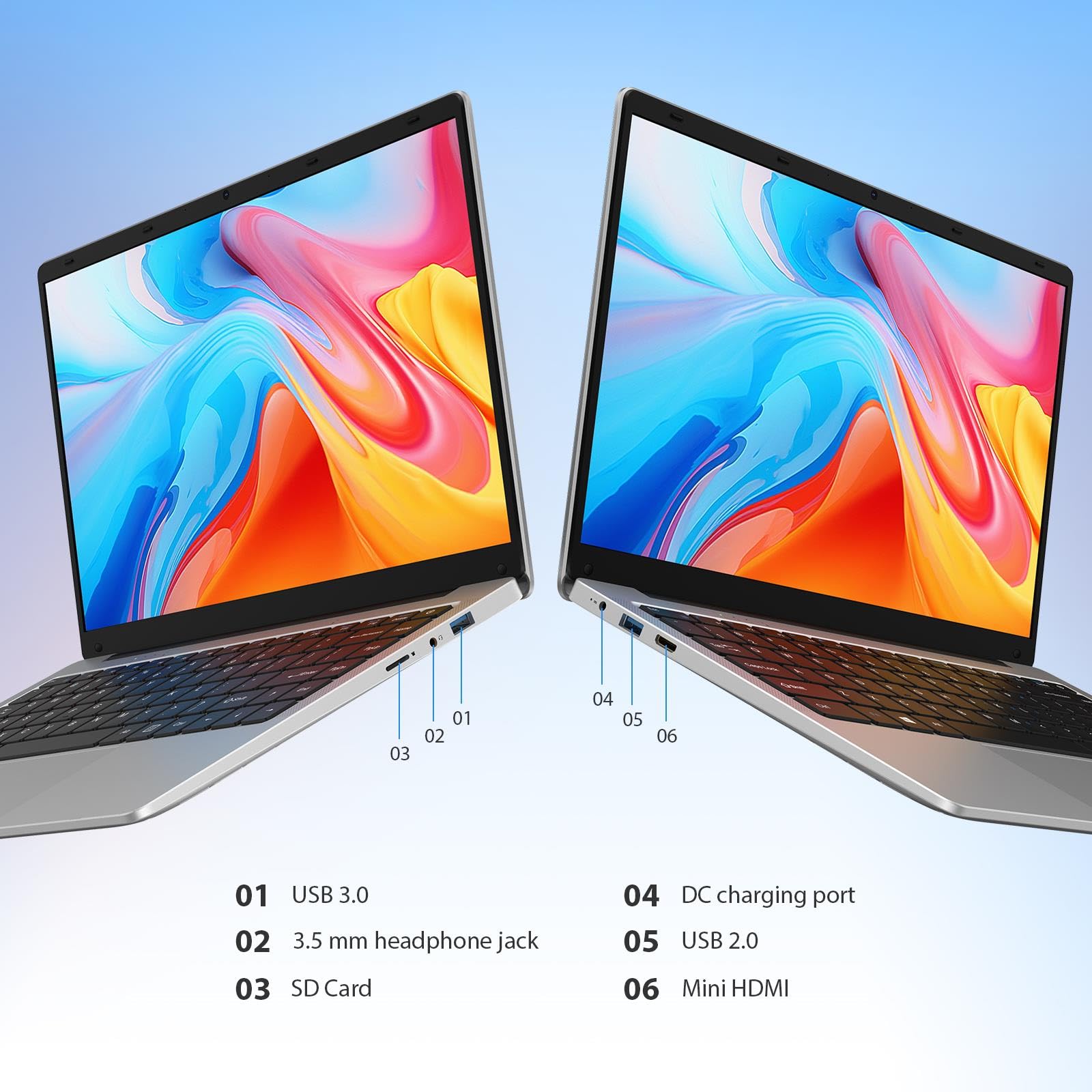
The port selection is modest but covers the basics. You get USB 3.0, which is good for data transfer speeds compared to the older USB 2.0 standard. There's HDMI out, which means you can connect to an external monitor or a TV without needing an adapter. Given how much time a machine like this spends on café, airport and hotel Wi-Fi, it's also worth running a good VPN to keep your connection private on shared networks. And there's an expandable storage slot, which is a practical touch for anyone who knows 256GB won't be enough long-term. The USB 3.0 standard supports transfer speeds up to 5Gbps, which is perfectly adequate for external drives and peripherals.
What's missing is USB-C, and that's the most notable omission. No USB-C means no USB-C charging, no Thunderbolt connectivity, and no using the growing ecosystem of USB-C docks and accessories without an adapter. For a budget machine in 2025, this is a real limitation. It's not a dealbreaker if you're using this for basic tasks and the included ports cover your needs, but if you're planning to connect to a USB-C monitor or charge from a multi-port travel charger, you'll need workarounds. The WiFi is dual-band 5GHz capable, which is a meaningful upgrade over 2.4GHz-only budget machines. The Wi-Fi Alliance certifies dual-band support as part of the Wi-Fi 5 standard, and 5GHz delivers faster, less congested connections in environments with lots of devices on the network.
Bluetooth is listed but the version isn't specified in the listing. For connecting wireless headphones, a mouse, or a keyboard, it'll work. For anything that needs Bluetooth 5.0's extended range or speed improvements, you're taking a small risk on an unconfirmed spec. The overall connectivity picture is functional for the target use case, just not future-proof.
- USB 3.0 (up to 5Gbps data transfer)
- HDMI output (external display connection)
- Expandable storage slot
- Dual-band WiFi (2.4GHz and 5GHz)
- Bluetooth (version unconfirmed)
- 3.5mm headphone jack (standard on machines in this class)
Webcam and Audio
The webcam on budget laptops at this price is usually a 720p unit, and that's almost certainly what you're getting here. MAXLEGEN doesn't specify the resolution prominently, which is a tell. A 720p webcam is fine for video calls where you're not trying to impress anyone, and in decent lighting it'll produce a perfectly acceptable image. In low light, like most 720p budget webcams, it'll get grainy and struggle. If you're doing a lot of video calls in a well-lit room, you'll be fine. If you're working in a dimly lit home office or a dark corner of a cafe, it'll show its limits.
The built-in microphone, again typical for this class, will pick up your voice clearly enough for calls but won't isolate it particularly well from background noise. In a quiet room, it's adequate. In a coffee shop or an open-plan office, you'll probably want a headset or an external microphone if call quality matters. Owners don't specifically praise or criticise the microphone in reviews, which suggests it's doing its job without being remarkable in either direction.
Speakers on budget 14-inch laptops are generally the weakest part of the machine, and there's no reason to expect the MAXLEGEN to be an exception. Adequate volume for a quiet room, thin sound with limited bass, not something you'd use for music if you have any alternative. For YouTube videos, a podcast in the background, or the audio from a video call, they'll do. For anything you actually want to enjoy listening to, plug in headphones. The 3.5mm headphone jack is the most important audio feature on a machine like this, and it's present.
Build Quality
The MAXLEGEN 14 inch is a plastic laptop. That's not a criticism, it's just a fact at this price point. Aluminium and magnesium alloy chassis are for mid-range and premium machines. Plastic keeps costs down, keeps weight down, and is more forgiving of knocks and drops than metal. The question with plastic builds is whether the plastic is good quality or cheap and flexy, and the answer for the MAXLEGEN, based on owner feedback, is somewhere in the middle. It's not a premium feel, but owners don't report it feeling flimsy or poorly assembled.
Lid flex is something to watch on budget plastic laptops. A thin lid that flexes when you pick the machine up by a corner can put pressure on the display and cause distortion or long-term damage. Owners don't flag this as a specific problem, which is encouraging, though it's worth being sensible about how you handle it. The keyboard deck, where you rest your wrists and type, appears to have acceptable rigidity based on owner reports. No significant flex under normal typing pressure, which is the minimum you'd want.
The hinge is one area where budget laptops often show their limitations over time. A hinge that's too loose means the lid wobbles, and one that's too stiff means you're wrestling with it every time you open the machine. Owners don't specifically call out the hinge as a problem, which suggests it's at least functional. The finish is likely a matte plastic that resists fingerprints reasonably well, though budget plastics can pick up scuffs and scratches more readily than anodised aluminium. For a machine that's going to live in a bag and get used every day, a protective sleeve is a sensible investment. Overall, the build is what you'd expect: honest budget construction that does the job without pretending to be something it isn't.
How It Compares
The budget laptop market under £250 is genuinely crowded, and the MAXLEGEN 14 inch needs to justify itself against two obvious alternatives. The first is the Acer Aspire 1, a long-running budget staple that regularly appears at similar prices. The second is the Lenovo IdeaPad 1, which Lenovo pitches squarely at students and light users. Both are well-known quantities with established track records, which is both an advantage and a disadvantage compared to a newer brand like MAXLEGEN.
The Acer Aspire 1 typically ships with 4GB or 8GB of RAM in its base configurations, which puts the MAXLEGEN's 16GB in a flattering light. More RAM means better multitasking and a more comfortable Windows 11 experience, and that's a real differentiator. The Lenovo IdeaPad 1 varies by configuration, but similarly tends toward 8GB in budget versions. The MAXLEGEN's processor, the N4120, is comparable to the chips found in these competitors, so performance is roughly level. Where the MAXLEGEN stands out is the RAM, the included accessories, and, depending on current pricing, the overall value proposition.
The trade-off is brand recognition and after-sales support. Acer and Lenovo have established UK support networks, warranty processes, and long track records. MAXLEGEN is a newer brand, and while the 56 owner reviews suggest a positive experience, there's less certainty about long-term support. For a budget machine where you're not expecting a five-year lifespan, that's a manageable risk. But it's worth knowing going in.
| Feature | MAXLEGEN 14 inch | Acer Aspire 1 (A114) | Lenovo IdeaPad 1 (14-inch) |
|---|---|---|---|
| Processor | Intel Celeron N4120 | Intel Celeron N4020 / N4500 | Intel Celeron N4020 / Pentium Silver |
| RAM | 16GB DDR4 | 4GB to 8GB DDR4 | 4GB to 8GB DDR4 |
| Storage | 256GB SSD | 64GB eMMC to 128GB SSD | 128GB eMMC to 256GB SSD |
| Display | 14-inch FHD 1920x1080 | 14-inch FHD 1920x1080 | 14-inch FHD 1920x1080 |
| WiFi | Dual-band 5GHz | Dual-band WiFi 5 | Dual-band WiFi 5 |
| Included Accessories | Mouse and mouse pad | None | None |
| Brand Support | Newer brand, limited track record | Established UK support | Established UK support |
| Best For | Value-focused buyers who want maximum RAM for the money | Buyers who want brand reassurance and proven support | Students who want Lenovo reliability at budget pricing |
Final Verdict
The MAXLEGEN 14 inch laptop is a solid budget machine that punches slightly above its weight in the areas that matter most for its target audience. Sixteen gigabytes of DDR4 RAM at this price is genuinely unusual and makes a real difference to how Windows 11 feels day to day. The FHD display is the right resolution for a 14-inch screen. The N4120 is modest but efficient, and that efficiency translates to battery life that owners seem genuinely happy with. For a student, a remote worker who needs a second machine, someone who wants a laptop for travel, or anyone who just needs a capable light-use device without spending a lot of money, this does the job.
The limitations are real and worth being clear about. The N4120 is not a fast processor, and if you're expecting to do anything beyond light productivity, web browsing, and video calls, you'll hit its ceiling. No USB-C is a frustration in 2025. The build quality is budget plastic, and MAXLEGEN doesn't have the support infrastructure of Acer or Lenovo. The webcam and speakers are fine rather than good. None of these are surprises at this price, but they're worth knowing. The ★★★★☆ (4.0) rating across 56 reviews suggests that buyers who go in with the right expectations come away satisfied.
On value, the included mouse and mouse pad are a nice touch that adds practical worth for desk users. The expandable storage means you're not stuck with 256GB forever. And the 16GB RAM advantage over most competitors in this price band is a real differentiator. For the money, this is a seven out of ten for the budget tier. Not flawless, not trying to be, but genuinely good at what it's supposed to do.
One honest note: if your needs are really minimal, just basic web browsing and the occasional document, you could spend less and get something even simpler. A Chromebook in this price range would be lighter, faster for browser-based tasks, and arguably more secure for casual use. But if you need full Windows 11, proper offline software support, and the flexibility that comes with a real laptop, the MAXLEGEN 14 inch is worth your consideration. It's a better buy than several better-known names at the same price, and that's not nothing.
What works. What doesn’t.
6 + 6What we liked6 reasons
- 16GB DDR4 RAM is genuinely unusual at this price tier and makes Windows 11 feel noticeably more responsive than typical budget rivals
- Full HD 1920x1080 display at 14 inches delivers a sharp, comfortable picture that many competitors in this bracket still deny buyers
- The N4120's 6W TDP translates to quiet fan operation and solid battery endurance across a full working day of light tasks
- Expandable storage slot means 256GB is a starting point rather than a hard ceiling
- Included mouse and mouse pad add practical desk-use value at no extra cost
- Dual-band 5GHz WiFi delivers faster, less congested wireless connections compared to 2.4GHz-only budget alternatives
Where it falls6 reasons
- Intel Celeron N4120 is a modest, ageing chip that will struggle with anything beyond light productivity and multitasking with a handful of applications
- No USB-C port is a real omission in 2025, ruling out USB-C charging, modern docks, and a growing range of accessories without adapters
- MAXLEGEN lacks the established UK support network and long-term track record of Acer or Lenovo
- No keyboard backlight makes the machine awkward in low-light environments
- Webcam is likely 720p only, limiting video call quality in poor lighting conditions
- Battery capacity is not published in watt-hours, making it harder to set precise expectations before purchase
Full specifications
12 attributes| Storage type | SSD |
|---|---|
| CPU | Intel Celeron N4120 |
| Display resolution | 1920x1080 |
| Display size IN | 14 |
| GPU | integrated |
| Keyboard | UK keyboard film included |
| OS | Windows 11 Pro |
| Panel type | IPS |
| RAM GB | 16 |
| RAM type | DDR4 |
| Storage GB | 256 |
| USB ports | 2x USB 3.0 Type-A |
If this isn’t right for you
2 optionsFrequently asked
7 questions01Is the Intel Celeron N4120 fast enough for everyday use in 2025?+
For light tasks such as web browsing, word processing, spreadsheets, video calls, and streaming, the N4120 handles itself adequately. It is not a fast processor by current standards and will struggle if you open a large number of browser tabs simultaneously, run complex Excel files, or attempt anything GPU or CPU intensive. For the specific use cases this machine is designed for, it is sufficient rather than impressive.
02Why does 16GB of RAM matter on a budget laptop with a slow processor?+
RAM does not make a slow processor faster, but it does give Windows 11 room to operate without constantly moving data in and out of the much slower SSD. With 8GB, which is more common at this price, Windows 11 and your open applications can use up the available memory quickly, causing noticeable slowdowns. With 16GB, the operating system and several applications can sit comfortably in memory at once, making the machine feel more responsive than the processor alone would suggest.
03Does the MAXLEGEN 14 inch laptop have USB-C?+
Based on the product listing, there is no USB-C port on this machine. The available connectivity includes USB 3.0, HDMI output, an expandable storage slot, dual-band WiFi, and Bluetooth. The absence of USB-C means you cannot charge it from a USB-C power bank or GaN travel charger, and you cannot connect USB-C monitors or accessories without an adapter. This is the most notable connectivity limitation on the machine.
04How long does the battery last on the MAXLEGEN 14 inch?+
The N4120's 6W TDP means it draws relatively little power, which translates to decent battery endurance. Owners report getting through a full working day on light tasks such as browsing and document work. For mixed use at moderate screen brightness, expect somewhere in the six to eight hour range. Streaming video or running a video call will bring that figure down. The exact battery capacity in watt-hours is not published prominently in the listing, so precise figures depend on usage patterns.
05Can the storage be upgraded on this laptop?+
Yes, the listing confirms there is an expandable storage slot in addition to the 256GB SSD. This means you are not permanently limited to 256GB, which is useful if you plan to use the machine long-term and accumulate files, games, or media. The exact type of expansion slot is not specified in detail, so it is worth confirming the interface before purchasing an upgrade drive.
06How does the MAXLEGEN 14 inch compare to the Acer Aspire 1 and Lenovo IdeaPad 1?+
The main advantage the MAXLEGEN holds over both rivals is RAM. The Acer Aspire 1 and Lenovo IdeaPad 1 typically ship with 4GB or 8GB in budget configurations, while the MAXLEGEN provides 16GB. Processor performance is broadly comparable across all three. The MAXLEGEN also includes a mouse and mouse pad, which neither rival offers. The trade-off is brand familiarity and after-sales support: Acer and Lenovo have established UK service networks, while MAXLEGEN is a newer brand with a shorter track record.
07Is this laptop suitable for running Windows 11 properly?+
Windows 11 runs on the N4120 and Microsoft has confirmed support for the processor. The 16GB of RAM gives the operating system considerably more headroom than the minimum requirements, which helps daily performance. Boot times and application loading will be reasonable given the SATA SSD rather than NVMe storage. It is not a fast Windows 11 experience compared to a modern mid-range machine, but it is a functional one for light productivity tasks.