You know what kills a gaming session faster than a bad connection? Picking up a mouse that feels like it was designed by someone who's never actually played anything. The scroll wheel that wobbles. Main buttons with so much pre-travel you're not sure if you've clicked or just thought about clicking. Side buttons positioned so far back your thumb has to do yoga to reach them. These are the things that matter, and they're almost never in the headline spec. Quick reviews talk about DPI numbers nobody uses and skip straight past the stuff that'll actually annoy you six months in.
The Logitech G305 Lightspeed Wireless Gaming Mouse has been around long enough that we've got a proper picture of what it's like to live with. With tens of thousands of owner reviews and a positive overall rating, this isn't a mouse we're guessing about. That's a big enough sample to know what the consistent praise sounds like, what the recurring gripes are, and whether the complaints are deal-breakers or just minor niggles. The G305 sits in a weird spot in the market: it's not the cheapest wireless mouse you can buy, but it's nowhere near the most expensive either. So the question is whether it hits the sweet spot or falls awkwardly between two stools.
The problem it's solving is real, by the way. Wireless mice used to be genuinely worse for gaming. Latency, dropouts, battery drain. That reputation stuck around long after the technology sorted itself out. If you've been putting up with cable drag because you assumed wireless meant compromised performance, the G305 is built specifically to change your mind. Whether it succeeds, and whether it's the right mouse for your hand and your game, is what this is all about.
Core Specifications
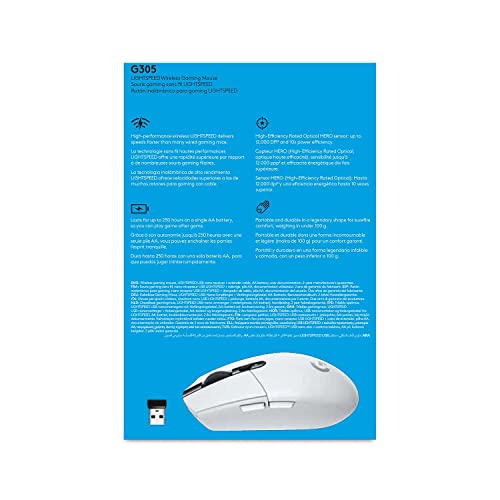
The G305 runs on Logitech's Hero 12K sensor, which is the headline spec and actually a decent one (more on that in a moment). It connects via Logitech's 2.4GHz Lightspeed wireless technology, which is the company's proprietary protocol and one of the better ones in the business. You get six programmable buttons, on-board memory for storing profiles, and a rated battery life of 250 hours. That last number is genuinely impressive and not the kind of figure you see often at this price point.
Weight comes in at 99 grams. That puts it in the lightweight category without quite hitting ultralight territory (which most people consider to be sub-70g these days). For context, the original G305 was considered quite light when it launched, and 99g is still well within the range that won't fatigue your hand during long sessions. The shape is a right-handed ergonomic design, which immediately tells you this isn't going to work for left-handed players. Worth knowing before you get excited about the price.
The White colourway reviewed here is one of several options Logitech offers. It's a clean look that doesn't scream "gaming peripheral" quite as aggressively as some of the RGB-laden alternatives on the market. Speaking of RGB, the G305 doesn't have any. That's a deliberate choice that feeds directly into the battery life figure, and honestly, it's the right call for a mouse in this category.
| Specification | Detail |
|---|---|
| Sensor | Hero 12K |
| Max DPI | 12,000 |
| Weight | 99g |
| Connectivity | Wireless (Lightspeed 2.4GHz) |
| Programmable Buttons | 6 |
| Battery Life | 250 hours |
| On-Board Memory | Yes |
| Compatibility | PC / Mac |
| RGB Lighting | None |
| Current Price | £39.99 · Details |

Shape & Ergonomics
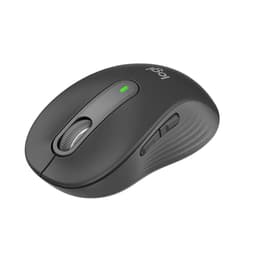
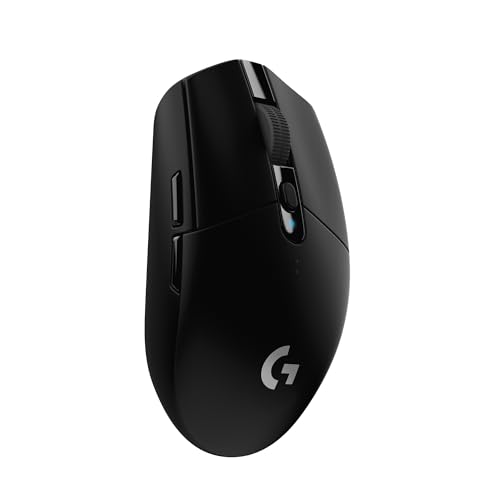
The G305 is a right-handed ergonomic shape. It's got a relatively low, flat profile with a hump that sits towards the rear of the mouse, which is a design choice that suits claw and fingertip grip styles particularly well. Palm grip users with larger hands might find the hump doesn't quite reach far enough forward to feel fully supported, especially if you've got hands above about 19cm. For medium to large hands in a claw grip, though, this shape is genuinely comfortable. The thumb rest on the left side is subtle but present, and the right side has a slight inward curve that helps with control.
Fingertip grip players should pay attention here because the G305 is actually one of the better options in this price bracket for that style. The low profile means your fingertips can get proper contact with the surface, and the weight (99g) is manageable enough that you're not fighting the mouse during fast flicks. Claw grip is probably where this mouse is most at home, though. The button angles feel natural in that position, and the side buttons are positioned well for thumb access without being so prominent that you accidentally hit them.
One thing that comes up repeatedly in owner feedback is that the G305 feels smaller than people expect. If you're coming from something like a Logitech G502 or any of the larger ergonomic mice, the G305 will feel noticeably compact. That's not necessarily a bad thing, but it's worth knowing. Small to medium hand sizes will probably find this a better fit than people with genuinely large hands who prefer a palm grip. The shape has been around long enough that there's a clear consensus: it works brilliantly for the right person and feels a bit cramped for the wrong one.
Sensor Performance
The Hero 12K is Logitech's own sensor, and it's a good one. Not the absolute cutting edge (Logitech's newer Hero 25K and the PixArt PAW3395 found in competitors push higher), but for the vast majority of players, the Hero 12K is more than capable. The key things that actually matter for real tracking performance are: zero acceleration, low lift-off distance, no spin-outs at realistic movement speeds, and consistent tracking across different surface types. The Hero 12K delivers on all of those. You can read more about how optical mouse sensors work if you want the technical background, but the short version is: this sensor won't be the thing holding you back.
The 12,000 DPI ceiling is a marketing number. Most competitive players run somewhere between 400 and 1600 DPI. Even 3200 is on the high side for precision work. The reason manufacturers keep pushing DPI numbers is that it's an easy spec to compare on a shelf, not because it translates to better performance. What the Hero 12K actually does well is track accurately at the DPI settings real people use, without the interpolation and smoothing that plagues cheaper sensors. There's a reason Logitech put this sensor in a mouse at this price rather than a budget optical: it's genuinely better than the alternatives at the same cost.
Owner reports are consistent about the tracking. Very few complaints about sensor issues, spin-outs, or tracking anomalies. The occasional mention of lift-off distance being slightly higher than some competing sensors, but nothing that causes real problems in normal use. For FPS gaming specifically, where sensor accuracy during fast flicks is critical, the Hero 12K holds up well. It's not the sensor that's going to make you question your purchase six months in. The G305 also supports Logitech's Hero sensor technology with their power efficiency focus, which feeds directly into that battery life figure.
Weight & Glide
At 99 grams, the G305 sits in what most people would call the lightweight category. It's not an ultralight shell with holes drilled through it, and it doesn't pretend to be. What it is, is noticeably lighter than the average gaming mouse, which still tends to hover around 110 to 130 grams once you factor in build quality and internals. The weight distribution feels fairly neutral, maybe very slightly rear-biased because of where the AA battery sits, but not enough to cause problems during normal use. Some owners mention noticing the battery weight shift if the mouse is lifted at an angle, which is a real observation but not a significant issue in practice.
The PTFE feet (skates) on the G305 are functional. They're not the thickest or most premium skates you'll find on a mouse at this price, and a few owners mention that they wear down faster than they'd like on rougher cloth pads. If you're using a hard pad or a smooth cloth surface, you'll be fine. If you've got a particularly abrasive mousepad, replacement skates are cheap and easy to source. The glide out of the box is smooth enough for most people, with the initial break-in period being fairly short before they settle into their final feel.
One thing worth flagging: the G305 uses a single AA battery rather than a built-in rechargeable. Some people love this (you can carry a spare battery and never be caught out), some people find it annoying (you have to buy batteries). The weight of the battery is factored into that 99g figure, so there's no hidden weight surprise. If you swap to a lithium AA instead of alkaline, you can actually shave a few grams off. It's a small thing, but worth knowing if weight is a priority for you.
Buttons & Switches
The main switches in the G305 are mechanical, and this is one area where owner feedback is generally positive. The click feel is described consistently as crisp and tactile, with good actuation force and minimal pre-travel. These aren't optical switches like you'd find in more premium mice, but the mechanical switches Logitech uses here don't feel mushy or imprecise. For rapid clicking in FPS games or any scenario where click latency matters, they perform well. The left and right main buttons have a satisfying snap to them that a lot of owners specifically call out as a highlight.
The side buttons (two on the left, accessible to your thumb) are positioned well for most grip styles. They've got a decent amount of travel and feel distinct enough that you can tell you've pressed them without looking. A few owners with very large hands mention the forward side button is a slight stretch, but this is a minority complaint. The scroll wheel has a tactile step to it rather than a free-spinning design, which suits gaming better than productivity use. The encoder quality is decent, not the smoothest you'll ever use, but consistent enough that misregistered scrolls aren't a common complaint.
The DPI button sits behind the scroll wheel, which is a fairly standard placement. It's not something you'll accidentally hit during normal use, which is the right call. Some mice put this button in more accessible but more accident-prone positions. The G305's layout prioritises the six buttons that actually matter and keeps the DPI toggle out of the way. For MMO players who want a numpad's worth of buttons, this isn't your mouse. For FPS, battle royale, and most other genres, six buttons is plenty.
Build Quality
The shell is plastic, which is expected at this price. The texture on the White version is a smooth matte finish, and owner feedback suggests it holds up reasonably well over time without yellowing or becoming too slippery when your hands get warm. The side grips don't have any rubberised coating, which is a choice that some people like (easier to clean, doesn't peel) and some don't (less grip in sweaty conditions). If you play in a warm room or tend to have sweaty hands, this is worth thinking about.
Shell flex is minimal. The G305 doesn't creak or flex noticeably under normal grip pressure, which is reassuring for a mouse in this price bracket. Some budget wireless mice feel hollow and plasticky in a way that makes you wince, but the G305 doesn't have that problem. The button wobble on the main clicks is low, another thing that matters more than people realise until they use a mouse where it's bad. A few owners mention slight wobble on the scroll wheel, which is a more common complaint, but it doesn't seem to affect functionality.
Long-term durability is where the G305 gets genuinely good marks from the owner community. This mouse has been on the market long enough that people have been using it for years, and the feedback from long-term owners is mostly positive. The main switches don't seem to develop double-click issues at the rate that some competing mice do (a problem that's plagued certain Logitech models in the past). The shell doesn't crack or warp. The battery door, which is always a potential weak point on AA-powered mice, seems to hold up without becoming loose or rattly over time.
Connectivity
The G305 is a wireless-only mouse. It uses Logitech's Lightspeed 2.4GHz proprietary wireless technology, which the company developed specifically to address the latency concerns that made wireless gaming mice a no-go for competitive players. Lightspeed operates at a 1ms report rate, which puts it on par with wired connections for all practical purposes. The idea that wireless means worse performance is genuinely outdated now, and Lightspeed is one of the main reasons why. You can read more about the technical background of 2.4GHz wireless technology if you want to understand why this frequency band works so well for low-latency peripherals.
The USB receiver is a nano dongle, small enough that you can leave it plugged into your PC without it being in the way. The G305 has a compartment in the battery bay to store the receiver when you're travelling, which is a nice touch and one that owners consistently mention as useful. Range is good. Logitech quotes 10 metres, and while most people aren't gaming from 10 metres away, it means you won't get dropouts from a slightly awkward desk setup or if the receiver is tucked behind your PC case.
There's no Bluetooth option on the G305, which is worth noting if you want to use a single mouse across multiple devices without swapping the dongle. For dedicated gaming use on one PC, this isn't a problem at all. But if you're looking for a mouse that can switch between your gaming rig and a laptop without pulling out the receiver, you'll need to look elsewhere. The Lightspeed connection is rock solid in owner reports, with very few complaints about dropouts or interference, even in environments with a lot of other wireless devices around.
Battery Life
250 hours of battery life from a single AA battery is the headline figure, and it's genuinely impressive. To put that in context: if you game for four hours a day, every day, that's over two months on a single battery. Most people will get even longer than that because they're not gaming four hours every single day. The lack of RGB is a significant contributor to this figure. RGB LEDs draw a surprising amount of power, and Logitech made the right call in leaving them out of the G305 if the goal was to maximise battery life.
Owner feedback on battery life is overwhelmingly positive. People consistently report getting close to or exceeding the rated figure, which is not always the case with manufacturer battery claims. The mouse uses a single AA rather than a built-in rechargeable battery, which has practical advantages: you can carry a spare, you're not dependent on a USB-C cable being available, and you never have a dead mouse that needs to sit on a charging pad for an hour before you can use it. The trade-off is that you're buying batteries rather than just plugging in, but at the rate the G305 goes through them, it's not a significant cost.
There's no battery level indicator on the mouse itself, which is a minor annoyance. You can check the battery level through Logitech's G HUB software, but if you're not running the software (which is a reasonable choice), you won't get a warning until the mouse starts behaving oddly. A few owners mention being caught out by this, but given how long the battery lasts, it's not something that comes up often. The auto-sleep function kicks in when the mouse is idle, which helps extend battery life further. Logitech's approach to power efficiency with the G305's design is one of the things that genuinely sets it apart at this price.

Software & Customisation
The G305 works with Logitech's G HUB software, which is the company's current platform for configuring their gaming peripherals. G HUB lets you set DPI stages (you can configure multiple steps and cycle through them with the DPI button), remap buttons, create macros, and update firmware. The on-board memory means your settings are stored on the mouse itself, so you don't need to run G HUB on every PC you use the mouse on. Set it up once, and the mouse carries your configuration with it. This is particularly useful if you're using the G305 on multiple machines or in environments where you can't install software.
G HUB itself has a mixed reputation. It's more capable than the old Logitech Gaming Software it replaced, but it's also heavier and occasionally temperamental. Some owners report installation issues or the software not recognising the mouse on first connection. These problems tend to resolve themselves with a reinstall or a firmware update, but it's not the smoothest software experience in the business. If you're the kind of person who sets up their DPI once and never touches software again, this won't bother you. If you want to constantly tweak profiles and macros, it's worth being aware that G HUB can be frustrating.
DPI is adjustable from 200 to 12,000 in steps of 50, which gives you plenty of granularity. The polling rate is not something that's specified in the verified data, so we won't guess at it. What we can say is that the Lightspeed wireless connection operates at 1ms report rate, which is the relevant figure for competitive gaming. The six programmable buttons give you enough flexibility for most gaming genres without the complexity of a mouse that's trying to replace your keyboard. For players who want surface calibration or advanced sensor tuning, G HUB supports this through the software interface.
Gaming Experience
For FPS gaming, the G305 makes a strong case for itself. The Hero 12K sensor handles fast flick shots without tracking errors, the click feel is crisp enough for rapid fire, and the weight is low enough that you're not fighting the mouse during aggressive movement. The wireless connection means no cable drag, which is genuinely noticeable if you've been using a stiff braided cable. Owners who play shooters competitively mention the G305 as a serious option, not just a budget compromise. That's a meaningful endorsement from a community that's very quick to call out when something isn't up to scratch.
Battle royale and MOBA players will find the six-button layout covers their needs without being excessive. The side buttons are accessible enough for weapon swaps or ability activations, and the main buttons are reliable enough that you're not second-guessing your clicks mid-game. The scroll wheel step is tactile enough to use for weapon cycling without accidentally jumping multiple positions. For MMO players who need a dozen side buttons, this isn't the right tool. But for the majority of gaming genres, the G305's button layout is well thought out.
Long session fatigue is something the owner community talks about in positive terms. The 99g weight and the ergonomic shape mean that extended gaming sessions don't leave your hand feeling wrecked. This is where the shape's suitability for claw and fingertip grips pays off: those styles generally cause less fatigue than a heavy palm grip mouse over several hours. A few palm grip users with larger hands do mention some discomfort over long sessions, which goes back to the fit issue discussed in the shape section. If the G305 fits your hand well, it's comfortable for extended play. If it doesn't, no amount of good sensor performance will compensate.
How It Compares
The G305's main competition at this price point comes from two directions: the Razer DeathAdder V2 X HyperSpeed (another wireless option aimed at similar buyers) and the SteelSeries Rival 3 Wireless. Both are worth considering, and both have different strengths. The G305 wins on battery life by a significant margin over both. The Razer DeathAdder V2 X HyperSpeed has a more pronounced ergonomic shape that suits larger hands better, but it uses a less capable sensor than the Hero 12K. The SteelSeries Rival 3 Wireless is lighter in some configurations but has a less proven wireless implementation than Lightspeed.
The honest comparison is that the G305 sits in a strong position because of the combination of Lightspeed wireless reliability, Hero 12K sensor quality, and that 250-hour battery life. Competitors can beat it on individual specs, but the package as a whole is hard to argue with at the price. The lack of RGB and the AA battery format are the two things that put some buyers off, but both of those are deliberate choices that contribute to the battery life advantage. If you want RGB and a rechargeable battery, you're looking at a different category of mouse at a higher price.
| Feature | Logitech G305 | Razer DeathAdder V2 X HyperSpeed | SteelSeries Rival 3 Wireless |
|---|---|---|---|
| Sensor | Hero 12K | Razer 14K | TrueMove Air |
| Weight | 99g | 86g | 106g |
| Wireless Tech | Lightspeed 2.4GHz | HyperSpeed 2.4GHz | 2.4GHz |
| Battery Life | 250 hours | 235 hours | 200 hours |
| RGB | No | No | No |
| Shape | Right-handed ergonomic | Right-handed ergonomic | Ambidextrous |
| On-Board Memory | Yes | Yes | Yes |
One thing the comparison table doesn't capture is the software ecosystem. Logitech's G HUB, Razer's Synapse, and SteelSeries Engine all have their fans and their critics. G HUB is the heaviest of the three but also the most feature-rich. If you're already in the Logitech ecosystem with a keyboard or headset, staying with G HUB for everything is convenient. If you're starting fresh, any of the three will do the job, with the caveat that all three have had stability issues at various points in their history.
What Buyers Say
With tens of thousands of reviews and a positive overall rating, the owner picture is pretty clear. The consistent praise centres on the wireless performance (people are genuinely surprised by how lag-free it feels if they've been sceptical of wireless mice), the battery life (owners regularly report getting close to the 250-hour figure), and the click feel on the main buttons. The shape gets positive mentions from claw and fingertip grip users specifically, and the price-to-performance ratio comes up repeatedly as a reason people recommend it to friends.
The consistent complaints are worth paying attention to. The most common one is the software: G HUB frustrates a meaningful number of owners, particularly around initial setup and occasional crashes. The second most common complaint is the shape being too small for larger hands, which is a fit issue rather than a quality issue. A smaller number of owners mention the scroll wheel feeling slightly cheap compared to the rest of the mouse, which is a fair observation. And there are occasional mentions of the side buttons requiring more force than expected, though this seems to be a minority view.
The long-term owner feedback is particularly encouraging. People who've been using the G305 for a year or more tend to be positive about its durability. The double-click issue that plagued earlier Logitech mice (particularly the G Pro Wireless in some batches) doesn't seem to be a widespread problem with the G305. The battery door stays secure. The PTFE feet wear at a normal rate. For a mouse that's been on the market since 2018, the sustained positive reception from long-term owners is a meaningful data point.
Value Analysis
The G305 occupies a specific value tier: it's not the cheapest wireless gaming mouse you can buy, but it's significantly cheaper than the premium wireless options from Logitech's own range (the G Pro X Superlight 2 being the obvious comparison). What you're getting for the price is genuine Lightspeed wireless technology, a capable Hero 12K sensor, and a battery life that makes the competition look ordinary. That's a lot of real-world value, even if the build materials and scroll wheel aren't quite as premium as you'd get from a more expensive option.
The AA battery format is a genuine point of difference from most of the competition, and whether it's a positive or negative depends entirely on your perspective. If you hate the idea of your mouse dying mid-game with no warning and no quick fix, the AA format means you can carry a spare and be back up in seconds. If you find buying batteries annoying and prefer just plugging in a USB-C cable, this will frustrate you. Neither position is wrong, but it's worth knowing which camp you're in before buying.
For the price, the G305 is genuinely hard to beat as a wireless gaming mouse. The Lightspeed wireless is as good as it gets at any price. The Hero 12K sensor is more than capable for competitive gaming. The battery life is exceptional. And the owner community's sustained positive feedback over several years of market presence gives you more confidence than a fresh product with a handful of reviews. If your budget is limited and you want wireless gaming mouse performance without compromise on the things that actually matter, the G305 makes a compelling case.
Final Verdict
The Logitech G305 Lightspeed Wireless Gaming Mouse is a mouse that gets the important things right and makes deliberate compromises on the things that matter less. No RGB. AA battery. Plastic shell without rubberised side grips. These are real trade-offs, and they're all in service of two things: price and battery life. If you can live with those compromises, what you get in return is Lightspeed wireless that genuinely competes with wired connections, a Hero 12K sensor that's more than adequate for competitive gaming, and 250 hours of battery life that makes the competition look wasteful.
Who should buy this? Claw and fingertip grip players with small to medium hands who want wireless performance without paying flagship prices. FPS and battle royale players who want a reliable wireless connection and a capable sensor. Anyone who's been put off wireless mice by outdated concerns about latency and is ready to be converted. And honestly, anyone who's fed up with cable drag and wants a simple, no-nonsense wireless gaming mouse that just works.
Who should skip it? Left-handed players (there's no left-handed version). Palm grip users with large hands who need a bigger shell. Anyone who wants RGB. Anyone who wants a rechargeable battery and a USB-C connection. And anyone who needs Bluetooth for multi-device pairing. For those buyers, the G305 isn't the answer. But for the right buyer, it's one of the best value wireless gaming mice on the market, and tens of thousands of owners rating it positively is a hard argument to ignore.
Score: 8.5 out of 10. Loses half a point for the G HUB software frustrations and another for the scroll wheel feel. Gains everything else back for delivering on the things that actually matter in a wireless gaming mouse at this price.
Not Right For You?
If the G305 doesn't quite fit what you're after, here are the directions worth looking in. For a lighter wireless option with a more premium feel, Logitech's own G Pro X Superlight 2 is the step up, though the price reflects that. It uses a rechargeable battery, has a lower weight, and the build quality is noticeably more premium. If budget is the priority and you can accept a wired connection, the G102 Lightsync gives you a capable sensor in a similar shape for considerably less money. For buyers who need an ambidextrous shape, the SteelSeries Rival 3 Wireless is worth a look, though the wireless implementation isn't quite as proven as Lightspeed.
If you're a palm grip player with larger hands who liked the idea of the G305 but found the shape too compact, the Razer DeathAdder V2 X HyperSpeed has a more generous ergonomic shape and similar wireless performance. It's a genuine alternative rather than a consolation prize. And if you specifically want Bluetooth for multi-device pairing alongside 2.4GHz wireless, Logitech's own MX Master 3S covers that, though it's aimed more at productivity than gaming.
The honest truth is that the G305 is a very specific mouse for a very specific buyer, and if you're in that target group, it's excellent. If you're not, the alternatives above are worth your time. The worst outcome is buying something that doesn't fit your hand or your workflow and spending the next year mildly annoyed by it. Know what you need before you buy, and the G305 will either be obviously right or obviously wrong for you.
Specifications
| Specification | Detail |
|---|---|
| Full Name | Logitech G305 Lightspeed Wireless Gaming Mouse |
| Sensor | Hero 12K |
| Max DPI | 12,000 |
| DPI Range | 200 to 12,000 |
| Weight | 99g |
| Connectivity | Wireless (Lightspeed 2.4GHz) |
| Wireless Range | 10 metres |
| Programmable Buttons | 6 |
| Battery Life | 250 hours |
| Battery Type | 1x AA |
| On-Board Memory | Yes |
| RGB Lighting | None |
| Shape | Right-handed ergonomic |
| Compatibility | PC / Mac |
| Software | Logitech G HUB |
| ASIN | B07CGNP3RH |
| Colour Reviewed | White |
| Reviews (avg) | ★★★★½ (4.6) from 23,811 reviews |
| Current Price | £39.99 · Details |
Prices are dynamic and subject to change. Check the current price using the links on this page. Vividrepairs.co.uk participates in the Amazon Associates programme. If you purchase through our links, we may earn a small commission at no extra cost to you.
What works. What doesn’t.
6 + 6What we liked6 reasons
- Lightspeed 2.4GHz wireless delivers a genuinely wired-equivalent 1ms report rate, making concerns about wireless latency obsolete at this price
- 250-hour battery life from a single AA battery is exceptional and consistently matched by real-world owner reports
- Hero 12K sensor tracks accurately at practical DPI settings with no spin-outs or notable anomalies reported by the large owner community
- On-board memory means settings travel with the mouse without needing software installed on every machine
- AA battery format lets you carry a spare and swap in seconds, eliminating the risk of a dead mouse with no quick fix
- Long-term durability is well evidenced by years of sustained positive owner feedback with no widespread double-click failures
Where it falls6 reasons
- G HUB software is heavy and occasionally temperamental, with installation and recognition issues reported by a meaningful number of owners
- Right-handed only shape excludes left-handed players entirely, with no ambidextrous or mirrored variant available
- Shell is too compact for palm grip users with large hands, leading to discomfort during extended sessions
- No RGB may disappoint buyers who want lighting, and no rechargeable battery means ongoing consumable cost
- Scroll wheel feel is described as slightly cheap relative to the rest of the build, with minor wobble noted by some owners
- No Bluetooth option means the mouse cannot switch between devices without physically moving the nano dongle
Full specifications
6 attributes| Buttons | 6 |
|---|---|
| Connectivity | wireless |
| MAX DPI | 12000 |
| Sensor type | optical |
| Shape | symmetrical |
| Weight | 99 |
If this isn’t right for you
2 options
Frequently asked
8 questions01Does the Logitech G305 work on Mac as well as PC?+
Yes, the G305 is compatible with both PC and Mac. The Lightspeed wireless dongle works across both platforms, though Logitech's G HUB software has more comprehensive support on Windows. Core functionality including plug-and-play tracking and clicking works on Mac without software installed.
02What battery does the Logitech G305 use and how long does it last?+
The G305 uses a single AA battery. Logitech rates battery life at 250 hours, and owner feedback consistently confirms real-world use comes close to or exceeds that figure. If you game for four hours a day, you can expect roughly two months or more from a single battery. Switching to a lithium AA instead of alkaline can shave a few grams off the weight as well.
03Is the Logitech G305 good for FPS games?+
Yes. The Hero 12K sensor handles fast flick movements accurately without tracking errors, the main button clicks are crisp and tactile with minimal pre-travel, and the Lightspeed wireless connection operates at a 1ms report rate equivalent to a wired mouse. The 99g weight is low enough for aggressive mouse movement without fatigue. Owner feedback from competitive FPS players is consistently positive.
04Can the Logitech G305 be used by left-handed players?+
No. The G305 has a right-handed ergonomic shape with a thumb rest on the left side only. There is no left-handed or ambidextrous version of the G305. Left-handed players should look at ambidextrous options such as the SteelSeries Rival 3 Wireless instead.
05Does the Logitech G305 have RGB lighting?+
No, the G305 has no RGB lighting. This is a deliberate design choice that contributes directly to the 250-hour battery life. If RGB lighting is important to you, you will need to look at other mice, though most of them will offer significantly shorter battery life as a result.
06What grip styles suit the Logitech G305 best?+
The G305 is best suited to claw and fingertip grip styles. Its low, flat profile with a rear-biased hump suits the hand position of both styles well. Palm grip users with larger hands may find the shell too compact, as the hump does not extend far enough forward to fully support a palm grip for hands above roughly 19cm. Small to medium hands in a palm grip may still find it comfortable.
07Does the Logitech G305 support Bluetooth?+
No. The G305 connects only via Logitech's Lightspeed 2.4GHz wireless using the included nano USB dongle. There is no Bluetooth option. If you need to switch between a gaming PC and a laptop without moving the dongle, you will need a mouse that supports both connection types, such as certain models in Logitech's MX range.
08What is Logitech Lightspeed wireless and is it actually lag-free?+
Lightspeed is Logitech's proprietary 2.4GHz wireless protocol designed specifically for gaming peripherals. It operates at a 1ms report rate, which is on par with a wired USB connection. Owner feedback on the G305 consistently confirms the connection is rock solid with no noticeable latency or dropouts, even in environments with other wireless devices present. The concern that wireless mice are inherently worse than wired for gaming is outdated, and Lightspeed is a large part of the reason why.