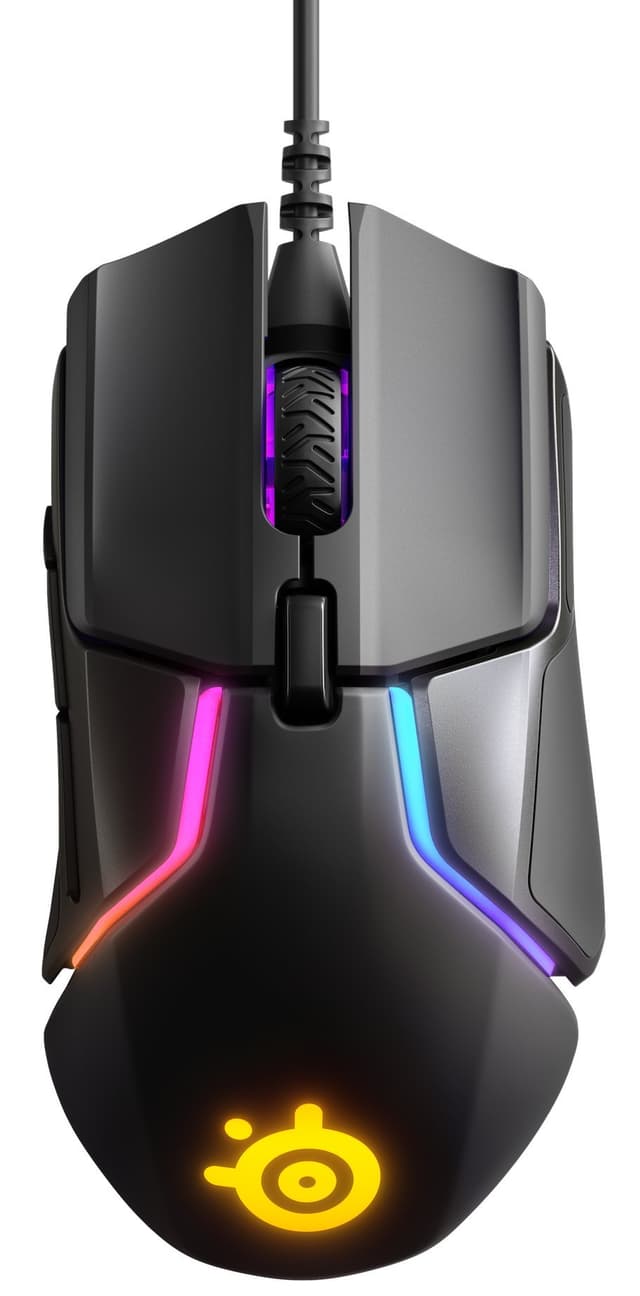
Best Overall Value
Start with the sensor, because it's what separates the G305 from everything else at this money. The HERO optical sensor tracks accurately with no spin-outs reported at normal DPI settings, and paired with Logitech's LIGHTSPEED 2.4GHz radio it matches wired latency in practice. That's the headline: 1ms wireless that behaves like a cable, in a mouse that undercuts the rest of the field on real-world performance rather than spec-sheet bravado. Owners agree, rating it 4.6 stars across nearly 24,000 ratings, and our research-led review scored it 8.5 out of 10.
Then there's the battery. A single AA runs it for 250 hours, which is exceptional for a wireless gaming mouse and means you're swapping a cell every couple of months rather than nightly charging. The Nano receiver stores inside the battery compartment, so it survives being chucked in a bag without the dongle going walkabout. The shell is solid too, with minimal flex or creak, which is more than you can say for the cheaper ATTACK SHARK X11 SE further down this list.
What do you give up? RGB, for one, and premium materials for another. This is matte plastic, not fancy coatings. The scroll wheel is the weakest component and can feel loose over time, a common thread in owner feedback. There's no Bluetooth either, so it won't jump between a laptop and a tablet the way the Logitech Signature M650 can, and large-handed palm grippers will find the shape a touch small.
Against the ATTACK SHARK X3, the trade is clear: the X3 has a more advanced PAW3395 sensor and a lighter 49g shell, but the G305 answers with Logitech's proven UK warranty network, a better scroll wheel and a battery that outlasts anything rechargeable in a blackout. For most buyers wanting one wireless mouse that just works and plays, this is the pick. See our full Logitech G305 LIGHTSPEED review for the deeper breakdown. Logitech's own product page lists the full HERO sensor specifications.
Pros
- Nano receiver tucks inside the battery bay for travel
- 250-hour runtime from one AA, no charging routine
- 4.6-star owner rating from nearly 24,000 buyers
- Proven Logitech UK warranty and support
Cons
- Scroll wheel can loosen over time
- No Bluetooth, so no multi-device switching
- Shallow for large-handed palm grip
Buy on Amazon£32.00Read full review
Best Ultralight
49 grams. That's lighter than the G Pro X Superlight 2 and the Aerox 3, and it's the reason to buy this one. The ATTACK SHARK X3 pairs that genuinely ultralight shell with a flagship PixArt PAW3395 sensor, the same class of tracking you'd find in mice costing twice as much. For flick-heavy FPS players who feel every gram of wrist fatigue, this is the standout on the list. Our research-led review scored it 8.5 out of 10, matching the G305, and early owners rate it 4.3 stars from 35 ratings.
The component choices back up the price. KAILH GM8.0 switches carry an 80-million-click rating with gold-plated contacts, and tri-mode connectivity covers USB-C wired, 2.4GHz and Bluetooth. The symmetrical shape works for left and right-handed players, which the right-handed-only G305 can't claim. Battery is rated at 200 hours without RGB draining it in the background.
The compromises live in build and support. The smooth plastic shell can feel slippery for players with warm hands, which is why ATTACK SHARK bundles grip tape in the box. There's no dongle storage in the body, a nuisance next to the G305's tidy internal slot, and the UK warranty network is less established than Logitech's. Bluetooth is less reliable than the 2.4GHz link, as usual. Claw and fingertip grippers get on best; large palm-grip hands will find it shallow.
Against the G305, you're trading proven support and a better scroll wheel for a lighter shell and a stronger sensor. Serious FPS players who chase weight should pick this; everyone else is safer with the Logitech. Full detail in our ATTACK SHARK X3 review.
Pros
- Grip tape included to fix the slick shell
- Ambidextrous shape suits left-handers
- KAILH GM8.0 switches rated to 80 million clicks
- USB-C wired mode doubles as charging
Cons
- No receiver storage in the mouse body
- UK warranty support less established
- Polling rate not confirmed in verified specs
- Too shallow for large palm-grip hands
Buy on Amazon£42.49Read full review
Best Classic Shape
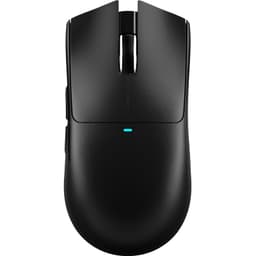
The M64 is the safe shape pick here. Where the ATTACK SHARK models chase raw weight with aggressive symmetrical shells, Cherry's M64 leans on a more traditional right-handed gaming form that suits players who never got on with ultralight blobs. It's a wireless gaming shell built for the crowd who value a familiar hand-feel over a lower number on the scales.
We have no published review score for the M64 and there's no Amazon UK owner rating on record yet, so treat this on specification rather than measured feedback. On paper it slots between the featherweight X3 and the value-focused X11 SE: a wireless gaming mouse with a conventional shape, aimed at players who want XTRFY's build reputation without the top-tier price. If you know Cherry's ergonomics suit your hand, it's a sensible bet. If you're chasing the lightest possible mouse, the 49g X3 still owns that title, and if you want proven owner numbers, the G305's 24,000 ratings speak louder.
Pros
- Traditional right-handed gaming shape
- Wireless freedom under the budget cap
- XTRFY build reputation behind it
Cons
- No Amazon UK owner rating on record yet
- No published review score to lean on
- Not the lightest option on this list
Buy on Amazon£39.99
Best for FPS on a Tight Budget
Most mice at this price still ship basic optical sensors. The X11 SE doesn't. Its PAW3311 sensor tracks flawlessly up to 300 IPS with zero spinouts, and it runs 1000Hz polling in wireless mode, matching premium mice on the one number FPS players care about. At 59g it's genuinely ultralight, and owners rate it 4.2 stars from 80 ratings. Our review scored it 8.3 out of 10.
Tri-mode connectivity (wired, 2.4GHz, Bluetooth) matches the pricier X3, and battery runs 70-plus hours in 2.4GHz, beating the manufacturer claim according to our review. The PTFE feet glide well on cloth and hard pads after a brief break-in.
The cost-cutting shows in the shell. It flexes and creaks under firm pressure, the side buttons show slight lateral wobble, and there's no USB extension cable for the receiver, which can cause connectivity issues with a distant PC. Software occasionally fails to detect it in Bluetooth mode. Against its own sibling the X3, you save money but lose the PAW3395 sensor, the 49g weight and the included grip tape. Against the G305, you gain Bluetooth and a lower weight but sacrifice build quality. For a budget FPS setup where tracking matters more than a rigid shell, it earns its place.
Pros
- 1000Hz wireless polling matches premium mice
- 70+ hour battery beats the rated figure
- PTFE feet glide well after break-in
- Tri-mode connectivity for the money
Cons
- Shell flexes and creaks under pressure
- No USB extension cable in the box
- Side buttons wobble slightly
- Bluetooth detection can drop in software
Buy on Amazon£25.99Read full review
Best for Laptops
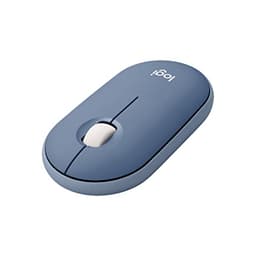
Not a gaming mouse, and it doesn't pretend to be. The Pebble is a slim, silent travel companion for laptop and tablet users, and it's the highest-rated product on this entire list at 4.7 stars from over 12,600 owners. That rating tells you what it's for: quiet clicks, a low-profile shell that slides into a bag, and dual connectivity over Bluetooth or the bundled 2.4GHz receiver so it pairs with an iPad as easily as a PC.
For the title at hand, be clear-eyed. There's no high-DPI gaming sensor and no dedicated side buttons, so competitive play is off the table. Next to the G305 it's the opposite tool: where the Logitech gaming mouse chases latency, the Pebble chases silence and portability. If your wireless mouse spends its life on a train tray table rather than a mousepad, this is the one to grab, and the quiet clicks make it kinder in a shared office than the clickier gaming options above.
Pros
- 4.7-star rating, the highest here
- Bluetooth or 2.4GHz, pairs with iPad and Mac
- Slim shell built for a bag
- Quiet clicks for shared spaces
Cons
- No gaming sensor or high DPI
- No dedicated side buttons
- Low profile suits fingertip grip only
Buy on Amazon£24.99
Best for Silent Office Use
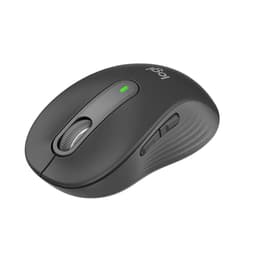
Two years on one AA. That's the M650's party trick, and it reframes what wireless means: you fit it and forget it. Add genuinely quiet primary clicks, noticeably better than standard mice in a shared room, and multi-device pairing across up to three devices, and you've got a productivity mouse that earns its 4.5-star rating from over 12,500 owners. Our review scored it 8 out of 10.
The build is solid and creak-free with rubberised side grips, and Logi Options+ makes remapping the customisable side buttons painless. For office and everyday work under budget, it's a clean pick.
But it's not for gaming, and the spec sheet says why. The 2,000 DPI ceiling is limiting on 4K displays or big multi-monitor setups, the shape is right-handed only, and the scroll wheel isn't silenced, which slightly undercuts the quiet pitch. Side buttons need a deliberate press. Against the G305, this is the desk-work counterpart: swap gaming latency for silence and a battery you'll forget about. If you game even occasionally, the G305 is the smarter buy; if you live in spreadsheets and calls, this is. See our full Logitech Signature M650 review.
Pros
- Two-year battery on a single AA
- Reliable pairing across three devices
- Creak-free build with rubberised grips
- Logi Options+ remapping is clean
Cons
- 2,000 DPI ceiling struggles on 4K
- Right-handed only
- Scroll wheel isn't silenced
- Side buttons need a firm press
Buy on Amazon£33.10Read full review
Best Minimalist Pick
The M50 is the clean-desk option: a lightweight gaming shell in white, from a brand with a decent build reputation. There's no Amazon UK owner rating on record and no published review score, so this rests on specification. It sits below the M64 as the simpler, more pared-back Cherry pick. If the white finish and low weight appeal and you trust XTRFY's ergonomics, it's a tidy choice; if you want proven owner numbers, the G305 or Pebble deliver those instead.
Pros
- Clean white lightweight shell
- XTRFY build reputation
Cons
- No owner rating on record
- No published review score
Buy on Amazon£39.99
Best for Wrist Comfort
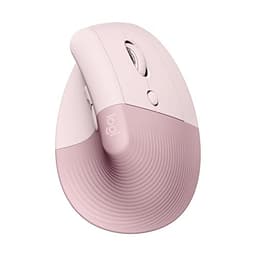
If your wrist aches by the afternoon, the Lift is the answer on this list. Its 57-degree tilt genuinely reduces wrist strain for small to medium hands, and dual wireless over Logi Bolt or Bluetooth keeps it flexible across a laptop and desktop. Quiet clicks help in shared rooms, and owners rate it 4.5 stars from over 10,000 ratings. Our review scored it 7.5 out of 10.
For gaming, though, it's a no. The sensor tops out at 4000 DPI, the DPI button sits awkwardly on the underside, and the vertical shape is built for comfort, not flick shots. It's also right-handed only. Against the Signature M650, both target office use, but the Lift trades the M650's two-year battery for ergonomic tilt: pick it if wrist relief outranks everything else. Full detail in our Logitech Lift review.
Pros
- 57-degree tilt eases wrist strain
- Logi Bolt plus Bluetooth dual wireless
- Well-executed pink among the colour options
- Quiet clicks for shared spaces
Cons
- 4000 DPI sensor rules out gaming
- DPI button awkward on the underside
- Right-handed only
- Logi Options+ needs an account for cloud features
Buy on Amazon£42.99Read full review
Best Under £15
The cheapest way onto this list by a distance. The VersionTECH. brings 2.4GHz wireless, RGB lighting and adjustable DPI at pocket-money money, and 4.4 stars from over 5,900 owners says plenty of buyers are happy with what they got for the outlay. There's no published review score, so judge it on spec. Set expectations sensibly: this is a starter or spare mouse, not a competitive tool. It has none of the HERO or PAW3395 sensor pedigree of the G305 or X3 above, and no Bluetooth for multi-device use. But for a first wireless gaming mouse or a cheap backup, it does the job for very little.
Pros
- Lowest price on the list
- RGB and adjustable DPI included
- 4.4-star rating from over 5,900 owners
Cons
- Basic sensor, no gaming pedigree
- No Bluetooth for multi-device use
- No published review score
Buy on Amazon£12.99