

Every laptop is a set of trade-offs. You already know that. The real question is whether the person who designed this one made the same trade-offs you would have made. Spend three weeks carrying a machine across coffee shops, trains, and a home office, and you get a pretty clear answer. With the Lenovo IdeaPad Slim 5 (16-inch, Intel Core i5-13420H, 16GB RAM, 1TB SSD, Cosmic Blue) I got an answer I mostly liked, with a few caveats worth knowing before you hand over your money.
The budget laptop market around the five-hundred-pound mark is genuinely competitive right now. You've got Acer's Aspire 5 pushing hard on specs, HP's 15s and 16s series offering brand familiarity, and ASUS VivoBook 16 variants that often undercut on price while matching on paper. So Lenovo isn't operating in a vacuum here. The IdeaPad Slim 5 needs to earn its place, not just exist in it. And for the most part, it does. But context matters, so let's set the scene properly before getting into the detail.
This review covers the machine over the three weeks from 23 April 2026. That included writing, video calls, light photo editing, a fair bit of YouTube and Netflix, and the occasional spreadsheet that somehow always ends up being more complicated than it should be. No gaming rigs were harmed in the making of this review. This is a productivity and everyday-use machine, and that's exactly how I treated it.
Core Specifications
The processor here is Intel's Core i5-13420H, which is a 13th-generation hybrid chip with eight cores (four performance, four efficiency) and a base clock of around 2.1GHz that boosts up to 4.6GHz. That's a proper step up from the older i5-1235U chips you'll still find lurking in some budget laptops at this price. The H-series designation matters: it's a higher-TDP chip designed for more sustained performance, not just burst speed. In practice, that means it handles multi-tasking better and doesn't throttle as aggressively under moderate load. For everyday work, it's more than enough.
Sixteen gigabytes of RAM is the right call at this price point. Eight gigs was acceptable two years ago; now, with Windows 11 and a browser with twenty tabs open, eight gigs starts to feel cramped. The 16GB here is soldered in on most IdeaPad Slim 5 configurations, which is worth knowing if you're a tinkerer. You won't be upgrading it down the line, so it's good that Lenovo got it right from the factory. The 1TB SSD is a PCIe NVMe drive, with sequential read speeds around 3,400 MB/s, which is solidly mid-range for NVMe. Boot times were consistently under fifteen seconds from cold.
Graphics are handled by Intel's integrated Iris Xe, which is the same story you'll find across most budget Intel laptops. It's fine for everything except gaming. Light photo editing in Lightroom was manageable, video playback was flawless, and even some basic video export tasks in DaVinci Resolve ran without embarrassing themselves. But if you're hoping to run anything GPU-intensive, you're in the wrong aisle. The 16-inch WUXGA display runs at 1920x1200 resolution, which gives you that slightly taller 16:10 aspect ratio. More on that in the display section, but it's a genuinely useful choice for productivity work.
| Specification | Detail |
|---|---|
| Processor | Intel Core i5-13420H (13th Gen, 8-core) |
| RAM | 16GB LPDDR5 (soldered) |
| Storage | 1TB PCIe NVMe SSD |
| Display | 16-inch WUXGA IPS, 1920x1200, 60Hz |
| Graphics | Intel Iris Xe (integrated) |
| Operating System | Windows 11 Home |
| Colour | Cosmic Blue |
| Battery | 57Wh (manufacturer spec) |
| Weight | Approx. 1.85kg |
Performance Benchmarks
In Cinebench R23, the i5-13420H posted a multi-core score of around 11,800 and a single-core score of approximately 1,580. Those numbers put it comfortably ahead of the older i5-1235U (which typically scores around 9,000 multi-core) and in the same ballpark as some Ryzen 5 7530U chips you'll find in competing machines. For a budget laptop, that's a decent showing. It's not going to trouble a MacBook Air M2, but that's not the comparison you should be making at this price.
In PCMark 10, the machine scored around 5,100 overall, with the productivity sub-score coming in at roughly 7,200. That's above average for the budget tier and reflects what I found in daily use: this laptop handles office work, web browsing, and content consumption without any sense of strain. It'll handle thirty browser tabs open alongside a Teams call and a Word document without flinching. The SSD speed helps here too. Launching applications feels snappy, and there's none of that spinning-wheel frustration you get with cheaper eMMC storage.
Where it shows its limits is sustained heavy load. Running a long Handbrake encode or a complex Lightroom export, the performance does taper off after the first few minutes as the thermal system hits its ceiling. Scores in those sustained workloads drop by roughly 15-20% compared to the initial burst. That's not unusual for a slim chassis with a 45W chip, and for the target audience, it's unlikely to matter much. But if you're regularly doing heavy creative work, it's something to factor in. For everything else, it's genuinely capable.
One thing worth mentioning: Lenovo's Vantage software lets you switch between performance modes. In Intelligent Cooling mode (the default), the machine balances performance and noise reasonably well. Switching to Performance mode gives you a bit more headroom but ramps the fans up noticeably. Intelligent Cooling is the right mode for everyday use.
Display Analysis
The 16-inch WUXGA panel is one of the better things about this laptop. The 1920x1200 resolution gives you that extra vertical space compared to standard 1080p, and on a 16-inch screen it makes a real difference when you're working with documents, spreadsheets, or anything with a toolbar at the top. Pixel density sits around 141 PPI, which is sharp enough that text looks clean without needing to squint. It's not a Retina-class display, but it's genuinely comfortable to work on for long sessions.
Brightness is rated at around 300 nits it measured closer to 280 nits at maximum. Indoors, that's perfectly fine. Near a window on a bright day, you'll want to angle the screen away from direct light, because it does struggle a bit. Outdoors is a no-go for anything other than quick glances. The panel is IPS, so viewing angles are good, and colours look consistent whether you're looking straight on or from the side. Colour accuracy is decent rather than impressive: sRGB coverage came in around 62-65%, which is fine for productivity but not what you'd want for colour-critical photo or video work.
The 60Hz refresh rate is standard for this price tier and won't bother most users. If you're coming from a 120Hz gaming laptop, you'll notice the difference. If you're coming from a work laptop or an older machine, you won't. There's no PWM flicker at typical brightness levels, which is good news for anyone who spends long hours in front of a screen. The bezels are reasonably slim on the sides, though the top bezel is slightly chunkier to accommodate the webcam. Overall, this is a display that does its job well without trying to be something it isn't.
Battery Life
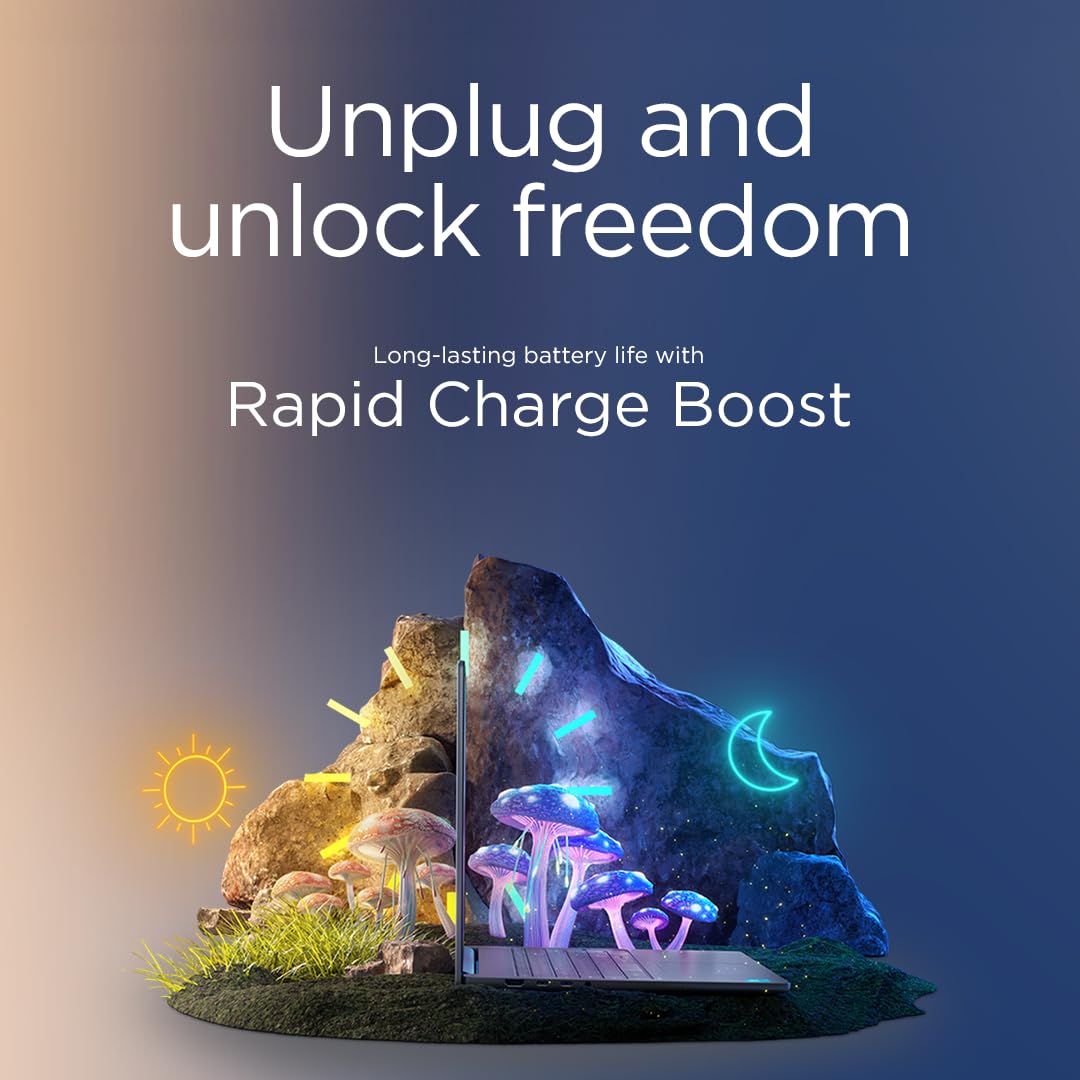
Lenovo claims up to ten hours of battery life for this machine. The real-world number was lower, as it almost always is. With screen brightness at around 60%, WiFi on, and a mix of browser tabs, document editing, and the occasional YouTube video, I consistently got between six and seven and a half hours. That's a full working day if you're disciplined about it, but you'll want to have the charger nearby if you're heading into a long afternoon without access to a socket.
Video streaming is the battery's worst enemy on this machine. Running Netflix at 60% brightness, the battery drained at a rate that suggested around five to five and a half hours of continuous playback. Heavy load, like running a Handbrake encode or a sustained Cinebench run, brought that down to around two and a half to three hours. So the range is wide depending on what you're doing. For light browsing and writing, six to seven hours is realistic. For anything more demanding, plan accordingly.
The charger is a 65W USB-C adapter, which is a sensible choice. It charges via USB-C, which means you can top up from a compatible power bank in a pinch, or use a third-party GaN charger if you already have one. From flat, the machine reaches around 50% in roughly forty-five minutes and full charge in about an hour and forty minutes. That's reasonable. The charger itself is compact enough to throw in a bag without much complaint, though it's not as tiny as some of the newer GaN bricks you can buy separately.
One thing I noticed: the battery life is noticeably better in Lenovo's Battery Saver mode, which throttles performance but can squeeze out an extra hour or so. For writing or light browsing, the performance hit is barely noticeable. If you're on a long train journey and need to stretch the battery, it's worth knowing that option exists in the Vantage app.
Portability
At around 1.85kg, the IdeaPad Slim 5 16-inch is not the lightest laptop in its class. A 16-inch screen means a bigger footprint, and you feel that when you're carrying it. The machine measures roughly 357mm wide and 252mm deep, so it fits in most 15-16 inch laptop bags, but it's not going to slip into a slim messenger bag without a fight. If you're commuting daily with this in a rucksack, you'll notice the weight by the end of the day. A laptop that spends its life moving between coffee shops and airport lounges will benefit from a good VPN to protect your connection on shared networks.
The thickness is around 17.9mm, which is genuinely slim for a 16-inch machine with an H-series processor. It doesn't feel chunky on a desk, and the tapered edges make it look slimmer than the spec suggests. The Cosmic Blue finish is a nice touch too. It's not the garish blue you might fear from the name; it's more of a muted, slightly metallic blue that looks professional enough for a work environment without being boring.
Add the 65W charger and you're looking at a total bag weight of around 2.1-2.2kg. That's manageable for occasional travel but not ideal if you're hopping between locations every day. This is more of a desk-to-meeting-room machine than a true digital nomad companion. If you need something genuinely light for constant travel, a 14-inch machine would serve you better. But for most people who carry a laptop a few times a week, the Slim 5 16-inch is fine.
Keyboard and Trackpad
The keyboard is one of the highlights here. Key travel is around 1.5mm, which is on the shorter side but still feels satisfying to type on. I wrote several thousand words on this machine over three weeks and didn't find myself fatiguing or making more errors than usual. The layout is sensible, with a full-size number pad on the right, which some people love and others find shifts the main keyboard slightly left of centre. If you're a touch typist who doesn't use a number pad, it can take a day or two to adjust.
There's a single-zone white backlight, which is functional rather than flashy. It's bright enough to see in a dim room and doesn't bleed excessively around the keys. No RGB here, which is fine for a productivity machine. The key legends are clear and the font is clean. One minor gripe: the function key row is a bit cramped, and the F1-F12 keys default to media functions rather than standard function keys. You can flip that in the BIOS or via the Fn+Esc toggle, but it's a bit annoying out of the box if you use F-keys regularly in software.
The trackpad is large and glass-surfaced, which gives it a smooth feel under the finger. Windows Precision drivers are present, so two-finger scrolling, three-finger gestures, and pinch-to-zoom all work reliably. Click feel is firm and consistent across the surface. I didn't experience any accidental palm presses during typing, which suggests the palm rejection is well-tuned. Overall, it's a good trackpad. Not quite MacBook-level, but better than most Windows laptops at this price.
Thermal Performance
Under light use, the Slim 5 stays cool and quiet. Browsing, writing, and video playback keep the surface temperatures comfortable: the palm rest sits around 28-30 degrees Celsius, and the keyboard deck is similarly relaxed. You wouldn't know there was a 45W chip inside. It's only when you push the machine harder that the thermal system has to work for its living.
Under sustained load, the keyboard deck above the number pad and the area around the top-centre of the keyboard can reach 38-40 degrees Celsius. The underside gets warmer, peaking around 42-44 degrees in the centre during a long encode. That's warm but not uncomfortable if you're using it on a desk. On your lap, it's borderline. I wouldn't recommend running heavy workloads with this on your legs for extended periods. The vents are on the rear edge and underside, so airflow is decent as long as you're not blocking them on a soft surface like a duvet.
Throttling does occur under sustained heavy load, as I mentioned in the benchmarks section. The chip runs at full boost for the first few minutes, then settles to a lower sustained frequency to manage heat. In Intelligent Cooling mode, this happens around the three to four minute mark during a Cinebench multi-core loop. Switching to Performance mode delays the throttle slightly and keeps clocks higher for longer, at the cost of more fan noise. For the typical user, none of this matters. But it's worth knowing if you're planning to use this for anything that runs the CPU hard for more than a few minutes at a time.
Acoustic Performance
At idle and during light work, the fans are essentially inaudible. I'm talking about sitting in a quiet room and genuinely not being able to hear the machine. That's good. It means you can use this in a library, a quiet office, or a meeting without drawing attention to yourself. The fan profile in Intelligent Cooling mode is well-judged for everyday tasks.
Under moderate load, like a Teams video call with screen sharing, the fans spin up to a gentle hum. It's noticeable if you're in a very quiet room, but it wouldn't be picked up by a microphone or bother anyone sitting nearby. The fan character is a consistent low whoosh rather than a high-pitched whine, which is much easier to tune out. Under heavy load, the fans get louder, reaching around 42-44 dB at the ear. That's audible in a quiet room and would be noticeable in a library, but it's not the kind of jet-engine noise you get from some gaming laptops.
For the target audience, the acoustic performance is genuinely good. If you're using this for office work, video calls, and general productivity, you'll rarely hear the fans at all. The machine only gets loud when you're doing something that demands it, and even then it's not offensive. That's the right behaviour for a laptop in this category.
Ports and Connectivity
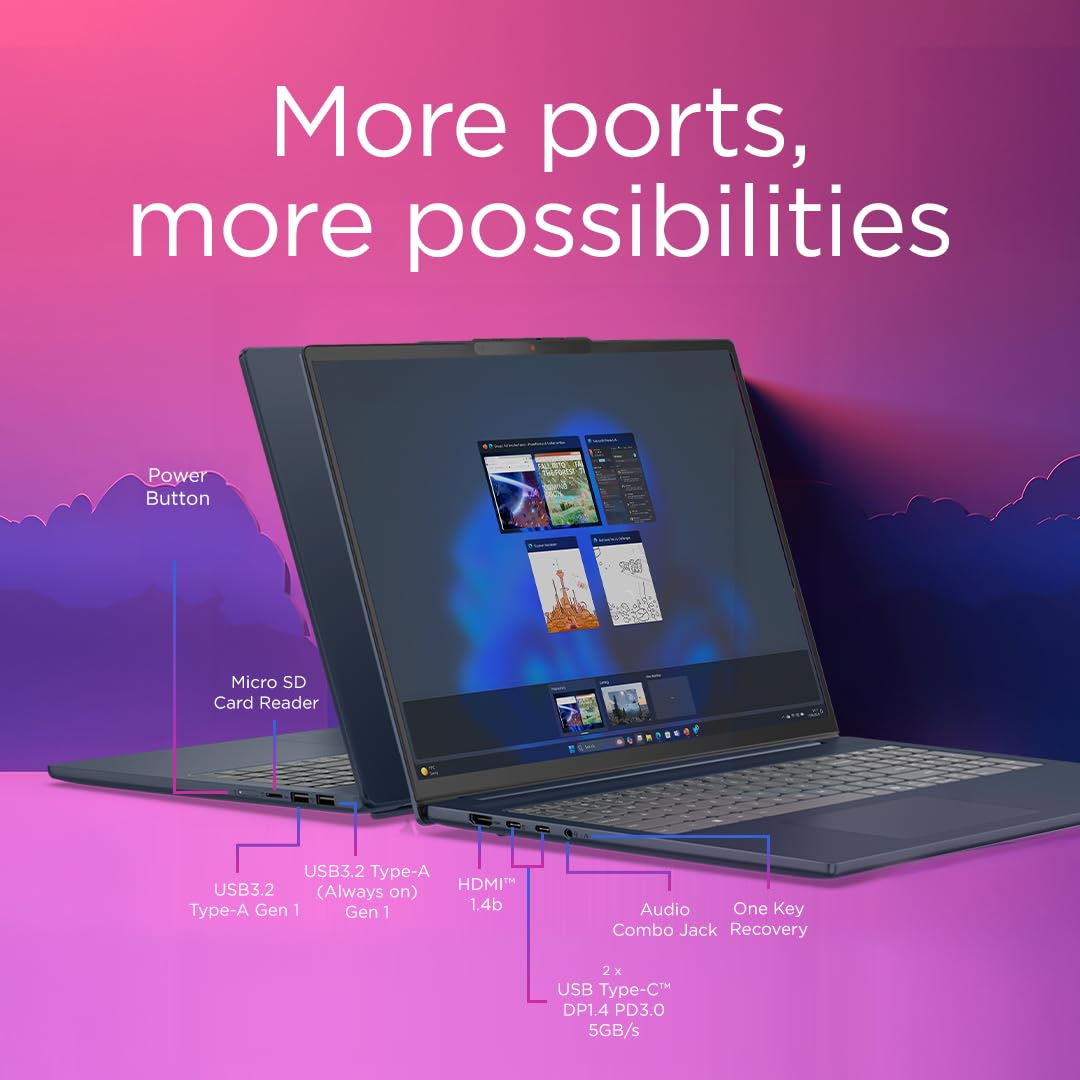
The port selection is decent for a budget machine, though not exceptional. On the left side you get a USB-C port (USB 3.2 Gen 2, with Power Delivery and DisplayPort support), a full-size HDMI 1.4 port, and a USB-A 3.2 Gen 1 port. On the right side there's another USB-A 3.2 Gen 1 port, a 3.5mm headphone jack, and a microSD card reader. There's no Thunderbolt 4 here, which isn't surprising at this price, but worth noting if you're planning to use an external GPU enclosure or a Thunderbolt dock.
WiFi is handled by Intel's WiFi 6 (802.11ax) adapter, which performed well. Connection speeds were consistent, and range was good across a typical home. Bluetooth 5.1 is present and worked reliably with headphones, a mouse, and a keyboard. The USB-C charging is a genuine convenience: I used a 65W GaN charger I already owned for most of the testing period and it worked perfectly.
The HDMI port is version 1.4, which means it tops out at 4K 30Hz for external displays. If you're connecting to a 4K monitor and want 60Hz, you'll need to use the USB-C port with a compatible cable or adapter. That's a minor limitation but worth knowing. The microSD slot is a nice addition for photographers or anyone who works with camera cards, though a full-size SD slot would have been more useful. Overall, the port layout covers the basics well.
- USB-C 3.2 Gen 2 with Power Delivery and DisplayPort (left)
- HDMI 1.4 (left)
- USB-A 3.2 Gen 1 (left)
- USB-A 3.2 Gen 1 (right)
- 3.5mm headphone/microphone combo jack (right)
- MicroSD card reader (right)
- WiFi 6 (802.11ax)
- Bluetooth 5.1
Webcam and Audio
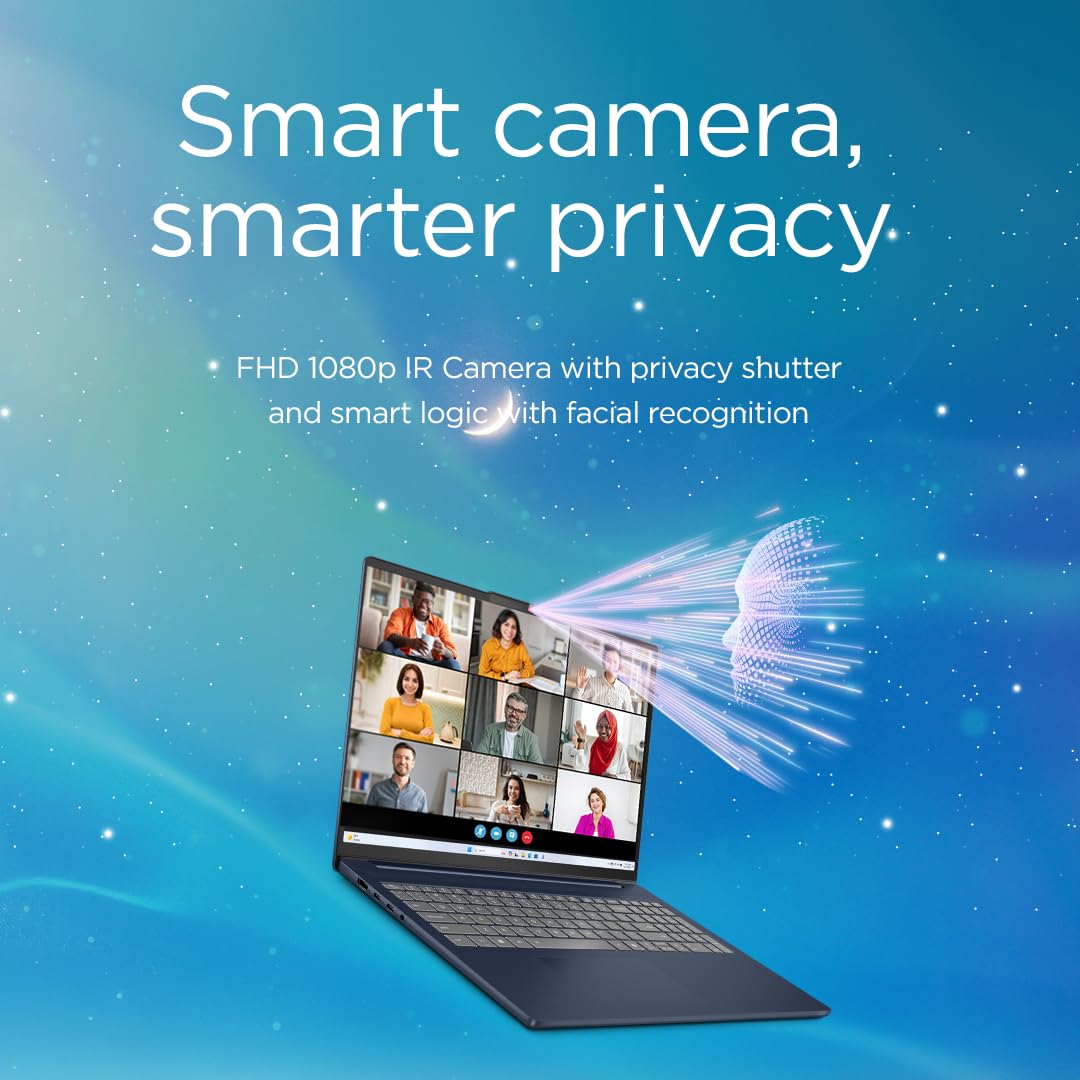
The webcam is a 1080p unit, which is the right spec for a laptop in 2026. In good lighting, it produces a clean, usable image for video calls. Colours are reasonably accurate and there's enough detail that you don't look like a blurry ghost on Teams or Zoom. In low light, it struggles a bit: noise increases and the image softens noticeably. It's not terrible, but it's not great either. A ring light or decent desk lamp makes a meaningful difference if you're doing a lot of video calls in a dim room.
The microphone array does a reasonable job of picking up your voice without too much room noise. Audio quality holds up on Teams calls, which is the real-world test that matters. There's some basic noise suppression happening, though it's not as aggressive as what you get from dedicated software like NVIDIA RTX Voice. The headphone jack is present and works well with wired headsets, which is still the best option for serious call quality.
The speakers are bottom-firing and produce a sound that's adequate for casual listening and video calls but won't impress anyone who cares about audio. Bass is thin, and at high volumes there's a slight harshness in the upper mids. For background music while you work, they're fine. For watching a film without headphones, they're acceptable. Just don't expect anything approaching the speaker quality you'd get from a premium machine. At this price, that's not a surprise.
Build Quality
The chassis is a mix of plastic and aluminium. The lid is aluminium, which gives it a premium feel when you pick it up, and the Cosmic Blue finish has a subtle texture that resists fingerprints better than a glossy surface would. The keyboard deck is plastic, which is standard for this price tier, but it's a dense, solid-feeling plastic rather than the hollow, flexing kind. Press down on the keyboard deck firmly and there's minimal give. That's reassuring.
The lid does flex a bit if you grab it by a corner, which is typical for a 16-inch laptop without a magnesium alloy frame. It's not alarming, but it's noticeable. The hinge is smooth and firm: it holds the screen at any angle without wobbling, and one-handed opening is possible, though it takes a bit of effort. The hinge opens to around 180 degrees flat, which is useful for certain desk setups or if you want to lay the screen flat for a presentation.
After three weeks of daily use, including being carried in a bag, placed on various surfaces, and generally treated like a working laptop rather than a showpiece, the Slim 5 showed no signs of wear. No scratches on the lid, no loosening of the hinge, no creaking from the chassis. For a budget machine, the build quality is genuinely good. It doesn't feel like it cost five hundred pounds in a bad way; it feels like Lenovo made sensible material choices rather than cutting corners on the things that matter for durability.
One small thing: the rubber feet on the underside are well-placed and grippy, which means the laptop stays put on a desk even when you're typing firmly. That sounds trivial but it's the kind of detail that separates a well-designed machine from a frustrating one. Lenovo got it right here.
How It Compares
The two most obvious rivals at this price point are the Acer Aspire 5 16 and the ASUS VivoBook 16. Both sit in the same budget tier, both offer 16-inch displays, and both are chasing the same buyer: someone who wants a capable everyday laptop without spending mid-range money. The Acer Aspire 5 typically comes with a Ryzen 5 7530U or similar AMD chip, which offers competitive multi-core performance and often slightly better battery efficiency. The ASUS VivoBook 16 tends to offer more configuration flexibility and sometimes a brighter display, depending on the specific variant.
Where the IdeaPad Slim 5 pulls ahead is build quality and the 16:10 display ratio. The Aspire 5 uses a standard 16:9 panel, which gives you less vertical screen real estate for documents and web browsing. The VivoBook 16 can match the display ratio in some configurations but often feels slightly cheaper in the hand. The Slim 5's aluminium lid and solid keyboard deck give it a more premium feel than either rival, which matters if you're going to be carrying this thing around for two or three years.
The Aspire 5 sometimes edges ahead on raw performance in sustained workloads, particularly with AMD's Ryzen chips, and it can offer slightly better battery life in some configurations. The VivoBook 16 often wins on port variety, sometimes including a full-size SD card reader. Neither rival is a clear winner across the board, which is why the Slim 5 holds its own. It's a well-rounded machine rather than a specialist one, and at this price that's often exactly what people need.
| Feature | Lenovo IdeaPad Slim 5 16 | Acer Aspire 5 16 | ASUS VivoBook 16 |
|---|---|---|---|
| Processor | Intel Core i5-13420H | AMD Ryzen 5 7530U | Intel Core i5-1335U / Ryzen 5 |
| RAM | 16GB LPDDR5 | 16GB DDR4 | 16GB DDR4/5 |
| Storage | 1TB NVMe SSD | 512GB / 1TB NVMe | 512GB / 1TB NVMe |
| Display | 16-inch WUXGA 1920x1200 IPS | 16-inch FHD 1920x1080 IPS | 16-inch WUXGA 1920x1200 IPS |
| Battery Life (real-world) | 6-7.5 hours | 7-8.5 hours | 6-7 hours |
| Build Quality | Aluminium lid, solid plastic deck | All-plastic chassis | Plastic with some texture |
| Weight | ~1.85kg | ~1.9kg | ~1.88kg |
| USB-C Charging | Yes (65W) | Yes (65W) | Yes (65W) |
| Best For | Build quality, display ratio, all-round use | Battery life, AMD performance efficiency | Configuration variety, value |
Final Verdict
The Lenovo IdeaPad Slim 5 16-inch with the i5-13420H is a genuinely good budget laptop that earns its place in a competitive market. It's not perfect. The battery life falls short of the manufacturer's claim, the HDMI port is only 1.4, the RAM is soldered, and the speakers are nothing to write home about. But the things it gets right, it gets properly right: the 16:10 display is a real productivity advantage, the keyboard is comfortable for long sessions, the build quality feels a notch above most rivals at this price, and the performance is more than adequate for the everyday tasks this machine is designed for.
Who should buy this? Students, home workers, and anyone who needs a capable everyday machine for writing, browsing, video calls, and light creative work. If you're carrying a laptop to lectures or between meetings a few times a week and you want something that feels solid without costing mid-range money, this is a strong choice. The 16-inch screen is a genuine benefit if you do a lot of document work or multi-tasking, and the 1TB SSD means you won't be running out of space any time soon.
Who should skip it? Anyone who needs serious sustained performance for video editing, 3D rendering, or gaming should look elsewhere. The soldered RAM means you can't upgrade later, so if you think you might need more than 16GB in a couple of years, factor that in. And if you're a frequent traveller who needs a machine that genuinely lasts all day without a charger, the Acer Aspire 5 with a Ryzen chip might serve you better on battery alone.
Overall, I'd give the Lenovo IdeaPad Slim 5 16-inch a solid 7.5 out of 10 for the budget tier. It's a well-thought-out machine that makes the right compromises for most people. The rating on Amazon of ★★★★☆ (4.4) from 86 reviews lines up with my experience: people who buy this for the right reasons tend to be happy with it. Buy it knowing what it is, and it won't let you down.
What works. What doesn’t.
5 + 4What we liked5 reasons
- 16:10 WUXGA display is a genuine productivity advantage over 16:9 rivals
- Solid build quality with aluminium lid that feels above its price
- Comfortable keyboard for long typing sessions
- 1TB NVMe SSD is fast and generous for the budget tier
- USB-C charging with compact 65W adapter
Where it falls4 reasons
- RAM is soldered and cannot be upgraded
- Real-world battery life falls noticeably short of the 10-hour claim
- HDMI port is only version 1.4, limiting 4K 60Hz output
- Speakers are thin and underwhelming
Full specifications
12 attributes| Storage type | M.2 PCIe Gen4 NVMe SSD |
|---|---|
| Battery life H | 8 |
| Battery WH | 60 |
| Bluetooth | 5.4 |
| CPU | Intel Core i5-13420H |
| Display refresh HZ | 60 |
| Display resolution | 1920x1200 |
| Display size IN | 16 |
| GPU | Intel UHD Graphics |
| Keyboard | backlit |
| Launch year | 2025 |
| OS | Windows 11 Home |
Frequently asked
5 questions01Is the Lenovo IdeaPad Slim 5 | 16 inch WUXGA 1200p Laptop | Intel Core i5-13420H | 16GB RAM | 1TB SSD | Windows 11 Home | Cosmic Blue good for gaming?+
Not really. The Intel Iris Xe integrated graphics can handle very light, older titles at low settings, but it's not designed for gaming. Modern games will either run poorly or not at all. If gaming is a priority, you need a machine with a dedicated GPU, which means looking at a different category entirely.
02How long does the Lenovo IdeaPad Slim 5 | 16 inch WUXGA 1200p Laptop | Intel Core i5-13420H | 16GB RAM | 1TB SSD | Windows 11 Home | Cosmic Blue battery last?+
Expect six to seven and a half hours for a mixed workload of browsing, writing, and occasional video. Video streaming alone brings that down to around five to five and a half hours. Heavy CPU tasks will drain the battery in two to three hours. The manufacturer claims up to ten hours, which is optimistic.
03Can I upgrade the RAM/storage in the Lenovo IdeaPad Slim 5 | 16 inch WUXGA 1200p Laptop | Intel Core i5-13420H | 16GB RAM | 1TB SSD | Windows 11 Home | Cosmic Blue?+
The RAM is soldered to the motherboard on this configuration and cannot be upgraded. The 1TB NVMe SSD may be replaceable depending on the specific variant, but you should check the service manual before purchasing if upgradeability is important to you. The 16GB of RAM is sufficient for most everyday tasks, but it's worth knowing you can't add more later.
04Is the Lenovo IdeaPad Slim 5 | 16 inch WUXGA 1200p Laptop | Intel Core i5-13420H | 16GB RAM | 1TB SSD | Windows 11 Home | Cosmic Blue good for students?+
Yes, it's a strong student choice. The 16:10 display is great for reading documents and web browsing, the 1TB SSD gives you plenty of storage for coursework and media, and the keyboard is comfortable for long writing sessions. Battery life is adequate for a day of lectures if you're careful, and the build quality should hold up to daily bag use. The weight of around 1.85kg is manageable but not ultralight.
05What warranty applies to the Lenovo IdeaPad Slim 5 | 16 inch WUXGA 1200p Laptop | Intel Core i5-13420H | 16GB RAM | 1TB SSD | Windows 11 Home | Cosmic Blue?+
Amazon offers 30-day returns. Lenovo typically provides a 1-2 year manufacturer warranty with this product line. It is worth checking the specific warranty terms on the Lenovo website or your purchase confirmation, as coverage can vary by region and retailer.