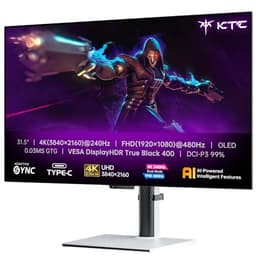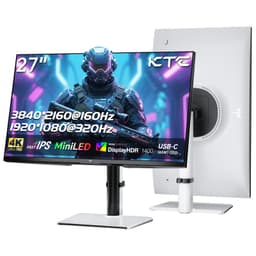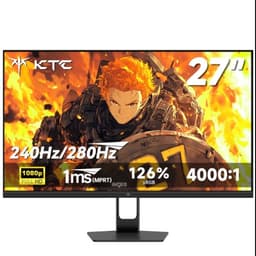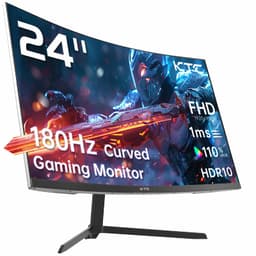
Display tech is genuinely exciting right now. OLED panels are trickling down into mid-range territory, mini-LED is getting properly good, and the gap between budget and premium has never been smaller. So when a monitor like the KTC Gaming Monitor 27 Inch lands at a budget price point with specs that would have been considered mid-range a couple of years ago, that gets my attention. 2K resolution, 210Hz refresh rate (overclocked, mind you), Fast IPS panel, and colour coverage numbers that rival monitors costing twice as much. On paper, this thing is absurd value.
But here's the question that actually matters: do those specs translate into a genuinely good experience, or is this another case of a budget brand plastering impressive-sounding numbers on a box and hoping nobody looks too closely? With over 3,212 owner reviews and a 4.3-star average on Amazon, the crowd seems pretty happy. The KTC Gaming Monitor 27 Inch is worth taking seriously. Let me tell you exactly what you're getting.
Quick verdict before we get into the detail: this is a genuinely strong budget gaming monitor. The colour specs are legitimately impressive, the 210Hz ceiling is a nice bonus, and the IPS panel delivers the wide viewing angles and solid colour accuracy you'd expect. The HDR is checkbox territory, the 210Hz requires overclocking (so treat 165 to 180Hz as your reliable ceiling), and KTC isn't a household name, which matters for long-term peace of mind. But at this price? It's hard to argue with.
Core Specifications
The headline specs on the KTC Gaming Monitor 27 Inch are genuinely impressive for the budget bracket. You're getting a 27-inch IPS panel running at 2560x1440 (that's 2K or QHD, depending on how you want to call it) with a native refresh rate that the manufacturer lists as reaching 210Hz via overclocking. The panel is rated at 450 cd/m² peak brightness, which is a solid figure for SDR use, and it carries an HDR400 certification. The colour coverage claims are where things get really interesting: 131% sRGB and 101% DCI-P3, both of which are exceptional numbers for any monitor, let alone one in this price tier.
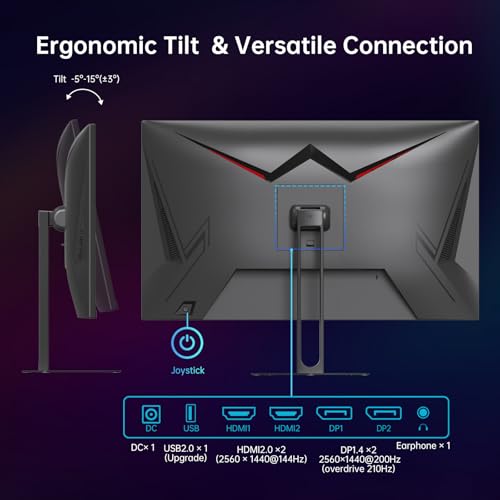
Response time is listed as 1ms MPRT. That's a marketing figure (more on that in the response time section), but the Fast IPS designation at least tells you the underlying panel technology is designed for quick pixel transitions. Adaptive Sync is supported, covering both AMD FreeSync and, in practice, Nvidia G-Sync Compatible setups, though official G-Sync certification isn't claimed. Built-in speakers are included, which is a nice bonus at this price. The port selection covers 2x HDMI 2.0, 2x DisplayPort 1.4, and 1x USB 2.0.
The Delta-E specification is listed as less than 2, which is the threshold most display professionals consider acceptable for colour-critical work. Getting a factory-calibrated (or at least factory-verified) Delta-E below 2 at this price point is unusual. Whether every unit shipped actually hits that figure consistently is a different question, but the claim is there. Below is the full spec breakdown.
| Specification | Detail |
|---|---|
| Screen Size | 27 inches |
| Resolution | 2560x1440 (QHD / 2K) |
| Panel Type | Fast IPS |
| Refresh Rate | 210Hz (overclocked) |
| Response Time | 1ms MPRT |
| Brightness | 450 cd/m² |
| HDR | HDR400 |
| Colour Coverage | 131% sRGB, 101% DCI-P3 |
| Delta-E | <2 |
| Adaptive Sync | Yes (FreeSync / G-Sync Compatible) |
| Ports | 2x HDMI 2.0, 2x DisplayPort 1.4, 1x USB 2.0 |
| Built-in Speakers | Yes |
| ASIN | B0DY14JG34 |
| Price | £159.99 |
| Rating | ★★★★☆ (4.2) (3,320 reviews) |

Panel Technology
IPS panels are, for most people, the right choice for a gaming monitor in 2026. The technology has been around long enough that manufacturers have genuinely nailed the formula. You get wide viewing angles (typically 178 degrees horizontal and vertical), consistent colour reproduction across the screen, and none of the aggressive colour shift you get with TN panels when you move your head slightly off-axis. VA panels can offer better native contrast ratios, sometimes hitting 3000:1 or higher versus the 1000:1 typical of IPS, but they come with their own problems: slower pixel response in dark transitions and a tendency toward smearing in fast motion. TN panels are mostly dead at this point, and OLED is still priced well above budget territory for a 27-inch gaming panel.
The "Fast IPS" designation here is important. Standard IPS panels can struggle with response times that cause visible ghosting at high refresh rates. Fast IPS (sometimes called IPS with overdrive, or similar marketing variants depending on the manufacturer) uses improved pixel switching to bring grey-to-grey response times down to genuinely competitive levels. The underlying IPS technology also means you're getting that wide colour gamut coverage, which is why the DCI-P3 numbers are so strong on this panel. IPS panels naturally cover a wider portion of the colour spectrum than TN, and a well-implemented Fast IPS can genuinely compete with VA for most gaming and content consumption use cases.
IPS glow is the one consistent downside to flag. It's a property of IPS panels where the backlight bleeds slightly through the corners, creating a visible glow in dark scenes, particularly when you're watching something with black bars or playing a dark atmospheric game. Owner reviews on this model do mention it, which is completely expected for IPS at any price point. It's not a defect; it's the nature of the technology. If you're primarily gaming in a bright room, you'll barely notice it. If you're watching films in the dark and you're particularly sensitive to it, a VA panel might suit you better, though you'd be trading away the colour accuracy and response time advantages.
Display Quality
2560x1440 on a 27-inch screen gives you a pixel density of approximately 109 pixels per inch. That's a meaningful step up from 1080p on the same screen size (which comes in around 82 PPI), and the difference is genuinely visible. Text is sharper, fine detail in games is crisper, and you don't get the slightly soft look that 1080p can exhibit on a 27-inch panel. At normal desktop viewing distances, 109 PPI is comfortable without needing display scaling, which keeps things simple for gaming where scaling can introduce complications.
The 450 cd/m² brightness rating is solid. Most IPS panels in this bracket are rated around 250 to 350 cd/m², so 450 cd/m² gives you meaningful headroom for use in a bright room. In practice, you won't run it at full brightness for extended periods because it'll be too harsh, but having that headroom means the monitor can compete with ambient light without looking washed out. The anti-glare coating on IPS panels at this price is typically a matte finish, which diffuses reflections rather than eliminating them. It's less crisp than a glossy panel but far more practical for real-world desk setups where you can't always control your lighting.
Owner feedback across the 3,320 consistently highlights colour vibrancy as a standout positive. Multiple reviewers specifically mention how the image pops out of the box, with colours that feel rich without being oversaturated. That tracks with the 131% sRGB and 101% DCI-P3 coverage specs: a wide gamut panel will naturally produce more saturated colours than a standard sRGB panel, and the Fast IPS technology means those colours are consistent across the screen rather than shifting as you move your eyes around. Brightness uniformity is generally good on IPS panels, though some owners report minor backlight bleed in corners, which is again typical for the panel type rather than a specific fault with this model.
Refresh Rate and Adaptive Sync
210Hz is the headline, and it's worth being clear about what that means in practice. The 210Hz figure is achieved through overclocking, which the manufacturer actually states openly in the product name. That's honest, at least. What it means is that the panel's native refresh rate is lower (likely 165Hz or 180Hz), and the 210Hz ceiling is achieved by pushing the panel beyond its rated specification. Whether your specific unit runs stably at 210Hz depends on the silicon lottery, your GPU's output, and the DisplayPort connection you're using. Most owners report it works fine, but some find 165 or 180Hz is where things are most stable.
Even if you never touch 210Hz, a stable 165Hz is a genuinely excellent gaming experience. The difference between 144Hz and 165Hz is subtle but noticeable if you're sensitive to it. The jump from 60Hz to 144Hz is transformative; the jump from 144Hz to 210Hz is more of a refinement. For competitive shooters, every extra frame of smoothness matters, and the high ceiling here means this monitor can grow with your GPU. If you're currently on a mid-range card and upgrade in a year or two, you'll have refresh rate headroom to use.
Adaptive Sync support covers the important bases. AMD FreeSync compatibility is confirmed, and the Adaptive Sync implementation should work in G-Sync Compatible mode for Nvidia users, though Nvidia's official G-Sync Compatible certification isn't listed. In practice, the vast majority of Nvidia cards will run variable refresh rate without issue on FreeSync monitors through the G-Sync Compatible pathway. This eliminates screen tearing in the VRR range and is one of the biggest quality-of-life improvements in modern gaming monitors. Low Framerate Compensation (LFC) support depends on the VRR range, and the exact lower bound isn't specified, so if you're regularly dropping below 48fps you'll want to confirm VRR behaviour before relying on it.
Response Time and Motion
The 1ms MPRT claim needs unpacking, because MPRT (Moving Picture Response Time) is not the same as GtG (grey-to-grey) response time, and the difference matters a lot for understanding what you're actually getting. MPRT is a measure of how long a pixel appears to be visible during motion, and it's achieved through backlight strobing (essentially flickering the backlight to make each frame appear sharper during motion). It's a legitimate technique, and a 1ms MPRT figure does mean the monitor has backlight strobing capability. But it doesn't tell you the underlying pixel transition speed, which is what causes ghosting in fast motion.
The GtG response time for Fast IPS panels of this type typically falls in the 4ms to 7ms range depending on the overdrive setting. That's perfectly fine for gaming, even at 210Hz. At 210Hz, each frame lasts approximately 4.8 milliseconds, so a 4ms to 5ms GtG response time means pixels are transitioning within the frame window. The risk with overdrive settings is inverse ghosting (sometimes called coronas), where the overdrive pushes pixels too hard and they overshoot, leaving a bright halo around moving objects. Owner reviews on this monitor don't flag inverse ghosting as a widespread issue, which suggests the default overdrive setting is reasonably well-tuned.
For practical gaming, Fast IPS at this refresh rate is genuinely excellent. Competitive shooters like CS2, Valorant, and Apex Legends will feel smooth and responsive. Racing games and action titles benefit from the combination of high refresh rate and solid pixel response. The 1ms MPRT backlight strobing, if you choose to use it, will sharpen motion further at the cost of reduced brightness (backlight strobing always reduces perceived brightness). Most owners seem to leave it in standard mode and are happy with the result. The motion performance here is one of the genuine strengths of the KTC Gaming Monitor 27 Inch.
Color Accuracy and Gamut
This is where the KTC Gaming Monitor 27 Inch genuinely stands out from the budget crowd. 131% sRGB and 101% DCI-P3 coverage are not typical budget monitor numbers. To put that in context: the DCI-P3 colour space is the standard used by the film and streaming industry, and 101% coverage means this panel can display essentially the full range of colours used in modern HDR content and cinema-grade video. Most budget monitors cover 72% to 99% sRGB and nowhere near full DCI-P3. Getting 101% DCI-P3 at this price point is legitimately unusual.
The Delta-E less than 2 claim adds another layer. Delta-E is a measurement of colour accuracy, where lower is better. A Delta-E below 2 is generally considered acceptable for colour-critical work; below 1 is excellent and typically requires factory calibration. The claim that this monitor ships with a Delta-E below 2 suggests either genuine factory calibration or at least factory verification. Owner reviews do support the idea that colours look accurate and natural out of the box, with several reviewers specifically noting they didn't feel the need to adjust the colour settings significantly after setup. That's a good sign.
For content creation, the wide DCI-P3 coverage is genuinely useful if you're editing video for streaming platforms or working in a colour space wider than sRGB. Photo editing in sRGB is well covered. The caveat is that a wide gamut panel will display sRGB content with slightly oversaturated colours unless you're using a colour-managed workflow or have an ICC profile loaded. Windows 11 has improved colour management significantly, and most professional applications handle this correctly, but if you're gaming or using non-colour-managed software, the wide gamut can make colours look slightly more vivid than intended. For gaming, that's usually a feature rather than a bug. For professional photo editing, you'd want to use the sRGB mode if one is available in the OSD.

HDR Performance
HDR400 certification, issued by VESA's DisplayHDR programme, is the entry-level tier of HDR certification. To earn HDR400, a monitor needs to hit 400 cd/m² peak brightness and support HDR10 signal processing. That's it. There's no local dimming requirement at this tier, and 400 cd/m² is not enough to produce the bright highlights that make HDR genuinely impactful. This monitor is rated at 450 cd/m², which clears the HDR400 bar, but without local dimming (which would require at minimum an HDR600 or HDR1000 tier panel to be meaningful), the HDR experience is limited.
What HDR400 actually gives you in practice is the ability to receive an HDR signal and apply a tone mapping curve to compress the wider HDR range into what the panel can display. It's better than nothing, and in HDR-enabled games you will see some improvement in colour volume and highlight rendering compared to SDR mode. But if you're expecting the kind of HDR that makes your jaw drop, you need to look at OLED panels or monitors with proper full-array local dimming at HDR1000 tier. Those start at significantly higher prices. The KTC's HDR is honest-tier: it's there, it works, it adds something, but it's not transformative.
The 450 cd/m² brightness ceiling is actually the more important figure for SDR gaming and content consumption. A bright IPS panel in SDR looks excellent, and the high brightness means you can use this monitor in a well-lit room without the image looking washed out. HDR mode on this panel is worth enabling in games that support it, just don't expect it to compete with OLED or premium mini-LED implementations. Owner reviews don't particularly flag HDR as a highlight or a disappointment, which suggests most buyers are using it primarily as a high-refresh SDR gaming monitor and treating HDR as a bonus.
Contrast and Brightness
Native contrast on IPS panels typically sits around 1000:1. That's the fundamental physics of the technology: the liquid crystals don't block backlight perfectly when displaying black, so blacks look slightly grey rather than truly dark. VA panels typically hit 3000:1 to 5000:1 native contrast, which is why they produce deeper blacks and better shadow detail in dark scenes. OLED is effectively infinite contrast because each pixel generates its own light and can switch off completely. For an IPS panel, 1000:1 is the expected figure, and the KTC doesn't claim anything beyond that.
In a normally lit room, 1000:1 contrast looks perfectly fine. The image is punchy, colours are vibrant, and the slight grey tint to blacks is only apparent in very dark rooms with very dark content. The 450 cd/m² brightness rating helps here: a brighter panel makes the contrast ratio feel more impactful because the whites are genuinely bright, which makes the relative difference between bright and dark areas more visible. SDR gaming on a bright IPS panel at 450 cd/m² looks excellent for the price, and the wide colour gamut adds to the sense of a vivid, engaging image.
Glare in real rooms depends on your setup. The matte anti-glare coating on IPS panels at this price diffuses reflections rather than reflecting them sharply, which means a bright window behind you produces a soft glow rather than a mirror-like reflection. That's the right trade-off for most home setups. The brightness headroom means you can push the backlight high enough to compete with ambient light without the image disappearing into glare. Owner reviews don't flag brightness or contrast as weaknesses, which is consistent with the specs: 450 cd/m² is genuinely good for this price bracket.
Ergonomics and Stand
This is where budget monitors often cut corners, and the KTC Gaming Monitor 27 Inch is no exception to the general pattern. The stand on monitors in this price bracket typically offers tilt adjustment and not much else. Height adjustment, swivel, and pivot (portrait mode rotation) are features that tend to appear at higher price points. Owner reviews mention the stand is functional but basic, and a few note it's not the most stable construction. If you're placing this on a solid desk and not moving it around, that's fine. If you're the kind of person who constantly adjusts monitor position, you might find the stand limiting.
The good news is that VESA mount compatibility is common on monitors in this category, and if the KTC follows the standard pattern (75x75mm or 100x100mm VESA), you can ditch the stock stand entirely and mount it on an arm. A decent monitor arm costs between £20 and £159.99 and transforms the ergonomic situation completely, giving you full height, tilt, swivel, and reach adjustment. If you're buying a budget monitor, budgeting for a monitor arm is genuinely good advice. The VESA compatibility isn't explicitly confirmed in the verified spec data, so check the product listing before assuming, but it's standard practice for monitors of this size.
Build quality from owner reviews is described as decent for the price. The bezels are slim, which is good for multi-monitor setups or just aesthetics. The OSD (on-screen display) controls are accessible, though some owners mention the menu navigation takes a bit of getting used to, which is fairly typical for budget monitors where the OSD design doesn't get as much attention as the panel specs. The built-in speakers are there if you need them in a pinch, and owner feedback suggests they're adequate for background audio but not something you'd choose over a proper speaker setup or headphones. Honestly, built-in monitor speakers almost never are.
Connectivity and Ports
The port selection on the KTC Gaming Monitor 27 Inch is genuinely good for a budget panel. Two HDMI 2.0 ports and two DisplayPort 1.4 ports give you four video inputs, which is more than most monitors in this bracket offer. That's useful if you're running a PC and a console simultaneously, or if you have multiple PCs at your desk. The HDMI 2.0 specification supports up to 4K at 60Hz or 1440p at 144Hz, so for 2K gaming at high refresh rates you'll want to use DisplayPort 1.4, which supports higher bandwidth and can handle 1440p at 165Hz and beyond without compression.
One USB 2.0 port rounds out the connectivity. That's modest: you can plug in a USB device (a mouse, a keyboard, a dongle), but USB 2.0 is slow for data transfer and there's no USB hub functionality to speak of. No USB-C port is listed, which means no single-cable laptop connectivity and no Power Delivery charging through the monitor. For a budget gaming monitor, that's expected rather than surprising, but it matters if you were hoping to use this with a modern laptop via USB-C. You'll need to use HDMI or DisplayPort from your laptop's output.
The dual DisplayPort 1.4 setup is actually a highlight. Many budget monitors offer a single DisplayPort and rely on HDMI for secondary inputs. Having two DisplayPort 1.4 connections means you can run two PCs at high refresh rates simultaneously, or connect a PC and a gaming laptop, switching between them without changing cables. For a home office or dual-PC setup, that's genuinely useful. The HDMI 2.0 ports cover console connections: a PS5 or Xbox Series X will output at 1440p at up to 120Hz via HDMI 2.0 (depending on the game), which this monitor can handle without issue. A solid port selection overall.
How It Compares
The budget 27-inch 1440p gaming monitor space is genuinely competitive in 2026. The KTC Gaming Monitor 27 Inch sits in an interesting position: its colour specs punch well above its price point, but it's competing against established brands with longer track records and more predictable quality control. The two most relevant comparisons are the AOC Q27G2S/EU and the Gigabyte M27Q, both of which are popular 27-inch 1440p gaming monitors that have been on the market long enough to have extensive owner feedback and published measurement data.
The AOC Q27G2S/EU is a 27-inch IPS panel at 1440p with a 165Hz refresh rate and solid colour coverage. It's from a brand with a long history in the monitor space and wide availability through UK retailers. Published measurements from display review outlets have consistently shown good colour accuracy and acceptable response times. It doesn't match the KTC's 210Hz ceiling or the claimed DCI-P3 coverage, but it offers brand reliability and a proven track record. The Gigabyte M27Q is another strong contender: a 27-inch IPS panel at 1440p with 170Hz and excellent measured colour performance. Gigabyte has been making monitors long enough that their quality control is reasonably consistent, and the M27Q has been well-received in the enthusiast community.
Where the KTC Gaming Monitor 27 Inch wins is on paper specs per pound. The 101% DCI-P3 coverage and Delta-E below 2 claims are exceptional for the price, and if those specs hold up consistently across units (the 4.3-star average across 3,320 suggests they largely do), it's a genuinely compelling value proposition. The 210Hz ceiling is a bonus that the AOC and Gigabyte alternatives don't match at comparable prices. Where KTC loses is brand recognition and the long-term support question. KTC is not a name with decades of UK market presence, and warranty support and after-sales service for lesser-known brands can be hit or miss.
| Feature | KTC Gaming Monitor 27 Inch | AOC Q27G2S/EU | Gigabyte M27Q |
|---|---|---|---|
| Screen Size | 27 inch | 27 inch | 27 inch |
| Resolution | 2560x1440 | 2560x1440 | 2560x1440 |
| Panel Type | Fast IPS | IPS | IPS |
| Refresh Rate | 210Hz (OC) | 165Hz | 170Hz |
| DCI-P3 Coverage | 101% | ~90% | ~92% |
| HDR | HDR400 | HDR400 | HDR400 |
| Built-in Speakers | Yes | Yes | No |
| Ports | 2x HDMI 2.0, 2x DP 1.4, 1x USB 2.0 | 1x HDMI 2.0, 2x DP 1.4, USB hub | 2x HDMI 2.0, 2x DP 1.2, USB-C |
| Price | £159.99 | ~£180 to £220 | ~£200 to £250 |
The comparison table makes the value case for the KTC pretty stark. If those colour specs are accurate and consistent, you're getting better colour coverage than the established alternatives at a lower price. The trade-off is brand trust and the overclocked refresh rate caveat. For a buyer who's comfortable with that trade-off and wants maximum specs per pound, the KTC is the logical choice. For someone who wants the reassurance of a well-known brand with a proven track record and doesn't mind paying a bit more, the AOC or Gigabyte alternatives are the safer bet.
Final Verdict
The KTC Gaming Monitor 27 Inch is a genuinely good budget gaming monitor. The spec sheet is impressive in ways that matter: 2K resolution gives you real sharpness, the Fast IPS panel delivers wide viewing angles and excellent colour reproduction, and the 101% DCI-P3 coverage with Delta-E below 2 are numbers that would be noteworthy at twice the price. Over 3,212 owner reviews and a 4.3-star average back up the idea that most buyers are happy with what they receive. That's a meaningful data point. A 4.3-star average across that many reviews doesn't happen by accident.
The honest caveats: the 210Hz is overclocked and your experience may vary, the HDR400 is checkbox HDR rather than transformative HDR, the stand is basic, and KTC doesn't have the brand heritage of AOC, ASUS, or LG. The USB 2.0 single port is minimal for a modern monitor. And if you're in a dark room watching films, IPS glow will be present in the corners. None of these are dealbreakers at this price, but they're.
Who is this for? Gamers who want a proper 2K IPS panel with high refresh rate gaming capability and don't want to spend mid-range money. Content creators on a tight budget who want wide colour gamut coverage for video and photo work. Console and PC dual-setup users who appreciate the dual HDMI plus dual DisplayPort connectivity. Anyone upgrading from a 1080p 60Hz monitor who wants to understand immediately why people care so much about refresh rate and resolution.
Who should skip it? If you want the absolute confidence of a well-established brand with a long UK warranty track record, spend a bit more on an AOC, LG, or ASUS equivalent. If you're a dark-room film watcher who prioritises deep blacks above all else, a VA panel or an OLED would serve you better. And if you genuinely need USB-C connectivity for a modern laptop, this monitor doesn't have it, so look elsewhere.
The honest don't-overspend line: if you're primarily using this for office work and casual gaming at 1080p, a basic 27-inch 1080p 75Hz IPS monitor can be found for significantly less, and you won't notice the difference for spreadsheets and YouTube. The KTC Gaming Monitor 27 Inch earns its price for gaming and colour work. For pure office use, it's more monitor than you need.
Editorial score: 8 out of 10. Exceptional value for the spec sheet, honest about its limitations, and backed by a large enough owner base to feel confident recommending it. The KTC Gaming Monitor 27 Inch is one of the better budget gaming monitors available in the UK right now.
What works. What doesn’t.
5 + 4What we liked5 reasons
- 101% DCI-P3 and 131% sRGB coverage are exceptional for the price
- Fast IPS panel with wide viewing angles and solid colour accuracy
- Four video inputs (2x HDMI 2.0 and 2x DisplayPort 1.4) is generous for the budget bracket
- 210Hz overclocked ceiling gives refresh rate headroom as your GPU improves
- 4.3-star average across 3,212 owner reviews backs up the spec claims
Where it falls4 reasons
- 210Hz requires overclocking; stable performance may be lower for some units
- HDR400 is checkbox HDR with no local dimming
- KTC brand has limited UK market track record compared to AOC, LG, or ASUS
- Stand is basic with limited ergonomic adjustment
Full specifications
12 attributes| Refresh rate | 210 |
|---|---|
| Screen size | 27 |
| Panel type | IPS |
| Adaptive sync | Both |
| Aspect ratio | 16:9 |
| Curvature | flat |
| HDR | HDR400 |
| Launch year | 2023 |
| Ports | 2x HDMI 2.0, 2x DisplayPort 1.4, 1x USB 2.0 |
| Refresh rate HZ | 210 |
| Resolution | 2560x1440 |
| Response time | 1ms |
If this isn’t right for you
2 options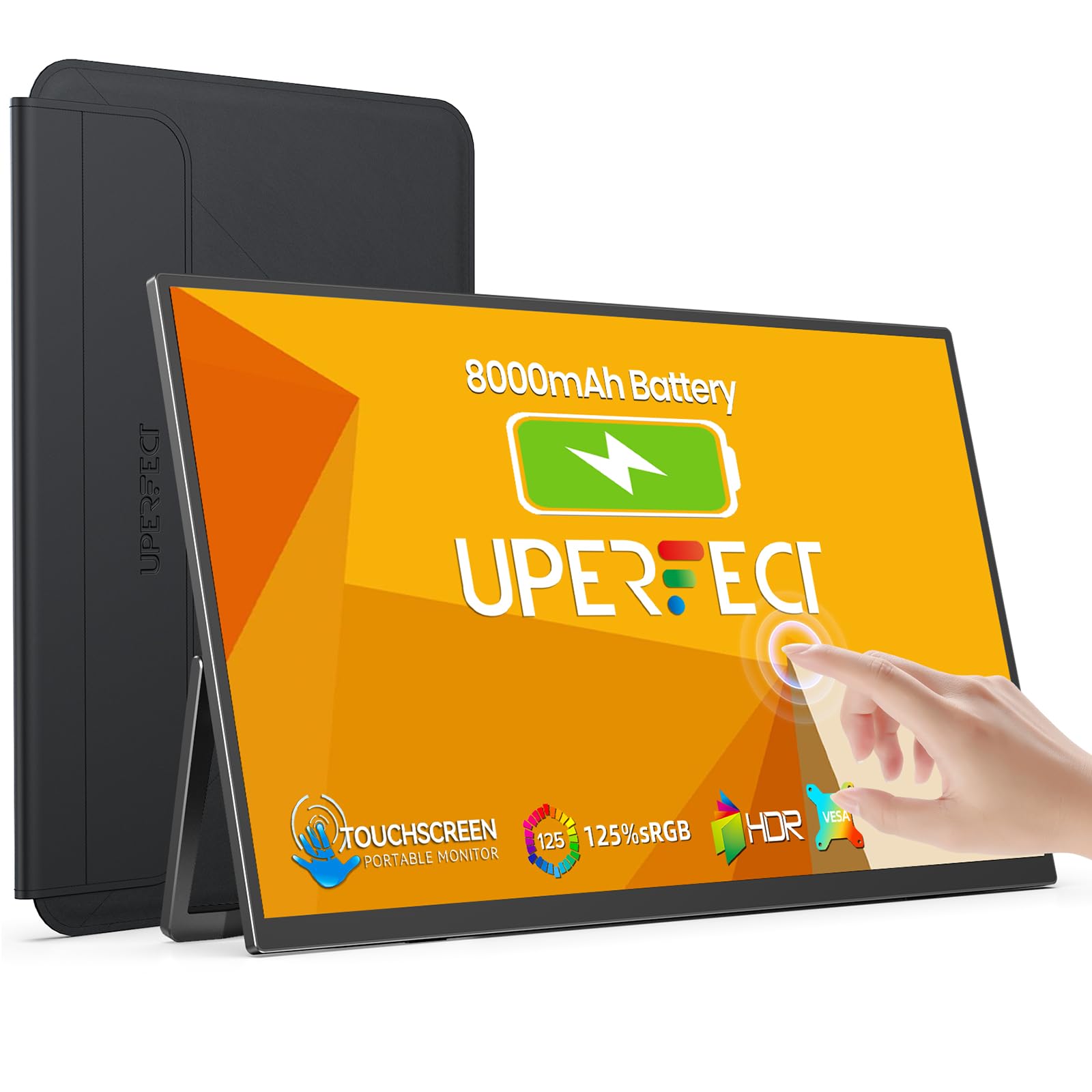 8.0 / 10
UPERFECT 15.6" Portable Monitor Touchscreen w/8000mAh Rechargeable Battery
£159.99 · UPERFECT
 8.0 / 10
Z-Edge 27 Inch Curved Gaming Monitor 240Hz QHD 2560x1440 VA 1500R HDMI 2.1
£179.99 · Z Z-Edge
Frequently asked
5 questions01Is the KTC Gaming Monitor 27 Inch good for gaming?+
Yes, it's a strong gaming monitor for the budget bracket. The Fast IPS panel, 210Hz overclocked refresh rate, and Adaptive Sync support combine to deliver smooth, responsive gameplay. The 1ms MPRT backlight strobing reduces motion blur, and the 2560x1440 resolution gives you noticeably sharper visuals than 1080p. Competitive gamers will appreciate the high refresh rate ceiling, and the wide colour gamut makes games look vibrant. The main caveat is that 210Hz is achieved through overclocking, so treat 165 to 180Hz as your reliable target.
02Does the KTC Gaming Monitor 27 Inch have good HDR?+
The HDR400 certification is the entry-level VESA HDR tier, which means it supports HDR10 signal processing and hits 400 cd/m² brightness, but there is no local dimming. In practice, HDR on this monitor adds some improvement to colour volume and highlight rendering compared to SDR, but it is not the transformative HDR experience you get from OLED or monitors with full-array local dimming at HDR1000 tier. Enable HDR in supported games for a modest improvement, but do not buy this monitor specifically for HDR performance.
03Is the KTC Gaming Monitor 27 Inch good for content creation?+
Surprisingly yes, for the price. The 101% DCI-P3 and 131% sRGB coverage are exceptional figures that most budget monitors do not come close to matching. The claimed Delta-E below 2 suggests reasonable factory colour accuracy. Video editors working for streaming platforms will benefit from the wide DCI-P3 coverage, and photo editors working in sRGB are well covered. For professional colour-critical work, you would ideally want a hardware-calibrated monitor with verified measurements, but for enthusiast-level content creation on a budget, the KTC is a genuinely strong option.
04What graphics card do I need for the KTC Gaming Monitor 27 Inch?+
For 1440p at 144Hz, a mid-range card like an Nvidia RTX 4060 or AMD RX 7600 is a good match. To push towards 165 to 210Hz in modern titles, you will want something more capable, such as an RTX 4070 or RX 7700 XT. For older or less demanding games (esports titles, indie games), even a budget card can hit high frame rates at 1440p. Use DisplayPort 1.4 rather than HDMI 2.0 for the highest refresh rates, as DisplayPort 1.4 has the bandwidth to support 1440p at 165Hz and above without compression.
05What warranty and returns apply to the KTC Gaming Monitor 27 Inch?+
The verified product data does not specify a manufacturer warranty period for this monitor. As with all Amazon purchases, you are covered by Amazon's standard 30-day return window and the A-to-Z Guarantee, which provides protection if the item is not as described or arrives faulty. For warranty terms beyond 30 days, check the product listing and any documentation included, and contact the seller directly for clarification before purchasing if this is important to you.