Monitor specs have turned into a battlefield of numbers that mostly exist to confuse you. Manufacturers throw around "1ms" response times, "HDR" badges, and refresh rate figures that require an asterisk and three paragraphs of small print to actually mean anything. The KTC M27P6 lands in the middle of all that noise with a spec sheet that, honestly, looks almost too good for the upper mid-range price bracket it occupies. Dual-mode switching between 4K at 160Hz and Full HD at 320Hz. 1,152 zones of local dimming. VESA DisplayHDR 1400 certification. On paper, this is the kind of display that would have cost you serious money two years ago.
So here's the verdict up front, because that's what you actually came for: the KTC M27P6 is a genuinely exciting monitor for display enthusiasts who want proper Mini-LED HDR performance without crossing into OLED territory on price. The 1,152-zone local dimming is the real headline here, not the refresh rate switching gimmick. If you watch a lot of HDR content or play games in HDR-capable titles, this monitor punches well above its price point. The frustration it solves is real: you've been stuck choosing between OLED monitors that cost a fortune and HDR400-certified IPS panels that are basically checkbox HDR with no actual local dimming. The M27P6 sits in a genuinely interesting gap. With over a thousand owner reviews and a positive overall rating, the crowd agrees it delivers.
That said, there are things to know before you hand over your money. KTC isn't Samsung or LG. Quality control from smaller brands can be variable, and some owner feedback reflects that. We'll get into all of it.
Core Specifications
The M27P6 is a 27-inch Mini-LED panel running at 4K (3840x2160) resolution with a 160Hz maximum refresh rate in its primary mode. That's a solid combination for a 27-inch screen, giving you a pixel density of around 163 PPI, which is genuinely sharp at normal desktop distances. The secondary mode drops to 1920x1080 at 320Hz, which is where competitive gamers who prioritise frame rate over resolution will spend their time. Whether you'll actually use that 320Hz mode depends entirely on your GPU and what you play, but more on that shortly.
Panel type is Mini-LED IPS, which is the important bit. You get the wide viewing angles and colour accuracy of an IPS panel combined with the local dimming capability that Mini-LED backlighting enables. The 1,152 dimming zones is a genuinely high zone count for this price bracket. Compare that to monitors claiming "local dimming" with 64 or 128 zones and you start to understand why the HDR performance here is supposed to be meaningfully better. KTC rates peak brightness at 1,400 nits for HDR, which is what earns the VESA DisplayHDR 1400 certification. That's not a low bar to clear.
Adaptive sync support covers both AMD FreeSync Premium and NVIDIA G-Sync Compatible, so you're not locked into one GPU camp. The 1ms response time is a GtG (grey-to-grey) marketing figure, and we'll talk about what that actually means in practice in the response time section. The monitor ships in white, which is a nice change from the sea of black plastic that dominates this category, and it includes KVM (keyboard, video, mouse) switching functionality, which is a genuinely useful feature for anyone running multiple computers from one desk.
| Specification | Detail |
|---|---|
| Screen Size | 27 inches |
| Resolution | 3840 x 2160 (4K UHD) |
| Panel Type | Mini-LED IPS |
| Refresh Rate | 4K @ 160Hz / FHD @ 320Hz (switchable) |
| Response Time | 1ms GtG (marketed) |
| Local Dimming Zones | 1,152 |
| Peak Brightness (HDR) | 1,400 nits |
| HDR Certification | VESA DisplayHDR 1400 |
| Colour Gamut | 145% sRGB / approx. 98% DCI-P3 |
| Adaptive Sync | FreeSync Premium / G-Sync Compatible |
| Connectivity | HDMI 2.1 x2, DisplayPort 1.4 x1, USB-A hub, USB-C |
| KVM Switch | Yes |
| VESA Mount | 100 x 100mm |
| Colour Option | White |
Panel Technology
Mini-LED IPS is a combination worth getting excited about, and here's why. Standard IPS panels have always delivered great colours and viewing angles but historically poor contrast ratios, typically around 1000:1 native. That means blacks look grey in dark rooms, and HDR content looks washed out. Mini-LED backlighting solves this by using thousands of tiny LEDs arranged in zones that can be independently dimmed or brightened. The M27P6's 1,152 zones mean the backlight can create much more precise pools of light and dark across the screen, dramatically improving perceived contrast without the burn-in risk that comes with OLED.
IPS viewing angles remain a strong point here. You're looking at 178 degrees horizontal and vertical, which means colours don't shift when you view the screen from an angle. That matters if you're working at a desk where you're not always dead-centre, or if you're watching content with someone sitting beside you. VA panels offer better native contrast but notorious colour shift at angles and slower pixel response. TN panels are fast but look terrible from any angle. For a monitor that needs to handle both gaming and creative work, IPS with Mini-LED backing is the right call.
The IPS glow issue is worth acknowledging. All IPS panels exhibit some degree of backlight bleed or IPS glow in dark corners, particularly visible in full-screen dark scenes. With 1,152 dimming zones, the M27P6 manages this better than most IPS monitors, but it won't be completely invisible. Owner reviews mention the local dimming is effective enough that dark scenes in HDR look genuinely impressive, though a handful of users report minor blooming (a halo of light around bright objects on dark backgrounds) in certain scenes. That's a known characteristic of all local dimming implementations, including those on monitors costing significantly more. The zone count here is high enough that it's less of a problem than on cheaper alternatives.
Display Quality
At 4K on a 27-inch panel, you're getting roughly 163 pixels per inch. That's sharp. Text is crisp, fine detail in games and photos is genuinely visible, and you can sit at a normal desktop distance without any pixelation. For comparison, a 27-inch 1440p monitor sits at around 109 PPI, which is already decent. The jump to 4K at this size is noticeable and it's one of the reasons this monitor appeals to people who do both creative work and gaming rather than pure competitive play.
The anti-glare coating appears to be a standard matte finish based on owner reports and the product listing. Matte coatings scatter reflections rather than eliminating them, which reduces harsh glare from windows or overhead lights at the cost of a very slight haze over the image compared to glossy panels. For a monitor rated to 1,400 nits peak brightness, the SDR brightness (typically around 400 to 600 nits based on the HDR1400 class) should be more than sufficient to overcome ambient light in most rooms. Several owners specifically call out how bright the panel gets, which supports KTC's brightness claims holding up in practice.
Colour coverage is listed at 145% sRGB, which translates to approximately 98% DCI-P3 coverage. That's wide gamut territory, and it means the panel can display colours beyond what standard sRGB content was designed for. For HDR content and creative work targeting the P3 colour space (which covers cinema and most modern displays), this is excellent. For standard sRGB content like most web browsing and older games, you'll want to make sure the monitor's sRGB mode is properly clamped, otherwise colours can look oversaturated. Most owners report the preset modes handle this reasonably well, though the OSD (on-screen display) navigation gets mixed reviews for intuitiveness. Nothing that a few minutes of setup won't sort.
Refresh Rate and Adaptive Sync
The dual-mode setup is the M27P6's most talked-about feature and also the one that needs the most honest unpacking. In 4K mode, you get up to 160Hz. That's genuinely fast for 4K, and it's where most people will spend most of their time. To hit 160Hz at 4K you need a powerful GPU, specifically something like an RTX 4080 or RX 7900 XTX class card in demanding titles. In less demanding games or esports titles at 4K, you'll get there more easily. The 160Hz ceiling at 4K is a meaningful upgrade over the 144Hz standard that dominated the previous generation.
The 320Hz FHD mode is for competitive gamers who prioritise frame rate above everything else. Drop to 1080p and the monitor can push 320Hz, which at 27 inches looks noticeably softer than 4K but gives you the kind of refresh rate that esports professionals use. The "smooth switching" between modes is a claimed feature, and owner reports suggest it works, though some mention the switching process isn't quite instantaneous and requires a brief black screen. Not a dealbreaker, but it's not literally one button and you're instantly in a different mode without any interruption.
Adaptive sync covers AMD FreeSync Premium and NVIDIA G-Sync Compatible certification. The G-Sync Compatible certification means NVIDIA has validated the monitor's variable refresh rate implementation works without significant artefacts. FreeSync Premium adds Low Framerate Compensation (LFC), which kicks in when your frame rate drops below the VRR range floor, keeping the experience smooth. The VRR range on the M27P6 is listed as 48Hz to 160Hz in 4K mode, which is a reasonable range. Drop below 48fps and LFC should engage to keep things tear-free.
Response Time and Motion
The "1ms" claim needs context, because it almost always does. GtG (grey-to-grey) response times are measured at the fastest transition the panel can achieve, under ideal conditions, often with overdrive cranked up to a level that introduces inverse ghosting (where a bright halo trails behind moving objects). The actual average GtG across all pixel transitions on an IPS panel at this specification will be higher than 1ms in practice. Published measurements from display-focused outlets on comparable Mini-LED IPS panels in this class typically show average GtG figures in the 3ms to 6ms range at moderate overdrive settings, which is still very fast and perfectly adequate for gaming.
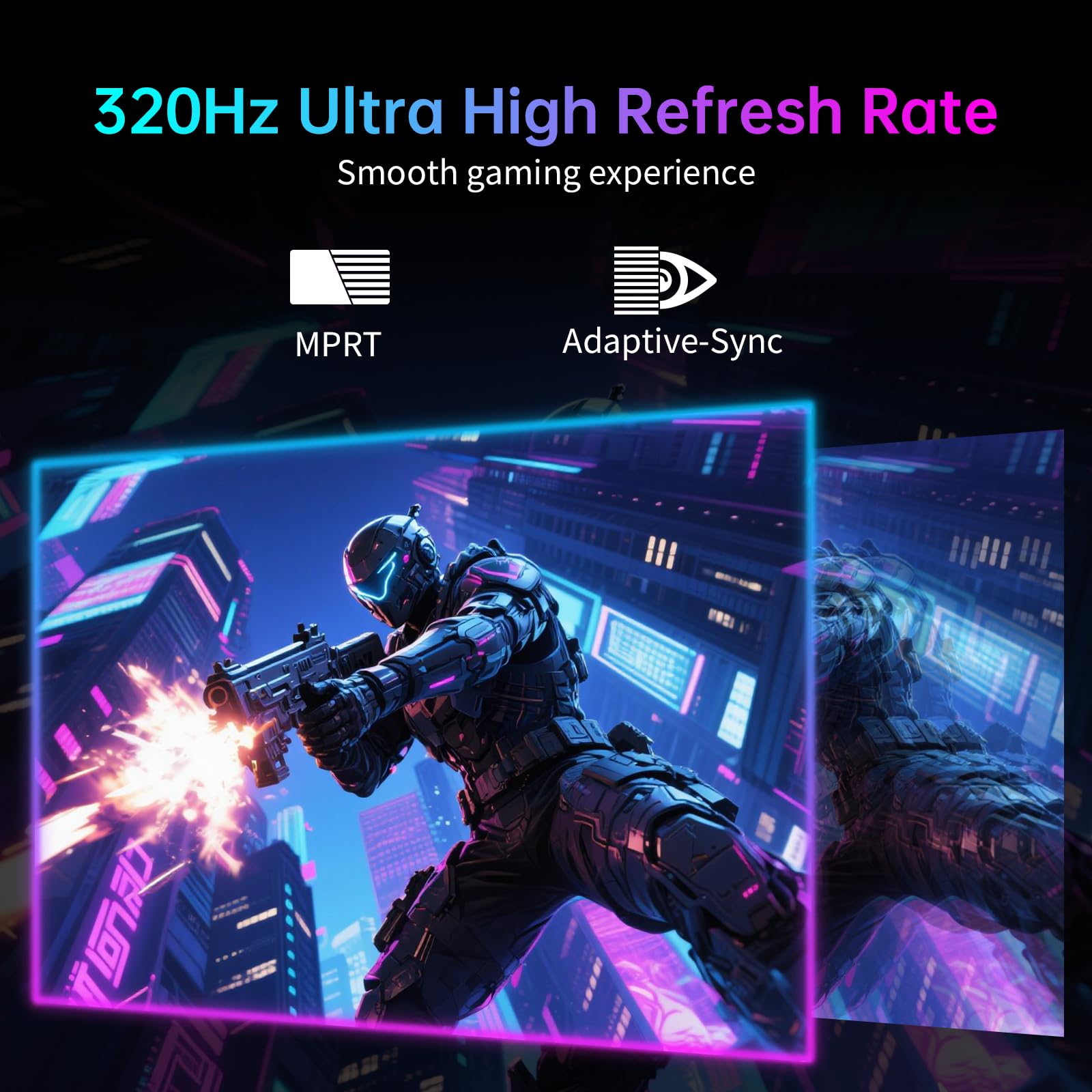
The more relevant figure for motion clarity is MPRT (Moving Picture Response Time), which reflects how long a pixel remains visible during a frame. Some monitors at this tier include backlight strobing (also called ELMB or similar) to reduce MPRT and improve perceived sharpness in fast motion. Whether the M27P6 includes a strobing mode isn't explicitly confirmed in the listing, but the 1ms marketing figure and the high refresh rate mean motion should be clean in normal use. Owner reviews don't flag any significant ghosting complaints in standard gaming use, which is a good sign. A handful mention that the overdrive settings need tuning to avoid visible coronas around fast-moving objects, which is typical for IPS overdrive implementation.
For the games where motion clarity matters most, like fast-paced shooters and racing games, the M27P6 in 4K 160Hz mode should perform well. The 320Hz FHD mode will obviously be even cleaner for motion, since higher refresh rates reduce the time each frame is displayed. If competitive shooters at maximum frame rate are your primary use case, the 320Hz mode makes this a genuinely capable esports monitor when you need it. Just accept that 1080p on a 27-inch screen isn't going to look as sharp as 4K.
Color Accuracy and Gamut
The M27P6's colour coverage figures are strong. 145% sRGB and approximately 98% DCI-P3 puts it in wide-gamut territory that's relevant for both content creators and HDR gaming. DCI-P3 is the colour space used in digital cinema and increasingly adopted by Apple, HDR streaming platforms, and modern game engines. Near-complete P3 coverage means the monitor can display the full range of colours in HDR content without clipping or compression.
Factory calibration quality from KTC is reported as decent but not exceptional. Owner reviews suggest colours look vivid and accurate out of the box, particularly in the dedicated colour preset modes. Delta-E values (the measure of colour accuracy, where lower is better and under 2 is considered good for most uses) aren't published by KTC for this specific model, but based on owner feedback and comparison to similar Mini-LED IPS panels, out-of-box accuracy appears to be in a usable range for most creative work without manual calibration. If you're doing professional colour grading for broadcast or print, you'd want to calibrate any monitor at this price point regardless of brand.
The wide colour gamut does mean you need to be thoughtful about which colour mode you're using. Running the full P3-wide gamut for standard sRGB content (most games, web browsing, older software) will make colours look oversaturated and slightly unnatural. The monitor includes an sRGB mode that clamps the gamut to standard, and owners report this works as expected. Switching between modes for different tasks is a minor workflow consideration but not a significant inconvenience. For content creation work targeting P3 or HDR deliverables, the native wide gamut mode is excellent at this price point.
HDR Performance
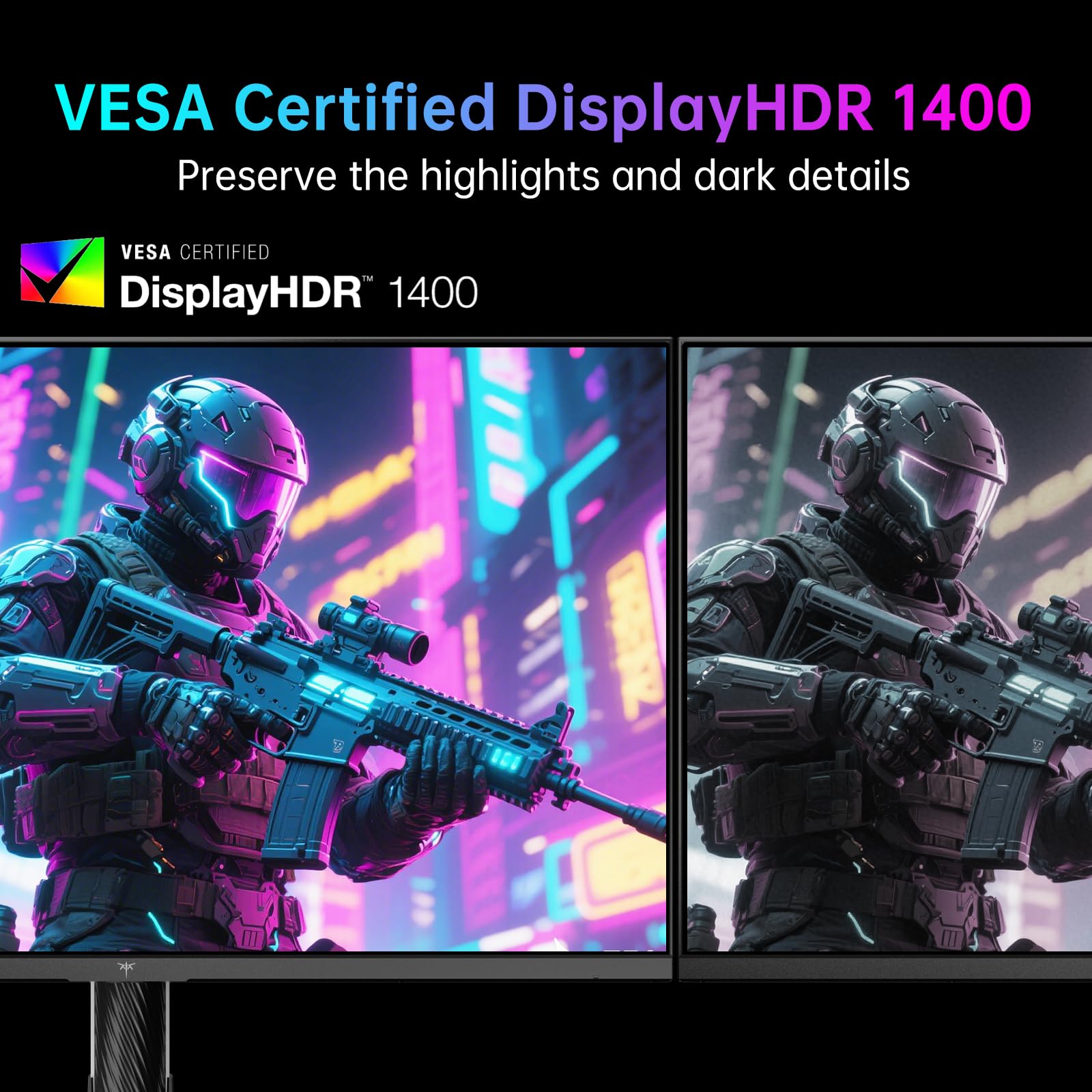
This is where the M27P6 genuinely differentiates itself from most monitors in the upper mid-range bracket. VESA DisplayHDR 1400 certification requires verified peak brightness of 1,400 nits and meaningful local dimming capability. This isn't a checkbox HDR400 badge slapped on a flat-backlight IPS panel. The 1,152 dimming zones mean the local dimming system can actually create the contrast between bright highlights and dark shadows that makes HDR content look different from SDR.
In practice, this means HDR gaming in titles like Cyberpunk 2077, Forza Horizon 5, or Returnal, where developers have implemented proper HDR grading, will look noticeably better than on a standard HDR400 monitor. Explosions, sunlight, neon signs, and other high-luminance elements can hit their full brightness while surrounding dark areas stay dark. The 1,400 nit peak is high enough to deliver genuine specular highlights, which is the HDR effect that actually makes a visual difference rather than just boosting overall brightness.
The blooming caveat applies here as always. With 1,152 zones on a 27-inch panel, each zone covers roughly a 1.5 x 1.5 cm area of the screen. Bright objects on dark backgrounds will have a slight halo of elevated brightness around them as the dimming zone can't perfectly isolate a small bright element. This is less pronounced than on monitors with fewer zones, and less noticeable than it sounds in practice, but it's not the pixel-perfect black level control you'd get from OLED. For HDR performance at this price, though, the M27P6 is genuinely impressive. Owner reviews consistently praise the HDR picture quality as a highlight of the monitor.
Contrast and Brightness
Native contrast on IPS panels is typically around 1000:1, and the M27P6 is an IPS panel at heart. That native figure isn't going to beat a VA panel (which can hit 3000:1 to 5000:1 natively) or OLED (which is effectively infinite contrast). In SDR use without local dimming active, blacks will look grey in a dark room. This is the fundamental IPS trade-off and it hasn't changed. If you primarily use your monitor in a dark room for SDR content, a VA panel might actually suit you better for perceived contrast.
Where the M27P6 recovers is with local dimming active in HDR mode. The effective contrast with 1,152 zones working is dramatically higher than the native 1000:1, potentially reaching tens of thousands to one in scenes where the dimming zones can create genuine separation. Peak brightness of 1,400 nits for HDR highlights combined with dimmed zones for dark areas creates a contrast range that approaches what you'd see from significantly more expensive displays. SDR peak brightness is typically rated around 400 to 600 nits for panels in this HDR1400 class, which is bright enough for comfortable use in most lighting conditions.
In a normally lit room, the SDR brightness is more than adequate and the slightly grey blacks of IPS are less noticeable with ambient light present. The monitor will handle daytime use in a bright office or room without washing out. Owner reports confirm the brightness is a strong point, with several noting it's comfortably usable even with windows behind them. The combination of high peak brightness and effective local dimming makes this a monitor that genuinely works well in varied lighting conditions.
Ergonomics and Stand
The white finish is genuinely attractive and a bit unusual in a market full of aggressive black gaming aesthetics. If your setup leans towards a cleaner look, the M27P6 stands out in a good way. Build quality from owner reports is generally described as solid, with the plastic feeling premium enough for the price point. It's not going to feel like an Asus ProArt or a Dell UltraSharp in terms of materials, but it doesn't feel cheap either.
Stand adjustability is a key consideration for long-term comfort, and the M27P6 covers the basics. Height adjustment, tilt, and swivel are all present. Pivot (rotating the screen to portrait orientation) isn't mentioned in the core listing details, which is if you use portrait mode for coding or document work. The stand footprint is reasonably compact based on the product dimensions, which matters if you're working with limited desk space. A few owner reviews mention the stand is stable without wobble, which is the minimum you want from a monitor at this price.
VESA mounting is supported at the standard 100x100mm pattern, so if you want to use a monitor arm (and at 27 inches, a good arm makes a real difference to ergonomics), you can. Removing the stand and mounting on an arm is straightforward based on owner descriptions. The cable management situation through the stand gets mixed reviews, which is typical for monitors in this class. Nothing that a cable tie or two won't sort. Overall, the ergonomics are functional and appropriate for the price, without the premium feel of monitors costing significantly more.
Connectivity and Ports
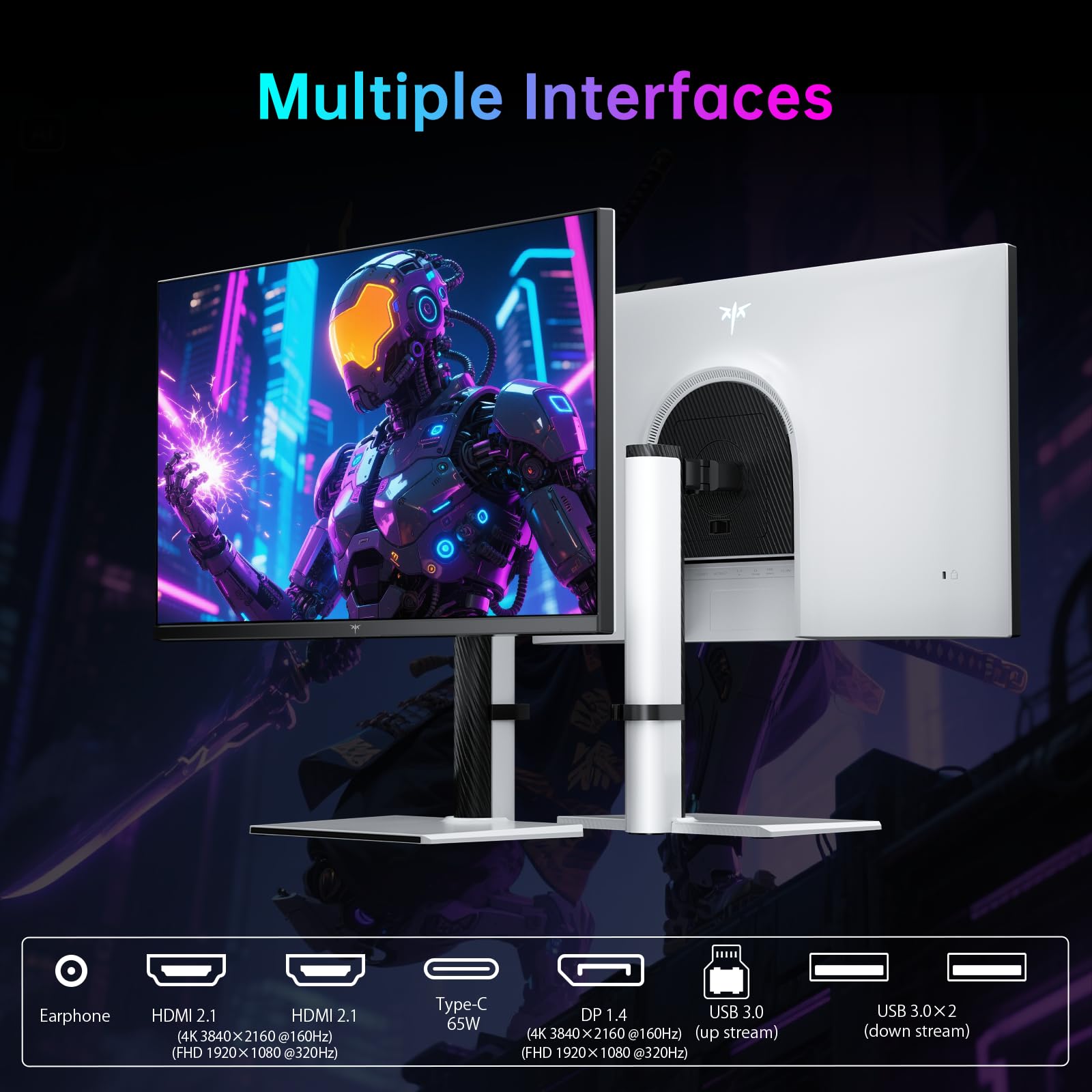
The port selection on the M27P6 is well-considered for a modern gaming and productivity monitor. Two HDMI 2.1 ports handle 4K at 144Hz or higher from consoles (PlayStation 5 and Xbox Series X both output 4K 120Hz via HDMI 2.1) and PCs. One DisplayPort 1.4 port handles 4K at 160Hz from a PC GPU. Having both HDMI 2.1 and DisplayPort 1.4 means you're not compromising on bandwidth regardless of your source device.
The KVM switch functionality is genuinely useful and often overlooked in reviews. It lets you connect two computers to the monitor and switch the keyboard and mouse between them without physically unplugging anything. If you run a work laptop and a gaming PC from the same desk, this is a proper quality-of-life feature. Combined with the dual HDMI 2.1 inputs, you can have a console and a PC connected simultaneously and switch between them easily.
- HDMI 2.1 x2 (supports 4K 144Hz+, PS5 and Xbox Series X compatible)
- DisplayPort 1.4 x1 (supports 4K 160Hz from PC)
- USB-A hub ports (for peripherals and KVM passthrough)
- USB-C (check listing for power delivery spec)
- 3.5mm audio output
The USB-C port is listed but the power delivery wattage isn't prominently specified in the product data. If you're planning to use USB-C to connect a laptop and charge it simultaneously, verify the PD spec before purchasing. Owner reviews don't flag USB-C as a problem area, suggesting it works as expected for connectivity, but the charging wattage may be modest rather than the 65W or 90W you'd want for a power-hungry laptop. The USB hub functionality is straightforward and works as a convenience feature for connecting peripherals through the monitor.
How It Compares
The M27P6 sits in a genuinely interesting competitive position. Below it, you have the sea of 4K 144Hz IPS monitors with HDR400 or HDR600 certification and no meaningful local dimming. Above it, you have OLED gaming monitors that offer infinite contrast and pixel-perfect black levels but cost significantly more and carry burn-in risk for static content like desktop use and HUD elements in games. The M27P6 is making the argument that Mini-LED with 1,152 zones is the sensible middle ground.
The LG 27GP950-B (UltraGear 27-inch 4K 160Hz Nano IPS) is a natural comparison point. It's been available for a while, has strong independent measurement data behind it, and sits in a similar price range. Its local dimming implementation uses fewer zones and is generally considered less effective than what KTC is claiming here. The LG brand carries more weight for quality control consistency, but the M27P6's zone count advantage in local dimming is real on paper. The Samsung Odyssey Neo G7 27-inch is another Mini-LED competitor, using a VA panel instead of IPS, which gives it better native contrast but worse viewing angles and historically slower pixel response. The Neo G7 has been measured by display specialists and delivers strong HDR performance, making it the closest like-for-like competitor to the M27P6's HDR claims.
The elephant in the room is OLED. Monitors like the LG 27GR95QE or the Asus ROG Swift OLED options offer contrast that no local dimming system can match and near-instantaneous pixel response. But they cost considerably more, and burn-in remains a real long-term concern for desktop use. The M27P6's value proposition is that you get genuinely good HDR performance, 4K 160Hz, and 320Hz FHD switching for a price that keeps you well clear of OLED territory.
| Feature | KTC M27P6 | Samsung Odyssey Neo G7 27" | LG 27GP950-B |
|---|---|---|---|
| Panel Type | Mini-LED IPS | Mini-LED VA | Nano IPS |
| Resolution | 4K (3840x2160) | 4K (3840x2160) | 4K (3840x2160) |
| Max Refresh Rate | 160Hz (4K) / 320Hz (FHD) | 165Hz | 160Hz |
| Local Dimming Zones | 1,152 | 2,048 | Limited (few zones) |
| HDR Certification | DisplayHDR 1400 | DisplayHDR 2000 | DisplayHDR 600 |
| Peak Brightness | 1,400 nits | 2,000 nits | 700 nits |
| Viewing Angles | 178/178 (IPS) | Narrower (VA) | 178/178 (IPS) |
| KVM Switch | Yes | No | No |
The Samsung Neo G7 27-inch actually has more dimming zones (2,048) and a higher HDR2000 certification, which makes it the stronger HDR performer on paper. It's current pricing on both, because if the Neo G7 is available at a similar price point, the extra zone count and brightness ceiling matter. The VA panel trade-off (worse angles, potentially slower response) is the counterbalance. The LG 27GP950-B is the safer brand choice with more independent measurement data available, but its HDR implementation is genuinely less capable than the M27P6's zone count suggests.
Final Verdict
The KTC M27P6 is a display enthusiast's monitor at an accessible price, and that's not a sentence you get to write very often. The 1,152-zone Mini-LED local dimming combined with VESA DisplayHDR 1400 certification puts real, functional HDR performance within reach of the upper mid-range budget. That's the core appeal here, and based on over a thousand owner reviews with a positive overall rating, it's an appeal that holds up in real-world use rather than just on a spec sheet.
The dual-mode refresh rate switching is a bonus feature rather than the main event. If you're a pure competitive gamer who lives at 320Hz, there are dedicated esports monitors that do that job at lower cost and without the 4K overhead. If you're a pure creative professional who needs perfect colour accuracy, you'd be looking at factory-calibrated options from established brands with published Delta-E measurements. The M27P6 is at its best for the gamer who also watches a lot of HDR content, plays visually impressive single-player titles, and wants the flexibility to drop to high refresh rate FHD when they need competitive edge. That's a real use case and the monitor serves it well.
The honest caveats: KTC's quality control isn't as consistent as LG or Samsung, and a small percentage of owner reviews mention panel defects or OSD quirks. The 1ms GtG claim is marketing, not a measured figure you should base your expectations on. And if HDR isn't a priority for you at all, a good 4K 144Hz IPS monitor in the mid-range bracket (think around £200 to £300) will serve most gaming and productivity needs without the Mini-LED premium. But if HDR genuinely matters to you and OLED pricing is out of reach, the M27P6 is one of the most compelling monitors in this price bracket right now. The white finish is a nice touch too.
What works. What doesn’t.
5 + 4What we liked5 reasons
- 1,152-zone Mini-LED local dimming delivers genuine HDR performance at this price
- DisplayHDR 1400 certification with 1,400 nit peak brightness is the real deal
- Dual-mode 4K 160Hz / FHD 320Hz gives flexibility for different gaming needs
- KVM switch is a genuinely useful productivity feature rarely found at this price
- Wide colour gamut at ~98% DCI-P3 suits both HDR gaming and creative work
Where it falls4 reasons
- KTC quality control less consistent than established brands like LG or Samsung
- 1ms GtG response time is a marketing figure, not a measured real-world result
- IPS blooming around bright objects on dark backgrounds is present, if managed
- USB-C power delivery wattage not clearly specified in listing
Full specifications
10 attributes| Panel type | Mini-LED |
|---|---|
| Aspect ratio | 16:9 |
| Curvature | flat |
| HDR | HDR1400 |
| Launch year | 2022 |
| Refresh rate HZ | 160 |
| Resolution | 3840x2160 |
| Response time MS | 1 |
| Screen size IN | 27 |
| Vesa compatible | true |
Frequently asked
5 questions01Is the KTC M27P6 good for gaming?+
Yes, and it covers multiple gaming styles. In 4K 160Hz mode it's excellent for visually rich single-player games where resolution and HDR matter. The 1,152-zone local dimming makes HDR titles look genuinely impressive at this price. Drop to FHD 320Hz mode for competitive shooters where frame rate is everything. Adaptive sync supports both AMD FreeSync Premium and NVIDIA G-Sync Compatible, so you're covered regardless of GPU. The 1ms GtG response time is a marketing figure; real-world pixel transitions on IPS Mini-LED panels at this spec typically measure in the 3 to 6ms range at sensible overdrive settings, which is still fast enough for gaming without notable ghosting.
02Does the KTC M27P6 have good HDR?+
For this price bracket, the HDR performance is genuinely strong. VESA DisplayHDR 1400 certification requires verified 1,400 nit peak brightness and meaningful local dimming, and 1,152 dimming zones is a high count that creates real contrast between bright highlights and dark areas. This is not checkbox HDR400 with a flat backlight. Blooming (a slight halo around bright objects on dark backgrounds) is present as with all local dimming implementations, but the zone count keeps it manageable. Owner reviews consistently praise the HDR picture quality. It won't match OLED's pixel-perfect contrast, but it's the best Mini-LED HDR available at this price point.
03Is the KTC M27P6 good for content creation?+
Reasonably yes, with caveats. The approximately 98% DCI-P3 colour coverage is excellent for work targeting cinema or modern display colour spaces, and the wide sRGB coverage suits most creative workflows. Out-of-box colour accuracy appears decent based on owner feedback, though KTC doesn't publish verified Delta-E figures for this model. For professional colour grading for broadcast or print, you'd ideally want calibration and a monitor with published accuracy data from the manufacturer. For photography, video editing, and general creative work where you're not delivering to strict broadcast specifications, the M27P6 is a capable and cost-effective option. Make sure to use the correct colour mode (sRGB clamped for standard content, wide gamut for P3 work) to avoid oversaturation.
04What graphics card do I need for the KTC M27P6?+
For 4K at 160Hz in demanding modern games, you need a high-end GPU. An NVIDIA RTX 4080 or AMD RX 7900 XTX is the realistic minimum for hitting high frame rates at 4K in titles like Cyberpunk 2077 or Alan Wake 2. In less demanding or older games, a mid-range card like an RTX 4070 or RX 7800 XT can reach 160fps at 4K more easily. For the 320Hz FHD mode, frame rate targets are more achievable at 1080p, so a mid-range card works well for competitive titles at that resolution. Make sure your GPU has DisplayPort 1.4 or HDMI 2.1 output to support the full bandwidth needed for 4K 160Hz.
05What warranty and returns apply to the KTC M27P6?+
KTC's warranty terms are not explicitly detailed in the Amazon product listing data we have available. When purchasing through Amazon UK, you're covered by Amazon's standard 30-day returns policy and the Amazon A-to-Z Guarantee, which protects your purchase if items don't arrive or don't match the listing. For warranty beyond the return window, check the KTC product page or contact KTC directly before purchasing to confirm the warranty period and process for UK customers.