Picking a motherboard is genuinely one of the more stressful parts of building a PC. Get it wrong and you're not just stuck with a bad board, you're stuck with a board that quietly limits everything else you've paid good money for. The wrong VRM throttles your CPU. The wrong BIOS makes overclocking a misery. And if you've spent proper money on a Ryzen 9000 chip, you really don't want to find out six months later that your board was the bottleneck all along.
So when something like the Gigabyte B850 AI TOP lands in the premium bracket, it deserves a hard look. Not a marketing-brochure skim, an actual honest assessment of whether it earns that price tag. Because "B850" and "premium" in the same sentence raises eyebrows. B850 is a mid-range chipset. Slapping "AI TOP" on it and pricing it like an X870 board is either a bold move or a cheeky one, depending on what's actually under the hood.
With only 15 reviews averaging ★★★½☆ (3.8) on Amazon, this board hasn't exactly swept the community off its feet. That's not a disaster, but it's not a glowing endorsement either. So what's going on? Is this a genuinely capable board that's been unfairly overlooked, or is it a mid-range chipset dressed up in a premium suit? Let's find out.
How It Compares to the Competition
Before getting into the specifics, it's worth understanding the landscape this board is trying to occupy. In the premium AM5 motherboard bracket, you've got some serious competition. The ASUS ROG Strix X870-F Gaming WiFi sits at a similar price point and gives you the X870 chipset with all the extra PCIe lanes and USB bandwidth that brings. The MSI MEG X870E ACE goes further still, into proper enthusiast territory. And then there are boards like the ASRock X870E Taichi that have built a reputation for rock-solid reliability and excellent BIOS implementation.
What makes the B850 AI TOP's positioning awkward is that B850, while a solid chipset, is fundamentally a tier below X870 and X870E. You get fewer native PCIe lanes from the chipset, fewer USB ports hanging off the south bridge, and less flexibility overall. Gigabyte has tried to compensate with a beefy VRM, aggressive M.2 implementation, and features like WIFI 7 and 10G LAN, but you're paying X870 money for a B850 foundation. That's the tension this review keeps coming back to.
Where the B850 AI TOP does have a genuine argument is against cheaper B850 boards in the £150 to £220 range. Compared to something like the MSI MAG B850 TOMAHAWK or the ASUS Prime B850M-A, the AI TOP's VRM spec, storage configuration, and networking are in a different league. The question is whether the premium over those boards is justified, or whether you'd be better served jumping to a proper X870 board for similar money. It's a genuinely tricky call, and the answer depends a lot on what you're actually doing with the machine.
| Feature | Gigabyte B850 AI TOP | ASUS ROG Strix X870-F | MSI MAG B850 TOMAHAWK |
|---|---|---|---|
| Chipset | AMD B850 | AMD X870 | AMD B850 |
| VRM Phases | 16+2+2 | 18+2+2 | 14+2+2 |
| DDR5 Max Speed (OC) | 8600 MT/s | 8000+ MT/s | 8000 MT/s |
| M.2 Slots | 4 (incl. PCIe 5.0) | 4 (incl. PCIe 5.0) | 4 |
| LAN Speed | 10G | 2.5G | 2.5G |
| WiFi | WiFi 7 | WiFi 7 | WiFi 7 |
| PCIe 5.0 M.2 | 2 slots | 2 slots | 1 slot |
| USB 3.2 Gen 2x2 | Yes | Yes | Yes |
| Price Tier | Premium (£364.99+) | Premium (£364.99+) | Mid-range |
Core Specifications
On paper, the B850 AI TOP is genuinely well-specced. You're looking at AMD Socket AM5, support for Ryzen 9000, 8000, and 7000 series processors, a 16+2+2 phase digital VRM, and DDR5 memory support up to 8600 MT/s in overclocked mode with dual-channel configuration. Four M.2 slots including two running at PCIe Gen 5 speeds, 10G LAN, WiFi 7, and USB 3.2 Gen 2x2 on the rear. That's a genuinely impressive feature list for any board, let alone one built on a B-series chipset.
The form factor is ATX, which means it'll fit in any standard mid-tower or full-tower case without drama. Memory support goes up to whatever the platform allows in terms of capacity across four DIMM slots, and the board includes Gigabyte's EZ-Latch Plus system for tool-free PCIe and M.2 slot releases, which is a genuinely useful quality-of-life feature rather than just marketing fluff. The M.2 EZ-Flex heatsink system with its flexible baseplate is a patented Gigabyte design that's supposed to improve both heat dissipation and installation convenience.
What's notable is the 10G Ethernet. At this price point, most boards, including some X870 competitors, are still shipping with 2.5G LAN. Getting 10G here is a legitimate differentiator, especially if you're running a NAS, doing heavy file transfers, or working with large video files. It's one of the clearest arguments for the AI TOP over similarly-priced alternatives.
| Specification | Detail |
|---|---|
| Socket | AMD AM5 |
| Chipset | AMD B850 |
| CPU Support | Ryzen 9000 / 8000 / 7000 Series |
| Form Factor | ATX |
| Memory Type | DDR5 (Dual Channel) |
| Memory Slots | 4 x DIMM |
| Max Memory Speed (OC) | 8600 MT/s |
| M.2 Slots | 4 (including 2x PCIe 5.0 x4, 1x PCIe 4.0) |
| VRM Phases | 16+2+2 Digital |
| LAN | 10G Ethernet |
| WiFi | WiFi 7 |
| USB | USB 3.2 Gen 2x2 (rear) |
| PCIe M.2 Generations | PCIe 5.0 x4 and PCIe 4.0 x4 |
| Price | £364.99 |
Socket and CPU Compatibility
The B850 AI TOP uses AMD's AM5 socket, which is the current home for all Ryzen 7000, 8000, and 9000 series desktop processors. AM5 uses LGA1718, which means the pins are on the motherboard rather than the CPU, so you don't have to worry about bending pins on your expensive processor during installation. That's a nice change from AM4 for anyone who's had the heart-in-mouth experience of dropping a CPU onto a socket.
The good news about AM5 is that AMD has committed to the platform through at least 2027, so this board has genuine longevity. If you're buying a Ryzen 7000 chip now and want to upgrade to a Ryzen 9000 or whatever comes next without swapping the board, AM5 gives you that option in a way that Intel's platform strategy often doesn't. The B850 AI TOP supports the full current Ryzen lineup, including the X3D variants, which is relevant given the board's "X3D Turbo Mode" feature that's designed to optimise performance specifically for those chips.
One thing to be aware of: if you're planning to use a very new Ryzen processor that launched after this board's initial BIOS, you may need a BIOS update before the CPU is recognised. This is pretty standard practice across all AM5 boards, not a specific criticism of Gigabyte here, but it's worth checking the BIOS support page before you buy if you're pairing this with a day-one chip. Gigabyte's BIOS update process via Q-Flash is generally straightforward, though some owners in the review pool have noted occasional BIOS quirks, which we'll get into later.
Chipset Features
The AMD B850 chipset is the middle tier of AMD's current AM5 chipset stack, sitting above B650 and below X870 and X870E. It supports CPU overclocking (unlike B650 in its original form), PCIe 5.0 for both graphics and storage, and DDR5 memory with EXPO and XMP profile support. It's a capable chipset that covers the needs of the vast majority of builders, including enthusiasts who want to overclock.
Where B850 falls short compared to X870 is in raw lane count and USB bandwidth from the chipset itself. X870 and especially X870E give you more USB4 ports, more PCIe lanes hanging off the south bridge, and generally more flexibility for multi-GPU setups or heavily populated storage configurations. For most single-GPU, multi-M.2 builds, B850 is perfectly adequate. But if you're running a professional workstation with multiple NVMe arrays, a capture card, and a USB4 docking station all at once, you might start feeling the pinch.
Gigabyte has done a decent job of maximising what B850 offers here. The four M.2 slots are well-distributed across the available PCIe lanes, the USB 3.2 Gen 2x2 port on the rear gives you 20Gbps for fast external storage, and the 10G LAN is handled by a dedicated controller rather than being a chipset afterthought. The "AI" branding refers to Gigabyte's suite of AI-assisted tuning features in the BIOS and accompanying software, which includes automated overclocking assistance and system monitoring. Whether you find that useful or prefer to tune manually is a personal preference thing.
VRM and Power Delivery
This is where the B850 AI TOP makes its strongest case. A 16+2+2 phase digital VRM is genuinely impressive for a B-series board. To put that in context, plenty of boards at lower price points ship with 12+2 or even 10+2 configurations and call it a day. More phases means the power delivery load is spread across more components, which means lower temperatures per phase, more headroom for overclocking, and better long-term reliability under sustained load.
Gigabyte's VRM Thermal Armor Advanced heatsink covers the power delivery components properly, which matters more than most people realise. A beefy VRM with a rubbish heatsink will still throttle under sustained all-core loads on a Ryzen 9 chip. From what's been reported by owners and from the spec sheet, the thermal solution here looks substantial enough to handle even the power-hungry Ryzen 9 9950X without breaking a sweat. That's the kind of headroom you want if you're planning to run the system hard for hours at a time, whether that's rendering, compilation, or a long gaming session.
The digital twin phase design means each phase is individually controllable and monitored, which gives the board's power management system more granular control over efficiency. In practice, this translates to better performance under mixed loads, where the system can ramp up and down more intelligently rather than just throwing maximum power at everything all the time. For everyday computing, this also means better idle efficiency, which matters if the machine is on for long stretches. It's not just about peak performance, it's about sustained, stable performance over time, and a well-designed VRM is the foundation of that.
Memory Support
DDR5 only on AM5, which you probably already knew, but it's worth stating clearly because there are still people asking about DDR4 compatibility. There is none. The B850 AI TOP supports dual-channel DDR5 across four DIMM slots, with overclocked speeds up to 8600 MT/s. That's genuinely high, higher than many X870 boards advertise out of the box, and it gives you serious headroom if you want to push fast memory kits.
EXPO and XMP profile support is present, so your branded high-speed memory kit should load its rated profile automatically in the BIOS without manual tuning. In practice, DDR5 overclocking on AM5 can be a bit of a lottery depending on your specific memory chips and CPU's integrated memory controller, but the board's support for up to 8600 MT/s suggests Gigabyte has done meaningful validation work at the high end. Whether you'll actually hit 8600 MT/s with your specific kit depends on factors outside the board's control, but having the headroom is better than not having it.
For most gaming builds, DDR5 somewhere in the 6000 to 7200 MT/s range is the sweet spot where you get meaningful performance without chasing diminishing returns. The B850 AI TOP handles that range comfortably, and the dual-channel configuration is properly supported with all four slots populated. Some boards struggle with stability when you fill all four DIMM slots at high speeds, so it's worth checking owner reports carefully if you're planning a 64GB or 128GB configuration. The review pool is small (only 15 reviews), so there's limited data on this specific scenario, but no red flags have emerged on this front.
Storage Options
Four M.2 slots is a good number, and the configuration here is worth paying attention to. You get two slots running at PCIe 5.0 x4, which gives you access to the current generation of ultra-fast NVMe drives like the Samsung 990 Pro's successors and the various Gen 5 drives now hitting the market. One slot runs at PCIe 4.0 x4, which is still perfectly quick for most workloads. The fourth slot's specification isn't explicitly stated in the verified data, so we won't guess, but four slots total gives you plenty of room to grow.
The M.2 EZ-Flex system is Gigabyte's patented approach to M.2 installation, featuring a flexible baseplate that's supposed to make seating drives easier and improve contact with the heatsink for better thermal transfer. The EZ-Latch Click system means the M.2 heatsinks are screwless, so you're not hunting for a tiny Phillips head every time you want to swap a drive. These sound like small conveniences, but if you've ever tried to install an M.2 drive in a cramped case with a standard screw-and-standoff system, you'll appreciate the difference. The M.2 Thermal Guard L and M.2 Thermal Guard Ext heatsinks cover the drives to keep temperatures in check under sustained sequential write loads.
What's not explicitly listed in the verified spec data is SATA port count, so we won't make claims about that. If you're planning a build with multiple 2.5-inch SSDs or traditional hard drives, check the official Gigabyte product page for the SATA configuration before committing. The focus here is clearly on NVMe storage, which reflects where the market is heading, but it's a detail worth confirming if spinning rust or SATA SSDs are part of your plan.
Expansion Slots and PCIe
The primary PCIe x16 slot runs at PCIe 5.0 directly from the CPU, which means your GPU gets the full bandwidth of the current generation interface. In practice, no current consumer GPU saturates PCIe 4.0 x16, let alone PCIe 5.0 x16, so this is more about future-proofing than immediate performance gains. But it's the right call for a premium board, and it means you won't be leaving bandwidth on the table when GPU architectures eventually catch up.
The EZ-Latch Plus system applies to the PCIe slots as well as the M.2 slots, which means releasing your GPU for removal doesn't require a screwdriver or the gymnastics of reaching past a large graphics card to press a tiny retention clip. Anyone who's tried to remove a three-slot GPU from a board with a standard retention latch will know exactly why this matters. It's a genuinely useful feature that Gigabyte has implemented well across their recent lineup.
Beyond the primary GPU slot, the exact configuration of additional PCIe slots isn't fully detailed in the verified spec data, so we'll leave the specifics there. What's clear is that this is primarily designed as a single-GPU platform, which is entirely appropriate for the target market. If you need multiple full-bandwidth PCIe x16 slots for professional GPU compute work, you're in X870E or HEDT territory anyway, and no B-series board is going to satisfy that requirement regardless of how premium the branding is.
Connectivity and Rear I/O
The rear I/O is where premium boards justify their existence, and the B850 AI TOP has some genuinely strong points here. USB 3.2 Gen 2x2 on the rear panel gives you a single 20Gbps port for fast external SSDs or docking stations, which is the kind of thing that used to be exclusive to X-series boards. The 10G LAN port is a standout feature that most competing boards at this price don't offer, and the WiFi 7 antenna connection uses Gigabyte's WIFI EZ-Plug system for quick installation without the usual fiddling with tiny threaded connectors.
The WIFI EZ-Plug design is worth a mention because WiFi antenna installation is one of those small frustrations that nobody talks about but everyone encounters. The standard SMA connector on most boards requires you to carefully thread on a small connector while trying not to cross-thread it, often in a tight space behind a built case. EZ-Plug is supposed to simplify that to a push-and-click action. Whether it works as advertised in practice is something the small review pool doesn't give us enough data to confirm definitively, but the intent is right.
For audio, the rear I/O will include standard audio jacks for analogue output, though the specific configuration isn't detailed in the verified data. The board's audio solution isn't highlighted as a key feature in the product listing, which suggests it's competent rather than exceptional. If high-quality onboard audio is a priority for you, check the full spec sheet on Gigabyte's site. For most users connecting to a DAC or headphone amp via USB anyway, the onboard audio quality is largely irrelevant.
WiFi and Networking
WiFi 7 is the headline wireless feature here, and it's the right call for a premium board in 2025 and beyond. WiFi 7 (802.11be) brings multi-link operation, which means the adapter can simultaneously use multiple frequency bands for both higher throughput and lower latency. In practice, you'll need a WiFi 7 router to get the full benefit, but even paired with a WiFi 6E router, you're getting excellent wireless performance. The days of treating onboard WiFi as a second-class option are genuinely over at this level.
The 10G Ethernet is the real talking point, though. Most boards in this price bracket, including many X870 options, ship with 2.5G LAN as their wired solution. 10G is typically found on workstation boards or as an add-on card. Getting it built in here is a genuine advantage if your network infrastructure supports it. A 10G switch or NAS connection means file transfers that would take minutes over 2.5G complete in seconds. For content creators moving large video files, for anyone running a home lab, or for competitive gamers who want the absolute minimum latency on a wired connection, 10G is a meaningful upgrade.
The combination of WiFi 7 and 10G Ethernet puts the B850 AI TOP's networking package ahead of most X870 competitors, which is a clear strategic decision by Gigabyte. If networking is important to your use case, this is one of the strongest arguments for choosing this board over alternatives with a higher-tier chipset but more modest connectivity. It's a trade-off, and whether it's the right one depends entirely on your specific needs, but it's a legitimate differentiator rather than just marketing.
BIOS and Overclocking
Gigabyte's BIOS has had a complicated history. The older UEFI implementations were often criticised for being cluttered, inconsistent in layout, and occasionally buggy with memory overclocking profiles. More recent versions have improved significantly, with a cleaner EasyMode for beginners and a more organised Advanced mode for people who actually want to dig into the settings. The AI-assisted overclocking features are designed to lower the barrier to entry for memory and CPU tuning, which is genuinely useful if you don't want to spend hours reading about primary timings and subtimings.
The X3D Turbo Mode is specifically worth mentioning for anyone pairing this board with a Ryzen 7000X3D or 9000X3D processor. These chips have specific power management requirements related to their 3D V-Cache, and enabling a mode optimised for them can make a meaningful difference to gaming performance. It's not magic, it's just making sure the board isn't applying generic power limits that constrain the CPU's boost behaviour. The fact that Gigabyte has implemented this as a named, accessible feature rather than burying it in advanced settings is a good sign.
From the owner reviews, there are some BIOS-related complaints in the mix, which is part of why the 3.7 average rating is where it is. A few users have reported issues with memory profiles not loading correctly on first boot, and at least one mentions BIOS update complications. This isn't unique to Gigabyte, AM5 memory training has been a known pain point across all manufacturers since the platform launched, but it's worth being aware of. If you're the type who gets frustrated by having to clear CMOS and retry a memory profile twice, factor that into your decision. If you're comfortable with a bit of BIOS tinkering, it's manageable.
Build Quality and Aesthetics
The B850 AI TOP has a premium look that matches its premium price positioning. The VRM Thermal Armor Advanced heatsink is a substantial piece of aluminium that covers the power delivery section properly, not just cosmetically. The M.2 Thermal Guard L and M.2 Thermal Guard Ext heatsinks add to the covered look while actually serving a thermal function. The overall aesthetic is dark and purposeful rather than gaudy, which is a sensible choice for a board that's likely going into a professional or enthusiast build where restraint is valued.
The PCB quality feels appropriate for the price point, with solid DIMM slot retention clips and well-spaced connectors. The EZ-Latch Plus mechanism on the PCIe slot feels more substantial than the flimsy plastic clips on budget boards, which is exactly what you want when you're yanking out a heavy GPU. The M.2 EZ-Flex system with its patented flexible baseplate is a genuine engineering feature rather than just a cosmetic one, addressing a real problem with M.2 heatsink contact that cheaper implementations often ignore.
RGB is present but not overwhelming. Gigabyte has included lighting that integrates with their RGB Fusion software, but it's not the kind of board that turns your case into a disco. If you want it lit up, you can. If you want it subdued, you can do that too. The build quality overall feels like it justifies the premium over budget B850 options, even if the chipset itself is the same underneath. Whether it justifies the price versus an X870 board is the harder question, and that comes down to whether the specific features here match your use case.
What Buyers Actually Say
With only 15 reviews to work from, the sample size is small enough that individual experiences carry a lot of weight. The positive reviews tend to highlight the networking features, particularly the 10G LAN, as the main reason for choosing this board over alternatives. Several buyers mention the VRM quality as a selling point for running high-end Ryzen 9 chips without thermal concerns. The physical build quality gets positive mentions too, with the EZ-Latch features specifically called out as genuinely useful.
The complaints cluster around a few areas. BIOS stability and memory compatibility come up more than once, with some users reporting that getting high-speed DDR5 kits to POST reliably required multiple BIOS updates and some patience. One or two reviews mention that the software suite (Gigabyte's AI tools and RGB Fusion) is heavier than they'd like, though this is a common complaint across all major motherboard manufacturers. A couple of buyers feel the board is overpriced relative to X870 alternatives, which is a fair criticism that this review has raised too.
The 3.7 average isn't a disaster, but it does suggest this board hasn't been universally loved. For context, most well-regarded motherboards sit in the 4.2 to 4.6 range on Amazon once they've accumulated a meaningful number of reviews. The small review count means a few unhappy buyers have an outsized impact on the average, so it's worth reading the individual reviews rather than just looking at the star rating. The pattern suggests a board that works well for buyers who specifically need the 10G networking and strong VRM, but frustrates those who expected the premium price to mean a completely smooth experience out of the box.
Value Analysis
In the premium motherboard bracket, the B850 AI TOP has to answer a hard question: why pay this much for a B850 when X870 boards exist at similar prices? The honest answer is that it depends on what you value. If 10G Ethernet is important to you, the AI TOP immediately becomes one of the only options in its price range that offers it. If WiFi 7, a strong VRM, and dual PCIe 5.0 M.2 slots are your priorities, it checks those boxes too.
But if you're buying primarily for overclocking flexibility, chipset-level USB bandwidth, or the ability to run a heavily populated PCIe configuration, an X870 or X870E board gives you more to work with at a comparable price. The B850 chipset is genuinely good, but it has real limitations compared to X870, and no amount of premium features bolted on top changes the underlying lane count. You're getting a very well-equipped B850 board, not a budget X870 equivalent.
For the right buyer, this board makes sense. A content creator who needs fast local network transfers, runs a Ryzen 9 chip hard for rendering, and wants a stable, well-cooled platform will find the AI TOP a strong fit. A gamer who primarily needs a solid platform for a single GPU and fast NVMe, and who doesn't specifically need 10G networking, might find better value in a mid-range B850 board or a comparably priced X870 option. Know what you need, match it to what this board offers, and the value calculation becomes much clearer.
Final Verdict
The Gigabyte B850 AI TOP is a genuinely capable board that's made some deliberate, opinionated choices about where to spend its budget. The 16+2+2 phase VRM is impressive for a B-series board and gives you real confidence running power-hungry Ryzen 9 chips. The 10G Ethernet is a standout feature that most competitors at this price simply don't offer. The dual PCIe 5.0 M.2 slots, WiFi 7, and EZ-Latch quality-of-life features round out a package that's clearly targeting enthusiasts who know what they want.
The counterargument is equally clear. You're paying premium prices for a B850 chipset, and that matters if you need the extra USB bandwidth, PCIe lanes, or platform flexibility that X870 and X870E provide. The BIOS experience has had some rough edges according to owner reports, and the 3.7 rating suggests this board hasn't been universally smooth sailing. For a board at this price, that's a yellow flag worth taking seriously.
So who should buy this? If 10G networking is genuinely useful to you, if you're running a Ryzen 9 chip and want a VRM that won't sweat, and if the B850 chipset's feature set covers your actual needs, the B850 AI TOP is a strong choice. If you're not specifically after 10G LAN and you're debating between this and an X870 board at a similar price, the X870 probably wins on platform flexibility. This is a niche-but-legitimate product, not a bad one. Just make sure the niche is yours.
Rating: 7.5 out of 10. Strong on VRM and networking, held back by chipset limitations and a BIOS experience that needs a bit of patience.
Not Right For You?
If the B850 AI TOP doesn't quite fit your build, there are a few alternatives worth considering depending on what you're actually after.
- Need more chipset bandwidth and USB flexibility? Look at the ASUS ROG Strix X870-F Gaming WiFi or the MSI MEG X870E ACE. Both give you the X870/X870E chipset with more native USB4 and PCIe lanes, at a comparable price point.
- Want a B850 board but don't need 10G networking? The MSI MAG B850 TOMAHAWK offers a solid B850 platform with good VRM and four M.2 slots at a significantly lower price. You're giving up 10G LAN and some VRM headroom, but you're saving meaningful money.
- On a tighter budget entirely? The ASRock B650E Steel Legend is worth a look if you're willing to step back to B650E but want a reliable, well-reviewed platform for mid-range Ryzen builds without the premium price tag.
About the Reviewer
This review is produced by the team at Vivid Repairs, a UK-based tech repair and review site. We research motherboards thoroughly using manufacturer specifications, owner review analysis, and platform-level technical knowledge. We don't claim to lab-test every board that crosses our radar, but we know what matters in a motherboard and we say it straight. Our goal is to give you the information you'd want from a knowledgeable mate, not a press release.
Affiliate Disclaimer: This article contains affiliate links. If you purchase through our links, we may earn a small commission at no extra cost to you. This does not influence our editorial opinions. We only recommend products we'd genuinely consider buying ourselves.
What works. What doesn’t.
6 + 6What we liked6 reasons
- 16+2+2 phase digital VRM is genuinely impressive for a B-series board, providing real headroom for power-hungry Ryzen 9 chips
- 10G Ethernet is a standout differentiator at this price point, outperforming most X870 competitors that ship with 2.5G LAN
- Dual PCIe 5.0 M.2 slots and four total NVMe slots offer excellent storage flexibility for current and next-generation drives
- WiFi 7 support with Gigabyte's EZ-Plug antenna system provides premium wireless connectivity
- EZ-Latch Plus and M.2 EZ-Flex systems offer genuine quality-of-life improvements over standard installation methods
- DDR5 support up to 8600 MT/s gives meaningful headroom for high-speed memory kits
Where it falls6 reasons
- B850 chipset provides fewer native PCIe lanes and USB bandwidth than X870 or X870E alternatives at a comparable price
- BIOS experience has drawn complaints from some owners, particularly around DDR5 memory profile compatibility on initial boot
- Average Amazon rating of 3.7 out of 5 from 15 reviews suggests the ownership experience has not been universally smooth
- Premium pricing is difficult to justify purely on chipset merits if 10G networking and the specific VRM spec are not priorities for your build
- Gigabyte software suite, including AI tools and RGB Fusion, has been noted as heavier than some users would prefer
- Small owner review pool means long-term reliability data is limited compared to more established board models
Full specifications
12 attributes| Socket | AM5 |
|---|---|
| Chipset | B850 |
| Form factor | ATX |
| Bios flashback | true |
| M2 slots | 3 |
| MAX RAM | 256GB |
| MAX RAM GB | 256 |
| Network | 10GbE + Wi-Fi 7 |
| Pcie 5 slots | 1 |
| Pcie slots | 1x PCIe 5.0 x16 |
| RAM slots | 4 |
| RAM type | DDR5 |
If this isn’t right for you
2 options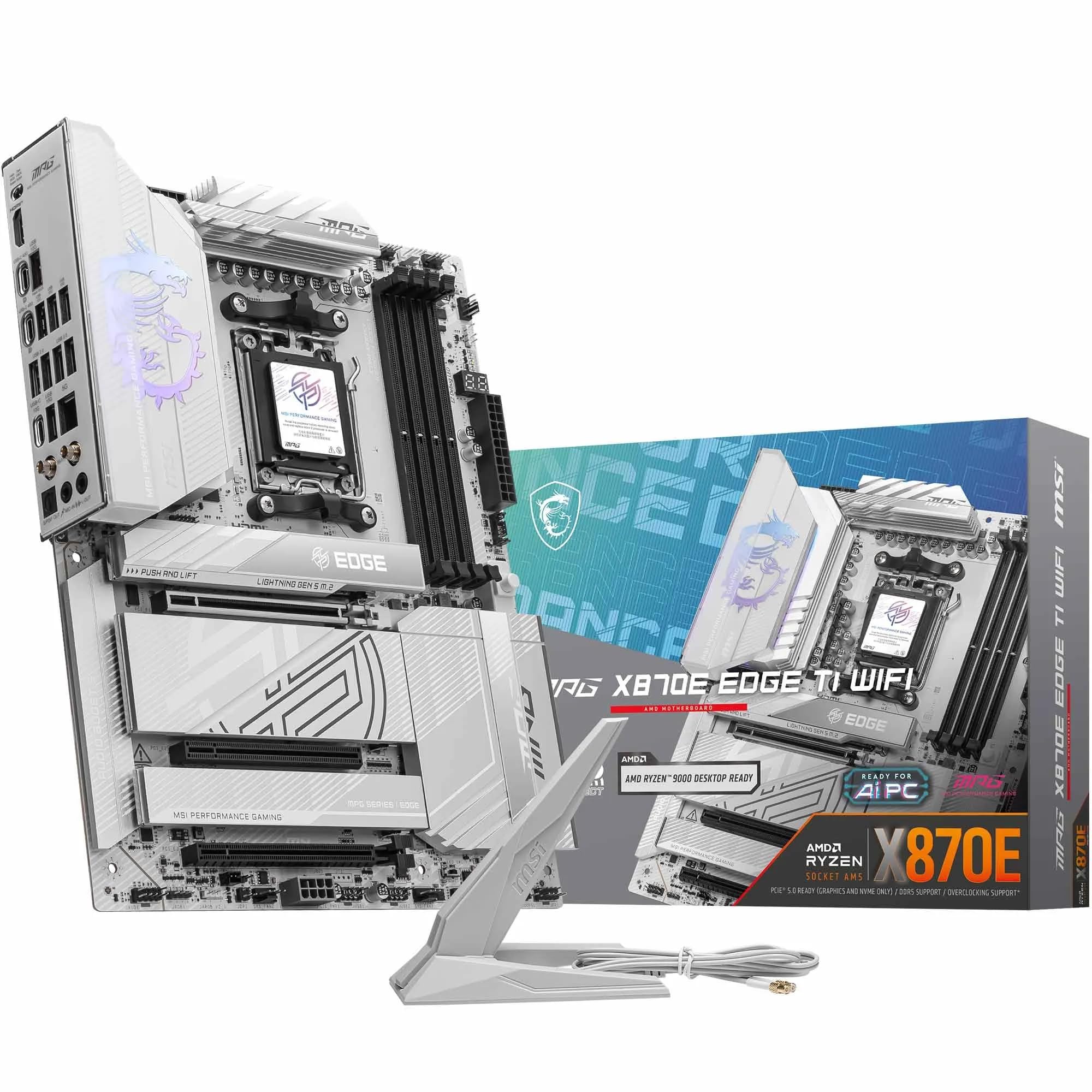 9.0 / 10
MSI MPG X870E EDGE TI WIFI Motherboard, ATX - Supports AMD Ryzen 9000/8000 / 7000 Processors, AM5-80A SPS VRM, DDR5 Memory Boost 8400+MT/s (OC), PCIe 5.0 x16, M.2 Gen5, Wi-Fi 7, 5G LAN
£299.99 · MSI
 9.0 / 10
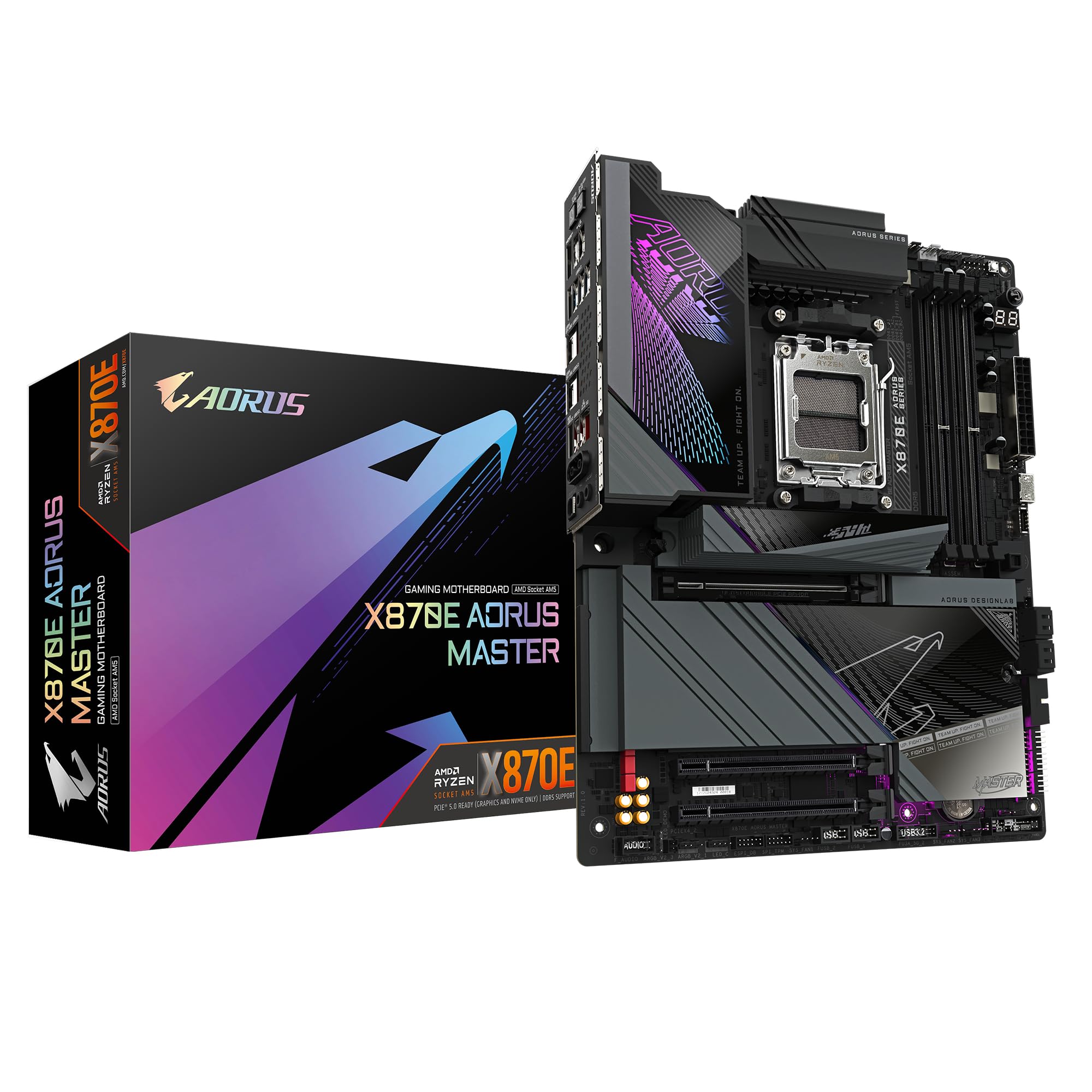
GIGABYTE X870E AORUS MASTER Motherboard - Supports AMD Ryzen 9000 CPUs, 16+2+2 Phases Digital VRM, up to 8600MHz DDR5 (OC), 3xPCIe 5.0, Wi-Fi 7, 5GbE LAN, USB 4
£393.99 · Gigabyte
Frequently asked
7 questions01Does the Gigabyte B850 AI TOP support Ryzen 9000 series processors?+
Yes, the board supports AMD Ryzen 9000, 8000, and 7000 series desktop processors via the AM5 socket. If you are pairing it with a processor that launched after the board's initial firmware, you may need a BIOS update before the CPU is recognised. Check Gigabyte's BIOS support page for your specific processor before purchasing.
02Why does the B850 AI TOP cost as much as some X870 boards?+
The pricing reflects the premium features Gigabyte has added on top of the B850 foundation, particularly the 10G Ethernet, 16+2+2 phase VRM, dual PCIe 5.0 M.2 slots, and WiFi 7. However, the B850 chipset does have fewer native PCIe lanes and USB bandwidth than X870 or X870E, so the value proposition depends heavily on whether those specific premium features match your use case.
03Is the 10G Ethernet on the B850 AI TOP worth it for gaming?+
For competitive gaming on a wired connection, 10G Ethernet does offer lower latency and higher bandwidth than 2.5G, though most gaming use cases will not meaningfully tax 2.5G either. The 10G port is more clearly beneficial for content creators transferring large files to a NAS, home lab users, or anyone running a 10G network infrastructure at home. If you only use the board for gaming and general browsing, the 10G feature is a nice extra rather than a necessity.
04How does the B850 AI TOP handle DDR5 overclocking?+
The board supports DDR5 with EXPO and XMP profile loading and is rated up to 8600 MT/s in overclocked mode, which is higher than many competing boards advertise. In practice, achieving the highest speeds depends on your specific memory kit and the CPU's integrated memory controller. Some owners have reported needing BIOS updates and occasional manual intervention to stabilise high-speed profiles, which is a known characteristic of AM5 DDR5 overclocking across all manufacturers rather than a flaw specific to this board.
05What is the X3D Turbo Mode on the Gigabyte B850 AI TOP?+
X3D Turbo Mode is a BIOS feature designed to optimise power delivery and boost behaviour specifically for AMD Ryzen X3D processors, such as the Ryzen 7000X3D and 9000X3D series. These chips have specific requirements related to their 3D V-Cache design, and enabling this mode ensures the board is not applying generic power limits that could constrain CPU boost performance during gaming workloads.
06Should I choose the B850 AI TOP or an X870 board at the same price?+
If 10G Ethernet is important to your workflow and your use case fits within what the B850 chipset provides, the AI TOP is a strong choice. If you need additional USB4 ports, more chipset PCIe lanes for a heavily populated build, or platform flexibility over time, an X870 board at a comparable price will serve you better. The decision should be driven by your specific connectivity and expansion needs rather than chipset prestige alone.
07Does the Gigabyte B850 AI TOP have good build quality?+
Yes, the physical build quality is generally well-regarded. The VRM heatsink is a substantial aluminium unit that covers the power delivery components properly, the EZ-Latch Plus mechanism on the PCIe slot is more robust than the clips found on budget boards, and the M.2 EZ-Flex system provides a practical improvement for drive installation. The aesthetic is purposeful and restrained rather than heavily RGB-focused, suiting professional and enthusiast builds alike.