Nobody actually thinks about their PSU until it dies. Then suddenly you're googling "why did my PC smell like burning" at 11pm and realising you probably shouldn't have bought that no-name 650W unit off eBay three years ago. The power supply is the one component that touches everything else in your build, and if it goes wrong, it can take your GPU, your motherboard, and your afternoon with it. So picking the right one matters more than most people give it credit for.
The Gigabyte UD1000GM PG5 V2 80 Plus Gold Fully Modular 1000w PCIe 5.0 Power Supply Unit, ATX 3.1, 12VHPWR GPU Connector, Flat Cables, 10 Year Warranty sits in what's become a pretty crowded sweet spot: 1000W, Gold efficiency, fully modular, and priced in the mid-range bracket. On paper it looks sorted. But does the spec sheet actually hold up against the competition, and is it the right buy for your build? Short answer: yes, for most people putting together a serious gaming rig, this is a genuinely good shout. Longer answer below.
Early owner feedback is strong, with a perfect score from the first wave of buyers, and the spec list reads well for a modern PCIe Gen 5 build. There are a couple of things before you click buy, though, so let's work through it properly.
Core Specifications: Gigabyte UD1000GM PG5 V2 80 Plus Gold Fully Modular 1000w
Right, the basics. This is a 1000W fully modular power supply carrying an 80 Plus Gold certification, which puts it comfortably above the baseline for anyone building a high-end gaming or workstation PC in 2026. It's built around a powerful single +12V rail design, which is generally the preferred architecture for modern gaming builds because it simplifies power delivery to your GPU and avoids the current-sharing headaches you can get with multi-rail setups. Gigabyte has also confirmed ATX 3.1 compliance and PCIe Gen 5.1 readiness, which means it's properly specced for current and near-future GPU generations.
The warranty is a headline feature here. Ten years is genuinely exceptional for a PSU at this price tier. Most competitors in the mid-range space offer five years, and some budget units get away with three. A decade of coverage tells you Gigabyte has confidence in the internal components, and it gives you real peace of mind if you're planning a long-term build. The unit uses 100% Japanese capacitors throughout, which is a meaningful quality indicator (more on that in the build quality section). The 120mm smart hydraulic bearing fan rounds out the core spec nicely.
Here's the full breakdown:
| Specification | Detail |
|---|---|
| Model | Gigabyte UD1000GM PG5 V2 |
| Wattage | 1000W |
| Efficiency Rating | 80 Plus Gold |
| Modularity | Fully Modular |
| ATX Standard | ATX 3.1 |
| PCIe Standard | PCIe Gen 5.1 Ready |
| +12V Rail | Single Rail |
| Fan | 120mm Smart Hydraulic Bearing (HYB) |
| Capacitors | 100% Japanese |
| 12VHPWR Connector | Yes (included) |
| Cables | Flat (fully modular) |
| Warranty | 10 Years |
| Protection | OVP, OPP, SCP, UVP, OCP, OTP |
| Certification | 80 Plus Gold, Intel ATX 3.1 |
| Price | £107.09 |

Wattage and Capacity
1000W is a lot of headroom, and that's not a complaint. If you're running an RTX 5090 or AMD's equivalent top-end card alongside a modern high-core-count CPU like a Ryzen 9 or Core i9, you genuinely need this kind of capacity. The general rule of thumb is to size your PSU so your typical system load sits around 50 to 70 percent of rated capacity, because that's where most PSUs hit peak efficiency. At 1000W, you've got comfortable room for even the most demanding dual-GPU or heavily overclocked single-GPU builds without the unit ever straining near its ceiling.
For a mid-range gaming build, say an RTX 4070 Ti Super or RX 7900 XT paired with a Ryzen 7 or Core i7, 1000W is honestly more than you need. Those systems typically peak somewhere between 400W and 600W under full load. But there are good reasons to go bigger anyway: future-proofing for a GPU upgrade, headroom for overclocking, and the fact that a lightly loaded PSU runs cooler and quieter than one being pushed hard. If you know you're planning a top-tier GPU upgrade in the next year or two, sizing up now makes sense.
Where this really earns its keep is in enthusiast-tier builds. An RTX 5090 alone can spike to over 600W in demanding scenes, and when you add a power-hungry CPU and a few storage drives, you're pushing the limits of a 850W unit. The 1000W rating here gives you proper breathing room without going overboard into 1200W or 1600W territory, which would be overkill for most single-GPU setups. Gigabyte's ATX 3.1 compliance also means it handles the rapid power transients that modern GPUs demand, something older PSUs genuinely struggle with. You can check what wattage your specific build needs using our PSU calculator before committing.
Efficiency Rating: What 80 Plus Gold Actually Means
The 80 Plus Gold certification on the Gigabyte UD1000GM PG5 V2 80 Plus Gold Fully Modular 1000w isn't just a sticker. It means the unit has been independently verified to deliver at least 87% efficiency at 20% load, 90% efficiency at 50% load, and 87% efficiency again at full load. To put that in plain terms: at typical gaming loads (somewhere around 50% of rated capacity), only about 10% of the power drawn from the wall is lost as heat. That's genuinely good. Bronze-rated units sit closer to 85% at 50% load, and the difference adds up over time on your electricity bill.
Compare that to the bottom of the market. An unrated or 80 Plus White PSU might only manage 80% efficiency, meaning you're wasting 20% of your power draw as heat. Over a year of regular gaming, that's a meaningful difference in running costs, especially with UK energy prices where they are right now. Gold is the sweet spot for most buyers: the jump from Gold to Platinum adds maybe 2 to 3 percentage points of efficiency, but Platinum units typically cost noticeably more. The law of diminishing returns kicks in pretty hard above Gold unless you're running a server farm or leaving your PC on 24/7.
The practical upside of better efficiency isn't just your electricity bill, either. Less wasted energy means less heat generated inside the PSU itself, which means the fan doesn't have to work as hard, which means it's quieter. It's a nice chain of consequences. The 80 Plus Gold tier also tends to correlate with better internal component quality, because you can't hit those efficiency numbers with cheap capacitors and sloppy voltage regulation. So the certification is a reasonable proxy for overall build quality, not just a number to compare on a spec sheet.
Modularity and Cable Management
Fully modular is the right answer for a 1000W PSU. At this wattage, you're dealing with a lot of cables, and the ability to only plug in what you actually need makes a real difference to airflow and build cleanliness. Non-modular units at high wattages leave you with a rats' nest of unused cables that you have to stuff somewhere, which is annoying and slightly embarrassing if you've got a windowed case. Semi-modular is a reasonable compromise at lower wattages, but at 1000W, fully modular is what you want and Gigabyte delivers it here.
Flat cables are easier to route behind the motherboard tray, easier to bend around corners, and they take up less space in tight spots than the old sleeved-round-cable style. If you've ever wrestled a chunky braided cable around the back of a mid-tower case at 1am, you'll appreciate this. Listing information confirms the flat cable design, and owner reviews back this up as a genuine practical benefit rather than just marketing copy.
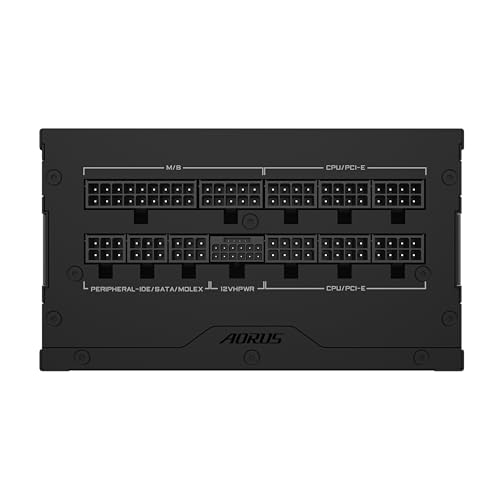
Cable count is solid for a 1000W unit. You get the standard ATX 24-pin for the motherboard, plus EPS connectors for the CPU, PCIe connectors for your GPU (including the 12VHPWR connector for PCIe Gen 5 graphics cards), SATA connectors for your storage, and Molex for any legacy devices or fans. The 12VHPWR connector is particularly important here: it's the native connector for current-gen high-power GPUs, and having it built into the modular cable set means you're not relying on an adapter chain. That matters for both power delivery reliability and cable tidiness.
Connectors and Compatibility
The connector lineup on this unit covers everything a modern high-end build needs. The 12VHPWR (16-pin) connector is the headline addition, designed specifically for PCIe Gen 5 graphics cards that can pull serious wattage through a single connector. If you're running or planning to run an RTX 5090, RTX 5080, or any other current-gen flagship GPU, having a native 12VHPWR cable rather than an adapter is the right way to do it. Adapters work, but a native cable is cleaner and arguably safer for sustained high-power loads.
Beyond the 12VHPWR, the modular cable set includes the full range you'd expect from a 1000W unit. SATA connectors cover your SSDs and any optical drives (yes, some people still use them). Molex connectors handle older peripherals, fan controllers, or RGB hubs that haven't moved to SATA power yet. The PCIe 8-pin connectors are there for any secondary GPU or older cards that don't use the 12VHPWR standard. Full compatibility with current and legacy hardware, basically.
Here's a quick summary of what you're working with:
- 1x ATX 24-pin motherboard connector
- EPS CPU power connector(s)
- 12VHPWR (16-pin) connector for PCIe Gen 5 GPUs
- PCIe 8-pin connectors for legacy GPU support
- Multiple SATA power connectors
- Molex connectors for legacy devices
The ATX 3.1 compliance is again here. The ATX 3.1 specification introduced tighter requirements for handling power transients, specifically the kind of sudden high-current spikes that modern GPUs produce during intense gaming or compute workloads. Older PSUs can trip their overcurrent protection or deliver unstable power during these spikes, which can cause crashes or, in worst cases, component damage. ATX 3.1 compliance means this unit is designed to handle those transients properly. It's a genuinely important spec for anyone running a current-gen GPU, not just a box-ticking exercise.
Voltage Regulation and Ripple
The single +12V rail design is the right call for a high-wattage PSU aimed at gaming builds. Multi-rail designs split the available current across multiple rails, which can cause issues if one rail gets overloaded while others sit idle. With a single rail, all the available current is pooled and distributed as needed, which gives your GPU and CPU the headroom to pull what they need during peak loads without hitting per-rail current limits. It's a simpler, more flexible architecture for gaming rigs.
Good voltage regulation means your components see stable voltages even as load changes rapidly, which is exactly what happens during gaming. Drops or spikes in the +12V rail can cause system instability, crashes, or in severe cases, hardware damage over time. The Gold efficiency certification is a strong indicator of tight voltage regulation, because you simply can't achieve those efficiency numbers without solid regulation across the load range. The ATX 3.1 standard also imposes stricter voltage regulation requirements than older ATX specs, so compliance there is another positive signal.
Ripple suppression, which is the ability to filter out AC noise from the DC output, is directly tied to capacitor quality. This is where the 100% Japanese capacitors become more than a marketing claim. Japanese capacitors from manufacturers like Nippon Chemi-Con or Rubycon are rated for higher temperatures and longer operational lives than cheaper Chinese alternatives. Better capacitors mean better ripple suppression, which means cleaner power delivery to your components. It's one of those internal specs that doesn't show up in a headline number but makes a real difference to long-term reliability and component health.
Thermal Performance
The 120mm smart hydraulic bearing fan is the main thermal management tool here, and the "smart" part matters. Rather than spinning at a fixed speed regardless of load, the fan controller adjusts speed based on internal temperature. Under light loads, the fan runs slowly and quietly. Under sustained heavy loads, it ramps up to keep temperatures in check. This is standard behaviour for a quality mid-to-high-end PSU, but it's worth confirming it's present rather than assuming.
Gigabyte describes this as an "optimised thermal solution," which is vague enough to be almost useless as a spec, but the combination of Gold efficiency and Japanese capacitors gives you a decent picture of what to expect. Higher efficiency means less heat generated internally, so the fan has less work to do. Japanese capacitors are rated for higher operating temperatures (typically 105 degrees Celsius versus 85 degrees for cheaper alternatives), which means they maintain their electrical characteristics better as the unit warms up under load. The result should be a PSU that runs cooler and more consistently than budget alternatives.
The compact size mentioned in the product listing is relevant here too. A smaller form factor means less internal volume for heat to dissipate, which puts more pressure on the fan to do its job efficiently. The fact that Gigabyte has managed Gold efficiency in a compact chassis is a reasonable indicator that the thermal design is well-engineered rather than just squeezed. Owner reviews don't flag any thermal concerns, which is the most practical evidence available that the cooling solution is doing its job properly.
Acoustic Performance
Noise from a PSU comes almost entirely from the fan, and the 120mm hydraulic bearing fan here is a sensible choice for keeping things quiet. Hydraulic bearing fans (sometimes called HYB or fluid dynamic bearing fans) sit between the cheaper sleeve bearing fans and the more expensive ball bearing fans in terms of noise and longevity. They're generally quieter than ball bearing fans at low speeds and more durable than sleeve bearings over time. For a PSU that's going to be running for years, it's a reasonable middle ground.
The smart fan controller means that at typical gaming loads, where you're probably drawing somewhere between 300W and 600W from a 1000W unit, the fan is running at a fairly gentle speed. It's not going to be the loudest thing in your case. That title almost certainly belongs to your GPU fans under load, and possibly your CPU cooler if you're running something compact. Owner feedback consistently describes the unit as quiet in normal use, which aligns with what you'd expect from a Gold-rated unit with a smart fan controller.
Frankly, if you're building a quiet PC, the PSU is rarely the bottleneck. But it's still worth not buying one that sounds like a hairdryer. The Gigabyte UD1000GM PG5 V2 doesn't have a zero-RPM mode (where the fan stops entirely at very low loads), which some competitors offer. If you're doing very light work or idling, the fan will still spin, just slowly. For most people that's a complete non-issue. If you're specifically building a near-silent workstation and you're obsessive about fan noise at idle. For gaming use, it genuinely doesn't matter.
Build Quality
The 100% Japanese capacitors claim is the most meaningful quality indicator in the spec sheet. Capacitors are arguably the most failure-prone component in any PSU, and the difference between Japanese and budget Chinese capacitors is significant in terms of rated temperature, lifespan, and consistency. Japanese capacitors from established manufacturers are typically rated for 105 degrees Celsius and 10,000 hours or more of operation. That's why Gigabyte can offer a 10-year warranty with apparent confidence: the internal components are specced to last.
The hydraulic bearing fan also contributes to long-term reliability. Fan bearings are another common failure point in PSUs, particularly in cheaper units that use basic sleeve bearings. Sleeve bearings are fine when the fan is oriented horizontally, but can wear faster in vertical orientations. Hydraulic bearings handle both orientations better and tend to last longer before developing the characteristic rattling noise that signals bearing wear. For a unit you're planning to run for a decade, this matters.
Build quality on Gigabyte's UD series has generally been well-regarded in the PSU community. The combination of ATX 3.1 compliance, Gold certification, Japanese capacitors, and a 10-year warranty suggests Gigabyte is using a quality OEM platform rather than cutting corners on the internal design. The compact form factor also suggests a reasonably modern platform design rather than an older architecture squeezed into a smaller box. Owner reviews (all positive at the time of writing) don't raise any build quality concerns, which is reassuring for a unit that's relatively new to market.

Protection Features
The full protection suite here covers all six of the main safeguards you want in a quality PSU. OVP (over-voltage protection) shuts the unit down if output voltage rises above safe thresholds, protecting your components from voltage spikes. OPP (over-power protection) triggers if the total power draw exceeds the unit's safe operating limit, which is a useful backstop against catastrophic overloads. Together, these two handle the most common scenarios where a PSU might otherwise damage connected components.
SCP (short-circuit protection) is the one that saves your build if something goes badly wrong with a cable or connector. If the output is shorted, the PSU cuts power immediately rather than trying to push current through the fault. UVP (under-voltage protection) handles the opposite scenario to OVP, cutting power if output voltage drops below safe levels, which can happen with severe overloads or internal faults. OCP (over-current protection) limits current on individual rails to prevent damage from sustained overcurrent conditions.
OTP (over-temperature protection) is the thermal safety net. If the internal temperature exceeds safe limits, the PSU shuts down before anything can be damaged by heat. This is particularly relevant for compact PSU designs where thermal headroom is tighter. Having all six protections active is what you should expect from any PSU in this price tier, and the Gigabyte delivers the full set. It's not a differentiator at this level, but it's an important baseline to confirm is present. Budget PSUs sometimes omit one or more of these, which is a genuine risk.
How It Compares to the Competition
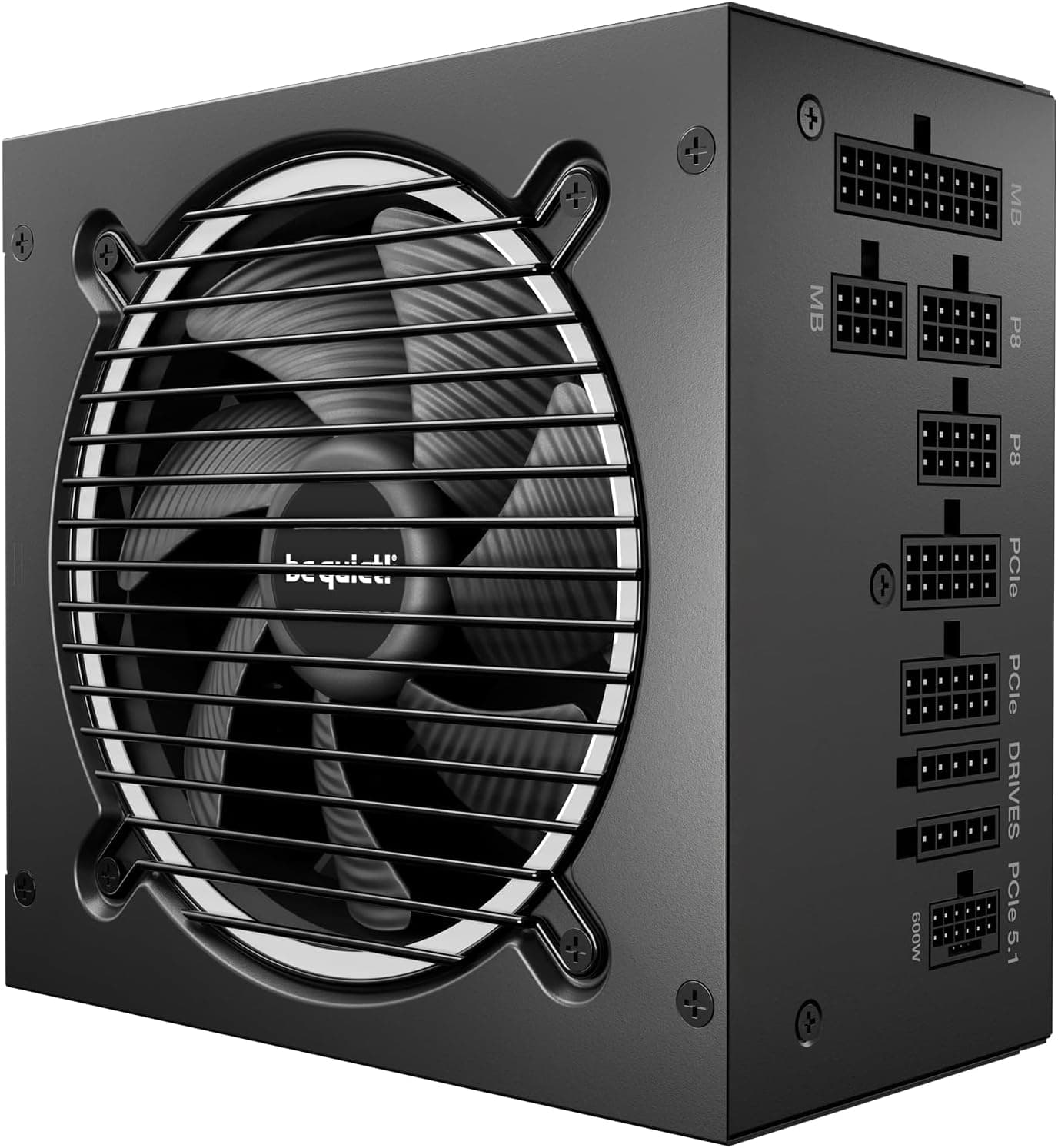
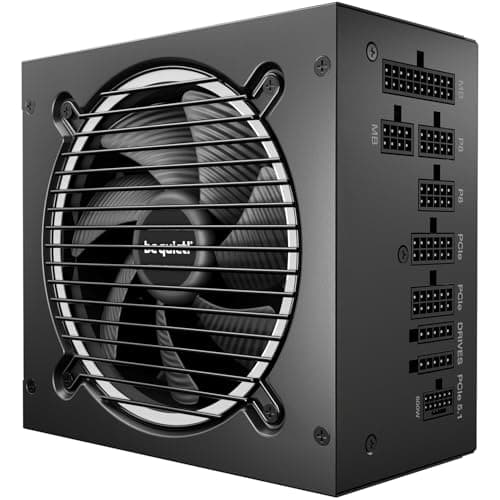
The 1000W Gold fully modular segment is genuinely competitive right now. Two units that come up regularly alongside the Gigabyte UD1000GM PG5 V2 are the Corsair RM1000x Shift and the be quiet! Straight Power 12 1000W. Both are strong units with good reputations, and both are if you're shopping this bracket.
The Corsair RM1000x Shift is a popular choice, partly because of Corsair's brand recognition and partly because the Shift design moves the modular connectors to the side of the PSU, which can make cable management easier in certain case layouts. It's Gold-rated, fully modular, and carries a 10-year warranty. The be quiet! Straight Power 12 is another well-regarded option, known for very quiet operation and solid build quality. It also comes in at Gold efficiency with a 10-year warranty. Both are priced similarly to the Gigabyte in the mid-range bracket.
Where the Gigabyte differentiates itself is the explicit ATX 3.1 and PCIe Gen 5.1 compliance, which is a meaningful advantage for anyone building with or planning to upgrade to current-gen GPUs. The 12VHPWR connector is native rather than adapter-based. The Japanese capacitor spec is clearly stated. And the compact form factor is genuinely useful in smaller cases. Honestly, all three are good units and you won't go badly wrong with any of them. But the Gigabyte's future-proofing credentials and 10-year warranty make it a strong contender at this price point.
| Feature | Gigabyte UD1000GM PG5 V2 | Corsair RM1000x Shift | be quiet! Straight Power 12 1000W |
|---|---|---|---|
| Wattage | 1000W | 1000W | 1000W |
| Efficiency | 80 Plus Gold | 80 Plus Gold | 80 Plus Gold |
| Modularity | Fully Modular | Fully Modular | Fully Modular |
| ATX Standard | ATX 3.1 | ATX 3.0 | ATX 3.0 |
| 12VHPWR | Yes (native) | Yes (native) | Yes (adapter) |
| Fan | 120mm HYB | 120mm | 135mm |
| Zero RPM Mode | No | Yes | Yes |
| Warranty | 10 Years | 10 Years | 10 Years |
| Capacitors | 100% Japanese | Japanese primary | Not specified |
| Price | £107.09 | Mid-range | Mid-range |
The main areas where the Gigabyte falls slightly short are the lack of a zero-RPM mode (both the Corsair and be quiet! units offer this) and the smaller fan size compared to the be quiet! unit's 135mm, which can move more air at lower speeds. If near-silent idle operation is your priority, the Corsair RM1000x or be quiet! Straight Power 12 have a small edge. For everything else, the Gigabyte holds its own and then some, particularly on the ATX 3.1 compliance front.
Final Verdict: Gigabyte UD1000GM PG5 V2 80 Plus Gold Fully Modular 1000w PCIe 5.0 Power Supply Unit, ATX 3.1, 12VHPWR GPU Connector, Flat Cables, 10 Year Warranty
This is a well-specified, genuinely future-proof 1000W PSU that earns its place in the mid-range bracket. The combination of ATX 3.1 compliance, PCIe Gen 5.1 readiness, native 12VHPWR connector, 80 Plus Gold efficiency, 100% Japanese capacitors, and a 10-year warranty is a strong package. It's not the cheapest 1000W Gold unit you can buy, but it's priced fairly for what you're getting, and the 10-year warranty alone justifies a small premium over shorter-covered alternatives.
The early owner reviews are unanimously positive, which is encouraging for a relatively new unit. The spec sheet checks every box for a current-gen high-end gaming build, and the flat fully modular cables make installation noticeably less painful than older round-cable designs. The single +12V rail architecture is the right choice for gaming, and the full six-point protection suite is properly implemented rather than partially covered.
The one honest caveat: if you don't need 1000W (and a lot of builds genuinely don't), you'd be better served by the 750W or 850W version of this same unit. If your current GPU is an RTX 4070 or RX 7800 XT and you're not planning a flagship upgrade any time soon, a quality 750W Gold unit will serve you just as well and save you a few quid. Buy the wattage you need, not the wattage that sounds impressive. But if you're building around a flagship GPU, planning an upgrade to one, or just want a PSU you'll never have to think about again for a decade, the Gigabyte UD1000GM PG5 V2 is a proper choice. Rating: 8.5 out of 10.
Is the Gigabyte UD1000GM PG5 V2 good for gaming?
Yes, it's an excellent choice for gaming builds, particularly high-end setups. The 1000W capacity covers even the most demanding current-gen GPUs like the RTX 5090, the ATX 3.1 compliance handles the power transients that modern graphics cards produce, and the native 12VHPWR connector means you're not relying on adapter chains for PCIe Gen 5 cards. For mid-range gaming builds with cards like the RTX 4070 or RX 7800 XT, it's more capacity than you strictly need, but the headroom is useful if you're planning a future upgrade.
What wattage PSU do I need for an RTX 5090?
Nvidia recommends a minimum 1000W PSU for the RTX 5090, and that's genuinely the minimum rather than a conservative suggestion. The card can spike well above 600W under load, and when you add a modern high-core-count CPU and storage, 1000W is the right starting point. The Gigabyte UD1000GM PG5 V2 at 1000W is specifically well-suited to RTX 5090 builds thanks to its ATX 3.1 compliance and native 12VHPWR connector. Use our PSU calculator to confirm the right wattage for your specific component combination.
What does 80 Plus Gold efficiency actually mean for my electricity bill?
At 50% load, 80 Plus Gold delivers around 90% efficiency, meaning 10% of power drawn from the wall is lost as heat. Compare that to 80 Plus Bronze at around 85% efficiency (15% wasted) or an unrated unit at potentially 80% or worse. The difference might be 50 to 100 kWh per year for a typical gaming setup, which at current UK electricity rates is a modest but real saving over the unit's lifetime. More importantly, better efficiency means less heat inside the PSU, which means quieter operation and longer component life.
How long is the warranty on the Gigabyte UD1000GM PG5 V2?
Ten years, which is exceptional for a PSU at this price point and one of the longest warranties in the segment. A 10-year warranty reflects genuine confidence in the internal components, particularly the 100% Japanese capacitors which are rated for high temperatures and long operational lives. In practice, it means if anything goes wrong with the unit within a decade of purchase, Gigabyte will cover it. That kind of long-term coverage is genuinely valuable for a component that's hard to replace mid-build.
Is the Gigabyte UD1000GM PG5 V2 fully modular?
Yes, it's fully modular, meaning every cable including the 24-pin ATX motherboard connector detaches completely from the PSU. You only plug in the cables your build actually needs, which makes cable management significantly cleaner and improves airflow through your case. The cables are flat rather than round or sleeved, which makes routing them behind the motherboard tray easier. For a 1000W unit where you're dealing with a lot of cables, full modularity is a genuine practical benefit rather than just a premium feature.
What works. What doesn’t.
5 + 3What we liked5 reasons
- 10-year warranty is exceptional for this price tier
- ATX 3.1 and PCIe Gen 5.1 compliance future-proofs for current-gen GPUs
- Native 12VHPWR connector avoids adapter chains
- 100% Japanese capacitors for long-term reliability
- Flat fully modular cables make cable management genuinely easier
Where it falls3 reasons
- No zero-RPM mode at idle, unlike some competitors
- 1000W is overkill for mid-range builds that don't need the headroom
- Relatively new to market, limited long-term owner data
Full specifications
9 attributes| Efficiency rating | Gold |
|---|---|
| Form factor | ATX |
| ATX version | ATX 3.1 |
| FAN size MM | 120 |
| Generation | UD |
| Modularity | fully_modular |
| Pcie 5 ready | true |
| Warranty years | 5 |
| Wattage W | 1000 |
Will it run on what you have?
Free toolIf this isn’t right for you
2 options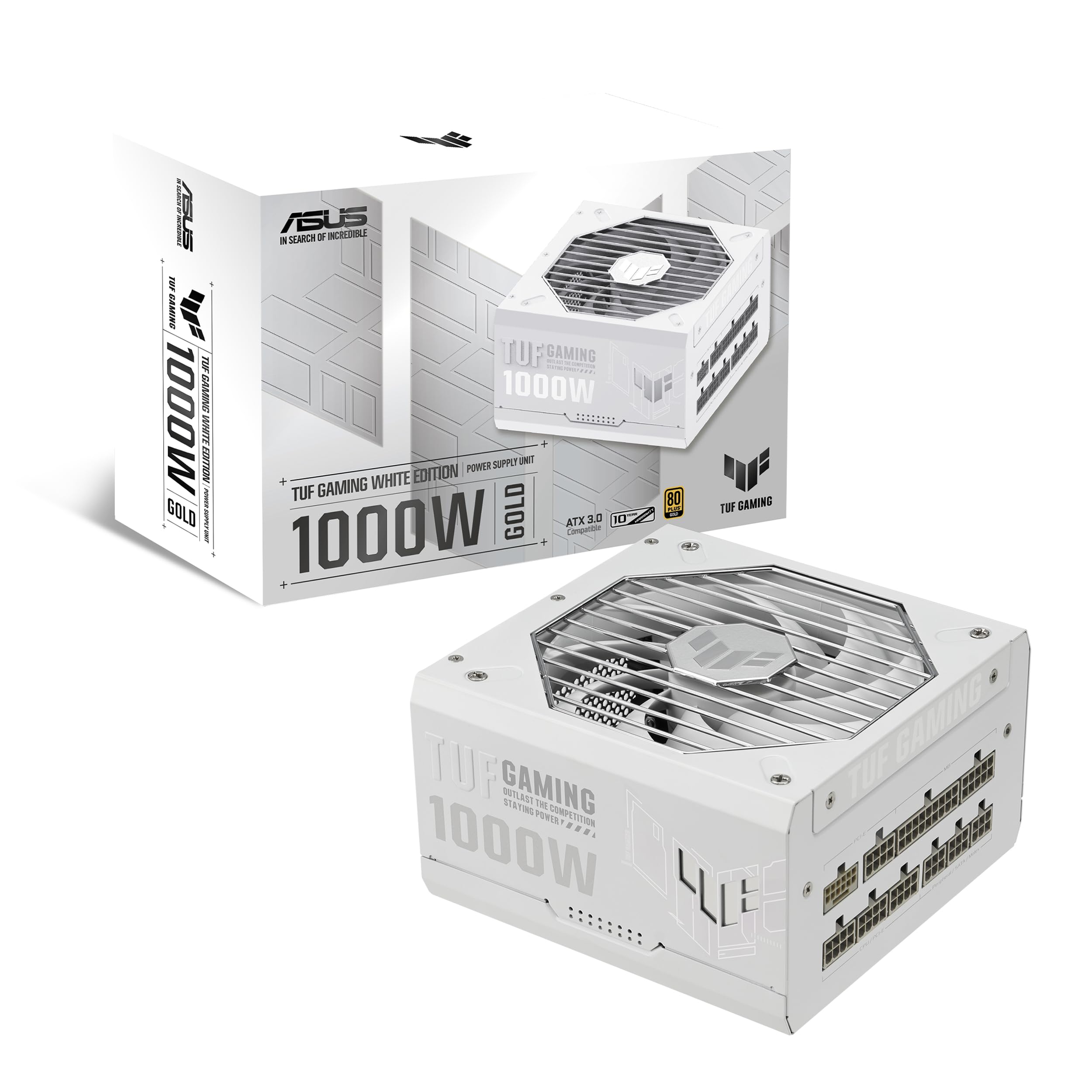 8.5 / 10
TUF Gaming 1000W Gold White Edition (1000 Watt, ATX 3.1 Compatible, Fully Modular Power Supply, 80+ Gold Certified, Military-grade Components, Dual Ball Bearing, PCB Coating, 10 Year Warranty)
£129.99 · ASUS
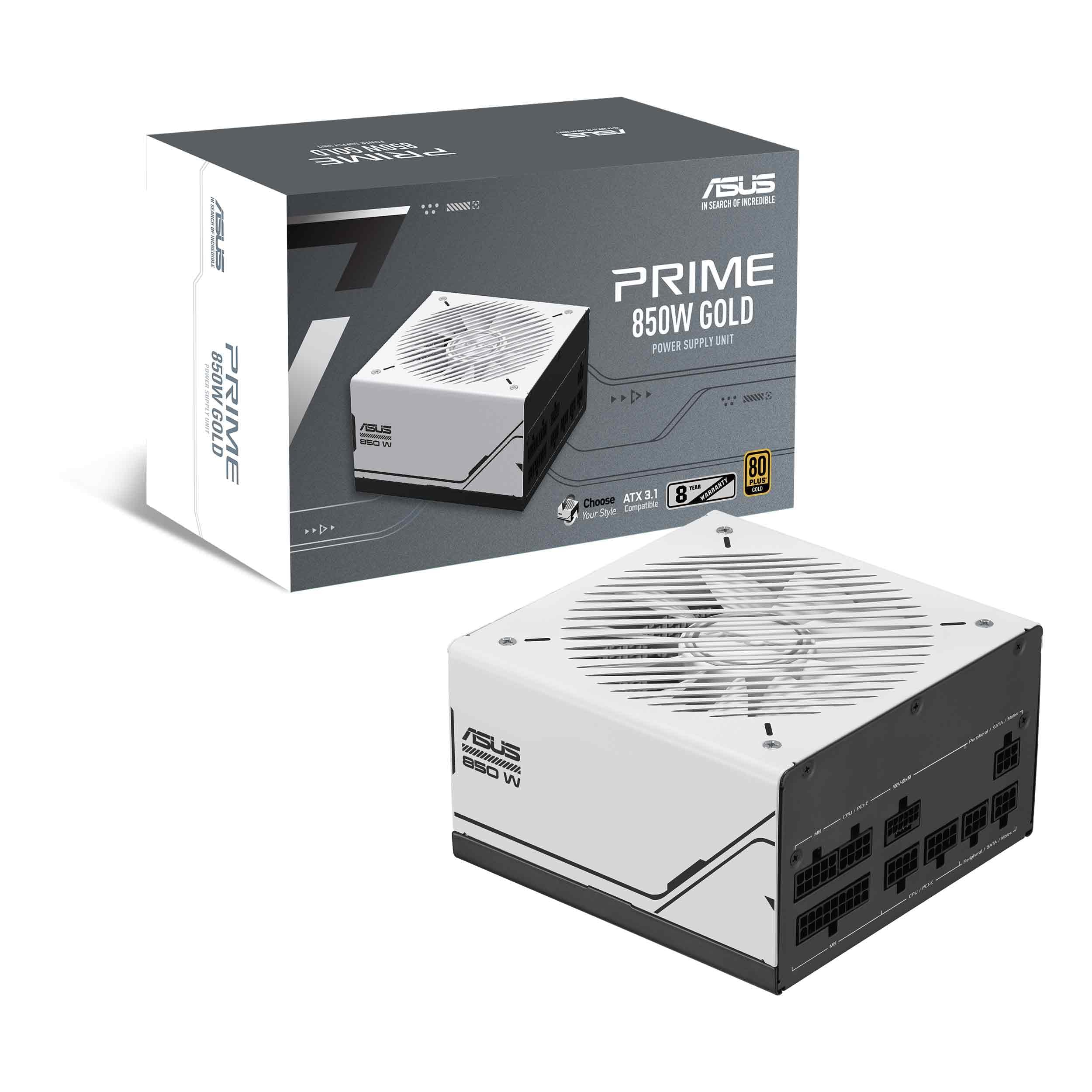 8.5 / 10
Asus Prime 850W Gold Gaming PSU, Double Ball Bearing Fan, Fully Modular, 80+ Gold, ATX 3.0, PCIe 5.0
£104.99 · ASUS
Frequently asked
5 questions01Is the Gigabyte UD1000GM PG5 V2 80 Plus Gold Fully Modular 1000w good for gaming?+
Yes, it's an excellent choice for high-end gaming builds. The 1000W capacity covers even the most demanding current-gen GPUs, ATX 3.1 compliance handles modern GPU power transients properly, and the native 12VHPWR connector is ideal for PCIe Gen 5 graphics cards. For mid-range builds, it's more than you strictly need, but the headroom is useful for future GPU upgrades.
02What wattage PSU do I need for an RTX 5090?+
Nvidia recommends a minimum 1000W PSU for the RTX 5090, and that's a genuine minimum rather than a conservative estimate. The card can spike well above 600W under load, and adding a modern CPU and storage brings total system draw close to 1000W under full load. The Gigabyte UD1000GM PG5 V2 at 1000W with ATX 3.1 compliance is specifically well-suited to RTX 5090 builds.
03What does 80 Plus Gold efficiency mean for my electricity bill?+
80 Plus Gold delivers around 90% efficiency at 50% load, meaning only 10% of power drawn from the wall is wasted as heat. Compared to 80 Plus Bronze at around 85%, the difference over a year of regular gaming use is modest but real. More practically, better efficiency means less heat inside the PSU, quieter fan operation, and longer component lifespan.
04How long is the warranty on the Gigabyte UD1000GM PG5 V2?+
Ten years, which is one of the longest warranties in the 1000W Gold segment and reflects genuine confidence in the internal components. The 100% Japanese capacitors are rated for high temperatures and long operational lives, which is why Gigabyte can back the unit for a full decade. If anything goes wrong within ten years of purchase, Gigabyte will cover it.
05Is the Gigabyte UD1000GM PG5 V2 fully modular?+
Yes, it's fully modular. Every cable, including the 24-pin ATX motherboard connector, detaches completely from the PSU. You only connect the cables your build actually needs, which keeps the case tidier and improves airflow. The flat cable design makes routing behind the motherboard tray easier than older round or sleeved cable designs.