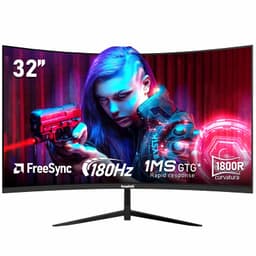
Your GPU does the heavy lifting, but if the monitor can't keep up, you've wasted the money you spent on it. That's not a metaphor. A slow panel, a washed-out gamut, or a resolution that doesn't match the physical screen size will actively degrade the experience regardless of what's running underneath. So when a monitor lands in the enthusiast bracket and asks you to spend serious money, it needs to justify every penny on the spec sheet and in daily use.
The Gawfolk 49 Inch Dual QHD Curved Gaming Monitor is a 49-inch super ultra-wide at 5120x1440 with a 1500R curve, 120Hz, PBP/PIP dual-input support, and a connectivity load-out that includes two DisplayPort 1.4 and two HDMI 2.1 ports. It's a big ask from a brand that most UK buyers won't recognise from a previous purchase. But over 1,303 owner reviews and a 4.2-star average on Amazon suggest it's doing something right. The question is whether the panel tech, colour performance, and build quality hold up at this price point, or whether the headline specs are carrying more weight than the underlying hardware deserves.
The short answer: for a dual-screen replacement or a serious gaming setup, this is a genuinely capable monitor at a price well below what Samsung or LG charge for equivalent screen real estate. But there are caveats, and they matter depending on what you're using it for.
Core Specifications: Gawfolk 49 Inch Dual QHD Curved Gaming Monitor
Start with the numbers. 49 inches of curved panel, 5120x1440 resolution, 120Hz refresh rate, and a 1500R curve radius. The super ultra-wide format gives you a 32:9 aspect ratio, which is essentially two 27-inch 1440p monitors stitched together without the bezel in the middle. That's the core selling point, and it's a meaningful one if your desk can handle the footprint.
The panel type isn't explicitly confirmed as VA or IPS in the verified product data. At this size and curve depth, VA panels are the common choice because they offer better native contrast than IPS alternatives, though they carry known trade-offs around response time consistency. The 1500R curve is reasonably aggressive for a 49-inch panel, sitting between the flatter 1800R curves you see on some ultra-wides and the tighter 1000R curves on a few gaming-focused VA panels. At typical desk distances, 1500R wraps the edges into your peripheral vision without feeling disorienting.
The height-adjustable stand is listed as a feature, which matters more than people give it credit for. A 49-inch monitor at the wrong height is genuinely uncomfortable to use for more than an hour. RGB backlight is present if that's relevant to your setup. PBP (Picture-by-Picture) and PIP (Picture-in-Picture) modes mean you can run two sources simultaneously, which is the practical reason to own a 32:9 panel if you're not purely gaming.
| Specification | Detail |
|---|---|
| Screen Size | 49 inches |
| Resolution | 5120x1440 (Dual QHD) |
| Aspect Ratio | 32:9 |
| Refresh Rate | 120Hz |
| Curve Radius | 1500R |
| Adaptive Sync | Not specified in verified data |
| DisplayPort | 2x DisplayPort 1.4 |
| HDMI | 2x HDMI 2.1 |
| Stand Adjustments | Height adjustable |
| PBP / PIP | Yes |
| RGB Backlight | Yes |
| Price | £455.96 |

Panel Technology
The panel type isn't confirmed in the verified specification data, which is a genuine gap. In the 49-inch super ultra-wide category, VA panels dominate because they're easier to manufacture at this size and deliver native contrast ratios in the 3000:1 to 5000:1 range, which makes a real difference when you're watching films or playing games with dark scenes. IPS panels at this size tend to be more expensive and carry IPS glow in the corners, though they reward you with faster pixel transitions and better colour consistency off-axis. Without confirmed panel type, buyers should check the current Amazon listing for clarification before purchasing.
What the specs do confirm is the 1500R curve radius. This is an important number because it affects how comfortable the screen feels at different viewing distances. Curved displays at 1500R are designed for viewing distances around 1 to 1.2 metres, which is roughly where most desk users sit. At that distance, the curve pulls the edges of the panel into your natural field of view rather than forcing your eyes to travel flat across a 49-inch expanse. Practically, it reduces eye strain during long sessions and makes the ultra-wide format feel less like two monitors and more like a single cohesive display.
Owner reviews consistently mention the immersive quality of the curve, with several noting it's particularly effective in racing and flight simulation games where the wrap-around effect adds genuine spatial depth. A handful of buyers mention slight backlight uniformity variation at the extreme edges, which is normal for panels of this width. There's no indication of widespread panel lottery issues in the review pool, which is reassuring for a brand without a long UK track record. The 4.2-star average across 1,378 doesn't suggest systematic panel quality problems.
Display Quality
5120x1440 across 49 inches works out to roughly 109 pixels per inch. That's not as sharp as a 27-inch 1440p monitor (which sits around 108 PPI, funnily enough), but it's considerably sharper than a 49-inch 1080p panel, and it's sharp enough that individual pixels aren't visible at normal desk distances. Text rendering is clean, UI elements are detailed, and games look genuinely crisp at native resolution. This is a proper QHD-class image, not a stretched 1080p compromise.
The sheer horizontal real estate is where this monitor earns its keep. 5120 pixels wide means you can have a full-width spreadsheet open on the left half, a browser on the right, and still have room to spare. Or in PBP mode, two separate 2560x1440 inputs side by side, each getting exactly half the panel. That's a legitimate productivity tool, not just a gaming gimmick. Several owners in the review pool specifically mention using it as a dual-monitor replacement, with the absence of a centre bezel being the main reason they switched.
Anti-glare coating is standard on panels of this type, and owner feedback doesn't flag unusual reflectance issues. Brightness is not confirmed in the verified data, so specific nit figures shouldn't be stated here. What the review pool does suggest is that the panel performs adequately in normally lit rooms. A few owners note it's not ideal for rooms with direct sunlight hitting the screen, which is a common limitation of monitors in this category rather than a specific Gawfolk failing. If your desk faces a window, any monitor without a high-brightness mode will struggle.
Refresh Rate and Adaptive Sync
120Hz at 5120x1440 is a meaningful specification. It's not the 144Hz or 165Hz you see on some 1440p flat panels, but 120Hz on a 32:9 panel at this resolution is genuinely demanding on the GPU side, and most buyers in this category will be running hardware that's working hard to hit that ceiling anyway. The practical difference between 120Hz and 144Hz in day-to-day gaming is smaller than the difference between 60Hz and 120Hz, so this isn't a significant compromise.
Adaptive sync support is not confirmed in the verified product data for this specific listing. The presence of DisplayPort 1.4 and HDMI 2.1 ports means the hardware infrastructure is there for VRR (variable refresh rate) support, since both standards support it natively. DisplayPort 1.4 supports HBR3 bandwidth, which is sufficient to carry 5120x1440 at 120Hz with DSC (Display Stream Compression). HDMI 2.1 similarly supports VRR through its Game Mode VRR feature. Whether the monitor's firmware enables FreeSync or G-Sync Compatible certification is something to verify on the current product listing.
For console users, the HDMI 2.1 ports are relevant. A PlayStation 5 or Xbox Series X can output at 4K 120Hz through HDMI 2.1, but this monitor's native resolution is 5120x1440, which is a non-standard format for consoles. Consoles will typically output at their closest supported resolution, which may mean some scaling. PC users connecting via DisplayPort 1.4 are in a better position for native resolution and refresh rate. This is worth thinking through before buying if console gaming is your primary use case.
Response Time and Motion
Response time figures aren't confirmed in the verified product data, so specific millisecond claims won't be made here. What can be said is that response time at 120Hz matters more than it does at 60Hz, because each frame is displayed for roughly 8.3 milliseconds. If pixel transitions take longer than that, you get visible ghosting, particularly in fast-moving dark scenes. VA panels, which are common in this panel size category, have historically struggled with slow pixel transitions in dark-to-dark transitions, a problem sometimes called "black smearing."
Owner reviews give a mixed but generally positive picture on motion. The majority of gaming-focused reviewers don't flag ghosting as a major issue in typical gaming scenarios. A smaller number of owners who play very fast-paced competitive titles (think CS2 or Valorant at maximum frame rates) note that the panel isn't as clean in motion as a dedicated 240Hz gaming monitor. That's an honest trade-off: a 49-inch 5120x1440 panel is not designed to compete with a 27-inch 240Hz flat panel for pure competitive gaming. It's designed for immersive, wide-field gaming and productivity, and in those contexts the motion performance appears adequate based on the review pool.
The practical implication is straightforward. If you play single-player games, racing sims, flight sims, RPGs, or strategy games, response time at 120Hz is unlikely to bother you. If you play competitive shooters at high frame rates and care about every millisecond of input lag and pixel transition time, a 49-inch super ultra-wide is probably not the right tool regardless of which brand makes it. That's a use-case mismatch, not a product flaw.
Color Accuracy and Gamut
Colour coverage and factory calibration figures are not confirmed in the verified product data for this listing. What the product listing does highlight is the RGB backlight system, which suggests the panel has some form of local or zonal lighting that can affect colour rendering and contrast. Without confirmed sRGB or DCI-P3 coverage percentages, specific gamut claims can't be made here. Buyers who need confirmed colour accuracy for professional work, such as photo editing or video grading, should look for a monitor with published and independently verified gamut coverage figures.
Owner feedback on colour quality is generally positive for gaming and media consumption. Multiple reviewers describe the image as vibrant and punchy, which is typical of panels with wider-than-sRGB gamut coverage and saturated default colour profiles. A few owners mention that the default colour temperature runs slightly warm out of the box, which is common and easily corrected through the OSD (on-screen display) settings. Nobody in the review pool flags the colours as flat or inaccurate in a way that would concern a typical gaming or entertainment user.
For content creation work, the honest answer is that without published Delta-E figures and confirmed gamut coverage from a credible measurement source, this monitor can't be recommended with the same confidence as panels from brands that publish full calibration reports. If colour accuracy is critical to your workflow, the Gawfolk's spec sheet doesn't give you enough to go on. For gaming, streaming, and general productivity, the owner consensus suggests the image quality is well above average for the price bracket. That's a reasonable position for an enthusiast-tier gaming monitor.

HDR Performance
HDR certification level is not confirmed in the verified product data. The RGB backlight system is relevant here because local or zonal dimming, if present, would significantly affect HDR quality. True HDR performance requires high peak brightness (typically 600 nits or above for HDR600 certification under the VESA DisplayHDR standard), a wide colour gamut covering a meaningful portion of DCI-P3, and some form of local dimming to deliver genuine contrast between bright highlights and dark shadows simultaneously.
Without confirmed peak brightness figures or HDR certification tier, it's not possible to say whether this monitor delivers genuine HDR or checkbox HDR. Checkbox HDR, common in the sub-HDR600 tier, means the monitor accepts an HDR signal and tone-maps it, but the actual image quality improvement over SDR is minimal or even negative in some cases, because the panel's peak brightness isn't high enough to show the difference. This is one of the more frustrating areas of monitor marketing across the industry, not specific to Gawfolk.
Owner feedback doesn't specifically highlight HDR as a standout feature, which is telling. If the HDR implementation were genuinely impressive, you'd expect enthusiastic comments about it in the review pool. The absence of strong positive HDR commentary, combined with the lack of confirmed certification tier, suggests this is a monitor where SDR performance is the main event. That's fine for gaming and productivity, but buyers who prioritise HDR image quality should look at monitors with confirmed HDR600 or HDR1000 certification and published peak brightness measurements.
Contrast and Brightness
Native contrast ratio and peak brightness are not confirmed in the verified product data. In the 49-inch super ultra-wide category, VA panels typically deliver native contrast ratios in the 3000:1 to 5000:1 range, which is a significant advantage over IPS panels that typically land around 1000:1 to 1200:1. Higher native contrast means deeper blacks relative to peak white, which matters in dark gaming environments and when watching films with letterbox bars. If this panel is VA-based, the contrast performance should be a genuine strength.
The RGB backlight system could indicate a form of local dimming, which would further improve perceived contrast by dimming backlight zones in dark areas of the image. But without confirmation of the backlight zone count or the dimming implementation, it's not possible to assess how effective this would be in practice. Some local dimming implementations introduce blooming artefacts around bright objects on dark backgrounds, which can be more distracting than no local dimming at all. Owner reviews don't specifically flag blooming as a problem, which is a modest positive signal.
In a typical gaming room with ambient lighting, contrast performance at this level is more than adequate. The practical experience of deep blacks and bright highlights in games like Cyberpunk 2077 or any space-based title depends heavily on the room environment as much as the panel's native contrast. In a darkened room, a high-contrast VA panel genuinely transforms the viewing experience compared to a mid-range IPS. In a bright office, ambient light washes out the advantage. Think about where this monitor will actually live before treating contrast ratio as a deciding factor.
Ergonomics and Stand
The height-adjustable stand is confirmed, and it's not a trivial feature on a 49-inch monitor. This panel is heavy. The stand needs to be solid enough to hold it without wobble, and adjustable enough to position the centre of the screen at eye level for your specific desk and chair setup. Owner reviews are broadly positive about stand stability, with several noting it holds the panel firmly without flex. A few buyers mention the assembly process requires two people, which is entirely believable given the panel size and weight involved.
Tilt adjustment is standard on monitors in this category, but swivel and pivot aren't always included. The verified data confirms height adjustment; tilt, swivel, and pivot capabilities are not specified. For a 49-inch panel, pivot (rotating to portrait) is essentially irrelevant, but swivel can be useful for angling the screen in shared spaces. VESA mount compatibility is not confirmed in the verified data. If you're planning to use a monitor arm, check the current product listing for VESA hole pattern specifications before buying, because a 49-inch panel on an arm requires a heavy-duty arm rated for the weight, and not all arms support the VESA pattern used on super ultra-wides.
The RGB backlight on the rear of the monitor is a design choice that either fits your setup or it doesn't. For gaming rooms with ambient RGB lighting, it integrates well. For office environments or setups where the monitor is against a wall, it's largely invisible. It doesn't affect the display quality of the front panel, so it's genuinely optional in terms of whether it adds value. Owner feedback on the RGB is neutral to positive; nobody seems to have bought this monitor specifically for the backlight, but nobody's complaining about it either.
Connectivity and Ports
The port load-out is one of the strongest aspects of this monitor's specification. Two DisplayPort 1.4 and two HDMI 2.1 ports give you four video inputs, which is unusual and genuinely useful. Most monitors in this category offer one or two video inputs. Four means you can have a gaming PC, a work laptop, a console, and a second device all connected simultaneously and switch between them without unplugging anything. For a PBP setup, having two DisplayPort 1.4 inputs means you can run two PCs at full resolution simultaneously, each getting 2560x1440 of the panel.
DisplayPort 1.4 is the right connection for native 5120x1440 at 120Hz from a PC. The bandwidth of DisplayPort 1.4 with HBR3 (High Bit Rate 3) maxes out at 32.4 Gbps, which is sufficient for this resolution and refresh rate with Display Stream Compression. Without DSC, 5120x1440 at 120Hz at 8-bit colour exceeds the uncompressed bandwidth of a single DisplayPort 1.4 link, so DSC support in both the monitor and the GPU is required. Modern NVIDIA RTX and AMD RX 6000-series and newer GPUs support DSC, so this shouldn't be a problem for buyers running current hardware.
The two HDMI 2.1 ports support the HDMI 2.1 specification's bandwidth of 48 Gbps, which is more than enough for this resolution at 120Hz. HDMI 2.1 also supports VRR natively through the HDMI Forum VRR protocol, which is relevant for console users and PC users whose GPUs support HDMI 2.1 output. USB hub functionality and audio output are not confirmed in the verified data, so these should be checked on the current listing if they're important to your setup. The four-input connectivity alone makes this monitor stand out in its price bracket.
How It Compares
The two most obvious competitors in the 49-inch super ultra-wide space are the Samsung Odyssey G9 (LS49AG952N) and the LG 49WQ95C-W. Both are established names with longer track records in the UK market, published panel measurements from independent sources, and wider availability of owner feedback over a longer period. They're also more expensive, which is the central tension in this comparison.
The Samsung Odyssey G9 Neo uses a Mini LED panel with significantly higher peak brightness and confirmed HDR1000 certification, local dimming zones, and a broader colour gamut. It's a materially better HDR monitor. It also costs considerably more, and at the enthusiast tier that price gap is meaningful. If HDR performance and peak brightness are your priorities, the Samsung is the better product. If you're primarily gaming in SDR and want the super ultra-wide format at a lower entry point, the Gawfolk's four-port connectivity and lower price are real advantages.
The LG 49WQ95C-W is an IPS panel, which gives it better viewing angle consistency and faster pixel transitions than a typical VA at this size. It also has a confirmed Nano IPS panel with DCI-P3 coverage figures and a well-documented colour profile. For content creation work on a super ultra-wide, the LG is a more confident recommendation because the panel specs are fully published. But again, it costs more. The Gawfolk sits below both of these in price and offers a competitive feature set for buyers whose priority is gaming and productivity rather than professional colour work or HDR performance.
| Feature | Gawfolk 49 DQHD | Samsung Odyssey G9 Neo | LG 49WQ95C-W |
|---|---|---|---|
| Screen Size | 49 inches | 49 inches | 49 inches |
| Resolution | 5120x1440 | 5120x1440 | 5120x1440 |
| Refresh Rate | 120Hz | 240Hz | 144Hz |
| Panel Type | Not confirmed | VA (Mini LED) | IPS (Nano IPS) |
| HDR Tier | Not confirmed | HDR2000 | HDR400 |
| Video Inputs | 2x DP 1.4, 2x HDMI 2.1 | 1x DP 1.4, 2x HDMI 2.1 | 2x DP 1.4, 2x HDMI 2.1 |
| Height Adjust | Yes | Yes | Yes |
| Price | £455.96 | Higher | Higher |

Final Verdict
The Gawfolk 49 Inch Dual QHD Curved Gaming Monitor is a solid choice for buyers who want the super ultra-wide format without paying Samsung or LG prices for it. The 5120x1440 resolution at 120Hz delivers a genuinely immersive gaming and productivity experience. The four-port connectivity setup (two DP 1.4, two HDMI 2.1) is better than most competitors at any price. The height-adjustable stand, PBP/PIP support, and 1500R curve are all practical features that add real value rather than spec-sheet padding. Over 1,303 owner reviews at a 4.2-star average is a meaningful signal that the majority of buyers are happy with what they received.
The gaps in the confirmed specification data are worth acknowledging honestly. Panel type, peak brightness, HDR certification tier, response time, and colour gamut coverage are all unconfirmed in the verified product data. For a monitor in the enthusiast price bracket, that's a frustration. Buyers who need confirmed figures for any of those specs should check the current Amazon listing or contact Gawfolk directly before purchasing. The owner review pool fills in some of those gaps with positive impressions, but it's not a substitute for published measurements.
Who should buy this? Anyone replacing a dual-monitor setup who wants a single screen without a bezel gap in the middle. Sim racers and flight sim enthusiasts who benefit most from the wrap-around curve. PC gamers building a serious gaming setup who play immersive single-player titles and want more visual real estate without the eye-watering cost of a Samsung Odyssey Neo G9. People who regularly switch between multiple devices and will actually use the four video inputs. That's a real and substantial audience.
Who should skip it? Competitive gamers who play fast-paced shooters and need 240Hz with the lowest possible response time. Professional photo editors or video colourists who need confirmed DCI-P3 coverage and a low Delta-E out of the box. Console-first users who want to maximise their PS5 or Xbox Series X output, because the 32:9 aspect ratio isn't a native console format and you may not get the full benefit of the resolution. And anyone who wants genuine HDR performance should look at the Samsung Odyssey Neo G9 instead, accepting the higher price as the cost of a properly implemented Mini LED HDR system.
If the super ultra-wide format appeals but the budget is tighter, a 34-inch ultra-wide at 21:9 (such as the LG 34GP83A or similar) costs significantly less, delivers a more GPU-friendly resolution, and still gives you the wide-format experience without the desk footprint of a 49-inch panel. The Gawfolk is only the right choice if you genuinely need 49 inches of screen and the dual-input PBP capability. If you're buying it just because it looks impressive in the spec sheet, the 34-inch alternatives at a lower price point will serve most users better.
What works. What doesn’t.
5 + 4What we liked5 reasons
- Four video inputs (2x DP 1.4, 2x HDMI 2.1) beats most competitors at any price
- 5120x1440 at 120Hz delivers genuine ultra-wide immersion for gaming and productivity
- PBP/PIP makes it a proper dual-monitor replacement without the centre bezel
- Height-adjustable stand confirmed, not a given at this price
- 4.2-star average across over 1,303 reviews suggests consistent quality control
Where it falls4 reasons
- Panel type, peak brightness, and HDR tier unconfirmed in verified data
- 120Hz ceiling is lower than Samsung Odyssey Neo G9's 240Hz at comparable size
- Gawfolk brand has limited UK track record compared to Samsung or LG
- Not suited to competitive gaming or professional colour work without confirmed specs
Full specifications
7 attributes| Refresh rate | 120 |
|---|---|
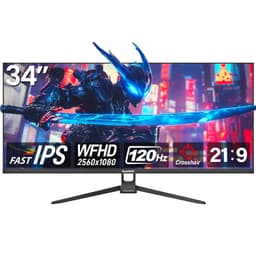
| Screen size | 34 |
| Panel type | IPS |
| Adaptive sync | FreeSync |
| Ports | HDMI 2.1, DisplayPort 1.4 |
| Resolution | 2560x1080 |
| Response time | 2 |
If this isn’t right for you
2 options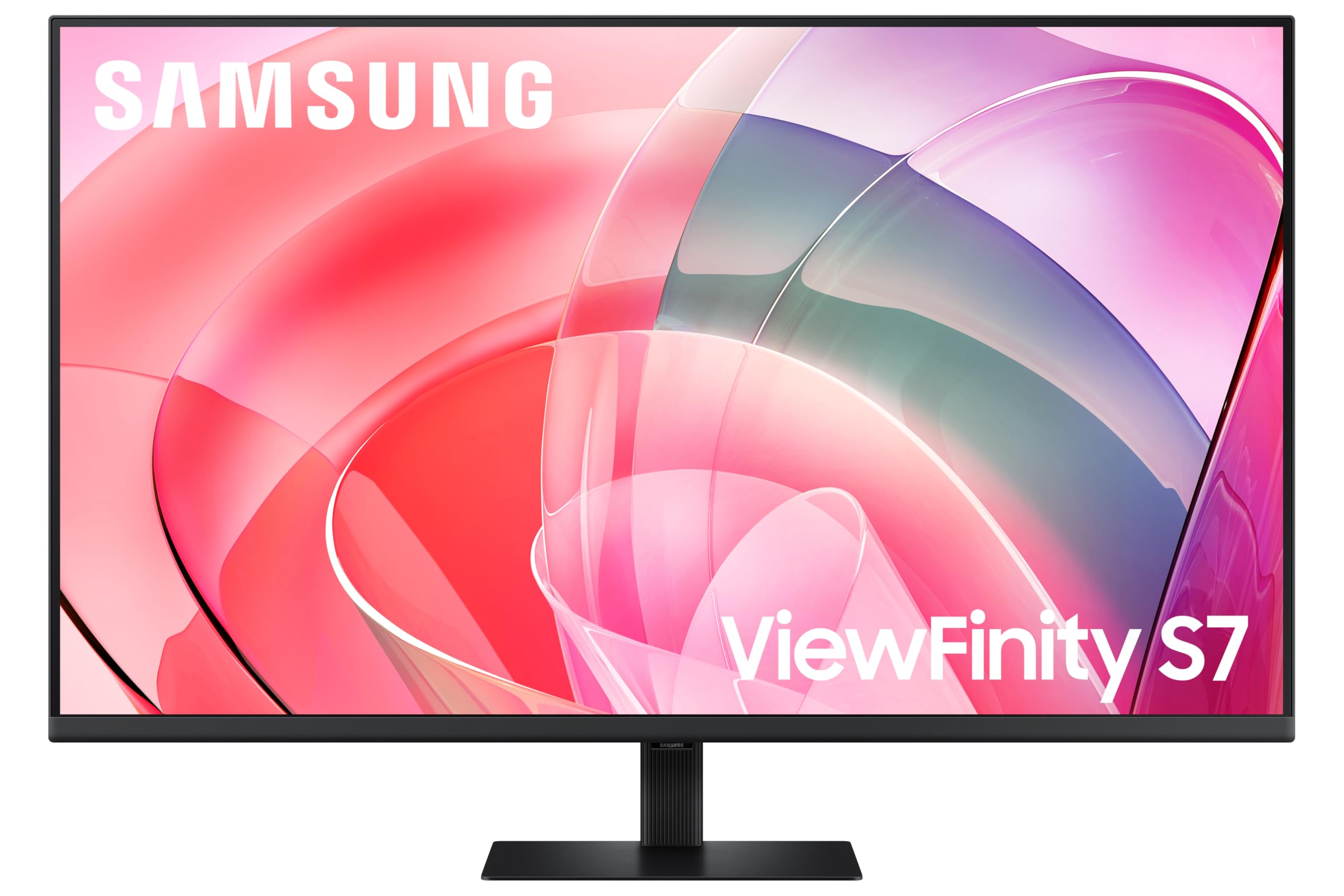 8.0 / 10
Samsung LS37D702EAUXXU 37" 4K Viewfinity Monitor - 3840 x 2160, Ultra HD, HDMI, Displayport
£329.00 · Samsung

Frequently asked
5 questions01Is the Gawfolk 49 Inch Dual QHD Curved Gaming Monitor, 120Hz, 5120x1440 Super Ultra-Wide, 1500R, Height Adjustable Stand, RGB Backlight, 2x DP 1.4, 2x HDMI 2.1, PBP/PIP good for gaming?+
Yes, for most gaming use cases. The 120Hz refresh rate at 5120x1440 is smooth and demanding on the GPU, and the 1500R curve adds genuine immersion in racing, flight sim, and open-world titles. It's not the right choice for competitive shooters where 240Hz and ultra-fast response times matter, but for single-player and immersive gaming it performs well based on owner feedback. The four video inputs also make it easy to switch between a gaming PC and a console without unplugging cables.
02Does the Gawfolk 49 Inch Dual QHD Curved Gaming Monitor, 120Hz, 5120x1440 Super Ultra-Wide, 1500R, Height Adjustable Stand, RGB Backlight, 2x DP 1.4, 2x HDMI 2.1, PBP/PIP have good HDR?+
HDR certification tier and peak brightness are not confirmed in the verified product data, so a definitive assessment isn't possible. The RGB backlight system may include some form of local dimming, but without confirmed specifications this can't be stated with certainty. Owner reviews don't highlight HDR as a standout feature, which suggests the HDR implementation is functional rather than exceptional. If HDR performance is a priority, monitors with confirmed HDR600 or HDR1000 certification and published peak brightness figures are a safer choice.
03Is the Gawfolk 49 Inch Dual QHD Curved Gaming Monitor, 120Hz, 5120x1440 Super Ultra-Wide, 1500R, Height Adjustable Stand, RGB Backlight, 2x DP 1.4, 2x HDMI 2.1, PBP/PIP good for content creation?+
For general productivity and casual creative work it's capable, with a large canvas and good owner-reported colour quality. However, colour gamut coverage percentages, Delta-E accuracy figures, and factory calibration data are not confirmed in the verified specifications. Professional photo editors and video colourists who need confirmed DCI-P3 coverage and accurate colour out of the box should look for monitors with published measurement data from the manufacturer or independent sources.
04What graphics card do I need for the Gawfolk 49 Inch Dual QHD Curved Gaming Monitor, 120Hz, 5120x1440 Super Ultra-Wide, 1500R, Height Adjustable Stand, RGB Backlight, 2x DP 1.4, 2x HDMI 2.1, PBP/PIP?+
5120x1440 at 120Hz is a demanding resolution. To drive it at or near 120fps in modern AAA games, you'll want at minimum an NVIDIA RTX 4070 or AMD RX 7800 XT, and ideally an RTX 4080 or RX 7900 XTX for the most demanding titles. Note that connecting via DisplayPort 1.4 at this resolution and refresh rate requires Display Stream Compression (DSC) support in your GPU, which is standard on NVIDIA RTX 30-series and newer and AMD RX 6000-series and newer. Older GPUs may struggle with bandwidth limitations.
05What warranty and returns apply to the Gawfolk 49 Inch Dual QHD Curved Gaming Monitor, 120Hz, 5120x1440 Super Ultra-Wide, 1500R, Height Adjustable Stand, RGB Backlight, 2x DP 1.4, 2x HDMI 2.1, PBP/PIP?+
Specific warranty terms from Gawfolk are not confirmed in the verified product data. When purchasing through Amazon UK, the standard 30-day return window applies, along with Amazon's A-to-Z Guarantee which covers you if the item doesn't arrive or doesn't match the description. For warranty duration beyond the return window, check the current Amazon listing or contact Gawfolk directly before purchasing.