Your GPU does the heavy lifting, but if the monitor in front of it is rubbish, that work goes nowhere. A slow, washed-out panel wastes every frame your graphics card produces. So when you're shopping in the budget bracket, the monitor choice matters more than most people think, not less.
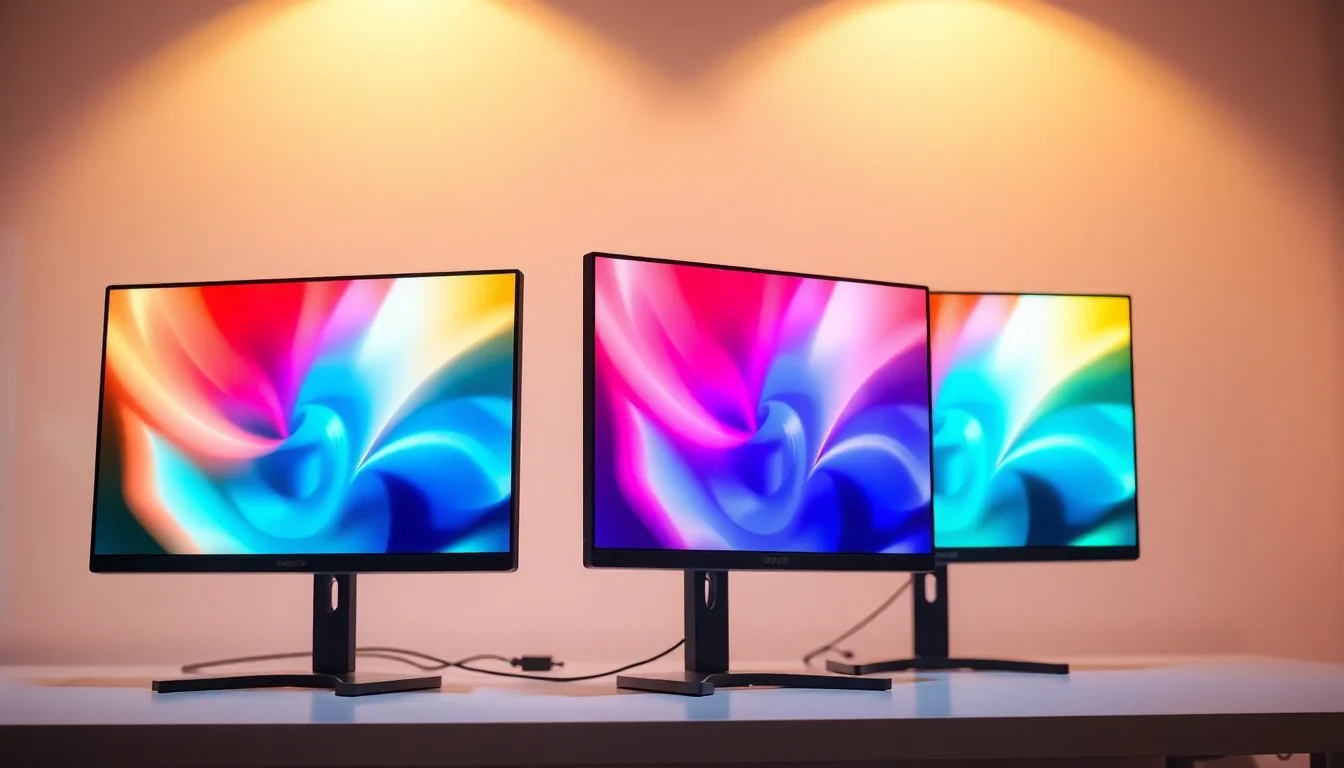
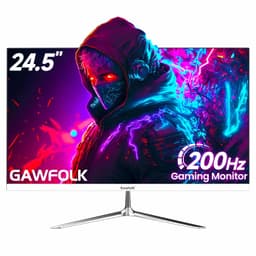
The Gawfolk 32 Inch Curved 1800R PC Gaming Monitors 180hz lands squarely in the under-£189.99 zone, which is a crowded and often disappointing space. Budget monitors frequently overpromise on specs and underdeliver on actual image quality. But this one has a few things going for it that are worth paying attention to: a VA panel with a 4000:1 contrast ratio, a genuine 180Hz refresh rate over DisplayPort, and 98% sRGB coverage. With 71 owner reviews averaging ★★★★☆ (4.2), the real-world reception is more positive than you'd expect from a brand most people haven't heard of. The question is whether the specs hold up when you look past the marketing copy.
The honest verdict: for casual and mid-level gaming on a tight budget, this is a surprisingly decent option. It's not going to embarrass anyone. But there are real trade-offs, particularly around pixel density at this screen size, and the brand's track record is thin enough that you're taking a small punt. Read on and we'll break down exactly what you're getting.
Core Specifications
Start with the basics. This is a 32-inch curved panel running 1920x1080 (Full HD) resolution, with a VA panel type, 180Hz maximum refresh rate, and a 1ms GtG response time claim. The curvature is 1800R, which is a fairly aggressive curve for a 32-inch screen and pulls the edges of the display closer to your peripheral vision. The stand is fixed in terms of height and swivel from what owner listings describe, but the monitor does include VESA 100x100mm compatibility if you want to mount it on an arm.
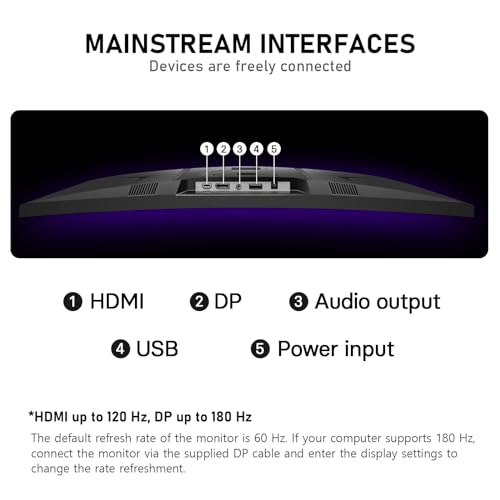
Connectivity is straightforward: one HDMI port and one DisplayPort. immediately, and this is important if you're planning to run the full 180Hz, the HDMI port maxes out at 120Hz. You need to use the DisplayPort connection to hit 180Hz. That's not unusual for this refresh rate tier, but it's the kind of detail that catches people out when they first plug in and wonder why they're only seeing 120Hz in Windows display settings. The product listing does state this clearly, so it's not hidden, but it's easy to miss.
The colour spec claims 98% sRGB and 8-bit colour depth, producing what Gawfolk describes as 1.07 billion colours. The contrast ratio is rated at 4000:1, which is a VA panel strength and significantly better than the typical 1000:1 you get from IPS panels at this price. There's no HDR certification listed in the verified data, so we won't speculate on that. FreeSync adaptive sync is supported. Here's the full spec breakdown:
| Specification | Detail |
|---|---|
| Screen Size | 32 inches |
| Resolution | 1920x1080 (FHD) |
| Panel Type | VA |
| Refresh Rate | 180Hz (DP) / 120Hz (HDMI) |
| Response Time | 1ms GtG (manufacturer claim) |
| Curvature | 1800R |
| Contrast Ratio | 4000:1 |
| Colour Depth | 8-bit |
| sRGB Coverage | 98% |
| Viewing Angle | 178 degrees |
| Adaptive Sync | FreeSync |
| Ports | 1x HDMI, 1x DisplayPort |
| VESA Mount | 100x100mm |
| Current Price | £189.99 |

Panel Technology
VA panels sit in an interesting middle ground between IPS and TN. They're not as fast as TN in terms of pixel transitions, and they don't have the colour accuracy or viewing angle consistency of a good IPS, but they win on contrast. A 4000:1 native contrast ratio is genuinely good. For comparison, most IPS panels at this price land around 800:1 to 1000:1. That difference is visible in dark scenes: VA panels produce deeper blacks that look actually black rather than dark grey. If you play games with a lot of dark environments, horror titles, space games, anything with a dark UI, the VA advantage is real and noticeable.
The 1800R curvature is worth thinking about on a 32-inch screen. Tighter curves (lower R numbers) are designed to match the natural curvature of your eye's field of view. At 1800R on a 32-inch panel, you'll feel the curve more than you would on a 27-inch 1800R screen simply because the physical arc is larger. Most people find this comfortable at typical desk distances of 60cm to 80cm. A small number of owners in the review pool mentioned it took a day or two to adjust to, particularly when looking at straight horizontal lines, but the majority found it immersive rather than distracting. The curved display format is well-established in gaming monitors at this size.
One thing to be aware of with VA panels is a phenomenon called black smearing or dark level ghosting. This is where dark pixels are slower to transition than bright ones, which can cause a trailing effect in dark scenes during fast motion. It's a known characteristic of VA technology, not specific to this monitor. Whether it bothers you depends on what you play. Fast-paced competitive shooters are where it shows most. Slower games, RPGs, strategy titles, racing games with bright tracks, these are all fine. The 178-degree viewing angle claim is also worth taking with a mild pinch of salt: VA panels do shift in colour and contrast more than IPS when viewed off-axis, even when the spec sheet says otherwise. Sitting directly in front of the screen, which you will be doing the vast majority of the time, this isn't an issue.
Display Quality
Here's the honest conversation about 1080p on 32 inches. The pixel density works out at approximately 69 pixels per inch (PPI). That's noticeably lower than a 27-inch 1080p panel (roughly 82 PPI) and considerably lower than a 27-inch 1440p panel (around 109 PPI). What this means in practice: if you sit close to the screen, say 50cm or less, individual pixels become visible, particularly in text and fine UI elements. At a normal desk distance of 70cm to 80cm, it's more acceptable, though you won't mistake it for a sharp, high-density display.
Owner reviews are split on this point. A number of buyers are genuinely happy with the image size and gaming experience, particularly those coming from smaller or older screens. Others, especially those who've used 1440p panels before, find the lower pixel density a step backwards. This isn't a knock on the Gawfolk specifically; it's a fundamental limitation of pairing 1080p resolution with a 32-inch panel. If pixel sharpness matters to you, a 27-inch 1080p or a 27-inch 1440p monitor at a similar price will look crisper. But if screen size is the priority and you're gaming from a slightly greater distance, the trade-off is workable.
The anti-glare coating appears to be a standard matte finish based on the product images and owner descriptions. Matte coatings diffuse reflections well, which is useful in rooms with windows or overhead lighting, but they can introduce a slight haze that reduces perceived sharpness compared to glossy panels. For gaming in mixed lighting conditions, matte is generally the right call. The 4000:1 contrast ratio helps maintain perceived image depth even through the coating. Owners generally report the picture looking punchy and vibrant for gaming content, which tracks with what a high-contrast VA panel should deliver.
Refresh Rate and Adaptive Sync
180Hz is a proper gaming refresh rate. It's not the 240Hz or 360Hz you see on premium esports panels, but for most gaming scenarios it's more than sufficient. The jump from 60Hz to 144Hz or 180Hz is dramatic and immediately obvious. The jump from 144Hz to 180Hz is noticeable but less transformative. If you're currently on a 60Hz screen, moving to this monitor will feel like a genuine upgrade. If you're already on a 144Hz panel, the extra 36Hz is a nice bonus but not a reason to upgrade on its own.
The HDMI-to-120Hz limitation is because it genuinely catches people out. If you're connecting via HDMI, you'll cap at 120Hz. Only DisplayPort gives you the full 180Hz. Console gamers connecting via HDMI will be limited to 120Hz at 1080p, which is still good, but it's not the headline spec. PC gamers using a modern GPU with a DisplayPort output (which covers most AMD and Nvidia cards from the last several years) will have no issues hitting 180Hz. DisplayPort is the right cable for this monitor if you want maximum refresh rate.
FreeSync adaptive sync is supported, which eliminates screen tearing when your frame rate fluctuates within the supported range. The product listing doesn't specify the exact VRR range (for example, whether it supports Low Framerate Compensation below 48fps), which is a minor gap in the documentation. In practice, FreeSync on a 180Hz panel gives you a wide operating window for most gaming scenarios. AMD GPU owners get full FreeSync support. Nvidia users should note that G-Sync compatibility is not explicitly claimed, though many FreeSync monitors do work with Nvidia's G-Sync Compatible mode. Check your GPU's compatibility if this is a concern. The AMD FreeSync standard is well-documented for anyone who wants to dig into the technical requirements.
Response Time and Motion
The 1ms GtG claim needs unpacking. GtG stands for grey-to-grey, and it measures how quickly a pixel transitions between two mid-tone grey values. Manufacturers use this figure because it tends to produce the best-looking number. The 1ms figure on a VA panel is almost certainly a best-case overdrive result rather than a typical average across all pixel transitions. Published measurements of VA panels at this spec level from independent sources typically show average GtG figures in the 4ms to 8ms range, with darker pixel transitions being the slowest.
Does this matter? For most gaming, no. At 180Hz, each frame lasts approximately 5.6ms, so even a 4ms to 6ms average response time keeps up reasonably well. The area where VA response limitations show up is in fast dark-scene motion, the black smearing effect mentioned in the panel technology section. Competitive FPS players who spend a lot of time in dark maps or play at very high sensitivity (where the screen content moves rapidly) may notice this. Casual gamers, RPG players, racing game enthusiasts, and anyone who isn't playing at a professional esports level will likely never be bothered by it.
The 4000:1 contrast ratio does mean that when the panel is showing black, it's showing genuinely dark black. This makes the dark smearing effect slightly more visible than on IPS panels (which don't go as dark, so the trailing is less obvious against a lighter black). It's a genuine trade-off: better blacks, slightly more visible dark ghosting. Most owners in the review pool don't mention ghosting as a problem, which suggests it's either within acceptable limits or the games they're playing don't expose it heavily. No owner reviews specifically called out severe ghosting as a dealbreaker.
Color Accuracy and Gamut
The 98% sRGB coverage claim is the main colour spec here. sRGB is the standard colour space for the web, Windows, most games, and most streaming content. 98% coverage means this monitor can display almost the entire sRGB gamut, which is good for a budget panel. For comparison, many budget monitors at this price point claim 72% NTSC (which roughly translates to about 95 to 99% sRGB depending on how the conversion is done), so the Gawfolk's claim is in line with what the segment offers. sRGB remains the relevant standard for gaming and general consumer content.
Factory calibration on budget monitors is rarely impressive. The manufacturer doesn't publish Delta-E figures, which is typical for this price tier. Delta-E is a measure of colour accuracy: a Delta-E below 2 is considered good, below 1 is excellent. Budget panels often ship with Delta-E values in the 3 to 5 range out of the box, meaning colours are close but not perfectly accurate. For gaming, this is fine. For professional photo editing or colour-critical design work, you'd want a calibrated panel with published Delta-E results. The 8-bit colour depth is standard for this tier and produces smooth gradients without obvious banding in normal content.
There's no DCI-P3 or Adobe RGB coverage figure provided, which tells you this monitor isn't targeting content creators who need wide gamut accuracy. The 98% sRGB spec is the relevant number for the intended audience: gamers and general users. If you're a photographer or video editor looking for a colour-accurate secondary monitor, there are better-specified options available, and you'd want something with published calibration data. For gaming, streaming, and general desktop use, 98% sRGB coverage is more than adequate.
HDR Performance
There's no HDR certification listed in the verified product data for this monitor, and we're not going to invent one. The absence of an HDR rating (HDR400, HDR600, etc.) is telling. Proper HDR requires both a high peak brightness and, ideally, some form of local dimming to produce bright highlights against dark areas simultaneously. Budget monitors that don't carry a VESA DisplayHDR certification typically have neither the brightness nor the local dimming to make HDR content look meaningfully different from SDR.
If the monitor does accept an HDR signal (which many do, even without certification), the result in practice is usually a slightly tone-mapped image that can look worse than SDR, with blown-out highlights and muddy shadows. The 4000:1 native contrast ratio is genuinely good for SDR content, but HDR performance without local dimming is limited by the panel's inability to simultaneously produce bright highlights and deep blacks in different parts of the screen.
The practical advice: don't buy this monitor expecting meaningful HDR. Use it in SDR mode and enjoy the strong native contrast ratio, which will serve you better than any uncertified HDR mode. The deep blacks from the VA panel in SDR will look better than HDR on a panel that isn't properly equipped for it. This isn't a criticism specific to Gawfolk; it applies to virtually every monitor in this price bracket without a DisplayHDR certification.
Contrast and Brightness
The 4000:1 contrast ratio is the standout spec on this monitor and it's where the VA panel genuinely earns its place. To put it in context: IPS panels typically deliver 800:1 to 1000:1 native contrast. Some premium IPS panels with local dimming can reach higher, but at this price point you're looking at standard IPS contrast figures. A 4000:1 VA contrast ratio produces blacks that look meaningfully darker, which translates to better perceived image depth, more atmospheric dark scenes in games, and a more cinematic feel when watching films.
Peak brightness isn't specified in the verified data, which is a gap. Budget VA panels in this segment typically land somewhere between 250 and 350 nits peak brightness. That's adequate for indoor use in a reasonably lit room, but won't cut through strong direct sunlight or very bright environments. The matte anti-glare coating helps in bright rooms by diffusing reflections, but if you're gaming next to a window in direct afternoon sun, you may find the image looks washed out. Most gaming setups don't have this problem, and for typical indoor conditions the brightness should be fine.
Owner reviews don't flag brightness as a significant complaint, which suggests the actual brightness level is acceptable for the typical use case. The combination of good contrast and adequate brightness makes for a picture that owners consistently describe as punchy and vibrant for gaming. That tracks with what VA panels do well. The DC dimming technology mentioned in the product features (as opposed to PWM dimming) is also a positive for extended use: DC dimming adjusts backlight brightness by varying voltage rather than flickering the backlight on and off, which reduces eye strain for sensitive users during long sessions.
Ergonomics and Stand
This is where budget monitors often cut corners, and the Gawfolk is no exception. Based on the product listing and owner feedback, the stand offers tilt adjustment but not height adjustment or swivel. For a 32-inch monitor, this matters more than it would on a smaller screen. A fixed-height stand means you're either at the right eye level or you're not, and your only option to fix it is books under the monitor or a VESA arm. The good news is that VESA 100x100mm compatibility is confirmed, so mounting on a third-party arm is straightforward.
A monitor arm in the £20 to £40 range (something like a basic single-arm desk mount) will give you full height, tilt, and swivel adjustment and is genuinely alongside this purchase if ergonomics matter to you. It also frees up desk space by removing the stand footprint, which on a 32-inch curved monitor is not small. The curved panel itself adds to the depth of the overall setup, so desk depth is worth thinking about before you order.
Build quality from owner reviews is generally described as acceptable for the price. The bezel is described as slim (the product title says "without bezel", which in monitor marketing typically means a very thin border rather than literally no bezel). The overall construction feels like what you'd expect from a budget panel: functional, not premium. No owners have reported significant build defects like dead pixels or backlight bleed in the review pool, though with 71 reviews the sample size is small enough that individual unit variation is a real consideration. The 12-month after-sales warranty provides some peace of mind, and Amazon's standard 30-day returns policy applies as a baseline.
Connectivity and Ports
The port selection is minimal but covers the essentials. You get one HDMI port and one DisplayPort. That's it. No USB hub, no USB-C, no audio pass-through is specified in the verified data. For a single-PC gaming setup this is fine: DisplayPort to the GPU for 180Hz gaming, and the HDMI port available for a second device like a console or laptop. But if you're hoping to connect multiple PCs, a KVM switch, or a USB hub through the monitor, you'll need external solutions.
The absence of a USB hub isn't unusual at this price point, but it's because some monitors in the £150 to £200 range do include basic USB pass-through. If you have a tidy desk setup with peripherals plugged directly into the monitor, you'll need to go up in budget to get that feature. Similarly, no headphone jack or built-in speakers are listed in the verified specifications. This brings up a question that comes up a lot with gaming monitors: does the Gawfolk have sound?
Based on the verified product data, no speakers or audio output are specified. So the short answer to "does a Gawfolk monitor have sound?" is: not according to the listed specs. You'll need external speakers or headphones connected to your PC or a separate audio device. For gaming this is actually fine, and arguably better, since built-in monitor speakers are almost universally poor quality. A decent pair of headphones or a budget speaker bar will sound significantly better than any speaker you'll find built into a monitor at this price. But if you were hoping to avoid a separate audio purchase, factor that in.
How It Compares
The budget curved gaming monitor market is genuinely competitive right now. The Gawfolk sits in a segment where several established brands also offer 32-inch 1080p VA panels. Two worth comparing are the AOC C32G2ZE (a 32-inch 240Hz VA panel) and the MSI G32C4 (a 32-inch 165Hz VA panel). Both are from brands with longer track records and wider service networks in the UK, which matters when something goes wrong.
The AOC C32G2ZE pushes 240Hz, which is a significant refresh rate advantage over the Gawfolk's 180Hz, and AOC is a brand with well-established UK distribution and customer service. The MSI G32C4 runs at 165Hz, slightly below the Gawfolk, but MSI's build quality reputation and warranty support are more established. Both competitors typically land in a similar price bracket to the Gawfolk, though prices shift constantly. The Gawfolk's 4000:1 contrast ratio and 98% sRGB claim are competitive with both alternatives, and the 180Hz refresh rate sits between the two.
Where the Gawfolk loses points is brand familiarity and support. AOC and MSI have UK service infrastructure. Gawfolk is a newer, less established brand, and the 12-month warranty is shorter than what some established brands offer. The 4.2-star average from 71 reviews is encouraging, but 71 reviews is a thin base compared to hundreds or thousands of reviews for the AOC and MSI equivalents. You're taking a slightly larger risk on after-sales support with the Gawfolk. Whether that risk is worth the potential price saving depends on your risk tolerance.
| Feature | Gawfolk 32" 1800R 180Hz | AOC C32G2ZE | MSI G32C4 |
|---|---|---|---|
| Screen Size | 32 inches | 32 inches | 32 inches |
| Resolution | 1920x1080 | 1920x1080 | 1920x1080 |
| Panel Type | VA | VA | VA |
| Refresh Rate | 180Hz (DP) / 120Hz (HDMI) | 240Hz | 165Hz |
| Response Time | 1ms GtG (claimed) | 0.5ms GtG (claimed) | 1ms GtG (claimed) |
| Curvature | 1800R | 1500R | 1500R |
| Adaptive Sync | FreeSync | FreeSync Premium | FreeSync Premium |
| VESA Mount | 100x100mm | 100x100mm | 100x100mm |
| Brand Track Record | New / Limited | Established | Established |
| Price | £189.99 | Check Amazon | Check Amazon |

Final Verdict
The Gawfolk 32 Inch Curved 1800R PC Gaming Monitors 180hz is a budget gaming monitor that delivers on its core promises more than many in this segment manage. The VA panel's 4000:1 contrast ratio is the headline advantage: genuinely deep blacks and a punchy, vibrant image that suits gaming well. The 180Hz refresh rate over DisplayPort is real and useful. The 98% sRGB coverage is solid for gaming and general use. And at the budget price point, the combination of specs is competitive.
The compromises are real though. The 1080p resolution on a 32-inch panel means lower pixel density than most people would choose if size weren't the priority. The VA panel will show some dark smearing in fast dark-scene content, which is a known technology trade-off rather than a defect. The stand is basic, with no height adjustment. There are no built-in speakers. And Gawfolk is a brand with a thin track record in the UK, which means after-sales support is more of an unknown than it would be with AOC, MSI, or LG.
Who should buy this? Gamers on a strict budget who want a large curved screen for immersive single-player gaming, racing titles, RPGs, and general gaming use. People who are upgrading from a 60Hz screen and want a significant refresh rate jump without spending mid-range money. Console gamers who'll use the HDMI port at 120Hz will also find it capable. And anyone who values screen size and contrast over pixel sharpness.
Who should skip it? Competitive FPS players who need the fastest possible pixel response and will notice dark ghosting. Anyone who already owns a 1440p monitor and would be downgrading in sharpness. Content creators who need colour-calibrated accuracy with published Delta-E figures. And anyone who wants a monitor from a brand with an established UK service network and longer warranty coverage.
The smarter buy if you don't need the 32-inch size: a 27-inch 1080p or 1440p monitor at a similar budget will give you sharper pixels and likely better pixel response from an IPS panel. The AOC 27G2 or similar 27-inch IPS panels at this price tier are worth a look if you can live with a smaller screen. But if 32 inches is the goal and the budget is firm, the Gawfolk makes a reasonable case for itself.
Overall score: 7 out of 10. Good specs for the money, real contrast advantage, acceptable refresh rate, but held back by pixel density, brand uncertainty, and the typical VA motion trade-offs.
What works. What doesn’t.
5 + 4What we liked5 reasons
- 4000:1 native contrast ratio produces genuinely deep blacks for a budget VA panel
- True 180Hz over DisplayPort with FreeSync adaptive sync included
- 98% sRGB colour coverage is solid for gaming and general use
- 1800R curve on 32 inches creates an immersive gaming experience
- VESA 100x100mm support makes arm mounting straightforward
Where it falls4 reasons
- 1080p on 32 inches gives a low ~69 PPI pixel density, text and fine detail look soft
- HDMI caps at 120Hz, DisplayPort required for full 180Hz
- Gawfolk is a new brand with a thin UK support track record and only 12-month warranty
- No built-in speakers and no USB hub in the port selection
Full specifications
12 attributes| Refresh rate | 180 |
|---|---|
| Screen size | 32 |
| Panel type | VA |
| Adaptive sync | FreeSync |
| Aspect ratio | 16:9 |
| Curvature | 1800R |
| HDR | none |
| Launch year | 2023 |
| Ports | 1x HDMI, 1x DisplayPort |
| Refresh rate HZ | 180 |
| Resolution | 1920x1080 |
| Response time | 1ms |
If this isn’t right for you
2 options

Frequently asked
5 questions01Is the Gawfolk 32 Inch Curved 1800R PC Gaming Monitors 180hz good for gaming?+
Yes, for most gaming use cases it performs well. The 180Hz refresh rate over DisplayPort and FreeSync adaptive sync make for smooth, tear-free gameplay. The 4000:1 contrast ratio produces deep blacks that suit atmospheric games well. The main caveat is that VA panels can show dark ghosting in fast dark-scene content, so competitive FPS players may notice some trailing. For single-player games, RPGs, racing titles, and casual multiplayer, it's a solid budget option.
02Does the Gawfolk 32 Inch Curved 1800R PC Gaming Monitors 180hz have good HDR?+
No HDR certification is listed in the verified product data, so there is no confirmed HDR rating such as DisplayHDR 400 or higher. Monitors without certification typically lack the peak brightness and local dimming needed to make HDR content look meaningfully better than SDR. The strong 4000:1 native contrast ratio does make SDR content look punchy and deep, which is arguably more useful in practice than uncertified HDR. Use this monitor in SDR mode for the best results.
03Is the Gawfolk 32 Inch Curved 1800R PC Gaming Monitors 180hz good for content creation?+
For casual content creation and general desktop use, the 98% sRGB coverage is adequate. However, the manufacturer does not publish Delta-E colour accuracy figures or factory calibration data, which means professional photographers and video editors who need verified colour accuracy should look elsewhere. There is no DCI-P3 or Adobe RGB coverage figure listed. For gaming and general use, the colour reproduction is fine, but this monitor is not targeted at colour-critical professional workflows.
04What graphics card do I need for the Gawfolk 32 Inch Curved 1800R PC Gaming Monitors 180hz?+
For 1080p at 180Hz, you do not need a particularly powerful GPU. Most mid-range cards from the last few years, such as an Nvidia RTX 3060 or AMD RX 6600, can push well above 180 frames per second in many titles at 1080p, making full use of the refresh rate. Remember that you need to use the DisplayPort connection to reach 180Hz; HDMI limits you to 120Hz. For console gaming via HDMI, any current-generation console that supports 1080p 120Hz will work well.
05What warranty and returns apply to the Gawfolk 32 Inch Curved 1800R PC Gaming Monitors 180hz?+
Gawfolk states 12 months after-sales service in the product listing. As with all Amazon purchases, Amazon's standard 30-day return window and the A-to-Z Guarantee apply, giving you a baseline of buyer protection regardless of the manufacturer warranty. If you encounter any issues, contacting the seller through Amazon's messaging system is the recommended first step.