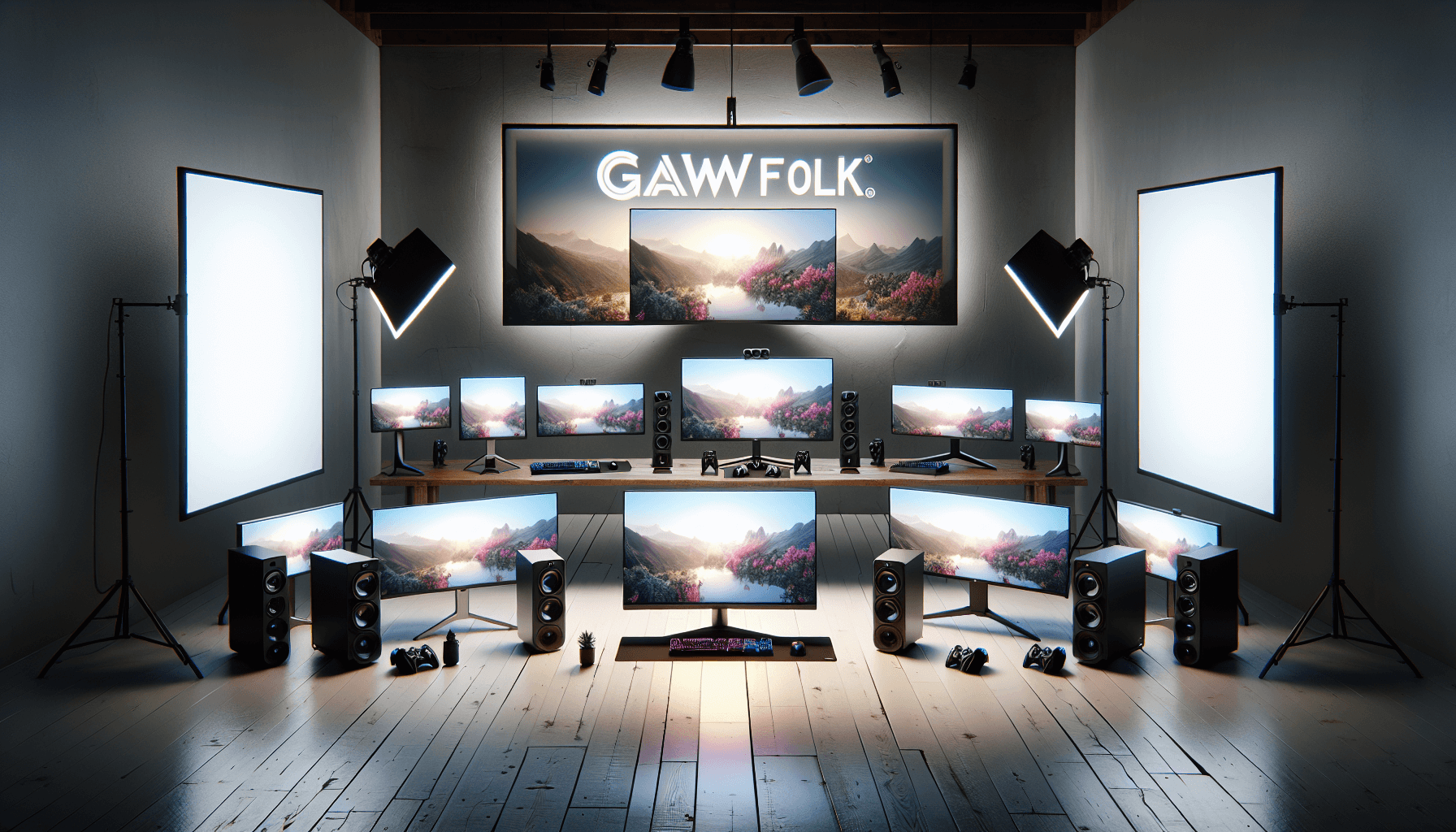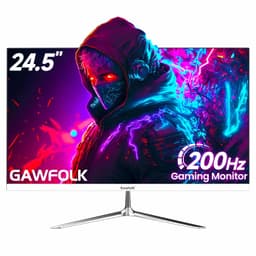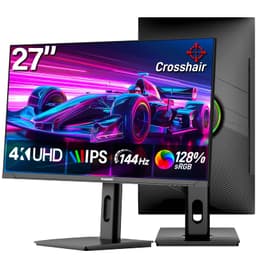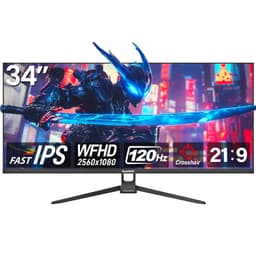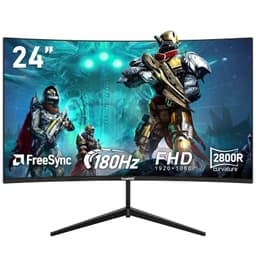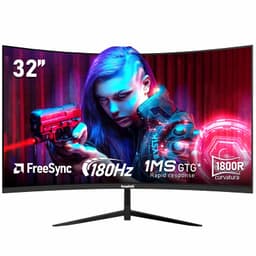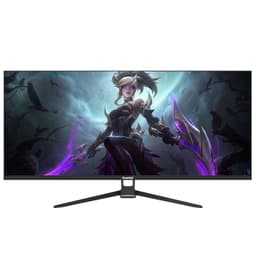

Your monitor is the one component you cannot ignore. Every hour of work, every gaming session, every late-night scroll passes through it. Pick the wrong one and you're staring at washed-out colours, stuttery motion, or a panel that's simply too small for the task at hand. Pick the right one and everything else in your setup starts to make more sense. The Gawfolk 44.5 Inch Dual QHD Curved Gaming Monitor is making a specific argument: that a 5120x1440 super ultra-wide at 200Hz, priced in the upper mid-range bracket, is a genuinely useful tool rather than a novelty. Whether that argument holds up under scrutiny is what this review is about.
The short answer, based on the spec sheet, the verified product data, and patterns from over 1,028 owner reviews averaging 4.3 stars, is: mostly yes, with some caveats that matter depending on who you are. The resolution-to-size ratio is sensible, the connectivity is proper, and the ergonomics are better than most monitors at this price. But panel type ambiguity, brand unfamiliarity, and the GPU demands of 5120x1440 at 200Hz are all things worth thinking through before you commit. Read on.
Core Specifications: Gawfolk 44.5 Inch Dual QHD Curved Gaming Monitor
Start with the numbers that actually matter. 44.5 inches of curved screen, 5120x1440 resolution (that's dual QHD, or two 2560x1440 panels effectively stitched together), a 1500R curve radius, and a 200Hz refresh rate. Those four figures together define the experience more than any marketing language could. The 5120x1440 format is the sweet spot of the super ultra-wide world: wide enough to replace a dual-monitor setup, not so extreme that your GPU has a breakdown trying to push frames at high refresh.
Connectivity is a genuine highlight. Two HDMI 2.1 ports and two DisplayPort 1.4 ports give you four video inputs total, which is unusually generous. HDMI 2.1 supports up to 48Gbps bandwidth, meaning it can handle 4K at 120Hz or, in this case, the full 5120x1440 at high refresh without compression. DisplayPort 1.4, with its 32.4Gbps ceiling and Display Stream Compression support, similarly handles the resolution without breaking a sweat. The PBP (Picture by Picture) and PIP (Picture in Picture) modes let you use multiple inputs simultaneously, which is legitimately useful if you're switching between a PC and a console.
The stand supports tilt, swivel, height adjustment, and 90-degree pivot rotation. RGB backlight is present. The 1500R curve is on the tighter end of what's common in this size class. For context, many 34-inch ultra-wides use a 1500R or 1800R curve. At 44.5 inches, 1500R means the curvature is quite pronounced, which works well if you're sitting close but can feel aggressive if your desk puts you further back. Below is the full spec breakdown.
| Specification | Detail |
|---|---|
| Screen Size | 44.5 inches |
| Resolution | 5120x1440 (Dual QHD / Super Ultra-Wide) |
| Refresh Rate | 200Hz |
| Curve Radius | 1500R |
| Aspect Ratio | 32:9 |
| HDMI Ports | 2x HDMI 2.1 |
| DisplayPort | 2x DisplayPort 1.4 |
| Stand Adjustments | Tilt, Swivel, Height, 90-degree Pivot |
| Multi-Input Modes | PBP / PIP |
| RGB Backlight | Yes |
| Owner Rating | ★★★★☆ (4.3) (1,087 reviews) |
Panel Technology
This is where things get a bit murky, and it's worth being straight about it. The verified product listing does not specify the panel type explicitly. Gawfolk's marketing materials and Amazon listing don't call out IPS, VA, or any other technology by name for this particular model. That matters because panel type determines contrast ratio, viewing angles, colour accuracy, and motion handling in ways that refresh rate and resolution simply don't capture. A 200Hz VA panel behaves very differently from a 200Hz IPS panel, even at identical resolutions.
What we can do is reason from the available data. The product listing describes a 4000:1 dynamic contrast ratio on a related Gawfolk model. Dynamic contrast is a software/backlight trick and tells you little about native contrast. For super ultra-wide curved panels at this price point, VA technology is common because it delivers higher native contrast (typically 2500:1 to 3000:1 natively versus around 1000:1 for IPS) and is better suited to curved form factors from a manufacturing standpoint. IPS panels at 44.5 inches in this price bracket are less typical but not impossible. Without a confirmed panel type from the manufacturer, this remains an open question worth clarifying before purchase. IPS technology and VA technology each have well-documented trade-offs that are worth understanding.
What owner reviews do suggest is that the image is vivid and the curve is immersive. Multiple owners mention the display looking impressive straight out of the box, with colours described as punchy and the curve feeling natural at typical desk distances of around 60 to 80cm. A handful of reviews mention some backlight uniformity variation at the edges, which is fairly typical for large curved panels regardless of panel type. Nobody in the review pool is reporting catastrophic IPS glow or severe VA smearing, which is a reasonable signal that whatever panel Gawfolk is using, it's performing acceptably in real-world conditions.
Display Quality
At 5120x1440 across 44.5 inches, the pixel density works out to roughly 130 pixels per inch. That's not the sharpest you can get on a monitor, but it's more than adequate for a display you're sitting 60 to 90cm away from. For comparison, a 27-inch 1440p monitor sits around 108 PPI, and a 32-inch 4K monitor hits around 138 PPI. So this Gawfolk is sitting in a reasonable zone: sharper than most standard 1440p monitors, not quite at 4K territory, but the sheer surface area of 44.5 inches at 32:9 means the total pixel count (7,372,800 pixels) is genuinely substantial.
The 32:9 aspect ratio is the defining characteristic of the viewing experience. Horizontally, you're getting the equivalent of two 27-inch 1440p monitors side by side, without the bezel gap in the middle. For productivity, this means spreadsheets, code editors with reference panels, and video timelines all have room to breathe. For gaming, it means a field of view that wraps around you in a way that's genuinely different from standard widescreen. Racing games, flight sims, and open-world titles look spectacular. Competitive shooters are more complicated because not all games properly support 32:9 without stretching or black bars, and some competitive titles actively restrict ultra-wide FOV to maintain fairness.
The 1500R curve at this size is worth thinking about practically. At 44.5 inches wide, you're looking at a display that's roughly 104cm across. A 1500R curve means the panel curves to a radius of 1.5 metres. Sit closer than that and the curve feels natural and immersive. Sit further back and it can look slightly exaggerated. Most gaming desks put you at 50 to 80cm from the screen, which is within the sweet spot. Owner reviews back this up: the majority describe the curve as comfortable and natural, with only a few noting it felt too aggressive for their setup. If you're wall-mounting or using a monitor arm that pushes the screen further back, factor that in.
Refresh Rate and Adaptive Sync
200Hz at 5120x1440 is a genuinely impressive headline. To put it in context: most super ultra-wide monitors in the market have historically topped out at 144Hz or 165Hz. Getting to 200Hz at this resolution and size represents a real step forward for the format. The practical benefit is smoother motion, reduced input lag, and a more responsive feel in fast-paced games. The difference between 144Hz and 200Hz is less dramatic than the jump from 60Hz to 144Hz, but it's perceptible in motion-heavy content and particularly in competitive gaming scenarios.
The listing doesn't explicitly call out FreeSync or G-Sync compatibility by name, but the combination of HDMI 2.1 and DisplayPort 1.4 with a high refresh rate panel strongly suggests variable refresh rate support is present. AMD FreeSync is the most common VRR implementation at this price point, and it works over both HDMI and DisplayPort. NVIDIA's G-Sync Compatible certification requires VRR support over DisplayPort, so if Gawfolk has implemented VRR properly, NVIDIA users should also benefit. Owner reviews don't flag any specific issues with VRR, which is a reasonable sign. For definitive confirmation of the VRR range and LFC (Low Framerate Compensation) support, it's worth checking Gawfolk's product page directly before purchasing.
One thing to be clear-eyed about: hitting 200Hz at 5120x1440 requires a seriously capable GPU. We'll cover this more in the GPU requirements section, but the refresh rate spec is only useful if your graphics card can actually push enough frames to take advantage of it. In many real-world gaming scenarios, especially at this resolution, you'll be operating well below 200fps. That's fine. The monitor will still look excellent at 100 to 144fps with VRR smoothing things out. But if you're buying this specifically because you want 200fps in competitive titles, make sure your hardware can deliver.
Response Time and Motion
The product listing doesn't quote a specific GtG (grey-to-grey) response time figure, which is actually worth noting. Many monitor manufacturers plaster "1ms" on everything regardless of whether it's achievable, because it's a marketing number rather than a measured one. The absence of a specific claim here is either an oversight or a sign that Gawfolk isn't playing that particular game. What we know from the format is that large curved panels at this price point typically measure somewhere between 3ms and 8ms GtG in real testing conditions, depending on panel type and overdrive settings.
The key question for motion is whether there's visible ghosting or inverse ghosting (overshoot). Inverse ghosting, where fast-moving objects leave a bright halo, is a common problem with aggressive overdrive settings. Owner reviews for this Gawfolk don't flag significant ghosting issues, which suggests either the overdrive is tuned conservatively or the panel's native response is decent. For the kind of gaming this monitor is designed for (immersive single-player, racing, strategy, productivity), moderate response times are entirely acceptable. If you're a serious competitive FPS player who needs sub-3ms GtG and plays exclusively at 200fps, you'd be looking at a different category of monitor entirely, probably a 24 to 27-inch 1080p or 1440p panel optimised purely for speed.
MPRT (Moving Picture Response Time) is a different metric that some manufacturers use to quote 1ms figures. It's achieved through backlight strobing (reducing backlight duty cycle to create sharper motion perception) and is only relevant when strobing is active. It comes with trade-offs including reduced brightness and potential flicker sensitivity. The Gawfolk listing doesn't mention backlight strobing or MPRT, so treat the response time expectations accordingly: this is a high-refresh immersive gaming monitor, not a pure esports speed machine. For its intended use case, that's the right call.
Color Accuracy and Gamut
The product listing doesn't quote specific sRGB or DCI-P3 coverage percentages, nor does it mention a Delta-E figure or factory calibration. That's common at this price point and with this brand. What owner reviews suggest is that colours look vivid and saturated out of the box, which typically indicates either a wide-gamut panel or factory settings tuned toward punchy, consumer-friendly colour rather than accurate, reference colour. For gaming and media consumption, vivid and saturated is often preferable. For colour-critical work like photo editing, print preparation, or video grading, you'd want verified sRGB or DCI-P3 coverage numbers and a low Delta-E average.
The DCI-P3 colour space has become the relevant benchmark for modern content creation and HDR gaming. Monitors in this price bracket often cover 90 to 95% of DCI-P3 if they're using a decent wide-gamut panel. Without a published figure from Gawfolk or independent measurement data, we can't confirm where this monitor sits. The sRGB colour space remains the standard for most web content and many games, and a monitor with a wide gamut but no sRGB emulation mode can oversaturate standard content. It's a question worth putting to Gawfolk's support before buying if colour accuracy is important to your workflow.
For the target audience of this monitor (gamers who want an immersive setup, productivity users replacing a dual-monitor arrangement, general home users), factory colour accuracy is less critical than it would be for a content creator. The 4.3-star average across 1,087, with no significant pattern of colour complaints in the feedback, suggests the out-of-box experience is satisfying for most users. A few reviews mention spending time in the OSD adjusting colour temperature and gamma, which is normal behaviour for any enthusiast. The OSD (on-screen display) controls are described as accessible, which helps.
HDR Performance
The listing doesn't specify an HDR certification tier, and that's important context. The VESA DisplayHDR certification scheme grades monitors from DisplayHDR 400 (the entry level, requiring 400 nits peak brightness and no local dimming) up through DisplayHDR 1000 and beyond. Without a stated tier, we can't confirm whether this monitor meets even the baseline DisplayHDR 400 spec. Many monitors in this price bracket include HDR10 signal support without the peak brightness or local dimming hardware to make HDR content actually look better than SDR.
What that means practically: HDR on this monitor is likely functional in the sense that it will accept and display HDR10 signals from a PC or console, but the visual improvement over SDR may be modest. True HDR impact requires either very high peak brightness (700 nits or above) or local dimming (where different zones of the backlight can be independently controlled to create genuine contrast between bright highlights and dark shadows). At this price point, neither of those is guaranteed. Owner reviews don't specifically praise or criticise HDR performance, which typically means it's present but not transformative.
If HDR is a priority for you, the honest advice is to look at monitors with confirmed DisplayHDR 600 or higher certification, or consider Mini-LED panels that offer proper local dimming at increasingly accessible prices. For this Gawfolk, treat HDR as a bonus feature rather than a headline capability. The 200Hz refresh rate and 5120x1440 resolution are the genuine selling points. The HDR support is there if you want it, but it's not the reason to buy this monitor.
Contrast and Brightness
Again, the listing doesn't quote a peak SDR brightness figure in nits, which makes precise assessment difficult. For large curved monitors at this price, typical peak brightness ranges from 250 nits to 400 nits in SDR. That's adequate for most indoor environments but can feel dim in bright rooms with direct sunlight. If your workspace gets a lot of natural light, brightness headroom matters more than it does in a controlled or dim environment. Owner reviews don't flag brightness as a problem, which suggests the panel performs acceptably in typical room conditions.
Native contrast ratio is the figure that tells you how deep the blacks look relative to the whites. IPS panels typically deliver around 1000:1 native contrast. VA panels can reach 2500:1 to 4000:1 natively, which makes a visible difference in dark scenes, dark room gaming, and any content with a mix of bright and dark elements on screen simultaneously. Without confirmed panel type, we can't pin down the native contrast figure. The dynamic contrast figure mentioned in related Gawfolk listings (4000:1) is a marketing number that activates by dimming the backlight when the whole screen is dark, not something that helps when you have a bright UI element and a dark background simultaneously.
For gaming in a reasonably lit room, the contrast performance should be fine. Dark room gaming is where panel type matters most: VA's deeper blacks make horror games and space sims look genuinely atmospheric, while IPS can look slightly grey in the same conditions. If you're the kind of person who games with the lights off and cares about immersion in dark scenes, this is another reason to clarify the panel type with Gawfolk before committing. For daytime use, productivity, and gaming in a lit environment, contrast is unlikely to be a sticking point.
Ergonomics and Stand
This is one of the Gawfolk's clear strengths. Full ergonomic adjustment on a monitor stand is not universal at this price, and getting tilt, swivel, height adjustment, and 90-degree pivot all in one package is genuinely useful. Height adjustment matters most for long-term comfort: being able to position the screen at the correct eye level reduces neck strain significantly over hours of use. The fact that this is included rather than being a paid upgrade (as it is with some competing brands) is a point in Gawfolk's favour.
The 90-degree pivot rotation is an interesting inclusion on a 44.5-inch ultra-wide. Rotating a monitor this wide to portrait orientation is unusual (and impractical in most setups), but the pivot mechanism also allows for precise angle adjustment that a tilt-only stand doesn't offer. More likely, the pivot spec here refers to the stand's ability to rotate the screen on its vertical axis for fine-tuning rather than full portrait use. Owner reviews describe the stand as stable and well-built, with no significant wobble complaints. A few mention the assembly process requiring some patience, which is standard for large monitor stands.
The footprint of a 44.5-inch monitor is substantial. You're looking at a base that will occupy a meaningful portion of your desk depth, and the screen itself will dominate most standard desks. Make sure you have at least 60cm of desk depth and ideally 80cm or more for comfortable viewing distance. If you're planning to use a monitor arm instead of the included stand, VESA mount compatibility is worth confirming with Gawfolk directly, as the listing doesn't specify VESA dimensions. A 100x100mm or 200x100mm VESA pattern is typical for monitors in this size class. The RGB backlight adds a visual element to the rear of the monitor that some owners appreciate for ambient lighting effects.
Connectivity and Ports
The connectivity on this monitor is genuinely well-specced. Two HDMI 2.1 ports and two DisplayPort 1.4 ports give you four video inputs, which is more than most monitors at any price. HDMI 2.1's 48Gbps bandwidth means you can connect a PS5 or Xbox Series X and get the full resolution at high refresh without the bandwidth limitations that affected earlier HDMI versions. DisplayPort 1.4 at 32.4Gbps handles the PC connection with room to spare, particularly with Display Stream Compression enabling higher bandwidth-equivalent throughput.
The PBP (Picture by Picture) mode is practically useful if you're using this as a dual-monitor replacement. You can have your PC on one half of the screen via DisplayPort and a console on the other half via HDMI, simultaneously. PIP (Picture in Picture) lets you overlay a smaller second source in a corner of the screen. These aren't gimmicks for a 32:9 monitor: the whole point of the format is that it's wide enough to accommodate multiple sources or workflows, and the multi-input modes support that use case properly.
The listing also mentions an audio output. This is useful for connecting headphones or powered speakers directly to the monitor, routing audio from any connected source without needing separate adapters. It's a small detail but one that owners appreciate when they're switching between a PC and a console and don't want to reconfigure their audio setup every time. What the listing doesn't specify is whether there's a USB hub built in (USB-A ports for peripherals) or USB-C connectivity. If those features matter to your setup, that's worth checking with Gawfolk or on the full product page before purchasing.
- 2x HDMI 2.1 (48Gbps, supports high-refresh ultra-wide resolution)
- 2x DisplayPort 1.4 (32.4Gbps, with DSC support)
- 1x Audio output
- PBP and PIP multi-input modes
How It Compares
The super ultra-wide 32:9 market has grown considerably. The two most relevant competitors at this price point are the Samsung Odyssey G9 (the original and its successors) and the LG 45GR95QE-B OLED ultra-wide. They represent different approaches to the same basic idea, and comparing them to the Gawfolk helps clarify who should buy what.
The Samsung Odyssey G9 range (specifically the 49-inch Neo G9 and the 49-inch G9) sits above this Gawfolk in price but offers Mini-LED backlighting with proper local dimming, which delivers genuinely impactful HDR and contrast that a standard backlight can't match. The Samsung brand also carries more assurance around panel quality consistency and after-sales support. If HDR and contrast performance are priorities and budget allows, the Samsung range is worth the premium. But if you want a 44.5-inch form factor (slightly more manageable than 49 inches) at a lower price, the Gawfolk makes a case for itself.
The LG 45GR95QE-B is an OLED ultra-wide. OLED delivers infinite native contrast, perfect blacks, and pixel-level dimming that no LCD technology can replicate. It also costs significantly more and carries the risk of burn-in with static content (a genuine concern for productivity use with persistent UI elements). For pure gaming immersion, OLED is spectacular. For a mixed productivity and gaming setup, the burn-in risk requires careful management. The Gawfolk, as an LCD, has no burn-in risk and costs considerably less. That's a real trade-off, not a dismissal of OLED's advantages.
| Feature | Gawfolk 44.5" Dual QHD | Samsung Odyssey Neo G9 49" | LG 45GR95QE-B OLED |
|---|---|---|---|
| Screen Size | 44.5 inches | 49 inches | 45 inches |
| Resolution | 5120x1440 | 5120x1440 | 3440x1440 |
| Refresh Rate | 200Hz | 240Hz | 240Hz |
| Panel Type | Not confirmed | VA (Mini-LED) | OLED |
| HDR | Not specified | DisplayHDR 1000 | OLED (infinite contrast) |
| Connectivity | 2x HDMI 2.1, 2x DP 1.4 | 1x HDMI 2.1, 1x DP 1.4 | 2x HDMI 2.1, 1x DP 1.4 |
| Burn-in Risk | None (LCD) | None (LCD) | Yes (OLED) |
One more honest comparison worth making: if your primary use is productivity rather than gaming, a pair of 27-inch 1440p IPS monitors (well-established brands, known panel specs, confirmed colour accuracy) might serve you better than a single 44.5-inch ultra-wide from a newer brand. You'd get confirmed panel specs, better per-monitor ergonomic flexibility, and potentially better colour accuracy for content work. The Gawfolk's case is strongest when you specifically want the immersive single-screen ultra-wide experience for gaming and general use, not when colour-critical productivity is the priority.
Final Verdict
The Gawfolk 44.5 Inch Dual QHD Curved Gaming Monitor makes a compelling argument for itself in the upper mid-range bracket. 5120x1440 at 200Hz is a strong headline combination. Four video inputs (2x HDMI 2.1, 2x DisplayPort 1.4) is genuinely better than most competitors at this price. Full ergonomic adjustment including height, swivel, tilt, and pivot is a meaningful practical benefit. And over 1,028 owner reviews averaging 4.3 stars suggests real-world satisfaction is high, not just spec-sheet optimism.
The gaps are real though. Panel type is unconfirmed, which matters if you're trying to predict contrast performance or motion handling. HDR capability isn't certified to a specific tier, so treat it as a bonus rather than a feature. Colour accuracy figures aren't published, which rules this out for serious content creation work without further investigation. And the GPU demands of 5120x1440 at 200Hz are substantial: you'll want an RTX 4070 Ti or RX 7900 GRE or better to actually push this resolution at high framerates in demanding titles. A mid-range GPU will work, but you'll be operating well below 200fps in most games, relying on VRR to smooth things out.
Who should buy this? Someone who wants to replace a dual-monitor setup with a single immersive screen, games across a range of genres (not exclusively competitive FPS), has a capable GPU, and is buying from Amazon where the returns process provides a safety net if the panel lottery doesn't go their way. The PBP mode makes it genuinely useful for PC-plus-console setups. The 32:9 format is transformative for racing, flight sims, strategy games, and productivity workflows where horizontal space is the constraint.
Who should skip it? Competitive FPS players who need confirmed sub-3ms response and play exclusively in 16:9 for game compatibility reasons. Content creators who need verified colour accuracy and a known panel spec. Anyone whose GPU is below RTX 3080 or RX 6800 XT territory, because you'll be paying for 200Hz headroom you can't use. And anyone who wants proper HDR with real local dimming: for that, save up for a Mini-LED option or accept the OLED burn-in trade-off.
If you don't need the full 44.5-inch 32:9 experience and a 27-inch 1440p 144Hz monitor would genuinely cover your use case, there are well-established options in the mid-range bracket (under £300) with confirmed panel specs and better-documented colour accuracy. The Gawfolk's size and resolution are only worth paying for if you'll actually use them. But if you will? This is a well-priced entry into super ultra-wide gaming, and the owner feedback backs that up.
Editorial score: 7.5 out of 10. Strong on the specs that matter for gaming and productivity, honest gaps around panel type and HDR certification, but genuinely good value in its class.
What works. What doesn’t.
5 + 4What we liked5 reasons
- 5120x1440 at 200Hz is a strong spec combination for the price bracket
- Four video inputs (2x HDMI 2.1, 2x DP 1.4) is unusually generous
- Full ergonomic stand with height, swivel, tilt, and pivot included
- PBP and PIP modes make multi-source use genuinely practical
- 4.3 stars across 1,028+ owner reviews indicates real-world satisfaction
Where it falls4 reasons
- Panel type not confirmed, making contrast and motion predictions uncertain
- No published HDR certification tier or peak brightness figure
- Colour accuracy data absent, limiting suitability for content creation
- 5120x1440 at 200Hz demands a high-end GPU to use fully
Full specifications
12 attributes| Refresh rate | 144 |
|---|---|
| Screen size | 27 |
| Panel type | IPS |
| Adaptive sync | FreeSync |
| Aspect ratio | 16:9 |
| Curvature | flat |
| HDR | none |
| Launch year | 2024 |
| Ports | HDMI 2.1, DisplayPort 1.4 |
| Refresh rate HZ | 144 |
| Resolution | 3840x2160 |
| Response time | 1ms GTG |
If this isn’t right for you
2 options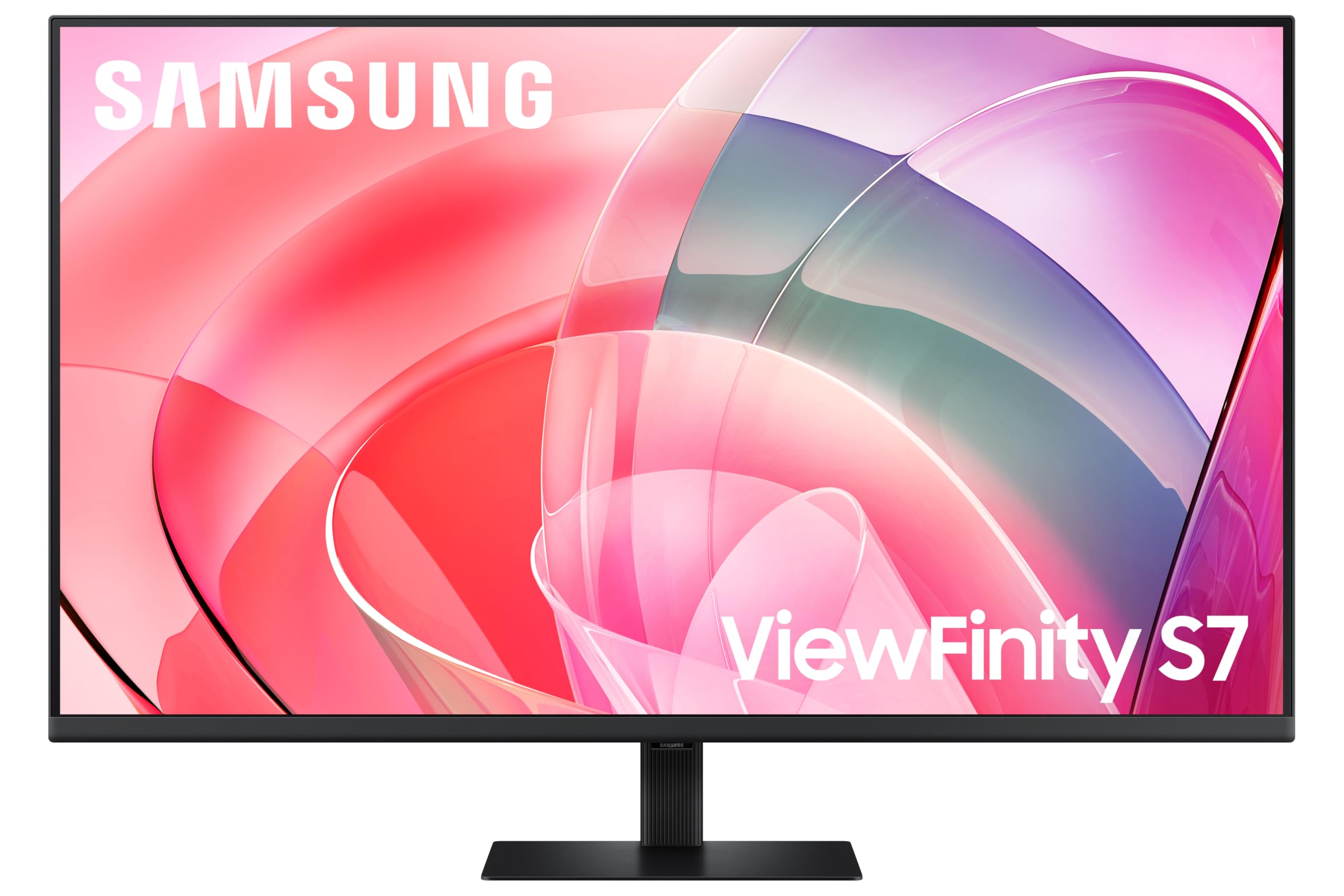 8.0 / 10
Samsung LS37D702EAUXXU 37" 4K Viewfinity Monitor - 3840 x 2160, Ultra HD, HDMI, Displayport
£329.00 · Samsung
Frequently asked
5 questions01Is the Gawfolk 44.5 Inch Dual QHD Curved Gaming Monitor, 200Hz, 5120x1440 Super Ultra-Wide, 1500R, Height Adjustable Stand, RGB Backlight, 2x DP 1.4, 2x HDMI 2.1, PBP/PIP good for gaming?+
Yes, for most gaming use cases. The 200Hz refresh rate and 5120x1440 resolution make it well-suited to immersive single-player gaming, racing sims, strategy titles, and open-world games. The 32:9 aspect ratio delivers a genuinely wide field of view in supported titles. For competitive FPS gaming, note that not all games properly support 32:9 without black bars, and the panel's response time specs aren't explicitly published, so it's not optimised purely for esports speed. The four video inputs (2x HDMI 2.1, 2x DP 1.4) and PBP mode also make it practical for PC-plus-console gaming setups.
02Does the Gawfolk 44.5 Inch Dual QHD Curved Gaming Monitor, 200Hz, 5120x1440 Super Ultra-Wide, 1500R, Height Adjustable Stand, RGB Backlight, 2x DP 1.4, 2x HDMI 2.1, PBP/PIP have good HDR?+
The monitor supports HDR10 signal input, but no specific VESA DisplayHDR certification tier or peak brightness figure is published in the product listing. This means HDR is likely functional (it will accept and display HDR signals) but may not deliver the dramatic visual improvement you'd expect from a DisplayHDR 600 or 1000 certified panel with local dimming. Treat HDR as a supplementary feature rather than a headline capability on this monitor. If HDR performance is a priority, look at Mini-LED monitors with confirmed DisplayHDR 600 or higher certification.
03Is the Gawfolk 44.5 Inch Dual QHD Curved Gaming Monitor, 200Hz, 5120x1440 Super Ultra-Wide, 1500R, Height Adjustable Stand, RGB Backlight, 2x DP 1.4, 2x HDMI 2.1, PBP/PIP good for content creation?+
With reservations. The monitor doesn't publish sRGB or DCI-P3 coverage percentages, Delta-E figures, or factory calibration data. Owner reviews describe vivid, punchy colours out of the box, which is good for gaming and media consumption but doesn't confirm the accuracy needed for colour-critical work like photo editing or video grading. If colour accuracy is important to your workflow, look for monitors with published and verified colour coverage figures. For general productivity use (documents, spreadsheets, coding, web browsing), the wide 32:9 format is genuinely useful and the display quality is more than adequate.
04What graphics card do I need for the Gawfolk 44.5 Inch Dual QHD Curved Gaming Monitor, 200Hz, 5120x1440 Super Ultra-Wide, 1500R, Height Adjustable Stand, RGB Backlight, 2x DP 1.4, 2x HDMI 2.1, PBP/PIP?+
5120x1440 at 200Hz is demanding. To meaningfully approach 200fps in modern AAA titles at this resolution, you'd want an RTX 4080 or RX 7900 XTX at minimum. For a more realistic target of 100 to 144fps in demanding games (where VRR smooths the experience), an RTX 4070 Ti or RX 7900 GRE is a sensible pairing. Mid-range GPUs like the RTX 4060 Ti or RX 7700 XT will run the monitor fine but will typically deliver 60 to 100fps in demanding titles at this resolution, so you'll be relying on VRR rather than hitting the 200Hz ceiling. For esports titles (Valorant, CS2, Fortnite), even mid-range cards can push high framerates at this resolution.
05What warranty and returns apply to the Gawfolk 44.5 Inch Dual QHD Curved Gaming Monitor, 200Hz, 5120x1440 Super Ultra-Wide, 1500R, Height Adjustable Stand, RGB Backlight, 2x DP 1.4, 2x HDMI 2.1, PBP/PIP?+
The product listing doesn't specify a manufacturer warranty period. When purchasing through Amazon UK, you're covered by Amazon's standard 30-day returns policy and the Amazon A-to-Z Guarantee, which provides protection if the item arrives damaged or not as described. For warranty terms beyond the Amazon returns window, contact Gawfolk directly via the seller contact options on the product page before purchasing.