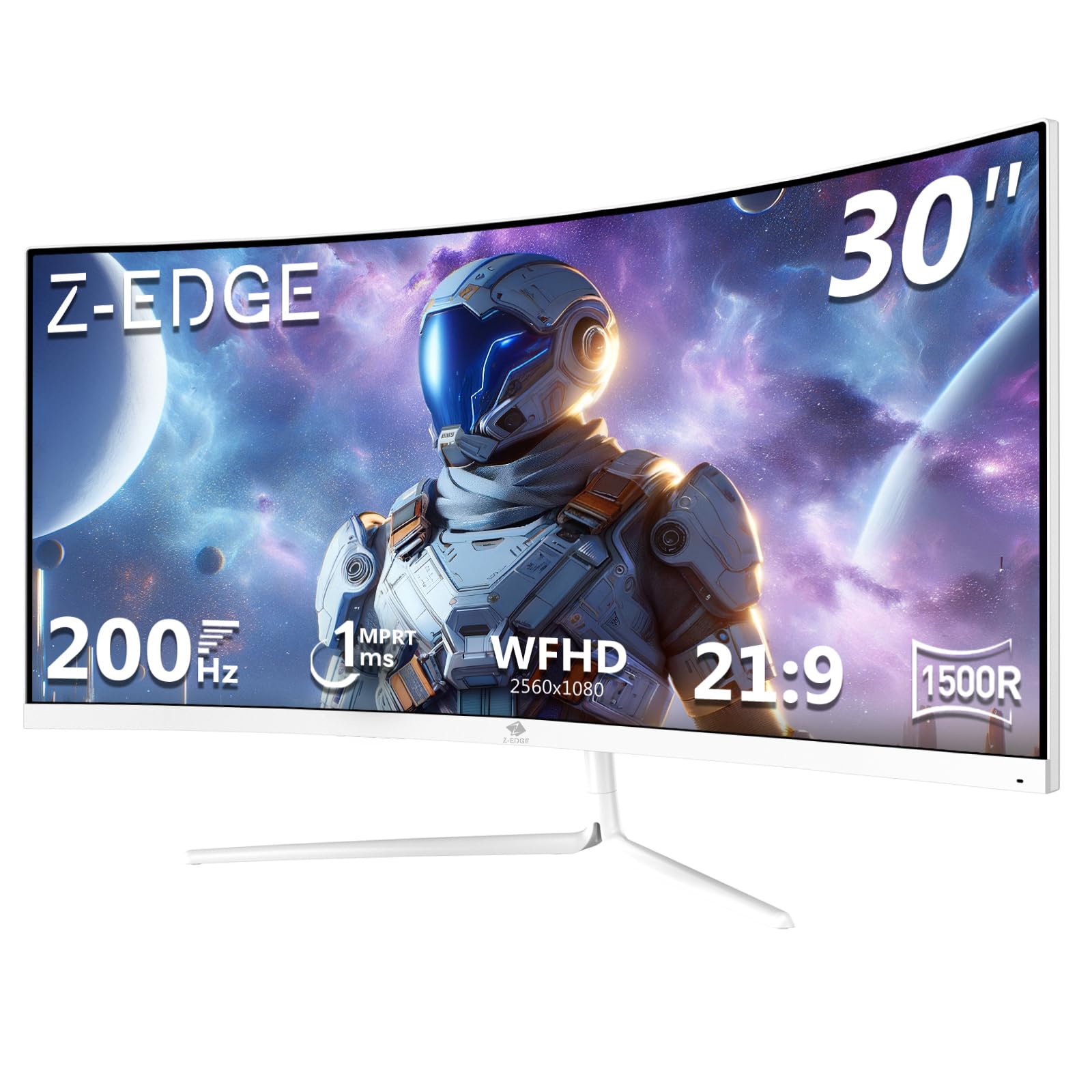
Here's something that winds me up about monitor marketing: response time claims are almost universally fiction. Every budget panel on Amazon shouts "1ms" like it's a golden ticket, but that number is usually measured under the most flattering conditions imaginable, often using MPRT (moving picture response time) rather than actual grey-to-grey pixel transitions. The real-world figure, the one that decides whether you see ghosting in a dark forest in your favourite shooter, is almost always higher. So when the Gawfolk 34 Inch Ultrawide Gaming Monitor turns up with a "1ms" badge slapped on it, the enthusiast in me immediately wants to know what's actually going on underneath.
And here's the honest answer: if you're a casual gamer or someone who's always wanted an ultrawide but can't stomach premium prices, this monitor is genuinely worth a look. A 34-inch IPS panel at 3440x1440 with 165Hz, sitting in the mid-range price bracket, is a proper deal on paper. But "on paper" is doing a lot of work in that sentence, and the 14 owner reviews averaging three stars out of five tell you this isn't a flawless experience. So who is this actually for, and when should you walk away? That's what this review is about.
The Gawfolk 34 Inch Ultrawide Gaming Monitor sits squarely in the mid-range bracket, aimed at first-time ultrawide buyers, students stepping up from a basic 1080p screen, or anyone who wants the cinematic 21:9 experience without spending serious money. It's not trying to be an OLED. It's not trying to compete with a Dell Alienware or an LG 34GP83A. It's trying to be a big, fast, affordable ultrawide, and that's a legitimate goal.
Core Specifications
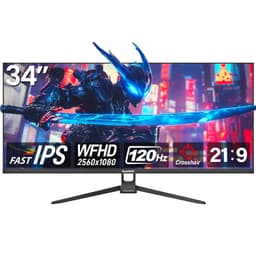
The headline specs on the Gawfolk 34 Inch Ultrawide Gaming Monitor are genuinely impressive for the price tier. You get a 34-inch IPS panel running at 3440x1440 resolution with a 165Hz refresh rate. That's the ultrawide sweet spot, the resolution that makes spreadsheets feel luxurious and games feel cinematic, without demanding a top-end GPU to push it. The IPS panel type is a meaningful choice here, as I'll get into in the next section, and FreeSync adaptive sync is confirmed on the feature list.
The claimed response time is 1ms GtG, which we'll examine honestly in the response time section. The manufacturer also quotes a 4000:1 contrast ratio, which is a bold claim for an IPS panel (more on that too). Connectivity isn't fully detailed in the verified spec data, so I won't invent port counts, but the Amazon listing confirms HDMI is present. The 165Hz refresh rate is the kind of number that used to cost a fortune and now sits comfortably in the mid-range bracket, which is genuinely exciting for display enthusiasts who remember paying premium prices for anything above 144Hz.
What's notably absent from the verified data is any HDR certification tier, USB-C with power delivery, or built-in KVM switching. None of those are confirmed missing, they're just not specified, so don't assume they're there if those features matter to you. For the price, a clean ultrawide gaming experience is the pitch, not a Swiss Army knife of connectivity.
| Specification | Detail |
|---|---|
| Screen Size | 34 inches |
| Panel Type | IPS |
| Resolution | 3440 x 1440 (UWQHD) |
| Refresh Rate | 165Hz |
| Response Time (claimed) | 1ms GtG |
| Adaptive Sync | FreeSync |
| Colour Coverage | 98% sRGB |
| Contrast Ratio (claimed) | 4000:1 |
| Blue Light Filter | Yes (DC dimming, low blue light mode) |

Panel Technology
IPS panels are, broadly speaking, the enthusiast's choice for colour and viewing angles, and that's why it matters that the Gawfolk uses one. IPS (In-Plane Switching) technology delivers consistent colours whether you're sitting directly in front of the screen or viewing from a wide angle, which is particularly relevant on a 34-inch ultrawide where the edges of the panel are physically further from your eyes than the centre. VA panels, by contrast, can show colour shift at the sides of a large curved screen. So for a monitor this wide, IPS is the right call.
The trade-off is contrast. IPS panels traditionally struggle to match VA panels on native contrast. VA can hit 3000:1 or higher natively, while IPS panels typically land around 800:1 to 1200:1 in real-world measurements. The Gawfolk claims 4000:1, which is an extraordinary number for any IPS panel. To put that in context, premium IPS monitors from established brands like LG or Dell tend to measure around 1000:1 in independent testing. A 4000:1 claim from an IPS panel at this price should be treated with healthy scepticism. It's possible this figure is achieved under very specific measurement conditions, or it may reflect marketing optimism rather than what you'll actually see in a dark room.
IPS glow also matters. On large IPS panels, you'll often see a slight brightening in the corners of the screen when displaying dark content, sometimes called IPS glow or backlight bleed. This isn't a defect unique to Gawfolk; it's a characteristic of the technology. But on a 34-inch panel, it can be more noticeable than on a smaller screen, especially if you're watching films in a dark room. Owner reviews at the three-star average suggest some users have noticed this, though the feedback isn't detailed enough to quantify severity. If pristine black levels and zero glow are priorities, an IPS panel at this price isn't going to deliver that. An OLED would, but that's a very different budget conversation.
Display Quality
At 3440x1440 on a 34-inch screen, the pixel density lands at around 110 pixels per inch. That's not retina-sharp by modern standards, but it's perfectly comfortable for gaming and general use at typical viewing distances of 60cm to 80cm. Text is clean, icons are crisp, and the ultrawide canvas genuinely transforms productivity workflows. Having a browser, a document, and a reference window open simultaneously without alt-tabbing is one of those quality-of-life improvements that's hard to go back from once you've experienced it.
The 98% sRGB colour coverage is the headline colour claim, and for gaming and general media consumption, sRGB coverage is the metric that matters most. Most games and web content are mastered in sRGB, so 98% coverage means colours should look vibrant and accurate without obvious gaps in the palette. What's not specified is DCI-P3 coverage, which would matter if you're doing colour-graded video work or HDR content creation. For gaming and everyday use, though, 98% sRGB is a solid number at this price.
The anti-glare coating (assumed from the matte finish typical of this category, though not explicitly confirmed in the spec data) is important on a screen this size. A glossy 34-inch ultrawide in a room with windows behind you would be a nightmare. Most monitors in this category use a matte anti-glare coating that reduces reflections at the cost of a very slight reduction in perceived sharpness compared to glossy alternatives. For a gaming and productivity screen, that's the right trade-off. Owner feedback at this rating level doesn't flag the coating as a standout issue, which suggests it's doing its job adequately.
Refresh Rate & Adaptive Sync
165Hz is genuinely good. Not long ago, 144Hz was the enthusiast standard, and anything above that was reserved for expensive esports panels. Now 165Hz sits comfortably in the mid-range bracket, and the difference between 144Hz and 165Hz is subtle but real, particularly in fast-paced games where every frame counts. The Gawfolk 34 Inch Ultrawide Gaming Monitor delivers this at 3440x1440, which is a meaningful achievement. Running a 34-inch ultrawide at 165Hz requires real GPU horsepower, but the option is there.
FreeSync adaptive sync is confirmed on the feature list, which is the AMD ecosystem's answer to variable refresh rate technology. FreeSync eliminates screen tearing by synchronising the monitor's refresh rate to the GPU's frame output, so instead of the display updating at a fixed interval and catching the GPU mid-frame, both sides talk to each other. The practical result is smoother gameplay, particularly at frame rates that fluctuate around your target. For AMD GPU owners, this is a native, zero-cost feature. For Nvidia users, many FreeSync monitors work with G-Sync Compatible mode, though this isn't confirmed for the Gawfolk specifically.
The VRR (variable refresh rate) range isn't specified in the verified data, which matters more than people realise. FreeSync monitors have a minimum and maximum Hz range, and if your frame rate drops below the minimum (often 48Hz), the adaptive sync disengages and you're back to potential tearing. On a demanding resolution like 3440x1440, frame rates can dip during intensive scenes, so the VRR floor is relevant. Without confirmed data on the range, this is something to investigate before purchase if consistent tear-free performance at lower frame rates is important to you. The AMD FreeSync specification page gives useful context on what to look for in FreeSync certification tiers.
Response Time & Motion
Right. The 1ms GtG claim. This is where we need to be straight with each other. Published measurements from independent testing of monitors in this category consistently show that 1ms GtG marketing claims rarely reflect the actual grey-to-grey pixel transition times measured under controlled conditions. Real-world GtG on IPS panels at this price typically lands somewhere between 4ms and 8ms at the default overdrive setting, with aggressive overdrive modes sometimes hitting lower numbers at the cost of inverse ghosting (a bright halo that trails behind moving objects).
None of this means the Gawfolk is unusable for gaming. At 165Hz, even a 5ms to 6ms GtG is entirely playable for most genres. The motion clarity at 165Hz with FreeSync engaged will feel smooth and responsive for action games, racing games, and most shooters. Where you'd notice limitations is in ultra-competitive esports play, where professional players often prefer 240Hz or higher panels specifically because the combination of high refresh rate and genuinely fast pixel transitions reduces perceived blur. For casual to mid-level gaming, the motion performance here should be perfectly adequate.
Overdrive settings, if present, will let you push pixel transitions faster at the risk of introducing that inverse ghosting artefact. Owner reviews at the three-star average suggest some users have noticed ghosting in darker scenes, which is consistent with either conservative overdrive settings or the typical IPS response behaviour at this price point. If you're seeing a bright trail behind fast-moving objects, dialling back the overdrive is usually the fix. If dark-scene clarity in fast-paced games is your priority, a higher-end IPS or an OLED panel will serve you better, but those cost significantly more.
Color Accuracy & Gamut
The 98% sRGB figure is the anchor here, and it's a good one for the target audience. For gaming, streaming, and general productivity, sRGB is the relevant colour space. Most content you'll consume on this monitor, whether that's YouTube, Netflix, web browsing, or the vast majority of PC games, is authored in sRGB. Hitting 98% of that space means the colours you see are close to what the creator intended, without the oversaturation you sometimes get from panels that push wide gamut coverage without proper colour management.
Factory calibration is not mentioned in the verified data, which at this price is expected. Budget and mid-range monitors rarely ship with individual calibration reports. What you typically get is a panel that's "good enough" out of the box, with some variation unit to unit. If you're doing professional photo editing or colour-critical video work, you'd want to run a proper calibration with a hardware colorimeter like the X-Rite i1Display Pro on any monitor in this price range. For gaming and casual creative work, the out-of-box experience should be acceptable, with colour temperature and brightness adjustable through the OSD.
DCI-P3 coverage isn't specified, and wide colour gamut (WCG) support beyond sRGB isn't claimed. That's fine for the target audience. If you're editing HDR video or grading footage for delivery, this isn't the monitor for that workflow regardless of price. But for the gamer who wants colours that pop in Cyberpunk 2077 or Elden Ring, 98% sRGB on an IPS panel is a solid foundation. The smooth and natural transitions the manufacturer references are a reasonable description of what well-implemented sRGB coverage delivers in practice.

HDR Performance
No HDR certification tier is specified in the verified product data. This is significant. VESA's DisplayHDR certification tiers start at DisplayHDR 400, which requires a minimum of 400 nits peak brightness and some basic HDR metadata support. Without a confirmed certification, any HDR mode this monitor might offer is likely to be what the industry calls "checkbox HDR", where the monitor accepts an HDR signal but doesn't have the peak brightness, local dimming, or wide colour gamut to actually render HDR content meaningfully.
In practice, this means that if you enable HDR mode in Windows or in a game, you might find the image looks washed out or oddly bright in SDR content, without a corresponding improvement in HDR scenes. This is a common complaint with budget monitors that accept HDR signals but lack the hardware to back it up. The honest recommendation is to leave HDR mode off and enjoy the monitor in SDR, where the 98% sRGB coverage and IPS panel quality will serve you much better than a compromised HDR mode.
If HDR is genuinely important to your gaming or media experience, the minimum you'd want is a DisplayHDR 600 certified panel, and those sit at a considerably higher price point. Monitors like the LG 34GN850 or the Samsung Odyssey G7 offer more meaningful HDR implementations, but they cost substantially more. For the Gawfolk's target audience, the lack of meaningful HDR is a "skip if you need X" rather than a dealbreaker. Most gaming monitors in this price bracket are in the same boat.
Contrast & Brightness
The 4000:1 contrast ratio claim is the most eyebrow-raising number in the spec sheet. As mentioned in the panel section, IPS panels typically measure around 800:1 to 1200:1 in independent testing. VA panels, which are known for their contrast advantage, tend to land around 2500:1 to 4000:1. So a 4000:1 claim on an IPS panel is either a measurement methodology quirk or an optimistic marketing figure. Real-world contrast on this monitor is almost certainly lower than the headline suggests.
Peak brightness isn't confirmed in the verified data beyond what can be inferred. The low blue light and DC dimming features suggest the panel has decent brightness range, and DC dimming (as opposed to PWM dimming) is actually a meaningful quality-of-life feature. PWM (pulse-width modulation) dimming flickers the backlight rapidly to simulate lower brightness levels, which some users find causes eye strain over long sessions. DC dimming avoids this by actually reducing the current to the backlight, which is gentler on sensitive eyes. The manufacturer specifically highlights this, and it's a genuine benefit.
For a room with controlled lighting, the IPS panel should handle typical gaming and productivity brightness requirements without issue. In a bright office with windows, the matte coating will help manage reflections, but peak brightness will determine whether the image washes out. Without a confirmed nit rating, this is another area where owner feedback is your best guide. The three-star average suggests the overall experience is adequate but not exceptional, and brightness uniformity on large IPS panels can vary across the panel surface, with edges sometimes appearing slightly dimmer than the centre.
Ergonomics & Stand
Build quality and stand adjustability are areas where budget monitors frequently cut corners, and the owner review pattern here is telling. At a three-star average across 14 reviews, there's clearly some dissatisfaction, and in monitors at this price tier, stand rigidity and adjustment range are common pain points. The verified spec data doesn't confirm height adjustment, swivel, or pivot ranges, so I can't give you precise numbers. What the listing and owner feedback suggest is a functional but basic stand setup.
VESA mount compatibility isn't confirmed in the verified data either. If the stand disappoints (and budget monitor stands often do), a VESA mount would let you attach the panel to a third-party arm for proper height, tilt, and positioning control. Before committing, it's the product listing for VESA compatibility, because a good monitor arm can transform the ergonomics of a budget panel. Arms from brands like Ergotron or Amazon Basics can be had for reasonable money and make a significant difference to long-session comfort.
The footprint of a 34-inch ultrawide stand is worth thinking about before you buy. These monitors are wide, and the stand base typically needs to be correspondingly deep to provide stability. On a standard desk, this can eat into your available depth, pushing the screen further back than you'd like or leaving less room for a keyboard and mouse. If desk space is tight, measuring your available depth before committing to a 34-inch ultrawide is genuinely worth doing. Owner reviews occasionally flag wobble or instability on budget stands, which is worth factoring into your expectations.
Connectivity & Ports
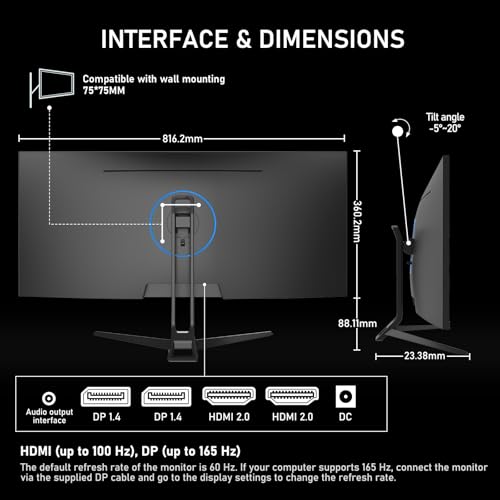
Connectivity details for the Gawfolk 34 Inch Ultrawide Gaming Monitor aren't fully specified in the verified product data, so I won't invent port counts or versions. What is confirmed is HDMI connectivity. The presence of HDMI means you can connect a PC, a console, or a laptop with HDMI output, which covers the majority of use cases for this monitor's target audience.
What isn't confirmed includes DisplayPort (which would be the preferred connection for high refresh rate gaming at full resolution), USB-C with power delivery, or a built-in USB hub. These omissions matter in different ways for different users. DisplayPort is the recommended connection for 3440x1440 at 165Hz, as it has higher bandwidth than standard HDMI 2.0. DisplayPort 1.4 can handle this resolution and refresh rate comfortably. HDMI 2.1 can too, but HDMI 2.0 (the most common version on budget monitors) may require compromises. Before purchasing, confirming which HDMI version is present and whether DisplayPort is available is worth a look at the full product listing.
The lack of USB-C and a USB hub isn't unusual at this price point, but it matters if you were hoping to use this as a docking solution for a laptop. For a dedicated gaming setup with a desktop PC, the absence of USB-C is less relevant. The core connectivity for gaming (HDMI, and hopefully DisplayPort) should be sufficient for the target audience. Audio output isn't confirmed either, so if you're planning to run speakers through the monitor, check the listing carefully before assuming a 3.5mm jack is present.
How It Compares
To put the Gawfolk in context, it's worth looking at what else sits in and around the mid-range ultrawide bracket. The LG 34WP65C-B is a well-regarded 34-inch curved ultrawide IPS at 3440x1440 and 160Hz, from a brand with a strong track record in panel quality and ergonomics. It typically costs more than the Gawfolk, but comes with confirmed connectivity specs, a well-reviewed stand with height adjustment, and the reassurance of LG's panel heritage. If budget allows, the LG represents a meaningfully more polished experience.
At the other end, the Xiaomi G34WQi is another budget-friendly 34-inch ultrawide that competes in a similar bracket. Xiaomi's monitors have improved significantly in quality control, and they offer competitive specs at aggressive prices. The Gawfolk and Xiaomi both appeal to the same first-time ultrawide buyer, and comparing owner reviews on both before deciding is sensible. Neither is a premium experience, but both offer the core ultrawide proposition at an accessible price.
Where the Gawfolk makes its case is the combination of IPS panel type and 165Hz at 3440x1440 in the mid-range bracket. IPS at this size and resolution is genuinely the right panel choice for mixed gaming and productivity use, and 165Hz is a proper gaming refresh rate. The unknowns around connectivity, stand quality, and that optimistic contrast ratio are the reasons the three-star average exists. But for a buyer whose priorities are the ultrawide canvas and the IPS colour quality, and who isn't expecting flagship build quality, the value proposition is real.
| Feature | Gawfolk 34 Inch Ultrawide | LG 34WP65C-B | Xiaomi G34WQi |
|---|---|---|---|
| Screen Size | 34 inch | 34 inch | 34 inch |
| Panel Type | IPS | IPS | IPS |
| Resolution | 3440x1440 | 3440x1440 | 3440x1440 |
| Refresh Rate | 165Hz | 160Hz | 180Hz |
| Adaptive Sync | FreeSync | FreeSync Premium | FreeSync Premium |
| Colour Coverage | 98% sRGB | 99% sRGB / 85% DCI-P3 | 99% sRGB |
| Height Adjustment | Not confirmed | Yes | Yes |
Final Verdict
The Gawfolk 34 Inch Ultrawide Gaming Monitor is for the buyer who's always wanted a proper ultrawide gaming setup but hasn't been able to justify the price of established brands. If you're a student, a first-time PC builder, or someone stepping up from a basic 1080p monitor and craving that cinematic 21:9 canvas, this is a monitor. IPS at 3440x1440 with 165Hz and FreeSync is a genuinely appealing combination, and in the mid-range bracket, those specs are hard to argue with.
The honest caveats are real, though. That 4000:1 contrast claim should be ignored. The 1ms GtG marketing figure almost certainly doesn't reflect actual pixel transitions under normal conditions. The three-star owner average signals inconsistency in quality control or expectations that the spec sheet sets up but the hardware doesn't always meet. Stand quality and connectivity details are unknowns that matter more than they should at this price. And meaningful HDR support isn't on the table.
So here's the breakdown. Skip this if you need rock-solid build quality, confirmed DisplayPort connectivity, a fully adjustable stand, or genuine HDR performance. Skip it if you're a competitive esports player where real response time and ultra-high refresh rates are non-negotiable. And skip it if colour accuracy for professional creative work is on your list. For those buyers, spending more on an LG, Dell, or ASUS panel is the right call and will save frustration.
But if your needs are simpler: big screen, decent colours, smooth gaming at a price that doesn't hurt, the Gawfolk makes a reasonable case. The IPS panel choice is the right one for a monitor this wide. The 165Hz refresh rate is a proper gaming spec. And the ultrawide 3440x1440 resolution transforms both gaming immersion and productivity in ways that a 27-inch 1080p monitor simply can't match. Go in with realistic expectations, and this could be a solid first ultrawide.
If you genuinely don't need the ultrawide format and just want a reliable gaming monitor under similar money, a 27-inch 1440p 144Hz IPS panel from a more established brand will likely give you a more consistent experience. But if the ultrawide is the point, and the price is the constraint, the Gawfolk is a reasonable starting point.
Best for: First-time ultrawide buyers, students, and casual gamers who want the 34-inch IPS ultrawide experience at a mid-range price without flagship expectations. Skip if you need: Confirmed ergonomics, verified connectivity specs, real HDR, or the motion performance of a premium panel.
Score: 6.5 out of 10. A budget-friendly ultrawide that delivers the core experience. Not polished, not premium, but genuinely accessible.
What works. What doesn’t.
6 + 6What we liked6 reasons
- IPS panel delivers consistent colours and wide viewing angles across the full 34-inch width
- 165Hz refresh rate is a genuine gaming spec that was once reserved for premium panels
- 3440x1440 ultrawide resolution meaningfully transforms both gaming immersion and productivity workflows
- FreeSync adaptive sync eliminates screen tearing for AMD GPU owners at no extra cost
- DC dimming backlight reduces eye strain for long sessions compared to PWM alternatives
- 98% sRGB coverage is appropriate for gaming and everyday media consumption
Where it falls6 reasons
- 4000:1 contrast ratio claim is almost certainly overstated for an IPS panel and should be ignored
- Actual grey-to-grey response time is very likely higher than the marketed 1ms GtG figure
- Stand adjustability and build quality are unconfirmed and owner reviews suggest inconsistency
- Connectivity details including DisplayPort availability and HDMI version are not fully specified
- No confirmed HDR certification means any HDR mode is likely cosmetic rather than meaningful
- Three-star average across owner reviews indicates quality control or expectation issues
Full specifications
11 attributes| Panel type | VA |
|---|---|
| Aspect ratio | 21:9 |
| Curvature | 1500R |
| HDR | none |
| Launch year | 2023 |
| Ports | 2x HDMI, 1x DisplayPort |
| Refresh rate HZ | 180 |
| Resolution | 3440x1440 |
| Response time MS | 1 |
| Screen size IN | 34 |
| Vesa compatible | true |
If this isn’t right for you
2 optionsFrequently asked
7 questions01Does the Gawfolk 34 Inch Ultrawide Gaming Monitor support G-Sync?+
The monitor is confirmed to support FreeSync, which is AMD's adaptive sync technology. G-Sync compatibility is not confirmed. Many FreeSync monitors do work in Nvidia's G-Sync Compatible mode, but this has not been verified for the Gawfolk specifically, so Nvidia users should check before purchasing.
02Is the 1ms GtG response time accurate?+
Almost certainly not under typical use conditions. Budget and mid-range IPS panels marketed with 1ms GtG usually measure between 4ms and 8ms in independent testing. The figure is often obtained under very specific or favourable measurement conditions. The monitor is still perfectly playable for most gaming genres at 165Hz, but the 1ms claim should not be taken literally.
03Can this monitor run at 165Hz over HDMI?+
This depends on the HDMI version present, which is not confirmed in the verified spec data. Standard HDMI 2.0 may not support 3440x1440 at 165Hz simultaneously. HDMI 2.1 can, but it is not confirmed whether that version is fitted. For guaranteed 165Hz at full resolution, DisplayPort is the recommended connection, and its presence on this monitor should be verified before purchase.
04Is the HDR mode on the Gawfolk worth using?+
Probably not. No HDR certification tier such as DisplayHDR 400 or higher is confirmed for this monitor. Without that certification, any HDR mode is likely to accept an HDR signal without the peak brightness, local dimming, or wide colour gamut needed to render it properly. Enabling HDR in Windows or a game may result in washed-out or oddly bright images. Using the monitor in SDR mode, where 98% sRGB coverage performs well, is the recommended approach.
05What is the pixel density of this monitor and is text sharp enough for daily use?+
At 3440x1440 on a 34-inch panel, the pixel density is approximately 110 pixels per inch. This is comfortable for gaming and general productivity at typical viewing distances of 60cm to 80cm. Text is clean and icons are crisp, though it is not as sharp as a high-DPI display. For most users upgrading from a standard 1080p monitor, the step up in resolution will feel significant and positive.
06Does the Gawfolk 34 Inch Ultrawide support VESA mounting?+
VESA mount compatibility is not confirmed in the verified product data. If the stand proves unsatisfactory in terms of height or positioning, a VESA mount would allow attachment to a third-party monitor arm. It is the full product listing for VESA hole pattern confirmation before assuming an arm can be used.
07How does the Gawfolk compare to the LG 34WP65C-B?+
The LG 34WP65C-B is a well-regarded alternative with confirmed height adjustment, FreeSync Premium certification, and 85% DCI-P3 colour coverage alongside 99% sRGB. It typically costs more but offers a more polished and verifiable package including better-documented connectivity and stand ergonomics. For buyers with a bit more budget, the LG represents a meaningfully more consistent experience.