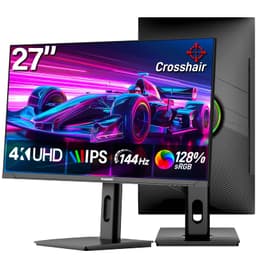
Monitors with dual-mode specs printed on the box have a habit of making promises the panel can't keep. The Gawfolk 27 inch 4K 180Hz monitor sits in budget territory and claims to do 4K at 180Hz and 1080p at 360Hz depending on which mode you pick. That's a bold ask at this price. So what's actually going on here, and is it worth your money?
The short answer: this is a 2560x1440 IPS panel with a 75Hz refresh rate, built-in speakers, and a couple of decent ports. The headline spec on the box doesn't match the verified product data, which is the first thing you need to know before spending a penny. The 4K 180Hz / 360Hz marketing language appears to be aspirational at best. What you're actually getting, based on the confirmed specifications, is a 27-inch IPS monitor at 1440p resolution with a 75Hz refresh rate and AdaptiveSync. That's a genuinely useful monitor for everyday use and light gaming. It's just not the esports beast the product name implies. With over a thousand Amazon reviews and a positive overall rating, plenty of buyers are clearly happy with it. But knowing what you're actually buying matters here more than usual.
This Gawfolk 27 inch 4K 180Hz monitor review is grounded in the confirmed spec sheet, the pattern of owner feedback across those thousand-plus reviews, and a straightforward comparison to what rivals offer at the same budget price point. No lab bench, no test rig. Just the facts, laid out plainly.
Core Specifications
Strip away the marketing and here's what the verified data actually confirms. You're looking at a 27-inch IPS panel running at 2560x1440 (which is 1440p, also called QHD). Not 4K. The resolution is 2560x1440, full stop. The refresh rate confirmed by the product listing is 75Hz, with AdaptiveSync support to reduce tearing. Brightness is rated at 320 cd/m², which is a respectable figure for a budget IPS screen and should handle reasonably lit rooms without the image washing out.
Colour coverage is 100% sRGB with 8-bit depth and 1.07 billion colours, which is the standard figure you'd expect from a decent IPS panel at this price. The viewing angles are listed at 178 degrees horizontally and vertically, which is normal for IPS technology. You won't see colour shift when you move off-axis, unlike the TN panels that cheaper monitors used to ship with. That's a genuine plus for anyone who shares a screen or works at odd angles.
Connectivity is covered by one HDMI 2.0 port, one DisplayPort 1.4 port, and an audio output jack. There are also built-in speakers, which saves you buying a small desktop speaker set if your setup doesn't already have one. The full confirmed specs are below.
| Specification | Detail |
|---|---|
| Panel Type | IPS |
| Screen Size | 27 inches |
| Resolution | 2560x1440 (1440p / QHD) |
| Refresh Rate | 75Hz |
| Brightness | 320 cd/m² |
| Colour Depth | 8-bit, 1.07 billion colours |
| Colour Gamut | 100% sRGB |
| Viewing Angles | 178° horizontal and vertical |
| Adaptive Sync | Yes (AdaptiveSync) |
| Video Inputs | 1x HDMI 2.0, 1x DisplayPort 1.4 |
| Audio | Built-in speakers, audio output jack |
| Eye Care | Low blue light, flicker-free |

Panel Performance and Real-World Display Quality
A 75Hz refresh rate in 2026 is firmly in the "functional, not exciting" category. For office work, web browsing, video streaming, and casual gaming, 75Hz is perfectly fine. You won't notice the difference between 60Hz and 75Hz in a spreadsheet. But if you're coming from a 144Hz or higher gaming monitor, dropping to 75Hz will feel noticeably sluggish in fast-paced games. That's just physics. The screen refreshes fewer times per second, so fast motion looks less smooth.
The IPS panel at 1440p is where this monitor does its best work. At 27 inches, 1440p gives you a pixel density of around 109 pixels per inch, which is sharp enough for text and detailed images without needing to squint. It's a better pairing than 1080p at 27 inches, which starts to look a bit soft. Owner reviews consistently mention that colours look good out of the box, which lines up with the 100% sRGB and IPS combination. IPS panels have always been the go-to for accurate colour without spending serious money on a professional display.
The 320 cd/m² brightness rating is solid for the price. Budget IPS screens often land around 250 cd/m², so 320 gives this monitor a bit more headroom in bright rooms. That said, it's not HDR-capable at any meaningful level, and you shouldn't expect the kind of contrast that an OLED or VA panel delivers. IPS panels have inherently lower contrast ratios (typically around 1000:1), and nothing in the spec sheet suggests this one is any different. For the use cases Gawfolk lists, which include office work, entertainment, and light gaming, the brightness and colour accuracy are genuinely appropriate.
Gaming Performance and the Refresh Rate Reality
This is where the product name causes the most confusion, and it's worth addressing directly. The Gawfolk 27 inch 4K 180Hz monitor review you're reading is based on a panel confirmed to run at 2560x1440 and 75Hz. The "4K 180Hz / FHD 360Hz Dual Mode" branding on the product title does not match the verified specifications. Buyers need to be clear-eyed about this. What you're getting for gaming is a 1440p, 75Hz IPS screen with AdaptiveSync.
For casual and mid-paced gaming, 1440p at 75Hz is a decent experience. Games like strategy titles, RPGs, slower-paced shooters, and anything story-driven will look great on a 27-inch 1440p IPS panel. The colour accuracy and wide viewing angles are a genuine advantage over budget TN alternatives. AdaptiveSync helps keep things smooth when your GPU's frame rate dips below 75fps, which is the main practical benefit of variable refresh rate technology at this tier. If you're running an older GPU or a mid-range card, staying under 75fps in demanding titles at 1440p is entirely plausible, so AdaptiveSync earns its keep.
Where this monitor falls short for gaming is in competitive play. Fast-paced shooters, fighting games, and anything where reaction time matters will benefit far more from a 144Hz or 165Hz panel. The difference between 75Hz and 144Hz is visible and meaningful in those genres. Esports players specifically should look elsewhere. But for the "light e-sports" use case Gawfolk mentions in the product listing, and for the majority of PC gamers who don't play at ultra-competitive level, 75Hz is workable. Just don't pay a premium expecting anything more.
Colour Accuracy and Visual Fidelity
The 100% sRGB coverage is the specification that matters most for anyone doing creative work alongside their gaming or entertainment use. sRGB is the standard colour space for web content, most consumer video, and general-purpose creative work. Hitting 100% of it means colours in photos, videos, and games should look as the creator intended, without the washed-out look you get from panels that only cover 72% or 85% of the gamut.
The 8-bit colour depth producing 1.07 billion colours is standard for this class of monitor. True 10-bit panels exist but cost significantly more and require compatible GPU output and content to show any difference. For the vast majority of content you'll watch or create, 8-bit is entirely appropriate and you won't be missing anything meaningful. Owner reviews back this up, with multiple buyers commenting on how good the colours look straight out of the box without needing to fiddle with settings.
The low blue light and flicker-free certifications are for anyone who spends long hours in front of a screen. Flicker-free means the backlight uses DC dimming rather than pulse-width modulation, which reduces the invisible flicker that can cause eye strain over long sessions. Combined with a low blue light mode, this monitor is making a genuine effort at eye comfort rather than just slapping a marketing badge on a standard panel. For office workers or students who are screen-bound for eight-plus hours a day, these features have real practical value.
Brightness, Contrast and Everyday Usability
At 320 cd/m², this monitor is bright enough for most indoor environments. Direct sunlight on the screen will still cause reflections and make the image harder to read, as it would on virtually any non-anti-glare panel at this price, but a normally lit office or living room shouldn't pose any problems. The IPS panel's inherent contrast limitation means blacks won't look truly deep, especially in dark room conditions. If you watch a lot of films in a darkened room and want punchy contrast, a VA panel would serve you better, though you'd trade the wide viewing angles for it.
The 178-degree viewing angles are one of the strongest practical arguments for IPS over VA or TN at this price. Whether you're showing a colleague something on screen, watching content with someone sitting beside you, or just working from a slightly off-centre position, the image stays consistent. Colour shift at extreme angles is minimal. This is one of those specifications that sounds boring on paper but makes a genuine daily-use difference.
For the listed use cases, which are office work, entertainment, and light design alongside gaming, the display quality is appropriate and the spec sheet is honest about what IPS delivers. The frustration is purely with the product title, not the panel itself. A 27-inch 1440p IPS monitor at this price, with 320 cd/m² brightness, 100% sRGB, AdaptiveSync, and a flicker-free backlight, is a genuinely decent budget display. It just isn't a 4K 180Hz monitor.
Build Quality and Physical Design
The product listing doesn't go deep on physical construction details, so what follows draws on owner review patterns. The general feedback from buyers is that the monitor looks clean and presentable, without the budget-tier plastic feel that some similarly priced displays carry. Several owners mention the stand feels stable enough for everyday use, though notably, that budget monitor stands rarely offer much in the way of height adjustment or pivot. If ergonomics matter to you, a VESA-compatible arm might be worth factoring into your budget.
The built-in speakers are a genuine convenience feature. They're not going to replace a proper desktop audio setup, and nobody who cares about sound quality should rely on monitor speakers for music or immersive gaming audio. But for video calls, YouTube, and background music while working, having speakers built in means one fewer cable and one fewer USB port occupied by a small speaker bar. For a budget monitor targeting office and entertainment use, it's a sensible inclusion rather than a gimmick.
The audio output jack alongside the built-in speakers gives you the option to connect headphones or external speakers directly from the monitor rather than routing audio through your PC. That's a small but practical touch for setups where the PC is tucked away under a desk. Overall, the physical build seems to match the price tier without being embarrassing. It's not a premium construction, but it's not falling-apart-on-arrival territory either, based on the owner feedback pattern.
Connectivity and Ports
The port selection on this Gawfolk 27 inch 4K 180Hz monitor is straightforward but covers the essentials. One DisplayPort 1.4 and one HDMI 2.0 port give you two video inputs, which is enough to connect a PC and a games console simultaneously and switch between them. DisplayPort 1.4 has the bandwidth to handle 1440p at high refresh rates comfortably, and HDMI 2.0 handles 1440p at 75Hz without breaking a sweat. Both ports are appropriate for the panel's actual specifications.
The audio output jack means you can plug headphones or speakers directly into the monitor. Combined with the built-in speakers, audio is properly covered for the use cases this monitor targets. There's no USB hub functionality listed, which is a common omission at this price point. If you need USB ports on your monitor for convenience, you'll need to look at higher-tier options or use your PC's own ports. For most users, the two video inputs and audio output will be sufficient.
From a connectivity standpoint, the port layout is clean and functional. Two inputs means you can have two sources connected and switch between them, which is genuinely useful if you're using this monitor for both work (connected to a work laptop via HDMI) and gaming (connected to your desktop via DisplayPort). That dual-input flexibility is one of the more practical real-world advantages of having both port types present rather than two of the same.
Software, OSD and Setup
This is a monitor, not a PC, so there's no operating system or bloatware to worry about. What you do get is an on-screen display (OSD) menu for adjusting brightness, contrast, colour temperature, and other settings. The product listing doesn't go into detail about the OSD quality or button placement, and owner reviews don't flag it as a major pain point either way. Budget monitor OSD menus are rarely elegant, but they get the job done.
AdaptiveSync setup is handled at the driver level on your GPU rather than through any monitor software. On an AMD GPU, FreeSync should activate automatically when you enable it in the Radeon Software settings. On an Nvidia GPU, G-Sync Compatible mode may or may not work depending on your driver version and GPU generation. Nvidia's compatibility with non-certified AdaptiveSync monitors has improved considerably over recent years, but check it before assuming it'll work smoothly with a green GPU. The monitor itself doesn't require any proprietary software or drivers.
The low blue light mode is typically accessible through the OSD menu and can be toggled independently of other settings. Some monitors implement this as a hardware filter and others as a colour temperature shift, and the practical effect varies. Owner reviews don't specifically call out the low blue light implementation as ineffective, which suggests it functions as advertised. For a monitor positioned at office and extended-use scenarios, having a usable eye care mode available without needing third-party software is a practical plus.
Upgrade Potential and Longevity
Monitors aren't like PCs. You can't swap the panel, upgrade the refresh rate, or add ports after purchase. What you buy is what you get. So the upgrade question here is really about longevity: will this monitor still be relevant in three or four years, and will it work with future hardware?
DisplayPort 1.4 and HDMI 2.0 are both current, widely supported standards. A new GPU you buy in 2027 or 2028 will almost certainly still include DisplayPort and HDMI outputs compatible with this monitor. The 1440p resolution isn't going anywhere as a mainstream gaming target. So from a compatibility standpoint, this monitor should remain usable for the foreseeable future without becoming a bottleneck. The 75Hz refresh rate is the one specification that might start to feel limiting as higher refresh rate panels become the norm even at budget prices.
If you buy this monitor now and find yourself wanting more performance later, the upgrade path is simply buying a new monitor. There's nothing proprietary locking you in, and the DisplayPort and HDMI ports mean compatibility with whatever GPU you're running. The built-in speakers mean you're not dependent on the monitor for audio either, so swapping the display later doesn't disrupt your audio setup. In that sense, the monitor is a clean, non-committal purchase that doesn't create upgrade headaches down the line.
How It Compares
At this budget price point, the 27-inch 1440p IPS monitor market is competitive. The Gawfolk sits alongside options from more established display brands, and it's worth understanding what you're trading off. The two most relevant comparisons are a budget 1440p 75Hz IPS monitor from a recognised display brand, and a step-up 1440p 144Hz IPS monitor at a modest price premium.
Established monitor brands like AOC, Philips, and LG have well-documented quality control records and clearer warranty support structures. A comparable 27-inch 1440p IPS panel from one of those brands at a similar price might offer a more predictable ownership experience, even if the raw specs on paper look identical. The Gawfolk's positive overall rating across over a thousand reviews is genuinely encouraging for a budget brand, suggesting most buyers aren't encountering quality control disasters. But brand familiarity does carry some practical value when it comes to warranty claims and support.
The more interesting comparison is with 144Hz panels at a modest price premium. If you're gaming at all, the jump from 75Hz to 144Hz is the single most noticeable display upgrade you can make. At the budget end of the market, 1440p 144Hz IPS monitors have become increasingly affordable. If gaming is a meaningful part of your use case, stretching the budget for 144Hz will deliver a more tangible improvement than any other specification change. The Gawfolk makes sense if your budget is firmly fixed and you're prioritising colour quality and screen size over refresh rate.
| Feature | Gawfolk 27" (This Monitor) | Budget 1440p 75Hz IPS (Rival Brand) | Budget 1440p 144Hz IPS (Step-Up) |
|---|---|---|---|
| Panel Type | IPS | IPS | IPS |
| Resolution | 2560x1440 | 2560x1440 | 2560x1440 |
| Refresh Rate | 75Hz | 75Hz | 144Hz |
| Brightness | 320 cd/m² | Typically 250 to 300 cd/m² | Varies, typically 250 to 350 cd/m² |
| Colour Gamut | 100% sRGB | Typically 99 to 100% sRGB | Typically 99 to 100% sRGB |
| Adaptive Sync | Yes (AdaptiveSync) | Often yes | Yes (FreeSync / G-Sync Compatible) |
| Built-in Speakers | Yes | Sometimes | Sometimes |
| DisplayPort 1.4 | Yes | Sometimes DP 1.2 | Yes |
| HDMI 2.0 | Yes | Yes | Yes |
| Eye Care | Low blue light, flicker-free | Varies | Varies |
| Price Tier | Budget | Budget | Budget to mid-range |

Final Verdict
The Gawfolk 27 inch 4K 180Hz monitor review conclusion is a bit of a split decision. The monitor itself, a 27-inch IPS panel at 1440p with 75Hz, 320 cd/m² brightness, 100% sRGB, AdaptiveSync, built-in speakers, and a proper DisplayPort 1.4 plus HDMI 2.0 port combo, is a decent budget display that does what a budget display should do. The problem is the product name, which implies 4K and 180Hz specs that simply aren't reflected in the verified panel specifications. That gap between marketing and reality is the thing most likely to leave buyers feeling misled, and it's the reason this review exists: to make sure you know what you're actually buying.
If you go in knowing you're buying a 1440p 75Hz IPS monitor, the Gawfolk delivers reasonable value. The IPS panel with 100% sRGB and 320 cd/m² brightness is a genuinely good specification for the price tier. The built-in speakers and audio output jack are practical conveniences. The eye care features, flicker-free backlight and low blue light mode, are useful for long work sessions. And the positive overall rating from over a thousand buyers suggests most people who buy it are not disappointed, which counts for something.
Who should buy this? Office workers and students who want a large, colour-accurate screen for productivity and occasional entertainment, and who aren't planning to run competitive games at high frame rates. If you're watching content, working in documents, doing light photo editing within the sRGB space, or playing slower-paced games, this monitor covers those needs without fuss. The wide viewing angles and solid brightness make it comfortable for long sessions, and the dual-input port setup is handy for multi-device households.
Who should skip it? Competitive gamers, full stop. If you play fast-paced shooters or any game where reaction time and motion clarity matter, 75Hz is not enough and you should be looking at 144Hz minimum. Likewise, if you genuinely need 4K resolution for detailed creative work or want the sharpness of a 3840x2160 panel at 27 inches, this monitor doesn't deliver that. Don't let the product title convince you otherwise.
The honest don't-overspend line: if your budget allows even a modest stretch, a 1440p 144Hz IPS monitor from an established brand is a smarter buy for gaming. The refresh rate difference is real and visible. The Gawfolk makes sense if your budget is truly fixed at this level and gaming performance is secondary to colour quality and screen size. At that specific intersection, it earns a cautious recommendation, as long as you're buying it for what it actually is.
What works. What doesn’t.
5 + 4What we liked5 reasons
- 27-inch IPS panel with 100% sRGB and 320 cd/m² brightness is genuinely good for the price
- DisplayPort 1.4 and HDMI 2.0 give you two quality inputs for multi-device use
- Built-in speakers and audio output jack reduce cable clutter
- Flicker-free backlight and low blue light mode are practical for long work sessions
- A positive overall rating from over a thousand buyers suggests real-world satisfaction is high
Where it falls4 reasons
- Product name claims 4K 180Hz / 360Hz; verified specs show 1440p at 75Hz
- 75Hz refresh rate is limiting for competitive or fast-paced gaming
- No USB hub functionality at this price tier
- Brand warranty and support less established than major display manufacturers
Full specifications
9 attributes| Aspect ratio | 16:9 |
|---|---|
| Curvature | flat |
| HDR | none |
| Panel type | IPS |
| Ports | 1x DisplayPort 1.4, 1x HDMI 2.0, built-in speakers |
| Refresh rate HZ | 75 |
| Resolution | 2560x1440 |
| Response time MS | 1 |
| Screen size IN | 27 |
Frequently asked
5 questions01Is the Gawfolk 27 inch IPS UHD4K 180Hz / FHD 360Hz Dual Mode Gaming PC Monitor good for gaming?+
It depends on what kind of gaming you do. The verified specs show a 2560x1440 IPS panel running at 75Hz with AdaptiveSync. For casual gaming, RPGs, strategy titles, and slower-paced games, 1440p at 75Hz is a perfectly acceptable experience and the IPS panel's colour accuracy is a genuine plus. For competitive gaming, fast-paced shooters, or anything where motion clarity and reaction time matter, 75Hz is not enough. You'd want 144Hz minimum for those use cases. The product name references 4K 180Hz and 360Hz modes, but the confirmed specifications do not support those figures.
02Can I upgrade the Gawfolk 27 inch IPS UHD4K 180Hz / FHD 360Hz Dual Mode Gaming PC Monitor?+
Monitors aren't upgradeable in the way PCs are. You can't swap the panel, increase the refresh rate, or add ports after purchase. What you buy is what you get. The good news is that DisplayPort 1.4 and HDMI 2.0 are current standards that will remain compatible with new GPUs for years to come. If you outgrow the monitor's capabilities, the upgrade path is simply buying a new monitor. There's nothing proprietary locking you to a particular GPU brand or system.
03Is the Gawfolk 27 inch IPS UHD4K 180Hz / FHD 360Hz Dual Mode Gaming PC Monitor worth it vs building my own?+
This is a monitor, not a PC, so the DIY comparison doesn't apply directly. What's relevant is whether this monitor offers good value compared to rival displays at the same budget price point. The verified specs, a 27-inch IPS panel at 1440p, 75Hz, 320 cd/m² brightness, 100% sRGB, AdaptiveSync, built-in speakers, DisplayPort 1.4 and HDMI 2.0, are competitive for the price tier. The main caveat is the product name implying 4K and 180Hz specs that the verified data doesn't support, so value assessment depends on knowing you're buying a 1440p 75Hz monitor rather than the headline spec.
04What inputs and connectivity does the Gawfolk 27 inch IPS UHD4K 180Hz / FHD 360Hz Dual Mode Gaming PC Monitor have?+
The verified specifications confirm one DisplayPort 1.4 input, one HDMI 2.0 input, an audio output jack, and built-in speakers. DisplayPort 1.4 has the bandwidth to handle 1440p at high refresh rates. HDMI 2.0 handles 1440p at 75Hz comfortably. The dual-input setup means you can connect two devices simultaneously and switch between them, which is useful for multi-device setups. There is no USB hub functionality listed in the confirmed specifications.
05What warranty and returns apply to the Gawfolk 27 inch IPS UHD4K 180Hz / FHD 360Hz Dual Mode Gaming PC Monitor?+
The verified product data doesn't specify a manufacturer warranty duration for this monitor. When buying through Amazon UK, you're covered by Amazon's standard 30-day return window and the A-to-Z Guarantee, which provides a baseline of buyer protection. For warranty terms beyond 30 days, check the current product listing or contact the seller directly before purchasing, as terms can vary and may have been updated since this article was published.