Here's a question worth asking before you spend anything on a mechanical keyboard: are you actually getting a better board, or just better marketing? Because the mid-range bracket is absolutely stuffed with keyboards that look the part in product photos and then disappoint you the moment you try to do anything serious with them. Cheap stabilisers that rattle, hollow cases that ping, switches that feel like dragging your fingers through gravel. You know the type.
The AULA F75 75% Wireless Mechanical Keyboard is pitching itself as something different. Tri-mode connectivity, hot-swap switches, a 4000mAh battery, five layers of sound dampening, and LEOBOG Graywood V3 switches that AULA are calling "creamy." Bold claims for a board sitting in the mid-range bracket. And with 183 owner reviews averaging ★★★★½ (4.6), there's enough real-world signal here to work with. So is this the one to get, or are there smarter options at this price? Verdict first: the F75 is genuinely one of the better-specced wireless 75% boards you can buy without crossing into custom territory. The switch choice is interesting, the build sounds legitimately good on paper, and the feature set punches above what competitors typically offer at this price point. But there are caveats, and we'll get into all of them.
The market context matters here. The 75% layout is having a proper moment right now. It keeps the arrow keys, ditches the numpad and most of the function row bloat, and gives you a compact footprint that doesn't feel like you've made a sacrifice. Boards like the Keychron K2 and the Nuphy Air75 have made this layout mainstream. The F75 is competing directly with both of those, and on raw spec, it makes a decent case for itself.
Core Specifications
The F75 is an 81-key 75% layout board, which gives you the essentials without the desk footprint of a full-size. You get your arrow cluster, a condensed function row, and a multi-function knob on the top right that handles both media control and RGB adjustment depending on which mode you're in. The layout is sensible and practical, nothing weird going on with key placement that would trip you up coming from a standard board.
Connectivity is tri-mode: Bluetooth 5.0, 2.4GHz wireless via USB dongle, and wired via USB-C. You can pair up to five devices simultaneously and switch between them using shortcut keys or a side button. The battery is a 4000mAh cell, which is a proper size for a keyboard, not the 1500mAh token effort you see on cheaper boards. The switches are LEOBOG Graywood V3 linears, the base supports both 3-pin and 5-pin hot-swap, and AULA have included pre-lubricated stabilisers from the factory. The build features an extended integrated silicone pad and five layers of sound dampening material between the PCB, positioning plate, and switches.
RGB is full per-key with 16.8 million colours, 16 preset effects, and 10 music rhythm effects available through the driver software. The multi-function knob adjusts brightness and media in their respective modes. N-key rollover is supported, as is Win key lock for gaming. Full-key macro programming is available through the F75 driver software. Here's the full spec breakdown:
| Specification | Detail |
|---|---|
| Layout | 75% (81 keys) |
| Switches | LEOBOG Graywood V3 (linear, pre-lubed) |
| Hot-swap | Yes, 3-pin and 5-pin compatible |
| Connectivity | Bluetooth 5.0, 2.4GHz wireless, USB-C wired |
| Multi-device pairing | Up to 5 devices |
| Battery | 4000mAh |
| RGB | Per-key, 16.8 million colours, 16 presets |
| Sound dampening | Five layers, integrated silicone pad, PCB single key slotting |
| Stabilisers | Pre-lubricated |
| Anti-ghosting | N-key rollover |
| Macro support | Full-key programmable via driver |
| Price | Check price |
Switch Type and Feel
LEOBOG Graywood V3. If you haven't come across these, that's not surprising. LEOBOG is a Chinese switch manufacturer that's been making waves in the custom keyboard community for producing switches that punch well above their cost. The Graywood V3 is a linear switch, which means no tactile bump, no click, just a smooth keystroke from top to bottom. AULA describe the sound as "creamy," which is the community's shorthand for a deep, muted thock rather than a sharp, high-pitched clack. Owner reviews back this up pretty consistently, with people commenting positively on the sound profile straight out of the box.
What makes the Graywood V3 interesting at this price point is that AULA have included factory pre-lubrication on both the switches and the stabilisers. Pre-lubing is something you'd normally do yourself after buying a board, spending an hour or two painstakingly applying lubricant to every switch stem. When manufacturers do it properly from the factory, it genuinely makes a difference to the smoothness of the linear travel. The key word there is "properly." Budget boards often claim pre-lubed switches but apply so little lube it barely counts. Owner feedback on the F75 suggests AULA have actually done this reasonably well, with the smoothness being a recurring positive comment rather than an afterthought.
Hot-swap support is the other big win here. The PCB accepts both 3-pin and 5-pin switches, which means you're not locked into the Graywood V3s forever. If you decide after a few months that you want something more tactile, like a Gateron Brown or a Boba U4, you can pull the existing switches with a switch puller and drop in whatever you fancy without touching a soldering iron. For anyone who's been building keyboards for a while, this is just expected at this price. But if you're coming from a membrane board or a budget mechanical, it's genuinely a big deal. It means the F75 can grow with you.
Keycap Quality and Layout
AULA don't explicitly state the keycap material in the main product listing, which is a bit frustrating. Based on the price point and what's typical for keyboards in this bracket from Chinese manufacturers, the keycaps are almost certainly ABS rather than PBT. This matters because ABS keycaps develop a shine over time, that greasy, worn look on frequently pressed keys like W, A, S, D and the spacebar. PBT keycaps resist this much better and generally feel more textured under the fingers. If the F75 does ship with ABS, and the listing doesn't confirm either way, just know that shine is a when not an if.
The legends are side-engraved, which is actually a nice touch. Side engraving puts the legends on the front face of the keycap rather than the top, so you get a cleaner look from above and the RGB shines through the top surface without legend clutter. It's a style choice that looks good with the RGB on, and it gives the board a slightly more premium appearance than standard top-printed keycaps. Whether you like it is personal preference, but it's a deliberate design decision rather than a cost-cutting measure.
The 75% layout itself is worth spending a moment on because it's not just about size. You keep the arrow keys, which the 65% layout also does, but you also get a condensed function row across the top. For gaming, this means F1 to F12 are all accessible without a function layer, which matters if you're playing anything that uses those keys heavily. The multi-function knob sits in the top right corner where you'd expect a Delete or Home key on a standard layout, and it handles both brightness and media control depending on your mode. It's a good use of that real estate. Owner reviews mention the knob positively, particularly for volume control in office mode.
Build Quality
This is where the F75 genuinely tries to differentiate itself from the crowd. Five layers of sound dampening is not a small claim. AULA describe an extended integrated silicone pad, PCB single key slotting, and filling material between the PCB, the positioning plate, and the switch housing. The goal is to kill the hollow, empty resonance that cheaper boards suffer from, where you type and the sound bounces around inside the case before escaping. That hollow ping is the thing that makes budget keyboards sound cheap even when the switches themselves are decent.
PCB single key slotting is worth explaining. Each switch position on the PCB has its own isolated slot rather than sitting on a shared plate. This means each keystroke has a slightly more independent, cushioned feel rather than the whole plate flexing as one unit. Combined with the silicone pad underneath, the typing experience should feel noticeably more solid and less harsh than a standard budget board. Owner reviews do consistently mention the sound profile as a positive, which suggests the dampening is doing real work rather than just existing on a spec sheet.
The pre-lubricated stabilisers are worth calling out separately from the switches. Stabilisers are the components that support larger keys like the spacebar, shift, and enter. Bad stabilisers rattle and clunk, and they can ruin an otherwise decent typing experience. Factory-lubed stabilisers at this price point is a genuine value-add. Most boards in this bracket either ship with unlubed stabilisers or do such a poor job of lubing them that you end up doing it yourself anyway. The 4.6-star average with 204 suggests most owners aren't fighting with rattling spacebars, which is a good sign. The overall build feels like AULA have put real thought into the acoustics, which is increasingly the differentiator in this bracket.
RGB and Lighting
Per-key RGB with 16.8 million colours and 16 preset effects is a solid offering. The lighting works through the top surface of the keycaps (the side-engraved legends mean the top face is clean, so RGB shines through without distraction), and brightness and speed are adjustable via the knob or key combinations. Ten additional music rhythm effects are available through the driver software, which react to audio output. You can also turn the backlight off entirely if you find RGB annoying or want to save battery, which is a sensible option that not every board makes easy.
The multi-function knob's dual-mode approach is clever. In gaming mode, rotating it adjusts RGB brightness and clicking it cycles through lighting effects. Switch to office mode, and the same knob becomes a volume control with click-to-play-pause. Long-pressing for five seconds toggles between modes. It's a small thing, but having physical control over both lighting and media without diving into software is genuinely useful day to day. Owner feedback on the knob is positive, particularly from people who use the board for both gaming sessions and longer work stints.
Software unlocks the music rhythm effects and presumably allows per-key RGB customisation, though AULA's driver software has a mixed reputation in the custom keyboard community. It tends to be functional rather than polished. The 16 onboard presets mean you're not entirely dependent on software for lighting, which is good news if you're the type who installs drivers once and then never opens the software again. For most people, the onboard presets will be more than enough. The lighting itself looks genuinely good based on owner photos and feedback, with the per-key implementation giving clean, even illumination across the board.
Software and Customisation
The F75 driver software handles macro programming, per-key RGB customisation, and the music rhythm lighting effects. Full-key macro programmability means every single key can be remapped or assigned a macro sequence, which is more flexibility than some competitors offer. You can assign macros to individual keys or key combinations, which covers both gaming-specific binds and productivity shortcuts. AULA position this as a competitive advantage, and for the price, it genuinely is. A lot of boards in this bracket restrict macro programming to a handful of dedicated keys.
On-board profile storage means your settings survive across different computers without needing to install the software on every machine. This is important if you're using the keyboard across multiple devices, which the five-device pairing makes very likely. Nobody wants to reinstall drivers every time they switch from their work laptop to their gaming PC. The exact number of stored profiles isn't specified in the listing, but the macro functionality being described as full-key suggests meaningful on-board memory.
AULA's software is, to be honest, not the strongest part of the package. It works, but it's not as polished as what you'd get from Logitech's G Hub or Razer's Synapse. Owner reviews don't flag it as a deal-breaker, and for most users the onboard controls handle the day-to-day stuff anyway. But if deep per-key customisation and a slick software experience are important to you, it's worth knowing that AULA aren't quite at that level yet. The hardware is the main event here; the software is more of a supporting act.
Connectivity
Tri-mode connectivity is becoming table stakes in this bracket, but the F75 executes it well. Bluetooth 5.0 gives you stable, low-latency wireless for productivity use across tablets, phones, and laptops. The 2.4GHz wireless mode via USB dongle is the one you want for gaming, since 2.4GHz has lower and more consistent latency than Bluetooth. USB-C wired rounds it out for when you want zero-latency input or need to charge while typing. The ability to connect up to five devices simultaneously and switch between them via shortcut keys or the side button is genuinely useful if you're the type who bounces between a work laptop, a gaming PC, and a tablet.
The 2.4GHz implementation is the critical one for gaming. 2.4GHz wireless in keyboards typically achieves latency figures that are competitive with wired connections for most gaming scenarios, and owner reviews don't flag any wireless stability issues with the F75. The dongle presumably stores in the battery compartment when not in use, which is standard practice. Switching between modes is handled by the side button, which owners mention is conveniently placed and responsive.
The USB-C connector is worth flagging as a positive. Micro-USB is still lurking on some keyboards in this price range, which is increasingly annoying in a world where everything else has moved on. USB-C means you can charge with the same cable as your phone, your laptop, or basically anything else you own. It's a small thing that adds up over time. The wired mode also doubles as the charging connection, so you can keep using the keyboard while it charges. No proprietary charging cradles or weird dongles required.
Battery Life
The 4000mAh battery is one of the F75's stronger selling points. To put that in context, a lot of wireless keyboards in this bracket ship with 1500mAh to 2000mAh batteries and call it a day. 4000mAh is proper laptop-trackpad territory. AULA don't publish specific rated hours in the listing, which is a bit annoying, but with a battery that size and a keyboard that draws relatively little power, you're realistically looking at weeks of use with RGB on at moderate brightness, and potentially months with RGB off.
RGB is the big battery drain on any wireless keyboard. The difference between running with full RGB at maximum brightness versus RGB off can be dramatic, sometimes five to ten times the battery life. The F75's ability to turn the backlight off entirely is therefore more than just a preference option; it's a practical battery management tool. For office use where you don't need the light show, switching RGB off and running in Bluetooth mode should give you very long intervals between charges.
Charging is via the USB-C connector, and the board remains usable in wired mode while charging, so you're never actually stuck without a keyboard. Charge time isn't specified in the listing, but with a 4000mAh cell you'd expect a few hours from flat to full on a standard USB charger. Owner reviews don't flag battery life as a concern, which is a decent indicator that the 4000mAh rating is translating into real-world longevity rather than just looking good on a spec sheet.
Typing and Gaming Experience
The AULA F75 75% Wireless Mechanical Keyboard's sound profile is the thing that keeps coming up in owner reviews, and it's not hard to understand why. The combination of LEOBOG Graywood V3 linears, factory pre-lube, five layers of dampening, PCB single key slotting, and pre-lubed stabilisers is a lot of acoustic engineering for a mid-range board. The result, based on consistent owner feedback, is a deep, muted thock that sounds noticeably more expensive than the price suggests. If you've been putting up with the hollow clack of a cheaper board, this is a meaningful upgrade.
For gaming, N-key rollover means every simultaneous keypress registers correctly, which matters in fast-paced games where you might be pressing movement keys, an ability key, and a modifier all at once. Win key lock prevents accidental minimisation during intense gaming moments, which is a small but genuinely useful feature. The 2.4GHz wireless mode keeps latency competitive with wired for most gaming scenarios. The 75% layout keeps everything you need within reach without the arrow key compromises of a 65% or the cramped feel of a 60%.
For longer typing sessions, the linear switches and dampened build should be comfortable. Linear switches divide opinion among typists. Some people love the smooth, uninterrupted travel; others find the lack of tactile feedback tiring over long sessions because there's no physical confirmation of actuation. If you're coming from a tactile switch and you're buying this for productivity work, it's worth knowing the Graywood V3s are linears. The hot-swap support means you can address this without buying a new board. But straight out of the box, the sound and feel combination is getting genuinely positive responses from owners who are using it for both gaming and work.
Compatibility
The F75 covers a wide range of devices. AULA explicitly list PC, laptops, tablets, mobile phones, PlayStation, and Xbox as compatible platforms. The Bluetooth 5.0 implementation means pairing with iOS and Android devices is straightforward, and the multi-device switching makes it practical to use the same keyboard across your phone, tablet, and computer without constant re-pairing. For console use, the wired USB-C connection is the most reliable option, since console Bluetooth support for keyboards can be inconsistent depending on the game.
Windows and macOS compatibility is standard for a board at this level. The driver software is presumably Windows-primary, which is typical for gaming keyboard software from Chinese manufacturers. macOS users can use the board without the software, relying on onboard controls for lighting and the basic function layer for media keys, but the deeper customisation features may be Windows-only. This is worth knowing if you're on a Mac and planning to use the macro programming heavily.
Linux compatibility isn't mentioned in the listing, but as a USB HID device, the F75 should work plug-and-play on Linux for basic input. The software and advanced features won't be available, but the keyboard itself will function. For anyone running Linux as their primary OS, the onboard profiles and controls become more important, and the F75's onboard functionality is solid enough to make this workable without the driver software.
How It Compares
The obvious comparisons at this price point are the Keychron K2 and the Nuphy Air75. Both are established 75% wireless boards with strong reputations. The K2 is arguably the board that made the 75% layout mainstream for enthusiasts, and it's a genuinely good keyboard. But it ships without hot-swap on the base models, uses Gateron switches rather than the more interesting LEOBOG Graywood V3s, and the acoustic tuning doesn't match the F75's five-layer dampening approach. The K2 also doesn't support five-device pairing.
The Nuphy Air75 is a closer comparison in terms of feature set, with hot-swap support and a more premium build. But it typically sits higher in price, which shifts the value equation. At the F75's mid-range price point, you'd be hard pressed to find another board offering tri-mode connectivity, hot-swap, pre-lubed switches and stabilisers, and five layers of acoustic dampening in the same package. The F75 is genuinely well-specced for the money.
Where the competition has an edge is brand reputation and software polish. Keychron's software and support are more mature. Nuphy's build materials are generally considered more premium. AULA is a newer name in the Western market, and the 183-review sample size, while encouraging, is smaller than what you'd find for the K2. The 4.6-star average is strong, but it's worth acknowledging that the F75 hasn't had years of owner feedback to surface any long-term durability issues. That's not a reason to avoid it, just something to be aware of.
| Feature | AULA F75 | Keychron K2 | Nuphy Air75 |
|---|---|---|---|
| Layout | 75% (81 keys) | 75% (84 keys) | 75% (82 keys) |
| Connectivity | BT 5.0, 2.4GHz, USB-C | BT 5.1, USB-C | BT 5.0, 2.4GHz, USB-C |
| Multi-device | Up to 5 devices | Up to 3 devices | Up to 3 devices |
| Hot-swap | Yes (3-pin and 5-pin) | Version dependent | Yes |
| Switches | LEOBOG Graywood V3 | Gateron / Keychron | Gateron / Nuphy |
| Battery | 4000mAh | 4000mAh | 4000mAh |
| Sound dampening | Five layers + silicone pad | Standard | Foam dampening |
| Price tier | Mid-range | Mid-range | Mid to upper mid-range |
Final Verdict
The AULA F75 75% Wireless Mechanical Keyboard is a genuinely impressive package for the money. LEOBOG Graywood V3 switches are a more interesting choice than the generic Gaterons you see everywhere else in this bracket. The five-layer acoustic dampening, PCB single key slotting, and pre-lubed stabilisers show that AULA have actually thought about what makes a keyboard sound and feel good, rather than just ticking boxes on a spec sheet. Tri-mode connectivity with five-device pairing, full hot-swap support for both 3-pin and 5-pin switches, a 4000mAh battery, and full-key macro programming round out a feature list that would be impressive at a higher price point.
Owner reviews back the hardware up. A 4.6-star average from 204 with consistent praise for the sound profile and build quality suggests this isn't a case of good specs hiding a mediocre product. The weak spots are real but manageable. AULA's software isn't as polished as Keychron's. The keycap material isn't confirmed as PBT, so long-term shine is a potential concern. And AULA as a brand doesn't have the years of Western market track record that Keychron does, so you're placing a bit more trust in a newer name.
Who should buy this? Anyone who wants a proper wireless 75% board with hot-swap support and genuinely good acoustics, and who doesn't want to spend custom keyboard money to get there. It's a strong pick for gamers who also do a lot of typing, given the linear switches and the layout's arrow key retention. It's also a good shout for people who work across multiple devices, since the five-device pairing and tri-mode connectivity make it one of the more flexible options in this bracket.
Who should skip it? If you're a dedicated tactile or clicky switch person and you're not planning to swap switches, you'd want to look elsewhere or factor in the cost of replacement switches. If you're on macOS and planning to use the macro software heavily, the likely Windows-primary driver situation might frustrate you. And if brand heritage and long-term support matter to you, Keychron's K2 is a safer, more established choice even if it gives up some spec ground to the F75.
The honest don't-overspend note: if you're mainly using this for typing and productivity rather than gaming, and wireless isn't a priority, there are solid wired 75% boards with comparable switches and build quality for less money. The tri-mode connectivity and 4000mAh battery are genuinely useful features, but you're paying for them. If you're desk-bound and cable-tolerant, a wired-only board at a lower price point might be the smarter call. But if wireless flexibility matters, the F75 earns its place at the top of the mid-range shortlist. Rating: 8.5 out of 10. Properly sorted for the price.
What works. What doesn’t.
6 + 5What we liked6 reasons
- LEOBOG Graywood V3 linears are a more interesting switch choice than the generic Gaterons found on most rivals in this bracket
- Five-layer acoustic dampening with PCB single key slotting and pre-lubed stabilisers produces a noticeably deep, muted sound profile for the price
- Full hot-swap support for both 3-pin and 5-pin switches means you can change switches without soldering
- Tri-mode connectivity with five-device pairing is more flexible than most competitors at this price point
- 4000mAh battery is substantially larger than the 1500mAh to 2000mAh cells commonly found on rival boards
- Full-key macro programming via driver software offers more remapping flexibility than many boards in this bracket
Where it falls5 reasons
- Keycap material is not confirmed as PBT in the product listing, raising the likelihood of shine developing on frequently pressed keys over time
- AULA's driver software is functional but noticeably less polished than Logitech G Hub or Razer Synapse
- AULA has a shorter track record in the Western market than Keychron, so long-term durability data is limited
- macOS users planning heavy macro use may find the driver software is Windows-primary and therefore restrictive
- AULA does not publish specific rated battery hours, making it harder to set realistic expectations before purchase
Full specifications
7 attributes| Switch type | linear (factory lubed) |
|---|---|
| Layout | 75% |
| Connectivity | wireless (Bluetooth 5.0, 2.4GHz), wired |
| Backlight | RGB |
| Backlighting | RGB backlight |
| HOT swappable | true |
| Type | mechanical |
If this isn’t right for you
2 options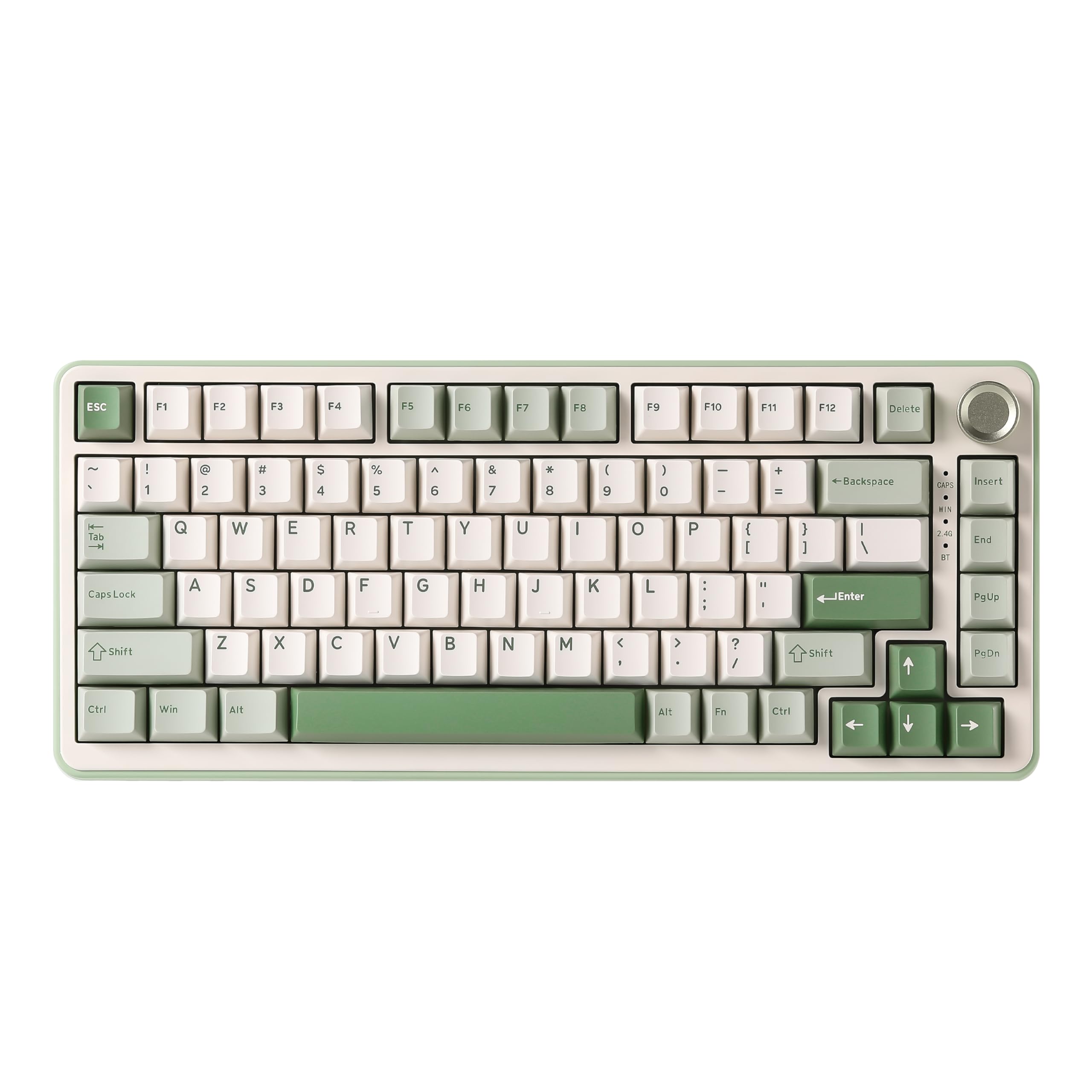 8.5 / 10
YUNZII B75 PRO Wireless Mechanical Keyboard,75% Gaming Keyboard Gasket Hot Swap Custom Keyboard with Knob,Pre-lubed Switches RGB,Bluetooth/Type-C/2.4G (Matcha Green, Milk Switch)
£66.29 · YUNZII
 8.5 / 10
Corsair K100 RGB Mechanical Gaming Keyboard (CHERRY MX SPEED: Fast & High Precision, RGB Lighting, PBT Double Shot Keycaps, Integration Elgato Stream Deck) QWERTZ, Black
£233.06 · Corsair
Frequently asked
7 questions01What switches does the AULA F75 come with, and can they be replaced?+
The F75 ships with LEOBOG Graywood V3 linear switches, factory pre-lubricated. The PCB supports full hot-swap for both 3-pin and 5-pin switches, so you can replace them with compatible alternatives such as Gateron Browns or Boba U4s without soldering.
02How many devices can the AULA F75 connect to simultaneously?+
The F75 supports up to five paired devices across its three connectivity modes: Bluetooth 5.0, 2.4GHz wireless via USB dongle, and USB-C wired. You switch between paired devices using shortcut keys or the side button.
03Is the AULA F75 good for gaming?+
Yes, particularly in 2.4GHz wireless mode, which offers lower and more consistent latency than Bluetooth for gaming scenarios. N-key rollover ensures every simultaneous keypress registers correctly, and Win key lock prevents accidental minimisation during play. The 75% layout retains arrow keys and a full function row.
04What is the battery life like on the AULA F75?+
AULA does not publish specific rated hours, but the 4000mAh battery is substantially larger than the 1500mAh to 2000mAh cells common in this price bracket. In practice you can expect weeks of use with RGB at moderate brightness, and potentially months with RGB switched off. Owner reviews do not flag battery life as a concern.
05Are the keycaps on the AULA F75 PBT or ABS?+
AULA do not confirm the keycap material in the product listing. Based on the price point and typical practice among Chinese manufacturers at this level, they are likely ABS. ABS keycaps tend to develop a shine on frequently pressed keys over time. The legends are side-engraved rather than top-printed, which gives the board a cleaner look from above.
06Does the AULA F75 work with macOS and Linux?+
The board works on macOS for standard input and onboard-controlled features. The driver software is Windows-primary, so heavy macro customisation on macOS may be limited. On Linux, the F75 should function as a standard USB HID device for basic input without driver software, though advanced features will not be available.
07How does the AULA F75 compare to the Keychron K2?+
The F75 offers more device pairing slots (five versus three), full 3-pin and 5-pin hot-swap, more extensive acoustic dampening, and the LEOBOG Graywood V3 switches as standard. The Keychron K2 has a more established reputation, more polished software, and a longer track record of owner feedback. Both sit in a similar price bracket, making the F75 better specced on paper while the K2 offers more brand assurance.