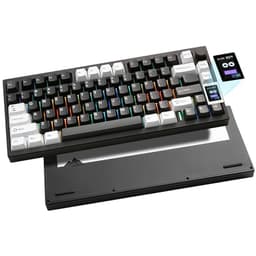
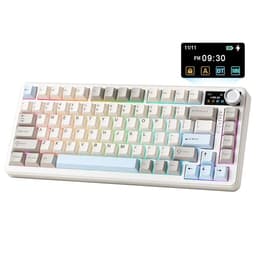
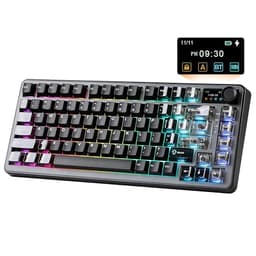
The details that actually matter in a keyboard rarely make it onto the box. Stabiliser quality, switch lubing, whether the gasket mount is genuine or just a marketing term slapped onto a standard tray. Budget keyboards skip these things. Mid-range keyboards sometimes skip them too. The YUNZII B75 PRO Wireless Mechanical Keyboard does not skip them, and that's worth paying attention to.
Over 1,077 owners have rated this board, and the average sits at 4.6 stars. That's not a fluke. At this price point in the mid-range bracket, you're competing with some genuinely good keyboards, and a 4.6 average across that many buyers tells you something real. So what's actually going on here? Gasket mount, pre-lubed switches, hot-swap sockets, tri-mode connectivity, a 4000mAh battery, and a knob. Yes, a physical volume knob. Let's look at whether the spec sheet holds up under scrutiny.
Core Specifications: YUNZII B75 PRO Wireless Mechanical Keyboard at a Glance
The B75 PRO is a 75% layout board with 82 keys. That means you get number keys along the top row, a function row, and dedicated arrow keys, all squeezed into a footprint noticeably smaller than a full-size or TKL board. For anyone who's switched from a full-size layout, the adjustment period is minimal because nothing critical is missing. The arrow cluster is there, the function keys are there, and you're not hunting around for a numpad you barely used anyway.
Connectivity covers wired (via Type-C), 2.4GHz wireless via a USB dongle, and Bluetooth. The internal battery is rated at 4000mAh. Switches in this Matcha Green colourway come fitted with Cocoa Cream V2 switches, which are YUNZII's own linear switches, pre-lubed from the factory. The board supports hot-swap for both 3-pin and 5-pin switches, which matters if you want to roll your own switch choice down the line. RGB lighting is south-facing with more than 20 built-in modes. Software support covers Windows and macOS.
Build construction uses a gasket mount structure with five layers of padding inside. That's a meaningful spec, not just a bullet point. Gasket mounting means the PCB and plate assembly is decoupled from the case via silicone or foam gaskets, which softens the typing feel and reduces the harsh clack you get from a standard tray-mounted board. Five layers of internal dampening on top of that is genuinely more than most keyboards at this price bother with. Keycaps are double-shot, which is good for legend durability. The stabilisers are described as precision-tuned, and owner feedback broadly backs that up.
| Specification | Detail |
|---|---|
| Layout | 75% (82 keys) |
| Switches | Cocoa Cream V2 (linear, pre-lubed) |
| Hot-Swap | Yes, 3-pin and 5-pin compatible |
| Mount Type | Gasket, 5-layer padding |
| Connectivity | Wired (Type-C), 2.4GHz wireless, Bluetooth |
| Battery | 4000mAh |
| Keycaps | Double-shot |
| RGB | South-facing, 20+ modes |
| Software | Windows and macOS compatible |
| Knob | Multi-function (volume, RGB, mode switching) |
| Price | £66.29 |

Switch Type and Feel: Cocoa Cream V2 Linear Switches
The Cocoa Cream V2 switches are YUNZII's own linear switches, and this is where a lot of the value case for the B75 PRO lives. Factory pre-lubing on budget and mid-range keyboards is often a token gesture, a thin smear of something that doesn't actually smooth the keystroke. Owner reviews on this board suggest the Cocoa Cream V2 switches arrive properly lubed, with a smooth, consistent linear feel that doesn't require you to immediately pull everything apart and redo it yourself. That's not always a given, even on boards costing more.
Linear switches suit gaming well. No tactile bump to slow down rapid keypresses, no click noise to irritate your household or teammates on voice chat. The Cocoa Cream V2 is described as a linear switch with a solid sound profile, which aligns with what owners report: a thocky, muted keystroke rather than the sharp clack you'd get from an unpadded tray-mount board with stock switches. The gasket structure and internal dampening layers work together with the switch character to produce something that owners consistently describe as creamy and satisfying. That word gets used a lot in the reviews, and it's not marketing, it's just an accurate description of what a well-lubed linear on a gasket mount actually sounds like.
Hot-swap support is full-board and covers both 3-pin and 5-pin switches. So if you want to drop in Gateron Yellow Pro switches or go tactile with something like Gateron Brown, you can do that without soldering. This is a genuinely useful feature for anyone who wants to experiment with switch feel over time. The PCB quality matters here: a cheap hot-swap socket will loosen after a few swaps and start giving you intermittent key registration. Owner feedback doesn't flag this as a problem on the B75 PRO, which suggests the PCB is doing its job properly. The stabilisers on the larger keys (spacebar, shift, backspace) are precision-tuned according to the spec, and owners back this up, noting the spacebar in particular doesn't have the rattle you'd expect at this price.
Keycap Quality and Layout
Double-shot keycaps are the right call at this price point. The legends are formed by injecting two layers of plastic, so the characters physically cannot fade or wear away. You're not relying on a printed legend that rubs off after six months of heavy use. ABS plastic is the common material for double-shot keycaps at mid-range prices, and while ABS does develop a shine over time (the greasy-looking sheen you see on heavily used keyboards), it's still a better long-term option than single-shot keycaps with printed legends. The Matcha Green colourway looks clean and distinctive, and the aesthetic is clearly aimed at the growing market of people who want a keyboard that doesn't look like it came from 2009.
The 75% layout with 82 keys is one of the more practical compact layouts you can choose. Unlike a 65% board, you keep the full function row, which matters for software shortcuts, game bindings, and general productivity. Unlike a TKL, you lose the numpad but gain a significantly smaller desk footprint. Arrow keys are present and in their expected position, which sounds obvious but isn't guaranteed on 65% and 60% boards where you're sometimes hunting through layers to find them. The B75 PRO doesn't make you do that.
The multi-function knob sits at the top right of the board and handles volume adjustment, RGB brightness, and mode switching via a long press. Physical volume knobs on keyboards are one of those features that sound gimmicky until you actually use one regularly, at which point going back to Fn+key combinations feels like a step backwards. Owners consistently mention the knob as a highlight. It's not wobbly or cheap-feeling according to the feedback, which is the main risk with knobs on budget hardware. The south-facing LED orientation is also worth noting: south-facing LEDs shine through the bottom of the keycap legend rather than the top, which generally produces better RGB visibility and shine-through on doubleshot caps.
Build Quality: Gasket Mount and Five-Layer Padding
The gasket mount structure is the headline build feature here, and it's worth being specific about what that means in practice. A standard tray-mounted keyboard bolts the PCB directly to the case bottom. Every keystroke transfers directly into the hard case, producing a sharp, sometimes harsh sound and feel. A gasket-mounted board suspends the internal assembly on flexible gaskets, so the whole thing has a slight give when you type. The result is a softer, bouncier typing feel and a noticeably different sound profile. Combined with five layers of internal padding (foam and dampening material between the plate, PCB, and case), the B75 PRO is set up to sound and feel considerably better than its price tag would suggest.
Owner reviews back this up. The consistent theme across the feedback is surprise at the build quality relative to the price. Words like solid and well-built come up repeatedly, and the sound profile is described favourably without the hollow ping that plagues cheaper tray-mounted boards. The stabilisers are precision-tuned from the factory, which is a claim many keyboard manufacturers make and few deliver on. Here, the owner feedback is largely positive on this front, with the spacebar and larger modifier keys behaving themselves without obvious rattle or mushiness.
One thing worth flagging: the board is not aluminium. At this price point, the case is almost certainly plastic, and YUNZII doesn't specify the case material in the listing. Plastic cases are fine, they're lighter and less prone to resonance issues than cheap aluminium, but if you're expecting a premium metal chassis, manage your expectations. The gasket mount and internal dampening do more for the typing experience than a heavy aluminium case would anyway. Weight and portability are reasonable for a wireless board with a 4000mAh battery inside. The overall impression from owner feedback is of a board that feels more expensive than it is, which is the best thing you can say about build quality at this price.
RGB and Lighting
More than 20 built-in RGB modes are available without touching any software. South-facing LEDs are the right choice for this type of board, as they produce cleaner light diffusion through the keycap legends rather than the harsh hotspot you sometimes get with north-facing setups. For a gaming keyboard in this bracket, the RGB implementation is solid. You're not going to get the per-key granularity of a flagship board with dedicated software and onboard memory, but for most people, picking from 20-plus presets via the knob or Fn combinations is more than enough.
The knob controls RGB brightness directly, which is genuinely useful. Being able to dial down the lighting without going into a software menu or memorising an Fn key combination is a small quality-of-life improvement that adds up over time. The Matcha Green colourway of the board itself plays nicely with cooler RGB colour profiles, and the doubleshot keycaps allow the backlight to show through the legends cleanly.
For anyone who doesn't care about RGB at all, the lighting can be turned off, and the board functions identically. The pragmatic reality is that RGB has zero impact on typing performance or gaming responsiveness, but it's a feature most buyers in this bracket expect to have the option of using. YUNZII delivers it competently without making it the centrepiece of the product. If you want deep per-key customisation and complex lighting animations, you'll need the software, which is covered in the next section.
Software and Customisation
The B75 PRO supports programmable software for Windows, allowing you to remap keys, set macros, and customise RGB effects beyond the onboard presets. macOS is supported for general use but the programmable software functionality is Windows-specific according to the listing. This is fairly standard for keyboards in this bracket and isn't a dealbreaker unless you're a Mac power user who needs deep macro functionality, in which case you'd want to verify what's available before buying.
Key remapping and macro support are confirmed features. The ability to redefine any key and set up macros is useful for both gaming (binding complex ability chains or communication shortcuts) and productivity (text expansion, application shortcuts). The software itself isn't described in detail in the listing, and owner reviews don't go deep on the software experience, which usually means it's functional rather than exceptional. It does the job. It's not going to win awards for UI design.
The multi-function knob adds a layer of onboard control that reduces how often you need to go into software at all. Volume, RGB brightness, and mode switching are all handled physically. Long-pressing the knob switches between gaming and office modes, which is a practical feature for people who use the same board at a desk for both work and play. Onboard profile storage means your settings aren't wiped when you unplug or switch devices, which is important for a tri-mode board where you might be hopping between a PC and a phone or tablet. The overall software package is functional and covers what most users need without being particularly deep or impressive.

Connectivity: Tri-Mode Done Properly
Wired, 2.4GHz wireless, and Bluetooth. All three are present. The wired connection uses Type-C, which is the right connector in 2026 and makes cable management easier than the older Micro-USB connections you still find on cheaper boards. 2.4GHz wireless via a USB dongle is the connection mode of choice for gaming: lower latency than Bluetooth, stable signal, and no noticeable input lag in normal use. Bluetooth is there for pairing to phones, tablets, or any device where you don't want to use up a USB port on a dongle.
The practical workflow for most buyers will be 2.4GHz for gaming and primary PC use, Bluetooth for a secondary device like a tablet or work laptop. Switching between connection modes is handled onboard, so you're not hunting through software menus to pair a new device. Owner feedback doesn't flag connectivity issues as a recurring complaint, which is the most important thing. Wireless keyboards that drop connection, lag intermittently, or struggle to pair reliably are genuinely annoying to use, and the B75 PRO doesn't appear to have those problems based on the review patterns.
The Type-C wired connection also serves as the charging connection for the battery, so you're not dealing with a separate charging cable or proprietary connector. Plug in to charge, unplug to go wireless. Simple. The dongle storage situation isn't specified in the listing, but most boards in this category include a slot in the battery compartment or under the board for the 2.4GHz receiver. Worth checking when it arrives. The overall connectivity package is genuinely complete and well thought-out for the price.
Battery Life: 4000mAh is Serious Capacity
A 4000mAh battery in a keyboard is a meaningful number. Most wireless keyboards in this bracket ship with batteries in the 1500 to 2500mAh range, which gives you anywhere from a few days to a couple of weeks of use with RGB off. The B75 PRO's 4000mAh cell puts it at the higher end of what you'd expect from a mid-range wireless keyboard. YUNZII doesn't publish specific hour ratings for battery life in the listing, which is frustrating, but the capacity figure alone tells you this board isn't going to need charging every few days.
RGB lighting is the main battery drain on any wireless keyboard. With RGB running at full brightness, expect battery life to be significantly shorter than with lighting off or dimmed. The knob's direct control over RGB brightness is useful here: being able to quickly dim or kill the lighting when you're on battery power is a practical way to extend runtime without going into settings. Owner reviews don't consistently flag battery life as a problem, which suggests the 4000mAh cell is doing its job in real-world use.
Charging is via the Type-C connection, which doubles as the wired connection port. The board can presumably be used wired while charging, which is standard for keyboards in this category. Specific charge times aren't published in the listing. For a 4000mAh cell, expect a few hours from flat to full on a standard USB charger. The practical upshot is that this is a wireless keyboard you can genuinely use for extended periods without constantly reaching for the cable, which is the whole point of wireless.
Typing and Gaming Experience
The combination of gasket mount, five-layer internal dampening, pre-lubed linear switches, and precision-tuned stabilisers adds up to a typing experience that consistently surprises owners who are coming from cheaper tray-mounted boards. The sound profile is described as thocky and muted, which is the desirable end of the keyboard sound spectrum for most people. There's no hollow ping, no sharp clack, and no rattling spacebar. For long typing sessions, the slight flex of the gasket mount reduces finger fatigue compared to a hard, unforgiving plate-mounted board.
For gaming, linear switches are the practical choice. The Cocoa Cream V2 switches provide a smooth keystroke with no tactile interruption on the way down, which suits rapid key presses in fast-paced games. Anti-ghosting and N-key rollover aren't explicitly detailed in the listing, but the board is marketed as a gaming keyboard and owner feedback doesn't flag missed inputs as a concern. The 2.4GHz wireless connection keeps latency low for gaming use. The 75% layout keeps the mouse and keyboard in closer proximity than a full-size board would, which is a genuine ergonomic advantage for gaming sessions where you're moving between keyboard and mouse constantly.
The multi-function knob earns its place during gaming too. Being able to adjust volume on the fly without alt-tabbing or using software is something you only appreciate once you have it. The mode-switching function (long press to toggle between gaming and office modes) is a thoughtful addition for people who use the same board for work and play. Owner reviews are consistently positive about the overall experience, with the most common complaint being the usual mid-range keyboard issue: the software could be better. The hardware itself gets praised across the board (no pun intended). For the price, the typing and gaming performance is genuinely good.
Compatibility
Windows and macOS are both supported. The listing confirms compatibility with both operating systems, and the Bluetooth connectivity means you can pair to phones and tablets running iOS or Android as well. The board isn't Linux-specific, but Bluetooth and wired HID keyboards work on Linux without drivers, so basic functionality should be fine. Advanced software features (remapping, macros, RGB customisation) are Windows-specific based on the listing.
For console gaming, a wired keyboard connection works on PlayStation and Xbox for text input and certain supported games. The B75 PRO's Type-C wired connection makes this straightforward. Bluetooth pairing to a console depends on the console's Bluetooth HID support, which varies. Nintendo Switch supports Bluetooth keyboards. PlayStation 5 supports USB keyboards. The board's tri-mode connectivity gives you options across different devices without needing separate hardware.
The macOS compatibility is worth a specific note for anyone considering this as a dual-use board. Basic typing, media controls via the knob, and connectivity all work on Mac. The key labelling is Windows-oriented (there's no Command key label, for instance), and the software customisation is Windows-only. Mac users who need deep remapping functionality will need to use third-party tools like Karabiner-Elements to handle key remapping at the OS level. For general use, the board works fine on Mac. For power users who need every key exactly where they want it, factor that limitation in.
How It Compares to the Competition
The main competition in the mid-range 75% wireless keyboard bracket includes the Keychron Q2 Pro and the Royal Kludge RK84. The Keychron Q2 Pro is an aluminium gasket-mount board with hot-swap and QMK/VIA support, which gives it significantly deeper software customisation than the B75 PRO. But it sits at a higher price point, often landing above the mid-range bracket entirely. If you need QMK-level programmability and an aluminium case, the Q2 Pro is the board to look at. If you don't need all that and you're not prepared to pay for it, the B75 PRO makes a strong argument for itself.
The Royal Kludge RK84 is a closer comparison. It's a 75% wireless board with hot-swap support and tri-mode connectivity, and it typically lands at a similar or slightly lower price. The RK84 uses a tray mount rather than a gasket mount, which is a meaningful difference in typing feel. The B75 PRO's gasket structure and five-layer padding give it a clear advantage in sound and feel. The RK84 has a larger user base and more established software, which some buyers will prefer. But on pure typing and build quality metrics, the B75 PRO punches harder.
The Epomaker TH80 Pro is another board worth mentioning. It's a gasket-mount 75% wireless keyboard with hot-swap, often available in a similar price bracket. The TH80 Pro has a strong reputation in the enthusiast community for its sound profile and build quality. It's a genuine alternative to the B75 PRO, and choosing between them often comes down to switch preference and aesthetic. Both boards represent good value in the mid-range bracket. Neither is a bad choice.
| Feature | YUNZII B75 PRO | Royal Kludge RK84 | Epomaker TH80 Pro |
|---|---|---|---|
| Layout | 75% (82 keys) | 75% (84 keys) | 75% (81 keys) |
| Mount Type | Gasket, 5-layer padding | Tray mount | Gasket mount |
| Connectivity | Wired, 2.4GHz, Bluetooth | Wired, 2.4GHz, Bluetooth | Wired, 2.4GHz, Bluetooth |
| Hot-Swap | Yes (3-pin and 5-pin) | Yes (3-pin and 5-pin) | Yes (3-pin and 5-pin) |
| Battery | 4000mAh | 3800mAh | 4000mAh |
| Knob | Yes | No | Yes |
| Keycaps | Double-shot | Double-shot ABS | Double-shot PBT |
| Price Tier | Mid-range | Mid-range (lower end) | Mid-range |

Final Verdict: YUNZII B75 PRO Wireless Mechanical Keyboard
The YUNZII B75 PRO Wireless Mechanical Keyboard is a genuinely well-specified board for the money. Gasket mount with five layers of internal dampening, pre-lubed linear switches that actually arrive properly lubed, full-board hot-swap for 3-pin and 5-pin switches, tri-mode connectivity with a 4000mAh battery, a physical volume knob, and double-shot keycaps. That's a feature list that would have cost considerably more a few years ago. The fact that over 1,077 owners have rated it at 4.6 stars suggests the spec sheet isn't just marketing.
The Cocoa Cream V2 switches are the right choice for gaming and general typing. Smooth, well-lubed linears on a gasket mount produce the kind of typing experience that enthusiasts spend considerably more money chasing on custom builds. The stabilisers are tuned well enough that the spacebar doesn't embarrass itself, which is more than you can say for a lot of the competition. The knob is genuinely useful rather than a gimmick. The tri-mode connectivity works as advertised.
Honest caveats: the software is functional but not impressive, and advanced customisation is Windows-only. The case material isn't specified, so don't expect an aluminium chassis. The keycaps are double-shot but almost certainly ABS, so expect some shine over time if you're a heavy typist. None of these are dealbreakers at this price point. They're just things to know going in.
Who should buy this? Anyone who wants a compact, wireless mechanical keyboard with a genuinely good typing feel and doesn't want to spend enthusiast money to get it. Gamers who want a reliable 2.4GHz connection and a layout that doesn't eat desk space. Productivity users who want a board that sounds good in an office or home setup without being annoyingly loud. People who've been burned by rattly stabilisers and hollow-sounding cheap boards before and want something that actually feels built properly.
Who should skip it? If you're deep into the custom keyboard hobby and you need QMK or VIA support for complex macro layers and full programmability, look at the Keychron Q2 Pro or Q2 Max instead. You'll pay more, but you'll get the software depth and the aluminium build that the B75 PRO doesn't offer. And if you're genuinely on a tight budget and the mid-range price is a stretch, the Royal Kludge RK84 does the 75% wireless job for less, albeit without the gasket mount. The B75 PRO sits in a sweet spot between those two options, and for most buyers, that sweet spot is exactly where they want to be.
Score: 8.5 out of 10. Proper value, proper build, proper switches. Hard to argue with at this price point.
What works. What doesn’t.
5 + 3What we liked5 reasons
- Genuine gasket mount with five-layer internal dampening at mid-range price
- Cocoa Cream V2 switches arrive properly pre-lubed from the factory
- Full-board hot-swap supports both 3-pin and 5-pin switches
- 4000mAh battery is above average for the bracket
- Physical volume knob is genuinely useful, not a gimmick
Where it falls3 reasons
- Software customisation is Windows-only; Mac users need workarounds for remapping
- Case material not specified; almost certainly plastic rather than aluminium
- Double-shot keycaps are likely ABS, which will develop shine over time
Full specifications
10 attributes| Switch type | Milk Switch |
|---|---|
| Layout | 75% |
| Connectivity | wired, bluetooth, 2.4G wireless |
| Backlight | RGB |
| Backlighting | South-facing RGB |
| HOT swappable | true |
| Keycaps | PBT |
| Polling rate HZ | 1000 |
| Switch actuation | linear |
| Type | mechanical |
If this isn’t right for you
2 options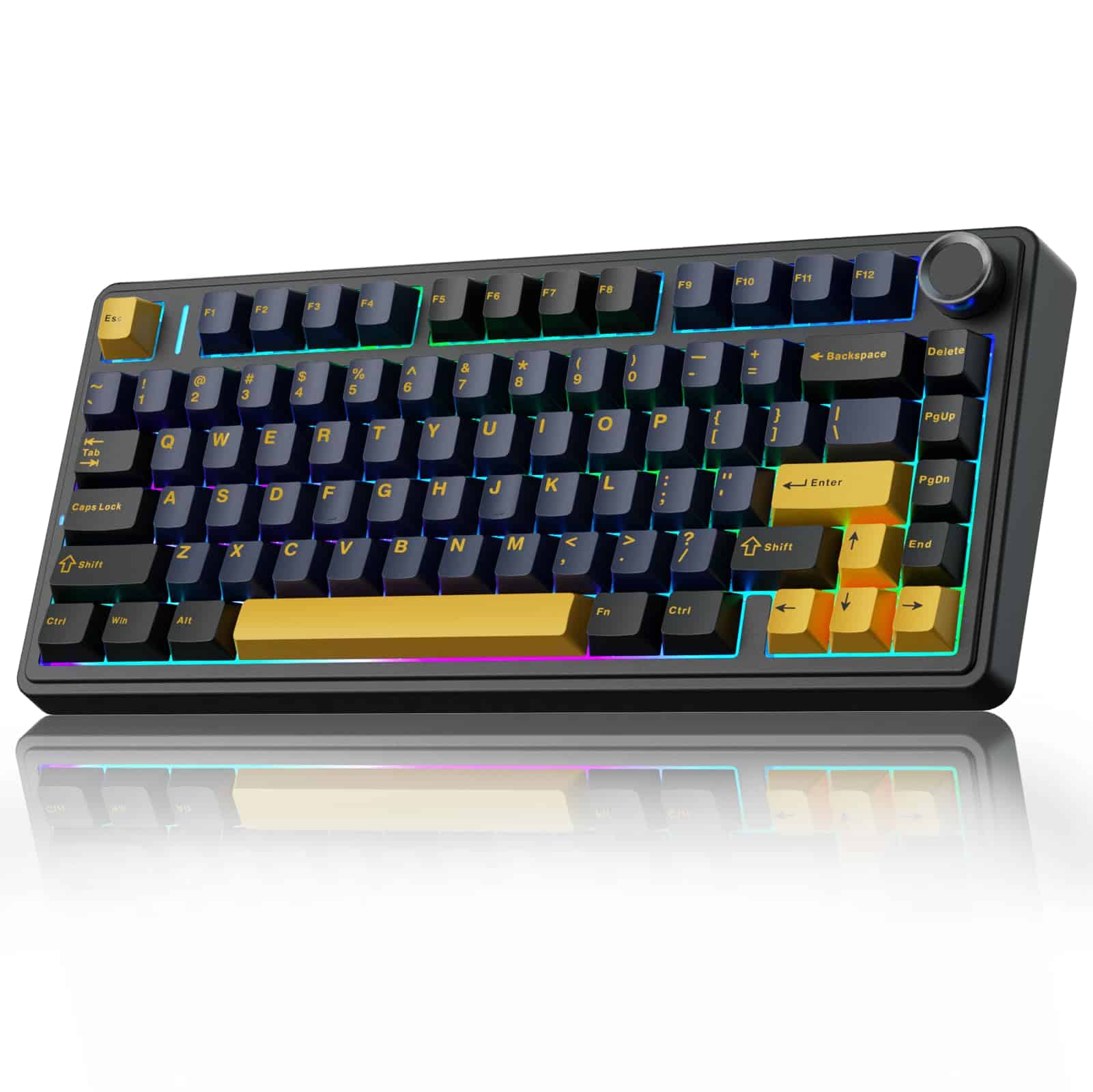 8.5 / 10
AULA F75 75% Wireless Mechanical Keyboard,2.4Ghz/Type-C/BT5.0 Gaming Keyboards,Advanced Structure,RGB Backlight,Hot Swappable Custom Keyboard for PC/Mac (Cool Black)
£67.91 · AULA
 8.5 / 10
EPOMAKER Ajazz AK820 Pro 75% Wireless Mechanical Keyboard with TFT Smart Display&Knob, Gasket-Mounted Gaming Keyboard, BT/2.4GHz/USB-C Wired (Purple, Flying Fish Switch)
£68.99 · EPOMAKER
Frequently asked
5 questions01What switches does the YUNZII B75 PRO Wireless Mechanical Keyboard (Matcha Green, Cocoa Cream V2 Switch) use?+
The Matcha Green colourway of the YUNZII B75 PRO comes fitted with Cocoa Cream V2 switches. These are YUNZII's own linear switches, pre-lubed from the factory. Linear switches have no tactile bump or click, making them smooth and quiet through the full keystroke, which suits both gaming and general typing. The pre-lubing is reported by owners to be applied properly rather than as a token gesture, resulting in a smooth, consistent feel without needing to rework the switches yourself.
02Is the YUNZII B75 PRO Wireless Mechanical Keyboard good for gaming?+
Yes, it's a solid gaming keyboard. The linear Cocoa Cream V2 switches are well-suited to gaming, providing smooth keypresses without a tactile interrupt that can slow rapid inputs. The 2.4GHz wireless connection keeps latency low for wireless gaming use, and the wired Type-C connection is available for zero-compromise competitive play. The 75% layout keeps the keyboard footprint compact, which gives you more mouse movement space on your desk. Anti-ghosting and N-key rollover are not explicitly detailed in the listing, but owner feedback does not flag missed inputs as a concern.
03Is the YUNZII B75 PRO Wireless Mechanical Keyboard good for typing?+
Very good for the price. The gasket mount structure with five layers of internal dampening gives the board a softer, more comfortable typing feel than a standard tray-mounted keyboard. The pre-lubed linear switches are smooth and quiet. The precision-tuned stabilisers mean the larger keys like the spacebar and shift don't rattle. Owner feedback consistently describes the typing experience as satisfying and notably better than expected for a mid-range board. Long typing sessions are comfortable due to the slight flex the gasket mount provides.
04Is the YUNZII B75 PRO Wireless Mechanical Keyboard loud?+
No, it's on the quieter end for a mechanical keyboard. The combination of gasket mount construction, five layers of internal dampening, pre-lubed linear switches, and south-facing LEDs produces a muted, thocky sound profile rather than a sharp clack. It's not silent, it's still a mechanical keyboard, but it's quiet enough for shared office environments or home setups where you don't want to disturb others. The linear switches produce no click noise, which helps significantly compared to clicky switch alternatives.
05What warranty and returns apply to the YUNZII B75 PRO Wireless Mechanical Keyboard?+
No specific manufacturer warranty period is listed in the verified product data for this keyboard. When purchasing through Amazon UK, you are covered by Amazon's standard 30-day return window and the Amazon A-to-Z Guarantee, which protects your purchase if the item is not as described or arrives faulty. For warranty queries beyond the Amazon return window, contact YUNZII directly through the seller contact details on the Amazon listing.