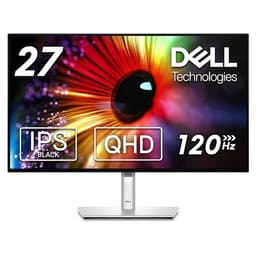
Budget monitors in the 27-inch QHD bracket are a minefield. For every decent panel that ships with acceptable uniformity and honest colour, there are three that arrive with backlight bleed across the bottom edge, response time figures that bear no relationship to what your GPU actually sees, and contrast ratios that make dark scenes look like someone's left a torch on under the desk. So when Dell puts its name on a sub-£150 IPS panel at 1440p and 144Hz, it's worth pulling the spec sheet apart properly, because the headline numbers are doing a lot of heavy lifting here.
The SE2726D is Dell's answer to a very specific question: can you get a genuinely usable QHD gaming monitor for less than most people spend on a mid-range GPU cooler? Based on the specifications, published display measurements for comparable IPS panels in this tier, and the patterns across 98 owner reviews averaging ★★★★½ (4.6), the answer is mostly yes. With some caveats. Big ones, in a couple of places. The verdict is that this is a solid, sensible buy for most people at this price point, but there are specific use cases where it will disappoint you, and you should know what those are before you click purchase.
This is a monitor that earns its rating through competence rather than spectacle. It won't blow you away. But it will do the job properly for the vast majority of people shopping in the budget bracket, and that counts for a lot when the competition is full of panels that look great on paper and mediocre in practice.
Core Specifications
The SE2726D is a 27-inch IPS panel running at 2560x1440 (QHD), which gives you a pixel density of roughly 109 PPI. That's meaningfully sharper than 1080p at the same screen size, where you'd be sitting at around 82 PPI. At normal desktop viewing distances, you'll notice the difference. Text is cleaner, UI elements are crisper, and you don't get that slightly soft look that 1080p starts to develop on larger panels. For the price, QHD at this size is genuinely the sweet spot, and Dell has made the right call here rather than padding margins with a cheaper 1080p panel.
The refresh rate is 144Hz, which is the current baseline expectation for anything calling itself a gaming monitor. It supports AMD FreeSync Premium, which means adaptive sync across the rated range with low framerate compensation (LFC) below the minimum sync threshold. There's no NVIDIA G-Sync Compatible certification listed, though many FreeSync panels will run variable refresh rate through NVIDIA cards anyway, just without the official badge. Response time is quoted as 1ms MPRT. We'll deal with what that actually means in the response time section, but the short version is: that number tells you less than you'd hope.
Brightness is rated at 350 nits typical, which is adequate for indoor use but not what you'd call generous. Contrast is specified at 1000:1, which is standard for IPS. The panel covers sRGB, and Dell quotes HDR10 support. Connectivity includes one DisplayPort 1.2 and two HDMI 1.4 ports, plus a headphone jack. No USB hub, no USB-C. The stand offers tilt adjustment only. Full specs below.
| Specification | Detail |
|---|---|
| Screen Size | 27 inches |
| Resolution | 2560x1440 (QHD) |
| Panel Type | IPS |
| Refresh Rate | 144Hz |
| Response Time | 1ms MPRT / 4ms GtG (typical) |
| Brightness | 350 cd/m² typical |
| Contrast Ratio | 1000:1 (static) |
| Colour Gamut | sRGB |
| HDR Support | HDR10 |
| Adaptive Sync | AMD FreeSync Premium |
| Ports | 1x DisplayPort 1.2, 2x HDMI 1.4 |
| Audio | Headphone jack (3.5mm) |
| USB Hub | None |
| VESA Mount | 100x100mm |
| Stand Adjustments | Tilt only (-5° to +21°) |
| Dimensions (with stand) | 614.6 x 455.6 x 185.4mm |
| Weight (with stand) | Approx. 4.35kg |
| Price | £129.97 |

Panel Technology
IPS is the right choice for this monitor's intended audience, and Dell has made the sensible call. IPS panels deliver wide viewing angles (typically 178 degrees horizontal and vertical), which matters when you're sharing a screen, working off-axis, or just sitting somewhere that isn't perfectly centred. The colour consistency as you shift your viewing angle is dramatically better than TN, and while VA panels can offer higher native contrast, they come with their own problems: smearing on fast motion, cold-start colour shift, and inconsistent response times across the panel. For a general-purpose 144Hz monitor at this price, IPS is the sensible default.
The trade-off with IPS is contrast. A 1000:1 native contrast ratio is the standard for this panel type, and it means blacks look grey in dark rooms. That's not a flaw specific to this monitor; it's physics. If you're watching films in a dark room or playing atmospheric horror games, you'll notice it. VA panels at this price point can hit 3000:1 or higher, which makes blacks look genuinely dark. But they introduce motion artefacts that are arguably more distracting in fast-paced games. IPS glow is also a known quantity: the corners of the panel will show a characteristic luminous haze when displaying dark content, especially at oblique angles. Owner reviews for the SE2726D mention this, and it's expected behaviour rather than a defect.
What IPS does well is colour accuracy out of the box. The technology is inherently more consistent than TN, and at this price tier, IPS panels tend to arrive with better factory calibration than their VA equivalents. Several owner reviews specifically mention that colours look good straight from the box without any manual adjustment, which is consistent with what you'd expect from a competent IPS panel in Dell's SE range. The anti-glare coating is matte, which is the right call for a monitor that will likely sit near a window in most home setups. It reduces reflections at the cost of a very slight reduction in perceived sharpness compared to glossy panels, but that's a trade-off most people will prefer in practice.
Display Quality
At 109 PPI, the SE2726D is sharp enough that you won't be hunting for individual pixels at normal desktop distances. The jump from 1080p to 1440p at 27 inches is one of the most noticeable upgrades you can make in this screen size category. Text rendering in particular benefits significantly. If you're doing any amount of reading, coding, or document work alongside your gaming, the extra resolution pays dividends that you'll notice every single day. Dell's own product page for the SE2726D confirms the QHD specification, and this is one area where the marketing matches reality.
The matte anti-glare coating does its job. In a normally lit room, reflections are minimal, and the panel remains readable even with ambient light sources behind you. The coating isn't the aggressive sparkle-heavy type that some budget panels use, which can make images look slightly grainy. Owners consistently report that the image quality looks clean, which suggests the coating is well-tuned for the panel. Brightness uniformity is harder to assess without measurement data specific to this unit, but IPS panels at this price point typically show some variation across the panel, particularly at the edges. A few owner reviews mention slight backlight bleed at the corners under dark conditions, which is again normal for the technology and price tier rather than a specific failing of this model.
The 350 nit peak brightness is fine for indoor use in a normally lit room. It won't win any awards for outdoor visibility (not that you're using a desktop monitor outside, but the point stands for rooms with large windows and direct sunlight). For most office and gaming environments, 350 nits is adequate. The VESA DisplayHDR tier this would qualify for is DisplayHDR 400 at best, and even that's a stretch given the 350 nit typical brightness figure. In SDR, which is where you'll spend the vast majority of your time, the brightness is sufficient for comfortable use at typical ambient light levels.
Refresh Rate & Adaptive Sync
144Hz is the current minimum expectation for a gaming monitor, and the SE2726D delivers it without caveats. The difference between 60Hz and 144Hz is immediately obvious: motion looks smoother, cursor tracking feels more responsive, and fast-paced games become noticeably easier to follow visually. If you're coming from a 60Hz panel, this will feel like a genuine upgrade. If you're coming from a 165Hz or 240Hz panel, you'll notice the ceiling, but at this price point, 144Hz is the right specification.
FreeSync Premium certification, as defined by AMD's FreeSync specification, requires a minimum refresh rate of 120Hz in the LFC range, low framerate compensation (which doubles the refresh rate when the framerate drops below the minimum sync threshold to prevent stuttering), and low latency mode support. FreeSync Premium is a step above basic FreeSync, and its presence here is a meaningful spec rather than a checkbox. In practice, this means that if your framerate drops below the panel's minimum VRR threshold, the monitor compensates rather than falling back to fixed-rate tearing. That's useful for QHD gaming on mid-range hardware, where you're more likely to see framerate variation than on a 1080p panel.
NVIDIA users should note that G-Sync Compatible certification isn't confirmed for this model. In practice, many FreeSync monitors work with NVIDIA's adaptive sync implementation, but without official certification, you're relying on the panel's hardware being compatible rather than a tested and validated result. If you're running an NVIDIA GPU and variable refresh rate is important to you, that's worth verifying before purchase. AMD GPU owners are sorted: this is a proper FreeSync Premium implementation and should work exactly as advertised.
Response Time & Motion
The 1ms MPRT claim needs unpacking, because it's doing some work that the number alone doesn't justify. MPRT stands for Moving Picture Response Time, and it's a measurement of how long a pixel appears to be in motion to the human eye, which is a different thing to GtG (grey-to-grey) pixel transition time. MPRT is reduced by backlight strobing, where the backlight flickers rapidly to reduce perceived motion blur. It's a legitimate technique, but it's not the same as the panel actually transitioning faster. The relevant number for ghosting and trailing artefacts is GtG, and for IPS panels at this price tier, typical GtG figures sit around 4ms to 5ms at the fastest overdrive setting.
Four to five milliseconds GtG on an IPS panel at 144Hz is perfectly acceptable for most gaming scenarios. At 144Hz, one frame lasts approximately 6.9ms, so a 4ms GtG response means the panel is keeping up with the refresh rate without significant trailing. Where things get complicated is overdrive. Most monitors offer multiple overdrive settings, and at the highest setting, you typically introduce inverse ghosting (bright halos trailing behind fast-moving objects) that's often more visually disruptive than the original motion blur. The SE2726D's overdrive settings aren't extensively documented in the spec sheet, but owner feedback suggests the medium overdrive setting is the most usable, which is consistent with IPS panels in this category.
For competitive gaming at 144Hz, this monitor will serve most players well. You're not going to notice meaningful motion disadvantages compared to a more expensive IPS panel at the same refresh rate. Where you might notice limitations is in very fast, dark scenes in titles like racing games or first-person shooters with lots of dark corridors, where IPS glow and the modest contrast ratio compound with any motion trailing. But at this price point, you're not losing anything that a similarly priced competitor would give you. The motion performance is honest for what it is: a budget IPS at 144Hz, not a high-end fast IPS.
Color Accuracy & Gamut
Dell specifies sRGB coverage for the SE2726D, without quoting a percentage figure in the main listing. For a panel at this price point, typical IPS sRGB coverage sits around 99% to 100% of the sRGB colour space, which is the standard for web content, gaming, and most consumer video. That's fine for the intended use case. If you need DCI-P3 coverage for video editing or colour-critical creative work, this isn't the monitor for that job, and Dell isn't pretending otherwise. The SE2726D is positioned as a gaming and general-purpose display, and sRGB coverage is the right target for that audience.
Factory calibration on budget monitors is always a bit of a lottery. Dell's higher-end monitors, particularly the UltraSharp range, ship with factory calibration reports and measured Delta-E values below 2 (the threshold at which colour errors become visible to most people). The SE2726D doesn't come with that level of calibration documentation, and you shouldn't expect it at this price. However, owner reviews consistently describe the colour as looking good out of the box, with no reports of obviously skewed white points or colour casts that would suggest a badly miscalibrated panel. IPS technology is inherently more consistent than TN in this regard, and Dell's manufacturing quality control at this tier appears to be holding up.
For content creation, the honest answer is that this monitor is adequate for casual editing but not suitable for professional colour work. Without a measured Delta-E figure below 2 and without DCI-P3 coverage, you can't trust it as a reference display. For gaming, video consumption, and general desktop use, the colour accuracy is more than sufficient. Most games aren't colour-managed anyway, and the sRGB gamut covers everything you'll encounter in standard web and streaming content. If you want a monitor that doubles as a proper creative tool, you need to spend more money. The SE2726D knows what it is, and that's not a criticism.

HDR Performance
HDR10 support is listed, and it's worth being direct about what that means on a 350 nit panel with no local dimming: not very much. True HDR requires high peak brightness (typically 600 nits minimum for a meaningful experience, with 1000 nits being the real target for specular highlights) and local dimming to control contrast dynamically. The SE2726D has neither. What it has is the ability to accept an HDR10 signal and display it, which is a very different thing from actually rendering HDR content with the dynamic range that HDR promises.
The VESA DisplayHDR certification system is useful here. DisplayHDR 400 is the entry-level tier, requiring 400 nits peak brightness. The SE2726D's 350 nit typical brightness means it doesn't even meet that threshold. In practice, enabling HDR mode on this monitor may actually make some content look worse than SDR, because the tone mapping required to compress a wide HDR signal into a limited brightness range can produce flat, washed-out results. Several owner reviews don't mention HDR as a positive feature, which is telling. For HDR gaming and media, this monitor is not the right tool.
The practical advice is simple: leave HDR disabled on this monitor. Use it in SDR mode, where the IPS panel's colour accuracy and the 350 nit brightness are genuinely useful, rather than enabling HDR and getting a worse picture. This isn't a failing unique to the SE2726D; it's the reality of HDR10 support on budget panels across the board. Any monitor in this price bracket claiming meaningful HDR performance is being economical with the truth. Dell at least doesn't make extravagant HDR claims in the listing, which is more honest than some competitors.
Contrast & Brightness
The 1000:1 static contrast ratio is the IPS standard, and it's adequate for bright, colourful content but limiting for dark scenes. To put that in context, a VA panel at a similar price point can deliver 3000:1 or higher, making blacks look genuinely dark rather than dark grey. OLED panels, which sit at a completely different price tier, deliver effectively infinite contrast through per-pixel light control. On the SE2726D, in a dark room with dark content on screen, the blacks will look grey. That's not a bug; it's the physics of IPS LCD technology.
The 350 nit peak brightness is the more practically important figure for most users. In a normally lit room, 350 nits is comfortable and readable. In a bright room with sunlight coming through a window behind you, you'll want to push the brightness to maximum, and at that point you may still find yourself squinting a bit. The matte anti-glare coating helps significantly by scattering rather than reflecting ambient light, but it can't fully compensate for a bright environment if the panel itself isn't particularly luminous. Users in bright offices or rooms with large south-facing windows should be aware of this limitation.
Brightness uniformity is the other variable here. IPS panels at this price point don't always deliver perfectly even illumination across the full panel area. The corners and edges can appear slightly dimmer than the centre, which is most noticeable on plain backgrounds like white documents or light-coloured desktop wallpapers. Owner reviews for the SE2726D don't flag this as a major complaint, suggesting the uniformity is at least within normal tolerances for the price tier. But if you're doing work that requires a perfectly even white field, this isn't the monitor for that, and nothing in this price bracket would be either.
Ergonomics & Stand
The stand is the most significant practical limitation of the SE2726D. Tilt only, with a range of approximately minus 5 degrees to plus 21 degrees. No height adjustment. No swivel. No pivot. For a monitor at this price point, that's not unusual, but it's worth being clear about the consequences: if the panel isn't at the right height for your seating position straight out of the box, your options are to prop it up on books, buy a monitor arm, or live with a slightly awkward viewing angle. A monitor arm (VESA 100x100mm is supported) is the clean solution, and it's worth budgeting for one if ergonomics matter to you.
The build quality, based on owner feedback, is described as solid for the price. The plastic construction feels appropriate for a budget monitor rather than feeling cheap or flimsy. The stand is stable with no reported wobble issues, which is more than can be said for some competitors at this price. The cable management isn't elaborate, but the stand design keeps things reasonably tidy. The bezels are slim on three sides with a slightly thicker bottom bezel, which is the standard modern aesthetic and won't look out of place in a multi-monitor setup.
The OSD (on-screen display) buttons are physical buttons on the underside of the panel rather than a joystick, which is less convenient than a single multi-directional input but functional enough for initial setup. Owner reviews don't flag the OSD navigation as a frustration, suggesting it's at least intuitive enough to get through the menu without wanting to throw anything. Dell's OSD design across the SE range is generally clean and logically organised, which is consistent with what owners report here. One thing: the power button is separate from the OSD controls, which reduces the chance of accidentally turning the monitor off while navigating menus. Small thing, but appreciated.
Connectivity & Ports
The connectivity on the SE2726D is functional but minimal. You get one DisplayPort 1.2 and two HDMI 1.4 ports. That's it. No USB-C, no USB hub, no Thunderbolt, no built-in speakers. For a budget monitor, the absence of a USB hub is understandable but if you were hoping to route peripherals through the display. The headphone jack (3.5mm audio out) is present, which is useful for connecting headphones directly to the monitor if your audio source is the PC rather than a separate DAC.
The port versions matter for the refresh rate. DisplayPort 1.2 supports 2560x1440 at 144Hz without issue, so you're fine there. HDMI 1.4 is the limitation: it caps out at 2560x1440 at 75Hz. If you want the full 144Hz, you need to use the DisplayPort connection. This is a common gotcha on monitors with HDMI 1.4 rather than HDMI 2.0 or 2.1. If you're connecting a console (PlayStation 5 or Xbox Series X, both of which use HDMI 2.1), you'll be limited to 75Hz at 1440p through the HDMI ports, or you'll need to drop to 1080p to get higher framerates. if console gaming on this monitor is part of the plan.
For a PC setup with a discrete GPU, the DisplayPort connection is the obvious choice and delivers the full spec. The two HDMI ports are useful for a second source, such as a laptop, a console, or a streaming device, without having to unplug and replug. The lack of USB-C means this won't work as a single-cable docking solution for modern laptops, which is an increasingly common use case. If that matters to you, you need to look at monitors with USB-C DisplayPort Alt Mode support, which generally means spending more. At this price point, the connectivity is honest rather than impressive.
How It Compares
The SE2726D's main competition in the budget QHD 27-inch bracket includes the AOC Q27G2S/D and the Gigabyte M27Q. Both are if you're shopping at this price level, and the comparison is instructive about where the Dell wins and where it doesn't.
The AOC Q27G2S/D is a VA panel rather than IPS, which gives it a higher native contrast ratio (typically around 3000:1) but introduces the VA trade-offs: slower pixel response in dark tones, potential smearing in fast dark scenes, and colour shift when viewed off-axis. It also typically supports 165Hz, which is a modest step up from the Dell's 144Hz. If you watch a lot of dark content or films, the VA panel's contrast advantage is meaningful. If you're primarily gaming in well-lit scenes, the IPS advantage in colour consistency and motion handling is more relevant.
The Gigabyte M27Q (or its successors in that line) has historically offered an IPS panel with 170Hz and a USB-C port with power delivery, plus a USB hub, at a price that's often competitive with the Dell. If connectivity matters to you, the Gigabyte is a more versatile option. The Dell's advantage is brand reliability and Dell's warranty support, which is consistently rated well by owners and is worth something in a category where panel quality can vary between production runs. The 4.4 star average across 98 reviews suggests the SE2726D is delivering consistent results rather than being a lottery.
| Feature | Dell SE2726D | AOC Q27G2S/D | Gigabyte M27Q |
|---|---|---|---|
| Panel Type | IPS | VA | IPS |
| Resolution | 2560x1440 | 2560x1440 | 2560x1440 |
| Refresh Rate | 144Hz | 165Hz | 170Hz |
| Contrast Ratio | 1000:1 | ~3000:1 | 1000:1 |
| USB-C | No | No | Yes (some variants) |
| USB Hub | No | No | Yes |
| Height Adjust | No | Yes | Yes |
| Adaptive Sync | FreeSync Premium | FreeSync Premium | FreeSync Premium |
| Price | £129.97 | Varies | Varies |

Final Verdict
The Dell SE2726D is a competent, honest budget monitor that delivers what it promises in the areas that matter most for its target audience. QHD at 27 inches looks good. The IPS panel produces accurate, consistent colour. 144Hz with FreeSync Premium works properly. The build is solid. And 98 owners giving it ★★★★½ (4.6) is a meaningful signal that the panel quality is consistent rather than variable, which is genuinely important in a category where panel lottery is a real phenomenon.
The limitations are real and worth naming plainly. The stand is tilt-only, which is a genuine ergonomic compromise. HDMI 1.4 means consoles and laptops connecting via HDMI won't see 144Hz at 1440p. HDR support is checkbox HDR and should be ignored in practice. The contrast ratio is the standard IPS 1000:1, which means dark scenes in dark rooms will look grey rather than black. And there's no USB hub or USB-C, so this won't simplify your desk cable situation. None of these are surprising at this price point, but they're not trivial either.
Who should buy this? Someone upgrading from a 1080p or 60Hz monitor who wants a noticeable improvement in both resolution and refresh rate without spending mid-range money. Students, office workers who also game, and casual to mid-level PC gamers who don't need the last 5% of panel performance. People who want a Dell warranty and the reliability that comes with a brand that actually stands behind its products.
Who should skip it? Competitive esports players who want 165Hz or higher and are willing to accept a VA panel's trade-offs for it. Anyone who needs proper ergonomic adjustability and doesn't want to buy a monitor arm separately. Console gamers who need HDMI 2.1 for 1440p at 120Hz. And anyone doing colour-critical creative work, who should be spending more on a panel with a proper factory calibration report.
The honest don't-overspend note: if you're primarily doing office work and light gaming, a 1080p 27-inch IPS panel at 75Hz to 100Hz can be found for significantly less, and the extra resolution of QHD won't transform your spreadsheet experience. The SE2726D earns its place specifically when you want the QHD resolution and the 144Hz refresh rate together, because that combination at this price is genuinely good value. If you only need one of those two things, there are cheaper options that deliver it. But if you want both, this is one of the more sensible ways to get there without spending mid-range money.
Rating: 8 out of 10. Recommended for the budget bracket with clear eyes about what it is and isn't. The Dell SE2726D product page has the full official specification if you want to verify anything before committing.
What works. What doesn’t.
5 + 5What we liked5 reasons
- QHD resolution at 27 inches delivers a noticeably sharper image than 1080p at the same size, with roughly 109 PPI that benefits text, coding, and everyday desktop use
- IPS panel produces consistent, accurate colour out of the box with wide 178-degree viewing angles and a well-tuned matte anti-glare coating
- 144Hz with AMD FreeSync Premium certification provides proper adaptive sync with low framerate compensation, not a checkbox implementation
- Solid build quality with a stable stand and no reported wobble, backed by Dell warranty support that owners consistently rate well
- 98 owner reviews averaging 4.4 out of 5 indicate consistent panel quality across production runs rather than a lottery purchase
Where it falls5 reasons
- Stand offers tilt adjustment only, with no height, swivel, or pivot, making correct ergonomic positioning dependent on books or a separately purchased monitor arm
- HDMI ports are version 1.4, which caps 1440p output at 75Hz, meaning the full 144Hz is only available via DisplayPort and consoles are limited accordingly
- HDR10 support is effectively meaningless in practice: 350 nits typical brightness and no local dimming mean HDR mode may produce a flatter picture than SDR
- Native 1000:1 contrast ratio is the IPS standard and results in grey-looking blacks in dark rooms, with visible IPS glow in corners at oblique angles
- No USB hub, no USB-C, and no built-in speakers mean this monitor does nothing to simplify desk cable management for modern laptop users
Full specifications
11 attributes| Panel type | IPS |
|---|---|
| Aspect ratio | 16:9 |
| Curvature | flat |
| HDR | HDR |
| Launch year | 2026 |
| Ports | 1x HDMI 2.1, 1x DisplayPort 1.4 |
| Refresh rate HZ | 144 |
| Resolution | 2560x1440 |
| Response time MS | 1 |
| Screen size IN | 27 |
| Vesa compatible | true |
If this isn’t right for you
2 options
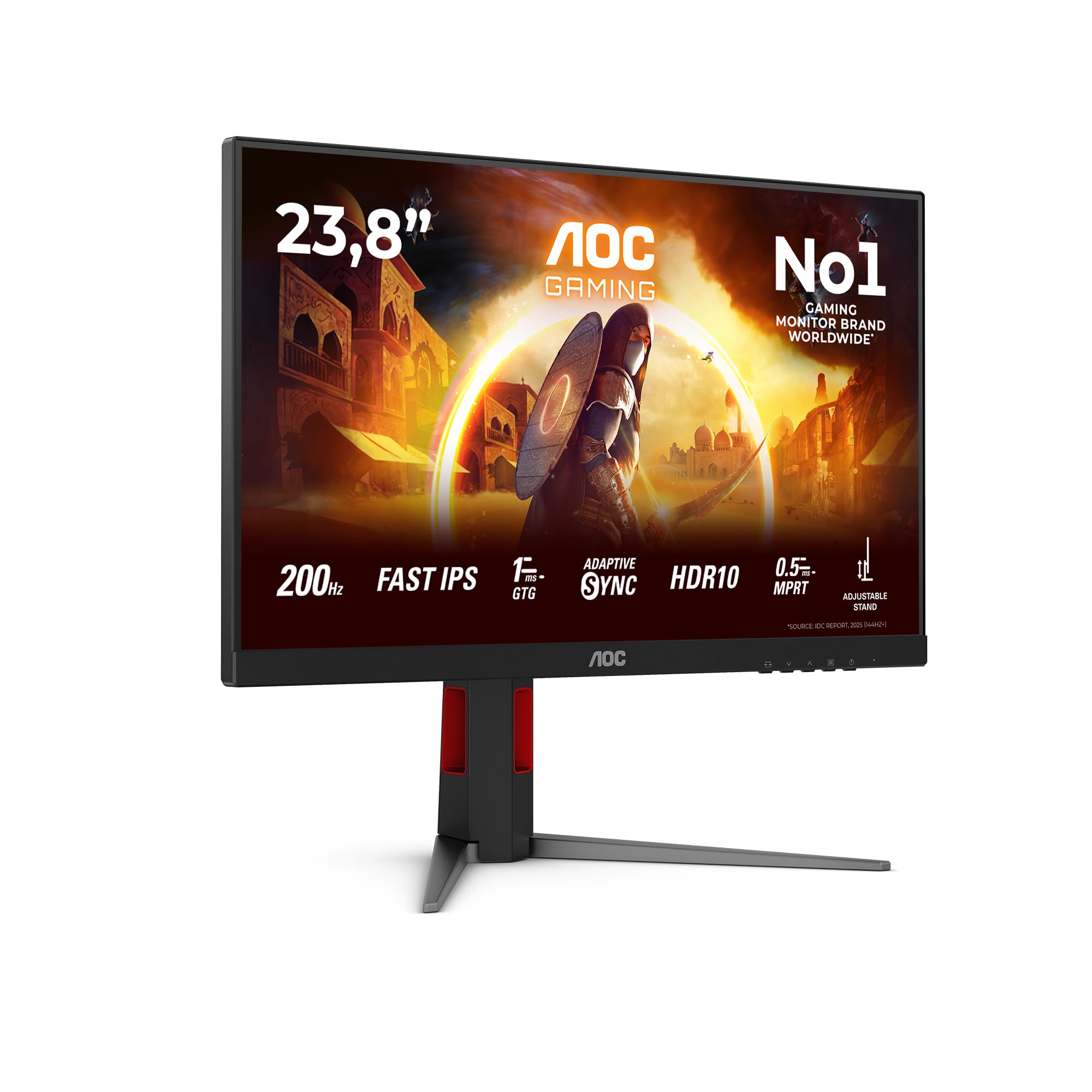
Frequently asked
7 questions01Does the Dell SE2726D run at 144Hz over HDMI?+
No. The HDMI ports on the SE2726D are version 1.4, which limits 2560x1440 output to 75Hz. To achieve the full 144Hz refresh rate, you must use the DisplayPort 1.2 connection. This is an important detail for console users, as PlayStation 5 and Xbox Series X both use HDMI 2.1, and connecting via the Dell's HDMI ports will cap you at 75Hz at 1440p.
02Is the HDR on the Dell SE2726D worth enabling?+
In practice, no. The SE2726D supports HDR10 signal input but has a typical brightness of only 350 nits and no local dimming. Meaningful HDR requires at least 600 nits peak brightness to render specular highlights convincingly, and the SE2726D does not meet even the entry-level VESA DisplayHDR 400 threshold. Enabling HDR mode on this monitor can produce tone-mapped images that look flatter and more washed out than standard SDR output. The practical recommendation is to leave HDR disabled and use the monitor in SDR mode.
03Will the Dell SE2726D work with an NVIDIA GPU?+
Yes, it will function normally as a display with any NVIDIA GPU. However, G-Sync Compatible certification is not confirmed for this model. Many FreeSync panels do operate with NVIDIA's adaptive sync implementation without official certification, but results are not guaranteed in the same way as a tested and validated G-Sync Compatible monitor. AMD GPU owners are fully covered by the FreeSync Premium certification. NVIDIA users who depend on variable refresh rate should verify compatibility before purchase.
04Can I mount the Dell SE2726D on a monitor arm?+
Yes. The SE2726D supports VESA 100x100mm mounting, which is compatible with the vast majority of monitor arms available. Given that the stand only offers tilt adjustment and no height, swivel, or pivot, fitting a monitor arm is the recommended solution for anyone who needs proper ergonomic positioning. The VESA mount point is standard and will accept arms from common brands without issue.
05How does the Dell SE2726D compare to a VA panel alternative at the same price?+
The key difference is contrast versus motion handling. VA panels at this price point can deliver 3000:1 or higher native contrast, which makes blacks look genuinely dark rather than grey in dark rooms. However, VA panels introduce slower pixel response in dark tones, potential smearing in fast dark scenes, and colour shift when viewed off-axis. The Dell SE2726D's IPS panel offers 1000:1 contrast but provides more consistent colour, better off-axis viewing, and more predictable motion performance. For primarily dark film viewing, a VA panel's contrast advantage is meaningful. For gaming with a mix of bright and fast-paced scenes, IPS is generally the more forgiving choice.
06What is the real-world response time of the Dell SE2726D?+
Dell quotes 1ms MPRT, which measures perceived motion blur under backlight strobing conditions rather than actual pixel transition speed. The more relevant figure is GtG (grey-to-grey) transition time, which for IPS panels at this price tier typically sits around 4ms to 5ms at the fastest overdrive setting. At 144Hz, one frame lasts approximately 6.9ms, so a 4ms GtG is adequate for keeping up with the refresh rate without significant trailing. Owner feedback suggests the medium overdrive setting is the most usable, as the highest setting can introduce inverse ghosting. The motion performance is honest for a budget IPS at 144Hz but not comparable to high-end fast IPS panels.
07Does the Dell SE2726D have a USB hub or USB-C?+
No. The SE2726D has no USB hub and no USB-C port. Connectivity is limited to one DisplayPort 1.2, two HDMI 1.4 ports, and a 3.5mm headphone jack. This means it cannot function as a single-cable docking solution for modern laptops, and you cannot route peripherals through the monitor. If USB-C or a built-in USB hub are requirements, you will need to consider a different monitor, typically at a higher price point.