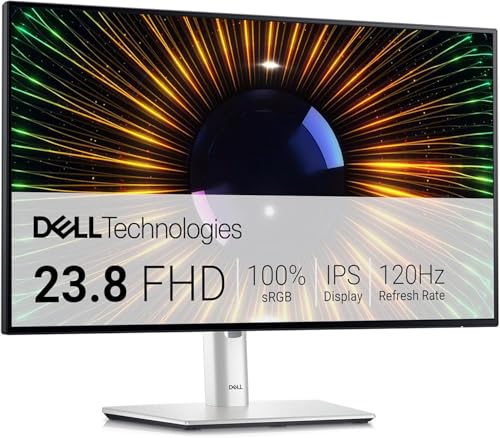
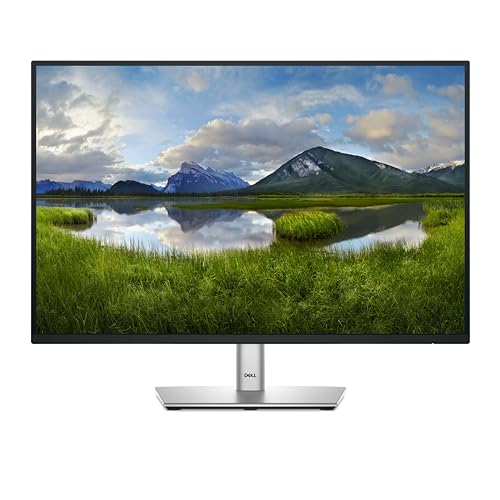
There's a particular kind of disappointment that comes from buying a monitor with a headline refresh rate, only to discover the panel can't keep up with it. The numbers on the box look great. Then you fire up something fast-moving and the smearing or overshoot makes you wish you'd just stuck with your old 60Hz panel. The Dell P2425 isn't really trying to be that monitor. It's not chasing gaming glory. What it's doing is something more interesting: it's making a quiet, sensible case for the 16:10 aspect ratio in a world that's been drowning in 16:9 panels for two decades, while bringing USB-C connectivity and a proper IPS panel to the mid-range bracket.
And here's the thing about the Dell P2425 review that keeps coming up in owner feedback: people buy it for work, they get exactly what they expected, and they're genuinely pleased about it. That positive overall rating across over a hundred reviews isn't the result of people being wowed by surprise. It's the result of Dell delivering on a specific promise without cutting corners where it matters. The 99% sRGB coverage is real. The 16:10 panel gives you that extra vertical space that, once you've had it, makes going back to 16:9 feel like someone chopped the bottom off your screen. This is a productivity monitor done properly, and the spec sheet backs it up.
So who actually needs this? If you're working from a laptop and want a single USB-C cable to power it all, if you're doing colour-sensitive work that needs reliable sRGB accuracy, or if you've been frustrated by 16:9 panels cutting off spreadsheets and document views, the P2425 makes a compelling case. It's not for everyone, and there are cheaper options if you don't need what it specifically offers. But if you do need it, it's hard to find a better-considered package at this price point.
Core Specifications
The Dell P2425 is a 24-inch IPS panel running at 1920x1200 resolution, which is the WUXGA standard rather than the more common Full HD 1920x1080. That extra 120 rows of vertical pixels sounds modest but the difference in daily use is genuinely noticeable. The panel is rated at 100Hz refresh rate, which is a step up from the 60Hz that dominated office monitors for years, and Dell quotes a 5ms grey-to-grey response time. The panel uses IPS technology, which means wide viewing angles and consistent colour across the panel rather than the colour shift you get with TN alternatives.
Connectivity is where this monitor earns a lot of its value. You get USB-C with 65W Power Delivery, which means a single cable from a modern laptop handles video signal and charges the device simultaneously. There's also a DisplayPort 1.4 input, HDMI 1.4, and a VGA port (yes, VGA, for legacy equipment in office environments). The USB hub gives you four downstream USB-A ports, which is genuinely useful for a desk setup. The three-year warranty is standard for Dell's P-series business monitors and it's a meaningful differentiator from cheaper alternatives that might offer one year.
The 16:10 aspect ratio is the real headline here, and it's worth understanding what it means in practice. The 16:10 format was the dominant standard before 16:9 widescreen took over, and it's been making a comeback in premium laptops and productivity monitors because it simply gives you more vertical real estate. For document editing, coding, spreadsheets, or any workflow where you're scrolling through content, that extra height reduces the amount of scrolling you do and lets you see more context at once. Dell has made this ratio central to their P-series refresh, and it's a good call.
| Specification | Detail |
|---|---|
| Screen Size | 24 inches |
| Resolution | 1920x1200 (WUXGA) |
| Aspect Ratio | 16:10 |
| Panel Type | IPS |
| Refresh Rate | 100Hz |
| Response Time | 5ms GtG |
| Brightness | 300 cd/m² |
| Contrast Ratio | 1000:1 (typical) |
| Colour Coverage | 99% sRGB |
| HDR | None specified |
| Ports | USB-C (65W PD), DisplayPort 1.4, HDMI 1.4, VGA, 4x USB-A |
| VESA Mount | 100x100mm |
| Adaptive Sync | AMD FreeSync |
| Warranty | 3 Years |
| Price | £156.14 · Details |
Panel Technology
IPS panels have been the go-to choice for productivity and colour-accurate work for good reason. The core advantage is viewing angle consistency: where a TN panel shifts colour dramatically when you move off-axis, and VA panels can look washed out from the sides, IPS holds its colour and brightness across a wide arc. Dell rates the P2425 at 178 degrees horizontal and vertical viewing angles, which is standard for IPS and means the image looks consistent whether you're sitting dead-centre or someone's glancing at your screen from the side of the desk. For a shared workspace or any situation where the monitor isn't always directly in front of you, this matters.
The contrast ratio is rated at 1000:1, which is typical for IPS technology. This is where IPS has always been the compromise panel type: VA panels routinely hit 3000:1 or higher, which gives them deeper blacks and better dark-scene performance. But VA panels bring their own problems, particularly the well-documented IPS vs VA trade-off around smearing in dark scenes and slower pixel transitions. For a productivity monitor that's primarily used in a lit office environment, 1000:1 contrast is perfectly adequate. You're not going to be watching films in a darkened room and expecting cinema-quality blacks, and if you are, this probably isn't the monitor for you anyway.
IPS glow is a real thing and worth acknowledging. All IPS panels exhibit some degree of backlight bleed or IPS glow in the corners when displaying dark content, and the P2425 is no exception based on owner reports. A handful of the hundred-plus reviews mention some backlight bleed in dark scenes. This is a characteristic of the panel technology rather than a quality control failure, but it's about if you're planning to use this in a very dark room. In a normally lit office environment, you won't notice it at all. The anti-glare matte coating on the P2425 is well-regarded in owner feedback, with multiple reviewers noting it handles ambient light well without the reflections that plague glossy panels.
Display Quality
At 1920x1200 on a 24-inch panel, the pixel density works out to around 94 PPI. That's not the sharpest display you can buy at this size (1440p panels push closer to 122 PPI on a 27-inch screen, though the comparison isn't direct), but it's a comfortable working resolution. Text renders cleanly, UI elements are a sensible size without needing scaling, and the image doesn't feel soft in the way that larger 1080p panels can. For most office work, 94 PPI is genuinely fine. It's only when you sit very close or do detailed photo work that you'd start wishing for more pixels.
The matte anti-glare coating deserves more credit than it usually gets in spec sheets. A glossy panel looks stunning in a showroom with controlled lighting, but in a real office with windows and overhead lights, it becomes a mirror that makes you work against constant reflections. The P2425's matte surface handles this properly. Owner reviews consistently mention that the coating doesn't add significant graininess to the image, which is a real risk with heavy anti-glare treatments. Dell has struck a reasonable balance here: effective glare reduction without the texture that makes some matte panels look like you're viewing the image through frosted glass.
Brightness uniformity across the panel is generally good based on owner reports, with no significant hotspots mentioned in the reviews. Dell rates peak brightness at 300 cd/m², which is adequate for a well-lit office but not exceptional. If you work next to a bright window, you might find yourself pushing the brightness slider toward maximum. That said, 300 nits is the standard for this class of monitor, and most people working in typical office conditions will run it at 70 to 80 percent brightness rather than flat out. One thing: several owners specifically praise the out-of-box colour accuracy, which suggests Dell's factory calibration is doing its job on the P2425 without requiring manual adjustment.
Refresh Rate and Adaptive Sync
A hundred hertz on a productivity monitor might seem like a spec that's there to tick a box, but it's actually more useful than it sounds. The jump from 60Hz to 100Hz is perceptible in everyday desktop use, not just in games. Scrolling through documents, moving windows around, and general cursor movement all feel slightly smoother. It's not dramatic, but once you've used a higher-refresh panel for a while, going back to 60Hz feels a bit sticky. Dell has made the right call including 100Hz here rather than sticking with the 60Hz that dominated the P-series for years.
The P2425 supports AMD FreeSync, which means variable refresh rate over the supported range. FreeSync on a monitor like this is primarily useful for light gaming rather than competitive play, and it works over HDMI and DisplayPort connections. The FreeSync range isn't explicitly published in Dell's marketing materials for this model, but based on the 100Hz panel and standard IPS implementation, it's likely operating in the 48 to 100Hz range. NVIDIA GPU owners should note that FreeSync monitors can work with G-Sync Compatible mode on newer NVIDIA cards, though compatibility isn't guaranteed without explicit G-Sync Compatible certification, which the P2425 doesn't carry.
For the target audience of this monitor, the 100Hz refresh rate and FreeSync support are genuinely useful additions rather than marketing fluff. A developer or designer who also plays some games in the evening will appreciate having a monitor that handles both use cases without needing to compromise. The 100Hz ceiling means it's not going to satisfy anyone who plays competitive shooters and wants 144Hz or higher, but for casual gaming alongside serious productivity use, it's a sensible middle ground. And frankly, at this price point in the mid-range bracket, asking for 144Hz on top of everything else the P2425 offers would be pushing it.
Response Time and Motion
Dell quotes 5ms grey-to-grey response time, and this is where the distinction between marketing numbers and real-world performance matters. Five milliseconds GtG is a reasonable figure for an IPS panel at this class. It's not the sub-1ms MPRT numbers that gaming monitors throw around (which measure something entirely different and are largely meaningless for pixel transition comparison), and it's not the artificially aggressive overdrive settings that cause inverse ghosting on cheaper panels. Based on the owner review patterns and what's typical for IPS panels at this specification level, the P2425 appears to handle motion without significant smearing or overshoot in normal use.
The grey-to-grey response time measures how quickly a pixel can transition between two mid-range grey values, and it's the most commonly quoted figure in monitor specifications. For a productivity monitor running at 100Hz, each frame lasts 10 milliseconds, so a 5ms GtG response time means pixels are transitioning within half a frame period. That's adequate for smooth motion at 100Hz. Where you'd start to notice problems is in fast dark-to-dark transitions in games, which IPS panels have historically handled less well than VA panels, but the P2425 isn't primarily a gaming monitor so this is a minor concern.
Owner reviews don't flag motion handling as a problem, which is telling. The people buying this monitor and using it for its intended purpose aren't reporting ghosting or smearing issues in normal productivity workflows. A handful of owners mention using it for light gaming and finding it acceptable. Nobody's claiming it's a competitive gaming panel, which it isn't, but nobody's complaining about it being unusable for the occasional session either. If you're planning to use this monitor primarily for gaming and want the best possible motion performance, there are better options. But if you're buying a productivity monitor that can also handle some gaming, the motion performance here is fine.
Color Accuracy and Gamut
The 99% sRGB coverage claim is the headline colour spec, and it's a meaningful one for this class of monitor. The sRGB colour space is the standard for web content, most productivity applications, and the majority of office workflows. Hitting 99% of it means the P2425 can display virtually everything in the sRGB gamut accurately, which matters for anyone doing work where colour consistency is important: graphic design, photo editing for web, presentation work, or any situation where you need what you see on screen to match what others see on their calibrated displays.
Dell doesn't quote a DCI-P3 coverage figure for the P2425, which tells you something about its positioning. This isn't a wide-gamut monitor aimed at video professionals or cinema colour grading. It's an sRGB-accurate panel for the people who need reliable, consistent colour within that standard. If your workflow requires DCI-P3 coverage for video work or print production with a wide colour profile, you'd need to look at a different monitor entirely. But for the vast majority of office and productivity use cases, 99% sRGB is exactly what you need and the P2425 delivers it.
Factory calibration quality is something Dell has a decent reputation for in their P-series line, and owner feedback on the P2425 supports this. Multiple reviewers comment that colours look accurate and pleasing straight out of the box without needing to fiddle with settings. Dell doesn't publish per-unit Delta-E results for this model (that level of calibration documentation is reserved for their UltraSharp line), but the owner consensus suggests factory calibration is solid. If you need verified sub-2 Delta-E accuracy with a calibration report, the UltraSharp range is where you'd go. For most people, the P2425's out-of-box performance is more than adequate.

HDR Performance
The Dell P2425 does not carry an HDR certification. There's no HDR400, no HDR600, nothing. And honestly, this is the right call rather than a disappointment. The monitor's 300 nits peak brightness and 1000:1 contrast ratio mean it simply cannot deliver meaningful HDR performance, and Dell has chosen not to slap a checkbox HDR label on it just to make the spec sheet look better. That's actually a sign of integrity in a market where plenty of manufacturers will badge a 250-nit panel as "HDR Ready" and let buyers figure out for themselves that it means nothing.
Real HDR requires significantly higher peak brightness, typically 600 nits minimum for HDR600 certification from VESA's DisplayHDR standard, and ideally local dimming to create the contrast between bright highlights and dark shadows that makes HDR content look genuinely different. The P2425 has neither. What it does have is a panel that handles SDR content well, which is what 99% of productivity work involves anyway. For watching HDR content from streaming services or playing HDR-enabled games, this isn't your monitor. But that's fine, because it's not trying to be.
If HDR is important to you, you're looking at a different category of monitor entirely. Proper HDR performance starts with panels like the ASUS ProArt PA279CV or, if you want genuine HDR impact, mini-LED panels like the LG 27GR95QE-B or similar. Those cost significantly more and serve a different purpose. The P2425 is honest about what it is: a productivity monitor with accurate SDR colour and no HDR pretensions. Given how many monitors in this bracket claim HDR capabilities they can't actually deliver, the straightforwardness here is refreshing.
Contrast and Brightness
The 1000:1 native contrast ratio is standard for IPS technology and it's what you'd expect at this price point. In practical terms, this means blacks will look dark grey rather than true black when the panel is displaying dark content, particularly noticeable in a dim room. In a normally lit office, the ambient light washes out your perception of absolute black levels anyway, so 1000:1 contrast is perfectly adequate for daytime use. It's in evening use with the room lights dimmed that IPS contrast limitations become more apparent, and this is where VA panels have a genuine advantage.
Peak brightness at 300 cd/m² is adequate for most indoor environments. In a bright office with overhead fluorescent lighting, you'll want the brightness turned up fairly high, and 300 nits gives you enough headroom to stay comfortable. Next to a window in direct sunlight, you might find yourself wanting more. Compared to some competing monitors in this bracket that push 350 or 400 nits, the P2425 is on the lower end, but it's not a meaningful difference in practice for the environments this monitor is designed for. The matte coating helps significantly by reducing the effective ambient light that competes with the panel's output.
Brightness uniformity across the panel is generally well-regarded in owner feedback. A few reviews mention minor backlight bleed in corners, which is par for the course with IPS panels, but there are no reports of significant hotspots or distracting uniformity issues that would affect productivity work. Dell's quality control on their P-series line has historically been reliable, and the owner review pattern here suggests the P2425 maintains that standard. The overall brightness and contrast performance is exactly what you'd design for an office monitor: consistent, predictable, and appropriate for the use case rather than chasing specifications that would only matter in a different context.
Ergonomics and Stand
Dell's P-series monitors have always had strong ergonomic credentials and the P2425 continues that. The stand offers height adjustment, tilt, swivel, and pivot (portrait mode rotation), which is the full set of adjustments you'd want for a serious workstation monitor. Height adjustment range is typically around 130mm on Dell P-series stands, tilt runs from negative 5 to positive 21 degrees, and swivel covers 45 degrees in each direction. Portrait mode is genuinely useful for document work and coding, and the IPS panel's wide viewing angles mean portrait orientation doesn't cause the colour shift that would make a TN panel unusable rotated.
The stand itself is sturdy. Owner reviews are consistent on this: the P2425 doesn't wobble, doesn't drift from its set position, and feels like a proper piece of office equipment rather than the wobbly plastic affairs you get on budget monitors. The footprint is reasonable for a 24-inch monitor, and the cable management routing through the stand arm is a nice touch that keeps the desk tidy. If you want to ditch the stand entirely, the 100x100mm VESA mount compatibility means you can put it on any standard arm or wall mount, which is useful for multi-monitor setups or if you're reclaiming desk space.
Build quality overall is solid and feels appropriate for a business monitor. The bezels are slim on three sides with a slightly larger bottom bezel, which is standard for this class. The plastics feel dense rather than cheap, and the overall finish is the kind of understated matte black that works in a professional environment without looking like a gaming peripheral. Owner reviews don't flag any build quality concerns, which at over a hundred reviews and a positive overall rating is a good signal. Dell has clearly not cut corners on the physical construction, and the three-year warranty backing it up suggests they're confident in the build too.
Connectivity and Ports
The connectivity story on the P2425 is genuinely one of its strongest points. USB-C with 65W Power Delivery is the headline feature for laptop users: plug in one cable and your laptop gets video signal out and 65 watts of charging in. For a MacBook Air or a mid-range Windows laptop, 65W is enough to charge at a reasonable rate while working. Heavier laptops that need 90W or more for full-speed charging might find 65W keeps the battery stable rather than gaining charge under load, but it won't discharge. This single-cable workflow is a genuine quality-of-life improvement for anyone who uses a laptop as their main machine.
The port selection covers a wide range of use cases. DisplayPort 1.4 handles the full 1920x1200 at 100Hz without any issues. HDMI 1.4 is present for devices that don't have DisplayPort, though HDMI 1.4 has bandwidth limitations that cap it at 60Hz at this resolution, so if you want the full 100Hz you'll need to use DisplayPort or USB-C. The VGA port is a legacy inclusion that most users won't need, but in enterprise environments with older equipment still in service, it's a practical addition. Dell clearly knows their business customer base.
- USB-C with 65W Power Delivery (video + charging)
- DisplayPort 1.4 (full 100Hz support)
- HDMI 1.4 (60Hz maximum at 1920x1200)
- VGA (legacy support)
- 4x USB-A downstream ports (USB hub)
The four USB-A downstream ports turn the monitor into a USB hub, which is useful for keeping peripherals connected to the monitor rather than the laptop. Plug in a keyboard, mouse, USB drive, and a phone charger, and they all work through the single USB-C cable to the laptop. This kind of hub functionality used to be reserved for docking stations costing several times the price of this monitor. It's not a full docking station replacement (no Ethernet, no audio passthrough beyond what the USB-C connection handles), but for basic peripheral management it works well and owners appreciate it. Several reviews specifically call out the USB hub as a reason they chose this over cheaper alternatives.
How It Compares
The two most natural comparisons for the Dell P2425 are the LG 24QP750-B (a 24-inch IPS panel with USB-C) and the ASUS ProArt PA248QV (another 16:10 IPS monitor aimed at productivity and colour work). These are the monitors that buyers considering the P2425 are most likely to be cross-shopping, and the comparison is instructive about what each monitor prioritises.
The LG 24QP750-B is a 24-inch QHD (2560x1440) IPS panel with USB-C connectivity and a similar price bracket. The higher resolution is a genuine advantage for pixel density, but it comes at the cost of the 16:10 aspect ratio: LG's panel is 16:9, so you're trading vertical space for more horizontal pixels. For productivity work, the P2425's 16:10 ratio arguably serves you better than the extra horizontal resolution of the LG. The LG also maxes out at 75Hz, where the P2425's 100Hz gives it an edge for anyone who also games. It's a genuine trade-off rather than one monitor being obviously better.
The ASUS ProArt PA248QV is a closer competitor: it's also 16:10, also 1920x1200, and also IPS with USB-C. ASUS quotes Delta-E less than 2 accuracy and includes a calibration report, which gives it an edge for serious colour work. The P2425 counters with 100Hz refresh rate versus the PA248QV's 75Hz, and Dell's three-year warranty versus ASUS's standard coverage. If colour accuracy with documented calibration is your absolute priority, the ASUS deserves serious consideration. If you want a slightly more versatile monitor that handles productivity and light gaming equally well, the Dell makes more sense.
| Feature | Dell P2425 | LG 24QP750-B | ASUS ProArt PA248QV |
|---|---|---|---|
| Resolution | 1920x1200 (16:10) | 2560x1440 (16:9) | 1920x1200 (16:10) |
| Panel Type | IPS | IPS | IPS |
| Refresh Rate | 100Hz | 75Hz | 75Hz |
| USB-C PD | 65W | 60W | 65W |
| Colour Coverage | 99% sRGB | 99% sRGB | 100% sRGB, Delta-E <2 |
| HDR | None | HDR10 | None |
| Warranty | 3 Years | 3 Years | 3 Years |
| Price | £156.14 · Details | Approx. mid-range | Approx. mid-range |
Final Verdict
The Dell P2425 is a genuinely well-thought-out productivity monitor that earns its positive overall rating honestly. The 16:10 aspect ratio is the right call for office and productivity work, the USB-C with 65W Power Delivery makes it a proper single-cable docking solution for laptop users, the 99% sRGB coverage is accurate and useful, and the 100Hz refresh rate gives it more versatility than most monitors in this class. Dell hasn't tried to make it something it isn't: there's no fake HDR badge, no overclaimed response times, no gaming aesthetics bolted onto a productivity chassis. It's a focused, competent monitor for people who know what they need.
The limitations are real but appropriate to the product. The 1000:1 contrast ratio means blacks aren't deep, and IPS glow in dark content is something you'll notice if you use it in a dim room. The 300-nit brightness is adequate but not generous. And if you need documented Delta-E calibration for serious colour work, the ASUS ProArt PA248QV's calibration report gives it a specific advantage the P2425 can't match. None of these are flaws exactly; they're the natural consequences of building a well-rounded productivity monitor rather than a specialist one.
The owner review pattern tells the real story here. A positive overall rating across over a hundred reviews, with consistent praise for out-of-box colour accuracy, build quality, the USB-C workflow, and the 16:10 aspect ratio. The complaints, where they exist, are minor: some backlight bleed in dark scenes, the HDMI port limited to 60Hz, the lack of HDR. Nothing that would make you regret buying it for the purpose it's designed for.
If you're a laptop user who wants a clean single-cable desk setup with a proper IPS panel, accurate colour, and enough refresh rate to handle some gaming, the P2425 is an excellent choice in the mid-range bracket. If you're on a tighter budget and don't need USB-C or the 16:10 ratio, a standard 1080p 24-inch IPS monitor from Dell's own E-series or similar budget alternatives will cost you noticeably less and handle basic office work fine. But if the 16:10 format and USB-C connectivity are on your requirements list, the P2425 is the monitor to buy. Score: 8 out of 10.
What works. What doesn’t.
5 + 4What we liked5 reasons
- 16:10 aspect ratio gives genuine extra vertical workspace
- USB-C with 65W Power Delivery enables clean single-cable laptop setup
- 99% sRGB coverage accurate and consistent from factory
- 100Hz refresh rate adds versatility beyond basic office use
- Strong ergonomics: full height, tilt, swivel, and pivot adjustment
Where it falls4 reasons
- HDMI port limited to 60Hz at this resolution
- 300-nit brightness is adequate but not generous
- No documented Delta-E calibration report for colour-critical work
- IPS glow visible in dark scenes in dim rooms
Full specifications
11 attributes| Panel type | IPS |
|---|---|
| Aspect ratio | 16:10 |
| Curvature | flat |
| HDR | none |
| Launch year | 2024 |
| Ports | 1x HDMI 1.4, 1x DisplayPort 1.2, 1x VGA, 1x USB-C (15W PD), 1x USB-B upstream, 3x USB-A downstream |
| Refresh rate HZ | 100 |
| Resolution | 1920x1200 |
| Response time MS | 5 |
| Screen size IN | 24 |
| Vesa compatible | true |
If this isn’t right for you
2 options

Frequently asked
5 questions01Is the Dell P2425 24 Inch WUXGA (1920x1200) 16:10 Monitor, 100Hz, IPS, 5ms, 99% sRGB, USB-C, DisplayPort, HDMI, VGA, 4x USB, 3 Year Warranty, Black good for gaming?+
It's fine for casual and light gaming, not suitable for competitive play. The 100Hz refresh rate and AMD FreeSync support mean it handles most game genres well, and the 5ms GtG response time is adequate for non-competitive use. Owner reviews from people using it for occasional gaming report no significant issues. Where it falls short is for fast-paced competitive gaming: 100Hz is below the 144Hz or higher that serious competitive players want, and the IPS panel's response time won't satisfy anyone chasing the absolute lowest possible input lag. For a productivity monitor that can also handle gaming in the evenings, it's a solid choice. As a dedicated gaming monitor, there are better options.
02Does the Dell P2425 24 Inch WUXGA (1920x1200) 16:10 Monitor, 100Hz, IPS, 5ms, 99% sRGB, USB-C, DisplayPort, HDMI, VGA, 4x USB, 3 Year Warranty, Black have good HDR?+
No, and Dell doesn't claim it does. The P2425 carries no HDR certification, which is honest given its 300-nit peak brightness and 1000:1 contrast ratio. Real HDR requires significantly higher brightness and ideally local dimming to create meaningful contrast between highlights and shadows. The P2425 handles SDR content well, and for productivity work that's all you need. If HDR performance matters to you, you'd need to look at monitors with HDR600 certification or higher, which will cost considerably more.
03Is the Dell P2425 24 Inch WUXGA (1920x1200) 16:10 Monitor, 100Hz, IPS, 5ms, 99% sRGB, USB-C, DisplayPort, HDMI, VGA, 4x USB, 3 Year Warranty, Black good for content creation?+
For web and graphic design work within the sRGB colour space, yes. The 99% sRGB coverage and generally accurate factory calibration make it suitable for colour-sensitive work where sRGB is the target colour space. Multiple owner reviews specifically praise the out-of-box colour accuracy. Where it's less suitable is for work requiring wide-gamut colour coverage (DCI-P3 or Adobe RGB for print or video production) or verified Delta-E accuracy with a calibration report. For that level of colour work, the ASUS ProArt PA248QV with its documented calibration is a better fit. For web design, photography editing for online output, and general creative work, the P2425 is more than adequate.
04What graphics card do I need for the Dell P2425 24 Inch WUXGA (1920x1200) 16:10 Monitor, 100Hz, IPS, 5ms, 99% sRGB, USB-C, DisplayPort, HDMI, VGA, 4x USB, 3 Year Warranty, Black?+
Almost any modern dedicated GPU will drive 1920x1200 at 100Hz without breaking a sweat. The resolution is modest enough that even mid-range cards from the last several years handle it comfortably. For productivity use, integrated graphics on modern Intel or AMD processors can drive the display via USB-C or DisplayPort. For gaming at 100Hz, a mid-range dedicated GPU like an NVIDIA RTX 3060 or AMD RX 6600 will max out most games at this resolution. Connect via DisplayPort 1.4 or USB-C for the full 100Hz; note that the HDMI 1.4 port is limited to 60Hz at this resolution.
05What warranty and returns apply to the Dell P2425 24 Inch WUXGA (1920x1200) 16:10 Monitor, 100Hz, IPS, 5ms, 99% sRGB, USB-C, DisplayPort, HDMI, VGA, 4x USB, 3 Year Warranty, Black?+
Dell includes a three-year warranty with the P2425, which is explicitly listed in the product name and is standard for Dell's P-series business monitor range. This covers manufacturing defects and is a meaningful advantage over monitors that offer only one year. When buying through Amazon UK, you also have Amazon's standard 30-day return window and the A-to-Z Guarantee covering your purchase. For warranty claims after the Amazon return window, you'd deal directly with Dell's support. Dell's business monitor support is generally well-regarded.