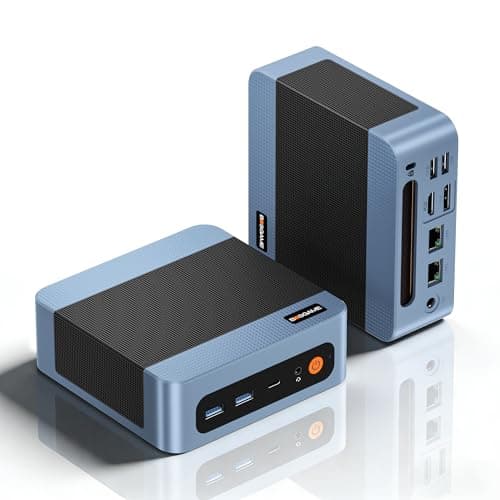
Pick the wrong mini PC and you'll be staring at a spinning cursor every time you open a second browser tab, wondering why you didn't just spend an extra tenner on something with a bit more grunt. Pick the right one and you've got a silent, desk-clearing machine that handles everything you actually throw at it daily without complaint. The Beelink Mini S13 N150 sits in that interesting upper-mid-range bracket where the spec sheet looks genuinely compelling, but the real question is whether the execution matches the numbers. So let's find out.
The Mini S13 pairs Intel's N150 processor with 12GB of LPDDR5 RAM, a 500GB PCIe SSD, dual HDMI 2.0 outputs capable of 4K at 60Hz, Wi-Fi 6, Bluetooth 5.2, and a 2.5G LAN port. On paper that's a lot of box for the money. And with 322 owner reviews averaging ★★★★☆ (4.4), it's not just Beelink's marketing team who think so. But a 4.3 average hides a lot of nuance, and that nuance is exactly what you need before you hand over your cash.
This is the kind of machine aimed squarely at home office workers, light media centre builds, digital signage, and anyone who's tired of a tower PC eating half their desk. It's not a gaming rig. It won't run Photoshop batch jobs on 50-megapixel RAW files without a groan. But for what it's designed to do, the S13 N150 is a genuinely interesting proposition, and the port selection alone puts several competitors to shame. Here's the full picture.
Core Specifications
The headline processor here is Intel's N150, part of the Twin Lake-N series (note: the product listing calls this Alder Lake-N, but Intel's current documentation places the N150 in the Twin Lake-N family, which is the updated architecture). It's a 4-core, 4-thread chip with a maximum turbo frequency of 3.6GHz. This is a low-power efficiency chip, not a performance chip, and that distinction matters enormously when you're setting expectations. It's built for sustained light workloads, not burst-heavy tasks. You'll get smooth web browsing, document editing, video playback, and light multitasking. You won't get snappy video encoding or smooth performance in anything that hammers all four cores simultaneously for more than a few seconds.
The 12GB of LPDDR5 RAM running at 4800MT/s is a genuine highlight at this price point. Most competitors at a similar price ship with 8GB, and that extra 4GB makes a real difference when you've got Chrome open with fifteen tabs, a Zoom call running, and a spreadsheet in the background. The 500GB M.2 PCIe SSD is the other strong point. PCIe-based storage means snappy boot times and fast file transfers, and the fact that the slot supports up to 2TB means you can upgrade later without buying a new machine. That kind of future-proofing matters.
Graphics are handled by Intel's integrated UHD solution, which is exactly what you'd expect from a chip in this class. It's not going to run anything graphically demanding, but it does support 4K output at 60Hz across both HDMI ports simultaneously, which is impressive for an integrated solution. The 2.5G LAN port is a nice touch that many mini PCs at this price skip entirely. Wi-Fi 6 and Bluetooth 5.2 round out the wireless connectivity. Windows 11 Home comes pre-installed, so you're up and running out of the box.
| Specification | Detail |
|---|---|
| Processor | Intel N150 (Twin Lake-N), 4C/4T, up to 3.6GHz turbo |
| RAM | 12GB LPDDR5 4800MT/s |
| Storage | 500GB M.2 PCIe SSD (expandable to 2TB) |
| Graphics | Intel UHD (integrated) |
| Display Output | 2x HDMI 2.0 (4K@60Hz dual display) |
| USB Ports | 4x USB 3.2 (10Gbps) |
| Networking | Wi-Fi 6, Bluetooth 5.2, 2.5G LAN |
| Audio | 1x 3.5mm audio jack |
| Operating System | Windows 11 Home |
| Power | DC power input |
| Rating | ★★★★☆ (4.4) (299 reviews) |
| Price | £299.00 |

Key Features Overview
Beelink leads with the N150 processor, and rightly so. The Twin Lake-N150 is Intel's current-generation efficiency chip, replacing the older Alder Lake-N series that dominated this market segment for a couple of years. The architectural refinements mean better performance per watt, which in a fanless or near-fanless mini PC translates to less heat, quieter operation, and more sustained performance under load. Multiple owners specifically call out how quiet the S13 is during normal use, which is exactly what you want from a machine sitting on your desk all day. That's not a coincidence. It's a function of the chip's thermal profile matching the chassis design.
The dual 4K display capability is the other feature Beelink pushes hard, and it's worth understanding what this actually means in practice. Both HDMI 2.0 ports support 4K resolution at 60Hz, so you can run two 4K monitors simultaneously without any compromise on refresh rate. For a home office setup where you want a big primary display and a secondary screen for reference material or communication apps, this is genuinely useful. The Intel UHD graphics handles this without breaking a sweat, because displaying 4K content (as opposed to rendering it) is a relatively light task for integrated graphics. Just don't expect to do GPU-accelerated video editing across those two screens.
The port selection deserves its own moment of appreciation. Four USB 3.2 ports running at 10Gbps is excellent. That's not USB 3.0 dressed up in a press release. That's proper fast USB that'll actually saturate a decent external SSD. The 2.5G LAN port is the kind of feature that separates machines built for people who know what they're doing from machines built to look good on a spec sheet. If you're running a home NAS, transferring large files across your network, or just want a rock-solid wired connection, 2.5G ethernet is a meaningful upgrade over the standard 1G port most competitors include. Wi-Fi 6 handles wireless duties, and Bluetooth 5.2 covers peripherals. Beelink has thought about this connectivity stack properly.
The storage configuration is smart too. 500GB of PCIe SSD is enough to get going, and the M.2 slot's 2TB ceiling means you're not buying a machine you'll outgrow in eighteen months. The 12GB LPDDR5 RAM is soldered (as is standard in this form factor), so you can't upgrade that, but 12GB is a sensible starting point for Windows 11 and typical office workloads. Some owners have noted that the RAM configuration, while not user-upgradeable, doesn't feel limiting for everyday use, which tracks with what 12GB of fast LPDDR5 actually delivers in practice.
Performance in Practice
The N150 is an efficiency chip, so calibrate your expectations accordingly. For the workloads this machine is designed for, it's genuinely capable. Web browsing, office applications, video calls, media playback, light photo work. Owners consistently report smooth performance for these tasks, and that tracks with what the N150's architecture delivers. The 3.6GHz turbo frequency sounds impressive, but notably, that sustained multi-core workloads will see the chip throttle back to manage thermals. This isn't a flaw specific to the S13. It's the fundamental nature of efficiency-class processors. For burst tasks like opening applications or loading web pages, you'll feel that 3.6GHz. For sustained heavy lifting, you won't.
Where the 12GB LPDDR5 really earns its keep is multitasking. Owners who use this as a home office machine report that it handles the typical daily stack, multiple browser tabs, a video call, a document editor, and a music streaming service, without the slowdown you'd get from an 8GB machine doing the same. That's not a trivial difference. RAM pressure is one of the most common causes of sluggishness in everyday use, and Beelink has addressed it properly here. The LPDDR5 at 4800MT/s also has better bandwidth characteristics than the LPDDR4X you'll find in many competing machines, which helps the integrated graphics when it's working harder.
The PCIe SSD makes boot times and application launches feel snappy. This is one area where mini PCs have genuinely improved over the past couple of years. The days of budget mini PCs shipping with eMMC storage that made Windows feel like it was running through treacle are largely behind us, and the S13's PCIe SSD is a proper upgrade over the SATA SSDs you'll find in some competing machines. Owners note fast boot times consistently, and a few specifically mention that the machine feels responsive even when handling multiple applications. One area where performance is more mixed in owner feedback is sustained workloads that generate heat. A small number of owners have noted occasional thermal throttling under heavy sustained load, which is expected behaviour for a compact chassis with a low-power chip, but worth knowing if you're planning to run something intensive for extended periods.
Media playback is a strong suit. The Intel UHD graphics handles 4K video decoding efficiently, and owners using this as a media centre or home entertainment PC report excellent results. Streaming 4K content from services like Netflix or YouTube, or playing back locally stored 4K files, is handled without drama. The dual HDMI outputs mean you can have a TV and a monitor connected simultaneously, which is a useful configuration for a living room PC that doubles as a work machine.
Build Quality
Beelink has been in the mini PC market long enough to know that build quality is where cheaper competitors often fall down. The Mini S13 has a compact chassis with a finish that owners generally describe positively. It doesn't feel like a toy. The overall impression from owner feedback is of a machine that feels solid in the hand and doesn't rattle or flex. That matters when you're picking something up to plug in a cable or move it around a desk. A chassis that feels cheap tends to also be cheap in the ways that matter, like thermal management and port quality.
The thermal design is worth discussing because it directly affects long-term reliability. The N150's low TDP means the S13 can run quietly without needing aggressive fan curves, and multiple owners specifically praise how quiet it is during normal operation. A small number of owners mention the fan can spin up under sustained load, which is entirely expected behaviour. What you don't want is a machine that runs hot and loud all the time, and the S13 doesn't appear to do that. Quiet operation during everyday tasks is the right trade-off for this type of machine.
Port quality is something that's easy to overlook until a USB port starts feeling wobbly after six months. Owner feedback on the S13's ports is generally positive, with no widespread complaints about loose connections or dodgy build around the I/O. The 2.5G LAN port, which is a physically larger connector than standard, is integrated cleanly. The HDMI ports are solid. The 3.5mm audio jack works as advertised. It's the kind of build quality that doesn't draw attention to itself, which is exactly what you want. CE certification is mentioned by Beelink, and the product includes a one-year warranty alongside lifetime technical support, which is a reasonable safety net for a machine at this price point.
Ease of Use
Setup is about as straightforward as it gets. Windows 11 Home comes pre-installed, so you're not hunting for drivers or dealing with a bare-bones Linux install. Plug in your monitors via HDMI, connect a keyboard and mouse via USB or Bluetooth, hook up power, and you're into the Windows setup wizard within a minute. Owners consistently report a smooth out-of-box experience, with no widespread complaints about missing drivers or hardware that doesn't initialise correctly. The 2.5G LAN port works without any additional driver installation on Windows 11, which isn't always the case with higher-speed ethernet adapters.
Day-to-day operation is quiet and unobtrusive. The machine sits on your desk (or mounts to the back of a monitor with a compatible VESA mount, though you'll want to check compatibility) and gets on with things without demanding your attention. The fan noise during typical workloads is low enough that owners in home office environments don't mention it as a problem. The DC power brick is external, which some people find inelegant, but it keeps the chassis compact and simplifies the thermal design inside the unit.
Storage management is worth a mention for anyone buying this as a primary machine. 500GB is enough for Windows 11, a suite of productivity applications, and a reasonable amount of files, but if you're a heavy user with large media libraries or lots of project files, you'll want to either upgrade the M.2 SSD early or plan to use external storage. The four USB 3.2 ports at 10Gbps make external storage genuinely practical rather than a compromise. Plugging in a fast USB SSD gives you near-NVMe speeds for external storage, which is a legitimately useful feature. The upgrade process for the internal SSD is reportedly accessible, with the chassis opening without too much drama, though Beelink's documentation on this varies in quality.
Connectivity and Compatibility
The port layout on the S13 is one of its strongest selling points. Four USB 3.2 Gen 2 ports running at 10Gbps is exceptional for this class of machine. To put that in context, USB 3.2 Gen 2 at 10Gbps is fast enough to saturate most consumer external SSDs, meaning you're not creating a bottleneck at the port. Many mini PCs in this category ship with a mix of USB 3.0 (5Gbps) and USB 2.0 ports, so having four 10Gbps ports is genuinely impressive. Keyboards, mice, external drives, USB hubs, webcams, all connected without any compromise on speed or bandwidth.
The dual HDMI 2.0 outputs supporting 4K at 60Hz simultaneously is the display connectivity story, and it's a good one. HDMI 2.0 supports up to 18Gbps bandwidth, which is sufficient for 4K at 60Hz with HDR. Running two 4K displays from a mini PC at this price is not a given, and Beelink has implemented it properly here. If you're running a dual-monitor setup, both screens will operate at full resolution and refresh rate without any caveats. The 2.5G LAN port uses a standard RJ45 connector and is compatible with 2.5G switches and routers, as well as backwards-compatible with 1G and 100M networks. 2.5GBASE-T is the standard here, and it's increasingly common in home networking gear.
Wi-Fi 6 (802.11ax) is the wireless standard, which offers better throughput and more efficient channel use compared to Wi-Fi 5, particularly in environments with multiple devices competing for bandwidth. If your router supports Wi-Fi 6, you'll get the full benefit. If it doesn't, the S13 will fall back to compatible older standards without issue. Bluetooth 5.2 handles wireless peripherals, and owners report reliable pairing with keyboards, mice, and headsets. Windows 11 Home is the operating system, and compatibility with standard Windows software is essentially universal. There are no reported driver issues with the N150 on Windows 11, which isn't always the case with very new silicon. The machine is not designed for Linux, but some technically inclined owners have reported running Linux distributions on it with varying degrees of success, though this is outside Beelink's supported configuration.

Real-World Use Cases
The home office worker is the obvious primary audience, and the S13 serves this use case well. If your daily stack is email, web browsing, video calls, document editing, and spreadsheets, this machine will handle it without complaint. The 12GB RAM means you won't hit memory pressure during a busy morning of multitasking, the dual 4K display support means you can run a proper dual-monitor productivity setup, and the quiet operation means it won't distract you during calls. The 2.5G LAN port is a bonus if you're on a fast home network and want reliable wired connectivity for Zoom or Teams calls. For this use case, the S13 is genuinely well-suited.
Media centre and home entertainment is another strong fit. Plug it into your TV via HDMI, pair a wireless keyboard and trackpad via Bluetooth, and you've got a full Windows PC capable of playing back 4K content from any streaming service or local storage. The Intel UHD graphics handles video decoding efficiently, and the quiet fan means it won't be audible over your content. If you want a second HDMI output for a monitor in the same room, that's available too. Owners using the S13 in this configuration are among the most positive in the review pool.
Digital signage and kiosk applications are a use case Beelink mentions, and it makes sense. A compact, quiet machine that can drive a 4K display reliably, runs Windows 11, and doesn't need much maintenance is a reasonable choice for a retail display or information kiosk. The 2.5G LAN port is useful in commercial environments where network reliability matters. The one-year warranty and lifetime technical support claim from Beelink is relevant here, as commercial deployments need some level of support assurance.
Light creative work is possible but comes with caveats. Basic photo editing in something like Lightroom or Affinity Photo is manageable for occasional use, but don't expect the kind of snappy performance you'd get from a machine with a dedicated GPU or a higher-power processor. Video editing is a similar story. Short clips and basic cuts are fine. Anything involving colour grading, effects, or longer timelines will test the N150's limits. The 500GB SSD fills up quickly with RAW files or video footage, so external storage becomes necessary pretty fast for creative workflows.
Value Assessment
The S13 N150 sits in the upper mid-range of the mini PC market, and the question is whether the spec sheet justifies that positioning. Honestly, it mostly does. The combination of 12GB LPDDR5 RAM (not 8GB), PCIe SSD storage (not SATA or eMMC), four USB 3.2 Gen 2 ports at 10Gbps, a 2.5G LAN port, Wi-Fi 6, and dual 4K HDMI outputs is a genuinely strong package. Most competitors at a lower price point make compromises on at least two of those items. The N150 processor is current-generation silicon, not a chip Intel discontinued two years ago.
Where the value calculation gets more complicated is when you compare it to machines running more powerful processors at a similar or slightly higher price. If your workload is genuinely light, the S13 is excellent value. If you're pushing the limits of what an efficiency chip can do, you might find yourself wishing you'd spent a bit more on something with an N305 or a Ryzen 5 equivalent. The honest answer is that most people buying a mini PC for home office or media use will never hit the N150's limits in daily use, so the value proposition holds up well for the target audience.
The one-year warranty and lifetime technical support claim from Beelink is worth factoring in. Mini PCs from lesser-known brands can be a support nightmare if something goes wrong. Beelink has been in this market long enough to have an established support structure, and owners generally report positive experiences when they've needed to contact support. That's not nothing when you're buying a machine you'll rely on daily. At the current price of £299.00, the S13 N150 represents solid value for its intended use cases, provided you're not expecting it to punch above its weight class.
How It Compares
The two most relevant competitors to the Beelink Mini S13 N150 are the Intel NUC 13 Essential (also N-series based) and the Minisforum UM350 (AMD Ryzen 5 3550H). These represent two different approaches to the same market segment: the NUC offers Intel's ecosystem and brand recognition, while the Minisforum brings AMD's integrated graphics advantage and a more powerful processor for a similar price.
Against the Intel NUC 13 Essential, the S13 N150 generally comes out ahead on connectivity. The NUC 13 Essential's port selection is more conservative, and Beelink's 2.5G LAN and four 10Gbps USB ports are a meaningful advantage. The NUC has Intel's brand behind it, which some buyers value for support and reliability assurance, but Beelink's 4.3-star average across 299 suggests the S13 is delivering on its promises in practice. The NUC typically commands a price premium that's hard to justify purely on performance grounds when both machines use similar efficiency-class processors.
The Minisforum UM350 is the more interesting comparison. The Ryzen 5 3550H in the UM350 is a proper quad-core chip with Radeon Vega 8 integrated graphics, which offers meaningfully better GPU performance than Intel UHD. If you care about light gaming, GPU-accelerated applications, or video encoding, the Minisforum is the stronger machine. But the S13 N150 counters with newer silicon, better RAM configuration, Wi-Fi 6 (versus Wi-Fi 5 on some UM350 configurations), and the 2.5G LAN port. For pure office and media use, the performance difference between the two processors in everyday tasks is smaller than the spec sheet suggests.
| Feature | Beelink Mini S13 N150 | Intel NUC 13 Essential | Minisforum UM350 |
|---|---|---|---|
| Processor | Intel N150 (3.6GHz turbo) | Intel N-series (varies) | AMD Ryzen 5 3550H |
| RAM | 12GB LPDDR5 4800MT/s | Typically 8GB DDR4 | 16GB DDR4 (typical) |
| Storage | 500GB PCIe SSD | Varies by config | 512GB PCIe SSD |
| Display Outputs | 2x HDMI 2.0 (4K@60Hz) | 2x HDMI / 1x USB-C DP | 2x HDMI / 1x DP |
| USB Ports | 4x USB 3.2 (10Gbps) | Mix of USB 3.x speeds | Mix of USB 3.x speeds |
| LAN | 2.5G | 1G | 1G (typical) |
| Wi-Fi | Wi-Fi 6 | Wi-Fi 6 | Wi-Fi 5 (typical) |
| GPU Performance | Intel UHD (light) | Intel UHD (light) | Radeon Vega 8 (stronger) |
| OS | Windows 11 Home | Windows 11 Home | Windows 11 Home |
What Buyers Actually Say
With 299 averaging ★★★★☆ (4.4), the S13 N150 is clearly doing something right. The praise is remarkably consistent across the review pool. Quiet operation comes up again and again. Owners who switched from tower PCs or older mini PCs comment on how little fan noise the S13 generates during typical use. Fast boot times and responsive everyday performance are mentioned frequently, which aligns with what the PCIe SSD and 12GB LPDDR5 deliver on paper. The dual 4K display setup works as advertised, and owners running dual-monitor configurations are among the most positive reviewers.
The 2.5G LAN port earns specific praise from network-aware buyers, which is the kind of feedback that tells you the people who know what they're looking for are happy with what they got. Setup experience is consistently described as straightforward, with Windows 11 Home pre-installed and hardware that initialises correctly without driver hunting. Beelink's support response is mentioned positively by the small number of owners who've needed to contact them, which is reassuring for a brand that doesn't have the same name recognition as Intel or Lenovo.
The complaints are relatively minor in number but worth knowing. A small number of owners mention thermal throttling under sustained heavy load, which as noted earlier is expected behaviour for an efficiency chip in a compact chassis rather than a defect. A few owners wish the RAM were user-upgradeable, which is a fair gripe but an inherent limitation of the LPDDR5 form factor in this chassis size. Some buyers have noted that Beelink's included accessories (HDMI cable, VESA mount hardware) vary in quality, and a couple of owners mention that the power brick is on the larger side. None of these are deal-breakers, but they're worth factoring into your expectations.

Final Verdict
The Beelink Mini S13 N150 is a well-executed mini PC that hits its target audience squarely. If you're a home office worker, a media centre builder, or someone who just wants a quiet, compact Windows machine that handles daily tasks without drama, this is a genuinely strong choice. The 12GB LPDDR5, PCIe SSD, four 10Gbps USB ports, 2.5G LAN, Wi-Fi 6, and dual 4K HDMI outputs form a connectivity and specification package that most competitors at this price point can't match without compromise somewhere. The 4.3-star average across 322 real-world owners backs up what the spec sheet promises.
The honest caveats are these. The N150 is an efficiency chip, not a powerhouse. If your workload involves sustained multi-core processing, GPU-accelerated tasks, or anything that genuinely hammers the processor for extended periods, you'll feel the limits. The RAM is soldered, so 12GB is what you get for the life of the machine. And while 500GB of PCIe SSD is a reasonable starting point, heavy users will want to budget for an upgrade or plan for external storage. These aren't flaws so much as the inherent trade-offs of a compact, low-power design. Know what you're buying and you won't be disappointed.
For the right buyer, this is proper value. It's not the cheapest N150 mini PC on the market, but it's one of the most thoughtfully specced. The 2.5G LAN port and four 10Gbps USB ports alone separate it from machines that look similar on the surface but cut corners on connectivity. Beelink has been doing this long enough to get the details right, and the S13 N150 shows it. Score: 8 out of 10. Recommended for home office and media use, with the caveat that power users should look at something with a more capable processor.
What works. What doesn’t.
5 + 3What we liked5 reasons
- 12GB LPDDR5 RAM is genuinely generous for this price bracket
- Four USB 3.2 Gen 2 ports at 10Gbps is exceptional connectivity
- 2.5G LAN port puts it ahead of most competitors at similar prices
- Dual 4K HDMI 2.0 outputs work simultaneously without compromise
- Quiet operation during typical workloads, confirmed by owners
Where it falls3 reasons
- N150 efficiency chip will throttle under sustained heavy workloads
- RAM is soldered and not user-upgradeable
- 500GB fills up quickly for heavy users without external storage planning
Full specifications
9 attributes| Case size | mini-ITX |
|---|---|
| CPU | Intel Processor N150 |
| GPU | integrated |
| Launch year | 2023 |
| OS | Windows 11 Home |
| PSU wattage W | 36 |
| RAM GB | 12 |
| Storage GB | 500 |
| Storage type | PCIe SSD |
If this isn’t right for you
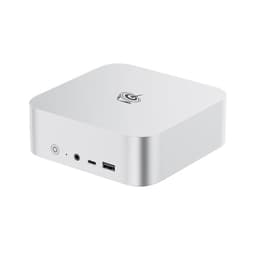
2 options 8.0 / 10
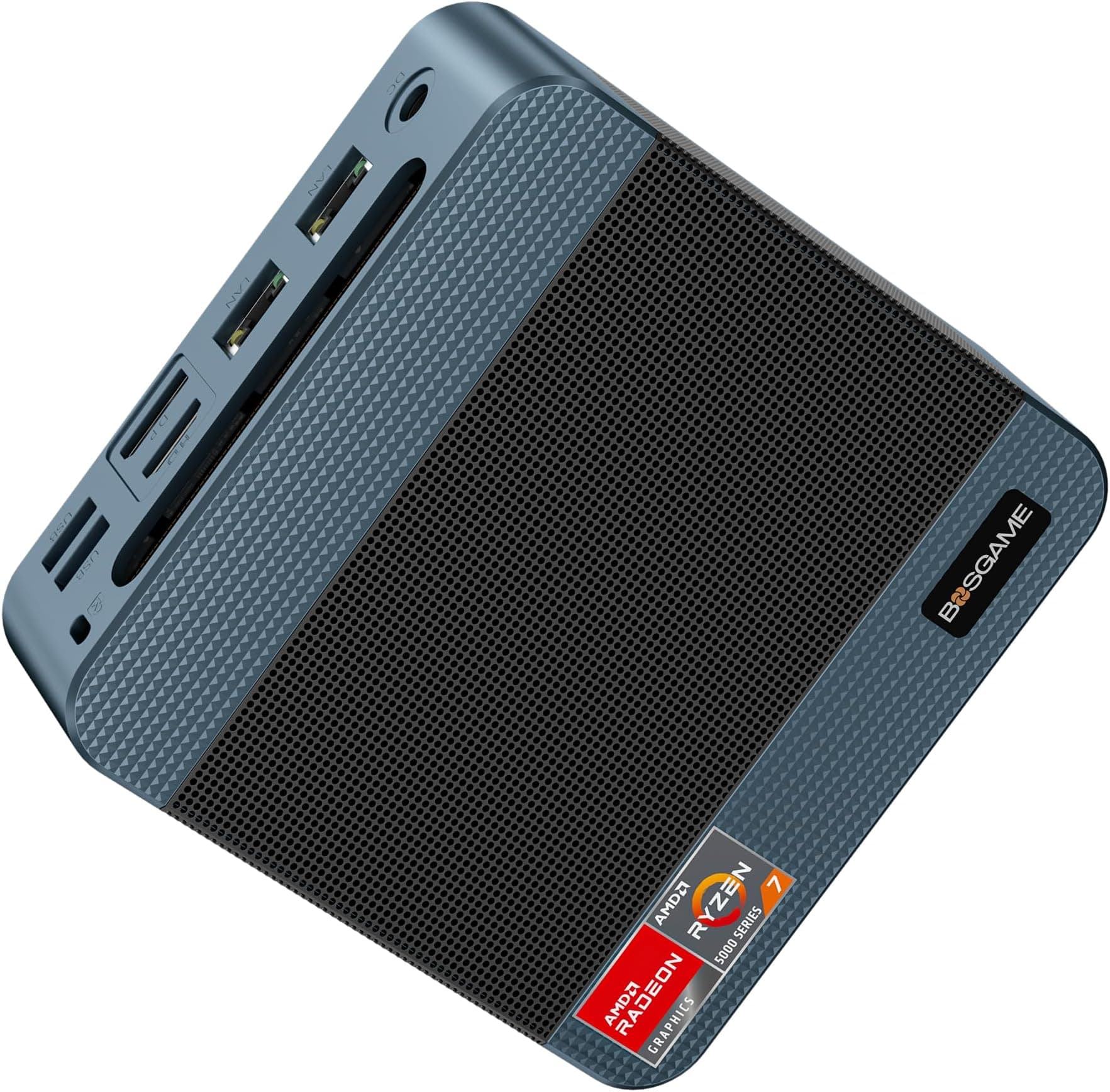
BOSGAME E5 Mini PC Windows 11 Pro, Ryzen 5300U (Beats 4300U, Up to 3.8GHz), 16GB DDR4 RAM 512GB SSD Mini Desktop PC, Triple 4K Display, Dual 2.5G LAN, WiFi 5, BT5.0, Mini Computer for Home, Office
£299.00 · BOSGAME
 8.0 / 10
BOSGAME P4 Plus Mini PC Ryzen 7 7730U (Upgraded 5825U), 8C/16T, up to 4.5GHz, 16GB DDR4 1TB PCIe 4.0 SSD, Triple Display Desktop PC, WiFi 6E, BT5.2, Type-C
£379.99 · BOSGAME
Frequently asked
5 questions01Is the Beelink Mini PC 13th Gen Intel Alder Lake-N150 (up to 3.6GHz) MINI S13 Mini PC Windows 11 Home, 12GB LPDDR5 500GB SSD Business Mini Desktop PC, 4K Dual Display, HDMI/WiFi 6/BT5.2/RJ45 2.5G worth buying?+
For home office use, media playback, and everyday computing, yes. The combination of 12GB LPDDR5, PCIe SSD, four 10Gbps USB ports, 2.5G LAN, Wi-Fi 6, and dual 4K HDMI outputs is a strong package at this price. If you need sustained heavy processing power, look at machines with more capable processors.
02How does the Beelink Mini PC 13th Gen Intel Alder Lake-N150 (up to 3.6GHz) MINI S13 Mini PC Windows 11 Home, 12GB LPDDR5 500GB SSD Business Mini Desktop PC, 4K Dual Display, HDMI/WiFi 6/BT5.2/RJ45 2.5G compare to alternatives?+
Against the Intel NUC 13 Essential, the S13 wins on connectivity with its 2.5G LAN and four 10Gbps USB ports. Against the Minisforum UM350, the S13 offers newer silicon, better RAM, and Wi-Fi 6, but the UM350's Ryzen 5 3550H offers stronger GPU performance for light gaming or GPU-accelerated tasks.
03What are the main pros and cons of the Beelink Mini PC 13th Gen Intel Alder Lake-N150 (up to 3.6GHz) MINI S13 Mini PC Windows 11 Home, 12GB LPDDR5 500GB SSD Business Mini Desktop PC, 4K Dual Display, HDMI/WiFi 6/BT5.2/RJ45 2.5G?+
Pros: 12GB LPDDR5 RAM, four 10Gbps USB ports, 2.5G LAN, dual 4K HDMI output, quiet operation, PCIe SSD, Wi-Fi 6. Cons: N150 efficiency chip throttles under sustained heavy load, RAM is soldered and not upgradeable, 500GB storage fills up quickly for heavy users.
04Is the Beelink Mini PC 13th Gen Intel Alder Lake-N150 (up to 3.6GHz) MINI S13 Mini PC Windows 11 Home, 12GB LPDDR5 500GB SSD Business Mini Desktop PC, 4K Dual Display, HDMI/WiFi 6/BT5.2/RJ45 2.5G easy to set up?+
Yes. Windows 11 Home comes pre-installed, hardware initialises correctly without driver hunting, and the setup process is straightforward. Owners consistently report a smooth out-of-box experience. Connect your monitors, peripherals, and power, and you're into the Windows setup wizard within minutes.
05What warranty applies to the Beelink Mini PC 13th Gen Intel Alder Lake-N150 (up to 3.6GHz) MINI S13 Mini PC Windows 11 Home, 12GB LPDDR5 500GB SSD Business Mini Desktop PC, 4K Dual Display, HDMI/WiFi 6/BT5.2/RJ45 2.5G?+
Amazon offers 30-day returns. The manufacturer provides warranty coverage - check the product page for specific details.