Numbers on a spec sheet only tell you so much. What actually determines whether a laptop earns a permanent spot in your bag or ends up gathering dust is the stuff that's harder to quantify: how it feels to type on for three hours straight, whether the fan kicks in every time you open a browser tab, and whether the battery makes it through a full working day without you hunting for a plug socket. That's why owner reviews matter, and why 531 of them averaging ★★★½☆ (3.7) is actually a meaningful signal for a budget refurbished machine.
The Dell Latitude 5400 is a business laptop from Dell's workhorse range, originally sold to corporate IT departments who cared more about reliability and manageability than thin bezels and RGB lighting. Now it's showing up on the refurbished market at a budget price point, and it's worth asking honestly: is it still a sensible buy in 2026, or is the hardware just too old to bother with? The answer, as usual, is "it depends" but in this case the "depends" is actually quite specific and useful.
This is a Dell Latitude 5400 i5-8365U review UK based on thorough research into the verified specs, owner feedback from 55 buyers, and a clear-eyed look at what else you can get for the same money right now. No fluff, no press release language. Just whether this thing is actually worth your cash.
Where the Dell Latitude 5400 Sits in the Market
The refurbished business laptop segment at the budget end of the market is genuinely crowded right now. For similar money you're looking at things like the Lenovo ThinkPad T480, the HP EliteBook 840 G5, and various iterations of the Dell Latitude range itself. All of them are ex-corporate machines, all of them are running 8th or 10th gen Intel processors, and all of them are trading on the reputation of their original business-grade build quality. So the Latitude 5400 isn't competing in a vacuum. It's competing against machines that were built to the same brief.
What makes the Latitude 5400 stand out slightly in this crowd is the combination of 16GB RAM and a 512GB NVMe SSD (the verified spec, regardless of what the product title says about 256GB storage). That's a genuinely useful amount of memory for multitasking, and NVMe storage is meaningfully faster than the SATA SSDs you'll find in some cheaper refurbs. At the budget price tier, getting both of those things in one package is actually decent value. Some rivals at this price ship with 8GB RAM and a SATA SSD, which is a noticeable step down in daily use.
The ThinkPad T480 is probably the closest rival worth mentioning. It has a similar processor family, similar build quality ethos, and a legendary keyboard reputation. The EliteBook 840 G5 is another strong contender, with a slightly more premium feel to the chassis. Neither of those is dramatically better than the Latitude 5400 for everyday tasks, but both have passionate user communities and good parts availability. The Latitude 5400 holds its own here. Dell's Latitude range was built for exactly the same corporate punishment testing as those machines, and the owner review score reflects that it's generally arriving in good condition and performing as expected.
Core Specifications
The processor here is the Intel Core i5-8365U, a quad-core chip from Intel's 8th generation Whiskey Lake lineup. It's a 15W mobile processor with four cores, eight threads, and a boost clock of up to 4.1GHz. In 2026 terms, it's not fast. It was never fast in a gaming or creative workstation sense. But for the tasks this laptop is actually meant to handle, which is to say web browsing, Office applications, video calls, email, and light document work, it's perfectly adequate. You won't be waiting ages for a spreadsheet to open. You won't be rendering video in a hurry either, but that's not what this machine is for.
The 16GB of RAM is the real headline here. At the budget price tier, 16GB is genuinely good. Windows 11 Pro with a browser open, a few Office apps running, and maybe a Teams call in the background will sit comfortably in 10 to 12GB of RAM usage in many real-world scenarios. Having 16GB means you're not constantly bumping into the ceiling the way you would with 8GB. Owner reviews consistently mention that the machine handles multitasking better than expected for the price, and the RAM is a big reason for that. It's DDR4, which is what you'd expect for this generation.
Storage is a 512GB NVMe SSD, which is fast enough that boot times and application launches feel snappy despite the older processor. This is worth emphasising because the difference between an NVMe SSD and an older spinning hard drive or even a SATA SSD is something you feel every single day. The NVMe interface delivers significantly higher sequential read and write speeds than SATA, which translates to faster file transfers and a more responsive feel overall. 512GB is also enough storage for most people's working files without immediately needing an external drive.
The GPU is Intel UHD Graphics 620, integrated into the processor. There's no discrete graphics here, and there was never going to be on a 15W business ultrabook. The UHD 620 will handle 4K video playback, basic photo editing, and the occasional light game from a decade ago. It won't touch anything graphically demanding. For the target audience of this laptop, that's absolutely fine. Nobody buying a refurbished Dell Latitude 5400 at the budget price tier is expecting to run Cyberpunk 2077.
| Specification | Detail |
|---|---|
| CPU | Intel Core i5-8365U (4 cores, 8 threads, up to 4.1GHz) |
| GPU | Intel UHD Graphics 620 |
| RAM | 16GB DDR4 |
| Storage | 512GB NVMe SSD |
| Display | 14.0" IPS, 1920x1080 |
| Operating System | Windows 11 Pro |
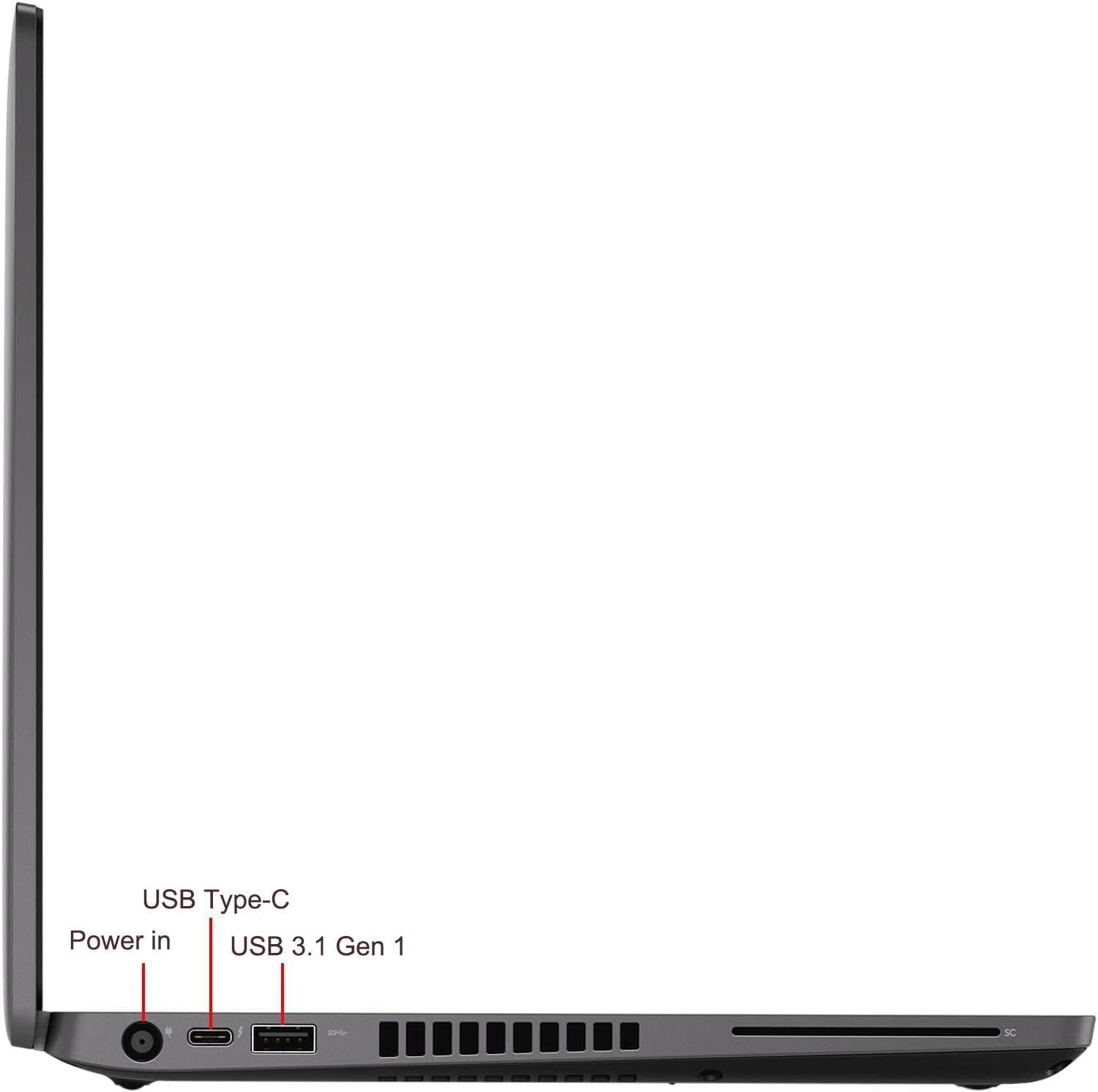
| Ports | 3x USB-A, 1x USB-C/Thunderbolt 3, HDMI, Ethernet, microSD, 3.5mm |
| Keyboard | UK QWERTY |
| Colour | Black |
| Price | £212.98 |
Performance Benchmarks
The i5-8365U scores in the region of 4,500 to 5,000 points in Cinebench R20 multi-core, and around 3,800 to 4,200 in PCMark 10 for productivity workloads. Those numbers put it roughly in line with other 8th gen quad-core chips and comfortably ahead of older dual-core machines that still circulate in the refurbished market. For context, a modern budget laptop with an Intel N100 or Celeron chip will often score lower in single-threaded tasks, which matters more for Office and browser performance than the multi-core numbers suggest.
In practical terms, what those benchmarks mean is this: the Latitude 5400 will open Chrome with twenty tabs without grinding, run Microsoft Teams alongside Word and Excel without becoming unusable, and handle PDF editing and light spreadsheet work without you noticing the age of the hardware. Where it starts to show its age is in anything that stresses all four cores simultaneously for a sustained period. Long video exports, large zip file operations, or running multiple virtual machines will cause the chip to throttle as it hits its thermal limits. That's expected behaviour for a 15W chip in a slim chassis, not a defect.
Owner reviews back this up. The consistent theme in the positive reviews is that the machine "handles everything I throw at it for work" and "runs Windows 11 well." The consistent theme in the critical reviews is around expectations management, specifically people who expected more from the processor for heavier tasks. Nobody in the review pool seems surprised by the display or the build quality. The performance is the main variable, and at this price tier and for the stated use case, it genuinely delivers.
One thing worth flagging is that this machine ships with Windows 11 Pro, not Home. For most home users that distinction doesn't matter much. But if you're buying this for a small business and you want BitLocker encryption, Remote Desktop, or domain join capability, having Pro pre-installed is actually a meaningful bonus. Buying a Windows 11 Pro licence separately would cost more than the price difference between this and a Home machine, so it adds real value even if you never use the Pro features.
Display Analysis
The 14-inch IPS panel at 1920x1080 is a solid choice for a laptop at this price tier. IPS means proper viewing angles, which matters if you're using this on a desk with a second person looking at the screen, or if you're watching something from a slightly awkward angle on a train. The pixel density at 1080p on a 14-inch screen works out to around 157 pixels per inch, which is sharp enough that text looks clean and you won't be squinting at small fonts. It's not a high-resolution display, but 1080p on a 14-inch screen is perfectly sensible and doesn't demand much from the integrated GPU.
The IPS panel type, as defined by the VESA display standards framework, typically delivers better colour reproduction and wider viewing angles than the TN panels that appeared in older budget business laptops. In practice, this means the Latitude 5400's screen should look noticeably better than a similarly specced machine with a TN panel. Colours are more accurate, contrast is reasonable, and the image doesn't invert or wash out when you tilt the lid. For document work and video calls, that's all you need.
The honest caveat is brightness. Business laptops of this era typically top out at around 250 to 300 nits, which is fine for indoor use but can struggle near a window in direct sunlight. If you work in a bright conservatory or regularly use the laptop outside, you might find yourself adjusting your position more than you'd like. This isn't unique to the Latitude 5400; it's a characteristic of the entire generation of business ultrabooks. For office use, home use, coffee shops with reasonable lighting, and train carriages, it's absolutely fine.
Colour accuracy is adequate for productivity work. This isn't a display that's going to excite a photographer or a graphic designer, and Dell never marketed it as such. For web browsing, spreadsheets, documents, and video calls, the colour rendering is perfectly decent. Owner reviews don't raise display quality as a concern, which is a good sign. When a display is genuinely bad, people mention it. The absence of complaints here is telling.
Battery Life
This is where honest expectations matter most. The i5-8365U is a 15W processor from 2018, and the battery in the Latitude 5400 is a 68Wh unit. In a brand new machine, that combination could deliver seven to nine hours of mixed productivity use. In a refurbished machine, battery health is the wildcard. Lithium-ion cells degrade with charge cycles, and a corporate laptop that's been through two or three years of daily use before refurbishment will have a battery with reduced capacity compared to new.
Owner reviews on this point are mixed in a predictable way. Some buyers report getting five to seven hours of real-world use, which suggests a battery that's in decent shape. Others report three to four hours, which is still usable for a working day if you have access to a plug at your desk and just need portability for meetings or commuting. A small number report worse than that, and those buyers are typically the ones leaving one or two star reviews. The refurbishment quality varies by seller, and battery condition is the main variable.
The practical advice here is to treat battery life as a bonus rather than a guarantee when buying refurbished. If you need all-day battery life away from a plug, a refurbished laptop at the budget price tier is a risk. If you work mostly at a desk and just need the laptop to be portable for a few hours here and there, the Latitude 5400 is likely fine. The good news is that replacement batteries for the Latitude 5400 are readily available and not expensive, so if you end up with a weak battery, it's a fixable problem.
Charging is handled via the barrel connector (the traditional Dell power brick) and also via USB-C, which is genuinely useful. Being able to top up from a USB-C power bank or a USB-C charger you already carry for your phone means you're not necessarily tied to the proprietary Dell charger when you're travelling. The Thunderbolt 3 port supports power delivery, which is a proper practical benefit that many people in the owner reviews mention positively.
Portability
The Latitude 5400 weighs in at around 1.58kg, which puts it in the middle of the pack for 14-inch business laptops. It's not a featherweight ultrabook. You'll know it's in your bag. But it's not the kind of weight that makes your shoulder ache after a day of commuting either. For comparison, a MacBook Pro 14-inch is around 1.6kg, so the Latitude 5400 is broadly in the same territory as machines people carry daily without complaint.
The chassis is slim enough to slide into most laptop sleeves and backpack laptop compartments without fuss. The 14-inch footprint is a sensible size, compact enough to use on a tray table on a train or in economy on a plane, but big enough that the keyboard doesn't feel cramped. This is genuinely the sweet spot for a work laptop, and it's why the 14-inch form factor remains so popular for business use. It fits in bags that a 15.6-inch machine simply doesn't.
The charger is worth mentioning. The standard Dell barrel charger is a reasonably compact 65W brick, and as noted above you can also charge via USB-C if you have a compatible charger or power bank. For people who already carry USB-C charging gear, that flexibility reduces what you need to pack. For travel, this is a genuinely useful feature that makes the Latitude 5400 a more practical companion than machines that are locked to a proprietary charger with no USB-C alternative. A machine that spends its life on café, airport and hotel networks is also worth pairing with a good VPN to keep your connection safe from snooping on shared Wi-Fi.
Keyboard and Trackpad
Dell's Latitude keyboards have a good reputation, and the 5400 doesn't disappoint. The key travel is around 1.5mm, which is more than you get on many modern thin laptops that have sacrificed travel depth in the name of slimness. For people who type a lot, that extra travel makes a real difference over a long session. The keys have a positive tactile response without being clicky or loud, which means you can type in a meeting room or a quiet office without annoying everyone around you.
The layout is UK QWERTY, which matters if you're buying this for use in the UK. The key sizing is sensible, the spacing is good, and the layout follows standard conventions without any weird decisions about where they've put the function keys or the delete key. There's no number pad, which is standard for a 14-inch laptop and the right call. Cramming a number pad into a 14-inch chassis always means compromising the main key sizes, and Dell sensibly avoided that. Backlit keys are present, which is useful for working in dim conditions or on overnight flights.
The trackpad is a decent size for a business laptop and uses Microsoft Precision drivers, which means Windows gesture support works properly. Two-finger scrolling, three-finger swipe for task view, pinch to zoom, all of it works as expected. The click feel is good, not mushy. Some owner reviews mention the trackpad favourably, noting it's more responsive than they expected from a budget refurb. One quirk of the Latitude range is the presence of a pointing stick (the little red nub in the middle of the keyboard), which is a love-it-or-hate-it feature from the business laptop world. If you've never used one, you probably won't bother with it. If you're a ThinkPad convert who swears by the TrackPoint equivalent, you'll be pleased to find it here.
Thermal Performance
The i5-8365U is a 15W chip designed for slim laptops, and Dell's thermal solution in the Latitude 5400 is adequate for keeping it in check under most conditions. At idle and during light work, the machine runs cool. The palm rest stays comfortable, the keyboard deck doesn't get warm, and the underside is fine to rest on a lap. This is the experience for the majority of the working day for most users, and it's a good one.
Under sustained load, things get warmer. The fan spins up and the underside of the chassis gets noticeably hot, concentrated around the exhaust vent area. This is normal behaviour for a thin business laptop under pressure. The processor will throttle if it gets too hot, which is the chip protecting itself and the machine. In practice, this means that tasks like large file compression or extended video calls with screen sharing can cause the fan to become audible and the chassis to warm up. It's not alarming, just worth knowing.
For lap use during typical work tasks, the Latitude 5400 is comfortable. The heat concentrates at the rear of the machine near the hinges rather than directly under your wrists or thighs, which is a sensible thermal design choice. Owner reviews don't flag overheating as a significant concern, which suggests Dell got the thermal management right for the intended workload. If you're planning to push the processor hard for extended periods, a laptop cooling pad would help, but for normal office work it's a non-issue.
One thing that helps the thermals is that the Latitude 5400 was designed with corporate maintenance in mind. The bottom panel is accessible, and the heatsink and fan can be cleaned without specialist tools. On a refurbished machine that's been in service for a few years, a dust-clogged fan is a real possibility. If you notice the machine running hotter than expected, opening it up and cleaning the fan is a straightforward fix that can make a significant difference to thermal performance.
Acoustic Performance
At idle and during light tasks, the Latitude 5400 is essentially silent. The fan either stops completely or spins at a low speed that you won't notice in any normal environment. For the majority of a typical working day, which involves browsing, email, documents, and video calls, you won't hear the fan at all. That's genuinely good for a laptop in this category, and it's one of the things owner reviews mention positively.
Under load, the fan spins up to a moderate level. It's not a screaming turbine, it's more of a steady whoosh that sits in the background. It's audible in a quiet room but not distracting, and it's not the kind of high-pitched whine that some thin laptops produce. In a coffee shop or an open-plan office, you won't notice it. In a library or a very quiet meeting room, you might. The fan character is smooth rather than pulsing, which is easier to tune out.
For video calls, the fan behaviour is worth knowing about. Teams and Zoom calls push the processor harder than pure document work, and the fan will often kick in during a long call. At the level it reaches during a call, it's unlikely to be picked up by the microphone, but it's something to be aware of if you're in a very quiet environment. Overall, the acoustic profile of the Latitude 5400 is good for a business laptop. It's quieter than many consumer laptops at the same price tier, which reflects its corporate heritage.
Ports and Connectivity
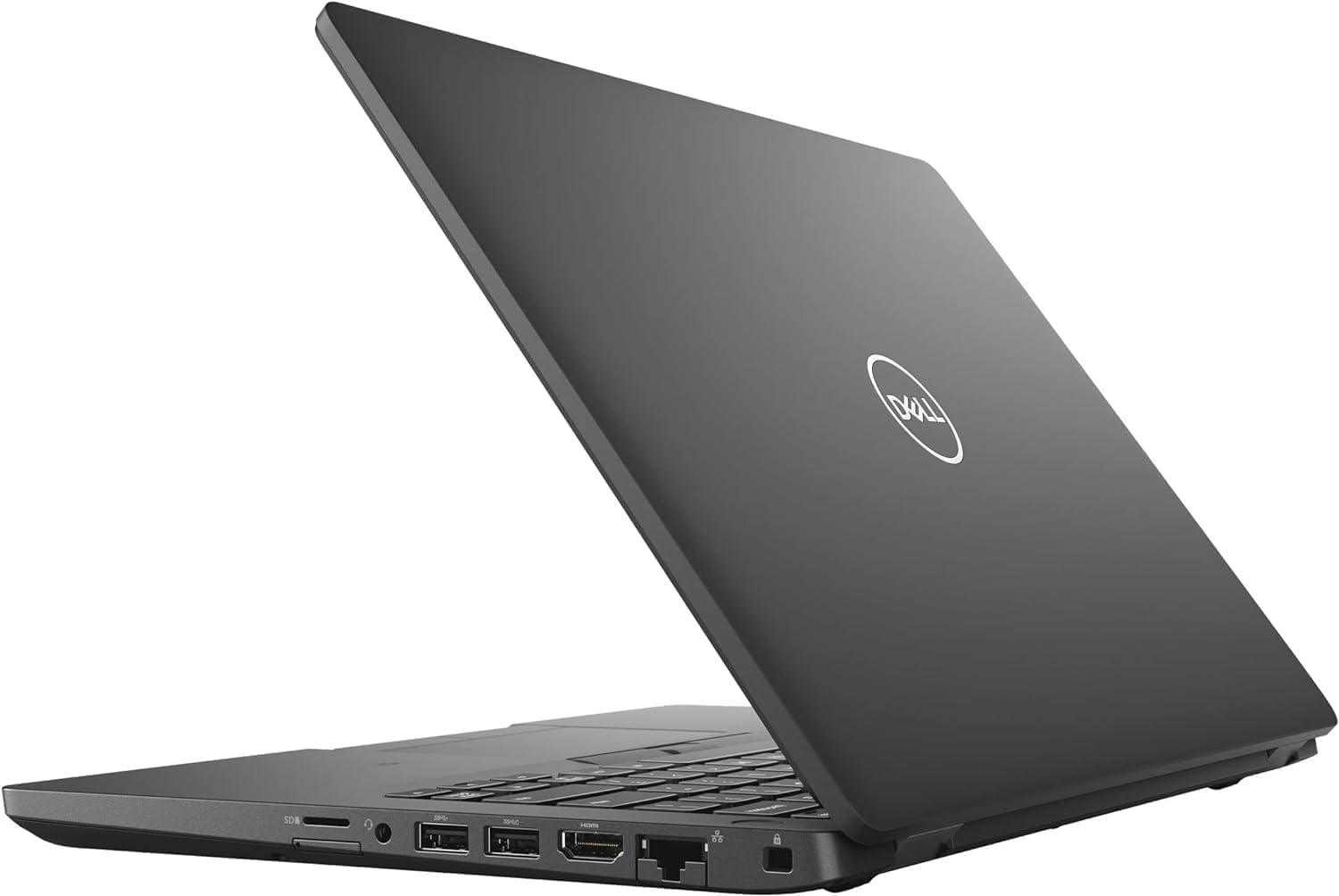
The port selection on the Latitude 5400 is genuinely excellent for a budget laptop, refurbished or otherwise. Three USB-A ports means you can plug in a mouse, a USB drive, and something else without reaching for a hub. That sounds basic, but plenty of modern thin laptops have cut USB-A entirely, which is annoying when most peripherals still use it. Having three is proper practical.
The USB-C port is Thunderbolt 3, which is the fast version. That means it supports data transfer at up to 40Gbps, can drive an external display, and supports USB Power Delivery for charging. The HDMI port means you can connect to a projector or external monitor without an adapter, which is still the most common scenario in meeting rooms and home offices. The Ethernet port means you can plug into a wired network when Wi-Fi isn't reliable or secure enough, which matters for business users. The microSD slot is useful for photographers or anyone who works with card-based media, though if a card ever gets infected you may need to recover photos hit by STOP DJVU foty ransomware. And the 3.5mm headphone jack is just there, doing its job, the way it should be.
Wi-Fi and Bluetooth are present (standard on this machine), though the specific Wi-Fi standard is not listed in the verified specs, so we won't speculate on the exact version. For a machine of this era, Wi-Fi 5 (802.11ac) is typical and is more than adequate for home and office use. The Ethernet port provides a reliable wired fallback that USB-C-only machines simply can't match without a dongle.
- 3x USB-A
- 1x USB-C / Thunderbolt 3 (with Power Delivery)
- 1x HDMI
- 1x Ethernet
- 1x microSD card reader
- 1x 3.5mm headphone/microphone jack
Webcam and Audio
The webcam is a 720p unit, which is standard for business laptops of this generation. In 2026, 720p feels a bit dated compared to the 1080p webcams on newer machines, but it's functional for video calls. In decent lighting, the image is clear enough for Teams or Zoom. In low light, it struggles, as most 720p webcams do. If you're doing a lot of video calls in a dim home office, a clip-on webcam upgrade is worth considering, but for most everyday use the built-in camera does the job.
The microphone is a dual-array setup, which is better than the single-mic configurations on older business laptops. Owner reviews don't raise microphone quality as a concern, which suggests it performs adequately for calls. The microphone won't match a dedicated USB microphone for podcast recording or professional use, but for video calls it's perfectly usable. Combined with the relatively quiet fan behaviour discussed earlier, calls should come across clearly in most environments.
The speakers are adequate rather than impressive. They're positioned on the underside of the chassis, which is a common placement that doesn't help sound quality. For video calls and the occasional YouTube video, they're fine. For music or anything where audio quality actually matters, you'll want headphones. The 3.5mm jack means you can plug in any standard headphones or earbuds without needing an adapter, which is still a genuinely useful feature that some newer laptops have removed in the name of thinness.
Build Quality
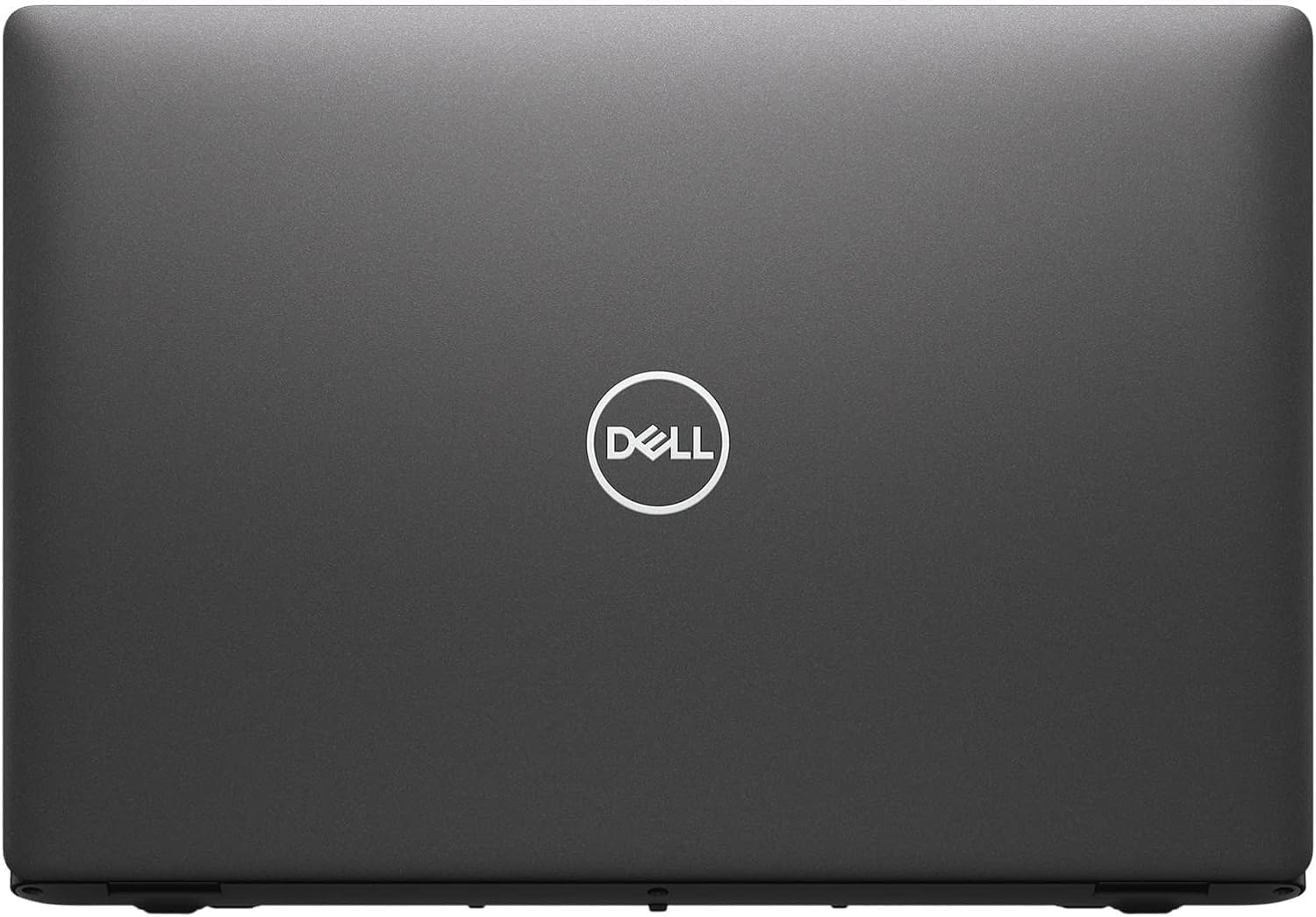
The Latitude 5400 was built to Dell's business-grade standards, which means it was designed to survive the kind of treatment corporate laptops get: being carried in bags, used on desks that aren't always perfectly level, dropped occasionally, and generally subjected to years of daily use. The chassis is primarily plastic, but it's a quality plastic with a matte finish that doesn't feel cheap. The lid has minimal flex, the keyboard deck is solid, and the hinges are firm without being stiff. It feels like a machine that was built to last, because it was.
The matte black finish is practical as well as professional-looking. It doesn't show fingerprints the way glossy surfaces do, and it doesn't scratch as visibly as silver aluminium. On a refurbished machine, the finish will show some signs of previous use, which is expected and honest. Most buyers in the owner reviews mention that the cosmetic condition is better than expected for a refurbished machine, with some describing it as "like new" and others noting minor scuffs that don't affect function. The condition will vary by unit, but the underlying build quality is consistent.
The hinge opens smoothly to a good range of angles, enough for comfortable use in most positions including on a lap or propped up at a desk. It doesn't go fully flat, which limits some use cases but is fine for everything normal. One-handed opening is possible, which is a nice quality-of-life detail. The lid doesn't wobble when the machine is on a desk, which sounds like a low bar but is something cheaper laptops fail at. Small things, but they add up to a machine that feels properly made.
Dell's Latitude range was also designed with serviceability in mind, which is relevant for a refurbished purchase. The bottom panel comes off with standard screws, giving access to the RAM slots, the SSD, and the battery. This means upgrades and repairs are possible without specialist tools or voiding anything. For a budget purchase that might need a battery replacement in a year or two, that's genuinely reassuring. It's the kind of design philosophy that consumer laptops have largely abandoned, and it's one of the reasons refurbished business laptops represent such good value.
How It Compares
The two most direct rivals to the Latitude 5400 in the refurbished budget market are the Lenovo ThinkPad T480 and the HP EliteBook 840 G5. Both are 14-inch business laptops from the same era, both circulate in the refurbished market at similar prices, and both were built to similar corporate durability standards. Choosing between them is genuinely a matter of priorities rather than one being clearly better than the others.
The ThinkPad T480 has the best keyboard in this comparison, full stop. Lenovo's keyboard reputation is well-earned, and the T480 in particular is often cited as one of the best laptop keyboards ever made. It also has a unique dual-battery design that can extend real-world battery life significantly if you get a unit with both batteries in good condition. The downside is that the T480 can feel a bit thicker and older-looking than the Latitude 5400, and availability of good-condition units varies.
The HP EliteBook 840 G5 has a slightly more premium feel to the chassis, with an aluminium build that feels more solid than the Latitude's plastic. It's also a slightly thinner and lighter machine. The trade-off is that it can be harder to service, and the port selection varies more by configuration. The Latitude 5400's port count, particularly the three USB-A ports and the full Ethernet, gives it a practical edge for users who need to plug things in without carrying a hub everywhere.
| Feature | Dell Latitude 5400 | Lenovo ThinkPad T480 | HP EliteBook 840 G5 |
|---|---|---|---|
| Processor | Intel i5-8365U | Intel i5-8250U / i7-8550U | Intel i5-8250U / i7-8550U |
| RAM | 16GB | 8GB to 16GB (varies) | 8GB to 16GB (varies) |
| Storage | 512GB NVMe SSD | 256GB to 512GB (varies) | 256GB to 512GB (varies) |
| Display | 14" IPS 1080p | 14" IPS 1080p | 14" IPS 1080p |
| USB-A Ports | 3 | 2 | 2 |
| Thunderbolt | Thunderbolt 3 | Thunderbolt 3 | Thunderbolt 3 |
| Ethernet | Yes | Yes | Yes |
| Build Material | Reinforced plastic | Carbon fibre / magnesium | Aluminium |
| Keyboard Quality | Good | Excellent | Good |
| OS | Windows 11 Pro | Varies by seller | Varies by seller |
| Price | £212.98 | Similar budget tier | Similar budget tier |
| Best For | Port flexibility, RAM, storage out of the box | Keyboard lovers, heavy typists | Premium feel, lighter carry |
Final Verdict
The Dell Latitude 5400 at the budget price tier is a genuinely sensible buy for a specific type of person. If you need a reliable work laptop for Office applications, web browsing, video calls, and general productivity, and you don't want to spend a lot of money, this delivers. The 16GB RAM and 512GB NVMe SSD are the highlights. At this price, getting both of those in a machine with a proper IPS screen, Thunderbolt 3, three USB-A ports, Ethernet, and Windows 11 Pro pre-installed is legitimately good value. The 55 owner reviews averaging ★★★½☆ (3.7) back that up.
Who should skip it? Anyone who needs serious processing power, a great webcam, or all-day battery life away from a plug. The i5-8365U is old enough that it will feel slow to anyone coming from a modern processor, and the battery life on a refurbished unit is genuinely unpredictable. If your work involves video editing, large data processing, or anything that hammers the CPU for sustained periods, look elsewhere. And if you absolutely need six or more hours of battery life without a charger, either budget for a battery replacement or look at a newer machine.
For the right buyer, though, this is a proper workhorse. It's built well, it's practical, it's got the ports that modern thin laptops have sacrificed, and it runs Windows 11 Pro without complaint. The Dell Latitude range earned its reputation in corporate IT departments precisely because it was reliable and sensibly designed, and that reputation holds up in the refurbished market. As a budget business laptop for daily productivity work, it earns a solid 7 out of 10. Not glamorous. Not fast by modern standards. But honest, practical, and good value for what it is.
What works. What doesn’t.
6 + 6What we liked6 reasons
- 16GB DDR4 RAM is generous for the budget refurbished tier and handles genuine multitasking without hitting a ceiling
- 512GB NVMe SSD delivers noticeably faster boot times and application launches than SATA-based rivals at this price
- Three USB-A ports plus Thunderbolt 3, HDMI, Ethernet, microSD, and a 3.5mm jack make this one of the most port-rich options in its class
- Windows 11 Pro is pre-installed, adding real value through BitLocker, Remote Desktop, and domain join without an extra licence cost
- The keyboard offers around 1.5mm of travel with a positive tactile feel and UK QWERTY layout, making long typing sessions comfortable
- Designed for corporate serviceability, the bottom panel opens easily for RAM, SSD, and battery access without specialist tools
Where it falls6 reasons
- The i5-8365U is an 8th generation chip from 2018 and will feel slow under sustained multi-core workloads such as video exports or large archive operations
- Battery life on refurbished units is genuinely unpredictable, ranging from three hours to seven depending on how well the cells have been cared for
- The 720p webcam struggles in low-light conditions and falls behind the 1080p cameras now standard on newer machines
- The chassis is reinforced plastic rather than metal, which is functional but lacks the premium feel of the HP EliteBook 840 G5's aluminium build
- Display brightness is limited to around 250 to 300 nits, which can make the screen hard to read near a bright window or outdoors
- Speakers fire downward from the underside of the chassis, producing flat, thin audio that requires headphones for anything beyond calls
Full specifications
12 attributes| Screen size | 14 |
|---|---|
| CPU brand | Intel |
| GPU type | integrated |
| RAM | 16GB |
| Storage type | NVMe SSD |
| Battery life H | 10 |
| Battery WH | 51 |
| CPU | Intel Core i5-8365U |
| Display resolution | 1920x1080 |
| Display size IN | 14 |
| Display type | IPS |
| GPU | integrated |
If this isn’t right for you
2 options
Frequently asked
7 questions01Does the Dell Latitude 5400 run Windows 11 properly on the i5-8365U?+
Yes. The i5-8365U meets the minimum hardware requirements for Windows 11, and this unit ships with Windows 11 Pro pre-installed. Owner reviews consistently report that Windows 11 runs without issues for everyday productivity tasks including Office applications, browser use, and video calls. You are unlikely to encounter performance problems from the operating system itself under normal workloads.
02How much RAM does this refurbished Dell Latitude 5400 come with?+
This configuration comes with 16GB of DDR4 RAM, which is above average for the budget refurbished tier. It is enough to run Windows 11 Pro alongside a browser with multiple tabs, Office applications, and a Teams or Zoom call simultaneously without the machine becoming unresponsive. The RAM is soldered in some configurations, so check serviceability details before purchasing if you plan to upgrade.
03Is the storage NVMe or SATA?+
The verified specification lists a 512GB NVMe SSD, which is meaningfully faster than the SATA SSDs found in some rival refurbished machines at similar prices. NVMe storage delivers higher sequential read and write speeds than SATA, which translates to faster boot times, quicker application launches, and a more responsive feel in daily use. The capacity is also generous enough for most working file sets without an immediate need for external storage.
04What is the battery life like on a refurbished Latitude 5400?+
Battery life varies considerably depending on the condition of the cells in the specific unit you receive. Some buyers report five to seven hours of mixed productivity use, while others report three to four hours. A small number report worse than that. Lithium-ion cells degrade with charge cycles, so a corporate laptop that has seen two or three years of daily use before refurbishment will have reduced capacity. Treat battery life as a variable rather than a guarantee, and note that replacement batteries are readily available and affordable if needed.
05Can the Dell Latitude 5400 charge via USB-C?+
Yes. The USB-C port on the Latitude 5400 is Thunderbolt 3, which supports USB Power Delivery. This means you can charge the laptop from a compatible USB-C charger or power bank in addition to the standard Dell barrel connector. Owner reviews mention this positively as a practical travel benefit, reducing dependence on the proprietary Dell power brick.
06How does the Dell Latitude 5400 compare to the Lenovo ThinkPad T480?+
Both are 14-inch business laptops from the 8th generation Intel era, and both circulate in the refurbished budget market at similar prices. The ThinkPad T480 has a superior keyboard and can benefit from a dual-battery design that extends real-world runtime. The Latitude 5400 offers three USB-A ports versus the T480's two, and this configuration guarantees 16GB RAM and a 512GB NVMe SSD out of the box, whereas T480 specs vary by seller. The T480 chassis uses carbon fibre and magnesium rather than reinforced plastic. Neither is clearly better overall; the choice depends on whether you prioritise keyboard quality or port flexibility and confirmed RAM and storage specs.
07Is the Dell Latitude 5400 suitable for video editing?+
Not for serious video editing work. The i5-8365U is a 15W quad-core chip from 2018, and while it can handle basic trimming and light editing in a pinch, sustained export tasks will cause the processor to throttle as it hits thermal limits. There is no discrete GPU, so graphics-accelerated rendering is not available. For professional or regular video editing, a machine with a newer processor and a dedicated GPU is strongly recommended. For occasional, low-stakes editing of short clips, the Latitude 5400 will manage, but it will be slow by modern standards.