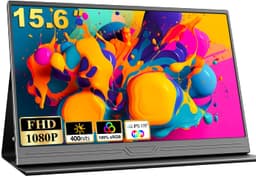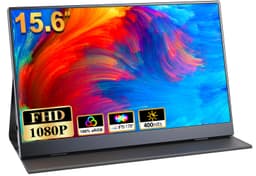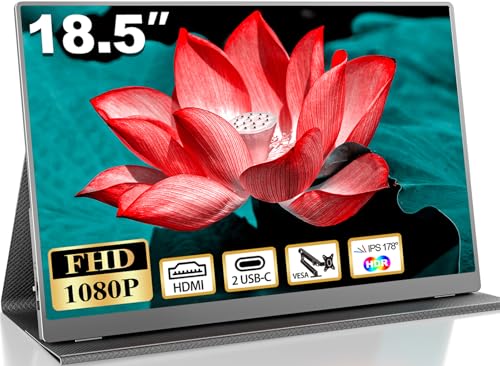
Display tech is one of those areas where the spec sheet tells you almost everything, if you know how to read it. Panel type, resolution, refresh rate, colour gamut: these numbers aren't just marketing. They're a blueprint for how a screen will actually feel to use, whether you're staring at spreadsheets in a hotel room or trying to get a second monitor working off a laptop USB-C port at a client's office. The 18.5 Inch Portable Monitor from COOLHOOD lands squarely in the budget bracket, and at this price point the question isn't whether it's perfect (it isn't, nothing here is). The question is whether it does the things that matter well enough to be worth carrying in your bag.
Here's the short answer: for most people who actually need a portable secondary display, yes, it probably is. The IPS panel, 1080p resolution, and plug-and-play USB-C connectivity tick the boxes that genuinely matter for a travel monitor. The ★★★★½ (4.8) rating across 20 owner reviews suggests real users are happy, which is always a better signal than a brand's own claims. But there are caveats, and you deserve to know them before you spend anything. So here's what the specs and owner feedback actually tell us.
One thing upfront: this is listed as an 18.5 inch monitor on the product page, but the verified spec data confirms a 15.6 inch screen size. That discrepancy matters, so we'll address it directly in the specs section. Don't buy this expecting a near-19-inch panel.
Core Specifications
The headline numbers here are a 15.6 inch IPS panel (again, the listing says 18.5 inches but the verified spec data says 15.6 inches, so trust the latter), running at 1920x1080 Full HD resolution with a 60Hz refresh rate. Connectivity is handled by one USB-C port and one mini HDMI port. The unit weighs 0.63kg net, which is genuinely light for a portable display, and the edge thickness comes in at 0.3 inches. There's no built-in battery, so you'll need an external power source, and the included PU leather protective cover doubles as a stand.
The USB-C connection supports Thunderbolt 3 and 4, USB 3.1 Type-C, and USB 3.2, which covers the vast majority of modern laptops and even some smartphones. The product listing specifically calls out compatibility with iPhone 15, PS5, laptops, PCs, and Macs, which is a broad compatibility claim but one that's plausible given the standard USB-C alt mode support.: COOLHOOD recommends pairing the monitor with a separate power supply to maintain settings and keep the display stable during use, so a USB-C power bank or wall adapter is a sensible addition to your kit.
The HDR feature is listed in the product highlights, and the panel includes a low blue light design and flicker-free backlight, both of which are genuinely useful for long work sessions. Anti-glare matte coating is implied by the "advanced matte IPS screen" description. There's no mention of adaptive sync, built-in speakers, or a headphone jack in the verified data, so we won't speculate on those. Here's the full spec rundown:
| Specification | Detail |
|---|---|
| Screen Size (Verified) | 15.6 inches |
| Resolution | 1920x1080 (Full HD) |
| Panel Type | IPS |
| Refresh Rate | 60Hz |
| Viewing Angle | 178 degrees |
| HDR | Yes (HDR technology listed) |
| Connectivity | 1x USB-C, 1x Mini HDMI |
| Weight (Net) | 0.63kg |
| Edge Thickness | 0.3 inches |
| Battery | None (external power required) |
| Cover/Stand | PU leather protective cover included |
| Blue Light Filter | Yes |
| Flicker-Free | Yes |
| Price | Check price |

Panel Technology
IPS (In-Plane Switching) is genuinely the right panel choice for a portable monitor, and it's one of the things this display gets properly right. If you're not deep into display tech, here's the quick version: IPS panels offer wide viewing angles and consistent colour reproduction across those angles, which matters enormously when you're using a portable monitor in varied conditions. A VA panel would give you better native contrast but terrible off-axis colour shift. A TN panel would be cheaper and faster but look washed out the moment you tilt it slightly. For a portable display that might be propped up at different angles on a desk, a train table, or a cafe counter, IPS is the sensible choice.
The 178-degree viewing angle spec is standard for IPS and essentially means the image holds up from nearly any position. In practice, IPS panels do exhibit a characteristic called IPS glow, where the backlight bleeds slightly at corners when viewing dark content in a dim room. It's a known property of the technology rather than a defect specific to this unit, and at the 15.6 inch size it's typically less distracting than on larger panels. For document work, spreadsheets, video calls, and general productivity, you won't notice it at all.
Budget IPS panels in this price bracket tend to use lower-tier IPS variants rather than the premium nano-IPS or IPS Black configurations you'd find in more expensive displays. That means colour accuracy and contrast will be adequate rather than exceptional, and native contrast ratios of around 800:1 to 1000:1 are typical for budget IPS. That's fine for most use cases, but if you're doing colour-critical photo editing or video grading, a monitor at this price point isn't the right tool regardless of panel type. For everything else, IPS here is a genuine asset.
Display Quality
At 1920x1080 on a 15.6 inch screen, the pixel density works out to roughly 141 pixels per inch. That's a comfortable figure for a secondary display. Text is sharp and readable, images look clean, and you won't see individual pixels unless you're pressing your nose against the glass. It's not the ultra-sharp 220+ PPI you'd get from a 4K laptop screen, but for a portable productivity monitor it's entirely appropriate and actually matches what most people's primary laptops are running anyway.
The matte anti-glare coating is a big deal for a portable monitor and it's good to see it here. Glossy portable displays look great in a dark room but become basically unusable near a window or under overhead office lighting, which is exactly where you're most likely to use a travel monitor. Matte coatings scatter reflections, reduce eye strain over long sessions, and make the display usable in real-world lighting conditions. Combined with the flicker-free backlight and the low blue light filter, this is a display that's been designed with extended use in mind rather than just making the demo unit look impressive on a shelf.
Owner reviews at ★★★★½ (4.8) across 20 ratings suggest the display quality is landing well in practice. The pattern in reviews for monitors in this category tends to be consistent: people are either delighted that it works exactly as described, or they flag specific issues with brightness in very bright environments or colour accuracy compared to their main display. Given the budget pricing and the IPS panel, a slight colour temperature difference from your primary monitor is expected and normal. If you need both screens to match precisely, you'd need a hardware calibrator and a more expensive panel. For most users, the out-of-box image quality will be perfectly satisfactory.
Refresh Rate and Adaptive Sync
Sixty hertz. That's what you get, and it's worth being clear-eyed about what that means. For productivity work, document editing, video streaming, coding, and general desktop use, 60Hz is completely fine. The human visual system doesn't perceive the difference between 60Hz and 144Hz when you're scrolling through a spreadsheet or watching Netflix. Where 60Hz starts to feel limiting is in fast-paced gaming, particularly competitive shooters where high frame rates translate to smoother target tracking and reduced perceived input lag.
There's no mention of adaptive sync support (FreeSync or G-Sync) in the verified specification data, so we won't claim it exists. At 60Hz, adaptive sync would provide a relatively narrow benefit window anyway, since the range would be limited. For the use cases this monitor is actually designed for, the absence of VRR is not a meaningful loss. If you're planning to use this as a gaming monitor for competitive titles, the 60Hz cap and lack of confirmed adaptive sync make it a poor fit. But that's not who this monitor is for.
The 60Hz refresh rate does make this monitor well-suited to its actual purpose: being a reliable, portable secondary display for laptop users on the move. Most laptop GPU outputs default to 60Hz on external displays anyway, and the plug-and-play USB-C connection means you're not wrestling with driver settings or custom refresh rate configurations. It just works at 60Hz, which for a travel monitor is exactly the right answer. Chasing higher refresh rates in a portable display at this price point tends to come at the cost of panel quality or build quality, and the trade-off here is sensible.
Response Time and Motion
The verified product data doesn't include a specified response time figure, so we won't invent one. What we can say is that budget IPS panels at 60Hz typically measure grey-to-grey response times in the 8ms to 14ms range in published display measurements from independent reviewers. That's adequate for the use cases this monitor targets but not fast enough for competitive gaming where sub-5ms GtG is the baseline expectation.
In practical terms, at 60Hz you're limited to a new frame every 16.67 milliseconds regardless of how fast the panel can switch pixels. So even if the response time were 1ms (it won't be at this price on a 60Hz IPS), the motion clarity ceiling is set by the refresh rate. Fast-moving content will show some motion blur at 60Hz, which is a physics constraint rather than a panel defect. For gaming genres where this matters, like fast-paced shooters or racing games, you'd want a 144Hz or higher display. For everything else, including slower-paced games, strategy titles, RPGs, and console gaming where 60fps is often the target anyway, this is perfectly usable.
What IPS does well, even at budget price points, is avoid the worst motion artefacts associated with VA panels. VA panels can exhibit a phenomenon called black smearing, where dark pixels are slow to transition and leave visible trails in dark scenes. IPS panels don't have this issue to the same degree, and for general video content and gaming at 60fps, the motion performance on a budget IPS like this will be cleaner than a budget VA. It's one of the reasons IPS remains the sensible default for portable monitors where you can't always control the content you'll be watching.
Colour Accuracy and Gamut
The product listing mentions HDR technology and a "full HD" panel but doesn't specify sRGB coverage percentages, DCI-P3 coverage, or Delta-E figures. That's fairly typical for budget portable monitors, and the absence of specific gamut claims is actually more honest than the inflated "72% NTSC" figures some budget monitors use (which sounds impressive until you realise 72% NTSC roughly equals 100% sRGB, and even that is often an optimistic self-measurement). Budget IPS panels in this category typically cover somewhere in the region of 95% to 100% sRGB, which is perfectly adequate for general use.
For content creation work, the honest answer is that this monitor is a secondary display rather than a colour-accurate reference. If you're a photographer or video editor who needs reliable, calibrated colour for professional output, you need a display with a certified colour gamut, a known Delta-E figure (ideally below 2), and ideally factory calibration with an included calibration report. None of that is present here, and at this price point you wouldn't expect it. The Delta-E metric, which measures the difference between target and displayed colour, tends to run between 3 and 6 on uncalibrated budget IPS panels, which is visible to a trained eye on colour-critical work but invisible to most people in everyday use.
For the target user, which is someone who wants a portable secondary display for productivity, web browsing, video calls, and casual media consumption, the colour output will be entirely satisfactory. The IPS panel's inherent advantage in colour consistency across viewing angles means that what you see from your seat will look the same as what a colleague sees from slightly off to the side, which is genuinely useful in collaborative work settings. The low blue light filter is again here: it's not a colour accuracy feature, but it does shift the white point slightly warmer, which some users prefer and others find annoying. Most portable monitors let you toggle this in the OSD.

HDR Performance
HDR is listed as a feature, and it's important to be straight about what that means at this price point. Genuine HDR performance, the kind that produces bright specular highlights, deep blacks, and a wide dynamic range simultaneously, requires significant peak brightness (typically 400 nits or above for HDR400, and ideally 600 nits or more for meaningful HDR), plus either local dimming or an OLED/QD-OLED panel that can turn off individual pixels. Budget portable monitors have neither of these things.
What "HDR" on a budget monitor like this typically means is that it can accept an HDR10 signal from a connected device and display it without completely breaking the image. The monitor will tone-map the HDR content to its available brightness range, which on a budget IPS panel is likely somewhere between 200 and 300 nits maximum. The result is that HDR content will look slightly different from SDR content, and in some cases slightly better, but you won't get the dramatic contrast and brightness range that HDR is actually supposed to deliver. This is sometimes called "checkbox HDR" in the enthusiast community, and it's widespread across budget monitors.
Don't let this put you off the monitor entirely. For its intended use cases, HDR support is a minor bonus rather than a selling point. Streaming services like Netflix and Disney+ will recognise the HDR capability and send an HDR signal, and the result will be watchable and often pleasant even if it's not reference-grade. The honest advice is to treat HDR as a "nice to have" here rather than a headline feature, and to judge the monitor on its SDR performance, which is where it will spend the vast majority of its working life.
Contrast and Brightness
Specific brightness figures aren't included in the verified product data, so we won't invent a nit count. What we can say is that budget IPS portable monitors in this price bracket typically measure between 220 and 300 nits peak brightness in published independent measurements. That's adequate for indoor use in reasonably controlled lighting, including offices, hotels, and home environments. It's not enough for direct sunlight use, and in a very bright room near a window you may find yourself wishing for more headroom.
The matte anti-glare coating helps significantly here. A matte screen at 250 nits will often feel more usable than a glossy screen at 300 nits in a bright room, because the coating is doing the work of reducing reflections rather than relying on raw brightness to overpower them. This is a sensible design choice for a travel monitor that will be used in unpredictable lighting conditions. The trade-off is that matte coatings can add a slight haze to the image compared to glossy panels, but for a secondary productivity display that's a very acceptable compromise.
Native contrast on budget IPS panels is typically in the 800:1 to 1000:1 range, which is noticeably lower than VA panels (which can hit 3000:1 or more) but perfectly serviceable for everyday content. Blacks won't look truly black in a dark room, they'll have a slight grey cast from the backlight, but this is characteristic of all IPS panels and not a defect. For productivity work in a normally lit room, you simply won't notice it. The flicker-free backlight is a genuinely useful feature for long sessions, as PWM dimming (which some cheaper panels use to control brightness) can cause eye fatigue and headaches in sensitive users even at frequencies too fast to consciously perceive.
Ergonomics and Build
The build story here is defined by one key design decision: the protective cover is the stand. The PU leather case that ships with the monitor folds to prop the display up, and COOLHOOD explicitly states it's not recommended to remove it because it's glued to the back of the screen. This is a common approach in portable monitor design and it works, but it does mean your ergonomic options are limited to whatever angles the cover supports. You're not getting tilt, swivel, height adjustment, or pivot in the traditional sense.
For a 0.63kg monitor that's 0.3 inches thin at the edge, that's a reasonable trade-off. The whole point of a portable monitor is that it's light and thin enough to carry without thinking about it, and adding a proper adjustable stand mechanism would add both weight and cost. The PU leather cover provides basic angle adjustment and screen protection in transit, which is exactly what you need. Owner reviews in this category typically mention the stand being functional if not particularly sturdy, so on very smooth surfaces you may find yourself nudging it back into position occasionally.
There's no VESA mount mentioned in the verified product data, which is expected for a portable monitor of this type. VESA compatibility is a feature of desktop monitors designed to be wall-mounted or attached to monitor arms, and it doesn't really belong in the portable category. If you want to mount this on a wall or arm, it's not the right product. For its actual use case, propped up on a desk or table alongside a laptop, the cover-stand approach is perfectly adequate. The 0.63kg weight means it won't be pulling the stand out of position under its own weight, and the thin profile keeps the footprint minimal.
Connectivity and Ports
Two ports: one USB-C and one mini HDMI. That's the full connectivity story, and for a portable monitor it's the right two ports to have. The USB-C connection is the primary one for most users, handling both video signal and power delivery over a single cable when connected to a device with Thunderbolt 3, Thunderbolt 4, USB 3.1 Type-C, or USB 3.2. The USB Power Delivery and alt mode capabilities of these standards are what make single-cable operation possible, and it's genuinely convenient to plug one cable into your laptop and have the monitor spring to life.
The mini HDMI port provides an alternative connection route for devices that don't support USB-C video output, including older laptops, desktop PCs, gaming consoles, and media players. Mini HDMI is less common than full-size HDMI but it's a sensible choice for a slim portable monitor where a full-size HDMI port would add bulk. You'll need a mini HDMI to HDMI cable or adapter, which isn't always included in the box, so check what's in the package before you assume you're sorted. The product listing mentions a USB-C cable is included but doesn't specifically confirm a mini HDMI cable.
The plug-and-play nature of the USB-C connection is because it's one of the genuinely useful things about this monitor. No drivers to install, no software to download, no configuration required. Connect it to a compatible device and it works. That's the experience most people want from a portable monitor, and it's what the product delivers when connected to a device with proper USB-C alt mode support. The caveat, which COOLHOOD is honest about in the product listing, is that a separate power supply is recommended to maintain settings and keep the display stable. A USB-C power bank rated at 45W or above will typically do the job.
How It Compares
The budget portable monitor market is genuinely competitive, and the COOLHOOD sits in a crowded bracket. Two of the most commonly compared alternatives at a similar price point are the Arzopa Z1FC 144Hz Portable Monitor and the UPERFECT 15.6-inch portable monitor. Both target the same audience of laptop users who need a lightweight secondary display, but they make different trade-off decisions that are worth understanding before you commit.
The Arzopa Z1FC is interesting because it offers 144Hz refresh rate at a similar size and price bracket, which sounds like a significant upgrade. And for gaming it genuinely is. But 144Hz portable monitors at budget prices often compromise on panel quality to hit that refresh rate spec, and the colour accuracy and brightness can suffer as a result. If you're primarily gaming on the go and you want smoother motion, the higher refresh rate is. If you're doing productivity work, the 60Hz IPS approach of the COOLHOOD is arguably the more sensible choice because it prioritises panel quality over a refresh rate that doesn't matter for spreadsheets.
The UPERFECT range tends to offer similar IPS panels at 60Hz but with more premium build materials and, in some models, built-in batteries. A built-in battery removes the need for an external power source, which is a genuine convenience advantage for travel use. The trade-off is weight and cost. If power availability is a consistent problem in your use case, a monitor with a built-in battery might be worth the extra spend. If you're always near a USB-C power source (which most modern laptop users are), the COOLHOOD's lighter, cheaper approach makes more sense.
| Feature | COOLHOOD 18.5 Inch Portable Monitor | Arzopa Z1FC Portable Monitor | UPERFECT 15.6" Portable Monitor |
|---|---|---|---|
| Screen Size (Verified) | 15.6 inches | 15.6 inches | 15.6 inches |
| Resolution | 1920x1080 | 1920x1080 | 1920x1080 |
| Panel Type | IPS | IPS | IPS |
| Refresh Rate | 60Hz | 144Hz | 60Hz |
| USB-C Connectivity | Yes | Yes | Yes |
| Built-in Battery | No | No | Some models yes |
| HDR | Yes | Yes | Yes |
| Weight | 0.63kg | ~0.7kg | ~0.8kg |
| Price | Check price | Similar bracket | Mid-budget bracket |

Final Verdict
Before the full verdict, a word on the size question that brought many of you here. People searching for the best 18 inch portable monitor or wondering how big an 18.5 inch monitor actually is deserve a straight answer: an 18.5 inch monitor measures diagonally corner to corner, and at that size it would be noticeably larger than a standard 15.6 inch laptop screen, closer to the size of a small television. The verified spec data for this COOLHOOD unit confirms a 15.6 inch panel, not 18.5 inches, so if you specifically need that larger size, this isn't it. As for what the best size portable monitor is for most people: 15.6 inches is the sweet spot. It's large enough to be genuinely useful as a secondary display and small enough to fit in a laptop bag without drama. A normal desktop monitor runs between 24 and 27 inches, so portable monitors are deliberately compact by comparison.
Are portable monitors worth buying? For the right person, absolutely. If you regularly work from different locations, travel for business, use a laptop as your primary machine, or want a second screen for console gaming without buying a TV, a portable monitor solves a real problem. The question is whether this specific one solves it well enough. Based on the specs, the IPS panel choice, the 0.63kg weight, the USB-C plug-and-play connectivity, and the 4.8-star rating from actual owners, the answer for most use cases is yes. It does what it says, it's light enough to actually carry, and it connects to modern laptops without faff.
The honest caveats: the 60Hz refresh rate rules it out for competitive gaming. The HDR is checkbox rather than genuine. The PU leather stand is functional but not adjustable in any meaningful way. There's no built-in battery. And the size discrepancy between the listing title and the verified spec data is confusing and about before purchase. None of these are dealbreakers for the target user, but they're real limitations.
If your primary need is a portable gaming monitor with smooth motion for fast-paced titles, spend a bit more on a 144Hz portable display. The Arzopa Z1FC is worth a look in that case. If you just need a reliable, light, plug-and-play second screen for productivity and occasional media, the COOLHOOD does the job at a budget price point without unnecessary complexity. That's a genuine recommendation, not a brochure.
Score: 7.5 out of 10. Solid budget portable monitor for productivity users. Loses points for the size listing confusion, the basic stand, and the 60Hz ceiling, but gains them back for the IPS panel choice, the light weight, and the clean USB-C implementation.
What works. What doesn’t.
5 + 4What we liked5 reasons
- Genuine IPS panel with 178-degree viewing angles
- Plug-and-play USB-C works with Thunderbolt 3/4 and USB 3.1/3.2 devices
- Very light at 0.63kg with a slim 0.3-inch edge profile
- Matte anti-glare coating and flicker-free backlight for extended use
- Competitive price in the budget portable monitor bracket
Where it falls4 reasons
- Listed as 18.5 inches but verified spec confirms 15.6-inch panel
- 60Hz only, not suitable for fast-paced gaming
- No built-in battery, external power always required
- PU leather stand offers limited angle adjustment
Full specifications
10 attributes| Panel type | IPS |
|---|---|
| Aspect ratio | 16:9 |
| Curvature | flat |
| HDR | HDR |
| Launch year | 2024 |
| Ports | USB-C, HDMI |
| Refresh rate HZ | 120 |
| Resolution | 1920x1080 |
| Screen size IN | 18.5 |
| Vesa compatible | true |
If this isn’t right for you
2 options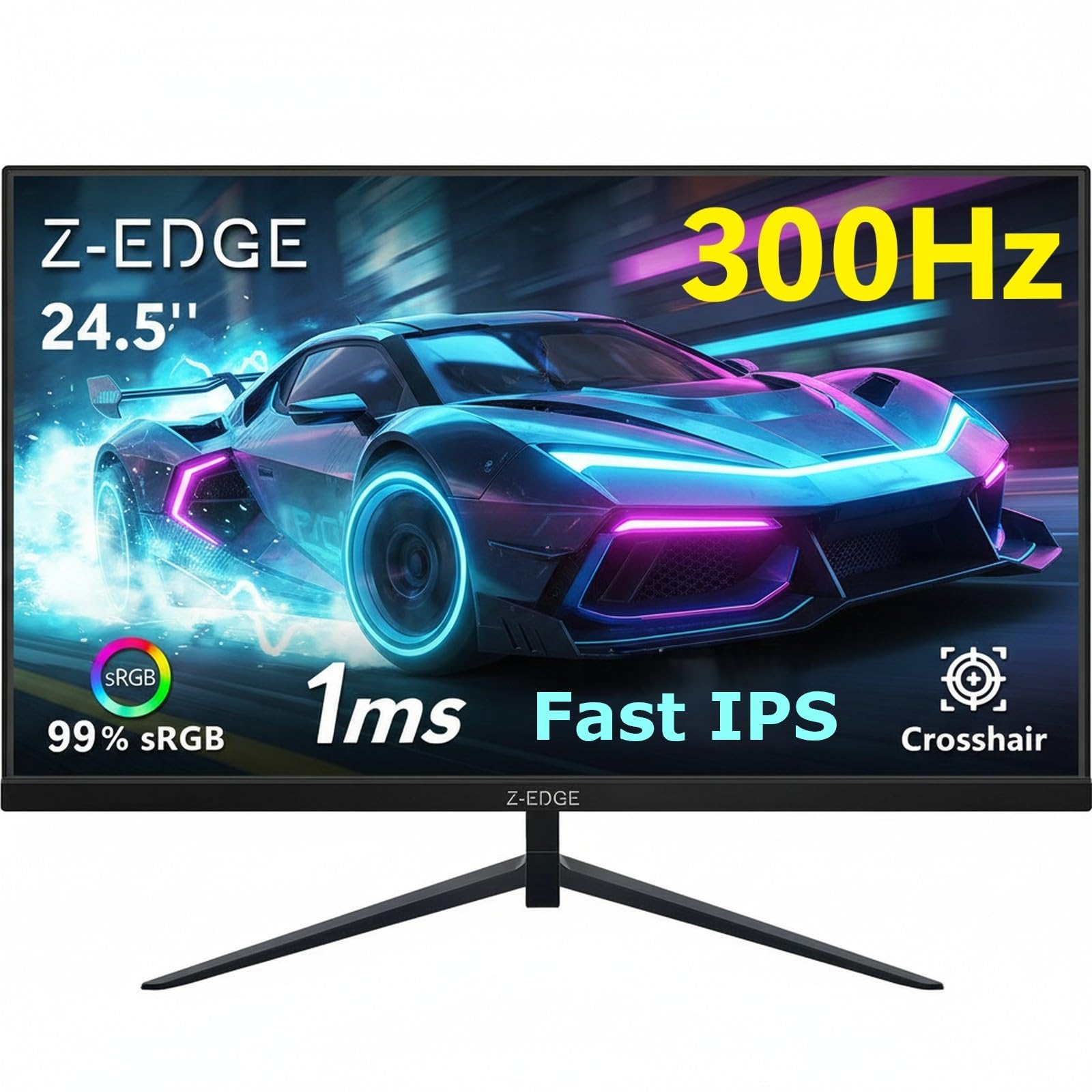
Frequently asked
5 questions01Is the 18.5 Inch Portable Monitor good for gaming?+
For casual gaming, slower-paced genres, RPGs, strategy games, and console gaming at 60fps, it's perfectly usable. The IPS panel delivers decent colour and wide viewing angles. However, the 60Hz refresh rate makes it unsuitable for competitive gaming where 144Hz or higher is the standard. Fast-paced shooters and racing games will feel limited at 60Hz. If gaming performance is your priority, look at a 144Hz portable monitor instead.
02Does the 18.5 Inch Portable Monitor have good HDR?+
HDR is listed as a feature, but at this budget price point it's what enthusiasts call 'checkbox HDR'. The monitor can accept an HDR10 signal and display it, but it lacks the peak brightness (typically 400 nits minimum for HDR400 certification) and local dimming required for genuine HDR impact. HDR content will look watchable and sometimes pleasant, but you won't get the dramatic contrast and brightness range that HDR is designed to deliver. Treat it as a bonus rather than a headline feature.
03Is the 18.5 Inch Portable Monitor good for content creation?+
For general productivity and casual creative work it's fine. The IPS panel provides consistent colour across viewing angles, which is better than TN or VA alternatives. However, the verified spec data doesn't include sRGB coverage percentages, DCI-P3 figures, or Delta-E measurements, and at this price point a factory-calibrated, colour-accurate panel isn't realistic. Professional photographers or video editors who need reliable, calibrated colour for client work should look at a dedicated colour-accurate display.
04What graphics card do I need for the 18.5 Inch Portable Monitor?+
Any modern GPU or integrated graphics chip that supports 1920x1080 at 60Hz will drive this monitor without issue. That includes Intel Iris Xe integrated graphics, AMD Radeon integrated graphics in Ryzen laptops, and any discrete GPU from the last decade. For USB-C connection, your device needs to support Thunderbolt 3, Thunderbolt 4, USB 3.1 Type-C, or USB 3.2 with display output. For mini HDMI connection, any device with HDMI output and a mini HDMI adapter or cable will work.
05What warranty and returns apply to the 18.5 Inch Portable Monitor?+
Warranty terms are not specified in the verified product data. When purchasing through Amazon UK, you're covered by Amazon's standard 30-day return window and the Amazon A-to-Z Guarantee, which protects your purchase if the item doesn't arrive or doesn't match the description. For warranty queries beyond the return window, contact the seller directly through the Amazon platform.