Best Overall Value
★★★★★ (5.0)
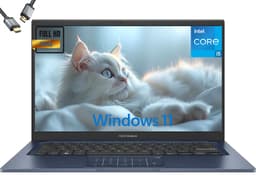
Here is the thing about the Morostron: on paper, it should not be this good. A 3K IPS touchscreen, 16GB of RAM, a 512GB SSD, fingerprint unlocking, and Windows 11 Pro all in one package is a genuinely impressive spec sheet for a first-time buyer. The 3000x2000 resolution on a 13.5-inch panel gives you a pixel density that makes text crisp and photos look proper decent. For someone picking up their first laptop, that screen alone will feel like a revelation compared to the blurry displays on cheaper machines.
The Celeron N95 processor is not going to win any speed awards. It tops out at 3.4GHz and handles everyday tasks like browsing, video calls, document editing, and streaming without complaint. But push it with heavy multitasking or video editing and you will feel it slow down. For most first-time buyers though, that is not a realistic use case. The 16GB of RAM means the system stays responsive even with a dozen browser tabs open, which is where cheaper 4GB or 8GB machines start to struggle.
The fingerprint reader is a genuinely useful feature for beginners. No fiddling with passwords every time you open the lid. The backlit keyboard is a nice touch for evening use. And the compact 13.5-inch form factor means it slips into a bag without drama. Windows 11 Pro gives you more flexibility than the Home edition, including better remote desktop and security features, though most first-time buyers will not use those extras immediately.
The Celeron chip is the honest limitation here. It is fine for light use but not a long-term powerhouse. If you plan to keep this laptop for five-plus years and your needs grow, you may outgrow it. But as a first laptop that does everything a beginner needs and looks great doing it, this is our top pick among the best laptops for first-time buyers.
Pros
- Stunning 3K touchscreen for the price
- 16GB RAM keeps multitasking smooth
- Fingerprint login is genuinely beginner-friendly
- Windows 11 Pro included
- Compact and portable design
Cons
- Celeron N95 limits heavy workloads
- Not ideal if you plan to game or edit video
- Morostron is a lesser-known brand with limited UK support history
Check availability
Best Budget Pick
£279.99 | ★★★★½ (4.5)
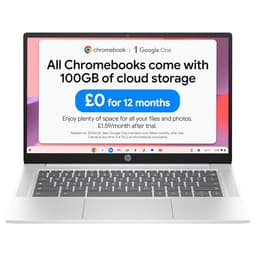
8GB RAM, 128GB storage, a full HD display and a battery HP rates at over 12 hours, all at a budget price. That is a proper deal. The HP Chromebook 14 is our budget pick for first-time buyers who want something that just works without spending a lot of money. Chrome OS is ideal for beginners because there is almost nothing to configure. You sign in with a Google account, and you are sorted.
The Intel N100 processor is a step up from the older Celeron chips found in cheaper Chromebooks, and combined with 8GB of RAM it handles Google Docs, YouTube, video calls, and light web browsing without any fuss. HP's 12-plus hour battery rating is a real advantage for anyone using this at college, in a cafe, or just around the house without wanting to hunt for a plug socket.
The full HD 14-inch display is clear and comfortable for everyday use. It is not going to wow you with colour accuracy, but for a first-time buyer doing basic tasks it is perfectly fine. The dual speakers are decent for a budget machine. Chrome OS also updates automatically in the background, which means less maintenance and fewer security headaches for someone who is new to laptops.
The limitation is Chrome OS itself. You cannot install Windows software, and if you need Microsoft Office you will be using the web version. For most first-time buyers that is absolutely fine. But if you know you need specific Windows applications, look at the Windows options further down this list. As a value proposition for a beginner, though, this HP is hard to argue with.
Pros
- Excellent value for the specs
- 8GB RAM is proper for a budget Chromebook
- 12-plus hour battery life
- Full HD display
- Chrome OS is simple and secure for beginners
Cons
- Chrome OS limits software compatibility
- 128GB storage fills up if you save lots of files locally
- No touchscreen
Buy on Amazon£279.99
Best Build Quality
£979.00 | ★★★½☆ (3.7)
This is the premium option in the roundup. The Samsung Galaxy Book4 Pro 360 is a 2-in-1 laptop with a 16-inch AMOLED display, an Intel Core Ultra 7 processor, and a build quality that genuinely feels a cut above. For a first-time buyer with a generous budget, it is a machine you will not outgrow quickly.
The 360-degree hinge means you can use it as a laptop, tent it for presentations, or fold it flat into tablet mode. That flexibility is genuinely useful for beginners who are still figuring out how they want to use their device. The AMOLED screen is exceptional, with vivid colours and deep blacks that make streaming, video calls, and photo viewing a real pleasure. If you are coming from a high-end smartphone screen, this will feel familiar rather than like a step down.
The Core Ultra 7 chip handles everything a first-time buyer could throw at it and then some. Video editing, multiple apps running at once, large spreadsheets. No problem. The 16GB RAM and 512GB SSD are solid for long-term use. Samsung's build quality is consistently excellent, with a slim aluminium chassis that feels premium without being fragile.
The honest caveat: this is expensive. For a first-time buyer who mainly wants to browse, stream, and do some light work, you are paying a lot for features you may not use. But if you want a laptop that will last five-plus years and still feel modern, the Galaxy Book4 Pro 360 is a serious investment worth considering.
Pros
- Stunning AMOLED 16-inch display
- 360-degree hinge adds real versatility
- Core Ultra 7 is genuinely future-proof
- Premium build quality throughout
Cons
- Very expensive for a first laptop
- Overkill for basic beginner tasks
- Heavy for a portable machine
Buy on Amazon£979.00
Best for Beginners
£299.99 | ★★★★½ (4.6)
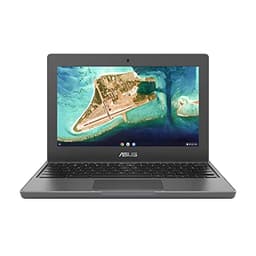
The ASUS Chromebook 11 CR1100 is built for people who have never owned a laptop before and want something they cannot easily break. Literally. The chassis is reinforced to handle drops and knocks, the keyboard is spill-resistant, and ASUS backs the whole thing with a three-year warranty. That last point matters a lot for first-time buyers who are nervous about something going wrong.
Chrome OS is the right operating system for a complete beginner. There is no bloatware to deal with, no complicated setup, and the system updates itself automatically. You sign in with a Google account and you are ready to go within minutes. For browsing, video calls, Google Docs, and streaming, this handles everything without complaint.
The 11.6-inch screen is small, and the 4GB RAM and 64GB eMMC storage are genuinely limiting if you want to do anything beyond basic tasks. This is not a machine for storing lots of photos or running demanding web apps. But for someone who just wants a simple, reliable device for everyday use, it does the job. The compact size also makes it easy to carry.
The three-year warranty is the real selling point here. Most budget laptops come with one year. Getting three years from ASUS on a beginner machine takes a lot of the risk out of the purchase. Among the best laptops for first-time buyers, this one prioritises peace of mind above all else.
Pros
- Three-year ASUS warranty included
- Tough, spill-resistant build
- Chrome OS is perfect for complete beginners
- Compact and lightweight
Cons
- 4GB RAM is tight in 2026
- 64GB storage fills up quickly
- Small 11.6-inch screen
Buy on Amazon£299.99
Best Battery Life
★★★★☆ (4.4)
Twenty hours of battery life. That is the headline number, and in real-world use you will likely see somewhere between 14 and 18 hours depending on what you are doing. Either way, it is exceptional. For a first-time buyer who wants a laptop they can use all day without worrying about charging, the ASUS Vivobook S 14 is a compelling option.
The Qualcomm Snapdragon X Plus chip is an ARM-based processor, which is part of why the battery life is so good. It is efficient and fast, handling everyday tasks and light creative work without breaking a sweat. The 2.8K display is sharp and bright, making it a pleasure to use for browsing, streaming, and video calls. The 1TB SSD gives you plenty of room to grow into.
As a Copilot+ PC, it has built-in AI features in Windows 11 that can help with tasks like summarising documents or generating images. For a first-time buyer, those features are a nice bonus rather than a necessity, but they do make the machine feel modern and forward-looking.
The price puts it in mid-range territory, which is a stretch for some first-time buyers. And the Snapdragon chip, while excellent, can occasionally run into compatibility issues with older Windows software. Most modern apps are fine, but it is worth checking before you buy if you have specific software needs.
Pros
- Outstanding battery life for all-day use
- Sharp 2.8K display
- 1TB SSD is generous
- Fast and efficient Snapdragon X Plus chip
Cons
- ARM chip has occasional software compatibility quirks
- Mid-range price may stretch some budgets
Buy on Amazon
Best Windows Workhorse
£699.99 | ★★★★☆ (4.3)
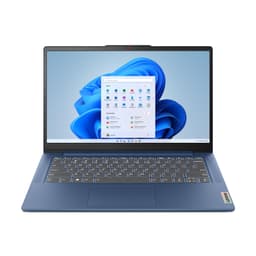
Lenovo's IdeaPad Slim 3 range has been a reliable choice for everyday users for years, and this 14-inch model with the Core i5-12450H is a solid pick for first-time buyers who want a proper Windows laptop without spending a fortune. The i5-12450H is a genuine performance chip, not a budget Celeron or Pentium, which means this machine will handle multitasking, light creative work, and everyday productivity without complaint.
The 16GB RAM and 512GB SSD combination is well-matched. You get enough memory to keep things running smoothly with multiple apps open, and enough storage for a decent collection of files, photos, and software. Windows 11 Home is straightforward for beginners, and Lenovo's setup process is relatively clean compared to some brands that load up new machines with trial software.
The full HD 14-inch display is functional rather than exciting. Colours are decent, brightness is adequate for indoor use, but it is not going to impress anyone coming from a high-end phone screen. The build quality is solid for the price, though the plastic chassis does feel a bit budget if you handle it next to something like the Samsung or Dell in this roundup.
For a first-time buyer who wants a reliable Windows machine that handles real tasks, this Lenovo is a sensible, well-priced choice. It is not flashy, but it is dependable.
Pros
- Proper Core i5 chip for real-world performance
- 16GB RAM handles multitasking well
- Good storage for the price
- Lenovo has solid UK support
Cons
- Display is functional but not impressive
- Plastic build feels budget
- Battery life is average
Buy on Amazon
Best Premium Pick
★★★★½ (4.7)
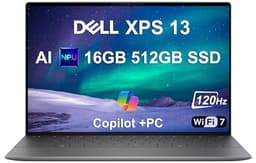
The Dell XPS 13 is one of the most respected laptop lines in the industry, and this 2024 model with Snapdragon X Plus is arguably the best version yet. Twenty-seven hours of claimed battery life, a 120Hz FHD+ display, Wi-Fi 7, and an IR webcam for face unlock. For a first-time buyer with the budget to spend, this is a machine that will not need replacing for a very long time.
The 120Hz display makes scrolling and general navigation feel noticeably smoother than standard 60Hz screens. It is one of those things you do not notice until you go back to a cheaper display and wonder why everything looks a bit choppy. The IR webcam means you can log in just by looking at the screen, which is a genuinely useful feature for beginners who find password management annoying.
Wi-Fi 7 is future-proofing at its finest. Most home routers do not support it yet, but when they do, this laptop will be ready. The build quality is classic XPS: slim, premium aluminium, and genuinely pocketable in a bag. Dell's support in the UK is also excellent, which matters for first-time buyers who might need help.
The price is the honest barrier. This is a significant investment for a first laptop. But if you want the best laptops for first-time buyers in terms of long-term value and quality, the XPS 13 makes a strong case. You are buying something that will still feel premium in 2029.
Pros
- Extraordinary 27-hour battery life
- 120Hz display is noticeably smoother
- Wi-Fi 7 and IR webcam are proper future-proofing
- Slim, premium build quality
- Excellent Dell UK support
Cons
- Very expensive for a first laptop
- Snapdragon ARM chip has occasional app compatibility issues
- Only two USB-C ports
Check availability
Best Large Screen Chromebook
£307.50 | ★★★★½ (4.8)
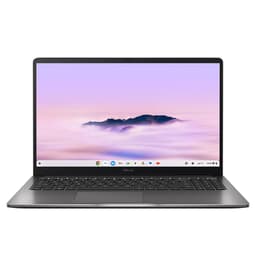
If you want a Chromebook with a bigger screen for easier viewing, the ASUS Chromebook Plus 15 is worth a look. The 15-inch display gives you more room to work with than the smaller Chromebook options in this roundup, which makes it more comfortable for longer browsing sessions or video calls where you want to see people clearly.
The Chromebook Plus designation means it meets Google's higher performance standard for Chrome OS devices, with better processing power and more RAM than basic Chromebooks. For a first-time buyer who wants a simple, low-maintenance laptop with a generous screen size, this hits a reasonable middle ground.
Chrome OS keeps things simple. Automatic updates, built-in virus protection, and a clean interface that is easy to navigate for someone who has never used a laptop before. The larger chassis also means a more comfortable keyboard, which matters if you plan to type a lot.
The trade-off, as with all Chromebooks, is the software limitation. And at around £295, you are paying a bit more than the HP Chromebook 14 for a bigger screen but not necessarily a better overall package. For first-time buyers who specifically want a larger display and are happy with Chrome OS, it is a reasonable choice.
Pros
- Generous 15-inch screen
- Chromebook Plus performance standard
- Simple Chrome OS for beginners
- Comfortable keyboard on larger chassis
Cons
- Chrome OS limits software options
- Costs more than the HP Chromebook 14 for similar functionality
- Heavier and less portable than smaller options
Buy on Amazon
Best Big-Screen Budget Windows
★★★★½ (4.6)
The 15-inch Lenovo IdeaPad Slim 3 is a budget Windows option for first-time buyers who want a bigger screen without spending a lot. The Core i3-N305 is a capable chip for basic tasks, and the 8GB RAM keeps things moving along for everyday use. The 15-inch full HD display gives you plenty of screen real estate for comfortable browsing and video streaming.
There is a catch, though. Windows 11 Home in S mode is frustrating. S mode restricts you to installing apps only from the Microsoft Store, which sounds fine until you realise that many popular apps are not available there. The good news is that switching out of S mode is free and takes about two minutes. But it is an extra step that first-time buyers should know about before they buy.
The 128GB UFS storage is on the tight side for a Windows machine. Once Windows is installed and updated, you have less free space than you might expect. An external hard drive or cloud storage subscription will likely be needed fairly quickly. For a first-time buyer on a strict budget who wants a Windows laptop with a big screen, this is a workable option. Just go into it with realistic expectations.
Pros
- Large 15-inch screen at a budget price
- Windows 11 gives full software flexibility (once S mode is disabled)
- Lenovo reliability and UK support
Cons
- Windows 11 S mode is annoying out of the box
- 128GB storage is tight for Windows
- Core i3 limits performance headroom
Check availability
Best Storage Capacity
£1,256.08 | ★★★★½ (4.6)
Twenty-four gigabytes of RAM and a 2TB SSD in a slim 14-inch laptop. Those numbers stand out. For a first-time buyer who plans to store a lot of photos, videos, or files locally, the storage capacity here is genuinely impressive. You are unlikely to run out of space any time soon.
The privacy camera is a thoughtful feature for beginners who are conscious about security. A physical shutter over the webcam means you can be certain no one is watching when you do not want them to. The HDMI port is a practical bonus too, making it easy to connect to a TV or external monitor without needing an adapter.
The Intel Core i5-1334U is a 13th-generation chip, which is capable for everyday tasks but not the newest silicon available. The price feels a touch high given the processor generation, especially when you compare it to the ASUS Vivobook S 14 with its newer Snapdragon chip. But if raw storage and RAM are your priority, this configuration is hard to match at the price.
For a first-time buyer who wants to future-proof their storage and keep everything local rather than relying on cloud services, this is a strong option.
Pros
- 2TB SSD is exceptional storage for the price
- 24GB RAM handles heavy multitasking
- Privacy camera shutter is a nice security touch
- HDMI port included
Cons
- 13th-gen i5 is not the newest processor
- Price feels high for the chip generation
Buy on Amazon£1256.08
Best Entry-Level Chromebook
£205.00 | ★★★★½ (4.6)
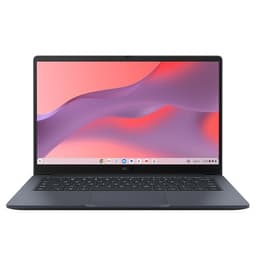
The ASUS Chromebook 14 CX1405CTA sits at the entry level of this roundup. A 14-inch full HD screen, Chrome OS, and a price under £210 make it accessible for first-time buyers on a tight budget. The Celeron N50 processor handles basic Chrome OS tasks without drama, and the full HD display is a step up from the HD-only screens on some cheaper machines.
The honest limitation is the 4GB RAM. In 2026, 4GB is the bare minimum for Chrome OS, and you will notice slowdowns if you have multiple tabs open or are running a video call alongside other apps. The 64GB eMMC storage is also tight, though Chrome OS is designed to lean on cloud storage, so it is less of an issue than it would be on Windows.
For a first-time buyer who genuinely just needs a machine for light browsing, email, and the occasional video call, this does the job. But we would push most people towards the HP Chromebook 14 instead, which costs more but doubles the RAM to 8GB and the storage to 128GB. The ASUS CX1405 is a fallback option if the HP is out of stock or unavailable.
Pros
- Full HD 14-inch display
- Affordable entry point
- Chrome OS is simple for beginners
Cons
- 4GB RAM is limiting
- 64GB storage is very tight
- HP Chromebook 14 has better specs if you can spend more
Buy on Amazon£205.00
Best Performance (No Budget Limit)
★★★★½ (4.8)
Right. So. This one is here for completeness, and to be completely honest with you: the MSI Raider 18 is not a laptop for first-time buyers. At all. It is a £7,000-plus gaming and creative powerhouse with an RTX 5090 graphics card, 64GB of DDR5 RAM, a Core Ultra 9 processor, and a 240Hz QHD+ display. It weighs about as much as a small dog and needs a power brick the size of a hardback book.
For a first-time buyer, this would be like learning to drive in a Formula 1 car. Technically impressive. Completely unnecessary. The 24-zone RGB keyboard is spectacular to look at, and the raw performance numbers are genuinely extraordinary for anyone doing 4K video editing, 3D rendering, or serious gaming. But none of that is relevant to someone picking up their first laptop.
We include it here because it represents the absolute ceiling of what a laptop can be in 2026. If you are a first-time buyer with very specific high-end needs and a very large budget, it exists. For everyone else, look at literally anything else in this roundup. The Morostron at the top of this list does everything a beginner needs for a fraction of the price.
Pros
- Absolute peak laptop performance in 2026
- RTX 5090 handles any gaming or creative workload
- 5TB storage is extraordinary
- 240Hz display is stunning for gaming
Cons
- Completely overkill for first-time buyers
- Costs over £7,000
- Heavy and bulky
- Battery life will be poor under load
Check availability