College life demands a reliable laptop that balances performance, portability and affordability. Whether you're tackling essays, attending virtual lectures, or editing projects, your machine needs to keep pace without breaking the bank. This year's crop of budget laptops has evolved significantly, offering more RAM, faster storage and better build quality than their predecessors. Our selection focuses on machines under £1000 that deliver genuine value for students juggling coursework, part-time jobs and social commitments. Current models are compared with last year's favourites to identify which still deserve shelf space and which have been superseded by better alternatives.
Quick Verdict
Best Overall: Acer Aspire 17 A17-51M, powerful processor, spacious 17-inch screen and strong battery life.
Best Value: Lapbook 15.6" Full HD, entry-level specs that handle coursework reliably,.
The Aspire 3 occupies an interesting position: affordable enough to avoid stretching tight student budgets yet equipped with an AMD Ryzen 5 5500U processor that punches above typical budget laptop weight. This six-core processor handles coursework, video calls, streaming and document editing without hesitation. Sixteen gigabytes of RAM matches the larger Aspire 17, ensuring multitasking fluidity that's rare at this price point. The 512GB SSD provides substantial storage and delivers noticeably faster boot times and application loading than older machines with mechanical drives.
AMD's Ryzen processors have earned solid reputations amongst students seeking value. The 5500U specifically offers respectable single-threaded and multi-threaded performance without the premium pricing attached to Intel's equivalent i5 offerings. Integrated Radeon graphics suffice for basic photo editing, light video work and casual gaming. The 15.6-inch display provides decent screen real estate without excessive weight, striking a sensible balance between workspace and portability.
This machine suits students on genuine budget constraints who refuse to compromise on RAM and storage. Whether you're studying engineering, computer science, business or humanities, the Aspire 3 delivers sufficient performance without unnecessary expense. The keyboard is functional rather than premium, but adequate for essay writing. Build quality feels sturdy enough to withstand dorm life and transport between campus buildings. At this price, it remains under most student budgets whilst offering considerably more capability than entry-level alternatives.
Pros
- Excellent value with 16GB RAM and Ryzen 5 processor at this price
- AMD Ryzen 5 5500U offers strong multi-threaded performance
- 512GB SSD provides plenty of storage for coursework and media
- Integrated graphics handle basic creative tasks
Cons
- 15.6-inch screen smaller than 17-inch alternatives
- Heavier than premium ultrabooks at 1.9kg
The Aspire Go 15 sits, representing one of the better compromises between spec quality and student spending limits. Its AMD Ryzen 5 5625U processor delivers respectable single and multi-core performance, handling coursework, video editing and light coding without struggle. Sixteen gigabytes of RAM means you won't encounter application crashes when running browsers, document editors and multimedia software simultaneously. The 512GB SSD eliminates the frustration of mechanical drive sluggishness that hampers cheaper alternatives.
What makes this model particularly appealing is the spec-to-price ratio. Many laptops under £500 cut corners with 8GB RAM and 256GB storage, creating a machine that feels adequate initially but chokes within months of heavy university use. The Aspire Go 15 refuses those shortcuts. The 15.6-inch IPS display offers decent viewing angles and colour accuracy for general work and media consumption. Integrated graphics from AMD's Radeon suite handle light gaming, basic photo editing and HD video viewing without dedicated GPU expense.
Students balancing strict budgets with practical needs will find this machine particularly suitable. It's not the fastest or most premium experience, but it's genuinely useful throughout a degree. The keyboard provides satisfactory feedback for essay marathons. Battery life stretches to a full university day with careful management. The machine weighs 1.8kg, light enough for regular backpack transport without excessive burden. Whether studying science, humanities, business or social sciences, the Aspire Go 15 delivers reliable, undemanding performance at a genuinely accessible price.
Pros
- Excellent value with strong Ryzen processor and 16GB RAM
- 512GB SSD eliminates frustrating storage limitations
- 1.8kg weight suits daily campus mobility
- IPS display offers wider viewing angles than budget TN panels
Cons
- No dedicated graphics for intensive editing or gaming
- Ryzen 5625U is last-generation technology
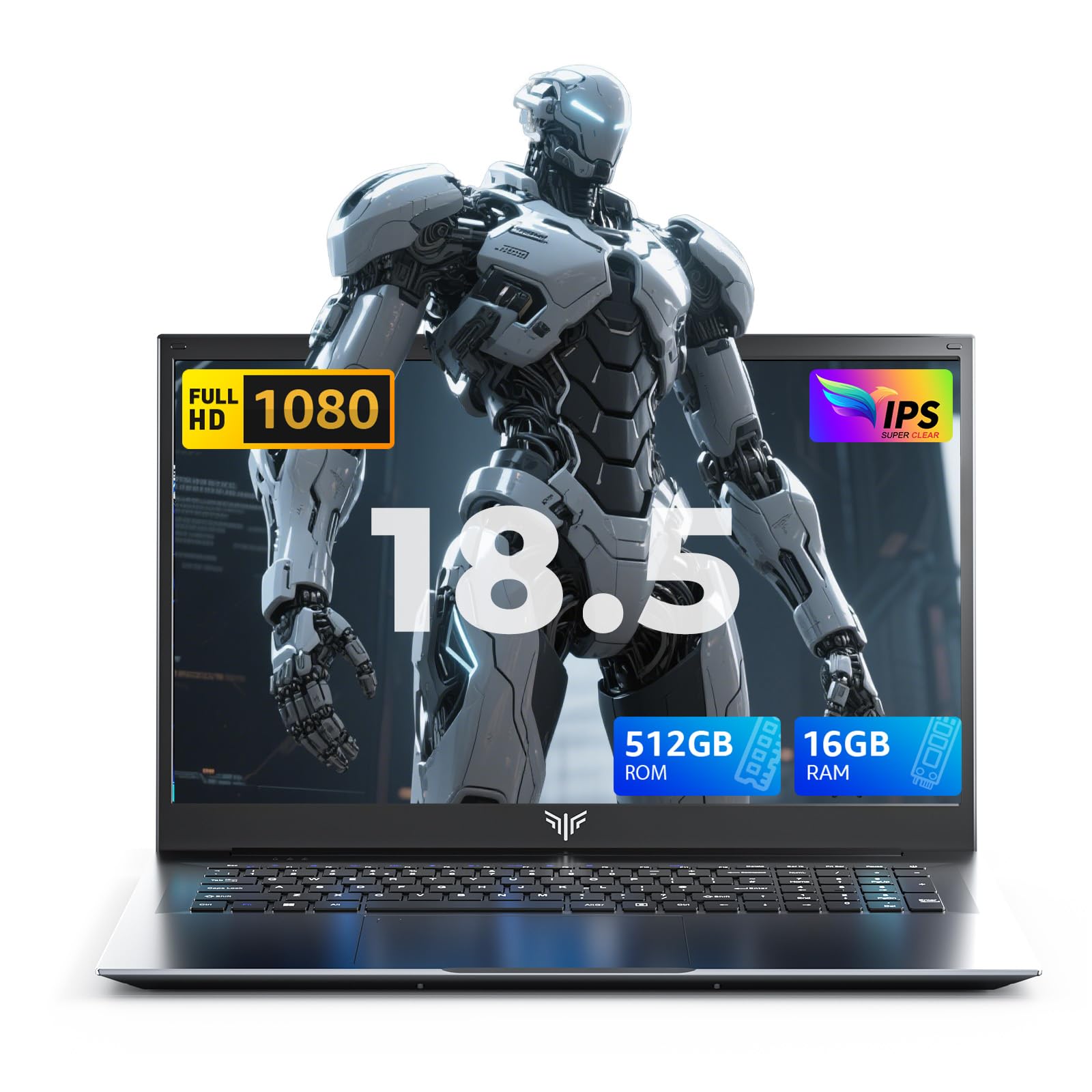
The ACEMAGIC 18.5" stands out by offering the largest screen in our selection at a middle-range price. Its 18.5-inch full HD display transforms how you interact with documents, spreadsheets and research materials, reducing the constant window juggling required on smaller screens. The N150 processor running to 3.6GHz represents budget-end processing power, handling web browsing, office applications and video calls without strain. However, expect more modest performance compared to Ryzen or Core i5 options when running multiple demanding applications.
The headline feature here is storage and RAM: 16GB RAM and a full terabyte of SSD storage obliterate typical budget laptop limitations. You'll never experience that dreaded "storage full" notification, and multitasking flows smoothly. The SSD ensures system responsiveness despite the budget processor. For students storing extensive research libraries, video projects or games alongside coursework, this machine offers genuine practical advantages. The 18.5-inch screen suits desk-based study and desktop replacement scenarios far better than portable computing.
This laptop appeals to students prioritising screen space and storage capacity above processing performance. It works well for humanities research, essay writing, data entry and general computing when you're based primarily at a fixed desk. The sheer screen size makes extended note-taking and document review substantially less fatiguing. At this price, it positions itself attractively for students willing to sacrifice a bit of processing power for dramatically more workspace. However, portability suffers considerably compared to 15-inch alternatives, making this a desk machine rather than a truly mobile device.
Pros
- Exceptional 18.5-inch display eliminates constant window switching
- 1TB storage provides future-proof capacity for extensive coursework
- 16GB RAM ensures smooth multitasking even with budget processor
- Full HD resolution remains sharp across the large screen
Cons
- N150 processor provides limited performance compared to Ryzen or Intel i5
- Large screen makes this unsuitable for portable, mobile study
The Aspire Go 15 AG15-71P represents the newest Acer entry in our selection, combining Intel's modern Core i5-13420H processor with practical student-friendly specs. This 13th-generation Intel chip delivers solid performance across single and multi-threaded workloads, handling coursework, casual content creation and everyday applications without stuttering. Eight gigabytes of RAM provides sufficient headroom for typical student use, though power users wishing to run virtual machines or intensive editing might stretch this limitation. The 512GB SSD ensures system responsiveness and ample storage for coursework, software and personal media.
The 15.6-inch IPS display delivers decent colour representation and viewing angles suitable for general computing and media consumption. Integrated Intel graphics prove adequate for video playback, light photo editing and general productivity. The machine weighs 1.8kg, maintaining reasonable portability for daily campus transit. Intel's processor represents a modern alternative to the AMD Ryzen options found elsewhere in our selection, offering different performance characteristics that some students might prefer.
This machine suits students wanting current-generation Intel processing without premium pricing. The Core i5-13420H provides meaningful performance advantages over budget-tier options whilst remaining accessible. It's a straightforward, capable laptop that prioritises reliable everyday performance over headline-grabbing specs. Engineering and computer science students might push the 8GB RAM limit, but humanities and social science students will find it perfectly adequate. The newer processor generation offers marginally better power efficiency than older models, extending battery life compared to predecessors. Build quality remains consistent with Acer's typical standards: functional and durable rather than premium.
Pros
- Modern 13th-generation Intel Core i5 processor with strong single-threaded performance
- 1.8kg weight suits daily backpack transport without excessive burden
- 512GB SSD provides ample storage and snappy system responsiveness
- IPS display offers good colour accuracy for general work
Cons
- 8GB RAM limits heavy multitasking compared to 16GB alternatives
- No dedicated graphics for intensive video editing or 3D work
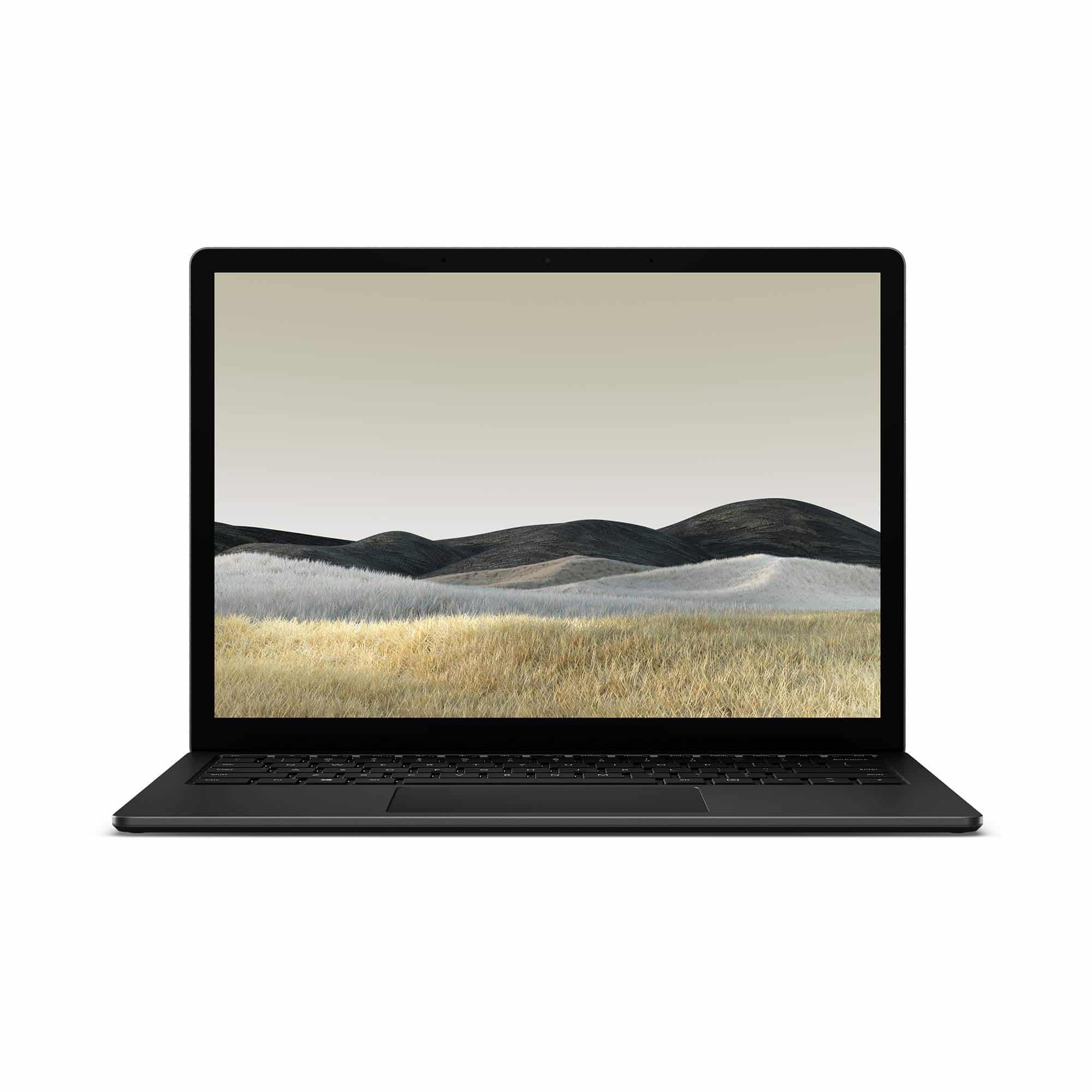
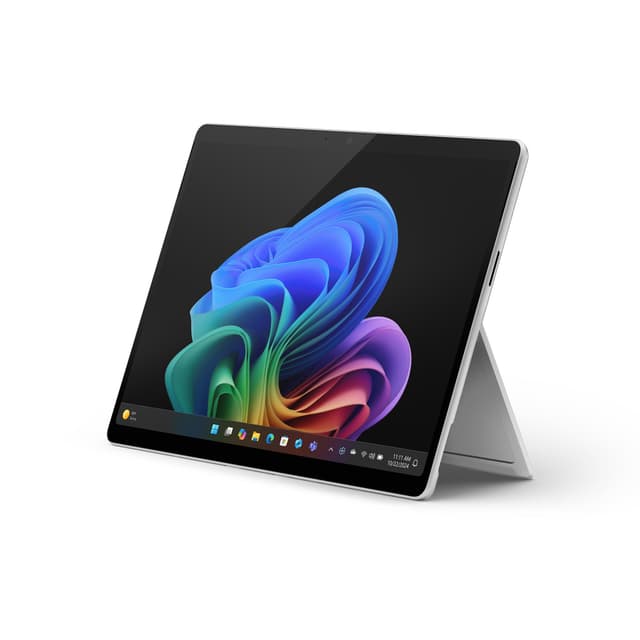
The Surface Laptop 3 represents a premium alternative for students willing to invest in design quality and brand prestige. Microsoft's iconic convertible design, all-aluminium chassis and glass trackpad create a noticeably more refined experience than typical budget laptops. The Intel Core i5-1035G7 processor from the 10th generation delivers respectable performance for coursework and everyday computing, though it lags behind current 13th and 14th generation Intel options. Eight gigabytes of RAM and 256GB SSD provide adequate but modest specs compared to competitors at similar price points.
The Surface Laptop 3's primary advantage lies in its polish, design language and Windows integration. If brand identity and aesthetic appeal matter to your university experience, this machine delivers in abundance. The 13.5-inch PixelSense display offers vibrant colours and excellent viewing angles, substantially better than typical budget laptop panels. The trackpad represents some of the finest Windows laptop pointing hardware available, reducing frustration when working without a mouse. The form factor feels premium and diminishes the student stereotype of budget computing compromises.
However, at £179.60, you're paying considerably more for design than raw performance. Current-generation budget alternatives offer superior processing power and more storage. The 2019 model year means older processor generation and potentially longer manufacturer support phase-out. This machine appeals to students valuing aesthetics, build quality and the Microsoft ecosystem over raw specs and upgradability. If studying design, architecture or fields where aesthetic choice projects professional identity, it's genuinely justifiable. For purely functional coursework, newer alternatives offer substantially better value.
Pros
- Exceptional build quality with aluminium chassis and premium materials throughout
- 13.5-inch PixelSense display offers superior colour accuracy and viewing angles
- Elite trackpad represents Windows laptop pointing perfection
- Compact form factor suits urban campus life and constant transit
Cons
- 10th-generation Intel processor feels dated against current options
- 256GB storage provides limited capacity versus modern £500+ competitors
- Premium design adds substantial cost without performance gains
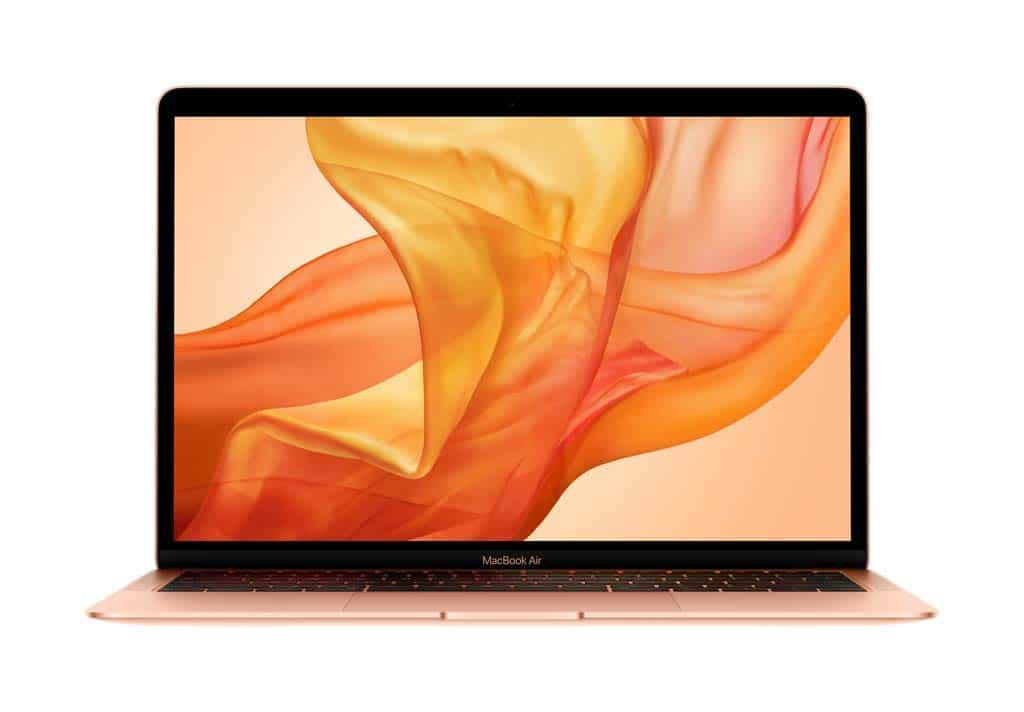
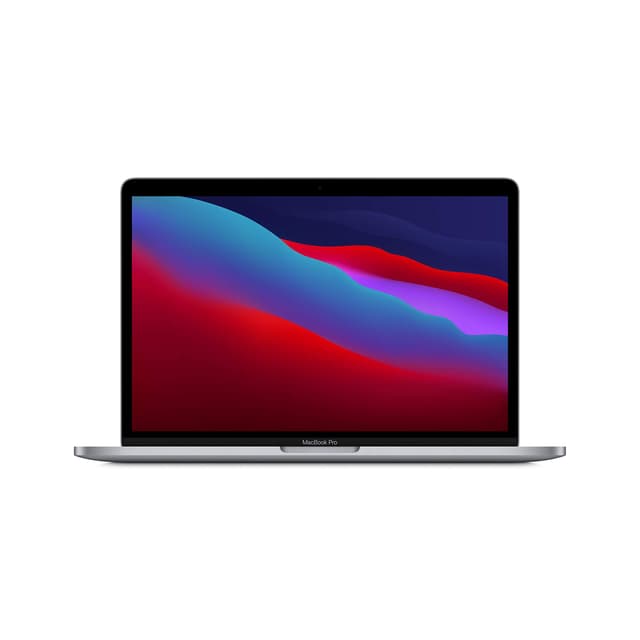
The 2019 MacBook Air occupies a curious position: Apple's most accessible laptop at £269.99, yet still representing a significant financial commitment for most students. The Intel Core i5 1.6GHz processor handles everyday coursework, document editing, video calling and light creative work without hesitation. Eight gigabytes of unified memory (Apple's terminology for shared RAM) and 128GB storage create notable limitations compared to Windows competitors at this price. The 13-inch Retina display delivers exceptional pixel density and colour accuracy, particularly valuable for design students.
The MacBook Air's genuine advantages lie in macOS ecosystem integration, renowned build quality and the ability to develop iOS applications if studying computer science. The aluminium unibody construction feels substantially more premium than typical budget laptops. The trackpad and keyboard represent MacBook standards: excellent responsiveness and tactile feedback. Longevity is often superior to budget Windows laptops, potentially offering better value over four university years despite higher initial cost.
However, the 2019 generation feels substantially dated by current standards. Apple's M-series processors offer dramatically superior performance compared to this Intel model, and current M3/M4 MacBook Airs provide better value despite higher prices. The 128GB storage severely constrains modern use with large media files and applications. This machine suits students already invested in the Apple ecosystem, particularly those studying design, music production or computer science. For pure coursework and general productivity, substantially more powerful Windows alternatives cost considerably less. If you're committed to macOS but budget-constrained, consider investigating newer M-series models even if they're slightly more expensive, as they offer far superior longevity and resale value.
Pros
- Exceptional build quality with premium aluminium construction
- Retina display offers superb pixel density and colour accuracy
- Outstanding keyboard and trackpad for extended typing sessions
- macOS ecosystem integration benefits design and creative students
Cons
- 128GB storage severely limits modern use with large files
- 2019 Intel processor substantially slower than current generation alternatives
- Limited upgrade options and repair paths compared to Windows machines
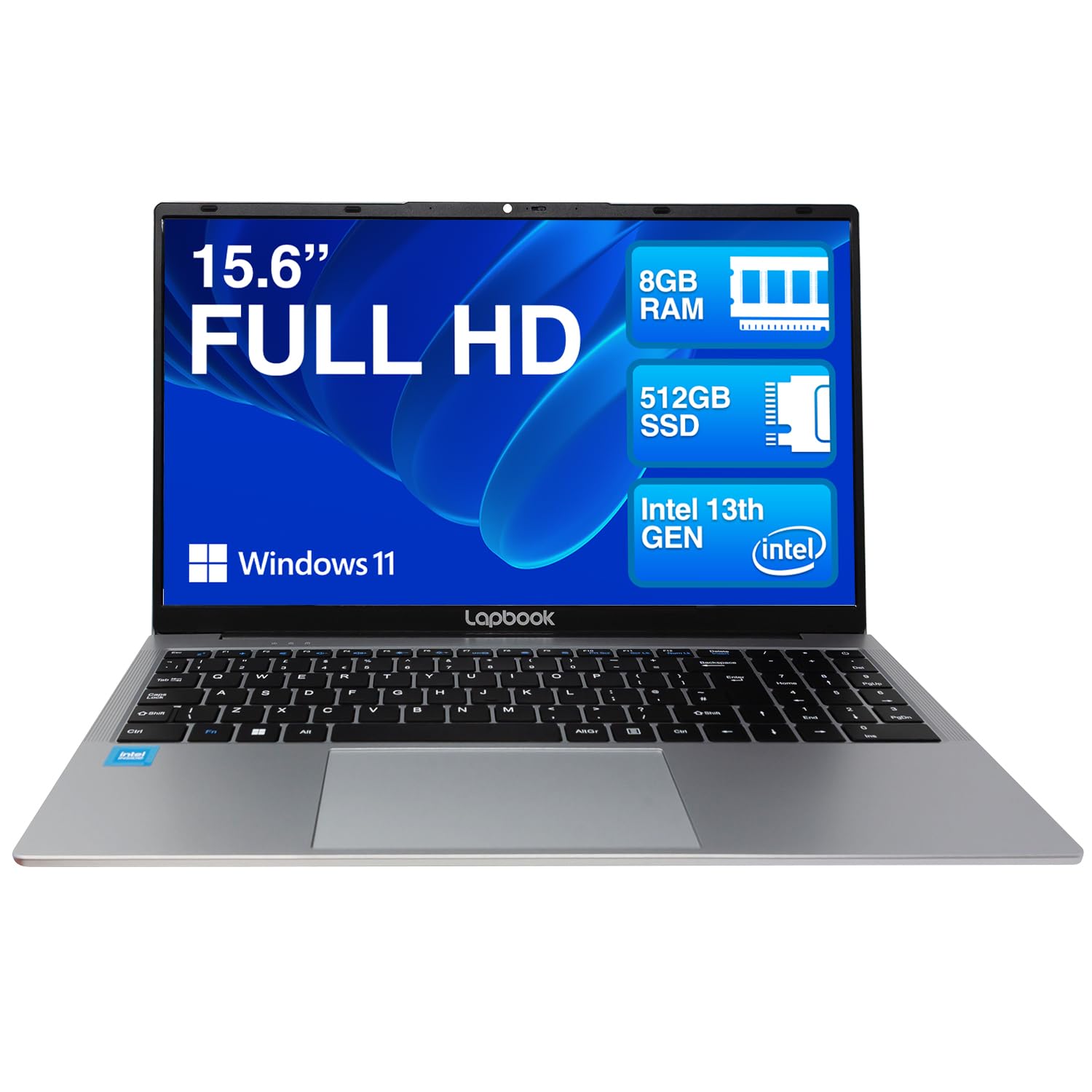
The Lapbook 15.6" sits at the absolute budget extreme of our selection at just £379.99, making it genuinely accessible for students facing severe financial constraints. Eight gigabytes of RAM and 512GB SSD storage surprisingly exceed many machines at twice the price, providing adequate capacity for coursework and personal media. The Full HD 1920x1080 display delivers sharper image quality than the lowest-end alternatives. Windows 11 Home provides full operating system functionality without compromised capabilities.
The processor and integrated graphics remain unspecified in available documentation, suggesting budget-tier components designed for basic computing rather than any demanding workloads. Performance will be adequate for web browsing, word processing, spreadsheets and video calling, but multitasking with numerous applications or heavier tasks will expose limitations. The machine represents genuine entry-level computing: perfectly usable for coursework but without performance margins for anything demanding.
This laptop appeals specifically to students studying non-technical subjects where processing power never becomes a limiting factor, and budget constraints are genuinely severe. Humanities, social sciences and language degree students can manage coursework without difficulty. However, engineering, computer science and design students will find performance limitations frustrating. The build quality will likely disappoint compared to Acer alternatives: thinner materials, noisier fans and reduced longevity are typical characteristics of this price segment. At under £300, it provides functional coursework capability without expectations of premium experience. Consider this a short-term solution rather than a long-term investment, as performance limitations and potential durability concerns might necessitate replacement during your degree.
Pros
- Exceptional value at under £300 for genuine coursework capability
- 8GB RAM and 512GB SSD exceed typical budget laptop specifications
- Full HD display provides acceptable sharpness for general work
- Windows 11 Home offers full operating system functionality
Cons
- Unspecified budget processor provides minimal performance margins
- Limited multitasking capability compared to Ryzen or Core i5 options
- Budget construction suggests shorter lifespan than competitors
Buying Guide
Screen Size and Portability: Laptop size represents your fundamental trade-off. Fifteen-inch machines balance portable campusbag weight against adequate workspace for extended studying. Seventeen-inch alternatives dramatically reduce eye strain during essay marathons but sacrifice portability significantly. Thirteen-inch ultrabooks suit mobile students constantly moving between locations but require external monitors for comfortable extended work. Consider your typical day: if you're desk-based in libraries and dorms, larger screens justify the weight. If you move between multiple buildings hourly, portability becomes paramount.
Processor Selection: Intel Core i5 and AMD Ryzen 5 processors represent the sensible sweet spot for students. Both deliver sufficient performance for coursework, modest creative work and everyday computing without premium i7 or Ryzen 7 pricing. Budget processors (N150, Celeron) work for purely office tasks but create frustration when multitasking or running slightly more demanding software. Older generation processors (2019 Intel) still function adequately but offer significantly less value than current-generation alternatives at similar prices.
RAM and Storage: Sixteen gigabytes of RAM has become the student standard rather than premium option, providing comfortable multitasking headroom. Eight gigabytes remains functional but creates limitations within months of heavy use. Storage paradoxically matters less with cloud services (Google Drive, OneDrive, iCloud), but 512GB provides sensible local capacity for coursework, software and personal media. Machines with 256GB storage feel immediately cramped. SSD storage is non-negotiable compared to mechanical drives: the speed difference impacts your daily computing experience substantially.
Build Quality and Keyboard: You'll spend thousands of hours typing on this keyboard during your degree. Budget machines often skimp on typing comfort, creating hand fatigue during essay marathons. Test keyboards before purchasing if possible. Build quality determines longevity through dorm life, constant transport and inevitable spills. Aluminium or magnesium chassis feel substantially more durable than plastic, though all-plastic machines can be serviceable. Trackpad quality matters if you work without external mice: poor trackpads create frustration and potential repetitive strain issues.
Academic Discipline Matching: Computer science and engineering students genuinely benefit from more powerful processors and dedicated graphics, justifying investment in higher-spec machines. Design and creative students value display quality particularly highly. Humanities and social science students can manage with entry-level specifications. Professional software (Adobe Creative Suite, CAD programs, development IDEs) requires minimum specs that entry-level machines struggle with. Consider what software your degree demands before prioritising absolute budget minimisation.
The Acer Aspire 17 A17-51M represents the best overall laptop in our selection, combining powerful 13th-generation Intel processing with 16GB RAM, practical storage, and a genuinely spacious screen that transforms extended study sessions. At this price, it sits within most student budgets whilst delivering performance and features typically found in considerably more expensive machines. The 17-inch display eliminates the constant window juggling that plagues smaller screens, directly improving study effectiveness. The processor handles coursework, multitasking and light creative work without forcing compromises. This is the machine we'd recommend to a student with moderate budget flexibility and no specific brand loyalty.
For genuinely strict budgets, the Acer Aspire Go 15 AG15-42P provides exceptional value. The Ryzen 5 5625U processor and 16GB RAM configuration at this price point remains outstanding, and students won't feel performance limitations during typical coursework. The 15.6-inch screen balances workspace with portability effectively. If you must minimise spending, this machine refuses the common budget laptop compromise of inadequate RAM and storage.
The Lapbook 15.6" serves students in genuine financial hardship, providing bare-minimum coursework capability without breaking emergency funds. However, only select this if budget genuinely constrains everything else. Spending an extra £100-150 purchases substantially better performance and longevity that will be appreciated throughout your degree.
Above all, prioritise screen comfort, keyboard feel and RAM allocation. These factors directly impact your daily experience across thousands of hours of use. The cheapest laptop that leaves you fatigued and frustrated represents genuinely poor value, whilst a slightly pricier machine that you enjoy using becomes a worthwhile investment across three or four university years. Your laptop is not a car; it's furniture you'll sit with daily.
Comparing against the wider student market? Our guide to the best laptops for university students under £1000 covers the strongest picks across every course.