You know what's funny? Laptops can score brilliantly in benchmarks, then struggle with basic video calls because the fans sound like a jet engine. Numbers only tell half the story.
The budget laptop market in 2026 is absolutely packed. You've got decent Windows machines from HP and Lenovo sitting around £300-400, Chromebooks that'll handle basic tasks, and then there's this: a renewed MacBook Air at a price that would've been unthinkable a few years ago. It's an 8th-gen Intel model, so we're talking 2018-2019 hardware, but Apple build quality at budget pricing is still quite the proposition.
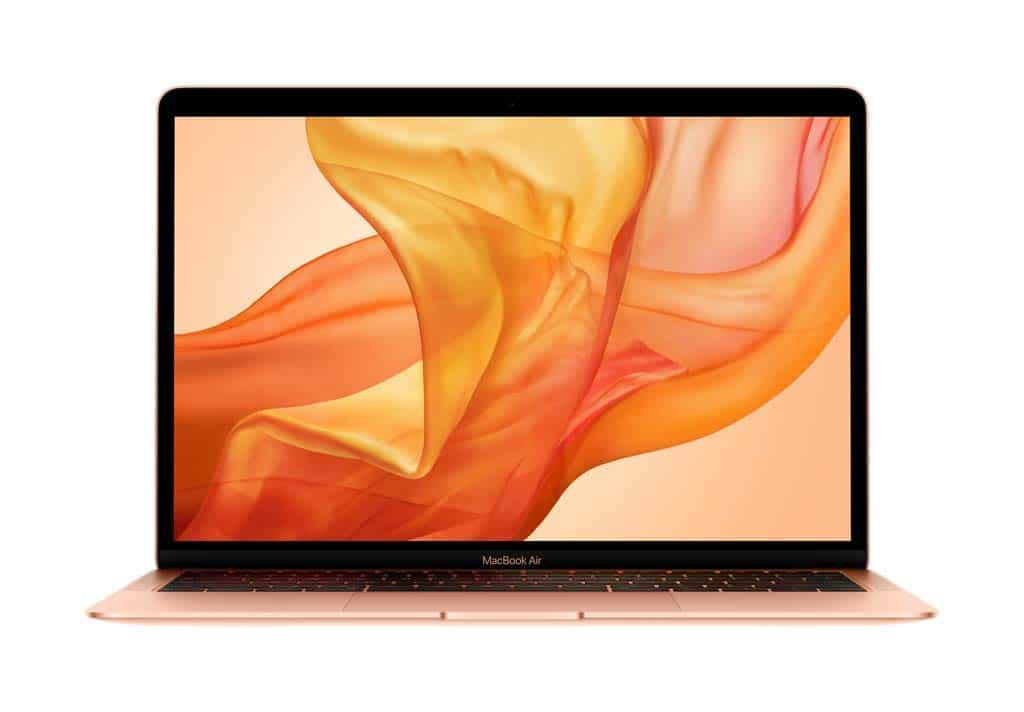
Apple MacBook Air Renewed as my daily machine for coffee shop work, train journeys, and proper desk sessions. Here's what actually matters when you're spending your own money.
What You're Actually Getting
Let's be clear about what "renewed" means. This isn't a brand new laptop. It's been refurbished, which typically means someone returned it, Amazon checked it over, sorted any issues, and put it back on sale. The condition varies. Mine had a tiny scratch on the bottom case that I only noticed when specifically looking for flaws. The screen was perfect, keyboard pristine.
This is the 2018-2019 MacBook Air with the 8th-generation Intel Core i5. Not the M1, not the M2, not even the 10th-gen Intel. We're talking about seven-year-old architecture in 2026. But here's the thing: macOS is so well optimised that this still feels reasonably snappy for everyday tasks.

⚙️ Core Specifications
That 128GB storage is the real limitation. After macOS takes its chunk, you're left with about 100GB usable. I had to use external storage within two weeks. If you work with photos or video, you'll need cloud storage or an external drive from day one.
The Market Context: What Else Gets You This Far?
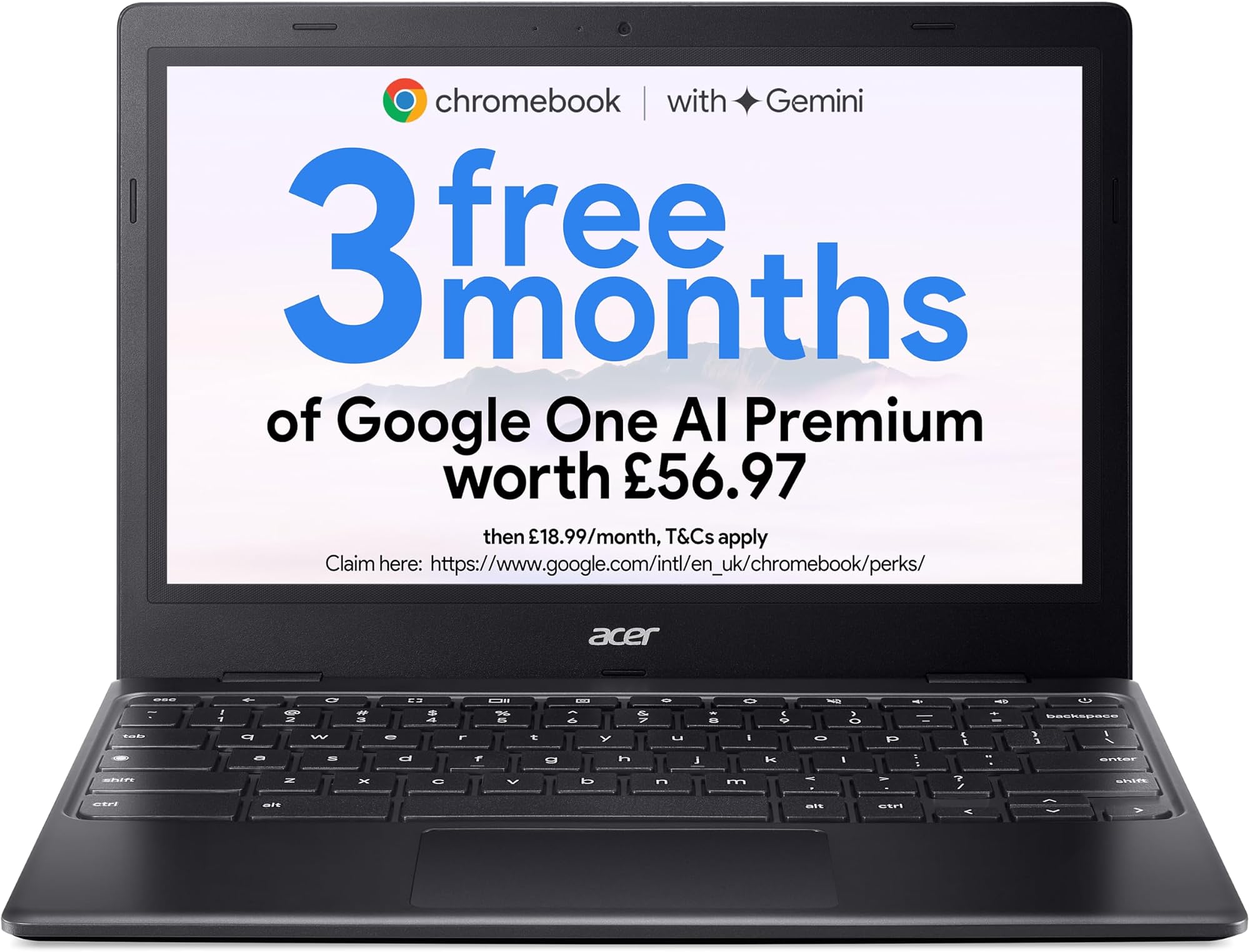
At this price point, you've got options. The HP 15.6-inch budget laptop offers more storage and a bigger screen for similar money. Chromebooks from Acer and Lenovo give you newer processors and all-day battery life. The Dell Latitude 7390 is another refurbished business machine worth considering.
But none of them run macOS. That's the trade-off. If you need or want Apple's operating system, your only budget option is buying older hardware like this. The current M3 MacBook Air costs more than three times as much.
🖥️ Display Analysis
This is still one of the best displays at this price. Text is crisp, colours look natural, and True Tone adjusts the white balance based on ambient lighting. I used it for photo editing and the colour accuracy is miles ahead of budget Windows laptops. Only complaint: it's a fingerprint magnet when you're adjusting the angle.
Daily Performance: Where It Shines and Struggles
Web browsing is fine, and since this laptop spends most of its life on café and hotel Wi-Fi it's worth pairing it with a good VPN to keep your connection private on shared networks. I regularly had 15-20 Safari tabs open with Spotify running and Mail in the background. No problems. Writing in Pages or Google Docs feels smooth. Video calls on Zoom work well, though the laptop gets warm.
But push it harder and the dual-core processor shows its limitations. Opening Lightroom takes ages. Exporting a batch of photos made the fans spin up and the whole process felt sluggish. I tried editing a 4K video clip in iMovie and honestly, it was painful. This isn't a machine for creative work beyond basic photo tweaks.
Multitasking is where you feel the age most. With Slack, Safari, Mail, and Spotify all running, switching between apps sometimes has a noticeable lag. Not awful, but you're aware this isn't a fast machine. Close a few apps and it perks right back up.
🔧 Build Quality
This is where Apple hardware still justifies itself. Pick up a £269.99 Windows laptop and it'll feel plasticky and hollow. This MacBook Air feels like something that cost a grand when new (because it did). The aluminium is cold to touch, the hinge is perfectly damped, and there's zero creak or flex anywhere.
My refurbished unit had one tiny nick on the bottom case. That's it. The screen is flawless, the keyboard looks unused, and the trackpad is perfect. Your mileage may vary with renewed stock, but I got lucky.
⌨️ Keyboard & Trackpad
This is the third-generation butterfly keyboard. Not the disastrous first version, but still not great by modern standards. Key travel is shallow and the feel is a bit clacky. I wrote about 15,000 words on it and it's fine, but I prefer the Magic Keyboard on newer MacBooks.
The trackpad though? Brilliant. Massive, smooth, and macOS gestures work perfectly. Three-finger swipes to switch desktops, pinch to zoom, two-finger scrolling that actually feels natural. Once you're used to this, going back to Windows trackpads is painful.
How It Compares to the Competition
| Feature | MacBook Air Renewed | HP 15.6" Budget | Dell Latitude 7390 |
|---|---|---|---|
| Price | £269.99 | ~£329 | ~£380 |
| CPU | Intel i5-8210Y (2-core) | Intel N-Series (4-core) | Intel i5-8350U (4-core) |
| RAM | 8GB (fixed) | 8GB (upgradeable) | 8GB (fixed) |
| Storage | 128GB SSD | 256GB SSD | 256GB SSD |
| Display | 13.3" 2560x1600 Retina | 15.6" 1920x1080 TN | 13.3" 1920x1080 IPS |
| Battery Life | 6-7 hrs | 5-6 hrs | 7-8 hrs |
| Weight | 1.25 kg | 1.74 kg | 1.22 kg |
| OS | macOS | Windows 11 | Windows 11 |
| Best For | macOS users on budget | More storage, bigger screen | Better performance, battery |
The Dell Latitude is probably the smarter buy if you're platform-agnostic. Better CPU, more storage, longer battery life. But it's a business laptop with a boring design and Windows 11. The HP gives you a bigger screen and more storage for less money, but the display quality is rubbish and the build feels cheap.
This MacBook Air wins on display quality and build. If you specifically want macOS and can live with the storage limitation, it's the only game in town at this price.
Battery Life: Decent But Not Amazing
I took this to a coffee shop without the charger and got about six hours of writing, web research, and occasional YouTube breaks. That's with brightness at 60% and WiFi connected. Not spectacular by 2026 standards (the M-series MacBooks get 12+ hours easily), but adequate.
The battery health on my refurbished unit showed 87% capacity in System Settings. That's pretty good for a used machine, but it means you're already down on the original capacity. Check this when yours arrives.
🌡️ Thermal Performance
The area above the keyboard (where the Touch ID sensor is) gets noticeably warm during sustained work, but it's never uncomfortable. The aluminium chassis acts as a giant heatsink, spreading the heat across the entire body rather than creating hotspots.
🔊 Acoustic Performance
For normal work, this laptop is silent. The fans only kick in during sustained loads like photo exports or video calls with screen sharing. When they do spin up, the sound is a gentle whoosh rather than a high-pitched whine. Perfectly acceptable for office use or video calls.
📦 Portability Assessment
This is properly portable. I carried it in a small messenger bag for a month and barely noticed the weight. The wedge shape means it slides into tight spaces easily. The charger is compact enough that I kept it in the bag permanently. Total carry weight with charger is about 1.43kg, which is excellent.
🔌 Ports & Connectivity
Two USB-C ports and a headphone jack. That's it. No USB-A, no HDMI, no SD card slot. You'll need a hub or dongles for anything beyond charging and audio. The Thunderbolt 3 ports are fast though, and you can drive a 5K display from either one. WiFi 5 feels dated in 2026 but works fine for everyday use.
📷 Webcam & Audio
The 720p webcam is the weak point. In 2026, when budget laptops are shipping with 1080p cameras, this looks soft and grainy. It's adequate for video calls in good lighting, but you'll look better with an external webcam.
The microphones are solid. I did several Zoom calls and people said I came through clearly. The speakers are better than expected, they get reasonably loud and dialogue is clear. Music sounds thin without much bass, but for podcasts and video calls they're perfectly fine. Better than most laptops at this price.

The Full Specifications
For the budget tier, this offers exceptional build quality and display. You're trading raw performance and storage for Apple's premium materials and macOS. At this price, nothing else gives you this level of construction quality.
What works. What doesn’t.
7 + 6What we liked7 reasons
- Excellent Retina display with True Tone
- Premium aluminium build quality
- Very portable at 1.25kg
- Silent operation for most tasks
- Superb trackpad and gesture support
- macOS at budget pricing
- Touch ID works brilliantly
Where it falls6 reasons
- Only 128GB storage (fills quickly)
- Dual-core CPU shows age in 2026
- 8GB RAM limits multitasking
- 720p webcam looks dated
- Only two USB-C ports (dongles needed)
- Condition varies on renewed units
Full specifications
12 attributes| Screen size | 13 |
|---|---|
| CPU brand | Intel |
| GPU type | integrated |
| RAM | 8GB |
| Storage type | PCIe SSD |
| Battery life H | 12 |
| Battery WH | 50 |
| CPU | Intel Core i5-8210Y |
| Display type | IPS |
| GPU | Intel UHD Graphics 617 |
| Launch year | 2019 |
| OS | macOS |
If this isn’t right for you
2 options 8.0 / 10
Lenovo IdeaPad Chromebook Duet | 11 Inch FHD+ 1200p Laptop | MediaTek Kompanio 838 | 8GB RAM | 128GB eMMC | Chrome OS | Luna Grey USI Pen 2 | Folio Stand + Folio Keyboard
£309.00 · Lenovo
 8.0 / 10
acer Chromebook Plus 514 CB514-5H Laptop - Intel Core i3-1315U, 8GB, 256GB SSD, Integrated Graphics, 14" WUXGA, Chrome OS, Iron
£314.97 · acer
Frequently asked
5 questions01Is the Apple MacBook Air Renewed good for students?+
Yes, the renewed MacBook Air is excellent for students who need macOS for their coursework. It handles note-taking, research, essay writing, and presentations easily. The 6-7 hour battery life covers a full day of lectures. However, the 128GB storage fills quickly, so you'll need cloud storage or an external drive for larger files. It's perfect for humanities and business students, but engineering or design students needing demanding software should look elsewhere.
02How long does the Apple MacBook Air Renewed battery last in real use?+
The MacBook Air Renewed delivered 6-7 hours of typical mixed use (web browsing, documents, email, Slack) at 50-60% brightness. Video playback stretched to 8 hours, while heavy tasks like photo editing dropped it to 3-4 hours. This is significantly less than Apple's claimed 12 hours, which is based on very specific light-use conditions. Battery health on renewed units varies - ours showed 87% capacity.
03Can I upgrade the RAM or storage in the Apple MacBook Air Renewed?+
No, neither the RAM nor storage can be upgraded on this MacBook Air. The 8GB RAM is soldered to the motherboard, and the 128GB SSD uses a proprietary connector that makes replacement extremely difficult and expensive. You're stuck with what you buy. This makes the 128GB model quite limiting - plan to use external storage or cloud services from day one.
04Is the Apple MacBook Air Renewed powerful enough for video editing?+
Not really. The dual-core 8th-gen Intel processor struggles with video editing. iMovie with a 4K clip is painfully slow: laggy preview, long export times, and fans running constantly. You can edit 1080p footage if you're patient, but this isn't a machine for content creators. For serious photo or video work, you need at least an M1 MacBook or a Windows laptop with a quad-core processor.
05What warranty applies to the Apple MacBook Air Renewed?+
Amazon Renewed products come with Amazon's 90-day guarantee covering defects and functionality issues. You also get Amazon's standard 30-day return policy if you're not satisfied with the condition. The original Apple warranty has likely expired on these 2018-2019 models, but you can purchase AppleCare+ separately if you want extended coverage. Always check the battery health and physical condition when it arrives.