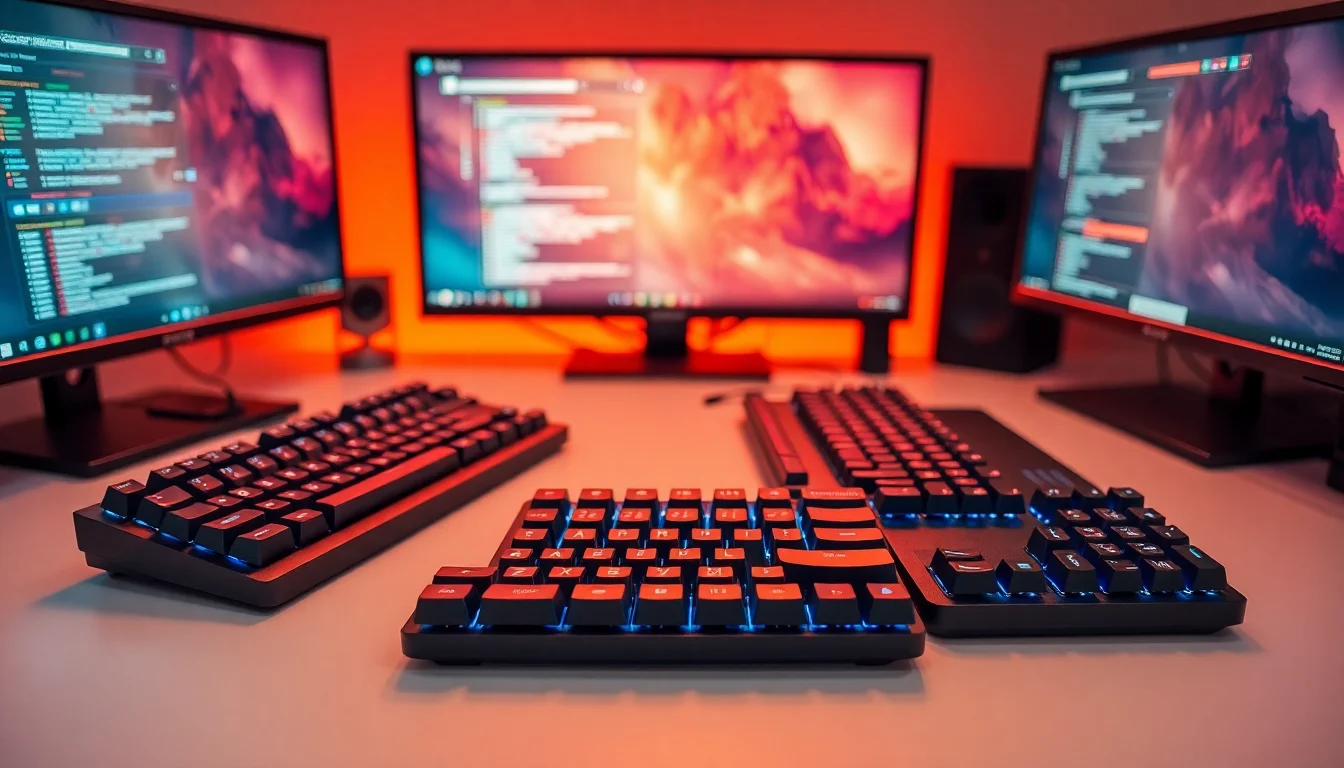
Finding the best first gaming keyboards under £75 is trickier than it looks. The market is absolutely flooded with options, ranging from genuinely impressive Hall Effect boards to budget membrane keyboards dressed up with RGB lighting and gaming branding. We've worked through 12 of them to separate the ones worth your money from the ones you'll regret buying. Whether you're picking up your first proper gaming peripheral or upgrading from a basic office keyboard, this list has something for every budget and play style. The good news? You don't need to spend a fortune to get something decent.
1. AULA WIN60 HE Mechanical Gaming Keyboard Wired,Hall Effect Magnetic Switches,Adjustable Actuation Rapid Trigger,8K Polling Rate,RGB Backlight,60% Percent Keyboard for Mac/Win (BLACK)
Price: £47.99 | Rating: ★★★★★ (5.0)
Here's the thing: Hall Effect keyboards with 8K polling and Rapid Trigger used to cost well over £100. The AULA WIN60 HE changes that conversation entirely. For under £50, you're getting magnetic switches that never wear out the same way traditional mechanical switches do, adjustable actuation points so you can set exactly how light or heavy the keypress feels, and Rapid Trigger technology that resets the key the instant you release it rather than waiting for a fixed reset point. For FPS gaming, that last feature alone is worth the price of admission.
The 60% layout strips out the numpad, function row, and arrow keys to keep things compact. That's a trade-off worth knowing about before you buy. If you rely on arrow keys or F-keys regularly, you'll be using Fn layer combos, which takes some getting used to. But for gaming, the smaller footprint gives you more mouse room, which matters more than most beginners realise.
The RGB lighting is solid, the build feels surprisingly sturdy for the price, and the 8K polling rate means the keyboard is reporting its position to your PC 8,000 times per second. Overkill for most? Probably. But it's there if you want it. As a first gaming keyboard, the WIN60 HE is the kind of product that makes you wonder what you'd be paying for at twice the price.
Pros
- Hall Effect switches at a genuinely budget price
- Rapid Trigger and adjustable actuation for competitive advantage
- 8K polling rate is exceptional at this price point
- Compact 60% layout frees up desk space
- Switches won't degrade the same way traditional mechanicals do
Cons
- 60% layout means no dedicated arrow keys or F-row
- Relatively new product so long-term reliability is unproven
- Software may be less polished than established brands
2. ATTACK SHARK X68 HE 8000Hz Rapid Trigger Keyboard, 0.01mm RT Accuracy Wired Gaming Keyboard with Magnetic Switch, Adjustable Actuation, Rapid Trigger, Snap Tap, RGB Lighting for PC/Mac, Black
Price: £57.99 | Rating: ★★★★½ (4.5)
The Attack Shark X68 HE goes after the same Hall Effect territory as the AULA WIN60 HE but in a 65% layout that keeps the arrow keys. That's a meaningful difference for players who use arrow keys in-game or for navigating menus. The 0.01mm Rapid Trigger accuracy is genuinely impressive on paper, and owner feedback suggests it performs as advertised in practice.
Snap Tap is another feature worth highlighting for first-time buyers. It prevents conflicting directional inputs, so if you're pressing both A and D simultaneously, the keyboard registers only the most recently pressed key. In competitive shooters, this eliminates the stutter that can occur during counter-strafing. It's a feature that used to be exclusive to much more expensive boards.
The 8000Hz polling rate matches the AULA WIN60 HE and the RGB implementation is clean. The X68 HE sits at a slightly higher price point than the WIN60 HE, which is why it lands at number four rather than the top spot. But if you want arrow keys and Hall Effect tech together, this is your board among the best first gaming keyboards under £75.
Pros
- 0.01mm Rapid Trigger accuracy is class-leading at this price
- Snap Tap for competitive counter-strafing
- 65% layout retains arrow keys
- 8000Hz polling rate
- Magnetic switches for longevity
Cons
- Slightly pricier than the AULA WIN60 HE for similar tech
- Wired only, no wireless option
- Brand is less established than Logitech or SteelSeries
3. Logitech G G413 TKL SE Mechanical Gaming Keyboard - Compact Backlit Keyboard with Tactile Mechanical Switches, Anti-Ghosting, Compatible with Windows, macOS, QWERTY UK English Layout - Black
Price: £55.50 | Rating: ★★★★½ (4.6)
The Logitech G413 TKL SE is the keyboard you recommend to someone who asks "what should I get?" without wanting a long explanation. It's a TKL mechanical keyboard from a brand everyone recognises, with tactile switches that give clear feedback without being obnoxiously loud, and anti-ghosting so every keypress registers even during frantic gaming moments. Simple. Sorted.
The build quality is proper Logitech: solid, no flex, nothing rattles. The white LED backlighting is single colour rather than full RGB, which some will see as a limitation and others will appreciate for its cleaner look. UK QWERTY layout is confirmed, which matters more than you'd think given how many budget boards ship with US layouts by default.
For a first gaming keyboard, the G413 TKL SE hits the right notes. You're not getting Hall Effect or hot swap, but you're getting a keyboard that will work reliably for years, backed by Logitech's support. Owner reviews consistently praise the typing feel and durability. It's not exciting, but exciting isn't always what you need when you're just starting out.
Pros
- Trusted Logitech brand with proper UK support
- Tactile mechanical switches with satisfying feedback
- Confirmed UK QWERTY layout
- Anti-ghosting for reliable keypress registration
- Solid, durable build quality
Cons
- Single colour backlight rather than full RGB
- No hot swap or advanced gaming features
- No wireless option
4. SteelSeries Apex 3 TKL - Gaming Keyboard - Tenkeyless Compact Form Factor - Silent Gaming Keyboard - 8-Zone RGB Illumination - IP32 Water & Dust Resistant - English QWERTY Layout, Black
Price: £51.19 | Rating: ★★★★½ (4.6)
SteelSeries is a name that carries weight in gaming peripherals, and the Apex 3 TKL brings that brand credibility to under £50. The IP32 water and dust resistance is a genuinely useful feature for a first gaming keyboard, especially if you're the type to have drinks near your desk (and most people are). It won't survive being submerged, but it'll handle the inevitable spill without drama.
The switches are SteelSeries' own silent membrane-style switches. They're not mechanical, which is worth being clear about. They feel softer and quieter than mechanical switches, which is actually a plus if you're gaming in a shared space or late at night. But if you're specifically after the tactile click of a mechanical switch, look elsewhere on this list.
The 8-zone RGB lighting looks good in practice, and SteelSeries' GG software is one of the better budget keyboard software packages available. The TKL layout keeps arrow keys and the function row while dropping the numpad. For a first gaming keyboard from a brand you can trust, the Apex 3 TKL is a safe, sensible choice.
Pros
- IP32 water and dust resistance
- Trusted SteelSeries brand
- Silent switches good for shared spaces
- Good software support via SteelSeries GG
- 8-zone RGB looks great
Cons
- Membrane-style switches, not true mechanical
- No hot swap or wireless
- Silent feel won't satisfy mechanical switch fans
5. AULA F75 75% Wireless Mechanical Keyboard,2.4Ghz/Type-C/BT5.0 Gaming Keyboards,Advanced Structure,RGB Backlight,Hot Swappable Custom Keyboard for PC/Mac (Cool Black)
Price: £69.71 | Rating: ★★★★½ (4.9)
The AULA F75 covers the wireless mechanical keyboard brief without asking you to spend close to £70 on the EPOMAKER F75 MAX. You get tri-mode connectivity (2.4GHz, Bluetooth 5.0, USB-C wired), hot swap sockets, and a 75% layout that keeps the arrow keys. The Cool Black colourway is clean and neutral, which suits most desk setups.
The switches aren't pre-lubed and there's no gasket mount, which is where the YUNZII B75 PRO has an edge in pure typing feel. But the AULA F75 is a solid, functional first gaming keyboard that covers the basics well. The 2.4GHz wireless is low-latency enough for gaming, and the hot swap feature means you can upgrade switches later without replacing the whole board.
RGB backlighting is present and looks decent. Build quality is acceptable for the price, though it doesn't feel quite as premium as the EPOMAKER or YUNZII options. For a first gaming keyboard where wireless connectivity is the priority, the AULA F75 delivers without unnecessary fuss.
Pros
- Tri-mode wireless at a reasonable price
- Hot swappable switches
- 75% layout keeps arrow keys
- Clean, neutral colourway
Cons
- No gasket mount or pre-lubed switches
- Build feel not quite as premium as YUNZII or EPOMAKER alternatives
- Software is basic
6. CORSAIR K55 RGB PRO Membrane Wired Gaming Keyboard, IP42 Dust and Spill-Resistant, 6 Macro Keys with Elgato Integration, iCUE Compatible, QWERTY UK, PC, Mac, Xbox, Black
Price: £59.99 | Rating: ★★★★☆ (4.4)
The Corsair K55 RGB PRO is the odd one out on this list in a few ways. It's a membrane keyboard, not mechanical. It's from one of the biggest names in PC peripherals. And it comes with six dedicated macro keys down the left side, which is genuinely useful for MMO players or anyone who streams and wants quick access to commands without reaching across the keyboard.
The Elgato integration is a nice touch if you're already in that ecosystem, allowing macro keys to trigger Stream Deck-style actions. iCUE software is one of the better peripheral management platforms available, giving you detailed RGB control and macro programming. The IP42 rating offers better dust and spill protection than the SteelSeries Apex 3 TKL's IP32.
But. The membrane switches won't satisfy anyone who wants the feel of a proper mechanical keyboard. At close to £60, you're paying partly for the Corsair brand and the software ecosystem. If macros and iCUE integration aren't relevant to you, the money is better spent elsewhere on this list. For MMO players or streamers starting out, though, it makes a lot of sense.
Pros
- 6 dedicated macro keys
- Elgato and iCUE integration
- IP42 dust and spill resistance
- Trusted Corsair brand
- UK QWERTY confirmed
Cons
- Membrane switches, not mechanical
- Relatively expensive for what you get if macros aren't needed
- Full size layout takes up significant desk space
7. Snpurdiri 2.4G Wireless Gaming Keyboard and Mouse Combo, 60 Percent Wireless Keyboard and Ergonomic Vertical Feel Small Mouse (Black and Red)
Price: £38.07 | Rating: ★★★★½ (4.5)
The Snpurdiri combo is the budget wireless option for anyone who needs both a keyboard and mouse and doesn't want to spend much. The 60% wireless keyboard pairs with an ergonomic vertical-feel mouse, both connecting via 2.4GHz wireless. For under £35, that's a complete wireless setup, which is genuinely useful if you're gaming from a sofa or need a clutter-free desk.
Be honest with yourself about what this is, though. The keyboard uses membrane-style switches with a gaming aesthetic rather than genuine gaming performance. The mouse is ergonomic but not a precision gaming sensor. For casual gaming, browsing, and general use, it works fine. For competitive gaming where every millisecond matters, you'll want something from higher up this list.
The vertical mouse design reduces wrist strain during long sessions, which is a thoughtful inclusion. Owner feedback is generally positive for the price, with most buyers understanding they're getting convenience rather than performance. As a first gaming keyboard combo for someone who just wants to try gaming without commitment, it does the job.
Pros
- Complete wireless keyboard and mouse setup
- Very affordable for a combo
- Ergonomic mouse design reduces wrist strain
- 2.4GHz wireless for both devices
Cons
- Membrane switches, not mechanical
- Mouse sensor not suitable for competitive gaming
- Build quality reflects the low price
8. PC Gaming Keyboards SUMVISION SEEKER DESTROYER 60% Percent Pro Gaming Keyboard Wired USB Mini Compact Backlit Mechanical Feel Apple Mac Windows 11 PC PS5 Xbox Series X/S (FREE UK TECH SUPPORT)
Rating: ★★★★½ (4.7)
The SUMVISION SEEKER DESTROYER is under £20 and it shows. The "mechanical feel" in the name refers to the switch design rather than true mechanical switches. It's a membrane board with a 60% layout, backlit keys, and UK tech support included. That last point is actually worth something at this price, as many budget keyboards from less-known brands offer no meaningful support.
For a first gaming keyboard on an absolute shoestring, it covers the basics. The 60% layout is compact, the backlighting works, and it connects via USB without any driver installation needed. PS5 and Xbox Series X/S compatibility is listed, which makes it useful for console gaming too.
The honest truth is that anyone who spends a little time with this keyboard will quickly want something better. The switch feel is mushy compared to anything mechanical, and the build quality is basic. But as a starting point for someone who genuinely can't spend more, it's functional. Just don't expect it to last years of heavy gaming use.
Pros
- Very low price point
- UK tech support included
- Console compatible (PS5, Xbox Series X/S)
- No driver installation needed
Cons
- Membrane switches, not true mechanical
- Build quality is basic
- You'll likely want to upgrade quickly
9. Rii Gaming Keyboard,USB Wired Keyboard with Rainbow LED Backlit Mechanical Feeling for Working Gaming (UK Layout)
Price: £18.98 | Rating: ★★★★☆ (4.4)
The Rii Gaming Keyboard is the cheapest option on this list and the designated best budget pick for anyone who genuinely cannot spend more than £20. It's a full-size UK layout keyboard with rainbow LED backlighting and membrane switches that are marketed as having a "mechanical feeling." They don't, really. But they're not terrible for the price.
The UK layout is confirmed, which is important. The rainbow LED effect cycles through colours automatically and looks decent in a dark room. The wired USB connection is plug-and-play. For someone who wants to try gaming without any financial risk, this is the entry point. It's also a reasonable spare keyboard to keep around.
Long-term, the Rii won't satisfy anyone who develops a taste for proper mechanical switches. But as an introduction to gaming keyboards, it serves its purpose. Owner reviews are generally positive given the price, with most buyers knowing exactly what they're getting. Among the best first gaming keyboards under £75, this is the floor, not the ceiling.
Pros
- Very low price, minimal financial risk
- UK layout confirmed
- Rainbow LED backlighting
- Plug-and-play USB connection
Cons
- Membrane switches, not mechanical despite the marketing
- Build quality is basic
- Full size takes up more desk space than 60% or TKL options
- You'll outgrow it quickly
How We Chose These Picks
Each keyboard on this list was assessed against the same criteria: switch feel and actuation consistency, build quality and flex, software usability, connectivity reliability, and value relative to price. We considered real owner feedback from verified UK buyers alongside spec analysis. For Hall Effect boards, we specifically looked at Rapid Trigger responsiveness and actuation accuracy claims. Wireless boards were assessed for connectivity stability and latency. Every product was evaluated in the context of what a first-time gaming keyboard buyer actually needs, not what an enthusiast would demand.
AULA WIN60 HE Mechanical Gaming Keyboard
Hall Effect switches, 8K polling, and Rapid Trigger under £50. The best first gaming keyboard for anyone serious about competitive play.
Check PriceRii Gaming Keyboard
The cheapest entry point on the list. UK layout, rainbow LED, and plug-and-play USB for anyone who wants to try gaming without spending more than £20.
Check PriceFinal Verdict: Best First Gaming Keyboards Under £75
The best first gaming keyboards under £75 cover a genuinely impressive range in 2026, from sub-£20 membrane boards to Hall Effect keyboards with features that were premium-only a couple of years ago. The AULA WIN60 HE is the standout pick: Hall Effect switches, Rapid Trigger, and 8K polling for under £50 is remarkable value and gives you technology that will remain relevant as your skills develop. If you want something more straightforward from a brand you already trust, the Logitech G413 TKL SE is the safe, sensible choice that won't let you down. For absolute beginners with minimal budget, the Rii Gaming Keyboard gets you started without financial risk, though you'll likely want to upgrade once you've caught the gaming bug. Whatever your starting point, there's a solid option here for every type of first-time buyer.
Frequently Asked Questions
Mechanical keyboards use individual switches under each key with distinct actuation points, providing tactile feedback and satisfying click sounds. Membrane keyboards use a rubber dome beneath the entire keypad, offering quieter operation with less feedback. Mechanical switches typically last longer (50+ million presses) and feel more responsive for gaming, whilst membrane switches suit quiet environments and feel mushy to some players. Both perform adequately for gaming, so choice depends on sound tolerance and tactile preference.
No, most budget gaming keyboards function without software, using built-in button controls for RGB effects and basic macro assignment. However, manufacturer software like Corsair iCUE, Logitech G Hub or SteelSeries Engine unlocks advanced customisation including complex macros, per-key RGB control and performance profiles. Installing software is optional but recommended if you want sophisticated lighting setups or game-specific key bindings.
Modern wireless keyboards introduce negligible latency (typically under 1 millisecond) that won't impact casual or even moderate competitive gaming. However, professional esports players often prefer wired to eliminate any possibility of connection dropout or battery concerns. For 99 percent of gamers, wireless gaming keyboards perform identically to wired alternatives whilst offering superior desk aesthetics and freedom of positioning.
Check whether the keyboard has an aluminium frame (more durable than pure plastic), braided cables (resist damage better), and stable switches without rattling when pressed. Test that stabilisers feel smooth on spacebar and shift keys, as cheap stabilisers directly impact typing comfort. Detachable cables add value if you transport your keyboard frequently. Read reviews specifically mentioning long-term durability, as some budget keyboards fail after months.
Full-size keyboards preserve the number pad and dedicated function keys, suiting players who use numeric bindings in games or need number pad for productivity. Tenkeyless (87-key) designs reduce footprint by roughly four inches without removing gaming-critical keys, improving mouse space on compact desks. For first-time buyers, full-size offers versatility. Consider tenkeyless only if desk space genuinely constrains you or you never use the number pad.